

Google’s AI toolkit is no longer a collection of flashy demos — it’s a functioning production stack, and most people still only know the headline models. ://blog.google/innovation-and-ai/products/notebooklm/generate-your-own-cinematic-video-overviews-in-notebooklm/)
In the past 18 months Google shifted strategy: instead of a single “one‑bot‑to‑rule‑them‑all,” the company stitched together purpose‑built AI products into an interoperable workflow that spans research, media, app building, and developer tooling. That change matters because it turns AI from a conversational novelty into a set of modular capabilities you can slot into real editorial, marketing, or engineering pipelines. The set of tools I’m about to walk through — NotebookLM, Gemini Gems, Flow, Nano Banana, Imagen 3, Whisk, Opal, AI Studio, olab — are already live, increasingly integrated, and in many cases free to start using.
This feature is built from months of hands‑on testing, official product documentation, and independent reporting. Wherever possible I’ve cross‑checked technical claims against Google’s developer posts and at least one independent source to separate marketing from reality. When a claim could not be independently verified (user counts, precise internal launch telemetry), I flag it explicitly.
The practical implication: you don’t have to build everything yourself. NotebookLM can synthesize research, Nano Banana and Veo can produce imagery and video, Opal can stitch models into an app, and AI Studio/Colab let developers prototype and deploy. Learning which tool to pick at each stage multiplies productivity much more than trying to coax a single model to do everything.
Key, practical features I used:
Risk and caveat: Video and high‑compute overviews are premium features and sometimes show the same brittleness as other generative media (misaligned emphasis, choppy transitions). Audio/video generation can also be noisy for non‑English languages depending on locale support. Always double‑check critical facts and exports.
Why it matters: For editorial teams or anyone with a house style, Gems let you enforce consistency. I built a Gem trained on our editorial checklist — tone, SEO rules, heading structure, and file templates — and it reduced drafting time because the assistant didn’t need orientation each session.
Notable integrations: Gems can now be shared like Google Drive files and can link to Opal mini‑apps (Gem‑to‑Opal workflows) so a Gem can be both an assistant and an automation engine. This sharing capability rolled out in late 2025 and makes Gems practical for team use.
Risk: Gems are powerful persistence points for personal data. Treat them like any shared document: audit what you store, and avoid seeding sensitive secrets into Gem configuration.
Hands‑on takeaways:
Limits and caveats: Generated clips are still best treated as drafts. Users report UI instability and occasional model fallbacks during rapid updates; projects that matter deserve versioned exports and human review.
Why it stood out: Nano Banana democratized high‑quality image creation inside products people already use daily (Gemini app, Search AI Mode, and Lens). Its strengths include:
Risk: Image generation raises content and copyright questions, especially when models attempt photorealistic likenesses or stylistic mimicry. Commercial users should audit licensing, use SynthID/watermarking features, and ensure compliance.
Key specs and business case:
Caveat: API usage implies careful cost planning, content policy controls, and caching strategies to avoid unexpected bills. Always test at scale in AI Studio or a controlled environment.
Why it matters: Visual-first prompting closes a gap where text prompts struggle to express spatial or stylistic nuance. For designers and brand teams, Whisk was a faster route to idea exploration than text‑only generation.
Risk: Consolidation into Flow improves pipeline coherence but adds migration work and temporary UI churn for heavy Whisk users.
Real test: I built a content brief generator that:
Who should use it: Non‑coders, product managers, marketers, and small businesses who need quick automation without hiring engineers.
Risk: Agentic steps bring great power and additional safety requirements. When workflows access personal or proprietary data, validate authentication, rate limits, and privacy handling.
Why use it:
Risk: Misunderstanding free tier data usage is a common pitfall. Treat AI Studio as a prototyping sandbox, not a secure production environment.
Who should subscribe: Professionals who rely daily on AI for research, writing, or coding; educators who need structured learning tools; and teams embedded in Google Workspace who want native AI inside their docs.
Pricing: Google’s consumer plans are tiered; public mentions have listed price points in the $20/month range for pro tiers and higher enterprise/ultra tiers for heavy users. Always check the payment console for current plans and trial windows. Pricing changes frequently; confirm before budgeting.
Risk: Vendor lock‑in and dependency are real — the more you embed context and workflows into proprietary Gems and Workspace integrations, the harder migration becomes.
Why it’s worth revisiting:
Risk: Free GPU availability is subject to quotas. For production training or scale workloads, move to managed cloud compute.
A few closing, practical notes:
End of article.
Source: H2S Media 10 Google AI Tools You're Probably Not Using Yet
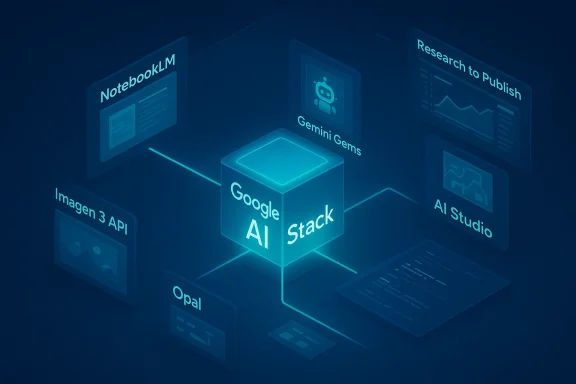 Overview
In the past 18 months Google shifted strategy: instead of a single “one‑bot‑to‑rule‑them‑all,” the company stitched together purpose‑built AI products into an interoperable workflow that spans research, media, app building, and developer tooling. That change matters because it turns AI from a conversational novelty into a set of modular capabilities you can slot into real editorial, marketing, or engineering pipelines. The set of tools I’m about to walk through — NotebookLM, Gemini Gems, Flow, Nano Banana, Imagen 3, Whisk, Opal, AI Studio, olab — are already live, increasingly integrated, and in many cases free to start using.This feature is built from months of hands‑on testing, official product documentation, and independent reporting. Wherever possible I’ve cross‑checked technical claims against Google’s developer posts and at least one independent source to separate marketing from reality. When a claim could not be independently verified (user counts, precise internal launch telemetry), I flag it explicitly.
Background: Why Google’s approach is different now
Google’s strength isn’t any single model — it’s the way models, APIs, apps, and developer surfaces are chained together. Think of it as an engine: foundational models (Gemini family), media models (Imagen, Nano Banana, Veo), developer surfaces (AI Studio, Colab, Vertex AI), and product wrappers (NotebookLM, Flow, Opal). Rather than betting on a single chatbot dominating the interface layer, Google has embedded AI into targeted tools that map to common workflows — research, content creation, prototyping, and app deployment. That shift is explicit in Google’s product announcements and in the way features now flow from one product to another.The practical implication: you don’t have to build everything yourself. NotebookLM can synthesize research, Nano Banana and Veo can produce imagery and video, Opal can stitch models into an app, and AI Studio/Colab let developers prototype and deploy. Learning which tool to pick at each stage multiplies productivity much more than trying to coax a single model to do everything.
1. NotebookLM — an AI research assistant that actually stays on topic
What it is: NotebookLM is Google’s source‑grounded research assistant that ingests user documents (PDFs, Docs, Slides, transcripts, web content) and answers questions constrained to those sources. That grounding reduces hallucinations relative to open‑ended chatbots and makes NotebookLM a practical tool for fact‑heavy work.Key, practical features I used:
- Audio Overviews: NotebookLM narrates document summaries in a conversational, podcast‑style format — excellent for reviewing dense technical material on the go.
- Cinematic Video Overviews: A recently added feature converts notes into short, immersive video summaries using high‑end media models; currently gated to premium subscribers in some regions. This was announced by Google in March 2026 and validated by hands‑on reports.
- Deep Research: An autonomous research agent mode that scopes a research plan, crawls public sources, and compreports — an ambitious attempt to combine breadth with traceability.
- Structural exports: mind maps, slides, flashcards, and tables that transform unstructured sources into usable outputs quickly.
Risk and caveat: Video and high‑compute overviews are premium features and sometimes show the same brittleness as other generative media (misaligned emphasis, choppy transitions). Audio/video generation can also be noisy for non‑English languages depending on locale support. Always double‑check critical facts and exports.
2. Gemini Gems — build a persistent AI that remembers your style
What it is: Gemini Gems are saved, shareable AI assistants inside the Gemini app. You can define persona, instructions, formatting, and attach reference files so a Gem starts every conversation with your context already in place. This eliminates repetitive prompt setup for recurring workflows.Why it matters: For editorial teams or anyone with a house style, Gems let you enforce consistency. I built a Gem trained on our editorial checklist — tone, SEO rules, heading structure, and file templates — and it reduced drafting time because the assistant didn’t need orientation each session.
Notable integrations: Gems can now be shared like Google Drive files and can link to Opal mini‑apps (Gem‑to‑Opal workflows) so a Gem can be both an assistant and an automation engine. This sharing capability rolled out in late 2025 and makes Gems practical for team use.
Risk: Gems are powerful persistence points for personal data. Treat them like any shared document: audit what you store, and avoid seeding sensitive secrets into Gem configuration.
3. Google Flow (powered by Veo) — an AI filmmaking studio
What it is: Flow is Google’s unified creative studio for images and video that now bundles capabilities formerly offered through separate Labs projects (Flow, Whisk, ImageFX). With Veo 3.1 as its video backbone, Flow aims to let creators go from concept to cinematic sequence inside one interface. Google’s recent February 2026 update formally merged the image and remixing tools into Flow.Hands‑on takeaways:
- Veo 3.1 generates short cinematic clips with synchronized audio — including environmental sounds and lip‑synced dialogue — and works with image reference frames created by Nano Banana. This lowers the friction of turning stills into motion.
- Editor‑style controls (camera moves, scene builder, lasso tool) allow local edits through natural language instead of a steep timeline learning curve. Users can chain 8‑second clips into longer sequences using Flow’s timeline.
- Flow has an assets grid and migration tools for legacy Whisk/ImageFX projects as Google consolidates Labs into Flow.
Limits and caveats: Generated clips are still best treated as drafts. Users report UI instability and occasional model fallbacks during rapid updates; projects that matter deserve versioned exports and human review.
4. Nano Banana — the image model that went viral
What it is: Nano Banana (internal product name for Gemini image families) is Google’s fast, conversational image model built into Gemini and Google’s consumer surfaces. The line includes the original Nano Banana, Nano Banana Pro (Gemini 3 Pro Image), and Nano Banana 2 (Gemini 3.1 Flash Image), with each iteration prioritizing fidelity, text rendering, and speed. Independent reporting documented rapid user adoption when it launched.Why it stood out: Nano Banana democratized high‑quality image creation inside products people already use daily (Gemini app, Search AI Mode, and Lens). Its strengths include:
- Faster generations and practical creative controls.
- Better text rendering and character consistency in multi‑entity scenes.
- Integration across Google surfaces (Search, Photos, NotebookLM, Flow).
Risk: Image generation raises content and copyright questions, especially when models attempt photorealistic likenesses or stylistic mimicry. Commercial users should audit licensing, use SynthID/watermarking features, and ensure compliance.
5. Imagen 3 — the developer image API
What it is: Imagen 3 is Google DeepMind’s API‑oriented image model accessible via the Gemini API, Vertex AI, and Google AI Studio. It’s intended for programmatic, production integrations rather than consumer chat flows.Key specs and business case:
- API‑first model with mask editing, upscaling, and multi‑aspect outputs.
- Fast variant for lower latency (useful at scale).
- Pricing is competitive for production use (public reporting cites per‑image pricing in the low cents range, but vendor pages and third‑party pricing trackers vary). Verify current API costs in your billing console before committing.
Caveat: API usage implies careful cost planning, content policy controls, and caching strategies to avoid unexpected bills. Always test at scale in AI Studio or a controlled environment.
6. Whisk — think in images instead of text (now folding into Flow)
What it is: Whisk was Google Labs’ visual remix tool that combined three visual inputs — subject, scene, and style — to generate composite images. The core idea is tangible: drag or describe three visual ingredients and let the model blend them into a new creation. As of early 2026, Whisk’s features are being consolidated into Flow. Existing Whisk assets can be migrated into Flow during an opt‑in transfer period.Why it matters: Visual-first prompting closes a gap where text prompts struggle to express spatial or stylistic nuance. For designers and brand teams, Whisk was a faster route to idea exploration than text‑only generation.
Risk: Consolidation into Flow improves pipeline coherence but adds migration work and temporary UI churn for heavy Whisk users.
7. Opal — describe an app and Opal builds the workflow
What it is: Opal is Google Labs’ no‑code AI app builder. Describe a mini‑app in plain language and Opal translates it into a visual workflow of inputs, model calls, and outputs. An important February 2026 update added an agent step so workflows can include autonomous decision‑making, memory across sessions, and dynamic routing. Google described this enhancement as enabling agentic workflows inside Opal.Real test: I built a content brief generator that:
- Accepted a topic,
- Used NotebookLM as a grounding source,
- Queried web sources for competing articles,
- Generated an SEO brief and slide deck.
Who should use it: Non‑coders, product managers, marketers, and small businesses who need quick automation without hiring engineers.
Risk: Agentic steps bring great power and additional safety requirements. When workflows access personal or proprietary data, validate authentication, rate limits, and privacy handling.
8. Google AI Studio — the developer sandbox that actually maps to production
What it is: Google AI Studio is the browser‑based environment for testing Gemini and media models, comparing outputs, trying multimodal prompts, and exporting working code to Python, JavaScript, REST calls, or Colab. It’s the canonical place to prototype before moving to Vertex AI.Why use it:
- Rapid model comparison and side‑by‑side output testing.
- “Open in Colab” export for immediate runnable notebooks and reproducibility.
- Agentic testing features for building multi‑step apps.
Risk: Misunderstanding free tier data usage is a common pitfall. Treat AI Studio as a prototyping sandbox, not a secure production environment.
9. Gemini Advanced — the subscription tier for power users
What it is: Gemini Advanced (packaged under names like Google AI Pro and Google AI Ultra) gives access to the top model variants, longer context windows, and premium features like Deep Research, Guided Learning, Canvas collaboration, and Workspace integration. These features materially change what you can do inside Docs, Sheets, and Slides.Who should subscribe: Professionals who rely daily on AI for research, writing, or coding; educators who need structured learning tools; and teams embedded in Google Workspace who want native AI inside their docs.
Pricing: Google’s consumer plans are tiered; public mentions have listed price points in the $20/month range for pro tiers and higher enterprise/ultra tiers for heavy users. Always check the payment console for current plans and trial windows. Pricing changes frequently; confirm before budgeting.
Risk: Vendor lock‑in and dependency are real — the more you embed context and workflows into proprietary Gems and Workspace integrations, the harder migration becomes.
10. Google Colab — the cloud notebook that’s an AI coding partner
What it is: Colab remains a fast, browser‑hosted Jupyter environment with free GPU/TPU options and preinstalled ML frameworks. Since 2025, Google repositioned Colab as “AI‑first,” adding agentic notebook assistants, context‑aware coding help, and a Data Science Agent (DSA) that can propose plans and generate analysis code for uploaded datasets.Why it’s worth revisiting:
- The DSA turns colab from a blank notebook into a coding partner that can write, refactor, and debug multi‑cell workflows.
- “Slideshow Mode” converts notebooks into live presentations, which is practical for teaching.
- Integration with Gemini models enables multimodal notebook help when prototyping AI features.
Risk: Free GPU availability is subject to quotas. For production training or scale workloads, move to managed cloud compute.
How these tools chain into productive workflows
One of Google’s quiet competitive advantages is the ability to chain these tools:- Research & knowledge synthesis: NotebookLM ingests sources and creates structured outputs (tables, audio briefs). Gemini Advanced can extend the web search footprint with Deep Research.
- Create: Draft with a Gemini Gem tuned to your house style; generate visual assets with Nano Banana; refine and animate into short clips with Flow/Veo.
- Prototype & deploy: Use Opal to wire up no‑code automations or AI Studio to iterate prompt logic; export to Colab for engineering or to Vertex AI for production deployment.
Critical analysis: strengths, blind spots, and practical advice
Strengths- Integration equals productivity. The tight linking of NotebookLM → Gemini → Nano Banana → Flow dramatically reduces handoff friction for creators.
- Multiple form factors. Google covers research, static and motion media, no‑code apps, and developer prototyping. You can move a concept from idea to pre vendor ecosystem.
- Accessible experimentation. Free tiers and integrated sandboxes (AI Studio, Colab) lower the barrier for exploration and learning.
- Data governance and privacy. Many free tiers use prompts to improve models. For proprietary or regulated data, teams must use paid enterprise controls or Vertex AI and enterprise guardrails.
- Rapid churn and UI instability. Frequent product merges and rapid feature rollouts (Flow’s Feb 2026 overhaul, Whisk migration) have led to transient bugs and migration headaches for power users. Expect temporary regressions during major updates.
- Economic unpredictability. Pricing for high‑scale image/video generation and API usage can shift; Imagen API prices reported by third parties vary. Always model costs with conservative usage estimates.
- Ethics, copyright & attribution. Generative media raises real risks around likenesses, derivative art, and potential misuse. Use SynthID watermarking and content policies, and implement review workflows for public releases.
- Start with a clear use case: research, prototype, or content production.
- Prototype in AI Studio or Colab, keeping private data out of free tiers.
- Migrate tested flows to Opal (no‑code) or Vertex AI (enterprise) for production.
- Add human‑in‑the‑loop review steps for any externally published content.
- Monitor billing and set alerting on unexpected API usage.
What to try this week (hands‑on mini projects)
- NotebookLM: Upload a single long report and generate a 3‑minute audio overview plus a comparison table of three competitors. Audit citations manually.
- Gem creation: Build a Gem that formats article drafts to your editorial schema and test it on three past drafts to measure time savings.
- Flow demo: Use Nano Banana to create two character keyframes; import them into Flow and generate a 16‑second storyboard with Veo 3.1.
- Opal prototype: Make a one‑click content brief generator that pulls a NotebookLM notebook as a source and outputs a slide deck.
Final verdict: Learn the pieces, not the hype
Google’s AI ecosystem is no longer a collection of experiments — it’s a pragmatic set of linked tools that can accelerate real work when used together. The headline models (Gemini) still get attention, but the biggest productivity gains come from lesser‑known tools that solve specific problems: NotebookLM for grounded research, Gems for consistency, Flow and Nano Banana for media, Opal for no‑code automation, and AI Studio/Colab for engineering rigor.A few closing, practical notes:
- Validate model outputs for critical facts and run human reviews on media destined for public release.
- Use enterprise controls (Vertex AI, billed tiers) when handling confidential data.
- Expect product migrations and UI changes — export and version assets frequently.
- If you’re a creator, learn one integration pattern end‑to‑end (research → draft → asset → publish) before trying to master everything.
End of article.
Source: H2S Media 10 Google AI Tools You're Probably Not Using Yet
