

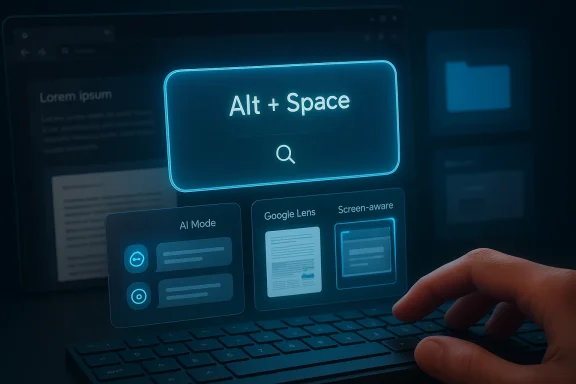
Google’s new desktop app for Windows is a bigger strategic move than it may look at first glance. By putting Search, AI Mode, Google Lens, and screen-aware assistance behind a single Alt + Space shortcut, Google is trying to make its services feel native to the PC itself rather than something you visit in a browser. The launch, which Google says is now available globally in English for Windows users, also signals a much more direct challenge to Microsoft Copilot and to the idea that desktop search should be owned by the operating system vendor alone. (blog.google)
For years, Google’s desktop story on Windows was mostly about the browser. Chrome was the front door, Search lived in tabs, and most AI experimentation happened through the web or mobile apps. That model worked when the web was the center of computing, but it looks less complete in an era where users expect instant, system-wide assistance that can understand the screen, local files, cloud files, and context without forcing a window switch. Google’s new app is an attempt to close that gap. (blog.google)
The company first introduced the app as an experiment in Google Labs, where it was pitched as a faster way to search across computer files, installed apps, Google Drive, and the web from anywhere in Windows. The key idea was convenience, but the deeper logic was ecosystem control: if the assistant is one keystroke away, Google can keep users inside its own search and AI loop far more often than a browser-only workflow allows. That is a meaningful shift in product philosophy, not just a cosmetic Windows utility. (blog.google)
Google’s April 15, 2026 rollout version appears to be the maturation of that experiment. According to Google’s product post, the app is now available to Windows users globally in English and includes AI Mode built right in, plus the ability to search what’s on the screen with Lens and to keep asking questions through screen sharing. That combination makes the app feel less like a launcher and more like a lightweight desktop copilot for everyday work, study, and browsing. (blog.google)
The timing also matters. Google has spent the past year and more folding Gemini deeper into its product stack, from Search to Chrome to Workspace. The Windows app fits into that broader arc: Google is no longer treating AI as a separate destination. Instead, it is becoming a layer that sits over the tools people already use, and Windows is the most important desktop battleground for that strategy.
The app also blurs the line between search, assistant, and AI chat. Instead of making users choose among tabs, apps, and workflows, Google is packaging multiple interaction modes into one interface. That is a familiar pattern in modern software design, but here it is applied to the most valuable real estate on a PC: the moment when a user needs information now. (blog.google)
The global rollout shows that the experiment likely cleared a basic adoption threshold. Google does not typically graduate a desktop tool from Labs unless the product feels stable enough and the use case broad enough to justify wider exposure. That does not mean the app is finished; far from it. It means Google believes the app now has a credible path from novelty to habit. (blog.google)
The difference also reflects Google’s confidence in screen-aware AI. Once a tool can understand what’s on the screen, it becomes much harder to dismiss it as “just a search bar.” That capability opens the door to contextual help, translation, tutoring, document interpretation, and visual troubleshooting, all of which are high-frequency needs in modern work. (blog.google)
This shortcut also reduces the cognitive load of deciding where to search. Users do not have to distinguish between a browser search, a local file search, an app launch, or a cloud document lookup. They just press the keys and ask. That simplicity may be the app’s strongest selling point, because simple interfaces often hide the most complex systems behind them. (blog.google)
There is also an institutional advantage here. Windows is the world’s broadest desktop platform, which means even a modest adoption rate could expose millions of users to Google’s AI stack outside the browser. That is a notable competitive lever, especially in enterprise and education settings where users are already accustomed to keyboard-driven productivity. Convenience becomes a distribution strategy. (blog.google)
This approach reflects Google’s broader product direction. Rather than replacing search results entirely, Google is layering generated answers over its index and ranking systems. The result is not pure chat and not pure search, but something in between: a response engine that can explain, summarize, and guide while still pointing users back to the web.
For Google, AI Mode is also a retention tool. If users get a satisfying answer inside the app, they are less likely to drift into a rival assistant or a competing search flow. That does not eliminate competition, but it does make Google’s ecosystem harder to bypass. That is the real prize. (blog.google)
At the same time, Google is careful to preserve the link graph that made Search dominant in the first place. That is a subtle but critical design decision. It keeps publishers and the open web in the loop, even as the interface becomes more AI-driven. (blog.google)
This is also where Google Lens becomes more than a camera feature. On the desktop, Lens can select and search anything on the screen, which means it can translate text, interpret images, and help with homework or work problems directly from what is visible. That turns the PC display into a searchable object, not just a passive canvas. (blog.google)
The same is true for translation. If a user can highlight text in an image, a screenshot, or a non-selectable webpage and instantly translate or copy it, the friction of cross-language work falls sharply. That is especially useful for students, travelers, and international teams, where even small delays add up. (blog.google)
That cross-surface reach is also what makes the app feel like a real competitor to Windows-native search and to the growing class of third-party launchers. If Google can search files as efficiently as it searches the web, it becomes more indispensable in daily desktop life. That is a serious strategic expansion from web search into system-level utility. (blog.google)
It also helps Google defend its own cloud ecosystem. Search is not just a utility; it is a retention hook. If users rely on Google Drive because it is easier to surface content through the desktop app, that strengthens Google’s position across productivity and storage as well. Ecosystem stickiness is the hidden story here. (blog.google)
For users, competition is usually good news. It can mean better indexing, faster launches, smarter AI responses, and more attention to polish. For platform owners, it means the desktop is no longer just about the OS shell; it is about who owns the user’s next action. (blog.google)
That approach mirrors Google’s recent behavior across other products. The company has been pushing Gemini deeper into Chrome, Search, Maps, and Workspace, making AI feel like a connective tissue rather than a standalone app. The Windows desktop app is simply the latest extension of that philosophy.
That is a smart response to the reality of modern computing. It also gives Google more data on how people work across contexts, which can inform product improvements across the broader ecosystem. The company is effectively learning not just what people search for, but when and where they need help. That timing data is powerful. (blog.google)
The current language restriction is important, though. “Globally in English” is not the same as “globally in all languages,” and that limits the app’s immediate usefulness in many regions. Still, English-language availability is enough to establish the product’s core value proposition and gather feedback at scale. (blog.google)
The free model also signals that the app is primarily a distribution play. Google is less interested in direct revenue from the launcher itself than in deepening engagement with Search, Gemini, and Drive. That makes the product feel more like strategic infrastructure than standalone software. (blog.google)
The next phase will likely depend on refinement more than reinvention. Better language support, deeper Windows integration, improved enterprise controls, and more nuanced screen understanding could all broaden the app’s appeal. But the biggest question is philosophical: can Google make desktop search feel indispensable again in an era when users already have too many assistants and too many tabs? (blog.google)
Source: newspress.co.in Google Launches AI-Powered Desktop App for Windows: A "Spotlight" for PCs - NewsPress India
 Overview
For years, Google’s desktop story on Windows was mostly about the browser. Chrome was the front door, Search lived in tabs, and most AI experimentation happened through the web or mobile apps. That model worked when the web was the center of computing, but it looks less complete in an era where users expect instant, system-wide assistance that can understand the screen, local files, cloud files, and context without forcing a window switch. Google’s new app is an attempt to close that gap. (blog.google)The company first introduced the app as an experiment in Google Labs, where it was pitched as a faster way to search across computer files, installed apps, Google Drive, and the web from anywhere in Windows. The key idea was convenience, but the deeper logic was ecosystem control: if the assistant is one keystroke away, Google can keep users inside its own search and AI loop far more often than a browser-only workflow allows. That is a meaningful shift in product philosophy, not just a cosmetic Windows utility. (blog.google)
Google’s April 15, 2026 rollout version appears to be the maturation of that experiment. According to Google’s product post, the app is now available to Windows users globally in English and includes AI Mode built right in, plus the ability to search what’s on the screen with Lens and to keep asking questions through screen sharing. That combination makes the app feel less like a launcher and more like a lightweight desktop copilot for everyday work, study, and browsing. (blog.google)
The timing also matters. Google has spent the past year and more folding Gemini deeper into its product stack, from Search to Chrome to Workspace. The Windows app fits into that broader arc: Google is no longer treating AI as a separate destination. Instead, it is becoming a layer that sits over the tools people already use, and Windows is the most important desktop battleground for that strategy.
Why this launch is different
The old mental model was simple: search starts in a browser, and desktop utilities are separate. Google is now challenging that by making search itself a desktop behavior. Press the shortcut, ask a question, and get a response without interrupting the task at hand. That sounds small, but the productivity gains can be substantial when multiplied across dozens of daily lookups. (blog.google)The app also blurs the line between search, assistant, and AI chat. Instead of making users choose among tabs, apps, and workflows, Google is packaging multiple interaction modes into one interface. That is a familiar pattern in modern software design, but here it is applied to the most valuable real estate on a PC: the moment when a user needs information now. (blog.google)
From Labs Experiment to Global Rollout
Google did not launch this in one dramatic leap. It began as a Labs experiment, which is important because Labs products are usually where Google tests whether a feature is actually useful rather than merely impressive. In that earlier form, the app already had the core mechanics: Alt + Space, unified search, Lens integration, and AI Mode responses with links for further exploration. (blog.google)The global rollout shows that the experiment likely cleared a basic adoption threshold. Google does not typically graduate a desktop tool from Labs unless the product feels stable enough and the use case broad enough to justify wider exposure. That does not mean the app is finished; far from it. It means Google believes the app now has a credible path from novelty to habit. (blog.google)
What changed between experiment and release
In Labs, the app was framed as a way to avoid switching windows during work or play. In the released version, Google emphasizes that the app can find information across the web, local files, installed apps, and Google Drive, while also letting users keep interacting through AI Mode and screen sharing. The scope is broader, and the framing is more mature: it is no longer just a test of search convenience, but a desktop productivity layer. (blog.google)The difference also reflects Google’s confidence in screen-aware AI. Once a tool can understand what’s on the screen, it becomes much harder to dismiss it as “just a search bar.” That capability opens the door to contextual help, translation, tutoring, document interpretation, and visual troubleshooting, all of which are high-frequency needs in modern work. (blog.google)
- The app started as a Labs experiment.
- The release expands it into a global English rollout for Windows.
- AI Mode and Lens are no longer side features; they are core features.
- Google is positioning the app as a desktop-first search surface, not a browser add-on. (blog.google)
The strategic lesson
Google is clearly learning from the success of operating-system-level shortcuts and launchers. Users love tools that reduce friction because speed becomes a feature in itself. By bringing Google search to the foreground of the desktop, the company is betting that habit will beat inertia. (blog.google)The Alt + Space Shortcut as a Product Strategy
The Alt + Space shortcut is more than an ergonomic choice. It is the heart of the product’s value proposition, because it creates an always-available access point that feels immediate, universal, and OS-like. That immediacy is exactly what gives the app its “Spotlight for PCs” appeal, even though Google is not explicitly shipping it as a Windows shell replacement. (blog.google)This shortcut also reduces the cognitive load of deciding where to search. Users do not have to distinguish between a browser search, a local file search, an app launch, or a cloud document lookup. They just press the keys and ask. That simplicity may be the app’s strongest selling point, because simple interfaces often hide the most complex systems behind them. (blog.google)
Why shortcuts matter in desktop software
Keyboard shortcuts are not just for power users. They are how software becomes muscle memory, and muscle memory is what turns a feature into a daily habit. If Google can make Alt + Space feel as natural on Windows as Spotlight feels on macOS, it gains a powerful retention mechanism. (blog.google)There is also an institutional advantage here. Windows is the world’s broadest desktop platform, which means even a modest adoption rate could expose millions of users to Google’s AI stack outside the browser. That is a notable competitive lever, especially in enterprise and education settings where users are already accustomed to keyboard-driven productivity. Convenience becomes a distribution strategy. (blog.google)
- Alt + Space makes the app feel native to Windows.
- It collapses multiple search types into one interface.
- It rewards repeated use through keyboard habit formation.
- It gives Google a persistent desktop presence without a browser tab. (blog.google)
The Spotlight comparison
The Apple comparison is inevitable because Spotlight is one of the best-known desktop search interfaces ever built. Google’s app is not a macOS clone, but it is clearly borrowing the same psychological design principle: one bar, many intents. That matters because users do not want more apps; they want fewer steps. (blog.google)AI Mode: Search Becomes Conversation
The most consequential feature in the release is AI Mode. Google says the desktop app includes AI-powered responses with links to the web, which means the product is designed to sit between classic search and generative chat. That balance is important, because it keeps the interface grounded in web results while still delivering the speed and flexibility of conversational AI. (blog.google)This approach reflects Google’s broader product direction. Rather than replacing search results entirely, Google is layering generated answers over its index and ranking systems. The result is not pure chat and not pure search, but something in between: a response engine that can explain, summarize, and guide while still pointing users back to the web.
Why AI Mode is a big deal
For users, the benefit is obvious. Complex questions often require synthesis, and traditional search forces people to do that synthesis themselves across multiple pages. AI Mode reduces that work by offering a conversational starting point and follow-up prompts, which is especially useful for planning, research, troubleshooting, and educational tasks. (blog.google)For Google, AI Mode is also a retention tool. If users get a satisfying answer inside the app, they are less likely to drift into a rival assistant or a competing search flow. That does not eliminate competition, but it does make Google’s ecosystem harder to bypass. That is the real prize. (blog.google)
What this means for search behavior
Search behavior is already changing. Users are asking longer questions, expecting more context, and tolerating fewer detours. The desktop app is designed for exactly that environment, where the answer should appear without making the user lose their place in a document, game, or browser session. (blog.google)At the same time, Google is careful to preserve the link graph that made Search dominant in the first place. That is a subtle but critical design decision. It keeps publishers and the open web in the loop, even as the interface becomes more AI-driven. (blog.google)
- AI Mode gives users conversational answers.
- It still includes links to the web.
- It is optimized for follow-up questions.
- It turns search into an ongoing dialogue, not a one-shot query. (blog.google)
Enterprise and consumer implications
For consumers, AI Mode is about convenience, speed, and fewer context switches. For enterprises, the promise is more nuanced: workers can query documents, apps, and web information from the same surface, which could streamline many low-friction tasks. But enterprise buyers will want assurance around governance, permissions, and data boundaries before embracing the tool widely. (blog.google)Screen-Aware Intelligence and Google Lens
The screen-sharing feature is where the desktop app starts to feel genuinely next-generation. Google says users can select a specific window or the entire screen to keep asking questions without breaking their flow. That lets the app understand the user’s current context, which is a huge step beyond traditional search. (blog.google)This is also where Google Lens becomes more than a camera feature. On the desktop, Lens can select and search anything on the screen, which means it can translate text, interpret images, and help with homework or work problems directly from what is visible. That turns the PC display into a searchable object, not just a passive canvas. (blog.google)
Why screen-aware AI changes the workflow
The most valuable software often respects context. A user looking at a chart in a PDF does not want to copy the text, open another site, paste it into a separate tool, and wait. They want immediate explanation. Screen-aware intelligence shortens that path dramatically, and that can make the difference between curiosity and action. (blog.google)The same is true for translation. If a user can highlight text in an image, a screenshot, or a non-selectable webpage and instantly translate or copy it, the friction of cross-language work falls sharply. That is especially useful for students, travelers, and international teams, where even small delays add up. (blog.google)
- Selective screen sharing preserves workflow continuity.
- Lens brings visual search to the desktop.
- Translation and copying from images reduce manual steps.
- Contextual help becomes easier for charts, documents, and screenshots. (blog.google)
The privacy dimension
Screen-aware features always raise privacy questions, even when the intent is helpful. Users will want clear controls over what is shared, how long it is processed, and whether sensitive content is exposed in the course of a query. Google’s product framing emphasizes control through specific window selection, which is reassuring, but public trust will depend on consistent, transparent behavior over time. (blog.google)Google Drive, Local Files, and the Desktop Search Race
The new app’s ability to search across Google Drive, local files, and installed apps is one of its most practical features. It means the user can search across both cloud and device layers from a single place, which is exactly what modern hybrid work demands. Many people no longer live purely in one ecosystem, and the best tools now reflect that reality. (blog.google)That cross-surface reach is also what makes the app feel like a real competitor to Windows-native search and to the growing class of third-party launchers. If Google can search files as efficiently as it searches the web, it becomes more indispensable in daily desktop life. That is a serious strategic expansion from web search into system-level utility. (blog.google)
Why local + cloud search matters
The average worker does not think in storage silos. They think in tasks, and tasks often involve a mix of documents from a laptop, attachments from email, and files in cloud storage. A unified search layer that spans those locations can reduce duplicated effort and reduce the tendency to keep the same file in three places “just in case.” (blog.google)It also helps Google defend its own cloud ecosystem. Search is not just a utility; it is a retention hook. If users rely on Google Drive because it is easier to surface content through the desktop app, that strengthens Google’s position across productivity and storage as well. Ecosystem stickiness is the hidden story here. (blog.google)
Competitive implications for Microsoft
This is where things get interesting for Microsoft. Windows already ships with its own search and Copilot-related experiences, but Google is now offering an alternative that sits on top of the OS and reaches into cloud files as well. That does not eliminate Microsoft’s advantage inside Windows, but it does force Redmond to compete harder on usefulness rather than default placement alone. (blog.google)For users, competition is usually good news. It can mean better indexing, faster launches, smarter AI responses, and more attention to polish. For platform owners, it means the desktop is no longer just about the OS shell; it is about who owns the user’s next action. (blog.google)
Google’s OS-Adjacent Strategy
Google is not trying to become Windows. It is trying to become OS-adjacent, which may be even more powerful. By living one layer above the operating system, Google can be available everywhere without taking responsibility for the full system stack. That allows the company to spread its AI and search footprint across devices while avoiding the complexity of building a full desktop platform. (blog.google)That approach mirrors Google’s recent behavior across other products. The company has been pushing Gemini deeper into Chrome, Search, Maps, and Workspace, making AI feel like a connective tissue rather than a standalone app. The Windows desktop app is simply the latest extension of that philosophy.
How this differs from browser-first Google
Browser-first Google made sense when the browser was the universal app. But users now spend more time in mixed workflows, where some tasks happen in web apps, some in native apps, and some in hybrid environments like cloud drives and local storage. The new desktop app acknowledges that fragmentation and tries to unify it from above. (blog.google)That is a smart response to the reality of modern computing. It also gives Google more data on how people work across contexts, which can inform product improvements across the broader ecosystem. The company is effectively learning not just what people search for, but when and where they need help. That timing data is powerful. (blog.google)
- Google is targeting the layer above the OS, not the OS itself.
- The app extends Google’s presence beyond the browser.
- It aligns with Google’s broader Gemini everywhere strategy.
- It can reinforce behavior across Search, Drive, Chrome, and AI Mode. (blog.google)
A platform move, not just a utility
The important point is that utilities can become platforms if they become habitual. A search bar that lives under a hotkey and reaches across the desktop can become a default behavior layer. If that happens, Google gains something more valuable than a download count: it gains a place in the user’s workflow architecture. (blog.google)Availability, Eligibility, and the Rollout Shape
Google says the app is available globally in English for Windows 10 and later, and that users must be 13 or older. It is also free to download through Google’s search site, which lowers the friction to trial and makes mass adoption easier than a paid productivity product would. (blog.google)The current language restriction is important, though. “Globally in English” is not the same as “globally in all languages,” and that limits the app’s immediate usefulness in many regions. Still, English-language availability is enough to establish the product’s core value proposition and gather feedback at scale. (blog.google)
Why the rollout design matters
Google often uses phased or constrained availability to stabilize a product before expanding it. Starting with English on Windows gives the company a large enough user base to measure engagement while keeping support complexity manageable. That is a sensible move for a product that depends on search quality, screen understanding, and cross-surface indexing. (blog.google)The free model also signals that the app is primarily a distribution play. Google is less interested in direct revenue from the launcher itself than in deepening engagement with Search, Gemini, and Drive. That makes the product feel more like strategic infrastructure than standalone software. (blog.google)
The macOS question
Google has confirmed that a Mac version is in development, which is notable because it means the company sees the desktop app category as cross-platform rather than Windows-specific. Even so, the Windows launch is the more significant battle, because Windows remains the world’s broadest enterprise and consumer desktop environment.Strengths and Opportunities
The strongest case for Google’s new Windows app is that it reduces friction in the moments when users most need speed, context, and confidence. If the product continues to improve, it could become one of Google’s most useful desktop touchpoints in years, especially because it connects search, AI, files, and vision in one place. The opportunity is not merely to answer questions; it is to become the default first stop for desktop intent. (blog.google)- One hotkey, many workflows: the app compresses search, launch, and AI assistance into a single action.
- Strong ecosystem integration: Google Drive, local files, installed apps, and web search are unified.
- Better context handling: screen sharing and Lens make the app more useful for real tasks.
- AI Mode adds depth: users can move from quick lookup to deeper exploration without changing tools.
- Habit-forming design: keyboard-first access encourages repeat usage.
- Competitive leverage: Google gains a visible presence on Windows without owning the OS.
- Cross-platform potential: the promised Mac version suggests a broader desktop strategy. (blog.google)
Risks and Concerns
The app’s promise is real, but so are the risks. Any product that reaches across the screen, local storage, cloud files, and AI reasoning has to earn trust repeatedly, and a single confusing permission flow or inaccurate answer can slow adoption. There is also a broader concern about how much desktop behavior Google wants to influence, especially if users begin to rely on generated answers for tasks that demand precision. (blog.google)- Privacy sensitivity: screen-sharing and visual search require clear, consistent user control.
- Accuracy risk: AI responses can be helpful, but they are not infallible.
- Language limitation: English-only availability narrows immediate global usefulness.
- Enterprise governance: businesses will want clarity on data handling and compliance.
- Platform friction: Microsoft may respond by tightening or improving its own desktop AI stack.
- User overlap: many Windows users already have browser-based workflows that may be hard to displace.
- Expectation gap: if the app feels too much like search in a new wrapper, it may underwhelm. (blog.google)
Looking Ahead
Google’s Windows app is best understood as a test of whether desktop AI can become habitual. If users keep pressing Alt + Space because it saves time and answers better than the browser, the app could become one of those quietly essential utilities that reshapes how people work without ever becoming flashy. If that happens, Google will have found a way to insert itself into the operating system layer without owning the operating system. (blog.google)The next phase will likely depend on refinement more than reinvention. Better language support, deeper Windows integration, improved enterprise controls, and more nuanced screen understanding could all broaden the app’s appeal. But the biggest question is philosophical: can Google make desktop search feel indispensable again in an era when users already have too many assistants and too many tabs? (blog.google)
- Expansion beyond English will be a major adoption signal.
- Enterprise policy controls will influence workplace uptake.
- Better accuracy in AI Mode will determine trust.
- Wider cross-platform parity could strengthen Google’s position.
- Microsoft’s response may shape the competitive tempo on Windows. (blog.google)
Source: newspress.co.in Google Launches AI-Powered Desktop App for Windows: A "Spotlight" for PCs - NewsPress India
Last edited:
