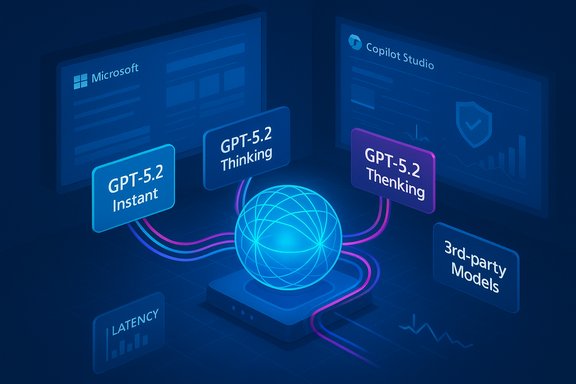
Microsoft has begun rolling OpenAI’s GPT‑5.2 into Microsoft 365 Copilot and Copilot Studio, placing a new two‑mode model family—GPT‑5.2 Instant for fast day‑to‑day writing and translation, and GPT‑5.2 Thinking for deeper reasoning and planning—directly into the flow of office work and agent experiences.
Microsoft’s integration of GPT‑5.2 follows a broader strategy to make high‑capability models available inside productivity flows while layering enterprise controls and tenant grounding through Work IQ and Agent 365. Copilot’s product team is positioning GPT‑5.2 as another model choice within a multi‑model Copilot ecosystem—one that includes Microsoft’s own MAI models and third‑party options—so organizations can route tasks to the model best suited for the job.
OpenAI released GPT‑5.2 on December 11, 2025 in three flavors—Instant, Thinking, and Pro—with specific API and ChatGPT mappings intended to give both speed and a higher‑quality reasoning tier for professional users. Independent press coverage confirms the model debuted on the same date and that ChatGPT and API deployments are staged to paid users first.
Key considerations for IT and security teams
Adopt GPT‑5.2 deliberately: pilot early, validate against representative workloads, configure Agent 365 and Work IQ policies, and instrument telemetry so that productivity gains can be distinguished from risk exposure. With the right controls, GPT‑5.2 in Copilot can accelerate workflows; without them, it can amplify errors and data‑control gaps.
Source: Microsoft Available today: GPT-5.2 in Microsoft 365 Copilot | Microsoft 365 Blog
 Background
Microsoft’s integration of GPT‑5.2 follows a broader strategy to make high‑capability models available inside productivity flows while layering enterprise controls and tenant grounding through Work IQ and Agent 365. Copilot’s product team is positioning GPT‑5.2 as another model choice within a multi‑model Copilot ecosystem—one that includes Microsoft’s own MAI models and third‑party options—so organizations can route tasks to the model best suited for the job.OpenAI released GPT‑5.2 on December 11, 2025 in three flavors—Instant, Thinking, and Pro—with specific API and ChatGPT mappings intended to give both speed and a higher‑quality reasoning tier for professional users. Independent press coverage confirms the model debuted on the same date and that ChatGPT and API deployments are staged to paid users first.
What GPT‑5.2 actually brings to work
GPT‑5.2 introduces three productized capabilities that matter for Microsoft 365 customers:- GPT‑5.2‑Instant — a fast, efficient variant tuned for everyday writing, translation, Q&A, and skill building. This is intended to be the default for routine tasks where speed and cost-efficiency matter.
- GPT‑5.2‑Thinking — a deeper reasoning variant intended for long‑document summarization, complex planning, step‑by‑step math, code reasoning and multi‑file analysis.
- GPT‑5.2‑Pro — the highest‑quality option for the hardest tasks, exposed primarily in OpenAI’s own API and premium tooling for scenarios where minimizing major errors is critical.
Why the two‑mode approach matters
- Speed vs. depth trade‑off: Instant lowers latency and cost for routine tasks; Thinking sacrifices some speed to improve structured analysis and reduce major errors on longer tasks.
- Practical routing: When combined with Work IQ, Copilot can route a quick meeting recap to Instant while routing a finance model‑build or legal document analysis to Thinking or Pro where available.
- User experience: Most users won’t need to choose models; Copilot’s router makes the choice—but the option to select a model is there for power users and admins.
Rollout, availability and licensing
- Microsoft has started rolling GPT‑5.2 to users with a Microsoft 365 Copilot license beginning the day of the announcement; the company expects the rollout to reach all qualifying users over the coming weeks. Microsoft 365 Premium subscribers will see a phased rollout beginning early next year.
- Copilot Studio: GPT‑5.2 is available in Copilot Studio in early‑release environments, and agents currently running on GPT‑5.1 will automatically be moved to GPT‑5.2.
- OpenAI timing and API: OpenAI’s ChatGPT and API rollouts of GPT‑5.2 began the same day, with paid ChatGPT tiers and the API receiving staged access; GPT‑5.1 will remain available for a transition window. Pricing and token costs for GPT‑5.2 are higher than GPT‑5.1 in the API, reflecting higher capability.
Independent coverage and vendor claims — what holds up and what needs scrutiny
OpenAI has framed GPT‑5.2 as a major step for “professional knowledge work,” claiming improvements across long‑context understanding, coding, and tool use. Several outlets reported vendor benchmarks and assertions about speed and cost efficiency. Reuters and TechCrunch covered the December 11 launch and described the Instant/Thinking/Pro split; Business Insider summarized OpenAI’s internal benchmark claims about speed and task-level improvements. Caveats:- Vendor benchmarks (for example, single‑digit false positive/error rate claims or “11x faster than human benchmarks”) are meaningful but need independent validation in real‑world tenant contexts before using them as procurement evidence. Treat vendor performance numbers as directional until validated by your teams.
- Model behavior can vary markedly by prompt style, context length, and grounding. The practical difference between Instant and Thinking will be most visible on multi‑step, document‑heavy tasks rather than simple drafting jobs.
Security, privacy and governance implications
Introducing a higher‑capability model into enterprise workflows brings both opportunity and operational obligations. Microsoft has been explicit about the governance surfaces it is building—Work IQ for contextual grounding and Agent 365 for agent lifecycle and auditing—yet these layers create new audit and policy responsibilities for IT and security teams.Key considerations for IT and security teams
- Data grounding and minimization: Work IQ aggregates signals from email, calendar, files and meetings to improve relevance. Ensure retention, access, and Purview policies are configured so sensitive content is not inadvertently used to train or surface answers without required controls.
- Auditability and telemetry: Agent 365 aims to provide identity, policy and telemetry for agent activities. Validate that agent logs, step‑by‑step plans and request traces are retained in SIEM and compliance stores you control.
- Permission elevation and containment: Agent actions that perform multi‑step operations should request explicit elevation and present auditable plans for human review before committing changes.
- Cross‑cloud model routing: Microsoft now supports multi‑model choice in Copilot Studio, including OpenAI and Anthropic models. When an agent is routed to an external model provider, data may leave Microsoft‑managed infrastructure; tenancy admins must weigh this in contracts and DLP planning.
Risks and practical mitigations
- Hallucinations and factual errors: Higher capability reduces some classes of error but does not eliminate hallucination risk. Require verification steps for high‑stakes outputs (legal, financial, regulatory). Use the Thinking/Pro model for final drafts and insist on human‑in‑the‑loop validation for decisions that affect compliance.
- Data exfiltration: Multi‑model routing to third‑party clouds or Anthropic endpoints may expose prompts or intermediate artifacts. Lock down which models agents can call and apply tenant‑level policies to restrict cross‑cloud data flows.
- Over‑trust and automation creep: Agent Mode and in‑canvas automation can execute multi‑step changes in Excel/Word. Use least‑privilege agent identities and require human approval gates before any agent performs production changes.
- Cost surprises: GPT‑5.2’s token pricing in the API is higher than GPT‑5.1. Organizations that use Copilot heavily for batched analytic tasks or automated agents should estimate token consumption and set quota and budget controls.
- Enforce model whitelists and blacklists per tenant and role.
- Configure Copilot auditing to forward logs to your SIEM and enable long‑term retention policies for regulatory purposes.
- Create a staged testing and validation program before enabling GPT‑5.2 broadly (see the recommended playbook section below).
- Use sensitivity labels, Purview policies, and DLP rules to prevent sensitive content from being ingested into agent prompts.
Recommended enterprise playbook for adopting GPT‑5.2 in Copilot
- Inventory: Identify teams using Copilot, Copilot Studio agents, and any current GPT‑5.1 custom models. Export a list of agents and connectors.
- Define use cases and risk tiers: Classify use cases into Low (drafting, translation), Medium (internal reporting, spreadsheet automation), and High (financial models, legal contracts). Match model families accordingly—Instant for Low, Thinking for Medium, Pro or human review for High.
- Staged pilot: Run a 4–8 week pilot with representative users for each risk tier. Sample tests should include long‑document summarization, spreadsheet modeling, legal language generation, and multi‑meeting synthesis.
- Validation matrix: For each pilot task, measure:
- Accuracy (compared to verified ground truth)
- Hallucination frequency
- Latency and cost (tokens consumed)
- Usability and ROI (time saved)
- Policy configuration: Configure Agent 365 settings—agent identities, least‑privilege scopes, and audit sinks. Set up DLP blocking for cross‑tenant or cross‑cloud model usage where required.
- Training and adoption: Create short, role‑specific playbooks for how to prompt Copilot, when to choose model variants, and how to verify high‑stakes outputs.
- Operationalize monitoring: Route Copilot and agent telemetry into SIEM and compliance dashboards. Establish alerts for unusual agent behavior, unexpected data exfiltration attempts, or cost anomalies.
- Decommissioning and rollback: Prepare a rollback plan in case unsanctioned behavior appears; this includes the ability to pin agents to earlier model versions, disable agent execution, and revoke agent identities.
Practical prompts and examples for immediate testing
Microsoft suggested a set of example prompts to showcase GPT‑5.2’s capabilities in Copilot; they are useful starting points for pilots:- “Based on prior interactions with [person], give me 5 things that will be top of mind for our next meeting.”
- “Create side‑by‑side tables of the top 10 companies by market cap in 2000 and 2025. Then analyze the shifts in industry dominance, innovation cycles, and geopolitical trends—and connect any insight to implications for our 2025 strategic planning.”
- “Give me the top 3 strategic insights from today’s meeting, and show how they connect to our objectives and key results and upcoming milestones.”
Cost and developer considerations
OpenAI’s published API pricing for GPT‑5.2 is materially higher per token than GPT‑5.1, reflecting extra capability and offering token discounts for cached inputs. Expect higher inference costs for long document analysis and agentic workflows that generate extensive outputs; budget accordingly for Copilot agent-heavy processes. Assess opportunities to reduce cost by routing short tasks to Instant and reserving Thinking/Pro for high‑value jobs. Developer notes:- Copilot Studio now surfaces model selection; update agent tests and unit tests to verify behavior after the automatic migration from GPT‑5.1 to GPT‑5.2.
- Re‑run integration tests for agents that perform multi‑step actions; look for changed tokenization, output length, or structured output differences that might affect downstream parsers.
Strengths and enterprise opportunities
- Better reasoning and long‑context handling will improve meeting synthesis, multi‑file research, and strategic planning by pulling together email, calendar and document context via Work IQ.
- Model choice and routing gives IT flexibility to optimize for cost and capability across workloads.
- Copilot Studio + Agent 365 create an enterprise‑grade path for scaling agent workflows with observability and identity controls that were previously missing.
What to watch next (and open questions)
- Independent benchmarks: Look for third‑party evaluations comparing GPT‑5.2 Instant/Thinking/Pro to competitors (e.g., Gemini 3) on practical enterprise tasks. Vendor claims are promising but require real‑world validation.
- Model deprecation and lifecycle: Microsoft’s automatic migration of custom agents from GPT‑5.1 to GPT‑5.2 is helpful, but IT should verify behavior and have rollback plans if outputs degrade.
- Cross‑cloud model governance: As Copilot supports Anthropic and other models in Studio, expect more policy work to govern where and how data flows between clouds.
- Regulatory and legal scrutiny: Higher‑capability models will attract attention from regulators, particularly around data use, consumer protection, and sectoral rules (healthcare, finance). Track guidance from compliance teams closely.
Conclusion
GPT‑5.2’s arrival in Microsoft 365 Copilot is a meaningful product event: it marries OpenAI’s latest model family to Microsoft’s enterprise productivity stack and governance surfaces, delivering immediate productivity potential for knowledge workers while raising new governance and operational responsibilities for IT. The combination of Instant for routine work and Thinking/Pro for structured, high‑stakes reasoning is sensible in principle, but the enterprise value will depend on careful pilots, auditing, model routing policies, and cost management.Adopt GPT‑5.2 deliberately: pilot early, validate against representative workloads, configure Agent 365 and Work IQ policies, and instrument telemetry so that productivity gains can be distinguished from risk exposure. With the right controls, GPT‑5.2 in Copilot can accelerate workflows; without them, it can amplify errors and data‑control gaps.
Source: Microsoft Available today: GPT-5.2 in Microsoft 365 Copilot | Microsoft 365 Blog