

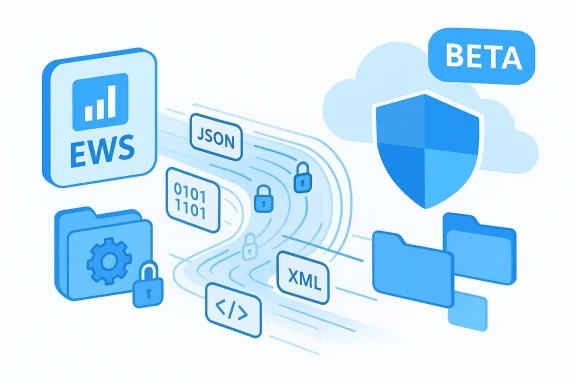
Microsoft’s Microsoft Graph team has quietly pushed a notable capability into the Graph beta: a public preview of the User Configuration API, a dedicated surface for creating, reading, updating, and deleting per-folder mailbox configuration objects (folder-associated items, or FAIs) in Exchange Online. This is important news for developers and administrators still relying on Exchange Web Services (EWS) to store hidden per-folder settings and custom app data, because Graph’s new userConfiguration resource provides a supported, REST-first alternative that maps directly to many EWS FAI scenarios.
That said, it arrives as a beta capability: treat it as a migration enabler and a tool for iterative modernization rather than an immediate drop-in replacement for all EWS behaviors. Perform an end-to-end migration assessment, validate limits and compatibility in your tenant, and adopt robust permission and compliance controls when storing mailbox configuration. With careful planning and testing, the userConfiguration API should simplify the final phase-out of EWS for many teams and help avoid last-minute operational headaches before Microsoft’s EWS blocking date.
Conclusion
The Graph User Configuration API preview is a welcome, technically sensible addition to the Microsoft Graph family — particularly for organizations wrestling with EWS FAIs and the looming EWS deprecation timeline. It aligns with Microsoft’s broader strategy to consolidate mailbox automation on Graph, and it gives developers a clean, typed API for per-folder configuration. Start with discovery and small-scale tests in beta, validate your payloads and throttling behavior, and plan your consent model proactively to ensure a smooth migration path well before October 1, 2026.
Source: Microsoft Exchange Team Blog Microsoft Graph User Configuration API (preview) - now available | Microsoft Community Hub
 Background
Why this matters now
Microsoft announced the deprecation and planned blocking of EWS in Exchange Online, with a hard action date: starting October 1, 2026 Microsoft will begin blocking EWS requests to Exchange Online. That timeline has driven a steady migration push to Microsoft Graph for Outlook and mailbox automation scenarios. The availability of a User Configuration API in Graph beta addresses one of the longstanding parity gaps for EWS customers — the ability to read and write folder-associated items — and therefore materially reduces migration friction for many applications.What is a folder-associated item (FAI)?
FAIs are hidden items attached to a mailbox folder that store configuration, metadata, or application state (examples include OWA user options, custom add-in settings, and message-class extension data). Historically, developers used EWS’s UserConfiguration class and related SOAP calls to manipulate FAIs. The Graph userConfiguration resource exposes that same concept through a RESTful interface, with payloads suited to binary blobs, XML serialized content, and structured key/value data.Overview of the User Configuration API (preview)
API surface and payload models
The User Configuration API in Microsoft Graph beta implements full CRUD for the userConfiguration resource scoped to a specific mail folder. The resource supports three primary payload styles:- binaryData — arbitrary binary blobs encoded as base64 for opaque payloads.
- xmlData — serialized XML stored as binary data.
- structuredData — a typed key/value collection that stores simple types (strings, integers, booleans, etc.) as discrete entries.
Typical endpoints and examples
Requests target a mail folder under the signed-in user or a specified user, for example:- GET /me/mailFolders/{mailFolderId}/userConfigurations/{userConfigurationId}
- GET /users/{id}/mailFolders/{mailFolderId}/userConfigurations/{userConfigurationId}
Authentication and permissions: least-privileged access
Dedicated mailbox configuration permissions
Microsoft introduced new scopes specific to mailbox configuration items:- MailboxConfigItem.Read — read-only access to userConfiguration objects.
- MailboxConfigItem.ReadWrite — create/read/update/delete access to userConfiguration objects.
Security and compliance implications
Because userConfiguration objects live inside mailboxes, they inherit mailbox security, retention, and eDiscovery behaviors. Storing sensitive data or regulated information in FAIs is a risk: hidden items do not mean inaccessible in compliance scenarios. Treat userConfiguration storage as part of your tenant’s compliance boundary — apply encryption at rest for opaque payloads if your app stores secrets, and follow least-privilege and audit practices when granting MailboxConfigItem permissions.What this means for EWS users and migration planning
The EWS deprecation context and urgency
Microsoft’s announced timeline to start blocking EWS on October 1, 2026 is non-negotiable for Exchange Online tenants, and customers must migrate active EWS apps to Graph, Power Platform, or Copilot Declarative Agents before that date. For organizations still using EWS to manage FAIs (for example, Outlook customizations, roaming settings, or LOB integrations), the User Configuration API in Graph beta directly addresses a previously painful gap in Graph parity. The arrival of this API lowers migration complexity for many real-world EWS uses.Which EWS scenarios are covered by userConfiguration?
- Add-ins and client-side apps that store per-folder settings (e.g., custom view state, display preferences).
- Server-side automation that attaches metadata per-folder to support downstream processing.
- Migration and coexistence strategies where FAIs need to be preserved or synchronized during cutover.
Technical deep dive: mapping EWS FAIs to userConfiguration
Conceptual mapping
- Identify the FAI keys your app writes or reads (for example, well-known IDs such as OWA.UserOptions or custom IDs like MyCompany.MyApp).
- For each key, determine whether content is structured (key/value pairs), XML-serialized, or a binary blob.
- Map each FAI to a Graph userConfiguration resource under the corresponding folder path.
Example: create a structured setting (conceptual)
- POST /me/mailFolders/inbox/userConfigurations
- Body:
{
"id": "MyApp.Config",
"structuredData": [
{
"keyEntry": { "type": "string", "values": ["theme"] },
"valueEntry": { "type": "string", "values": ["dark"] }
}
]
}
Throttling and service limits
Microsoft Graph applies service limits and throttling to Outlook/Exchange APIs. Throttling behavior differs from EWS: Graph’s concurrency and throttling buckets are evaluated by app ID and mailbox combination. If your existing EWS integration relied on high concurrency or large batch operations, you must test and tune concurrency when moving to Graph. Specific limits (batch sizes, payload size caps, and per-app mailbox concurrency values) vary by API and may change; verify limits for your tenant and workload during migration testing. Some of the precise per-item size limits and FAI-specific quotas are not published in a single authoritative location at this time; plan to validate limits during testing and contact Microsoft support if you hit unexpected ceilings.Migration playbook: practical steps
1. Inventory and discovery
- Catalog all applications and scripts that call EWS in your tenant.
- Identify which EWS calls interact with UserConfiguration/FAIs (these are often used by Outlook, some third-party connectors, and custom LOB apps).
- Prioritize based on business criticality and usage telemetry.
2. Identify FAI keys and data models
- Extract samples of the actual FAI payloads (binary, XML, or structured dictionary entries).
- Create a mapping spreadsheet: EWS key → Graph userConfiguration.id → payload type (binary/xml/structured).
3. Update authentication and consent model
- Decide whether your migration needs delegated access (user-on-behalf) or application access (app-only).
- Add MailboxConfigItem.Read or MailboxConfigItem.ReadWrite to your app registration depending on scope and write requirements.
- Request admin consent early for tenant-level app permissions to avoid deployment delays.
4. Re-implement data operations against Graph
- Convert EWS calls that read/write FAIs to Graph REST calls to the beta userConfiguration endpoints.
- Preserve key semantics (unique id per folder, payload format).
- Implement retry and throttling-aware client logic; Graph guidance recommends transient retry with exponential backoff.
5. Test and validate
- Verify that stored items are readable by Outlook and other mailbox consumers where appropriate.
- Validate retention, eDiscovery, and backup behaviors (ensure hidden items are discoverable where expected).
- Conduct performance validation to tune concurrency and batching.
6. Cutover and sunsetting EWS calls
- Migrate clients incrementally; run Graph-based reads/writes in parallel with EWS where possible to detect divergences.
- Plan a phased switch-off of EWS usage prior to Microsoft’s blocking date, and retain rollback procedures for any unexpected gaps.
Strengths and opportunities
- Native Graph integration: The userConfiguration API gives developers a first-class, RESTful way to manage FAIs without using legacy SOAP/EWS tooling.
- Multiple payload patterns: Support for binaryData, xmlData, and structuredData provides flexibility for migrating legacy blobs and adopting cleaner typed models.
- Permission granularity: Dedicated scopes for mailbox configuration items help admins implement least-privilege access and audit which apps are modifying mailbox configuration.
- Improved cloud alignment: Moving FAIs into Graph aligns mailbox automation with modern Microsoft 365 authentication, auditing, and governance capabilities.
Risks, gaps, and hard caveats
- Beta API caution: The userConfiguration API is currently in the /beta endpoint. Beta APIs can change; do not assume field names or behaviors are final. Production deployments should plan for eventual v1.0 stabilization before fully deprecating fallback paths.
- Unpublished limits: Some operational limits and FAI-specific quotas are not consolidated in public documentation. If your application depends on unusually large FAIs or very high operation rates, you must test and validate actual behavior in your tenant; treat any unverified numeric claims as unverified until tested.
- Permission consent model: Admin consent is required for many app-only permissions. Large tenants should prepare an app consent and security review process to avoid deployment bottlenecks.
- Hidden items are still subject to compliance: Storing sensitive or regulated data in FAIs remains subject to eDiscovery and retention rules; “hidden” does not mean excluded from legal holds.
- Parity is improving, not complete: While userConfiguration closes many gaps, other EWS scenarios may still require alternative Graph endpoints or workarounds. A full migration assessment should enumerate all EWS usages, not only FAIs.
Practical code and troubleshooting tips
Testing quickly with Graph Explorer
Graph Explorer supports calling beta endpoints and is a convenient sandbox for validating the shape of userConfiguration objects. Use Explorer to perform simple POST and GET calls under your account to confirm payload encoding and permission behavior before writing production code.Encoding binary and XML payloads
- Always base64-encode binaryData and xmlData payloads when sending them in JSON.
- Prefer structuredData for typed settings (strings, integers, booleans) to avoid opaque parsing on the receiving side.
Error handling and retries
- Implement exponential-backoff retries for 429 (throttling) and transient 5xx errors.
- Log request IDs and timestamps for support escalations; Microsoft may request these when diagnosing API errors.
Migration troubleshooting checklist
- If a migrated setting isn’t visible to Outlook or another Microsoft client, verify folder scope (inbox vs root), authentication context (app-only vs delegated), and that the app used the same FAI id/key.
- If writes fail with permission errors, ensure that MailboxConfigItem.ReadWrite is consented and that the token has the right audience and scopes.
- If operation rates are low or you receive throttling, reduce concurrency per mailbox and batch operations across mailboxes to respect Graph service limits.
Closing assessment: where the User Configuration API fits in your strategy
The Microsoft Graph User Configuration API preview is a pragmatic, targeted feature that meaningfully reduces migration friction for many EWS users. For organizations facing the EWS blocking deadline on October 1, 2026, this API is a direct pathway to preserve and modernize folder-associated configuration storage in Exchange Online. The preview fulfills a real gap — exposing FAIs through a clean REST model with typed structured data and binary support — and it integrates into Graph’s modern authentication and management model.That said, it arrives as a beta capability: treat it as a migration enabler and a tool for iterative modernization rather than an immediate drop-in replacement for all EWS behaviors. Perform an end-to-end migration assessment, validate limits and compatibility in your tenant, and adopt robust permission and compliance controls when storing mailbox configuration. With careful planning and testing, the userConfiguration API should simplify the final phase-out of EWS for many teams and help avoid last-minute operational headaches before Microsoft’s EWS blocking date.
Conclusion
The Graph User Configuration API preview is a welcome, technically sensible addition to the Microsoft Graph family — particularly for organizations wrestling with EWS FAIs and the looming EWS deprecation timeline. It aligns with Microsoft’s broader strategy to consolidate mailbox automation on Graph, and it gives developers a clean, typed API for per-folder configuration. Start with discovery and small-scale tests in beta, validate your payloads and throttling behavior, and plan your consent model proactively to ensure a smooth migration path well before October 1, 2026.
Source: Microsoft Exchange Team Blog Microsoft Graph User Configuration API (preview) - now available | Microsoft Community Hub
