

Ever since Microsoft began pushing Windows 10 aggressively, one uncomfortable truth has been obvious: an operating system update that interrupts a live TV weather forecast is not merely an embarrassing viral clip — it’s a warning shot about how modern OS update mechanics can collide with real-world workflows and user expectations.
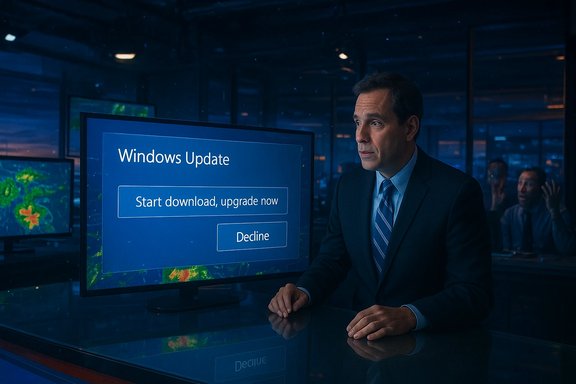
In late April 2016 a short, viral moment crystallized the debate over Windows 10’s upgrade campaign: KCCI-TV meteorologist Metinka Slater was mid-forecast in Des Moines when a large “Microsoft recommends upgrading to Windows 10” dialog appeared on the PC powering the on‑air weather graphics, obscuring most of the radar and prompting a flippant, on-air reaction from the presenter. The incident was captured and distributed widely by outlets including BetaNews and GeekWire; observers used the clip as a snapshot of a broader pattern of intrusive upgrade prompts. That single broadcast‑room interruption sits inside a longer arc: Microsoft had changed how the Windows 10 installer (the so-called “Get Windows 10” or GWX experience) was delivered to Windows 7 and 8.1 machines, promoting it to a “recommended” update in Windows Update. The change meant systems with default Windows Update settings could download components of the Windows 10 setup automatically, increasing the risk of intrusive prompts or accidental starts on users who hadn’t explicitly opted in. The policy shift and its consequences were widely reported and debated at the time. This piece examines the technical mechanics that enabled that moment, the corporate and user-facing tradeoffs it revealed, the community response and mitigation strategies, and what the episode still teaches today about update design, consent, and trust.
Community responses on long-running Windows forums captured this sentiment consistently: users reported being surprised by downloads, facing restart warnings with little notice, or finding pause/deferral controls greyed out under certain conditions. Those threads are a trove of practical accounts explaining how misclicks and unexpected restarts led to data loss, interrupted sessions, or bricked workflows.
Community-led troubleshooting and step-by-step mitigation guides were frequently shared and preserved in forums and knowledge bases; they remain a valuable record of how users respond when vendor controls feel misaligned with user intent.
The broader lesson for platform designers and IT teams is simple and yet often ignored: updates are not merely code — they are social processes that intersect with calendars, workflows, and livelihoods. Systems that nudge or push must be designed around predictable timing, reversible actions, and clear, granular consent.
For operators of critical systems: plan, lock, and test. For vendors: prioritize transparent controls and predictable behavior — even well-intentioned nudges require humility about the contexts they may disrupt.
Protecting critical workflows requires both technical safeguards and organizational discipline. Vendors who deliver updates must accept that effective rollouts are as much about respecting user contexts as they are about shipping code. The KCCI incident remains a vivid reminder: interruptions that are merely annoying in a home office can be catastrophic on a live stage.
Source: BetaNews Windows 10 interrupts a live TV broadcast with an unwanted upgrade
 Background
In late April 2016 a short, viral moment crystallized the debate over Windows 10’s upgrade campaign: KCCI-TV meteorologist Metinka Slater was mid-forecast in Des Moines when a large “Microsoft recommends upgrading to Windows 10” dialog appeared on the PC powering the on‑air weather graphics, obscuring most of the radar and prompting a flippant, on-air reaction from the presenter. The incident was captured and distributed widely by outlets including BetaNews and GeekWire; observers used the clip as a snapshot of a broader pattern of intrusive upgrade prompts. That single broadcast‑room interruption sits inside a longer arc: Microsoft had changed how the Windows 10 installer (the so-called “Get Windows 10” or GWX experience) was delivered to Windows 7 and 8.1 machines, promoting it to a “recommended” update in Windows Update. The change meant systems with default Windows Update settings could download components of the Windows 10 setup automatically, increasing the risk of intrusive prompts or accidental starts on users who hadn’t explicitly opted in. The policy shift and its consequences were widely reported and debated at the time. This piece examines the technical mechanics that enabled that moment, the corporate and user-facing tradeoffs it revealed, the community response and mitigation strategies, and what the episode still teaches today about update design, consent, and trust.What happened on live TV: the KCCI incident and why it mattered
The KCCI clip is short and telling: a weather graphics computer — essentially a workstation running a presentation of radar and maps — displayed a modal Windows update prompt while the meteorologist narrated incoming severe weather. The prompt invited an immediate upgrade to Windows 10 or offered to “Start download, upgrade later,” covering critical visuals mid-broadcast. The on‑air team quickly switched video sources and dismissed the dialog, and the moment became a viral example of how notifications can create real-world harm when they appear at the wrong time. Why this was more than an amusing blooper:- Broadcast producers and live presenters rely on predictable, locked‑down workstations for graphics. Unexpected modal dialogs can force quick, error-prone actions and risk live errors.
- The incident underscored a broader pattern: the GWX mechanism and later push strategies sometimes delivered large, attention‑grabbing windows that were effectively full‑screen interruptions for the user experience. That felt less like an “offer” and more like an intrusion to many.
Overview: how Windows served the “Get Windows 10” experience
The GWX components (what Microsoft shipped)
Microsoft’s “Get Windows 10” campaign used a small app and scheduled tasks delivered via Windows Update — most notoriously via the update identified as KB3035583 and related updates — that installed GWX components and background appraiser tasks. Those components scanned hardware compatibility and scheduled prompts to encourage upgrades. Because the update was classified as recommended under default Windows Update configurations, many machines received GWX behavior automatically, even when users had not intentionally opted in to upgrade.The “recommended update” change
By switching the Windows 10 upgrade from “optional” to “recommended,” Microsoft effectively broadened distribution: users who left Windows Update on its default setting (“install recommended updates”) could get the GWX files downloaded and get periodic prompts. Microsoft publicly maintained that a user’s explicit consent was required for the full OS upgrade, but the download-and-prompt path meant users were often surprised by large dialogs or confusing behaviors when the installer or its UI surfaced. Media outlets and user complaints highlighted this disconnect between Microsoft’s statements and user experience.The technical pathway to interruption
The critical points where an intrusive prompt could appear were:- GWX or related components downloaded in the background via Windows Update.
- Scheduled tasks or appraiser checks determined the machine was “eligible” and triggered a notification.
- The notification UI could be presented as a modal or large dialog that overlapped running applications, especially graphics programs used in studios or live streams that run full-screen overlays.
Why the approach was controversial: user control, consent and trust
The user-control problem
At the heart of the controversy was a simple principle: users expect meaningful control over what their machines install and when. When operating-system vendors blur the line between “recommended” and “mandatory,” or when promotional dialogs present choices in a way that encourages acceptance, trust erodes.Community responses on long-running Windows forums captured this sentiment consistently: users reported being surprised by downloads, facing restart warnings with little notice, or finding pause/deferral controls greyed out under certain conditions. Those threads are a trove of practical accounts explaining how misclicks and unexpected restarts led to data loss, interrupted sessions, or bricked workflows.
The “value exchange” argument
Microsoft’s position — and reasonably so from a lifecycle management perspective — was that moving users to a supported platform improves security at scale. Unsupported OS instances increase population risk. But the way that transition is effectuated matters. When users perceive that the vendor is coercing migration through persistent prompts or by making pause controls unreliable, the tradeoff becomes politically and commercially fraught. The community reaction often treated the GWX approach as a marketing tactic delivered through the operating system rather than a benign update mechanism.Real harms, not just annoyance
There were concrete consequences:- Live broadcasts and streams interrupted mid-event (as in the KCCI case and other streaming incidents) created immediate reputational and operational risk for content producers.
- Users lost unsaved work when automated restart scheduling or rapid upgrade flows kicked in unexpectedly. Forum archives include multiple accounts of data loss and post‑upgrade instability after rushed installs.
- For businesses and specialized workstations, an untimely upgrade could break drivers and legacy software critical to operations.
Community and technical responses: how users fought back
Short-term mitigations and hardening steps
Power users and IT admins traded guidance on how to prevent intrusive upgrade prompts. Common steps recommended across forums and guides included:- Marking networks as metered to reduce automatic large downloads.
- Uninstalling or hiding the GWX-related update (e.g., KB3035583) and subsequently hiding it in Windows Update.
- Using Microsoft’s official “Show or hide updates” troubleshooter (wushowhide.diagcab) to suppress the feature update entry where available.
- For organizations: using Group Policy, WSUS, or Windows Update for Business controls to block feature updates or set a controlled ring.
Tools and utilities
Third‑party utilities like “GWX Control Panel” became community staples, offering to hide and remove the GWX elements and to lock the system to prevent their reappearance. While these tools helped many users, they introduced another dependency and were a sign that community tooling had to patch a perceived product failure.Policy and corporate responses
Enterprises relied on centralized patch management, and many organizations explicitly blocked the GWX artifacts in WSUS or via Group Policy. That separation underscored a distinction: managed devices retained predictable update behavior, while consumer PCs with default settings were more vulnerable to surprise prompts.Community-led troubleshooting and step-by-step mitigation guides were frequently shared and preserved in forums and knowledge bases; they remain a valuable record of how users respond when vendor controls feel misaligned with user intent.
Technical verification: what can be confirmed, and what remains ambiguous
- Microsoft changed the Windows 10 upgrade distribution such that the GWX components were delivered as a recommended update; multiple contemporary reports and Microsoft documentation confirm this classification and the resulting automatic downloads on default-setting machines.
- The KCCI live‑broadcast interruption occurred and was documented by multiple outlets: BetaNews, GeekWire, Digital Journal and more. The clip circulated widely and was cited alongside other disruptive upgrade incidents.
- The specific update often identified with the GWX behavior is KB3035583 (and associated appraiser updates); Microsoft’s KBs and community diagnostics confirm it was the vehicle for the Get Windows 10 app and scheduled tasks. The presence, removal, and periodic re‑enabling of KB3035583 were widely discussed in forum threads and Microsoft Q&A posts.
- Microsoft maintained publicly that it would not install Windows 10 without explicit consent; critics pointed out that the download-and-notify path effectively shifted control for many users. Those two positions — Microsoft’s public assurance and the lived user experience — coexisted and drove much of the controversy. Reported user harm (lost work, stream interruptions) was documented across many community posts.
Practical recommendations — protecting live workflows and critical machines
For anyone running a workstation used for live events, broadcasting, or critical presentations, the KCCI incident offers clear operational lessons. Below are layered defenses in order of non‑intrusiveness and effectiveness.- Lock down the workstation’s update surface
- Disable auto‑downloads: Set Windows Update to “Check for updates but let me choose whether to download and install them.”
- Where possible, block specific update IDs (e.g., KB3035583) via WSUS or the Microsoft Update catalog.
- Use Group Policy to prevent Feature Updates from installing automatically on mission-critical devices.
- Harden the UI and the environment
- Run graphics and broadcast software in a controlled, full‑screen compositor that is resilient to modal system dialogs; where possible, elevate the graphics application to prevent overlay from system-level prompts.
- Employ a secondary, redundant PC for on‑air graphics that can be hot‑swapped in case of UI interruption.
- Short-term user tactics
- Mark networks as metered during shows to prevent background downloads.
- Disable scheduled tasks that might invoke appraiser prompts during live operation windows.
- Keep a lightweight remote-control or console available to quickly dismiss or manage prompts without disturbing the presenter.
- Long-term operational policies
- Maintain a staging and validation pipeline for production workstations: apply updates and test outside of live windows.
- Maintain reliable backups and an ability to rollback if an upgrade is mistakenly applied.
- For organizations, adopt Windows Update for Business or WSUS to control feature-update cadence.
Strengths and weaknesses of Microsoft’s approach (critical analysis)
Strengths
- From a security and ecosystem standpoint, encouraging users to migrate away from unsupported OS versions is defensible: fewer supported versions reduces overall threat exposure and helps focus engineering efforts.
- The GWX tooling allowed Microsoft to tailor upgrade flows and compatibility checks to reduce upgrade failures for average users, simplifying the path for millions who had responsible reasons to upgrade quickly.
Weaknesses and risks
- Consent ambiguity: classifying the upgrade as “recommended” blurred user expectations and allowed background actions that felt like eroding consent.
- Timing and UI model: presenting large modal dialogs that could overlay full-screen production software created outsized consequences for people relying on predictable UIs.
- Trust erosion: repeated instances of intrusive prompts and the need for third‑party “fixes” (e.g., GWX Control Panel) signaled a product‑vs‑user misalignment that damaged goodwill.
- Operational fragility: for specialist workflows (broadcasting, live streaming, manufacturing control), the update channel became a single‑point risk that required additional workarounds.
What changed afterward (and the broader lesson)
Over time Microsoft adjusted messaging and controls and faced public scrutiny and regulatory attention over upgrade practices. The GWX era became a case study in how platform vendors must handle upgrades and promotions with clear consent and minimal collateral disruption.The broader lesson for platform designers and IT teams is simple and yet often ignored: updates are not merely code — they are social processes that intersect with calendars, workflows, and livelihoods. Systems that nudge or push must be designed around predictable timing, reversible actions, and clear, granular consent.
For operators of critical systems: plan, lock, and test. For vendors: prioritize transparent controls and predictable behavior — even well-intentioned nudges require humility about the contexts they may disrupt.
Conclusion
The moment a Windows upgrade dialog obscured a live weather radar on KCCI was funny in the short clipable sense, but it should have been sobering in the policy and design sense. It revealed how default update settings, scheduled appraiser checks, and a promotional UI can combine into real-world disruption. The GWX campaign and its fallout taught the industry — vendors, administrators, and users alike — an important lesson about consent, timing, and trust.Protecting critical workflows requires both technical safeguards and organizational discipline. Vendors who deliver updates must accept that effective rollouts are as much about respecting user contexts as they are about shipping code. The KCCI incident remains a vivid reminder: interruptions that are merely annoying in a home office can be catastrophic on a live stage.
Source: BetaNews Windows 10 interrupts a live TV broadcast with an unwanted upgrade
