

Microsoft’s decision to bring a voice wake word back to the desktop — “Hey Copilot” — is the latest chapter in a familiar story: a major OS maker bets on voice-first interaction for general-purpose PCs, only to confront the same human behavior, context, and trust problems that sank its earlier assistant. The new feature is opt‑in and technically careful — the wake word is recognized on-device and only when a PC is unlocked — but it also reawakens the same usability, accessibility, and enterprise governance questions that accompanied Cortana a decade ago. This feature is not inherently doomed, but its success will depend on execution, global language support, and how enterprise customers manage risk and user expectations.
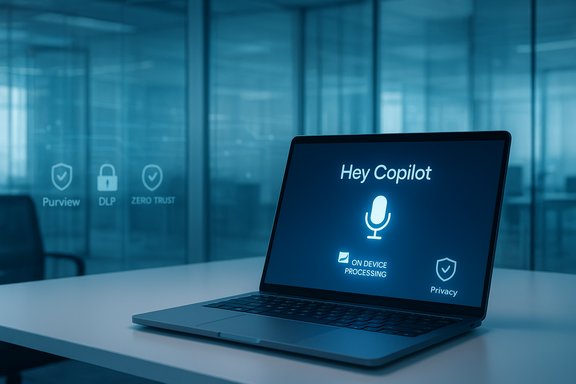
This new wake-word implementation is explicitly opt‑in. The wake-word detector runs locally on the device and uses a short in‑memory audio buffer; when the phrase is detected the UI appears and cloud processing begins. The feature only responds when the PC is unlocked and the Copilot app is running. For now, the wake word has been released and trained in English; other language support is planned but not yet universal.
At the same time, initial English-only wake-word support raises serious equity concerns. Speech recognition and wake-word models historically perform worse for non‑native speakers and for speakers with diverse accents. Models trained primarily on U.S. English can misfire or simply not detect phrases from many global users. Without robust multi‑accent training and careful UX fallbacks, the wake-word will feel like a U.S.-centric feature rather than a globally inclusive utility.
Practical implications:
What is safe by design:
Despite these technical protections, three practical caveats are worth highlighting:
Practical failure modes to consider:
Business implications:
Reasons Copilot has a better shot:
History suggests that early voice-first desktop assistants underperformed expectations because they assumed a universal behavioral shift that never fully arrived. This time, Microsoft has better models and stronger governance tools, but the company must avoid the same U.S.-centric language bias and must provide clear, enterprise-friendly controls and education. If it does, Copilot’s voice mode could become a helpful, accessible option. If it doesn’t, the “Hey Copilot” wake-word may end up as another well-intentioned feature that most people turn off — and the story will feel a little too familiar.
Source: Neowin "Hey Copilot" brings back memories of Cortana
 Background
Where we are now
Over the past year Microsoft has folded increasingly capable generative AI into Windows and its productivity stack. The Copilot family now spans the Windows desktop assistant, Microsoft 365 Copilot within Office apps, and a collection of “vision” and agent-like features that allow the assistant to see and act on what’s on screen. The recent desktop update adds a wake-word feature — “Hey Copilot” — and tighter Copilot Vision integration, bringing hands‑free invocation back to Windows in an officially supported way.This new wake-word implementation is explicitly opt‑in. The wake-word detector runs locally on the device and uses a short in‑memory audio buffer; when the phrase is detected the UI appears and cloud processing begins. The feature only responds when the PC is unlocked and the Copilot app is running. For now, the wake word has been released and trained in English; other language support is planned but not yet universal.
Why the timing matters
The rollout occurs at a moment when PC makers and software platform owners are rushing to embed generative AI across workflows. A voice-activated Copilot promises to join keyboard, mouse, and touch as an input modality — and to make voice-first interactions possible for tasks beyond simply issuing searches. But the computing environment and user expectations that greeted Cortana in 2015 are very different today: models are far more capable, enterprise deployments are broadly pursuing AI governance, and Microsoft is positioning Copilot as both a consumer convenience and a paid enterprise feature. That raises the stakes for design, accessibility, and data protection.Overview: What “Hey Copilot” actually does
- Opt-in wake word: Users must enable a “Listen for ‘Hey, Copilot’” toggle within the Copilot app settings. It is off by default.
- On‑device wake-word detection: The device runs a local wake-word spotter that listens for the phrase without recording or storing continuous audio.
- Short in‑memory buffer: The spotter uses a short (described as ~10 seconds) in‑memory audio buffer that is not persisted locally; only after the wake word is detected is the relevant audio sent to cloud services for processing of the user’s prompt.
- UI and privacy indicators: When the wake word is detected, Copilot’s floating microphone UI appears and the system microphone indicator reflects that the microphone is active.
- Locked/unlocked behavior: The feature responds only when the PC is powered on and unlocked; it will not respond to the wake word while the device is locked or asleep.
- Language support (initial): The wake-word model is initially trained for English; subsequent language and accent coverage is a stated priority but is not yet present at parity.
- Copilot Vision and actions: Copilot Vision (the ability to analyze visible content on the screen or from an attached camera) is being extended, and experimental agent-like features can perform bounded actions when granted specific permissions.
Echoes of Cortana: a useful comparison
The story of Cortana
Cortana had a recognizable personality, Halo‑inspired branding, cross‑platform ambitions, and — crucially — a hands‑free wake phrase: “Hey Cortana.” Initially positioned as Microsoft’s answer to Siri and Google Assistant, Cortana was tightly integrated into Windows 10 and promoted as a productivity aid. Over time the company scaled back Cortana’s prominence, moving away from personality-driven consumer features and focusing the technology on productivity and enterprise scenarios. By 2023 the standalone Cortana app was deprecated and the brand was subsumed by broader Copilot efforts.Where parallels exist
- Wake-word return: “Hey Copilot” is functionally similar to “Hey Cortana” — a phrase designed to wake a background listener.
- Platform ambition: Both were meant to be general-purpose desktop assistants, not just single-purpose dictation or accessibility tools.
- User expectation mismatch: In both cases the underlying assumption was that people want to talk to their PCs in everyday contexts — an assumption that has proven true for some scenarios, but not for the broad majority of desktop users.
Key differences this time
- Model capabilities: Modern LLMs provide much richer conversational and reasoning capabilities than the earlier rule-based and limited ML systems that powered Cortana.
- Security and governance: Copilot’s enterprise positioning, integration with Microsoft 365, and explicit governance tooling (Purview, Zero‑Trust guidance, conditional access) provide control layers that did not exist in Cortana’s heyday.
- Opt-in safety: The updated approach emphasizes opt‑in activation and an on-device wake-word spotter, addressing major privacy concerns that users and regulators raised earlier.
- Money and product commitment: Copilot is now a revenue-driving component for Microsoft across consumer subscriptions and enterprise licensing; this increases corporate incentive to maintain and iterate the product.
Usability: voice on a PC — when it helps, when it hurts
Where voice makes sense on desktops
- Accessibility and assistive use: For users with mobility or dexterity impairments, voice-first interaction can be transformative; Copilot’s voice mode expands the set of accessible interfaces.
- Hands-free contexts: When a user’s hands are occupied (e.g., drawing, cooking while following a recipe on a kitchen PC), voice can be faster than switching to a keyboard.
- Rapid ideation and brainstorming: Speaking out loud can be a more natural way to surface an idea or iterate quickly in brainstorm or whiteboarding workflows.
- Ambient queries: Quick lookups — timers, definitions, short checks — can be faster via voice when they don’t require deep context or exacting precision.
Where voice falls short on PCs
- Workplace etiquette and privacy: In a shared office, open-plan environment, or meeting room, speaking prompts aloud can be distracting or expose sensitive information.
- Precision and control: For complex tasks that require exact parameters — detailed document edits, precise PowerPoint layouts, or code changes — keyboard/mouse/pen remain more efficient and less error-prone.
- Speech-to-text limitations: Accent variability, background noise, and the semantic gap between spoken intent and exact app-specific actions can cause mistakes that cost more time than typing would.
- Screen vs. mobile differences: Mobile voice assistants tap into a mobile-specific UX — short sessions, on-the-go context, and single-handed use — that doesn't map strongly to the multi-window, multi-task desktop environment.
Accessibility and language equity: opportunities and pitfalls
Voice activation is not uniformly good or bad; it is a critical accessibility tool. For users who cannot type or prefer speaking, wake-word voice provides agency and independence. That is a key positive that must not be overshadowed.At the same time, initial English-only wake-word support raises serious equity concerns. Speech recognition and wake-word models historically perform worse for non‑native speakers and for speakers with diverse accents. Models trained primarily on U.S. English can misfire or simply not detect phrases from many global users. Without robust multi‑accent training and careful UX fallbacks, the wake-word will feel like a U.S.-centric feature rather than a globally inclusive utility.
Practical implications:
- Positive: Enhanced accessibility for people who rely on voice.
- Risk: Frustration and exclusion for global users with accented English, plus potential marginalization of non-English speakers until broader language support arrives.
Enterprise governance and data protection: what administrators need to know
Copilot is not just a consumer convenience — it is woven into Microsoft 365 and the enterprise security surface. That creates both opportunities for productivity and a set of governance responsibilities.What is safe by design:
- The local wake-word listener reduces continuous audio recording risk and limits unnecessary cloud transmission.
- The wake-word only triggers when the device is unlocked, reducing accidental activation.
- Copilot’s enterprise variants are designed to respect existing access controls; the assistant cannot access data beyond a user’s permissions.
- Audio-to-cloud flow: After the wake word is detected, the prompt and subsequent audio are routed to cloud services to produce responses. That means sensitive content could be transmitted if a user inadvertently speaks private information.
- Data governance: Organizations must apply established tools (DLP, Purview, conditional access, app protection policies) to manage who can use Copilot, what content it can access, and what audit trails are needed.
- Oversharing and human factors: Even with safeguards, users can and will ask Copilot to summarize or manipulate sensitive documents; admins need to educate users and apply policies to reduce unintended exposure.
- Audit which users and device groups can enable voice features.
- Deploy data loss prevention (DLP) rules and Purview policies to monitor Copilot interactions that touch sensitive content.
- Apply Zero‑Trust device and app posture checks before allowing Copilot features that access corporate data.
- Provide training and templates for safe prompting and for when not to use voice (e.g., when discussing IP or personnel matters aloud).
Security and privacy: the fine print
The new wake-word design addresses a central privacy objection: continuous background recording. The model uses a short in‑memory buffer and an on‑device classifier to detect the wake phrase. That buffer is not written to disk; only after detection does Microsoft’s cloud services receive the subsequent audio to process the user’s query. The UI also makes it visually and audibly apparent when Copilot is listening, which is an important transparency measure.Despite these technical protections, three practical caveats are worth highlighting:
- False activations and recordings: No wake-word model is perfect. False positives can trigger the flow to the cloud and lead to unintended transmission of short bits of audio. Organizations should assume occasional false activations will happen and configure governance accordingly.
- Local versus cloud trade-offs: Local spotters are privacy-advantageous but less resourceful than large cloud models; they can miss diverse pronunciations. Improving coverage without sending more raw audio to the cloud is a non‑trivial engineering challenge.
- User misunderstanding: Users may not realize the wake-word is enabled or may not understand the scope of what they inadvertently disclose when talking near an enabled PC. Clear on-screen education and a simple opt-out path are essential.
The productivity paradox: when “summarize” produces “surprise”
A common enterprise use-case is to ask a Copilot model to summarize a long presentation or to extract action items from a document. That can be a real time-saver, but it only works reliably when the model understands context, gets the prompt right, and has access to the right content.Practical failure modes to consider:
- Ambiguous prompts produce ambiguous outputs: a user who says “summarize my PowerPoint” without specifying scope or slide range may get an incomplete or misleading summary.
- Visual interpretation errors: Copilot Vision can analyze on-screen content, but optical recognition and semantic understanding of complex slides can produce errors — especially with dense charts or handwritten annotations.
- Trust and verification: When a model produces a summary, it should be treated as a starting point. Human verification remains required for critical outputs.
- Use precise prompts: specify slide numbers, data ranges, or exact sections to summarize.
- Combine voice with visual confirmation: ask Copilot to display the extracted bullet points and confirm them before acting.
- Keep a human-in-the-loop: require review for summaries tied to legal, financial, or regulatory work.
Product strategy and business implications
One of the reasons Copilot is being pushed aggressively is that Microsoft now ties AI features directly to licensing and platform differentiation. Copilot’s integrations across Windows and Microsoft 365, along with paid tiers and enterprise controls, make it a strategic product rather than a side experiment.Business implications:
- Revenue alignment: Copilot can become a recurring revenue driver through premium subscriptions and enterprise licensing.
- Lock-in and platform value: Deeply integrated AI features increase the stickiness of the Windows + Microsoft 365 ecosystem.
- Competitive positioning: Voice and vision features help Microsoft compete with rivals that are also embedding AI into OS and cloud offerings.
Will Copilot meet the same fate as Cortana?
The answer is: not necessarily — but avoiding that fate requires deliberate design, broader language inclusion, and enterprise-grade governance.Reasons Copilot has a better shot:
- Stronger technical foundation: Current models are far more capable than those available when Cortana launched; they perform more reliably across a wider set of tasks.
- Enterprise-first controls: Copilot’s productization for Microsoft 365 includes governance tools that enterprises can use to manage risk.
- Monetary commitment: Copilot is financially important to Microsoft, which incentivizes continued investment.
- Poor localization and accent support: If wake-word models remain U.S.-centric, global adoption will be limited.
- User mistrust from privacy missteps: Any high-profile data exposure tied to voice features could erode confidence, especially in regulated industries.
- Real-world usability failures: If voice activation frequently misunderstands users, or generates work that requires rework, productivity gains will be illusory and users will disable it.
Practical guidance for users and admins
- If you care about privacy, keep wake-word detection off until you’ve evaluated it. The feature is opt‑in for a reason.
- For public or shared workspaces, prefer typed or manual Copilot interactions rather than voice.
- Admins should adopt the principle of least privilege:
- Restrict voice-enabled features to groups that need them.
- Apply DLP and Purview policies to Copilot traffic.
- Educate users on what to avoid saying aloud near enabled devices.
- Use voice where it adds clear value: accessibility, short queries, and rapid ideation are good places to start.
- Treat AI-generated output as draft material: verify and cross-check before publishing or acting on it.
The long view: what success looks like
For “Hey Copilot” to avoid the Cortana fate it needs to become:- Reliable across accents and languages: robust wake-word and speech models for global English variants and major non‑English languages.
- Context-aware yet private: a transparent balance between local detection and cloud processing, with clear UI cues and admin controls.
- Valuable in specific workflows: demonstrable time savings in accessibility, ideation, and routine admin tasks — not just novelty demos.
- Governed at enterprise scale: easy-to-deploy controls, auditable logs, and DLP integrations that reassure compliance teams.
Conclusion
“Hey Copilot” is not a simple nostalgia act; it’s a feature that reflects the current era of AI capability and the commercial reality of embedding assistant technology across an operating system. The technical design choices are sensible: opt‑in activation, on‑device wake-word spotting, and clear visual/audio indicators. But technical polish alone won’t guarantee adoption. The bigger challenges are human: will people want to speak aloud in the settings where they use PCs, will non‑native speakers be supported fairly, and will enterprises be able to manage the governance and privacy risks?History suggests that early voice-first desktop assistants underperformed expectations because they assumed a universal behavioral shift that never fully arrived. This time, Microsoft has better models and stronger governance tools, but the company must avoid the same U.S.-centric language bias and must provide clear, enterprise-friendly controls and education. If it does, Copilot’s voice mode could become a helpful, accessible option. If it doesn’t, the “Hey Copilot” wake-word may end up as another well-intentioned feature that most people turn off — and the story will feel a little too familiar.
Source: Neowin "Hey Copilot" brings back memories of Cortana
