

Artificial intelligence has quietly become one of the most practical tools for households trying to cut grocery costs — not by sending you back to school, but by doing the price-checking, meal-planning, coupon-finding and cart-assembly for you. Recent consumer-facing coverage shows simple, no‑code methods anyone can use today to reduce food waste, shop smarter, and shave tens (or even hundreds) of dollars off monthly grocery bills using built‑in assistants, conversational models, and shopping integrations.
AI-powered shopping and meal-planning tools have moved past proof‑of‑concept. Two trends matter for shoppers: first, assistants can now generate complete shopping lists from recipes, scale servings, and suggest lower‑cost ingredient substitutions in moments; second, major platforms are embedding commerce directly into chat interfaces so you can go from idea to checkout without switching apps. Both trends are already live in multiple places and produce real, measurable convenience — but they also introduce risks around accuracy, inventory freshness, and privacy that shoppers should understand before relying on them for tight household budgets.
Why that matters: saving 10–20% on groceries is often easier than finding a new side gig. Small, repeatable changes in how you plan, shop, and redeem offers compound quickly. AI can automate many of those small changes — if you guide it and verify critical details.
However, the model also has fundamental weaknesses that readers should weigh:
In short: use AI to reduce friction, not to replace your last sanity check — and you’ll likely see measurable grocery savings without needing any special tech skills.
Source: Money Talks News 5 Ways to Use AI to Slash Your Grocery Bill (No Tech Skills Required)
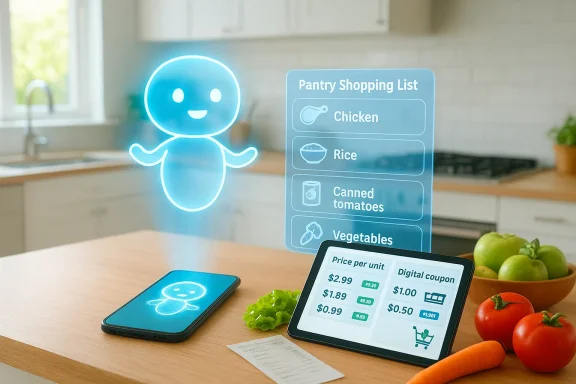 Background / Overview
AI-powered shopping and meal-planning tools have moved past proof‑of‑concept. Two trends matter for shoppers: first, assistants can now generate complete shopping lists from recipes, scale servings, and suggest lower‑cost ingredient substitutions in moments; second, major platforms are embedding commerce directly into chat interfaces so you can go from idea to checkout without switching apps. Both trends are already live in multiple places and produce real, measurable convenience — but they also introduce risks around accuracy, inventory freshness, and privacy that shoppers should understand before relying on them for tight household budgets.Why that matters: saving 10–20% on groceries is often easier than finding a new side gig. Small, repeatable changes in how you plan, shop, and redeem offers compound quickly. AI can automate many of those small changes — if you guide it and verify critical details.
The five practical AI strategies (and how to use them right)
Below I expand the five consumer-ready approaches appearing in the Money Talks News round-up and add hands‑on prompts, verification checks, and realistic savings expectations so you can use each tactic today. Each method is written for no‑tech users: you don’t need to train models, write code, or install complex integrations — just copy prompts, use built‑in assistant features, or try the recommended apps.1) Let AI build a hyper‑optimized shopping list from your pantry and recipes
AI excels at consolidating ingredient lists and removing duplication across recipes — one of the easiest ways to reduce waste and avoid extra trips.- What it does: You tell an assistant what you already have (or paste a photo/list), and it generates a consolidated shopping list that prioritizes staples you’re out of and suggests ingredient swaps to lower cost. This reduces impulse buys and ensures you only buy what you need.
- How to do it (no tech skills required):
- Open your assistant (phone or browser). Use simple prompts such as: “I have chicken breast, canned tomatoes, rice, and eggs. Make three simple dinners for four people this week and produce a consolidated shopping list with quantities.”
- Ask for cheaper substitutions: “Suggest lower‑cost alternatives for any expensive items and mark items I already have.”
- Export the list to a shopping app or copy it to your phone notes.
- Example prompt you can copy/paste: “Create three weeknight dinner menus for 4 people using chicken, rice, canned tomatoes, and frozen vegetables. Scale recipes, show a consolidated shopping list, and highlight two substitutions to cut costs by at least 15%.”
- Verification checklist:
- Cross‑check quantities (AI sometimes mis‑scales by one serving). Ask: “Show ingredient totals by aisle.”
- Confirm perishable counts (don’t buy too many fresh greens if they’ll spoil).
- Typical savings: Consolidation + fewer impulse buys often reduces weekly spend by 5–15% depending on how wasteful your previous routine was. Real numbers vary with local prices.
2) Use conversational shopping to compare prices, apply coupons, and capture instant offers
Conversational shopping integrations can find lower prices and even apply coupons or cashback — all inside a single chat if your service supports it.- What’s new: Some assistants are now integrated with retailer catalogs and in‑chat checkout flows that can assemble a cart, surface local inventory, and show applicable promotions, reducing the manual legwork of price comparison. That friction reduction can meaningfully lower costs when used intentionally.
- How to do it:
- If your assistant supports an in‑chat grocery app (for example, an Instacart or similar integration inside a chat assistant), start by saying: “Create a cart for this week’s list and show me the cheapest available options at my local stores.” Then review alternatives before checkout.
- If you don’t have an in‑chat checkout, use the assistant to compile price comparisons and coupon suggestions, then visit the selected retailer app to confirm.
- Practical tips:
- Ask the assistant to show “price per unit” (price per ounce, per pound) rather than package price to find true bargains.
- Inquire about promotions explicitly: “Which of these items currently have store coupons, digital coupons, or manufacturer rebates?”
- Caveats and verification:
- In‑chat commerce is dependent on fresh inventory feeds — always confirm on the retailer’s checkout page before sending payment. Early products have experienced stale inventory or allowlist biases, so check the SKU and total before paying.
- Typical savings: Using coupon aggregators plus price‑per‑unit comparison can yield 5–25% savings on targeted trips, especially when you combine store promos and loyalty discounts.
3) Let AI design lower‑cost meal plans and smart substitutions that preserve flavor
AI can propose swaps that substantially reduce cost (e.g., frozen for fresh in some cases, or beans for meat in meals) while keeping recipes palatable.- What it does: Replace expensive ingredients with cheaper or bulk alternatives, propose one‑pot or batch recipes, and scale to household size so you avoid buying oversized family packs you can’t use.
- Step‑by‑step:
- Tell the assistant your budget and constraints: “I have $60 for groceries for the week. I want meals for two adults and two kids, no nuts, and I prefer simple prep.”
- Ask for two sets of menus: one “budget” and one “balanced” so you can compare trade‑offs.
- Request a shopping list optimized for overlapping ingredients to avoid duplicate purchases.
- Prompts that work well:
- “Convert this chicken curry to a vegetarian, budget version that uses canned chickpeas and frozen spinach. Keep prep time under 30 minutes.”
- “Scale this casserole recipe for 6 people and suggest lower‑cost alternatives to parmesan while maintaining texture.”
- Important verification:
- For allergy swaps or chemical/structure‑sensitive substitutions (eggs, binding agents), test the swap or use a tried-and‑true substitute recipe because texture and chemistry can change outcomes. AI can suggest plausible swaps but not guarantee identical results.
- Typical savings: Swapping one or two proteins for plant proteins or using strategic frozen/canned alternatives often cuts recipe costs by 25–50% for that meal.
4) Automate price tracking and reorder staples at the right moment
Stop buying the same expensive brand because it’s convenient. AI assistants and browser copilots can track price history, notify you of drops, and suggest the best time to buy bulk items.- How it helps: Price‑tracking and alerting remove cognitive load. When staples dip, you get a notification and can buy in bulk, avoiding high average prices over time. Modern Copilot features and shopping assistants can also surface cashback opportunities.
- How to set it up (simple, no coding):
- Identify 6–10 staples you buy regularly.
- Use your browser assistant or shopping app to “track price” for each item (many assistants support natural language: “Track the price of whole milk 2% 1‑gal”).
- Set a target price or percentage drop you’re comfortable buying at.
- When to buy in bulk:
- Non‑perishables and freezable items — buy when the unit price is lowest and inventory looks stable.
- Avoid bulk buys for items with short shelf life unless you already use them quickly.
- Typical savings: With disciplined tracking, expect 10–30% savings on staples over a purchasing cycle compared to buying at peak prices.
5) Use AI to mine loyalty programs, cashback and rebate opportunities
AI can surface merchant‑specific offers, loyalty milestones, and cashback combos you might miss during a busy week.- What to ask:
- “List loyalty and cashback opportunities for my typical basket.” Have the assistant consider store loyalty, credit‑card cashback categories, and manufacturer rebates.
- “Which of these items triggers a buy‑one‑get‑one or digital coupon this week at X store?”
- Practical workflow:
- Input your store loyalty cards and payment preferences into the assistant where secure integrations exist, or keep them in a private note and ask the assistant to list possible programs to check manually.
- For manual checking, ask the assistant to compile a prioritized checklist: “Check the app for store digital coupons, then check manufacturer rebate apps.”
- Caveats:
- Some assistants will suggest merchant partners or allowlisted retailers more often; always verify whether a recommended deal was surfaced because of an integration or promotion. Transparency around those relationships can vary.
- Typical savings: When combined with price tracking and substitution, loyalty + cashback can add another 3–10% reduction on average and much more on promotional baskets.
Prompt templates and quick workflows (copy‑and‑paste ready)
Below are short, no‑jargon prompts you can paste into most chat assistants or phone assistants. Replace bracketed items with your specifics.- Pantry consolidation:
- “I have [list pantry items]. Make three dinners for [number] people this week with minimal leftovers, give a consolidated shopping list, and highlight items I already have.”
- Budget meal plan:
- “Give me a 7‑day meal plan for [number] people with a $[amount] grocery budget. Keep each meal under 45 minutes and list three ingredient substitutions to reduce cost.”
- Price‑aware cart assembly:
- “Assemble a shopping cart for these items and sort alternatives by lowest price per unit, then show any digital coupons or store promos available today.”
- Bulk‑buy trigger:
- “Track the price history for [item name] and notify me when it falls below $[target price] or drops by [percentage]%.”
Verification, safety, and the limits of AI recommendations
AI is powerful at drafting lists, surfacing deals, and suggesting substitutions — but it has notable failure modes you must address.- Hallucinated prices and invented deals: AI sometimes invents coupons, misreports price history, or references promotions that don’t exist for your location. Treat AI results as drafts, not definitive checkout authority. Always confirm in the retailer app prior to purchase.
- Inventory freshness: In‑chat shopping that depends on catalog feeds can add out‑of‑stock items into your cart. Check SKU, store, and pickup/delivery windows before you pay.
- Safety and recipe swaps: When AI proposes ingredient swaps that affect food chemistry (eggs, gelatin, baking agents), test the substitution on a small batch first. For safety‑critical instructions (deep‑frying turkey, low‑acid canning), confirm with authoritative guidance — don’t depend solely on the assistant.
- Privacy and stored payment methods: If you enable in‑chat checkout, carefully review permission prompts and know where payment details are stored. Limit saved payment methods if you’re concerned about exposure.
- Commercial bias: Platform integrations may favor allowlisted or partnered merchants. If a recommendation seems promotional, ask directly: “Why is this item recommended? Is it from a partner or based on price?” Transparency should be demanded.
Practical examples: small household, real numbers
To make these ideas concrete, here are two hypothetical, realistic examples showing how AI can change outcomes for typical households.Example A — Young couple, two grocery trips per week (baseline $180/week)
- Baseline pain points: Duplicate buys, too many fresh perishables wasted, occasional impulse buys.
- AI workflow:
- Photograph pantry/fridge and tell an assistant: “Make four dinners for two next week using my pantry. Produce a consolidated shopping list and highlight cost‑saving substitutions.”
- Ask the assistant to track unit prices on 6 staples for a month and notify on dips.
- Use the assistant to check for a combined store + manufacturer coupon stack before checkout.
- Expected impact (first month): Consolidation and smarter substitutions reduce weekly spend from $180 to about $150–$160 (10–17% reduction). Bulk buys on dips cut an additional $10–$20 over time.
Example B — Family of four with mixed dietary needs (baseline $320/week)
- Baseline pain points: Complex planning, allergic family member, lots of last‑minute takeout.
- AI workflow:
- Request three menu options (traditional, vegetarian, low‑cost) that avoid the allergen and include prep timelines.
- Use in‑chat cart assembly where available, then confirm prices and loyalty coupons before paying.
- Track price history for proteins and bulk when unit prices fall below threshold.
- Expected impact (first month): Menu planning + consolidation and coupon stacking can reduce weekly spend to $260–$280 (10–19% reduction). Over months, strategic bulk buys and loyalty combos increase savings.
Governance and trust: what to demand from AI shopping tools
If platforms want to be useful long term, they must earn consumer trust. Here’s what you should look for and demand as a shopper:- Explicit labeling of sponsored recommendations and allowlisted partners. If an assistant is favoring merchants, it must disclose the commercial relationship clearly.
- Clear cart provenance: show SKU, store, and timestamp so users can verify the exact item they’re buying.
- Easy controls to opt out of in‑chat payment storing and to delete shopping history.
- Receipt and transaction transparency: receipts should arrive immediately and be easy to reconcile against bank records.
- Price‑per‑unit display and coupon stacking visibility in the final summary so you can compare real value.
Short list: best practices to get the most savings with the least risk
- Always ask for unit prices and coupons before you checkout. Unit prices reveal the true bargain.
- Use AI for consolidation and substitution, but verify sensitive culinary swaps and safety steps with authoritative sources.
- Track prices on staples and set clear buy triggers for bulk purchases.
- Limit saved payment methods in new or experimental in‑chat checkout features until you understand their privacy model.
- Keep a short human verification checklist for every order: SKU/size, store, delivery fee, tip, and final total.
Critical analysis — strengths, weaknesses, and what to watch next
AI grocery aids are no longer novelty features; they are practical tools that reduce cognitive overhead at the shopping moment. Their core strength is friction reduction: compiling lists, comparing unit costs, and assembling carts saves time, which translates to better adherence to budgets and fewer last‑minute expensive choices. They also democratize some of the deal‑hunting tactics that formerly required effort and multiple apps.However, the model also has fundamental weaknesses that readers should weigh:
- Accuracy and inventory risk: AI is only as good as the catalog and inventory feeds it can access. When those feeds lag, shoppers can be misled. Early systems have documented issues with stale inventory and recommended allowlisted merchants more often than independent price checks would justify.
- Transparency and monetization bias: The convenience of a single conversational checkout creates monetization pressure; if platforms monetize via sponsor placements or allowlists without clear labeling, trust will erode quickly. Recent product disputes over suggestion behaviors show how rapidly user confidence can be impacted.
- Privacy tradeoffs: In‑chat checkout simplifies transactions but concentrates payment and delivery data in the assistant’s ecosystem. For privacy‑conscious households, that consolidation is both a convenience and a risk.
Final takeaways — how to start this week
- Try one change: ask an assistant to consolidate your grocery list this week and apply substitutions with cost targets. Measure the difference.
- Track 3 staples using price alerts and buy in bulk only at a defined threshold.
- Use in‑chat checkout cautiously: review SKUs and totals before paying, and keep receipts for reconciliation.
- Prioritize transparency: ask your assistant why it suggests a particular store or product.
In short: use AI to reduce friction, not to replace your last sanity check — and you’ll likely see measurable grocery savings without needing any special tech skills.
Source: Money Talks News 5 Ways to Use AI to Slash Your Grocery Bill (No Tech Skills Required)
