

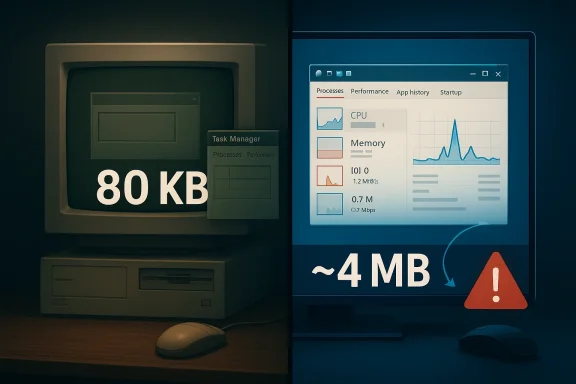
Veteran Microsoft engineer Dave Plummer’s recollection of the original Task Manager is a reminder that great system tools are often born from constraint, not abundance. In a recent discussion highlighted by Tom’s Hardware, Plummer said the utility was only about 80KB in its original form so it could stay responsive on 1990s PCs, even when the machine was under extreme stress. That design goal still matters today: a recovery tool has to feel instant, or it stops being a recovery tool at all.
Task Manager occupies a strange but essential place in Windows history. It is not a glamour feature, yet it is one of the few applications users expect to work when everything else is going wrong. Microsoft’s own support documentation still frames it as the in-box utility for monitoring application and process performance, with live tables and charts populated from Windows data sources and private APIs. In other words, it is still the first place many users go when a PC starts misbehaving.
The original utility came from an era when memory was precious and CPU cycles were visibly finite. Plummer’s point about the 80KB footprint is not nostalgia for nostalgia’s sake; it reflects a design culture where every allocation mattered and where even a simple redraw could be expensive. That mindset produced tools that were small, direct, and hostile to bloat. In those days, “lean” was not a branding exercise. It was the difference between a utility that could save your system and one that became part of the problem.
This is also why the story resonates now. Modern Windows Task Manager is far more capable than the original, with additional tabs, richer telemetry, per-user context, and expanded diagnostics. Microsoft’s documentation describes tabs for Processes, Performance, Users, Details, and Services, and even explains features such as wait-chain analysis. The utility has grown with the platform, but the original job remains unchanged: tell the user what is happening right now and do it without adding more stress.
Plummer’s comments also illustrate a broader truth about systems software: reliability often depends on being suspicious of convenience. A process viewer that sends a hundred expensive calls to the operating system can become sluggish at the very moment the user needs a quick answer. A utility designed to rescue a hung machine should not itself behave like a passenger. It needs to be the driver.
That is why the original Task Manager remains such a useful case study. It shows how a small, careful design can outlive multiple generations of hardware, UI expectations, and operating-system architecture. The lesson is not just that the binary was tiny. The deeper lesson is that the product was designed around failure conditions, not happy-path usage.
Plummer’s recollection of low-memory conditions also highlights something modern developers sometimes forget: if the operating system is already struggling, any extra overhead is amplified. A utility that triggers more paging, more allocations, or more rendering passes can worsen the user’s situation. Task Manager had to do the opposite. It had to be the calm voice in the room, not the one shouting over everyone else.
It is easy to miss how important that approach remains. Even on modern PCs, startup cost still shapes perceived quality. Users notice when a tool opens instantly, and they notice even more when a diagnostic tool lags during a crash. The best utilities disappear into the background while doing their job.
The 80KB figure therefore tells only part of the story. The larger story is that Plummer engineered for a world where software had to justify every byte. That discipline is what made the tool so durable.
That design is elegant because it treats “already running” as an insufficient answer. In a normal app, a second launch usually means “bring the other window forward.” In a recovery utility, it may mean “the other one is also dead, so you need to come help.” That difference is small in code, but profound in intent.
That is also a good example of a defensive interface design. Instead of assuming a peer process is functional, the program verifies liveness before deferring to it. For a tool that exists to provide escape hatches, that is exactly the right instinct. It behaves like a rescue unit checking whether the fire truck is actually running before deciding to stand down.
This small startup trick is a strong reminder that robust software often wins by asking the second question, not the first. The first question is “Is it there?” The second is “Is it alive enough to help?” Task Manager answered both.
Those are classic systems-programming optimizations, but their real significance is architectural. Each choice reduces friction at startup and reduces the number of places where the program can stall. On a machine in trouble, a utility has to reduce demand on the same resources it is trying to measure.
This matters because process inspection is one of the main things Task Manager does. If a utility opened and queried every process separately in a naive loop, it would pay a large tax on large systems. The smarter approach is to obtain a snapshot or table, then slice and sort it locally. That is both faster and easier on the machine.
Modern Microsoft documentation continues to emphasize similar principles. The support article for Task Manager notes that the tool consists of live data tables and charts populated from Windows data sources and private APIs, not from arbitrary per-app probing. That design is less glamorous than a flashy UI, but it is the reason the tool remains practical.
A good system utility should behave like a good reporter: collect the facts once, confirm them, and present them clearly. It should not keep knocking on every door in the building.
The increase in capability naturally brings an increase in footprint. Tom’s Hardware reports that Plummer said the current Task Manager is around 4MB, compared with the original 80KB version. That is not necessarily bloat; it is the cost of modern expectations, broader device support, richer UI, and more data sources. But the comparison does raise a useful question: how much of modern software growth is essential, and how much is convenience layered on top of convenience?
At the same time, Microsoft has continued to refine the utility rather than treating it as frozen legacy. The company’s documentation shows that Task Manager is still an active part of Windows troubleshooting, not an abandoned relic. In that sense, its evolution mirrors Windows itself: what begins as a lean in-box tool gradually becomes a more sophisticated management console because the platform it serves becomes more complex.
The broader lesson is about restraint. A utility does not need to prove how many abstractions it can stack on top of a simple task. It needs to solve the task with as little friction as possible. That is especially true for software that users open while stressed, confused, or dealing with system instability.
Plummer’s style also suggests a healthy suspicion of “helpful” complexity. Rarely used code should not dominate the startup path. Global initialization should be careful and deliberate. And a health check should be explicit, not implied. That is just good software engineering.
That matters because built-in tools define baseline expectations. If the OS can give users a usable process view instantly, third-party tools must justify their presence with more insight, more automation, or better workflow integration. In other words, Microsoft’s own utility doesn’t just serve users; it shapes the competitive value proposition for external tools.
That split creates a delicate balancing act. Too much simplification, and enterprises lose visibility. Too much depth, and consumers lose the sense that the utility is approachable in an emergency. The original 80KB version sat squarely on the consumer rescue side of the line. The modern version stretches toward the enterprise side without abandoning the everyday user.
Modern Windows hardware is orders of magnitude faster than 1990s PCs, but the failure mode has not changed. When a system is congested, every additional burden can make the recovery path worse. That is why the original design principles still matter. They are not artifacts of an obsolete era; they are general truths about robustness.
Another lesson is that good system software often becomes invisible when it succeeds. Users remember it only when something goes wrong, which means the software must be especially trustworthy in its worst moments. That is a hard requirement to satisfy, and it explains why small, disciplined tools have enduring reputations.
The next evolution of Task Manager will probably continue to balance speed with visibility, while Microsoft keeps refining the UI and the underlying telemetry. The challenge will be to add insight without surrendering the elegant simplicity that made the original tool memorable. That balance is hard, but it is also the reason Task Manager still matters.
Source: Tom's Hardware Veteran Microsoft engineer says original Task Manager was only 80KB so it could run smoothly on 90s computers — original utility used a smart technique to determine whether it was the only running instance
 Background
Task Manager occupies a strange but essential place in Windows history. It is not a glamour feature, yet it is one of the few applications users expect to work when everything else is going wrong. Microsoft’s own support documentation still frames it as the in-box utility for monitoring application and process performance, with live tables and charts populated from Windows data sources and private APIs. In other words, it is still the first place many users go when a PC starts misbehaving.The original utility came from an era when memory was precious and CPU cycles were visibly finite. Plummer’s point about the 80KB footprint is not nostalgia for nostalgia’s sake; it reflects a design culture where every allocation mattered and where even a simple redraw could be expensive. That mindset produced tools that were small, direct, and hostile to bloat. In those days, “lean” was not a branding exercise. It was the difference between a utility that could save your system and one that became part of the problem.
This is also why the story resonates now. Modern Windows Task Manager is far more capable than the original, with additional tabs, richer telemetry, per-user context, and expanded diagnostics. Microsoft’s documentation describes tabs for Processes, Performance, Users, Details, and Services, and even explains features such as wait-chain analysis. The utility has grown with the platform, but the original job remains unchanged: tell the user what is happening right now and do it without adding more stress.
Plummer’s comments also illustrate a broader truth about systems software: reliability often depends on being suspicious of convenience. A process viewer that sends a hundred expensive calls to the operating system can become sluggish at the very moment the user needs a quick answer. A utility designed to rescue a hung machine should not itself behave like a passenger. It needs to be the driver.
That is why the original Task Manager remains such a useful case study. It shows how a small, careful design can outlive multiple generations of hardware, UI expectations, and operating-system architecture. The lesson is not just that the binary was tiny. The deeper lesson is that the product was designed around failure conditions, not happy-path usage.
Why 80KB Mattered
An 80KB program sounds almost absurdly small by modern standards, but in the 1990s it represented a deliberate engineering stance. Small codebases usually mean fewer dependencies, fewer initialization paths, and fewer chances for startup delays. For a tool that might be opened on a machine already starved for memory, that economy was not aesthetic — it was functional.Plummer’s recollection of low-memory conditions also highlights something modern developers sometimes forget: if the operating system is already struggling, any extra overhead is amplified. A utility that triggers more paging, more allocations, or more rendering passes can worsen the user’s situation. Task Manager had to do the opposite. It had to be the calm voice in the room, not the one shouting over everyone else.
The right kind of minimalism
Minimalism in system utilities is not about cutting features blindly. It is about identifying the work that must happen immediately and deferring everything else. That means loading rare capabilities only when needed, caching frequently used data, and avoiding repeated lookups that would waste time on every launch. Plummer described that philosophy in broad terms, and the design choices he recalled fit the same pattern.It is easy to miss how important that approach remains. Even on modern PCs, startup cost still shapes perceived quality. Users notice when a tool opens instantly, and they notice even more when a diagnostic tool lags during a crash. The best utilities disappear into the background while doing their job.
- Small binaries reduce launch overhead.
- Few dependencies reduce failure modes.
- Deferred loading keeps rare features from taxing every session.
- Cached strings and metadata avoid repeated work.
- Simple code paths are easier to trust under stress.
The 80KB figure therefore tells only part of the story. The larger story is that Plummer engineered for a world where software had to justify every byte. That discipline is what made the tool so durable.
The Smart Instance Check
One of the most interesting details in Plummer’s account is how Task Manager decides whether it is already running. A typical single-instance app checks for an existing copy and, if one exists, simply activates it. Plummer described a more cautious method: Task Manager would send a private message to the existing instance and wait for a reply before deciding whether that copy was alive. If it got a response, the running copy was healthy; if it got silence, the new copy would launch because the old one was likely frozen.That design is elegant because it treats “already running” as an insufficient answer. In a normal app, a second launch usually means “bring the other window forward.” In a recovery utility, it may mean “the other one is also dead, so you need to come help.” That difference is small in code, but profound in intent.
Why this mattered in practice
A frozen Task Manager would be worse than useless. The whole point of the utility is to inspect unresponsive software, terminate misbehaving processes, or recover system control. If it simply trusted the existence of another instance, it could leave the user stranded. The private-message-and-reply check adds a health probe to the launch logic, making the tool more resilient under failure.That is also a good example of a defensive interface design. Instead of assuming a peer process is functional, the program verifies liveness before deferring to it. For a tool that exists to provide escape hatches, that is exactly the right instinct. It behaves like a rescue unit checking whether the fire truck is actually running before deciding to stand down.
- Health checking beats simple presence checking.
- A frozen instance should not block recovery.
- Private messaging avoids heavy-handed polling.
- The launch decision is based on responsiveness, not just identity.
- The code aligns with the tool’s emergency role.
This small startup trick is a strong reminder that robust software often wins by asking the second question, not the first. The first question is “Is it there?” The second is “Is it alive enough to help?” Task Manager answered both.
Resource Discipline by Design
Plummer also described a collection of resource-saving habits that sound almost quaint now but remain technically sound. Frequently used strings were loaded into globals once instead of being retrieved repeatedly. Rare features, such as ejecting a docked PC, were loaded only when needed. And the process tree avoided countless per-process API calls by asking the kernel for the full process table in one shot.Those are classic systems-programming optimizations, but their real significance is architectural. Each choice reduces friction at startup and reduces the number of places where the program can stall. On a machine in trouble, a utility has to reduce demand on the same resources it is trying to measure.
Batch work, don’t trickle it
Task Manager’s process enumeration model fits the same philosophy. Microsoft’s documentation on process enumeration explains that Windows provides functions such as EnumProcesses, Process32First, Process32Next, and WTSEnumerateProcesses to gather information efficiently from the system rather than querying individual programs one by one. That approach is exactly what Plummer was describing in spirit: gather the system view once, then work with the results.This matters because process inspection is one of the main things Task Manager does. If a utility opened and queried every process separately in a naive loop, it would pay a large tax on large systems. The smarter approach is to obtain a snapshot or table, then slice and sort it locally. That is both faster and easier on the machine.
Modern Microsoft documentation continues to emphasize similar principles. The support article for Task Manager notes that the tool consists of live data tables and charts populated from Windows data sources and private APIs, not from arbitrary per-app probing. That design is less glamorous than a flashy UI, but it is the reason the tool remains practical.
A good system utility should behave like a good reporter: collect the facts once, confirm them, and present them clearly. It should not keep knocking on every door in the building.
- Load common data once.
- Defer rare functionality until needed.
- Prefer system-wide snapshots to repeated per-item queries.
- Resize intelligently when buffers are too small.
- Keep the hot path short and predictable.
Task Manager Then and Now
The original Task Manager was designed for an ecosystem of constraints that no longer dominates day-to-day Windows use. Today’s version ships with richer diagnostics, more interface surfaces, and significantly deeper integration into the operating system’s telemetry model. Microsoft’s support article describes the Processes, Performance, Users, Details, and Services views, plus the ability to analyze wait chains and create memory dump files. That is a very different product from the one Plummer first built, even if the mission is still recognizably the same.The increase in capability naturally brings an increase in footprint. Tom’s Hardware reports that Plummer said the current Task Manager is around 4MB, compared with the original 80KB version. That is not necessarily bloat; it is the cost of modern expectations, broader device support, richer UI, and more data sources. But the comparison does raise a useful question: how much of modern software growth is essential, and how much is convenience layered on top of convenience?
More data, more expectations
Today’s users expect Task Manager to do much more than list processes. They want performance graphs, startup impact, app histories, per-user context, and sometimes detailed troubleshooting data. They also expect the UI to look polished, scale properly, and integrate with accessibility requirements. Those are legitimate demands, but each one adds code paths and testing burden.At the same time, Microsoft has continued to refine the utility rather than treating it as frozen legacy. The company’s documentation shows that Task Manager is still an active part of Windows troubleshooting, not an abandoned relic. In that sense, its evolution mirrors Windows itself: what begins as a lean in-box tool gradually becomes a more sophisticated management console because the platform it serves becomes more complex.
- Original Task Manager: tiny, direct, and failure-oriented.
- Modern Task Manager: richer, more visual, and more diagnostic.
- The core purpose remains the same: recover control and reveal system state.
- The trade-off is complexity versus breadth.
- The challenge is adding capability without losing responsiveness.
Why This Story Resonates With Developers
Plummer’s commentary lands so well because it taps into a frustration many developers and power users share: modern software often feels heavier than its job requires. He described an engineering culture where “every line has a cost,” and that sentiment still rings true for anyone who has watched a utility turn into a framework-backed desktop experience. The best system tools are often the ones that seem almost boring until the day you desperately need them.The broader lesson is about restraint. A utility does not need to prove how many abstractions it can stack on top of a simple task. It needs to solve the task with as little friction as possible. That is especially true for software that users open while stressed, confused, or dealing with system instability.
The hidden economics of responsiveness
Every extra allocation, repaint, and round-trip to the OS has a cost. On a modern workstation, that cost may be tiny; on an old PC, it was visible. But the design principle survives across eras: if a tool is supposed to diagnose the machine, it should not consume the same resource it is measuring without reason. Microsoft’s own documentation on Task Manager still points to process and memory data gathered from the OS itself, reinforcing the idea that the tool should observe efficiently rather than interrogate aggressively.Plummer’s style also suggests a healthy suspicion of “helpful” complexity. Rarely used code should not dominate the startup path. Global initialization should be careful and deliberate. And a health check should be explicit, not implied. That is just good software engineering.
- Responsiveness is a feature, not a side effect.
- Complexity must justify itself.
- Rescue tools should be designed for crisis conditions.
- Good engineering often looks conservative from the outside.
- The smallest reliable solution is frequently the best one.
Competitive and Broader Market Implications
Task Manager is not a consumer product in the usual sense, but its design still has competitive implications. Windows is full of third-party monitoring utilities, from lightweight process viewers to enterprise-grade diagnostics suites, and all of them compete on some mix of speed, clarity, depth, and trust. When Microsoft ships a built-in utility that is fast and sufficient, it sets a high bar for the rest of the market.That matters because built-in tools define baseline expectations. If the OS can give users a usable process view instantly, third-party tools must justify their presence with more insight, more automation, or better workflow integration. In other words, Microsoft’s own utility doesn’t just serve users; it shapes the competitive value proposition for external tools.
Enterprise versus consumer expectations
For consumers, Task Manager is often a panic button. They open it when a game stutters, a laptop fan spins up, or the desktop stops responding. They do not want a learning curve. They want a fast answer and, ideally, a fast exit route. For enterprise administrators, though, the bar is higher: they may want repeatable diagnostics, detailed process ownership, and enough telemetry to troubleshoot at scale. Microsoft’s current feature set tries to serve both audiences, which helps explain why the tool has become more complex over time.That split creates a delicate balancing act. Too much simplification, and enterprises lose visibility. Too much depth, and consumers lose the sense that the utility is approachable in an emergency. The original 80KB version sat squarely on the consumer rescue side of the line. The modern version stretches toward the enterprise side without abandoning the everyday user.
The benchmarking effect
There is also an implicit benchmark here for software makers across the industry. When a core OS utility can remain responsive under strain, users start asking why other apps cannot do the same. That pressure is healthy. It encourages vendors to trim startup work, reduce background churn, and think harder about what must be loaded immediately versus what can wait.- Built-in tools define user expectations.
- Third-party tools must add clear value to win adoption.
- Enterprise users want depth; consumers want speed.
- Microsoft’s baseline utility influences the broader Windows ecosystem.
- Performance discipline remains a differentiator.
What the Engineering Teaches Us Today
The most important thing about Plummer’s account is not the historical trivia. It is the mindset. He described a world where software had to be respectful of the machine, and that respect took the form of batching work, caching the right things, and refusing to waste cycles on invisible overhead. That is still the correct attitude for high-quality system software today.Modern Windows hardware is orders of magnitude faster than 1990s PCs, but the failure mode has not changed. When a system is congested, every additional burden can make the recovery path worse. That is why the original design principles still matter. They are not artifacts of an obsolete era; they are general truths about robustness.
Practical takeaways for developers
The clearest lesson is to optimize for the state the user is in, not the state you hope they are in. A program that is likely to be opened during a crisis should minimize initial work, fail gracefully, and avoid depending on other heavy components. A utility should also distinguish between “running” and “usable,” because those are not the same thing. Task Manager’s instance-checking behavior embodies that distinction elegantly.Another lesson is that good system software often becomes invisible when it succeeds. Users remember it only when something goes wrong, which means the software must be especially trustworthy in its worst moments. That is a hard requirement to satisfy, and it explains why small, disciplined tools have enduring reputations.
- Design for the worst case, not just the average case.
- Minimize startup dependencies.
- Treat responsiveness as part of correctness.
- Validate liveness, not just presence.
- Use the kernel and the OS efficiently.
Strengths and Opportunities
The original Task Manager story is compelling because it combines engineering craft with a user need that everyone understands. It also offers a useful standard for modern utility design: stay small, stay responsive, and stay useful even when the system is struggling. The opportunity for Microsoft and the wider Windows ecosystem is to keep that philosophy alive as tools gain new features and richer interfaces.- Responsiveness under stress is the core value proposition.
- Smart liveness checks make recovery tools more dependable.
- Lean initialization keeps startup paths predictable.
- Kernel-level snapshots reduce unnecessary overhead.
- Deferred loading preserves a fast first impression.
- Clear troubleshooting views help both consumers and IT pros.
- A strong baseline utility raises expectations across the platform.
Risks and Concerns
The danger of any success story like this is that it can become a myth of effortless elegance. In reality, preserving responsiveness in a feature-rich modern utility is hard, and every new capability adds maintenance cost. The other risk is that users may assume built-in tools are always enough, even when more specialized diagnostics would be better.- Feature creep can quietly erode the original performance ethos.
- More UI polish can increase cognitive and runtime overhead.
- Multiple competing goals may dilute the rescue-tool identity.
- Enterprise needs can pull the design toward complexity.
- Consumer expectations can push for simplicity at the same time.
- Overreliance on the built-in tool may hide deeper system issues.
- Legacy comparisons can become unfair if context is ignored.
Looking Ahead
The enduring value of Plummer’s story is that it gives Windows users a vocabulary for judging system tools more intelligently. The question is not whether a utility has the most bells and whistles. The question is whether it helps when the machine is struggling, and whether it does so without becoming part of the strain. That standard will only become more important as Windows grows more connected, more layered, and more dependent on background services.The next evolution of Task Manager will probably continue to balance speed with visibility, while Microsoft keeps refining the UI and the underlying telemetry. The challenge will be to add insight without surrendering the elegant simplicity that made the original tool memorable. That balance is hard, but it is also the reason Task Manager still matters.
- Keep the utility fast enough to be trusted during failures.
- Preserve the no-nonsense rescue role.
- Expand diagnostics without bloating the hot path.
- Retain the health-check logic that prevents false confidence.
- Treat performance as a user experience issue, not just a technical metric.
Source: Tom's Hardware Veteran Microsoft engineer says original Task Manager was only 80KB so it could run smoothly on 90s computers — original utility used a smart technique to determine whether it was the only running instance
