Windows 7 How to Fix Yellowish Color Output in Photoshop on LCD Monitor?

BROTHYAM

New Member
Joined
Jan 23, 2010
Messages
6
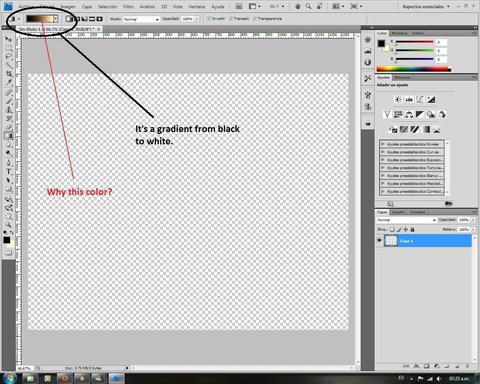
How can I extract the yellowish color?
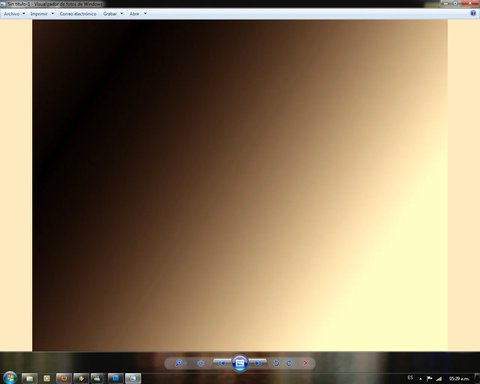
Bad color!.webp

It should turn this way:
Sin título-1.webp

The same thing happens in Photoshop, One sees as the first image, but save as the last image.

Has someone some idea to fix it?

I have a LCD monitor Samsung, Nvidia Geforce 8500 Gt video, Core 2 quad, 4Gb ram.
 

Last edited:
Solution
I don't use photoshop. But it looks like you need to select another "save as " option. It is either saving , as default, in two-tone, or in 8bit RGB.
Could you please provide more specs about you computer especially the exact make and model of your graphics card.
 

I have a LCD monitor Samsung, Nvidia Geforce 8500 Gt video, Core 2 quad, 4Gb ram.
 

Sorry I thought it was a Windows 7 problem.

You'll need a accomplished Photoshop user for a solution.
 

Did you check on the Adobe site and see if there were any updates?
Joe
 

I don't use photoshop. But it looks like you need to select another "save as " option. It is either saving , as default, in two-tone, or in 8bit RGB.
 

Solution
Back
Top