

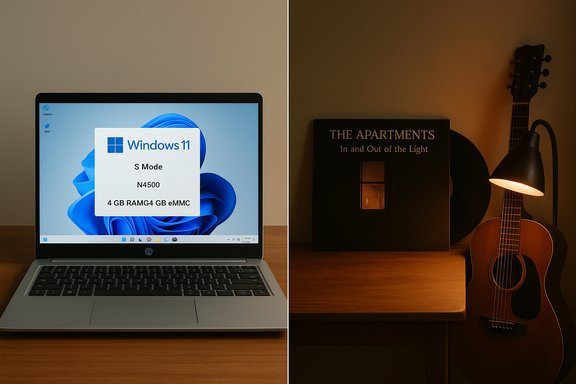
The bargain tile on a retail page — “alfani HP 14‑dq3110nr 14" HD Laptop Intel Celeron N4500 1.1GHz 4GB RAM 64GB eMMC Windows 11 Home S Mode Jet Black” — and the quiet praise for The Apartments’ In And Out Of The Light from a Brisbane‑based critic could not be more different in subject, yet they converge on the same theme: value for attention. One is a compact Windows machine pitched at budget buyers and students; the other is an underappreciated album that offered a rare musical consolation during hard times. This feature walks readers through both the pragmatic realities of buying an entry‑level Windows laptop in 2025 and a concise appraisal of The Apartments’ album — summarizing the source material, verifying key technical claims with multiple independent documents, and offering practical buying advice and critical context for music fans and tech shoppers alike.
The product listing for the HP 14‑dq3110nr sits firmly in the “budget Windows laptop” category: a 14‑inch display, Intel Celeron N‑series silicon, 4 GB of RAM, 64 GB eMMC storage, and Windows 11 Home in S Mode. These values are common for mass‑market low‑cost notebooks and form the baseline for what buyers should expect in terms of day‑to‑day performance and limitations. Community and editorial summaries repeatedly point out that machines in this class are intended for web browsing, document editing, streaming, video calls and light multitasking — not for content creation, heavy development, or sustained multi‑thread workloads.
Separately, the note about The Apartments’ album In And Out Of The Light — praised by a Backseat Mafia writer and notable for Peter Milton Walsh’s songwriting — frames the record as one of the small artistic consolations of a grim year. The musical commentary is compact and subjective by nature: it emphasizes emotional resonance and songwriter pedigree rather than technical claims that require verification.
This piece divides into two clear tracks: a technical buyer’s guide that verifies hardware claims against multiple independent documents and explains practical tradeoffs, and a short critical capsule that places The Apartments’ album in context and summarizes the reviewer’s praise.
Buyers should be particularly wary of:
A few distilled points from the review:
On the cultural side, the small, personal praise for The Apartments’ In And Out Of The Light reminds readers that value is not only an economic calculation. Artistic value — like a good, quietly essential laptop — is about fit for purpose. The album provided a brief ray of light for one reviewer during a dark period; the HP 14 promises access to the Windows ecosystem for budget shoppers seeking straightforward utility. Both are useful in their domains, but both require informed attention to detail — whether that means verifying a product SKU or listening closely to the craft of a songwriter.
If you plan to buy the HP 14 or a comparable entry laptop, start by copying the listing’s SKU, verifying the CPU model and memory/storage specifics, and confirming seller warranty and return policy. For music fans encountering the album reference, the reviewer’s note is a strong pointer to a record worth hearing for listeners who prize songwriting and emotional clarity.
Source: Backseat Mafia Home
 Background / Overview
The product listing for the HP 14‑dq3110nr sits firmly in the “budget Windows laptop” category: a 14‑inch display, Intel Celeron N‑series silicon, 4 GB of RAM, 64 GB eMMC storage, and Windows 11 Home in S Mode. These values are common for mass‑market low‑cost notebooks and form the baseline for what buyers should expect in terms of day‑to‑day performance and limitations. Community and editorial summaries repeatedly point out that machines in this class are intended for web browsing, document editing, streaming, video calls and light multitasking — not for content creation, heavy development, or sustained multi‑thread workloads.Separately, the note about The Apartments’ album In And Out Of The Light — praised by a Backseat Mafia writer and notable for Peter Milton Walsh’s songwriting — frames the record as one of the small artistic consolations of a grim year. The musical commentary is compact and subjective by nature: it emphasizes emotional resonance and songwriter pedigree rather than technical claims that require verification.
This piece divides into two clear tracks: a technical buyer’s guide that verifies hardware claims against multiple independent documents and explains practical tradeoffs, and a short critical capsule that places The Apartments’ album in context and summarizes the reviewer’s praise.
HP 14‑inch entry laptop: what the listing actually promises
Key specifications summarized
- Display: 14‑inch HD (commonly 1366×768) micro‑edge panel designed for portability rather than color‑critical work.
- Processor: Intel Celeron N‑series; the listing title includes “N4500 1.1 GHz” — a Jasper Lake‑family part with a 1.10 GHz base clock and burst capability. Multiple community documents confirm the presence of low‑power Celeron parts in these SKUs and list the N4500 as a valid choice for similar configurations.
- Memory: 4 GB (soldered on many models), which is the minimum usable memory for modern Windows 11 experience on constrained hardware.
- Storage: 64 GB eMMC — economical and compact but significantly slower and more capacity‑limited than NVMe SSDs.
- Operating system: Windows 11 Home in S Mode, configurable to full Windows Home by switching out (usually a one‑way, free change).
- Typical weight/thinness and battery claims: thin, lightweight chassis with manufacturer‑rated mixed‑use battery life commonly advertised around 8–10 hours in this class, subject to real‑world variation.
What “Windows 11 Home in S Mode” means for buyers
Windows 11 Home in S Mode is a deliberately locked configuration that only permits apps from the Microsoft Store by default. That restriction reduces background installers, can reduce attack surface and — crucially for constrained hardware — helps preserve a snappier feel by preventing some installer cruft. However, many widely used applications and legacy Win32 installers are not available in the Store; to install them you must switch out of S Mode, which is free but typically a one‑way operation. This tradeoff is a common theme across community and editorial guidance for low‑cost Windows notebooks.Performance expectations: practical realities for everyday use
Real‑world tasks the HP 14 will handle well
- Email, light web browsing (a handful of tabs), streaming video, and document editing. These tasks are CPU and I/O light enough that the N‑series CPU, 4 GB RAM and eMMC storage are adequate for short sessions.
- Casual video calls and media streaming — the integrated Intel GPU can decode modern codecs for playback.
Bottlenecks and where the model will struggle
- Multitasking at scale: dozens of browser tabs with web apps, background updates, or heavy Office workflows will hit the 4 GB RAM ceiling and cause swapping and sluggishness. Community testing emphasizes this as the single largest limiting factor on day‑to‑day responsiveness.
- Storage constraints: 64 GB eMMC fills fast once Windows updates, preinstalled apps, and user files accumulate. eMMC’s sequential and random I/O performance lags NVMe SSDs, so OS updates, app installs and general I/O‑bound operations feel slower.
- Sustained compute: the N4500 is an ultra‑low‑power design. It performs acceptably for bursty single‑thread tasks but will throttle on sustained multi‑thread loads compared with modern Core or Ryzen parts.
Verifying the technical claims: cross‑checking multiple sources
- Processor identity and clocks: The listing’s “Intel Celeron N4500 1.1 GHz” is consistent with Jasper Lake / N‑series documentation and community breakdowns that list the N4500 as a 1.10 GHz base frequency part; other HP 14 SKUs have also been seen with N4020/N4120 variants, which underscores SKU variability in retail listings. Independent documents confirm the N4500’s role and frequency profile.
- Memory and storage: Multiple retailer and editorial snapshots show 4 GB RAM and 64 GB eMMC are common configurations in the 14‑inch entry segment. Community guidance identifies these as the floor for modern Windows but notes that 8 GB + SSD materially improves usability and longevity. That claim appears consistently across several documents.
- Windows 11 in S Mode: Independent summaries and HP catalog excerpts confirm that many low‑end consumer SKUs ship with Windows 11 Home in S Mode to reduce preinstalled software friction and to help constrained hardware appear snappier; switching out is a standard free Microsoft Store operation in most locales. That operational detail appears in multiple community files.
Deal credibility and price volatility: approaching discount headlines with skepticism
Deal coverage frequently highlights steep, time‑limited markdowns — one community snapshot mentions an advertised $171 price point for a similar 14‑inch HP SKU, down from $229 — but also emphasizes that these are snapshots tied to specific sellers and limited inventories. Retail price behavior in the segment is volatile; different retailers list near‑identical products with materially different internal components and bundled extras. In short: the headline price is compelling if real, but verify the live listing, SKU and seller before purchase.Buyers should be particularly wary of:
- Marketplace sellers advertising “was $X” MSRP claims that don’t match manufacturer documentation.
- Listings that conflate multiple SKUs under one title (memory or storage variance).
- Bundled claims (e.g., “lifetime Office”) that may be seller‑specific addenda rather than OEM inclusions. Community sources emphasize that “lifetime Office” claims should be validated separately.
A practical buyer’s checklist (what to verify on the product page)
- Exact SKU / HP part number and the listed CPU (N4500 vs N4020 vs N4120).
- Confirm whether Windows is “Home in S Mode” or full Windows Home/Pro; remember switching out of S Mode is usually one‑way.
- RAM: is it 4 GB, 8 GB, or more? If 4 GB, check whether expansion is possible (many entry models solder RAM).
- Storage type: eMMC vs UFS vs NVMe SSD. If an NVMe is present, confirm whether Windows boots from it or from the slower eMMC.
- Seller identity and warranty coverage: first‑party retailer vs third‑party marketplace reseller makes a difference for returns and warranty support.
- Included extras: Microsoft 365 subscription length and whether it auto‑renews, and whether “bonus” storage in docks is internal NVMe or USB‑attached peripheral.
Upgrade and longevity considerations
- If your budget allows, prioritize 8 GB RAM + NVMe SSD over marginal savings on a 4 GB/eMMC unit. Community testing shows that the user experience improves far more from faster storage and extra memory than from slightly faster burst clocks.
- For buyers who already purchased a 4 GB/64 GB model, practical mitigations include:
- Using microSD to offload media files.
- Relying on cloud storage for documents and photos.
- Disabling background autostarts and slimming startup apps for a snappier session. Community advice indicates that selective startup management can noticeably improve perceived speed.
- Warranty and service: low‑cost machines often have limited upgrade paths and may be less serviceable; factor expected lifecycle and the realistic cost of replacement into the total cost of ownership.
Alternatives and what else to consider in the same price band
- Chromebooks: better raw responsiveness for browser‑centric users at the same or lower price, but lack native Win32 app compatibility. If your workflow is strictly web‑based, Chrome OS remains a compelling alternative.
- Refurbished 8 GB / SSD Windows laptops: a refurbished mid‑range model with 8 GB RAM and an SSD can outperform a brand‑new 4 GB/eMMC laptop for only a modest price premium. Community sources recommend considering refurbished or open‑box options when feasible.
- Slightly higher spend for new devices: moving to devices with an N150 or N200 family quad‑core entry chip plus 8 GB/128 GB SSD often lands you in a far more comfortable long‑term experience; editorial snapshots show that more generous RAM and UFS/NVMe storage make the machine feel “above its price.”
Short critical capsule: The Apartments — In And Out Of The Light
The Apartments’ In And Out Of The Light is presented by the reviewer as one of the rare bright spots in a difficult year; Peter Milton Walsh’s songwriting anchors the record with mature lyricism and melodic restraint. The critic emphasizes the band’s underrated status and frames the album as one of the author’s favorites — a recommendation rooted in emotional impact rather than technical innovation.A few distilled points from the review:
- The album’s strength is its songwriting and emotional directness, carried prominently by Walsh’s voice.
- The record stands out in a bleak cultural moment for its capacity to offer solace and beauty.
- The Apartments’ history (including Walsh’s early connection with The Go‑Betweenes) is cited to place the album in a broader Brisbane/indie lineage.
Critical analysis: strengths, risks, and what matters most for readers
Strengths of the HP listing and deal framing
- Accessibility: A new Windows device with a full Windows license (even in S Mode) is attractive for buyers who need Win32 apps. Multiple community notes highlight that having native Windows is the primary differentiator versus Chromebooks.
- Value for basic use: For students or users who prioritize portability, battery life and price over raw compute, the 14‑inch form factor and minimal specs get the job done for core tasks.
- Bundles can add real value: When a promoted SKU includes Microsoft 365, docks or accessory packs, that can materially increase real‑world usefulness without additional spend — but the details matter.
Risks and buyer traps to avoid
- SKU ambiguity: Retail listings frequently conflate several internal SKUs under the same model name. Buyers have reported receiving different CPUs, RAM or storage than advertised when they did not double‑check the part number. Community documents strongly advise verifying the actual model number.
- Underprovisioned RAM and storage: 4 GB RAM + 64 GB eMMC is the minimum for Windows 11; while affordable, it limits futureproofing and can quickly become a liability. Upgrading may be impossible on many units.
- Deal volatility and seller reliability: Headlines quoting ultra‑low prices are often snapshots tied to third‑party sellers, limited quantities, or temporary coupons. Validating seller reputation and warranty is critical.
The music side: where subjective praise meets context
- The Apartments’ album praise is valuable because it’s contextual and personal. It’s not a claim about chart performance or technical innovation — it’s an emotional evaluation. For readers interested in recommendations, that is valid content, but it operates under different journalistic norms than hardware verification. The review’s principal shortcoming is its narrow scope: it’s an opinion piece rather than a comprehensive critical history, so readers seeking deeper context should consult more expansive coverage or the band’s wider catalog.
Practical purchase recommendation — a decision tree
- If your needs are minimal (email, streaming, occasional docs) and price is the overriding constraint: a 4 GB/64 GB HP 14 can be a reasonable, inexpensive choice — but treat it as a temporary or secondary machine. Verify the seller and return policy.
- If you expect to keep the laptop for multiple years, run many browser tabs, or use Win32 apps beyond the Microsoft Store: stretch for 8 GB RAM + NVMe/UFS storage, even if it means buying refurbished or waiting for a slightly higher‑priced new SKU. Community comparisons consistently show that RAM and storage speed produce the largest measurable improvements in everyday experience.
- If you work primarily in the browser and value battery life and snappiness above Win32 compatibility: evaluate Chromebooks as a cheaper, often more responsive alternative.
- If a promotional bundle includes Microsoft 365 and accessories at a modest premium, calculate the real value (what those items would cost individually) and verify subscription terms to see if it genuinely increases the package’s value.
Final thoughts and closing appraisal
The HP 14‑dq3110nr style listing is emblematic of a broader truth in the budget Windows laptop market: headline prices and marketing blur the technical diversity of SKUs that sit under the same product name. Independent community and editorial reviews converge on a pragmatic buyer mantra: confirm the exact SKU, prioritize RAM and storage type, and treat deal headlines as time‑sensitive. When these rules are followed, a low‑cost Windows laptop can be an effective tool for basic productivity; when they are ignored, buyers discover painful limitations that were visible in the product’s spec sheet all along.On the cultural side, the small, personal praise for The Apartments’ In And Out Of The Light reminds readers that value is not only an economic calculation. Artistic value — like a good, quietly essential laptop — is about fit for purpose. The album provided a brief ray of light for one reviewer during a dark period; the HP 14 promises access to the Windows ecosystem for budget shoppers seeking straightforward utility. Both are useful in their domains, but both require informed attention to detail — whether that means verifying a product SKU or listening closely to the craft of a songwriter.
If you plan to buy the HP 14 or a comparable entry laptop, start by copying the listing’s SKU, verifying the CPU model and memory/storage specifics, and confirming seller warranty and return policy. For music fans encountering the album reference, the reviewer’s note is a strong pointer to a record worth hearing for listeners who prize songwriting and emotional clarity.
Source: Backseat Mafia Home
