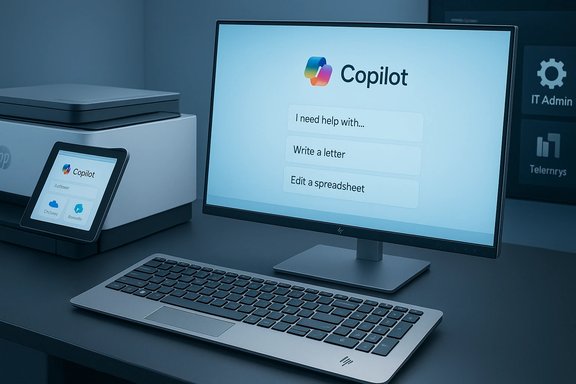
HP used CES 2026 to push a clear new thesis: the PC is no longer just a screen and a keyboard—it's an intelligent, Copilot‑enabled endpoint that can live in unexpected form factors, run substantive AI workloads locally, and even bring Microsoft Copilot into the printer room.
HP’s CES 2026 announcements knit together four interlocking threads: on‑device AI acceleration, endpoint manageability, expanded Copilot integrations, and consolidation of gaming and peripherals under the HyperX/OMEN umbrella. The lineup ranges from the radical — a full Windows PC built inside a keyboard (the EliteBoard G1a) — to iterative but important updates in business and consumer laptops (EliteBook X G2, OmniBook Ultra 14/3 series) and office infrastructure (Copilot on printers). These moves are explicitly aimed at enterprises and prosumers who need low‑latency AI, stronger data locality, and simpler lifecycle management for distributed work environments.
HP framed many of the devices as Copilot+ PCs and emphasised NPUs rated in the dozens of TOPS as the hardware foundation for local inference, while also highlighting firmware‑level remote recovery and device telemetry for IT teams. HP’s materials and early reporting present high headline numbers — 50+ TOPS for keyboard PC configurations and up to 85 TOPS for selected EliteBook and OmniBook SKUs — but those figures come with the usual caveats about SKU-level variation and test methodology.
That said, adoption requires careful tenant configuration and privacy review:
Short term: organisations should pilot the most relevant devices, insist on third‑party or workload benchmarks, and verify tenant and licensing implications for Copilot services. Longer term: if the industry’s device makers and platform vendors deliver mature software stacks and transparent privacy controls, on‑device AI and Copilot‑enabled endpoints could reshape how enterprises think about latency, locality, and the very shape of the PC on the desk.
Source: Tbreak Media HP CES 2026: New AI PCs, Pricing, and UAE Availability
 Background / Overview
HP’s CES 2026 announcements knit together four interlocking threads: on‑device AI acceleration, endpoint manageability, expanded Copilot integrations, and consolidation of gaming and peripherals under the HyperX/OMEN umbrella. The lineup ranges from the radical — a full Windows PC built inside a keyboard (the EliteBoard G1a) — to iterative but important updates in business and consumer laptops (EliteBook X G2, OmniBook Ultra 14/3 series) and office infrastructure (Copilot on printers). These moves are explicitly aimed at enterprises and prosumers who need low‑latency AI, stronger data locality, and simpler lifecycle management for distributed work environments.HP framed many of the devices as Copilot+ PCs and emphasised NPUs rated in the dozens of TOPS as the hardware foundation for local inference, while also highlighting firmware‑level remote recovery and device telemetry for IT teams. HP’s materials and early reporting present high headline numbers — 50+ TOPS for keyboard PC configurations and up to 85 TOPS for selected EliteBook and OmniBook SKUs — but those figures come with the usual caveats about SKU-level variation and test methodology.
The EliteBoard G1a: a “keyputer” reframing the desktop
What the EliteBoard G1a is
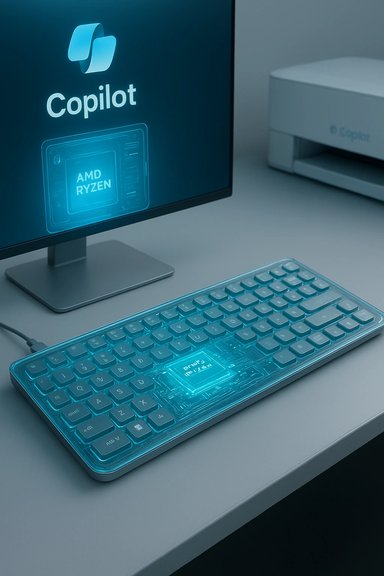
HP showed the EliteBoard G1a, a full Windows PC integrated into a premium keyboard chassis intended for hybrid workers, hot‑desking, and IT‑managed fleets. The EliteBoard includes CPU, NPU, RAM, storage, wireless, and I/O behind the keycaps; you plug a single cable into a monitor (or use the battery‑assisted detachable model) and you’ve got a fully managed Copilot+ endpoint. HP pitched it as an enterprise device with serviceable internals and hardware security.Key specs and what they mean
- HP advertises configurations using AMD Ryzen AI 300 Series silicon and an NPU rated at “over 50 TOPS” in headline SKUs. This positions the EliteBoard above Microsoft’s baseline for many Copilot+ on‑device experiences.
- The keyboard chassis is marketed at around 12 mm thin and ~0.75 kg — a form factor that stresses portability and desk‑centric mobility. Two SKU strategies were shown: a permanently‑cabled USB4 model for static desks and a detachable‑cable model with a replaceable ~32 Wh battery for short untethered use.
Practical tradeoffs and the likely buyers
- Benefits: rapid desk setup, reduced logistics for shared workplaces, local AI for privacy‑sensitive tasks, and simplified asset replacement.
- Tradeoffs: keyboard ergonomics, sustained thermal limits, and the question of whether a keyboard‑sized chassis can maintain sustained peak performance under repeated heavy AI loads.
EliteBook X G2 and OmniBook family: headlining 85 TOPS claims
Multi‑architecture EliteBook X G2
HP refreshed its premium business line with the EliteBook X G2 Series, offering multiple CPU architectures — Intel Core Ultra, AMD Ryzen AI, and Qualcomm Snapdragon X2 Elite — and configurations HP says can provide up to 85 TOPS of NPU throughput in certain SKUs. That level of local AI performance is explicitly pitched for concurrent, real‑time AI tasks across productivity, collaboration, and lightweight creative workloads.OmniBook Ultra 14 and OmniBook 3 16: consumer focus
The OmniBook Ultra 14 and broader OmniBook refresh bring Snapdragon X2 variants, OLED displays, and battery‑life optimisations. HP made a bold battery statement for some 16‑inch OmniBook 3 configurations — claims of the company’s longest battery life, such as up to 45 hours of local video playback in tightly controlled tests — but stressed these are measured under specific laboratory conditions, not general mixed‑use scenarios.How to interpret the TOPS and battery claims
- TOPS (trillions of operations per second) are a useful metric for NPU throughput, but they are not a direct measure of end‑user performance across all AI tasks. Software stack integration, memory bandwidth, thermal throttling, and model optimisations matter far more in practice.
- Battery life milestones quoted by OEMs are often achieved under single‑task playback loops at low screen brightness; real‑world multitasking will show lower numbers.
Microsoft Copilot on printers: HP for Microsoft 365 Copilot
What HP announced
HP announced HP for Microsoft 365 Copilot, a Workpath app that embeds Copilot features directly in Microsoft‑integrated printers and MFPs. Functionality shown includes:- On‑device document summarisation for scanned pages.
- Translation of scanned content without sending raw images to the cloud.
- Smart file naming and storage suggestions for OneDrive and SharePoint integration.
Enterprise implications and privacy posture
Embedding Copilot in printers has real utility: many organisations still handle paper workflows that need fast digitisation, searching, and summarisation. On‑device summarisation and translation can reduce the risk surface by avoiding raw uploads to cloud OCR pipelines.That said, adoption requires careful tenant configuration and privacy review:
- Confirm whether scanned images or OCR text are retained locally, transiently, or routed to Microsoft cloud services for enrichment.
- Validate compliance with local regulations and data residency requirements before enabling on‑device Copilot features in sensitive environments.
- For UAE and other regionally restrictive environments, confirm whether HP’s Workpath app and Copilot integrations will be functionally available and whether any features will be limited or delayed.
Workforce Experience Platform (WXP) and peripherals
Firmware‑level remote recovery
HP expanded its Workforce Experience Platform (WXP) with a firmware/BIOS‑level recovery capability that aims to let IT perform out‑of‑band repairs on devices that will not boot. This is a compelling operational improvement for distributed fleets and kiosk deployments because it promises lower mean‑time‑to‑repair (MTTR) and reduced reliance on physical returns. Implementation details — what recovery toolchain, network requirements, and security controls exist — were not exhaustively defined at CES and will be important for enterprise vetting.Peripherals and accessories
New peripherals include items like the HP Tilt Ergonomic Mouse 720M (expanded colourways) and a refreshed set of chargers, hubs, and workspace accessories. HP indicated these accessories will roll out across regional distributors, but pricing and local stock will vary by territory. For UAE buyers this typically means regional distributors such as Sharaf DG or Jumbo will determine local availability once HP finalises certification and shipping.Gaming consolidation: HyperX + OMEN and the OMEN MAX 16
Brand and product consolidation
HP announced a consolidation of OMEN and HyperX under a unified HyperX master brand for gaming peripherals, while flagging top‑tier notebooks like the HyperX OMEN MAX 16 (also referred to as OMEN MAX 16 in early materials) as the new performance flagship. HP positioned the OMEN MAX 16 as the “most powerful gaming laptop” in its class, with claims of fully internal cooling and Total Platform Power (TPP) numbers that top out in aggressive configurations.What to watch for
- TPP and internal cooling: HP’s claim of high TPP (some public materials referenced up to 300W TPP ranges in particular configurations) is notable because internal cooling for such power budgets is an engineering challenge. Buyers should expect higher chassis noise, heat dissipation, and battery runtime tradeoffs in the highest TPP SKUs.
- OMEN AI features: The gaming lineup will include some OMEN AI features for performance tuning and latency reduction—useful for competitive play but again dependent on software maturity.
Sustainability and the HP Digital Passport
HP continues to expand procurement‑facing tools such as the HP Digital Passport, which centralises product origin, repairability data, and environmental claims like materials sourcing and recycled content. For sustainability‑minded IT buyers, central access to device provenance and lifecycle data is increasingly important during procurement and end‑of‑life decisions. HP has positioned the Digital Passport as part of its CES sustainability narrative, though it remains to be seen how granularly the portal will reflect region‑specific warranty and repair options.UAE pricing and availability: what HP said (and didn't)
The headline reality
HP did not publish official AED pricing or UAE launch dates for the CES 2026 announcements. The company’s global ship windows were referenced broadly — EliteBoard G1a in March, EliteBook X G2 shipping from February into spring, and printer Copilot features planned for Spring 2026 — but HP explicitly left regional rollouts and local SKUs to subsequent announcements. UAE buyers should therefore expect a regional lag as HP completes certifications and local distribution planning.Local retail expectations
- HP products typically reach UAE retailers like Sharaf DG, Jumbo, and Virgin Megastore within 2–6 months after global launches for mainstream notebooks, though Snapdragon‑based devices and advanced printers can take longer due to chipset certification and telephony/modem approvals where applicable.
- Based on prior HP premium tiers and HP’s own commentary, consumers and businesses should expect premium price positioning: EliteBooks likely start in the AED 4,500–6,000+ range for base premium configurations, with top gaming models (OMEN MAX 16 flagships) more likely beginning from AED 8,000 or higher depending on GPU, TPP, and display options. These are estimates grounded in HP’s previous market behaviour and available early commentary — not official AED MSRP figures. Treat them as planning guidance rather than confirmed prices.
UAE‑specific caveats: compatibility and Copilot availability
- Some Copilot and cloud‑dependent features may be restricted or delayed in specific regions due to tenant licensing, data residency, or local cloud availability. HP’s announcements make Copilot printer functionality contingent on Microsoft 365 Copilot entitlements and Workpath licensing; UAE customers should verify with HP local support and Microsoft tenancy administrators before assuming feature parity at launch.
Practical buying guidance for UAE organisations and prosumers
- Pilot before you commit: Run a representative group of end users on EliteBoard or Copilot‑enabled printers to validate latency, functionality, and privacy handling in your tenant.
- Demand SKU‑level benchmarks: Ask HP or resellers for workload benchmarks that replicate your core tasks (Teams transcription, large document summarisation, video editing timelines). Avoid extrapolating from generic TOPS numbers alone.
- Verify licensing and tenant fit: Copilot printer features require Microsoft licensing; confirm cost, tenant configuration, and OneDrive/SharePoint routing before purchase.
- Consider lifecycle and repairability: The EliteBoard’s serviceable internals are an asset for enterprise asset management — confirm local RMA and repair paths in the UAE.
- Budget for configuration variance: High‑TOPS NPUs and internal high‑TPP gaming SKUs will carry premium price tags; account for GPU and display choices when comparing total cost of ownership.
Strengths, risks, and critical analysis
Notable strengths
- Cohesive platform play: HP’s approach stitches hardware, firmware (WXP), and cloud services (Copilot integrations) into a coherent procurement story for organisations that want to standardise Copilot+ endpoints. This reduces integration friction during procurement cycles.
- Real‑world value of on‑device AI: Running inference locally reduces latency, avoids needless data movement, and can improve privacy for sensitive tasks — a meaningful differentiator in regions with limited cloud coverage or strict data rules.
- Operational gains from WXP and EliteBoard: Firmware‑level recovery and serviceable keyboard PCs can reduce downtime and logistics overhead for IT teams managing dispersed workplaces.
Key risks and unknowns
- Marketing numbers vs. sustained workloads: TOPS, TPP, and battery hours are headline metrics that frequently over‑promise without context. Sustained real‑world performance depends on thermal design, driver stacks, and software optimisation — areas that require independent benchmarks. Flag these claims as vendor‑provided until third‑party reviews validate them.
- Privacy and telemetry complexity: Embedding Copilot in printers and enabling ambient or device‑level Copilot agents raises legitimate data‑governance questions. Organisations must verify data flows, retention policies, and telemetry options before deployment.
- Regional availability and feature parity: The UAE and other markets often see delayed rollouts for advanced silicon or cloud integrations. Confirm local availability windows and any regional feature restrictions before procurement.
Unverifiable or conditional claims (flagged)
- Any statement of “world’s most powerful” for gaming laptops or absolute battery leadership should be treated as a vendor claim until independent testing confirms parity across like‑for‑like configurations. HP’s OMEN MAX 16 power claims and OmniBook battery assertions are promising but conditional on SKU, configuration, and test methodology. These remain vendor claims pending third‑party validation.
Checklist for IT decision‑makers (quick reference)
- Confirm Microsoft 365 Copilot licensing requirements for printer integrations and tenant compatibility.
- Request SKU‑specific TOPS, thermal/power budgets, and sustained workload benchmarks from HP or authorised resellers.
- Pilot EliteBoard in a controlled environment to evaluate ergonomics, thermal behaviour, and compatibility with docking/monitor setups.
- Validate RMA, repairability, and spare‑parts availability in the UAE before committing to fleet purchases.
- Schedule budget allowances for high‑TPP gaming configurations if cross‑department adoption (creative teams or gamers) is expected.
Conclusion
HP’s CES 2026 slate is not a scattershot of modest updates; it’s a coordinated thesis that the next era of Windows PCs will be defined by where AI runs, how endpoints are managed, and how traditionally passive devices — like printers and keyboards — become active parts of a Copilot‑driven workflow. For UAE buyers the big practical answers remain contingent: local pricing, specific SKU availability, and whether Copilot integrations will be fully supported in regionally deployed HP printers and devices. HP’s headline claims — the EliteBoard G1a “keyputer,” EliteBook and OmniBook NPU figures, and OMEN MAX 16 performance positioning — are intriguing and potentially transformative, but they deserve rigorous, workload‑specific validation before fleet‑wide adoption.Short term: organisations should pilot the most relevant devices, insist on third‑party or workload benchmarks, and verify tenant and licensing implications for Copilot services. Longer term: if the industry’s device makers and platform vendors deliver mature software stacks and transparent privacy controls, on‑device AI and Copilot‑enabled endpoints could reshape how enterprises think about latency, locality, and the very shape of the PC on the desk.
Source: Tbreak Media HP CES 2026: New AI PCs, Pricing, and UAE Availability