

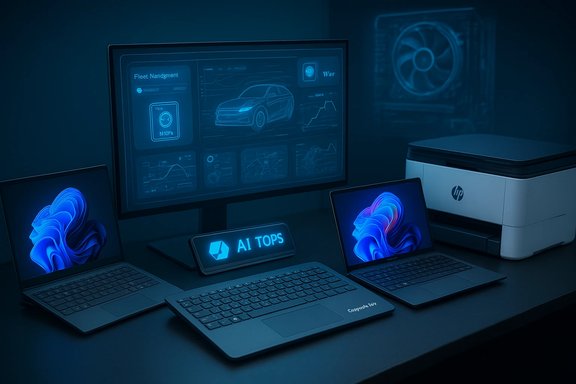
HP’s CES 2026 slate reframes the PC not as a single device but as a distributed, Copilot‑enabled ecosystem — from a full Windows PC inside a keyboard to 85‑TOPS NPUs across business and consumer notebooks, printer‑side Copilot integrations, and a unified gaming brand — a coordinated push to make on‑device AI the baseline for the future of work.
HP used CES 2026 to lay out a unified strategy that ties hardware, firmware, fleet management, and workflow endpoints into a single narrative for enterprise and prosumer IT buyers. The company positioned on‑device neural processing (NPUs) and tighter management tooling as the primary levers for lowering latency, improving data locality, and enabling new productivity workflows tied to Microsoft’s Copilot ecosystem. HP’s official announcements describe headline products and platform updates — the HP EliteBoard G1a keyboard PC, the HP EliteBook X G2 Series, the consumer OmniBook family refresh (including the OmniBook Ultra 14), printer integrations via HP for Microsoft 365 Copilot, firmware‑level recovery in the Workforce Experience Platform (WXP), and a consolidated gaming brand under HyperX. HP’s message at CES was deliberately holistic: make the endpoint intelligent, make it manageable, and embed AI where work happens (even at the printer). That framing is attractive to IT organizations looking to accelerate Copilot adoption under centralized governance, but it also raises practical questions about SKU‑level performance, sustained thermals, licensing complexity, and privacy controls that must be evaluated before fleet‑wide adoption.
However, BIOS‑level access raises security concerns around privilege, auditing, and interactions with encryption (BitLocker) and TPM‑backed keys. HP and early reporting note these concerns and recommend validation with encrypted‑drive scenarios before production deployment. IT teams should insist on documented controls, audit trails, and role‑based access to the firmware recovery tools before broad rollout.
That said, many of the most consequential numbers — 50 TOPS, 85 TOPS, 45‑hour battery claims, and 300W TPP — are conditional on SKU choices, test methodologies, and thermal headroom. Independent benchmarks and careful pilot programs are essential before making procurement commitments. Organizations should treat HP’s CES slate as a strong strategic signal and a rich set of devices to test, not a turn‑key guarantee: run representative pilots, insist on SKU‑level transparency, validate privacy and firmware controls, and model licensing costs before scaling.
HP is betting that the next chapter of productivity will be written at the endpoint. For CIOs and IT buyers, the challenge is straightforward: separate the marketing maxima from the practical minima, validate the claims under your workloads, and then decide whether the combination of local AI, manageability, and workflow integration delivers measurable gains for your business.
Source: The Manila Times HP at CES 2026 - HP Showcases the Future of Work
 Background / Overview
HP used CES 2026 to lay out a unified strategy that ties hardware, firmware, fleet management, and workflow endpoints into a single narrative for enterprise and prosumer IT buyers. The company positioned on‑device neural processing (NPUs) and tighter management tooling as the primary levers for lowering latency, improving data locality, and enabling new productivity workflows tied to Microsoft’s Copilot ecosystem. HP’s official announcements describe headline products and platform updates — the HP EliteBoard G1a keyboard PC, the HP EliteBook X G2 Series, the consumer OmniBook family refresh (including the OmniBook Ultra 14), printer integrations via HP for Microsoft 365 Copilot, firmware‑level recovery in the Workforce Experience Platform (WXP), and a consolidated gaming brand under HyperX. HP’s message at CES was deliberately holistic: make the endpoint intelligent, make it manageable, and embed AI where work happens (even at the printer). That framing is attractive to IT organizations looking to accelerate Copilot adoption under centralized governance, but it also raises practical questions about SKU‑level performance, sustained thermals, licensing complexity, and privacy controls that must be evaluated before fleet‑wide adoption.What HP Announced (At a Glance)
- EliteBoard G1a: a full Windows Copilot+ PC built into a keyboard chassis, CES Innovation Award honoree, ~0.75 kg and 12 mm profile, AMD Ryzen AI 300‑series with an NPU rated “over 50 TOPS” in headline SKUs.
- EliteBook X G2 Series: multi‑architecture business laptops (Intel Core Ultra, AMD Ryzen AI, Qualcomm Snapdragon X2 Elite) offering configurations HP advertises as capable of up to 85 TOPS NPU for concurrent AI workloads.
- OmniBook family refresh: new OmniBook Ultra 14 and wider OmniBook portfolio updates with Snapdragon X2 Elite and OLED displays; HP claims some configurations can deliver the company’s longest battery life (examples: up to 45 hours local video playback in a tightly defined test for OmniBook 3 16 configs).
- HP for Microsoft 365 Copilot (Workpath app): Copilot built into HP Workpath‑enabled multifunction printers (MFPs) for one‑touch summaries, translations, and smart file storage to OneDrive/SharePoint (availability: Spring 2026; requires tenant Copilot licensing).
- Workforce Experience Platform (WXP): firmware/BIOS‑level recovery — described as an “out‑of‑band” remote repair capability to fix devices that can’t boot and reduce MTTR across distributed fleets.
- HyperX OMEN MAX 16: the newly positioned world’s most powerful gaming laptop with fully internal cooling and HP’s OMEN Tempest Cooling Pro claiming up to 300W Total Platform Power (TPP) in select configurations.
Deep Dive: HP EliteBoard G1a — the “Keyputer”
What it is and why it matters
HP’s EliteBoard G1a converts the keyboard into the PC: a full Windows Copilot+ system with CPU, NPU, RAM, storage, I/O and optional battery wrapped into a keyboard‑sized chassis. HP markets it as the company’s smallest and lightest AI PC at roughly 750 g and a 12 mm profile, explicitly aimed at hybrid work and hot‑desking scenarios. The device is billed as enterprise‑grade with serviceable internals and HP Wolf Security. The idea has clear procurement appeal: one‑cable deployment to any monitor, centralized management, simplified logistics for distributed desks, and on‑device AI acceleration for Copilot+ experiences without a round trip to the cloud.Technical reality and caveats
- NPU and silicon: HP pairs the EliteBoard with AMD’s Ryzen AI 300‑series and advertises over 50 TOPS NPU via select SKUs — enough to meet Microsoft’s Copilot+ thresholds on paper. AMD’s published Ryzen AI figures align with the general class of NPU performance HP cites, but TOPS is a theoretical throughput metric and not a substitute for application‑level benchmarks.
- Thermals and ergonomics: Squeezing an SoC, NPU, cooling and storage into a 12 mm keyboard requires aggressive thermal engineering. HP claims active cooling and a low noise profile, but sustained NPU throughput under load and surface temperatures need independent verification. Early press coverage flags thermals and long‑term reliability as critical evaluation points.
- Mobility tradeoffs: The detachable‑cable SKU with optional ~32 Wh battery is designed to let the keyboard “move” between desks but it’s not a laptop replacement; expect single‑digit hour runtimes under heavy use. HP positions the EliteBoard as a portable desktop rather than a productivity mobile device.
Procurement checklist for EliteBoard pilots
- Request SKU‑level silicon identifiers (exact AMD Ryzen AI SKU and NPU TOPS per SKU).
- Run representative workloads (transcription + video conferencing + local LLM inference) to measure sustained NPU performance and thermal throttling.
- Validate compatibility with existing docking and multi‑monitor topologies in your environment.
- Confirm firmware recovery interactions with BitLocker/TPM and your MDM tooling.
EliteBook X G2 Series and OmniBook Ultra 14 — the 85 TOPS push
The claim: up to 85 TOPS for concurrent AI apps
HP announced that select EliteBook X G2 and OmniBook Ultra 14 SKUs will ship with Snapdragon X2 Elite processors in HP‑exclusive variants that are capable of up to 85 TOPS NPU performance — positioning these devices as the industry leaders for on‑device AI inference in business and consumer notebooks. HP’s press materials make the 85 TOPS claim and clearly tie it to specific Snapdragon X2 Elite variants. Independent reporting corroborates the general direction: Qualcomm’s Snapdragon X2 Elite family pushed NPUs into the ~80 TOPS range for premium PC chips, and early device implementations can reach slightly higher TOPS with vendor‑specific tuning. Tom’s Hardware and The Verge reported HP’s use of exclusive X2E variants with higher TOPS in particular models.What TOPS actually means for IT
- TOPS is not an application SLA: TOPS measures the peak neural operations per second a chip can theoretically perform; real‑world latency, throughput and concurrency depend on model architecture, memory bandwidth, quantization, thermal headroom, and software/driver optimization. HP’s “concurrent AI apps” messaging is plausible but must be validated with application‑level benchmarks.
- SKU variability: Only certain Snapdragon X2 Elite SKUs (and in HP’s language, X2E‑90/84 series) reach the higher TOPS figures. Buyers must confirm which SKU is in the quoted configuration.
Battery and display claims (OmniBook)
HP also used CES to refresh the OmniBook line with OLED displays and Snapdragon X2 options, including a 16‑inch OmniBook 3 16 that HP claims can reach up to 45 hours of local video playback in a tightly controlled test configuration. HP documents the test methodology (local 1080p playback, 200 nits, specific SoC and RAM, etc. which makes the number a best‑case battery playback metric, not a mixed‑use real‑world indicator. IT and procurement teams should treat such figures as ceiling values and request mixed‑workload battery tests for procurement comparisons.HP for Microsoft 365 Copilot — printers as active AI endpoints
What was announced
HP introduced HP for Microsoft 365 Copilot, a Workpath app that embeds Copilot functionality into compatible HP Office Print devices. The app will enable scanned documents to be summarized, auto‑named and saved to OneDrive/SharePoint, and offer on‑device translation where supported. Availability is planned for Spring 2026 and will require Microsoft 365 Copilot entitlements plus Workpath‑compatible printers.Practical implications
Embedding Copilot at the capture point can dramatically reduce friction in document workflows — think one‑touch scanned summaries routed to approved OneDrive folders. For distributed offices, this can save time and reduce manual steps in multi‑stage processes.Governance and risk checklist
- Confirm precisely where inference runs: on‑device vs cloud. On‑device inference improves privacy but may be limited by the printer’s NPU/SoC; cloud inference needs tenant policies and auditing. HP’s materials mention on‑device translation but some features may still require cloud mediation depending on tenant settings.
- Validate telemetry and retention controls so Copilot interactions at the printer are visible in enterprise auditing (Purview, M365 logs).
- Ensure license mapping: Workpath Premium bundle + Microsoft 365 Copilot entitlements add to TCO and must be modeled in procurement.
WXP Firmware Recovery — promising but sensitive
HP added a BIOS/firmware‑level recovery capability to Workforce Experience Platform (WXP) described as “Out‑of‑Band Remote Connect.” This lets IT access and repair devices that can’t boot, potentially avoiding depot repairs and shortening MTTR for distributed fleets. For remote branches, kiosks, and hoteling fleets this is potentially transformative.However, BIOS‑level access raises security concerns around privilege, auditing, and interactions with encryption (BitLocker) and TPM‑backed keys. HP and early reporting note these concerns and recommend validation with encrypted‑drive scenarios before production deployment. IT teams should insist on documented controls, audit trails, and role‑based access to the firmware recovery tools before broad rollout.
HyperX OMEN MAX 16 — gaming muscle and thermal skepticism
HP consolidated OMEN and HyperX under a single HyperX master brand and unveiled the HyperX OMEN MAX 16, which HP claims can achieve up to 300W Total Platform Power (TPP) using internal cooling (no external power brick boosts required). HP pairs this power posture with OMEN Tempest Cooling Pro, an upgraded fan design and a high‑polling rate keyboard. Independent reporters and industry analysts flagged the claim as bold: sustaining 300W within a 16‑inch internal cooling envelope will be an engineering stretch and must be validated in long sessions for thermal throttling, surface temperatures, acoustics, and power delivery. Early hands‑on coverage confirmed the product direction but emphasized the need for full reviews to validate sustained performance claims.Sustainability, Digital Passport and lifecycle messaging
HP reiterated a major sustainability milestone: more than five billion pounds of reused, recycled, or renewable material used in products and packaging since 2019. The company also introduced HP Digital Passport, a QR‑based device onboarding hub that surfaces setup, support, and a device’s sustainability story. These moves reinforce procurement narratives that weigh ESG alongside TCO and serviceability.Analysis: Strengths, Risks, and Strategic Considerations
Strengths — why IT should pay attention
- Coherent platform strategy: HP tied devices, printers, and fleet management into a single Copilot‑first narrative — attractive to organizations standardizing on Microsoft 365 and seeking low‑latency, tenant‑governed AI features.
- Broad multi‑architecture portfolio: Offering Intel, AMD and Qualcomm variants in the same product line gives procurement flexibility to optimize for battery life, NPU performance or application compatibility.
- Fleet‑first manageability: BIOS/firmware recovery in WXP and Digital Passport for lifecycle management are practical features that can lower TCO if they work as advertised.
Risks and open questions
- TOPS vs application performance: TOPS headlines (50, 80, 85 TOPS) are useful but not definitive. Real workloads — local LLMs, simultaneous transcription and video conferencing, image processing — must be benchmarked per SKUs. Relying purely on TOPS for procurement decisions is risky.
- Thermal and acoustic limits: New form factors (keyboard PC, ultra‑thin OmniBooks) and extremely high TPP gaming laptops require third‑party stress testing to confirm sustained performance, noise, and surface temps.
- Licensing and privacy complexity: Copilot at the printer and Copilot+ device behaviors depend on Microsoft entitlements and tenant configuration. Ensure DLP, retention and audit integration are validated before broad rollouts.
- Firmware‑level controls: BIOS‑level recovery tools need strict role‑based access, logging and integration with SIEM/identity systems to avoid creating a high‑privilege attack vector.
Practical Guidance: A 30–90 Day Pilot Plan (Numbered)
- Define pilot cohorts: choose representative users (remote/hybrid knowledge workers, creators, and field staff) and one pilot fleet for EliteBoard G1a and one for EliteBook X G2 Snapdragon variants.
- Acquire exact SKUs: request SKU identifiers for NPUs (e.g., Snapdragon X2E‑90 vs X2E‑84) and the AMD/Intel variants for direct comparison.
- Establish benchmarks: measure sustained NPU throughput for your real tasks (LLM latency, live ASR, image inference), battery mixed‑use results, thermal throttling curves, and noise profiles.
- Validate management features: test WXP firmware recovery with BitLocker on and verify audit trails and role‑based access.
- Test Copilot printer workflows: validate where inference runs, what metadata is logged, and how files are stored into OneDrive/SharePoint under your tenant controls.
- Model total cost: include Copilot licensing, Workpath Premium bundles, expected warranty/repair savings from serviceability, and potential replacement cycle changes due to new form factors.
- Red‑team privacy: run DLP and privacy assessments on the Copilot printer app and on local inference scenarios that handle regulated data.
Conclusion
HP’s CES 2026 announcements are coherent, ambitious, and pragmatic: they push AI acceleration into endpoints while building the management and workflow hooks enterprises need to adopt Copilot‑era features at scale. The EliteBoard G1a is the boldest expression — a portable, serviceable “PC in a keyboard” that reframes the desktop for hybrid work. The EliteBook X G2 and OmniBook Ultra 14 expand on‑device AI to business and consumer tiers with headline TOPS figures that, if realized in practice, will materially change what a laptop can do offline. Printer‑side Copilot and WXP firmware recovery demonstrate that HP is thinking beyond single‑device refreshes toward operational impact.That said, many of the most consequential numbers — 50 TOPS, 85 TOPS, 45‑hour battery claims, and 300W TPP — are conditional on SKU choices, test methodologies, and thermal headroom. Independent benchmarks and careful pilot programs are essential before making procurement commitments. Organizations should treat HP’s CES slate as a strong strategic signal and a rich set of devices to test, not a turn‑key guarantee: run representative pilots, insist on SKU‑level transparency, validate privacy and firmware controls, and model licensing costs before scaling.
HP is betting that the next chapter of productivity will be written at the endpoint. For CIOs and IT buyers, the challenge is straightforward: separate the marketing maxima from the practical minima, validate the claims under your workloads, and then decide whether the combination of local AI, manageability, and workflow integration delivers measurable gains for your business.
Source: The Manila Times HP at CES 2026 - HP Showcases the Future of Work
