HP CES 2026 Pushes Copilot+ Endpoints with EliteBoard G1a and Multi‑Architecture PCs

  • Thread Author
HP used CES 2026 to make a decisive push into the Copilot+ era: a broad hardware refresh that stitches on‑device AI, fleet manageability, printer intelligence, and new consumer lines into a coherent strategy designed for hybrid work and mixed on‑device/cloud AI workflows.

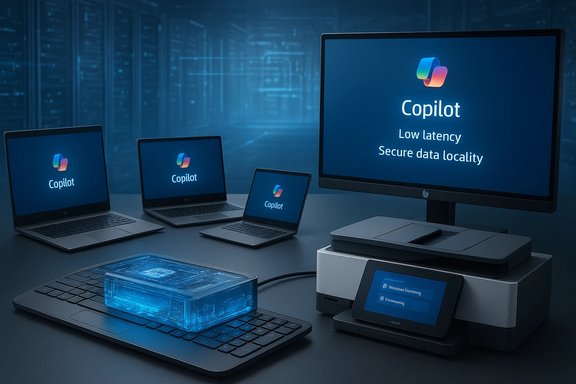
Tech setup displaying Copilot on multiple laptops and a large monitor.Background​

HP’s CES presentation doubled down on two industry shifts that have dominated PC roadmaps for 2025–2026: the rapid adoption of on‑device neural processing units (NPUs) and the widening definition of a managed endpoint beyond laptops and desktops to include printers and AIOs. HP framed these moves around Microsoft’s Copilot ecosystem, positioning hardware as the local execution layer for Copilot features while relying on Microsoft 365 entitlements and tenant configuration for cloud‑grounded experiences.
This strategy reflects broader vendor and platform trends: Windows and Microsoft 365 now expose tiered Copilot experiences (consumer, Copilot+ PCs, and enterprise Microsoft 365 Copilot with Work IQ), and OEMs are designing NPUs into devices to reduce latency, protect data locality, and enable new interactive features that a cloud‑only approach struggles to deliver. HP’s announcements emphasize integration — hardware, firmware, management and cloud services — as a single procurement story.

What HP Announced at CES 2026 — Overview​

  • EliteBoard G1a Next Gen AI PC — a full Windows Copilot+ PC built into a full‑sized keyboard chassis. Ships in March; AMD Ryzen AI 300 Series and an NPU configuration HP quotes as “over 50 TOPS” in some SKUs.
  • EliteBook X G2 Series — premium Copilot+ business laptops and 2‑in‑1s with Intel Core Ultra Series 3, AMD Ryzen AI HX PRO, or Qualcomm Snapdragon X2 Elite CPUs; shipping starting in February through spring.
  • OmniBook Ultra 14 and OmniBook family refresh — the Ultra 14 claims “world’s slimmest consumer notebook,” with a 3K OLED and either Intel Core Ultra Series 3 or an HP‑exclusive Snapdragon X2 Elite variant (the latter sporting an NPU rated up to 85 TOPS). OmniBook lineup renamed/streamlined into X, 7, 5 and 3 series.
  • OmniStudio X 27 All‑in‑One — Neo:LED panel, Intel Core Ultra Series 3 options, and optional NVIDIA GeForce RTX 5050 graphics.
  • HP for Microsoft 365 Copilot (Workpath app) — Copilot features embedded directly into HP Workpath‑enabled multifunction printers (MFPs): AI‑generated summaries of scans, smart file naming and storage suggestions to OneDrive/SharePoint, and on‑device translation semantics tied to Microsoft Copilot subscriptions. Planned availability: Spring 2026.
  • Workforce Experience Platform (WXP) updates — firmware/BIOS‑level remote repair and unified device analytics to reduce MTTR across distributed fleets.
  • Peripherals and accessories — new mice, keyboards, chargers, hubs and laptop sleeves with staged rollouts over the coming months.
  • Gaming consolidation — OMEN and HyperX consolidated under a HyperX master brand, with high‑power gaming laptops such as the OMEN MAX 16 claiming up to 300W TPP using internal cooling.
  • Sustainability push — Digital Passport QR onboarding and extensive recycled material milestones highlighted as procurement features.
Each of these announcements is more than a product refresh; together they are a deliberate push to make AI‑capable endpoints the new baseline for managed workstations, meeting HP’s target of simplifying hybrid work while retaining enterprise controls.

EliteBoard G1a: A “Keyputer” for the Copilot Age​

What it is​

The EliteBoard G1a reimagines the desktop as a movable, serviceable endpoint — a full Windows PC inside a keyboard shell. It includes CPU, NPU, RAM, storage and I/O, with cooling and USB‑C ports located on the rear edge. HP positions it for hybrid workers and IT fleets that want thin, immediately deployable endpoints without shipping full laptops or desktops. Ship window: March.

Key specs HP advertised​

  • AMD Ryzen AI 300 Series processors.
  • NPU quoted at “over 50 TOPS” for on‑device inference in selected SKUs.
  • Up to 64 GB DDR5, up to 2 TB PCIe 4.0 NVMe storage.
  • 12 mm profile, ~0.75 kg weight in the detachable configuration.

Strengths​

  • Portability and simplicity: One cable to a monitor, one managed endpoint to image and repair.
  • Serviceability: Designed with replaceable modules (RAM, storage, Wi‑Fi and battery options) to help IT with life‑cycle management.
  • Local AI: NPU reduces round‑trip latency for Copilot+ features and can preserve data locality for sensitive inference tasks.

Risks and open questions​

  • Thermals and sustained performance: Packing CPU and NPU into a low‑profile chassis creates thermal design challenges. Sustained TOPS and CPU performance under real workloads need independent testing. HP’s quoted TOPS numbers are plausible given the AMD Ryzen AI platform, but TOPS alone is not a proxy for application throughput or thermal endurance.
  • Ergonomics and usability: Keyboard angle, key travel and long‑term typing comfort are not addressed by headline specs. A keyboard‑first device must match desktop ergonomics or it risks tradeoffs for extended productivity use.
  • Software parity: Drivers, firmware support, and NPU acceleration libraries across Windows drivers and ISVs require validation to ensure the EliteBoard matches notebook behavior for corporate images.

Takeaway​

The EliteBoard is a bold form‑factor experiment with clear fleet benefits, but IT teams should insist on hands‑on pilots that test thermal throttling, driver stability, and lifecycle support before committing at scale.

EliteBook X G2 Series: Multi‑Architecture Copilot+ Laptops​

HP’s EliteBook X G2 family is explicitly multi‑architecture, offering Intel Core Ultra Series 3, AMD Ryzen AI HX PRO, and Qualcomm Snapdragon X2 Elite options. The intent is to give customers choices where NPU performance, battery life and platform ecosystem differ.

Why architecture choice matters​

  • Snapdragon X2 Elite SKUs bring high NPU TOPS figures (HP cites up to 85 TOPS in some Snapdragon configurations) and generally superior always‑on battery profiles for light productivity and media playback. Verification requires checking the exact Snapdragon X2 variant used (e.g., X2E‑90 vs X2E‑84) because NPU throughput varies by SKU.
  • Intel Core Ultra Series 3 (Panther Lake) provides a familiar Windows x86 platform with new performance/watt characteristics and emerging NPU support across certain configurations.
  • AMD Ryzen AI HX PRO aims to balance traditional CPU performance with AMD’s NPU strategy for Copilot+ features.

Enterprise implications​

  • Image consistency and ISV support — multiple CPU/NPU combinations increase the testing surface for enterprise images, security policies, and hardware‑accelerated inference stacks.
  • Procurement flexibility — organizations can pick flavors optimized for long battery life (Snapdragon), high single‑threaded CPU work (Intel), or mixed compute (AMD) depending on workloads.
Practical advice: when evaluating EliteBook X G2 models, request per‑SKU NPU SKU numbers from HP and ask for workload‑level benchmarks from the vendor or independent labs. Confirm availability of vendor drivers for your critical enterprise apps.

OmniBook Ultra 14 and OmniStudio X 27: Consumer and Creator Focus​

HP renamed and consolidated its consumer line under the OmniBook brand and added the OmniStudio X 27 All‑in‑One for prosumer creators.

OmniBook Ultra 14​

  • Claimed as the world’s slimmest consumer notebook with a 3K OLED and options including an HP‑exclusive Snapdragon X2 Elite variant (featuring an NPU HP rates at 85 TOPS in certain configurations). Availability and SKU details were not finalized at CES.

OmniStudio X 27 All‑in‑One​

  • Neo:LED 27‑inch panel, Intel Core Ultra Series 3 options, and optional discrete NVIDIA GeForce RTX 5050.
  • Designed for creative workflows with high color fidelity and AIO convenience; HP positions it as a compact studio alternative.

Battery and marketing claims to verify​

HP marketed aggressive battery claims across the OmniBook family — for example, an OmniBook 3 16 configuration claiming up to 45 hours of local video playback in a very specific Snapdragon configuration. Those figures are plausible under controlled test patterns (looped local video with screen dimming, disabled radios), but they are not representative of mixed‑use real‑world battery life. IT and consumers should treat them as marketing maximums and demand real‑world test numbers for their workloads.

HP for Microsoft 365 Copilot — Printers as Active Workflows​

What HP announced​

HP introduced HP for Microsoft 365 Copilot, a Workpath app that embeds Copilot features into supported HP multifunction printers (MFPs). Headline capabilities:
  • AI‑generated summaries of scanned documents or files in OneDrive/SharePoint.
  • Smart file naming and storage suggestions to simplify routing and organization.
  • On‑device translation powered by Copilot integrations.
    Availability: planned for Spring 2026 as part of a Workpath Premium bundle and requires Microsoft 365 Copilot licensing plus Workpath‑capable MFPs.

Why this matters​

Embedding Copilot at the capture point addresses practical bottlenecks in document lifecycles: manual file naming, multiple handoffs between scanner/PC/cloud, and translation delays in global offices. The approach can reduce friction and centralize capture into OneDrive/SharePoint under tenant controls.

Critical governance and privacy caveats​

  • Where does inference occur? HP’s messaging mentions on‑device translation, but many Copilot features rely on cloud models. Administrators must verify whether summarization and translation are executed fully on‑device or mediated via Microsoft cloud services; this affects compliance, log retention and DLP profiles.
  • Licensing and entitlements: The Workpath app requires Microsoft 365 Copilot entitlements. Confirm tenant licensing, OneDrive/SharePoint architecture and access policies before deploying at scale.
  • Auditability and telemetry: Organizations must validate which metadata and logs are collected by the Workpath app, retention policies, and whether Copilot requests are visible in tenant auditing tools such as Purview.

Recommended rollout approach​

  • Identify Workpath‑capable printer models in your fleet and approve firmware baselines.
  • Run a controlled pilot with representative document types and users.
  • Validate inference locality (on‑device vs cloud) and telemetry collection.
  • Integrate with tenant DLP and retention policies; document an exception and escalation workflow for Copilot outputs with errors.

Workforce Experience Platform (WXP) — Firmware Recovery and Fleet Health​

HP added BIOS/firmware‑level remote repair tools to its Workforce Experience Platform to reduce mean‑time‑to‑repair for distributed endpoints. This capability allows IT to access devices that cannot boot, potentially diagnosing and repairing images or recovering corrupted OS states without depot repairs. For distributed workforces, that reduces device downtime and shipping costs — but precise behavior with encrypted drives (BitLocker) and TPM‑backed keys should be confirmed before enabling in production.

Gaming and Peripherals: HyperX Consolidation and Practical Upgrades​

HP merged OMEN and HyperX under a single HyperX master brand and launched the HyperX OMEN MAX 16 with claims of up to 300W TPP using internal cooling. That’s a bold thermal and power posture that will face close scrutiny in independent reviews, especially around sustained thermal throttling and noise. Peripherals announced include a new tilt ergonomic mouse, an ultra‑fast scroll wireless mouse, multi‑device combos, GaN chargers and USB‑C hubs — a typical refresh to complement the new laptop and AIO lines.

Technical Verification — What’s Verifiable Today​

  • TOPS figures (50 TOPS for EliteBoard; up to 85 TOPS for Snapdragon X2 Elite SKUs) align with known NPU capabilities from AMD and Qualcomm product briefs and Qualcomm’s Snapdragon X2 Elite family disclosures, making the raw TOPS numbers plausible. However, TOPS is an architectural throughput metric — it does not directly translate to real‑world application throughput, latency, or sustained performance under thermal limits. Confirm the exact NPU SKU in each configuration (e.g., X2E‑90 vs X2E‑84) to map TOPS to expected performance.
  • Battery life claims (for example, 45 hours local video playback on a specific OmniBook 3 16 configuration) are valid only under tightly controlled test scenarios. Treat these as marketing maxima. Request vendor Test Methodology documents and independent lab results for mixed‑use workloads.
  • Copilot‑on‑printer architecture (on‑device vs cloud) requires vendor documentation. HP’s Workpath framework supports on‑device apps and cloud mediation, but the exact split of processing and telemetry depends on the app’s implementation and tenant settings. IT must validate per‑tenant behavior.
Where claims lack full public verification, the correct operational posture is assume vendor intent but require proof — pilots, SKU‑level documentation, independent benchmarks and explicit governance artifacts.

Practical Procurement Checklist (for IT and Buyers)​

  • Request SKU‑level NPU identifiers and ask HP to confirm which Copilot+ features are supported per SKU.
  • Require vendor or independent benchmarks for:
  • Sustained NPU throughput under thermal load.
  • Real‑world battery life for the expected mixed‑use profile.
  • Driver maturity and ISV compatibility for accelerated inference libraries.
  • Validate firmware‑level recovery behavior with BitLocker, TPM and Secured Core settings.
  • Map Copilot‑on‑printer data flows, logs, and telemetry; align with internal DLP and retention policies.
  • Budget for training and change management for new Copilot workflows (printer touch‑panel summaries, smart file naming, and translation workflows).
  • Pilot before roll‑out: run a 30–90 day pilot measuring accuracy of summaries, time saved per task, and error rates (false translations, misclassifications).

Risks, Governance and Compliance​

  • Data locality and privacy: confirm where Copilot inferences run and whether intermediate data leaves the tenant boundary. For regulated industries, insist on documented flow diagrams and retention policies.
  • License and cost complexity: Microsoft 365 Copilot entitlements, Workpath Premium bundles and device upgrades compound TCO; model costs carefully against measured productivity gains.
  • Vendor lock‑in vs best‑of‑breed: HP’s integrated pitch reduces vendor sprawl but concentrates risk; weigh the benefits of a single vendor platform against the flexibility of polyvendor toolchains.
  • Accuracy and trust in generative outputs: Copilot summaries and automated file naming must be treated as assistive rather than authoritative. Implement human‑in‑the‑loop checks and escalation paths for critical documents.

Final Analysis — What HP’s CES Slate Actually Means​

HP’s announcements are neither incremental nor purely promotional — they represent a coordinated attempt to define the endpoint for the Copilot+ era. By combining new form factors (EliteBoard), multi‑architecture laptop choices (EliteBook X G2), consumer rebranding (OmniBook), printer intelligence (HP for Microsoft 365 Copilot), and fleet manageability (WXP firmware recovery), HP is offering a single narrative: bring AI to the point of work, make it manageable, and integrate it into existing Microsoft tenant controls.
That narrative is powerful for organizations that already standardize on Microsoft 365 and need low‑latency, privacy‑sensitive AI. The prize is tangible: reduced friction in document capture, faster local AI features, and lower MTTR for distributed fleets. But realizing that prize requires disciplined procurement and operations: independent verification of performance claims, clear tenant governance for Copilot integrations, and operational pilots that validate the vendor’s promises in your environment.

Conclusion​

HP’s CES 2026 portfolio stakes a claim for the managed, Copilot‑enabled endpoint as the foundational piece of future workplace architecture. The EliteBoard G1a is the most visually provocative example, while EliteBook X G2 and the OmniBook family show HP intends to make high‑TOPS NPUs widely available across business and consumer tiers. The move to put Microsoft 365 Copilot on printers is a pragmatic step to reduce capture friction, but it raises governance and architecture questions that enterprises must answer before roll‑out.
For buyers and IT leaders, the immediate next steps are clear: demand SKU‑level transparency, run focused pilots to validate NPU and battery claims, confirm Copilot processing locality and telemetry, and integrate new workflows into DLP and auditing frameworks. If HP’s technology and ecosystem checks out under real workloads, its CES slate could materially shift how organizations think about endpoints — from passive devices that run the OS to active nodes that participate in the enterprise’s AI workflows.

Source: Thurrott.com HP Announces New PCs, Peripherals, and Microsoft 365 Copilot Integration
 

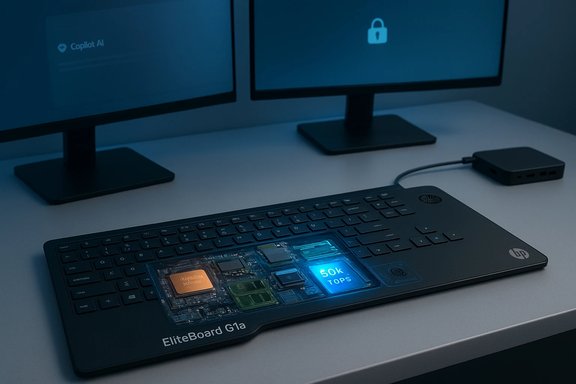
HP’s EliteBoard G1a shrinks an entire Copilot+ Windows PC into a membrane keyboard you can carry between desks, promising instant, secure productivity for hybrid workplaces without the bulk of a laptop or the tinkering of a Raspberry Pi build.

HP EliteBoard G1a laptop with a transparent panel revealing internal chips on a desk with dual monitors.Overview​

HP’s EliteBoard G1a is a deliberate rethink of the desktop: a full x86 Windows PC embedded inside an office keyboard. Announced at CES 2026, the EliteBoard pairs an AMD Ryzen AI 300‑series processor with an on‑board neural processing unit (NPU) rated above 50 TOPS, a compact chassis under a centimeter to two centimeters thick, and an optional internal battery so the whole unit functions as a portable compute device for hot‑desking and flexible work environments. HP positions the EliteBoard as a Copilot+ PC—a certified class of Windows machines with local AI acceleration—while emphasizing enterprise features such as HP Wolf Security for Business and EPEAT 2.0 Gold registration.
What makes the EliteBoard notable is not raw horsepower but intent: it packages familiar Windows software, enterprise manageability, and Copilot+ AI capabilities into a single peripheral that IT teams can hand out, reclaim, and redeploy quickly. That shift transforms a keyboard from mere input device into a fully fledged endpoint.

Background​

The keyboard‑PC idea in context​

The idea of building a computer into a keyboard is older than most modern readers expect. Early consumer PCs sometimes shipped in keyboard‑adjacent form factors; hobbyist projects kept the concept alive. The Raspberry Pi Foundation revived mainstream interest with the Pi 400 (a compact keyboard with an ARM single‑board computer), and the Pi 500/500+ expanded that form factor into higher performance and modularity for hobbyists and education.
HP is approaching the form factor differently: by using x86 architecture, shipping Windows (and Copilot+ features) out of the box, and aiming squarely at corporate deployments rather than makers. That immediately reduces the learning curve for non‑technical users and broadens the potential buyer pool from tinkerers to enterprise IT buyers.

Why now: AI at the endpoint​

Microsoft’s Copilot+ program has created a category for consumer and business devices with local AI acceleration. The key industry markers for Copilot+ are an on‑device NPU capable of at least 40 TOPS, sufficient RAM (commonly 16 GB or higher in Copilot+ recommendations), and fast storage. AMD’s Ryzen AI 300‑series chips deliver a 50+ TOPS NPU on silicon optimized for Windows AI scenarios, allowing vendors like HP to claim Copilot+ compatibility on new x86 devices. The EliteBoard uses that silicon to deliver on‑device AI features—everything from improved on‑device inference to enhanced, low‑latency Copilot experiences.

Design and build​

A keyboard that’s also a PC​

The EliteBoard G1a looks, at first glance, like a high‑end business membrane keyboard. But beneath the keys HP has placed full PC components: an AMD Ryzen AI 300‑series processor, system memory on dual SODIMM slots, NVMe storage, speakers, microphones, a fan and vents, and multiple USB‑C ports. The device comes in two cable options—an attached captive USB‑C cable or a detachable USB‑C cable for portability.
  • Profile and weight: HP describes the unit as ultra‑thin (HP marketing lists a 12 mm profile), weighing approximately 750 g. Third‑party hands‑on coverage reported slightly different numbers (for example, a 17 mm listing observed in promo images and weights in the 720–760 g range). Those differences are small in practice but important when you’re comparing with ultraportable laptops and keyboard PCs from niche vendors.
  • Layout and typing: The EliteBoard uses a membrane keybed with about 2 mm key travel—designed for quiet office typing rather than mechanical keyboard enthusiasts. HP also offers a bundled Bluetooth mouse and preconfigured Windows setup targeted at business users.
  • Ports and I/O: HP’s announcement highlights dual USB‑C connectivity and references docking/monitor chaining capabilities; some outlets reported a USB4 port on certain SKUs. HP’s product copy confirms dual USB‑C connections but does not yet publish an exhaustive port map for every configuration.

Optional battery: portable computing without a laptop​

One of the most intriguing elements is HP’s optional internal battery. HP states the battery is an optional configuration and must be selected at purchase; early coverage reports a user‑replaceable 35 Wh pack and estimated runtime in the low single‑digit hours (roughly 3–4 hours under light workloads). HP’s own materials emphasize that the EliteBoard can adapt performance and power via HP Smart Sense and AMD’s Auto State Management to optimize for different environments.
Caveat: HP’s headline marketing sometimes describes the device as delivering mobility and local AI in a compact body; whether buyers see this as true “untethered” portability depends on the battery option, which is not standard across all SKUs.

Hardware and performance​

AMD Ryzen AI 300‑series: why it matters​

At the heart of the EliteBoard is AMD’s Ryzen AI 300 family. These chips integrate Zen CPU cores, RDNA‑class integrated graphics, and the XDNA 2 NPU with a TOPS rating that meets Copilot+ thresholds. The important takeaways for readers:
  • NPU power: The EliteBoard’s NPU rating is advertised at over 50 TOPS, exceeding Microsoft’s Copilot+ minimum of 40 TOPS, which unlocks local AI experiences such as on‑device inference and Copilot+ features.
  • x86 compatibility: Unlike some early Copilot+ machines that used ARM/Qualcomm silicon, the EliteBoard’s x86 AMD CPU avoids many compatibility pitfalls with legacy Windows applications.
  • Expected CPU choices: HP’s early materials indicate Ryzen AI 5 and Ryzen AI 7 options—configurations that trade off core counts, clocks, and power budgets for different workloads. In practice, the EliteBoard’s performance will be bounded by the platform’s thermal and power envelope inside a keyboard chassis.

Memory and storage​

HP’s press materials and early reporting indicate dual SODIMM slots, allowing up to 64 GB DDR5 RAM, and NVMe storage up to 2 TB in supported configurations. Those expansion points are significant for a device in this form factor and make the EliteBoard more capable than single‑board keyboard PCs aimed at hobbyists.

Real‑world expectations​

A keyboard chassis constrains cooling and sustained power delivery. Even with the Ryzen AI silicon and a rated NPU of 50+ TOPS, expect the EliteBoard to favor bursty, latency‑sensitive AI tasks and typical office productivity apps rather than sustained heavy compute like batch video rendering or large model training.
That’s an important framing: HP designed the EliteBoard for mobility, instant provisioning, and Copilot+‑style responsiveness—not for replacing a workstation or desktop tower.

Software, security, and manageability​

Windows and Copilot+ features​

HP positions the EliteBoard as a Windows endpoint ready for enterprise use. It’s a Copilot+ PC, which implies compatibility with Copilot+ experiences that rely on local NPU acceleration and Windows 11 feature sets. Copilot+ features typically require:
  • An on‑device NPU capable of at least 40 TOPS.
  • Sufficient memory (commonly 16 GB+ recommended for Copilot+ experiences).
  • Fast storage (commonly 256 GB SSD or larger recommended).
  • Windows 11 version parity (some Copilot+ features require recent Windows 11 builds).
HP’s EliteBoard is designed to meet these thresholds; Microsoft’s Copilot+ feature set includes AI‑enhanced features such as Live Translate and other latency‑sensitive tools that benefit from local inferencing.

Enterprise security and endpoint management​

HP bundles its Wolf Security for Business suite and emphasizes hardware‑enforced protections. For IT teams, notable management and security considerations include:
  • Secured‑core PC features and firmware defenses: HP says the device includes protections designed to harden firmware and guard against advanced threats.
  • Manageability: Because the EliteBoard is essentially a Windows PC in a peripheral shell, it integrates with standard Windows management tooling—zero‑touch provisioning and existing MDM tools should work similarly to other Windows 11 endpoints.
  • Physical security: HP’s messaging includes a tetherable, lockable cable and claims around endpoint protection, acknowledging that a small, portable keyboard is easier to misplace than a larger laptop without careful asset tracking.

Use cases: where the EliteBoard makes sense​

Hot desking and flexible offices​

The most obvious target market is enterprise environments that have adopted hot desking and hoteling. The EliteBoard reduces the barrier to switching desks:
  • Employees can pick up a preconfigured EliteBoard and connect to any monitor and power source for an immediate Windows session.
  • IT can manage device images centrally and reclaim keyboards at the end of the day, simplifying inventory.

Kiosks, shared workstations, and ephemeral endpoints​

The device suits any scenario where rapid deployment and minimal footprint matter: training rooms, call centers, shared labs, and temporary workstations in branch offices.

Minimalist and space‑constrained setups​

For home office users or departments that prioritize desk real estate, the EliteBoard offers an integrated approach—speakers, microphone, and compute in one object—reducing cable clutter and the need for an extra mini‑PC.

Makers and labs (with caveats)​

Although Raspberry Pi keyboard PCs were primarily aimed at hobbyists, HP’s EliteBoard opens a different opportunity for labs and makers that prefer Windows workflows or need enterprise grade management. That said, the EliteBoard is not an open tinkering platform; it’s built for managed deployment rather than hardware hacking.

How the EliteBoard stacks up against Raspberry Pi keyboard PCs​

  • Raspberry Pi keyboard PCs (like the Pi 400, Pi 500, and Pi 500+) democratized the keyboard‑PC form factor with low prices, ARM silicon, and an education/hobbyist focus.
  • Those devices are primarily Linux‑oriented, encourage hardware tinkering (GPIO, custom firmware), and are priced to be accessible to enthusiasts.
  • The EliteBoard flips the script: it’s x86, ships with Windows and Copilot+ AI features, and targets enterprise manageability and security rather than hobbyist modding.
This contrast is crucial. The EliteBoard does not compete directly with a $90–$200 Pi keyboard for price or openness; instead, it competes for IT budgets where Windows compatibility, enterprise features, and ease‑of‑deployment matter more than a low price tag.

Practical concerns for IT and procurement​

Repairability and serviceability​

Embedding components into a keyboard raises questions about repair, upgrade, and lifecycle:
  • HP indicates SODIMM slots and replaceable SSD/storage options, which improves longevity compared with soldered designs.
  • The battery is optional and user‑replaceable in some descriptions, but HP’s configuration policy requires selecting the battery at purchase. Organizations should confirm serviceability details, spare‑parts availability, and warranty terms before large‑scale rollouts.

Endpoint tracking and theft risk​

A small, portable device that looks like a peripheral may be easier to walk out of an office unnoticed. Good asset tagging, physical tethering, and endpoint management become important controls.

Thermal behavior and noise​

A fan inside a keyboard is necessary but unusual. Buyers should evaluate the EliteBoard’s noise profile and sustained performance under office conditions. Expect HP to optimize for low noise in enterprise configurations, but real‑world behavior will vary by SKU and workload.

Application compatibility and performance profile​

Because the EliteBoard uses x86 silicon and ships with Windows, it sidesteps many compatibility headaches associated with ARM‑based Copilot+ devices. Yet the thermal and power limits of a keyboard chassis mean IT should prioritize workloads optimized for short bursts and interactive AI tasks rather than continuous heavy CPU/GPU loads.

Pricing, availability, and what remains uncertain​

HP lists the EliteBoard G1a as available on HP.com in March with pricing to be announced. Key unknowns that prospective buyers must confirm before purchasing:
  • Whether the battery ships standard in any SKU or is truly an optional add‑on.
  • Exact port map across configurations (number of USB‑C/USB4 ports, DisplayPort capabilities).
  • Confirmed OS SKUs (Windows 11 Home vs Pro vs Pro for Business) across commercial channels.
  • Finalized configurations and verified performance numbers for CPU clocks and sustained NPU throughput under real workloads.
HP’s press materials and coverage from multiple outlets confirm many headline features, but buyers should validate configuration tables when HP publishes full specs closer to retail availability.

Strengths: what HP executed well​

  • Enterprise framing: By packaging an x86 Copilot+ PC inside a keyboard and supporting Windows and HP security tooling, HP removes the steep learning curve that keeps keyboard PCs confined to enthusiasts.
  • Form factor innovation with practical intent: The EliteBoard focuses on manageability, portability (with optional battery), and quick provisioning—attributes that matter to IT in a hybrid world.
  • Copilot+ compatibility: Using AMD Ryzen AI 300‑series silicon gives the EliteBoard the on‑device NPU power required for premium AI features in Windows, which is a clear differentiator from earlier keyboard PCs designed for education or tinkerers.
  • Upgradeability: Dual SODIMM slots and NVMe storage in a compact device increase longevity and flexibility for enterprise life cycles.

Risks and unanswered questions​

  • Pricing sensitivity: The EliteBoard’s success hinges on relative pricing versus ultraportable laptops, thin clients, and higher‑volume Pi keyboard PCs. If priced too close to low‑end laptops, its niche portability won’t be compelling; if priced too high, it loses appeal against conventional PCs.
  • Thermals and sustained performance: The keyboard chassis imposes strict thermal limits. Real sustained performance for heavy workloads is likely lower than similarly spec’d laptops or small form factor PCs. For AI workloads requiring continuous throughput, the EliteBoard may not be sufficient.
  • Typing experience: The EliteBoard uses a membrane keybed optimized for quiet office use. That will disappoint mechanical keyboard fans and any environment where typing feel is a priority.
  • Battery and portability caveats: The battery is optional and may not be present in all SKUs. “Portable” in marketing terms must be validated against battery capacity and real‑world run times.
  • Adoption friction: Rolling out a new endpoint class requires IT buy‑in—procurement, imaging, support, and accessories. Organizations need to confirm how the EliteBoard integrates into existing docking strategies and peripherals investments.
  • Privacy and AI features: Some Copilot+ experiences interact with sensitive data (for example, the Recall timeline). Enterprises should evaluate privacy implications, retention policies, and compliance before enabling those features broadly.

Recommendations for IT buyers​

  • Confirm exact SKU specs when HP publishes full product pages—particularly battery inclusion, port layout, RAM/storage options, and OS image.
  • Request evaluation units to test thermal throttling, noise, and real‑world Copilot+ features with the enterprise image and typical user workloads.
  • Plan asset tagging and physical security controls for small, easy‑to‑misplace devices.
  • Evaluate endpoint management workflows—image provisioning, driver distribution, and HP’s security suite integration—to ensure the EliteBoard fits existing processes.
  • Compare total cost of ownership against thin clients and low‑end laptops, factoring lifecycle refresh, support, and spare parts.

The bigger picture: will keyboard‑PCs cross over?​

HP’s EliteBoard G1a is the most credible attempt yet to bring the keyboard‑PC concept into the mainstream corporate world. By combining x86 Windows compatibility, enterprise security, and a Copilot+‑ready NPU, HP removes the two main obstacles that kept previous keyboard PCs on the fringes: software compatibility and manageability.
Adoption will depend on three variables:
  • Price vs laptop/thin client: Organizations will only buy a novel form factor at scale if the value proposition (mobility, speed of redeployment, reduced footprint) outweighs the cost differential versus traditional endpoints.
  • Actual user experience: Typing comfort, audio quality, heat/noise, and the seamlessness of Copilot+ features in day‑to‑day workflows will make or break momentum.
  • IT operations fit: If the EliteBoard integrates cleanly with provisioning and security tooling and proves durable in the field, it can become a useful instrument in hybrid‑work strategies.
If HP’s pricing lands in the sweet spot and the EliteBoard’s optional battery and upgradeability are confirmed in production SKUs, expect to see pilots in enterprises experimenting with deskless workers, hot‑desking, and controlled shared workspaces. The EliteBoard could become a specialized endpoint class rather than a mass replacement for laptops—but specialization is exactly HP’s aim here.

Conclusion​

The HP EliteBoard G1a is a bold, practical iteration of a familiar novelty: the keyboard as a full Windows PC. It matters because HP didn’t build it for tinkerers; it built it for corporations that need fast, secure, portable endpoints that work with existing Windows infrastructure. With AMD Ryzen AI 300‑series silicon, an NPU rated above 50 TOPS, and enterprise security features, HP has the technical foundation to make keyboard PCs relevant to mainstream IT.
That said, the EliteBoard’s market impact will hinge on pricing, configuration choices (especially the battery), and real‑world performance within a constrained chassis. Organizations should treat the EliteBoard as a niche but potentially valuable tool in hybrid‑work deployments—one that could simplify provisioning and reclaim desk real estate, provided HP’s final SKUs deliver the manageability, battery life, and durability that enterprises demand.

Source: Technology Org HP EliteBoard G1a: Windows 11 AI PC Inside a Keyboard - Technology Org
 

CES 2026 delivered an unexpectedly bullish week for Windows PCs: Dell quietly reversed a controversial 2025 decision and brought back the XPS badge with fully redesigned XPS 14 and XPS 16 models, Lenovo stole a little of Surface’s spotlight with an ambitious Aura‑branded Yoga AIO and compact Yoga Mini, and HP showed the most literal example of “computing anywhere” by cramming a full Copilot+ PC inside a keyboard. The industry’s mood was tempered by familiar worries — rising RAM costs, uneven Windows 11 reception, and viral layoff rumors at Microsoft that required an emphatic rebuttal — but the takeaways from the show are practical: OEMs are re‑centering product identity around clear premium and enterprise lines, experimenting aggressively with form factors, and betting that usable AI and better integration will sell hardware again.

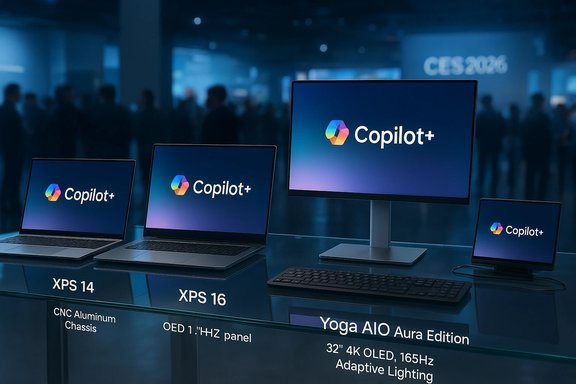
Copilot+ devices showcased at CES 2026, including XPS laptops and a large monitor.Background / Overview​

CES 2026 felt less like an arms race for AI buzzwords and more like a course‑correction across the PC ecosystem. Manufacturers pivoted away from confusing product names and gimmicky features and toward clearer portfolios and tangible hardware improvements: physically robust chassis, longer battery life, sensible I/O, and practical AI accelerators where they matter. This shift is rooted in hard market realities — PC shipments are constrained by component inflation (notably memory) and fickle consumer demand — and it influenced much of what was announced on the show floor. OEMs also used CES to show that the PC still matters as a platform where AI can be useful on‑device rather than merely a marketing placard. New Copilot+ capable machines, integrated NPUs in consumer laptops, and hardware designs that prioritize repairability and modular serviceability were recurring themes. But the broader industry context matters: costs are up, margins are under pressure, and buyers are increasingly selective — which explains why familiar, trusted brands and pragmatic features carried extra weight at the show.

Dell resurrects XPS: a pragmatic rebrand and a high‑stakes pivot​

Why Dell brought XPS back​

Dell’s decision to un‑retire XPS is noteworthy because it signals a rare public course correction from an OEM. After a rebrand that diluted the XPS identity in 2025, Dell is explicitly restoring the line as its premium consumer showcase. The company positioned the revival as a response to partner and customer feedback and as a way to simplify its portfolio: mainstream PCs under the Dell umbrella, premium under XPS, and gaming under Alienware. The move is strategic — premium notebooks remain important halo products that help validate Windows innovations such as Copilot+.

What’s new — hardware, software, and pricing​

The first wave of new XPS laptops are rebuilds rather than superficial refreshes. Key highlights verified across Dell’s announcement and independent reporting include:
  • New chassis built from CNC‑machined aluminum and glass with reduced thickness (XPS 14 at ~14.6mm; XPS 16 slightly thicker) and lighter weights (around 3.0–3.6 lbs).
  • Move away from controversial capacitive function rows back to physical keys, a tactile trackpad redesign, improved 8MP webcams, and a focus on repairability and thermals.
  • Intel Core Ultra (Panther Lake / Series 3) processors and Intel Arc integrated graphics in many SKUs, OLED display options with 1Hz panel dimming for power savings, and battery life claims that Dell frames as class‑leading. Pricing for the initial limited SKUs starts at roughly $2,049.99 for the XPS 14 and $2,199.99 for the XPS 16 in the U.S., with broader configurations arriving later.
These are clearly flagship devices aimed at creators and premium buyers rather than value shoppers. The hardware decisions — lighter magnesium and aluminum alloys, OLED options, and the return of tactile keys — are deliberately conservative in the best sense: they fix past customer pain points while aligning XPS more tightly with what buyers expect from a premium Windows laptop.

Strengths and potential weaknesses​

Strengths:
  • Brand clarity: Restoring XPS reduces buyer confusion and reinstates a clear premium tier in Dell’s catalogue.
  • Practical design fixes: Physical keys, improved touchpad, thinner bezels, and improved thermals match real user feedback.
  • Platform alignment: The XPS return strengthens the hardware showcase for Windows 11 features like Copilot+.
Risks:
  • Pricing pressure: Starting prices above $2,000 put these machines in a crowded premium bracket where buyers expect near‑perfect thermals, battery life, and support. OEMs historically under‑promise on sustained performance; real‑world thermals will matter.
  • Component cost volatility: Memory and storage pricing remain elevated; configuration costs could push practical SKUs into even higher price bands. Dell’s marketing claims around “industry‑leading” battery life are plausible in lab scenarios but must be validated by independent testing.

Lenovo’s Yoga AIO i Aura Edition and the push for imaginative desktops​

AIO ambitions: display, lighting, and AI features​

Lenovo used CES to double down on a designer approach to desktops and creative workflows. The Yoga AIO i Aura Edition — a 32‑inch floating‑display all‑in‑one with a 4K OLED 165Hz panel and ambient Adaptive Lighting — is a classic “studio” device: it blends a premium panel, immersive audio, and integrated Copilot+ features aimed at creators. Lenovo also pitched a tiny but surprisingly capable Yoga Mini i (1L volume) as a compact companion for multi‑monitor studios and edge cases. Key details repeated across Lenovo’s announcement and coverage:
  • 4K OLED, 165Hz panel with high peak brightness and Dolby Atmos tuned speakers.
  • Adaptive Lighting that syncs ambient LEDs with on‑screen content and notifications.
  • Copilot+ integration and an emphasis on “Smart Modes” that auto‑tune the device for creation, meeting, or entertainment scenarios. Pricing is targeted at premium AIO buyers (Yoga AIO i starting around $2,399.99).

Why this matters​

Lenovo’s AIO represents two important currents in the PC market: first, the belief that verticalized hardware for creators (excellent panel quality + software integration) still sells; second, the idea that ambient, lifestyle features (adaptive lighting, integrated sound staging) add perceived value beyond raw compute power. For professional studios, that matters; for commodity buyers it does not. Lenovo’s cadence — preview now, ship in Q2 — mirrors OEM caution about inventory in 2026.

HP’s EliteBoard G1a: the keyboard with a PC inside​

The concept and its execution​

HP’s EliteBoard G1a is a modern, enterprise‑oriented revival of a decades‑old idea: a full Windows PC housed inside a keyboard. At CES, HP framed the EliteBoard as a hot‑desking and mobile enterprise solution — a modular Copilot+ PC in a full‑size keyboard that plugs into a single monitor via USB‑C and supports up to dual 4K displays via daisy‑chain. The spec ranges reported include AMD Ryzen AI 5/7 options, integrated Radeon 800 graphics, NPUs up to ~50 TOPS, up to 64GB DDR5 RAM and 2TB NVMe storage, Wi‑Fi 6E/7, and an optional internal battery for short periods of unplugged use.

Practical strengths​

  • Portability for enterprise: For hybrid offices that want one‑cable desk setups, a keyboard‑PC reduces clutter and the need for separate mini‑PC deployment.
  • Security and manageability: As an enterprise device, HP emphasizes security features and standard Windows 11 Pro management. If built with enterprise serviceability, the EliteBoard could be a practical asset for hot‑desk deployments.

Caveats and where it might fail​

  • Single‑cable dependency: The keyboard’s single or limited rear I/O means users will still often need a dock or hub for complex setups; the convenience is real but incomplete.
  • Thermals and input risk: Keyboards are thin by design; fitting a CPU, cooling, and NPU into that envelope raises legitimate thermal and durability questions. Spills and keyboard wear are now tied to the whole PC.
  • Audience: The EliteBoard is squarely aimed at enterprise and hot‑desk scenarios, not mainstream consumer adoption. Its appeal depends on enterprise buyers valuing the convenience over the risks.

Intricuit’s Magic Screen and the touchscreen conversation on macOS​

The accessory: what it does and how it works​

A small, scrappy company at CES showed the Magic Screen — a snap‑on tempered glass digitizer that magnetically attaches to Apple silicon MacBooks and adds finger and stylus touch. It connects via USB‑C, claims up to 100 hours of battery life for its internal battery, includes a pressure‑sensitive stylus, and folds into a folio that braces the MacBook lid while you touch. The product is launching via Kickstarter at a sub‑$200 introductory price.

Why this accessory matters beyond novelty​

The Magic Screen is effectively a market signal: there is persistent, real user demand for touch in laptop workflows that Apple has not historically accommodated. For creatives and live performers who need finger gestures and pen input on a clamshell laptop, an attachable digitizer is an imperfect but legitimate workaround. It also underscores a broader industry tension: Apple’s software choices have long shaped hardware expectations (no touch on macOS), but hardware startups will fill gaps customers desire — sometimes awkwardly.

Practical warnings​

  • Ergonomics and durability: A snap‑on glass layer changes hinge dynamics and increases risk if the laptop closes accidentally. Real‑world usage will show whether the folio support and battery claims hold up.
  • Software integration: macOS lacks deep system‑wide touch paradigms the way Windows does; some gestures and app behaviors will be clumsy until apps optimize for touch on macOS. This is an interim solution, not a cure for platform differences.

Microsoft layoff rumors and the company’s denial — context matters​

A viral thread and an analyst note suggested Microsoft might cut between 11,000 and 22,000 roles in January 2026. The company’s Chief Communications Officer publicly called those reports “100 percent made up / speculative / wrong” on social platforms, a categorical denial that multiple outlets reproduced. The denial is credible as a statement of current intent, but context is important: Microsoft has implemented multiple rounds of layoffs in recent years and is simultaneously investing heavily in AI and infrastructure, producing ongoing organizational churn. The denial quells immediate panic but does not change the macro reality that large tech firms are continually reassessing headcount and priorities.

What this all means for Windows users and buyers​

Immediate purchasing guidance​

  • If you want a premium Windows 11 laptop and care about design, displays, and long‑term platform stability, the new XPS family deserves strong consideration — but wait for independent reviews focusing on sustained thermal performance and battery life before buying a top‑tier SKU.
  • If you need a creator‑grade desktop with a demonstrable studio workflow, Lenovo’s Yoga AIO i Aura Edition is compelling on paper — but shop with the same caveats: panel choice, color accuracy, and real‑world audio performance should be validated in reviews.
  • For enterprise hot‑desking, evaluate the EliteBoard G1a as a managed asset: it’s an elegant solution for single‑cable desks, but procurement teams must weigh manageability and repair policies before broad rollout.
  • If you’re a Mac user hungry for touch, small third‑party solutions like the Magic Screen will appear — they’re practical stopgaps, not platform‑level solutions. Expect compromises.

Longer‑term ecosystem effects​

  • Brand discipline matters: Dell’s course correction shows that strong, recognizable product lines still influence enterprise purchasing and consumer confidence. A clear premium line reduces friction in buyer decisions and partner marketing.
  • AI is a hardware story too: Copilot+ branding and embedded NPUs are pushing OEMs to differentiate on real on‑device features rather than slogans. But buyers should demand measurable on‑device benefits, not just “AI inside” badges.
  • Form factor experimentation continues: From AIOs to keyboard‑PCs and snap‑on touch layers, OEMs are testing how far users will embrace new interaction models — but pragmatic tradeoffs (portability vs performance, repairability vs integration) will determine which experiments scale.

Risks to watch​

  • Memory and component inflation: Rising RAM prices could keep high‑end machines out of reach for many buyers or force OEMs to cut other features. That risk affects all premium launches, and buyers should lock in upgradeable memory where possible.
  • Marketing vs reality for AI features: Not all Copilot+ or NPU claims translate into better user outcomes. Independent benchmarks and hands‑on testing will be crucial in separating genuine productivity wins from checkbox marketing.
  • Durability of novel form factors: Devices that combine input and compute (keyboard PCs) must be assessed for spill resistance, thermal cycling, and serviceability. Coverage from early adopters and corporate IT will determine if these are niche curiosities or new standards.

Practical checklist before you buy (quick, actionable)​

  • Confirm the exact SKU: components can vary wildly under a single model name; performance and battery life are SKU dependent.
  • Look for repairability and modular ports if you expect to keep the device for multiple years.
  • Ask whether the machine ships with Copilot+ or merely supports Copilot features — there’s a difference in licensed services and hardware requirements.
  • For enterprise purchases of novel form factors (EliteBoard), request a pilot program to test deployment and support workflows.
  • Wait for independent battery and thermal tests before committing to a premium XPS or any ultrathin Creator laptop.

Conclusion​

CES 2026 did what a good show should: it gave the industry room to course‑correct and to test practical innovations. Dell’s restored XPS is the biggest headline — a cautious, customer‑driven return to a trusted premium identity that could stabilize the top end of the Windows market. Lenovo’s Aura‑branded Yoga AIO shows manufacturers still see value in premium desktop experiences for creators. HP’s EliteBoard G1a proves that form‑factor experiments can target real enterprise needs. And the little things — attachable touchscreens like Intricuit’s Magic Screen, louder conversations about NPUs and Copilot+ — reveal a market trying to reconcile bold visions for AI with the realities of price, ergonomics, and longevity.
Buyers should reward clarity and practicality: prioritize machines with measurable real‑world benefits, insist on independent testing, and treat CES demos as the start of a decision process, not the final sale. The PC market is far from settled, but after CES 2026 the message is clearer: hardware that solves real problems — rather than gadgets that chase headlines — will win.
Source: Windows Central https://www.windowscentral.com/micr...lenovo-steals-surfaces-lunch-all-at-ces-2026/
 

Back
Top