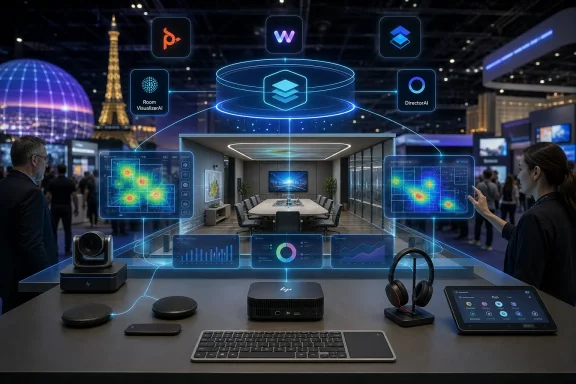
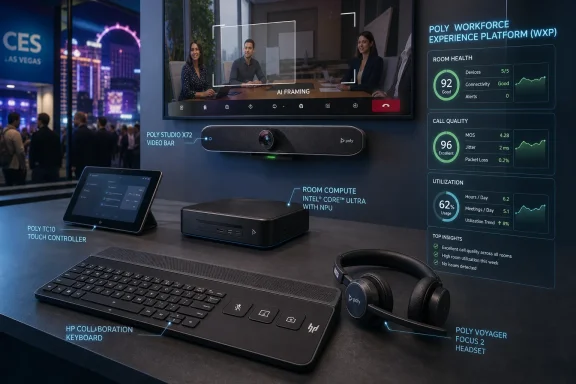
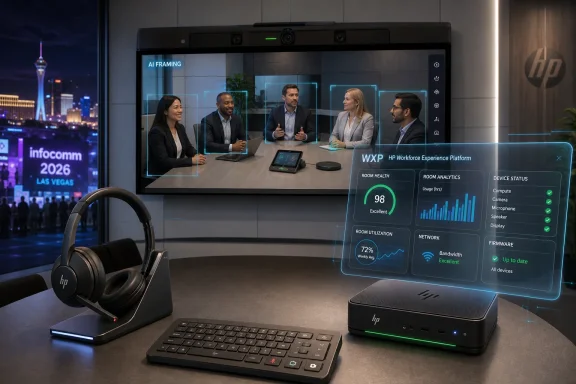
HP announced at InfoComm 2026 in Las Vegas on June 16 that it is expanding its Poly collaboration portfolio with AI-assisted room compute devices, VideoOS 5.1, new headsets, a collaboration keyboard, and deeper management through the HP Workforce Experience Platform. The headline is not merely another bundle of meeting-room hardware. HP is trying to turn conference rooms, headsets, cameras, controllers, and admin telemetry into a single managed estate. For Windows and Microsoft Teams shops, that matters because hybrid work has shifted from an HR policy debate into an infrastructure problem.
The most important part of HP’s announcement is not the AI branding, though there is plenty of that. It is the management story. HP is folding Poly Lens and WXP Collaboration, formerly Vyopta, into the HP Workforce Experience Platform, giving IT teams a broader “single pane of glass” for collaboration spaces, compute, and print.
That phrase has been abused for decades, but the underlying problem is real. Meeting rooms used to be local facilities assets with a projector, a speakerphone, and a laminated instruction sheet. Now they are software-defined endpoints: they have operating systems, firmware, identity, network dependencies, cameras, microphones, touch controllers, cloud service integrations, and compliance implications.
HP’s pitch is that the room should be managed like the rest of the fleet. The company is leaning on analytics, device telemetry, and room visualization to help IT understand not just whether a device is online, but whether a space is actually usable. That is a subtler and more useful goal than simply adding more cameras or better noise cancellation.
The strategic move is easy to miss because the product names are familiar. Poly has long been a fixture in enterprise conferencing. What is different now is HP’s attempt to wrap those devices into the same kind of operational model that PC admins already recognize: inventory, health, alerts, lifecycle, analytics, and policy.
The appeal is straightforward. Microsoft Teams Rooms on Windows has become the enterprise default for many organizations already invested in Microsoft 365, Entra ID, Intune, Teams Admin Center, and Windows management practices. A purpose-built room compute device gives IT a more predictable deployment target than a general-purpose mini PC stuffed behind a display.
HP is also emphasizing practical installation details: color-coded ports, a dedicated PoE port for the Poly TC10 touch controller, automatic pairing, magnetic mounting, and management through Poly Lens. None of that sounds glamorous, but anyone who has installed meeting-room gear knows that physical deployment friction becomes operational cost at scale. The best room system is the one a technician can install consistently without improvising a wiring diagram on-site.
The certification language deserves careful reading. HP says the Studio Room Compute line is for Microsoft Teams Rooms and Zoom Rooms, but its own footnotes narrow the claim. The Studio 5 Compute is slated only for Microsoft Teams certification, while the Studio 7 Compute is already certified for Zoom Rooms and is expected to be certified for Microsoft Teams. In enterprise purchasing, that distinction matters. “Will be certified” is not the same thing as “is certified,” especially when procurement, supportability, and service-level commitments are involved.
That is a useful ambition because hybrid meetings still have a stubborn geometry problem. Remote participants are often reduced to faces in tiles, while people in a conference room become a wide-angle smear of shoulders and laptops. The bigger and more expensive the room, the more obvious the imbalance can become.
Multi-camera switching is one of the more credible uses of AI in workplace hardware because the task is bounded. The system does not need to invent content or summarize the meeting to be valuable. It needs to identify who is speaking, where people are seated, which camera angle is useful, and when a switch would help rather than distract.
Still, there is a gap between demo-room intelligence and daily reliability. If camera switching is too slow, users ignore it. If it is too aggressive, remote attendees get motion sickness by proxy. If it misidentifies participants or frames awkwardly, the supposedly premium room becomes another source of meeting fatigue. HP’s challenge is not to prove that DirectorAI can work; it is to make it boringly dependable.
For smaller rooms and appliance-like deployments, Android-based room systems can be attractive. They often promise simpler setup, fewer moving parts, and a tighter hardware-software package. For large enterprises, however, Android room systems also introduce a second lifecycle model alongside Windows endpoints, and that can complicate support.
Microsoft’s certification program is meant to reduce that risk by testing devices against requirements for audio, video, user interface, management, security, and accessibility. But certification is still tied to device models, firmware, Android versions, and support windows. The room may look like an appliance to the end user, but to IT it remains a living endpoint with a finite certification and support horizon.
That is why HP’s Direct Connect and redesigned WebUI are more than convenience features. They address the unglamorous maintenance layer: pairing controllers, simplifying setup, keeping devices reachable, and giving admins a more unified interface. In hybrid work, reliability is not a feature users praise when it works. It is the absence of the complaint that the room is broken five minutes before the executive meeting.
The certification list is telling: Google Meet, Google Voice, Microsoft Teams Open Office, and Zoom. HP is acknowledging the reality of enterprise collaboration, which is rarely a single-platform world no matter what the CIO standardizes. Customers may be Microsoft-first, but they still join Zoom calls, Google Meet sessions, vendor webinars, customer briefings, and browser-based meetings.
The Bluetooth Direct certifications for Teams and Zoom are also important because dongles are a small accessory with an outsized ability to create support tickets. A headset that works fully without a USB adapter is easier to carry, easier to replace, and less likely to fail because someone left the dongle in a hotel room. For laptop users already living with limited ports, that is not a trivial improvement.
Then there is the HP Collaboration Keyboard, which HP calls the world’s first programmable collaboration wireless keyboard with adjustable tilt. It includes dedicated keys for mute, camera control, screen sharing, and customizable shortcuts. At $59.99 with September availability, it is the least dramatic product in the announcement, but it may be the most honest: hybrid work has made the mute button as important as the function row.
These details are not decorative. Enterprise IT increasingly buys hardware under procurement rules that include environmental, social, and lifecycle requirements. A room compute device or headset is no longer judged only by price, warranty, and feature checklist. It may also be evaluated by repairability, recycled content, certifications, replacement-part availability, and whether it helps meet corporate sustainability reporting targets.
The replaceable battery point is especially relevant. Wireless peripherals often become disposable not because the electronics fail, but because the battery degrades or the ear cushions wear out. If HP can make replacement parts easy to obtain and simple to install, the sustainability claim becomes operationally meaningful rather than a line in a press release.
There is a caveat. Recycled plastics and certifications are useful data points, but they do not automatically make a product sustainable in use. Longevity, software support, repair economics, spare-part logistics, and firmware security all matter. For IT buyers, the better question is not whether a device contains recycled material, but whether it can stay deployed longer without becoming a risk.
The installed base is the hard part. Enterprises rarely refresh every room at once. They have a mix of legacy USB bars, Windows room PCs, Android appliances, aging touch panels, ad hoc webcams, third-party DSPs, and sometimes a conference phone that refuses to die. HP’s unified ecosystem pitch is strongest when a customer is already willing to standardize around HP and Poly. It is harder in environments where procurement history has created a patchwork.
That is where WXP becomes strategically important. If HP can use management software to bring order to mixed collaboration estates, it has a stronger argument than simply selling another room kit. If the best features only work cleanly when every component is HP Poly, the pitch becomes narrower and more familiar: buy the bundle, accept the lock-in, and hope the roadmap aligns with your platform strategy.
Microsoft Teams Rooms certification will be crucial in that calculus. For Teams-centric organizations, certified hardware reduces ambiguity. It gives admins, procurement teams, and support desks a clearer line between supported and improvised configurations. HP’s pending Teams certification language should be watched closely by buyers who need deployment certainty before July purchasing decisions.
The value is whether the room gets easier to deploy, easier to monitor, easier to troubleshoot, and less embarrassing to use. A meeting that starts on time is worth more than a spec-sheet claim about intelligent framing. A controller that pairs reliably is worth more than a futuristic demo. A remote participant who can actually see and hear the people in the room is worth more than another dashboard tile.
That is not cynicism; it is the enterprise reality. Collaboration hardware lives or dies by the support burden it creates. If HP’s ecosystem reduces failed meetings, truck rolls, device sprawl, and user confusion, the AI branding will have done its job. If it adds another layer of licensing and dashboards without reducing friction, admins will treat it as just another vendor platform to babysit.
There is also a privacy and governance dimension that HP will need to handle carefully. Room analytics, digital replicas of environments, participant framing, and device telemetry can help IT optimize spaces, but they can also raise employee concerns. The line between operational insight and workplace surveillance is not always obvious to users, especially when AI language is attached.
HP’s Windows-based Room Compute offering fits naturally into organizations that prefer the manageability and lifecycle expectations of Windows devices. It also gives those organizations a path to Intel Core Ultra hardware with integrated NPUs, which may become more relevant as room experiences add local AI processing over time. Even if today’s benefit is modest, long lifecycle support is a rational buying argument for rooms expected to remain in service for years.
But buyers should separate HP’s platform vision from current certification status. The Studio 7 Compute’s Zoom certification is already in place, according to HP, while Microsoft Teams certification is pending. The Studio 5 Compute is described as Microsoft Teams only, not Zoom. That is not a problem if the deployment plan matches the product, but it is exactly the kind of detail that gets lost when products are marketed as broadly “for Teams and Zoom.”
The Android side also requires discipline. VideoOS 5.1’s Teams Rooms on Android improvements could simplify some deployments, but Android meeting devices have their own certification and support lifecycle. Organizations that standardize on Teams Rooms should maintain an explicit matrix of room type, device model, OS family, certification status, firmware version, and support end date. The room may be small; the lifecycle risk is not.
That cadence gives enterprise buyers a familiar decision tree. Headsets and keyboards can be piloted quickly with low infrastructure risk. Room compute devices require more planning because they touch facilities, AV, networking, identity, scheduling panels, support workflows, and user training. WXP integration requires a broader conversation about platform consolidation and licensing.
The timing also means HP is positioning itself for budget conversations that will stretch into late 2026 and early 2027. Many organizations are still rationalizing hybrid work footprints after years of experimentation. Some are reducing office space. Others are redesigning rooms around video-first collaboration. HP’s bet is that the next phase is not about whether hybrid work exists, but how professionally it is operated.
For IT departments, this is a chance to push collaboration hardware out of the exception category. Rooms should have standards, approved designs, lifecycle plans, security reviews, and measurable service levels. The days of treating every conference room as a bespoke AV snowflake should be ending.
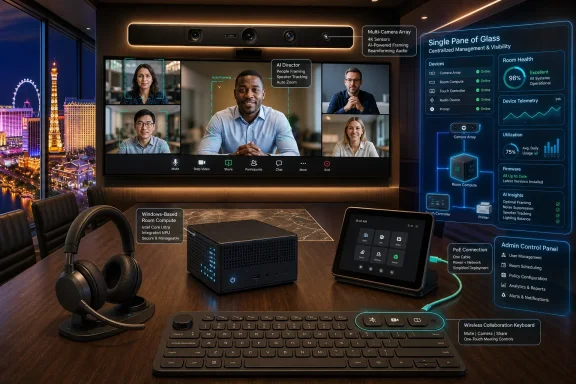 HP Is Selling the Meeting Room as a Managed Endpoint
The most important part of HP’s announcement is not the AI branding, though there is plenty of that. It is the management story. HP is folding Poly Lens and WXP Collaboration, formerly Vyopta, into the HP Workforce Experience Platform, giving IT teams a broader “single pane of glass” for collaboration spaces, compute, and print.That phrase has been abused for decades, but the underlying problem is real. Meeting rooms used to be local facilities assets with a projector, a speakerphone, and a laminated instruction sheet. Now they are software-defined endpoints: they have operating systems, firmware, identity, network dependencies, cameras, microphones, touch controllers, cloud service integrations, and compliance implications.
HP’s pitch is that the room should be managed like the rest of the fleet. The company is leaning on analytics, device telemetry, and room visualization to help IT understand not just whether a device is online, but whether a space is actually usable. That is a subtler and more useful goal than simply adding more cameras or better noise cancellation.
The strategic move is easy to miss because the product names are familiar. Poly has long been a fixture in enterprise conferencing. What is different now is HP’s attempt to wrap those devices into the same kind of operational model that PC admins already recognize: inventory, health, alerts, lifecycle, analytics, and policy.
The Windows Room Compute Box Is the Center of Gravity
The HP Poly Studio Room Compute is the device that most directly intersects with WindowsForum readers. HP describes it as a Windows-based collaboration engine for Microsoft Teams Rooms and Zoom Rooms, powered by third-generation Intel Core Ultra processors with integrated NPUs. The starting prices are $2,499 for the Studio 5 Room Compute and $3,699 for the Studio 7 Room Compute, with availability planned through select resellers in July.The appeal is straightforward. Microsoft Teams Rooms on Windows has become the enterprise default for many organizations already invested in Microsoft 365, Entra ID, Intune, Teams Admin Center, and Windows management practices. A purpose-built room compute device gives IT a more predictable deployment target than a general-purpose mini PC stuffed behind a display.
HP is also emphasizing practical installation details: color-coded ports, a dedicated PoE port for the Poly TC10 touch controller, automatic pairing, magnetic mounting, and management through Poly Lens. None of that sounds glamorous, but anyone who has installed meeting-room gear knows that physical deployment friction becomes operational cost at scale. The best room system is the one a technician can install consistently without improvising a wiring diagram on-site.
The certification language deserves careful reading. HP says the Studio Room Compute line is for Microsoft Teams Rooms and Zoom Rooms, but its own footnotes narrow the claim. The Studio 5 Compute is slated only for Microsoft Teams certification, while the Studio 7 Compute is already certified for Zoom Rooms and is expected to be certified for Microsoft Teams. In enterprise purchasing, that distinction matters. “Will be certified” is not the same thing as “is certified,” especially when procurement, supportability, and service-level commitments are involved.
AI in the Conference Room Is Really About Camera Direction
The most visible AI feature in the announcement is Poly DirectorAI multi-camera technology in HP Poly VideoOS 5.1. The system is designed to switch intelligently between cameras and frame in-room participants so remote attendees get a better view. In plain English, HP wants the room to behave more like a human camera operator and less like a security camera bolted to the wall.That is a useful ambition because hybrid meetings still have a stubborn geometry problem. Remote participants are often reduced to faces in tiles, while people in a conference room become a wide-angle smear of shoulders and laptops. The bigger and more expensive the room, the more obvious the imbalance can become.
Multi-camera switching is one of the more credible uses of AI in workplace hardware because the task is bounded. The system does not need to invent content or summarize the meeting to be valuable. It needs to identify who is speaking, where people are seated, which camera angle is useful, and when a switch would help rather than distract.
Still, there is a gap between demo-room intelligence and daily reliability. If camera switching is too slow, users ignore it. If it is too aggressive, remote attendees get motion sickness by proxy. If it misidentifies participants or frames awkwardly, the supposedly premium room becomes another source of meeting fatigue. HP’s challenge is not to prove that DirectorAI can work; it is to make it boringly dependable.
VideoOS 5.1 Shows the Android Side of the Teams Rooms Split
HP Poly VideoOS 5.1 also includes HP Touch Controller Direct Connect for Microsoft Teams Rooms on Android. That matters because Teams Rooms is not a single platform in practice. Microsoft maintains Windows-based and Android-based room experiences, each with its own hardware ecosystem, update cadence, certification path, and management implications.For smaller rooms and appliance-like deployments, Android-based room systems can be attractive. They often promise simpler setup, fewer moving parts, and a tighter hardware-software package. For large enterprises, however, Android room systems also introduce a second lifecycle model alongside Windows endpoints, and that can complicate support.
Microsoft’s certification program is meant to reduce that risk by testing devices against requirements for audio, video, user interface, management, security, and accessibility. But certification is still tied to device models, firmware, Android versions, and support windows. The room may look like an appliance to the end user, but to IT it remains a living endpoint with a finite certification and support horizon.
That is why HP’s Direct Connect and redesigned WebUI are more than convenience features. They address the unglamorous maintenance layer: pairing controllers, simplifying setup, keeping devices reachable, and giving admins a more unified interface. In hybrid work, reliability is not a feature users praise when it works. It is the absence of the complaint that the room is broken five minutes before the executive meeting.
The Headset and Keyboard Tell the Other Half of the Story
HP’s announcement is not confined to conference rooms. The Poly Focus 6 Series Bluetooth headsets are aimed at the individual worker moving between home, office, open-plan desks, and travel. HP says the headsets include Acoustic Fence 2.0, hybrid active noise cancellation, spatial audio, wireless charging, and up to 25 hours of talk time with ANC and the online indicator enabled.The certification list is telling: Google Meet, Google Voice, Microsoft Teams Open Office, and Zoom. HP is acknowledging the reality of enterprise collaboration, which is rarely a single-platform world no matter what the CIO standardizes. Customers may be Microsoft-first, but they still join Zoom calls, Google Meet sessions, vendor webinars, customer briefings, and browser-based meetings.
The Bluetooth Direct certifications for Teams and Zoom are also important because dongles are a small accessory with an outsized ability to create support tickets. A headset that works fully without a USB adapter is easier to carry, easier to replace, and less likely to fail because someone left the dongle in a hotel room. For laptop users already living with limited ports, that is not a trivial improvement.
Then there is the HP Collaboration Keyboard, which HP calls the world’s first programmable collaboration wireless keyboard with adjustable tilt. It includes dedicated keys for mute, camera control, screen sharing, and customizable shortcuts. At $59.99 with September availability, it is the least dramatic product in the announcement, but it may be the most honest: hybrid work has made the mute button as important as the function row.
Sustainability Is Now Part of the Procurement Argument
HP is also making sustainability claims part of the collaboration pitch. The Poly Studio Room Compute devices are made of at least 60 percent post-consumer recycled plastics, while the Collaboration Keyboard uses up to 75 percent post-consumer recycled plastic by total plastic weight. The Poly Focus 6 Series adds replaceable batteries and ear cushions, and HP says the headsets are TCO 10 certified.These details are not decorative. Enterprise IT increasingly buys hardware under procurement rules that include environmental, social, and lifecycle requirements. A room compute device or headset is no longer judged only by price, warranty, and feature checklist. It may also be evaluated by repairability, recycled content, certifications, replacement-part availability, and whether it helps meet corporate sustainability reporting targets.
The replaceable battery point is especially relevant. Wireless peripherals often become disposable not because the electronics fail, but because the battery degrades or the ear cushions wear out. If HP can make replacement parts easy to obtain and simple to install, the sustainability claim becomes operationally meaningful rather than a line in a press release.
There is a caveat. Recycled plastics and certifications are useful data points, but they do not automatically make a product sustainable in use. Longevity, software support, repair economics, spare-part logistics, and firmware security all matter. For IT buyers, the better question is not whether a device contains recycled material, but whether it can stay deployed longer without becoming a risk.
The Real Competition Is the Installed Base
HP is entering a market that is already crowded with Logitech, Cisco, Yealink, Neat, Lenovo, Crestron, Jabra, Microsoft’s own ecosystem partners, and a long tail of AV integrators. The competition is not simply who has the better camera or cleaner touch controller. It is who can make collaboration rooms predictable enough that IT can manage them at PC scale.The installed base is the hard part. Enterprises rarely refresh every room at once. They have a mix of legacy USB bars, Windows room PCs, Android appliances, aging touch panels, ad hoc webcams, third-party DSPs, and sometimes a conference phone that refuses to die. HP’s unified ecosystem pitch is strongest when a customer is already willing to standardize around HP and Poly. It is harder in environments where procurement history has created a patchwork.
That is where WXP becomes strategically important. If HP can use management software to bring order to mixed collaboration estates, it has a stronger argument than simply selling another room kit. If the best features only work cleanly when every component is HP Poly, the pitch becomes narrower and more familiar: buy the bundle, accept the lock-in, and hope the roadmap aligns with your platform strategy.
Microsoft Teams Rooms certification will be crucial in that calculus. For Teams-centric organizations, certified hardware reduces ambiguity. It gives admins, procurement teams, and support desks a clearer line between supported and improvised configurations. HP’s pending Teams certification language should be watched closely by buyers who need deployment certainty before July purchasing decisions.
The AI Label Is Less Important Than the Admin Outcome
There is a temptation to treat every 2026 hardware announcement as another chapter in the AI gold rush. HP is certainly using the language of AI, from DirectorAI to AI-enabled management and room visualization. But the practical value here is not that a meeting room has an NPU or an algorithm.The value is whether the room gets easier to deploy, easier to monitor, easier to troubleshoot, and less embarrassing to use. A meeting that starts on time is worth more than a spec-sheet claim about intelligent framing. A controller that pairs reliably is worth more than a futuristic demo. A remote participant who can actually see and hear the people in the room is worth more than another dashboard tile.
That is not cynicism; it is the enterprise reality. Collaboration hardware lives or dies by the support burden it creates. If HP’s ecosystem reduces failed meetings, truck rolls, device sprawl, and user confusion, the AI branding will have done its job. If it adds another layer of licensing and dashboards without reducing friction, admins will treat it as just another vendor platform to babysit.
There is also a privacy and governance dimension that HP will need to handle carefully. Room analytics, digital replicas of environments, participant framing, and device telemetry can help IT optimize spaces, but they can also raise employee concerns. The line between operational insight and workplace surveillance is not always obvious to users, especially when AI language is attached.
Microsoft Shops Should Read the Footnotes Before the Brochure
For Windows-heavy organizations, the announcement lands in a familiar tension. The Teams ecosystem is richer than ever, but the number of device classes has multiplied. Admins now have to think about Windows room systems, Android room systems, touch controllers, certified peripherals, firmware channels, Teams app versions, Intune enrollment, network quality, identity, and AV installation.HP’s Windows-based Room Compute offering fits naturally into organizations that prefer the manageability and lifecycle expectations of Windows devices. It also gives those organizations a path to Intel Core Ultra hardware with integrated NPUs, which may become more relevant as room experiences add local AI processing over time. Even if today’s benefit is modest, long lifecycle support is a rational buying argument for rooms expected to remain in service for years.
But buyers should separate HP’s platform vision from current certification status. The Studio 7 Compute’s Zoom certification is already in place, according to HP, while Microsoft Teams certification is pending. The Studio 5 Compute is described as Microsoft Teams only, not Zoom. That is not a problem if the deployment plan matches the product, but it is exactly the kind of detail that gets lost when products are marketed as broadly “for Teams and Zoom.”
The Android side also requires discipline. VideoOS 5.1’s Teams Rooms on Android improvements could simplify some deployments, but Android meeting devices have their own certification and support lifecycle. Organizations that standardize on Teams Rooms should maintain an explicit matrix of room type, device model, OS family, certification status, firmware version, and support end date. The room may be small; the lifecycle risk is not.
The Calendar Now Belongs to IT Procurement
HP’s rollout schedule is relatively near-term. The Poly Focus 6 Series headsets are expected in July starting at $379.95. The Poly Studio Room Compute devices are expected in July through select resellers, starting at $2,499 and $3,699. VideoOS 5.1 is expected in the third quarter of 2026. The Collaboration Keyboard is planned for September at $59.99, while Poly Lens integration into WXP is already underway with additional capabilities rolling out through 2026.That cadence gives enterprise buyers a familiar decision tree. Headsets and keyboards can be piloted quickly with low infrastructure risk. Room compute devices require more planning because they touch facilities, AV, networking, identity, scheduling panels, support workflows, and user training. WXP integration requires a broader conversation about platform consolidation and licensing.
The timing also means HP is positioning itself for budget conversations that will stretch into late 2026 and early 2027. Many organizations are still rationalizing hybrid work footprints after years of experimentation. Some are reducing office space. Others are redesigning rooms around video-first collaboration. HP’s bet is that the next phase is not about whether hybrid work exists, but how professionally it is operated.
For IT departments, this is a chance to push collaboration hardware out of the exception category. Rooms should have standards, approved designs, lifecycle plans, security reviews, and measurable service levels. The days of treating every conference room as a bespoke AV snowflake should be ending.
The Signal Inside HP’s InfoComm Pitch
HP’s announcement is most useful when read as a map of where enterprise collaboration is going, not merely as a product catalog. The company is tying together room compute, Android video appliances, personal audio, input devices, and centralized management because the boundary between “device” and “workspace” is disappearing.- HP is positioning Poly hardware as part of a managed workplace platform, not as a collection of standalone conferencing products.
- The Studio Room Compute devices matter most to Teams and Zoom estates that want purpose-built room PCs with simplified deployment and centralized management.
- VideoOS 5.1’s DirectorAI features are valuable only if they improve meeting clarity without becoming distracting or unpredictable.
- Teams certification details remain critical, especially because HP’s own footnotes distinguish between certified, pending, and platform-specific models.
- The new headsets and keyboard show that HP sees hybrid work as both a room problem and an individual productivity problem.
- Sustainability claims are increasingly part of IT procurement, but long software support and repairability will determine their practical value.
References
- Primary source: HP
Published: 2026-06-18T15:42:07.741230
HP Debuts AI-Powered Unified Collaboration Ecosystem at InfoComm 2026 | HP® Official Site
Today, at InfoComm 2026, HP Inc. introduced AI-powered communication and collaboration solutions designed to transform how work gets done.www.hp.com