

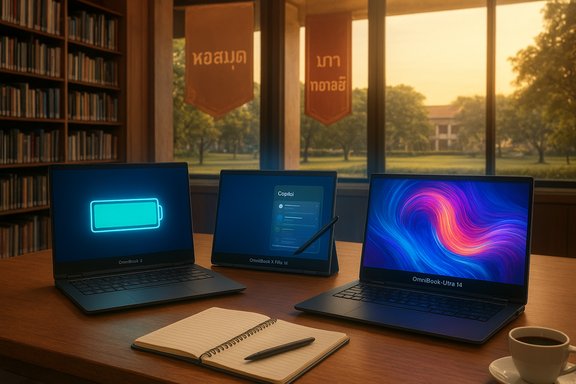
HP’s new OmniBook family has been positioned as a student-first Windows 11 lineup that tries to blend extreme battery life, local AI acceleration, and convertible versatility — and for Thai college students that mix can make a real difference when campuses, climates, and commuting routines collide. HP’s own product pages and independent coverage show a clear product hierarchy: the OmniBook X and OmniBook Ultra sit at the premium end with the most NPU (neural processing) horsepower and large OLED displays, the OmniBook 5 trades performance for extraordinary battery life at a midrange price, and the X Flip / Ultra Flip convertible variants aim to deliver stylus-ready flexibility for note-taking and presentations. These claims are backed by HP’s product pages and early reviews, but buyer decisions for students should weigh measured battery life, real‑world AI benefits, and local service/support more heavily than headline TOPS and “up to” battery numbers.
Windows 11’s shift toward “AI-aware” features — Copilot+, Recall, Click‑to‑Do and hardware-accelerated on‑device AI — has changed the laptop buying checklist for students. Microsoft’s end of support for Windows 10 on October 14, 2025, means new Windows‑native AI features and security updates are future‑facing incentives to choose a Windows 11 device that’s both compatible and supported. If students are still using older Windows 10 machines, they now face a practical choice: upgrade the OS on compatible hardware, enroll in limited Extended Security Updates (ESU) for a short period, or buy a new Windows 11 Copilot+ device to get local AI acceleration and long-term updates. HP has consolidated many consumer laptops into the OmniBook family. The aim is to simplify buying (one family name across price tiers) while baking in AI‑aware hardware choices: Qualcomm Snapdragon X series (X Elite / X Plus), Intel Core Ultra (Meteor/Lunar Lake families with on‑die AI engines), and AMD Ryzen AI 300 series (with XDNA NPU). HP markets the OmniBook series as a student‑friendly family with models tailored to different academic needs — battery centrism, convertible note-taking, heavy compute for engineering/creative majors, or value-oriented ARM designs for everyday university work. Independent coverage and HP’s retailer pages confirm the product mapping and the key hardware options used across the family.
(Article compiled from HP product materials and independent reporting and reviews; consult your university IT requirements and local HP Thailand support pages for the most current regional details.
Source: HP Best HP OmniBook Windows 11 Laptops for College Students
 Background / Overview
Windows 11’s shift toward “AI-aware” features — Copilot+, Recall, Click‑to‑Do and hardware-accelerated on‑device AI — has changed the laptop buying checklist for students. Microsoft’s end of support for Windows 10 on October 14, 2025, means new Windows‑native AI features and security updates are future‑facing incentives to choose a Windows 11 device that’s both compatible and supported. If students are still using older Windows 10 machines, they now face a practical choice: upgrade the OS on compatible hardware, enroll in limited Extended Security Updates (ESU) for a short period, or buy a new Windows 11 Copilot+ device to get local AI acceleration and long-term updates. HP has consolidated many consumer laptops into the OmniBook family. The aim is to simplify buying (one family name across price tiers) while baking in AI‑aware hardware choices: Qualcomm Snapdragon X series (X Elite / X Plus), Intel Core Ultra (Meteor/Lunar Lake families with on‑die AI engines), and AMD Ryzen AI 300 series (with XDNA NPU). HP markets the OmniBook series as a student‑friendly family with models tailored to different academic needs — battery centrism, convertible note-taking, heavy compute for engineering/creative majors, or value-oriented ARM designs for everyday university work. Independent coverage and HP’s retailer pages confirm the product mapping and the key hardware options used across the family. The OmniBook family — What each model actually delivers
Below is a practical, verified breakdown of the OmniBook models most relevant to college students, focusing on the concrete specs that matter in campus life: battery, display, processor/NPU capability, and convertible options.OmniBook X — best for mobile students who need extreme battery life
- What HP claims: the OmniBook X is offered with Snapdragon X Elite / X Plus or x86 options and claims up to ~28 hours of mixed‑use battery life on some configurations, along with 3K OLED display choices on higher SKUs. HP positions the X as a thin‑and‑light with long endurance and Copilot+ capability.
- Why it matters for Thai students: long battery endurance reduces dependence on scarce charging points in crowded libraries, canteens, and lecture halls; ARM-based Snapdragon models also typically run cooler in hot ambient conditions and offer big battery wins in video playback and light office workloads.
- Reality check: vendor “up to” battery claims are lab‑condition numbers. HP’s testing methodology (local video playback at specific brightness, codecs, and NPU settings) inflates best‑case runtime; expect substantially less in mixed‑use scenarios involving browser tabs, Wi‑Fi, Teams/Zoom calls and active NPU workloads.
OmniBook Ultra / OmniBook Ultra Flip 14 — best for AI power and creative majors
- What HP claims: the OmniBook Ultra uses AMD Ryzen AI 300 or Intel Core Ultra variants with NPUs rated up to 55 TOPS on AMD configurations and up to 48 TOPS on Intel Core Ultra variants. The Ultra Flip 14 combines a 3K OLED 14" display, stylus support, and Flip convertible mechanics to suit creative workflows. HP lists up to ~22 hours for some Ultra configs.
- Independent coverage: reviews and hands‑on reporting confirm that OmniBook Ultra SKUs are among the highest local AI TOPS on the market and emphasize the practical benefits for on‑device features such as higher‑quality camera processing, live transcription, and local image generation acceleration. But real application performance depends on optimized software that uses those NPUs.
- Why it matters: engineering, architecture, multimedia, and medical imaging students who use CPU/GPU/AI‑accelerated software — or want fast, private AI tasks (summaries, transcript cleanup, background noise removal) — will benefit the most.
OmniBook 5 — best value and maximum battery for budget‑minded students
- What HP claims: OmniBook 5 is the midrange/value ARM option that pairs Qualcomm Snapdragon X (X Plus / X1 series) with up to 34 hours of local video playback on selected 14"/16" OLED SKUs and Copilot+ support. This model is pitched as the best battery/performance compromise for long campus days.
- Why it matters: students on a budget who still want Copilot features and long battery endurance (e.g., heavy lecture days, study sessions) get the largest real‑world uptime here, though the Snapdragon‑based Windows experience requires attention to app compatibility for some legacy x86 software.
OmniBook X Flip / OmniBook 7 — convertible and larger screen options
- OmniBook X Flip 14: convertible (2‑in‑1) with stylus support and mid‑to‑high NPU counts. Good for design, annotation, and presentations.
- OmniBook 7: larger screens (14–17") and x86 performance for students needing SSD capacity and local GPU acceleration for simulations or multimedia grading tasks. HP lists up to 48 TOPS on certain 7‑series SKUs.
How HP measures TOPS and battery — why the numbers need context
- TOPS (trillion operations per second) measure theoretical NPU throughput; higher TOPS means a bigger hardware ceiling for AI tasks, but it is not a direct measure of application performance. Real gains come from optimized drivers and software that actually call the NPU for the right workloads.
- HP’s TOPS numbers (45, 48, 50, 55 depending on model and chipset) are consistent with the underlying silicon (Qualcomm’s Snapdragon X series, Intel Core Ultra NPUs, AMD Ryzen AI). Independent reviews confirm the relative ordering: AMD Ryzen AI 300 SKUs advertised at ~55 TOPS, Intel Core Ultra up to ~48 TOPS in select SKUs, Snapdragon X offerings around mid‑40s TOPS on comparable Qualcomm chips. Topology differences and software stacks change the practical outcome.
- Battery testing caveat: HP’s “up to 34 hours” and “up to 28 hours” claims are based on controlled local video playback tests at 200 nits or similar conditions. Mixed usage (browsing, cloud apps, video calls, active NPUs) typically reduces runtime to a fraction of the lab number. Treat ‘up to’ numbers as best‑case estimates rather than guaranteed daily performance.
Strengths that matter to Thai college students
- Exceptional battery life in ARM SKUs: For students who commute between dorms, city campuses, and evening study sessions, longer battery life reduces anxiety about finding plugs during peak hours. ARM‑based OmniBook 5/X SKUs are specifically tuned for endurance.
- Local AI features that save time: Copilot+, Recall, and Click‑to‑Do integrated with on‑device NPUs can accelerate note summarization, quick citation checks, transcription cleanup, and context‑aware workflow actions — helpful during exam prep and for juggling multiple coursework deadlines.
- Convertible designs for note-taking and presentations: Flip models (X Flip, Ultra Flip) support stylus input and multiple modes for cramped classrooms and group project sessions.
- Multiple form factors and price tiers: The OmniBook family covers budgets (OmniBook 5), midrange needs (OmniBook X), and premium AI computing (OmniBook Ultra), allowing students to prioritize either battery, price, or compute horsepower.
Key risks, trade‑offs, and where to be careful
- Marketing TOPS vs. practical gains: TOPS are useful headline metrics but do not automatically translate into faster documents, smoother CAD renders, or better grades. Only workloads that call the NPU and are optimized for it will benefit. When buying for a specific application (e.g., MATLAB, SolidWorks, Abaqus), verify real‑world benchmarks or vendor statements about NPU support. If the workload is plug‑in heavy or x86‑only, prioritize CPU/GPU performance and RAM over TOPS.
- Battery claims rarely match mixed use: HP’s lab battery claims come from controlled playback tests; expect a realistic 40–60% of the “up to” video numbers in active campus workflows that include web browsing, Teams, and background syncing. Plan for a margin of safety.
- ARM (Snapdragon) app compatibility: Snapdragon/ARM Windows devices offer extraordinary battery life, but some niche academic software is still x86 native and may rely on legacy libraries. Check with faculty/IT support before choosing an ARM‑only configuration for specialized courses (e.g., computational chemistry, proprietary engineering suites).
- Local service and warranty considerations in Thailand: HP has service centers in major Thai cities but confirm local stock, warranty terms, and repair times — especially for new OmniBook SKUs — before committing, since student timelines are tight around exams and submissions. If on‑campus repair options are limited, extended warranty or accidental‑damage coverage is worth the investment.
- Price vs longevity: The premium Ultra models are powerful but expensive. For students whose workflows are primarily writing, web research, hybrid classes, and light media editing, a well‑configured OmniBook 5 or X will often deliver better value.
Practical buying guide: how to choose the right OmniBook for your major
Use this checklist and ranked recommendations to pick the OmniBook that fits a typical Thai university student:Minimum recommended specs for most students
- 16 GB RAM (preferable for heavy multitasking or long browser sessions)
- 512 GB NVMe SSD (cloud helps, but local storage is convenient for large projects)
- Full HD+ or 2K OLED (14" is the sweet spot for portability and readability)
- Copilot+ / Windows 11 preinstalled (for AI features and updates)
- Wifi 6/6E and Bluetooth 5.x for stable campus connectivity
By major / use case
- Engineering, architecture, CAD-heavy programmes
- Priorities: CPU/GPU performance, thermals, 16–32 GB RAM, discrete GPU where required
- Recommended: OmniBook Ultra (AMD Ryzen AI / Intel Core Ultra SKUs) or OmniBook 7 with higher CPU/GPU options. Verify software compatibility (GPU drivers, CUDA/OpenCL) first.
- Creative majors (video editing, design, media)
- Priorities: OLED colour accuracy, stylus support, strong GPU/AI for creative tools
- Recommended: OmniBook Ultra Flip 14 (3K OLED, stylus) or OmniBook X Flip 16 for larger canvas and convertibility.
- Computer science, data science, multitaskers
- Priorities: More RAM (16–32 GB), fast CPU, SSD speed
- Recommended: OmniBook X (x86 or high‑end Snapdragon variants) or OmniBook 7 depending on budget.
- General studies, business, humanities — battery and portability matter most
- Priorities: Long battery life, light weight, solid keyboard
- Recommended: OmniBook 5 (Snapdragon X Plus or X Elite SKUs) or an OmniBook X configured for endurance.
- Budget-first students
- Priorities: Long battery, value pricing, Copilot basics
- Recommended: base OmniBook 5 configurations or lower‑tier OmniBook X SKUs; check student discounts and installment plans.
Setup and verification steps before you buy (short checklist)
- Confirm your university’s required/allowed specs or recommended models for course software.
- For specialty software, check compatibility with ARM (Snapdragon) Windows vs. x86 Windows and whether the app uses NPUs.
- Verify the specific OmniBook SKU’s battery testing methodology (lab vs real world) on HP’s product page and compare to independent tests.
- Check local HP Thailand warranty/service centers and consider an accidental damage plan if you commute or live in shared housing.
- If relying on on‑device AI features, try to find hands‑on reviews or demos that show the specific feature (e.g., Recall, Click‑to‑Do, Copilot+ with local models) in action.
Maximizing OmniBook performance on campus (practical tips)
- Use battery saver modes and close unnecessary background tabs during long study days.
- For ARM devices, maintain the latest Windows updates and Microsoft Store app versions — many ARM optimizations appear through OS/app updates.
- Enable NPU‑accelerated features selectively: background AI tasks like live noise reduction or video enhancement can drain power if left on continuously.
- Keep an external SSD or cloud sync for heavy project files; backup regularly to avoid last‑minute failures before submissions.
- Use the stylus and Flip mode for group project whiteboard sessions — it’s often faster than retyping notes.
Final verdict — which OmniBook is best for Thai college students?
- For the best battery life and general campus use, the OmniBook 5 (Snapdragon X Plus/X Elite SKUs) is the best value pick: excellent endurance and Copilot+ support at accessible prices. This makes it the practical baseline recommendation for most students who prioritize uptime over peak compute.
- For students who need convertible flexibility (note taking, presentations, stylus work), the OmniBook X Flip 14 or OmniBook X Flip 16 deliver the best mix of portability and hands‑on utility.
- For demanding, compute‑heavy majors (engineering, architecture, media creation) that can exploit local AI acceleration and require the best display and NPU capabilities, the OmniBook Ultra / Ultra Flip 14 is the top choice — but only if the budget and local service options make sense.
- Remember: vendor lab numbers (TOPS and “up to X hours”) are useful for comparison, but prioritize real‑world compatibility (software support, RAM, thermals) and local warranty/service when you buy.
Closing thoughts and next steps
HP’s OmniBook family is a thoughtfully segmented lineup that gives Thai students practical choices: battery‑first ARM value, convertible note‑taking, and ultra‑powerful AI‑enabled creative machines at the high end. Windows 10’s end of support on October 14, 2025, makes the timing relevant; new Windows 11 features and Copilot+ integration are now the default value proposition for new Windows devices. Before buying, verify the SKU’s real‑world battery tests, confirm software compatibility (especially for ARM models), and check local HP Thailand service/warranty options and student discount programs. When chosen carefully, an OmniBook can markedly reduce the friction of modern campus life — fewer charging anxieties, faster research workflows, and better collaboration tools for group projects and presentations.(Article compiled from HP product materials and independent reporting and reviews; consult your university IT requirements and local HP Thailand support pages for the most current regional details.
Source: HP Best HP OmniBook Windows 11 Laptops for College Students
