

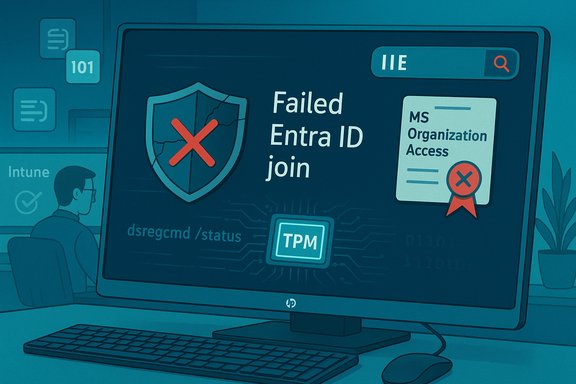
HP quietly pulled a Windows update for its HP OneAgent after the package’s cleanup script removed legitimate Microsoft certificates — including tenant-specific Entra ID/Intune certificates — causing some HP “AI PC” devices to lose their Entra ID (Azure AD) join and preventing corporate sign‑in until administrators manually recovered the machines.
Background
Microsoft Entra ID (formerly Azure AD) device registration and Intune enrollment rely on short‑lived, tenant‑specific device certificates and private keys that prove a machine’s identity to Microsoft’s cloud services. Those certificates are generally protected by platform crypto providers and the TPM so they cannot be trivially exported, and their presence (and integrity) is what Windows uses to maintain the device’s trust relationship with Entra ID and the organization’s MDM. Losing those certificates effectively severs the cloud trust anchor — a device can appear to be “not Entra joined” even though its Intune object still exists in the cloud. HP ships a small management agent family (marketed as HP OneAgent / HP One Agent on several product pages) on modern commercial PCs to enable telemetry, updates, and OEM services. In the case at hand, a silent background update for OneAgent included a cleanup component intended to remove outdated HP/1E software remnants — but the cleanup employed a naive text‑matching routine that deleted any certificate containing the substring “1E” in the subject, issuer, or friendly name. That heuristic produced false positives that removed legitimate Microsoft certificate objects such as the MS‑Organization‑Access certificate used during Entra/Intune authentication.What exactly went wrong
The update and the destructive cleanup routine
- The OneAgent update pushed to a subset of HP’s new AI PC line installed version 1.2.50.9581 and executed a supplemental package referenced as SP161710. That supplemental package contained an install.cmd (batch/PowerShell) cleanup script intended to remove traces of an older component named 1E Performance Assist.
- One subroutine enumerated certificates and removed any whose properties (subject, issuer, friendly name or thumbprint text) contained the literal substring "1E". The script used a text match rather than an exact identifier or a signed whitelist. This produced collateral damage when other certificates happened to include the same two‑character sequence.
Why the script was dangerous
- Certificates issued as part of Entra/Intune device registration are unique per tenant and per device; some of those unique identifiers include hex‑encoded characters that can contain arbitrary letter/number sequences. Using a crude substring search across cert metadata guarantees false positives when the target string is as short as two characters.
- The MS‑Organization‑Access certificate is not a reusable credential you can restore from the cloud — when that certificate and its TPM‑protected private key are removed, the device no longer has the local cryptographic proof needed to demonstrate its cloud identity and must be re‑registered. The TPM protection also prevents admins from simply exporting and restoring a missing private key.
Player chronology (high level)
- HP pushed a OneAgent update (v1.2.50.9581) to a limited set of new HP “AI PC” models.
- The update executed a cleanup package (SP161710) which ran a script that searched for the substring “1E” and deleted matching certificates.
- Some devices had MS‑Organization‑Access or Intune/MDM certificates that matched the “1E” pattern and were deleted.
- Affected devices lost Entra ID registration and users could no longer sign in with corporate accounts until the device was re‑registered.
Scope and impact
Who was affected
- The issue is limited by two factors: the update was targeted at a new generation of HP AI PCs, and the substring match only affected certificates that contained the string “1E.” HP and researchers estimate the intersection is small, but non‑zero. Early industry analysis reported a roughly 9.3% theoretical probability that a given MS‑Organization‑Access certificate would contain “1E” in its subject field; the real‑world hit rate depends on tenant certificate contents and exposure.
- Field reports and admin threads show the breakage was visible in some enterprise rollouts where fleets used those HP AI models; the behavior also manifested differently across customers because some distribution channels or deferral policies prevented the update from applying everywhere at once. Community telemetry and helpdesk posts confirm multiple, independent occurrences.
Practical consequences
- When the MS‑Organization‑Access (or related Intune/MDM) certificate is removed, the device’s Entra join state is effectively lost — the local device registration object, protected by TPM, disappears and the machine no longer presents valid credentials to the cloud. Users are then forced to sign in with locally cached accounts (LAPS/admin) and cannot authenticate using corporate Entra credentials until re‑enrollment is completed.
- Recovery cannot, in most cases, be performed by restoring a certificate from the cloud because private keys are TPM‑bound and not exportable. The remedy is to re‑register the device with Entra ID (dsregcmd /join or equivalent re‑enrollment flows), which may require local administrative access or remote live‑response tools.
How to detect whether you are impacted
Quick, low‑risk checks administrators should run immediately:- On a suspect device, run dsregcmd /status and inspect the “Device State” fields; if the device is no longer listed as “AzureAdJoined/EntraJoined” the join has been lost.
- Use certutil.exe -store My (or PowerShell Get‑ChildItem Cert:\LocalMachine\My) and look for certificates named MS‑Organization‑Access or with friendly names indicating Intune/MDM. If those certs are missing on a machine that should be Entra/Intune registered, it likely suffered the deletion.
- Check Event Viewer cert and AAD join logs: Microsoft/Windows/User Device Registration and DeviceManagement‑Enterprise‑Diagnostics‑Provider can show signs of registration failures and missing certs after reboots. Community troubleshooting threads flagged those logs as diagnostic starting points.
Recovery playbook — step by step
The details below combine vendor analysis and field practices; follow your change‑control and break/fix playbooks and test any commands in a lab before rolling out.Local recovery (if you have physical access)
- Sign in locally using a Tier‑1 local admin account (or LAPS‑managed local admin). If LAPS is in use, retrieve the password from your LAPS vault.
- Verify the MS‑Organization‑Access certificate is missing: certutil.exe -store My or PowerShell Get‑ChildItem Cert:\LocalMachine\My.
- Run a cleanup/repair script that removes stale Intune/registration artefacts if recommended by your vendor or the incident responder. Patch My PC’s investigator published a helper that clears enrollment state prior to reprovisioning; use only vetted scripts from trusted sources.
- Rejoin the device to Entra ID:
- Open an elevated prompt and run: dsregcmd /join
- Confirm status: dsregcmd /status
- Re‑enroll in Intune if required (Autopilot/OOBE flows) and verify device object in the Entra portal.
- Check that authentication and Conditional Access flows work; confirm user can sign in with corporate credentials.
Remote recovery (if you cannot get physical access)
- Use Microsoft Defender for Endpoint’s Live Response feature or another remote live‑response tool to run the same diagnostic commands and to re‑execute dsregcmd /join or to run the remedial scripts.
- If you have remote device management out‑of‑band (vPro, iLO) use that path to mount rescue media or run local scripts.
- Validate the device object in Entra ID and Intune after re‑enrollment; ensure policy assignments and configuration states converge.
Notes and cautions
- The MS‑Organization‑Access private key is typically TPM‑protected. There is no supported way to export and reimport the private key for reattaching to the same device identity; the correct route is re‑registration. Attempting exotic exports or key manipulation risks further device or tenant issues.
- If you are unsure, escalate to HP enterprise support and open a coordinated ticket with Microsoft if the device’s Intune object behaves unexpectedly after re‑enrollment. HP has said it pulled the update and is assisting customers who are affected.
Why this is a bigger operational problem than the code suggests
Automated maintenance is fragile when it touches identity artifacts
Certificates are identity anchors — they are not benign filesystem artefacts. Deleting or altering them without exact, auditable criteria undermines cryptographic trust. The HP script’s reliance on a short substring match ("1E") illustrates three systemic errors:- Imprecise targeting: The script used text substring matching rather than deterministic identifiers (signed Uninstall strings, GUIDs, or explicit vendor certificate thumbprints).
- Insufficient staging: Community reporting indicates the update was a silent “shadow”/OTA push to many units rather than a tightly staged pilot, increasing blast radius.
- Lack of recovery automation: The OEM did not provide an automated, signed restoration for affected certificates — and restoration is often impossible because private keys are TPM‑protected.
Supply‑chain and update‑delivery lessons
- OEMs must treat identity artifacts and cryptographic stores as first‑class, high‑risk targets in their maintenance flows.
- Any script that manipulates certificates must use strict matching (exact thumbprint match, certificate serial number, or signed metadata) and should run only after a safe‑mode dry run that logs potential matches — not performs destructive actions immediately.
- Staged rollouts, piloting, and telemetry gating remain essential when push updates can reach thousands of enterprise endpoints.
Technical, procedural and governance recommendations
For IT administrators- Pause or block HP OneAgent updates where possible on recovery‑critical devices until HP confirms the fix and publishes signed remediation packages.
- Audit certificate inventories across your fleet: enumerate certificate friendly names, subjects, and thumbprints and snapshot current states as part of your asset baseline.
- Harden update pipelines: run all optional OEM agent updates first in a pilot ring, then a partial ring, before broad deployment.
- Prepare recovery runbooks for identity‑loss scenarios: ensure local admin credentials and out‑of‑band management options (vPro, iLO, remote KVM) are available for prioritized devices.
- Never use substring matches against short strings when removing or altering certificates — require explicit, immutable identifiers and signed package manifests.
- Introduce a “dry‑run” mode in cleanup scripts that lists matches to be removed and writes signed logs for customer inspection before performing deletions.
- Treat certificate store changes as high‑impact operations: require engineering peer review, security sign‑off, and operational acceptance testing in diverse enterprise environments before OTA deployment.
- Monitor Event Viewer and SIEM for sudden mass deletions of certificate store entries or for the absence of expected MS‑Organization‑Access certificates after an update window.
- Require OEM update plans and change logs part of procurement contracts for managed OEM agents that run with elevated privileges.
- Include certificate inventory and TPM‑protected identity verification in compliance and audit checks.
What vendors have said and what remains open
HP confirmed it pulled the problematic OneAgent update and said it would assist affected customers while investigating the incident. Industry investigators — notably Patch My PC’s researcher — publicly traced the failure to the SP161710 cleanup script inside OneAgent v1.2.50.9581. Independent outlets and community analysts reproduced and documented the faulty certificate deletion logic. At time of writing, Microsoft had not posted a dedicated advisory for this exact HP push; however, Microsoft’s diagnostic tools (dsregcmd, certutil) and Defender Live Response capabilities are standard customer paths to diagnose and remediate device registration and enrollment issues. Administrators should coordinate with HP support and their Microsoft account teams where complicated re‑enrollment or tenant object reconciliation is needed.Broader implications and final analysis
This incident is simultaneously mundane and important: a very small, avoidable coding decision (searching for "1E") cascaded through automated update channels to remove cryptographic anchors that prove device identity to a cloud provider. The resulting operational pain — login failures, re‑registration work, helpdesk surges — is preventable with modest process improvements:- stronger testing and staged rollouts,
- exact‑match logic and whitelists for certificate operations,
- non‑destructive dry runs and signed logs,
- and better coordination between OEM update systems and enterprise IT controls.
The incident also underscores a persistent truth in modern endpoint management: even well‑intentioned maintenance can break identity and trust when simple heuristics replace precise, auditable criteria. The mitigations are straightforward, but they require discipline and investment in safer update delivery and validation pipelines — both by OEMs and by enterprise IT teams.
This analysis draws on independent industry reporting and community telemetry that traced the failure to HP’s OneAgent 1.2.50.9581 / SP161710 cleanup script and documented the practical recovery steps and probabilities of collision; the early public investigations and vendor responses form the basis for the recommended recovery and hardening steps outlined above.
Source: Techzine Global HP withdraws OneAgent update after problem with Microsoft Entra ID
