
HP launched a unified hybrid-work collaboration ecosystem at InfoComm 2026 in Las Vegas on June 16, combining HP Workforce Experience Platform, Poly Lens, WXP Collaboration, Poly Studio Room Compute, VideoOS updates, headsets, and a collaboration keyboard for enterprise meeting spaces. The pitch is not simply that HP has new room hardware. It is that the company wants to make the meeting room, the endpoint fleet, and the office itself legible to IT through one management layer. That is a bigger bet than a product refresh, and it lands at a moment when hybrid work has become less of an emergency adaptation and more of a permanent infrastructure problem.
The most important part of HP’s InfoComm announcement is not the headset, the keyboard, or even the new Windows-based room compute boxes. It is the decision to fold HP Poly Lens and WXP Collaboration, formerly Vyopta, into the HP Workforce Experience Platform as part of a broader collaboration-management push. HP is trying to turn the modern meeting estate into a measurable, managed, and eventually AI-interpreted operating environment.
That framing matters because hybrid work has changed the center of gravity in enterprise IT. A decade ago, collaboration hardware was often treated as AV equipment that happened to sit on the network. Today, meeting rooms are endpoints, endpoints are telemetry sources, and collaboration platforms are part of business continuity.
HP’s argument is that organizations do not want another console. They want fewer boundaries between device management, room analytics, collaboration monitoring, and employee experience data. That is a convenient vendor message, but it is also recognizably true for anyone who has tried to troubleshoot a bad Teams Room while the network team, AV integrator, endpoint group, and facilities department each own a different piece of the failure.
This is where HP’s acquisition of Poly continues to reveal its strategic intent. Poly gave HP credibility in headsets, conferencing, and room systems. WXP gives HP a platform story. The InfoComm launch attempts to fuse the two into something more durable: a managed workplace stack that follows the employee from desk to huddle room to boardroom.
HP’s latest move is to bring Poly Lens and WXP Collaboration into the Workforce Experience Platform so administrators can see collaboration spaces, compute, and print through a more unified interface. That sounds tidy in a press release. In practice, the value will depend on how well HP translates device-level data into decisions that IT teams can actually make.
There is a difference between knowing that a camera is online and knowing whether a room is usable at 8:55 a.m. before a board meeting starts at 9. There is a difference between counting headset firmware versions and understanding whether users in noisy home environments are repeatedly switching back to laptop microphones because their Bluetooth experience is unreliable. The business case for HP’s platform rests on whether it can surface the second kind of insight, not just inventory the first.
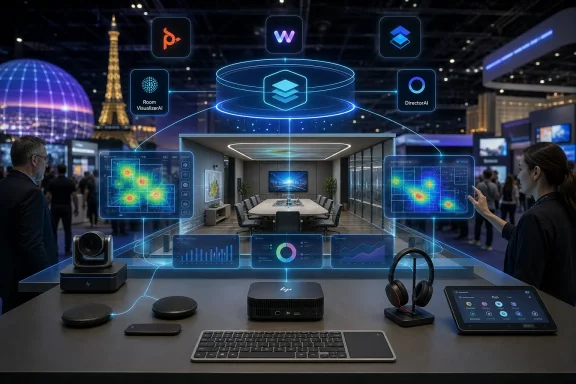
Room VisualizerAI is the announcement’s most explicit attempt to move in that direction. HP describes it as an interactive digital replica of the room environment, designed to give administrators more visibility into workspaces. The idea is easy to understand: rather than forcing IT staff to mentally reconstruct a room from device names and serial numbers, the system gives them a more spatial, room-aware representation.
That could be useful, especially for distributed organizations with dozens or hundreds of rooms. But it also raises the standard HP must meet. Once a vendor promises an intelligent view of a physical workspace, customers will expect the platform to understand context, not just display objects. A room replica that shows hardware placement is nice; a room model that helps explain why meetings fail, why rooms are underused, or why users bypass expensive equipment is much more valuable.
That is why workplace analytics have become central to collaboration vendors’ strategies. If companies are asking employees to return to offices two or three days a week, they want to know whether those offices are configured for the work people actually do. If meeting rooms are booked but empty, if huddle spaces are overrun while large conference rooms sit idle, or if expensive video systems are rarely used, the collaboration platform becomes a source of operational intelligence.
HP is not alone in chasing this. Microsoft, Zoom, Cisco, Logitech, Neat, and others all understand that the meeting room is no longer just a room. It is a sensor-rich business asset connected to identity, calendars, communications platforms, and device management systems.
What HP brings is a particular combination of assets: PC fleet relationships, Poly collaboration hardware, print management, managed services, and now WXP as the connective tissue. The inclusion of print in the “single view” language is not incidental. HP’s enterprise footprint has long extended beyond the laptop, and the company is trying to make that breadth feel like an advantage rather than a legacy burden.
For IT leaders, the appeal is obvious. The fewer systems required to see what is broken, what is underused, and what needs updating, the better. For end users, the promise is less visible but more important: rooms that start on time, cameras that frame people correctly, microphones that suppress noise without mangling speech, and headsets that do not become yet another minor tax on the working day.
The meeting-room market has been split between appliance-style devices and PC-based room systems. Android appliances often appeal because they can be simpler, smaller, and easier to lock down. Windows-based systems appeal because they fit more naturally into enterprise endpoint management, security, update, and lifecycle practices.
HP is clearly leaning into the latter. The inclusion of Core Ultra processors with NPUs gives the company a forward-looking AI story, but the more immediate value may be more mundane: standardized deployment, better alignment with Microsoft Teams Rooms and Zoom Rooms requirements, and a support model that resembles the rest of the enterprise PC estate. For WindowsForum readers, that is the part to watch.
AI features in meeting rooms are still a moving target. Camera switching, speaker framing, background intelligence, transcription, noise suppression, and room analytics all benefit from more local compute. But the enterprise buyer is not simply buying TOPS; they are buying confidence that the room will remain supported as Teams, Zoom, Windows, firmware, device drivers, and security baselines evolve.
HP’s setup details are therefore more important than they may look. Color-coded ports, a dedicated PoE port for the Poly TC10 touch controller, automatic pairing, and magnetic mounting are not glamorous features. They are acknowledgments that meeting-room deployment has too often depended on tribal knowledge, labeling tape, and the one person in the office who knows which cable goes where.
If HP can reduce installation friction while keeping the systems manageable through Poly Lens and WXP, it will have a credible story for organizations that want standardized rooms without turning every conference space into a bespoke AV project. If it cannot, the new hardware risks becoming another managed endpoint category that looks clean in diagrams and messy in production.
Multi-camera switching is part of that shift. A static wide shot of a conference room has always been a compromise. It shows the room but often fails to show the people. Speaker tracking and intelligent framing attempt to solve that, but they can also become distracting if the system cuts too aggressively or frames participants awkwardly.
HP’s DirectorAI branding fits the industry’s current language, but the challenge is practical rather than theatrical. The best meeting-room AI will be the kind users stop noticing. It will cut to the right person, maintain context, avoid seasick camera motion, and treat remote attendees as first-class participants instead of spectators.
The redesigned admin web interface is less flashy but likely more consequential for IT teams. Collaboration devices live or die by manageability. Firmware updates, room status, device pairing, network diagnostics, and platform configuration all become pain points when spread across inconsistent interfaces. HP’s broader platform pitch only works if the local device experience is not fighting the cloud management layer.
There is also a hidden tension here. The more intelligence HP pushes into room systems, the more administrators will need clear controls over privacy, data retention, camera behavior, and user expectations. Workplace analytics and intelligent video can improve experiences, but they can also make employees uneasy if organizations fail to explain what is being collected and why.
The Focus 6 Series includes Acoustic Fence 2.0, hybrid active noise cancellation, spatial audio, wireless charging, up to 25 hours of talk time with ANC enabled, replaceable batteries and ear cushions, and certifications for Google Meet, Google Voice, Microsoft Teams Open Office, and Zoom. That certification spread matters. The reality of enterprise collaboration is rarely single-platform purity, even when CIOs wish otherwise.
Headsets remain one of the most underestimated pieces of the hybrid stack. A bad headset can ruin a meeting just as effectively as a bad network connection. Noise suppression, microphone isolation, battery life, comfort, Bluetooth stability, and platform call controls all determine whether employees actually use the equipment they are issued.
Replaceable batteries and ear cushions also deserve more attention than they usually get. Enterprises are increasingly being asked to account for sustainability, lifecycle, and repairability. A headset that can be refreshed rather than discarded fits that procurement reality better than one treated as a semi-disposable perk.
The HP Collaboration Keyboard follows the same logic at the desk. Dedicated controls for microphone mute, camera settings, and screen sharing are small interventions aimed at reducing meeting friction. In isolation, they are convenience features. In aggregate, they signal that HP sees collaboration as an interaction layer spanning peripherals, PCs, rooms, software, and management.
Enterprise hardware buying has become a more bureaucratic exercise than many product teams like to admit. IT departments are not only comparing features and pricing. They are answering questions from sustainability teams, compliance officers, finance departments, and executives who want environmental commitments to show up in purchasing behavior.
That creates an opening for vendors that can make sustainability feel operational rather than ornamental. Recycled plastics, replaceable parts, energy certifications, and longer lifecycle support all fit into that story. HP has spent years building sustainability into its brand, particularly around PCs and printing, and it is now extending that language into collaboration hardware.
Still, sustainability claims in collaboration gear should be judged alongside software support and device longevity. A room compute system with recycled plastics but a short support window is not necessarily a better environmental outcome. A headset with replaceable parts is more compelling if those parts remain available and affordable over time.
This is one of the reasons HP’s lifecycle language around the new room compute systems matters. Hybrid-work hardware is no longer an emergency purchase. Organizations are standardizing it, depreciating it, securing it, and expecting it to last. Sustainability and lifecycle management are becoming two sides of the same procurement conversation.
Microsoft owns the productivity platform for many organizations. Zoom owns a large share of meeting behavior and room experience expectations. Cisco owns deep enterprise communications and networking relationships. Logitech and Neat have pushed hard on simplicity and purpose-built room hardware. HP’s answer is to emphasize breadth: PCs, peripherals, Poly devices, print, analytics, and managed services under WXP.
That breadth is both the opportunity and the risk. A unified platform can reduce fragmentation, but only if it is genuinely unified. If WXP becomes a wrapper around several adjacent tools, customers may see it as another layer rather than a simplification.
The integration of Poly Lens into WXP has been moving in stages, with earlier work enabling cross-platform navigation and tenant connections. The InfoComm announcement turns that integration into a larger product narrative. HP is saying that Poly is no longer merely a brand inside HP’s portfolio; it is becoming a data source and control surface inside HP’s workforce platform.
That shift is strategically important because collaboration devices generate valuable operational signals. Room occupancy, meeting quality, device health, peripheral usage, call failures, firmware status, and user experience metrics can all feed into broader decisions about office design and IT spending. HP wants those signals inside its platform rather than scattered across point tools.
But the Poly inheritance also comes with baggage. Admins and AV professionals have lived through years of firmware changes, platform transitions, support shifts, and product rebranding across the Poly, Plantronics, and HP eras. Any announcement promising simplification will be read against that lived experience.
This is particularly true for organizations already managing Poly hardware. They will want to know whether WXP integration makes their current environment easier or nudges them toward new licensing, new workflows, or new support assumptions. A single pane of glass is welcome only if it does not become a single point of commercial leverage.
HP’s challenge is to prove that unification is not just consolidation by another name. Customers will judge the platform by practical questions. Does onboarding become faster? Do support tickets get resolved with fewer escalations? Can admins see enough detail without losing the ability to act locally? Are older devices treated as first-class citizens, or does the best experience require a refresh cycle?
The answers will shape whether HP’s collaboration ecosystem feels like a strategic platform or a polished bundle. Enterprise IT has heard enough transformation language to be skeptical by default. HP will need field execution, not just product architecture, to change that.
For IT teams, the best use of AI in collaboration management is not novelty. It is reducing toil. A useful system should tell admins which rooms are likely to fail before users report them, which devices need attention before meetings begin, and which spaces are mismatched to how employees actually use them.
There is real potential here. Collaboration environments produce noisy but meaningful telemetry. If HP can correlate device status, meeting quality, room usage, calendar data, and user experience signals, it could help IT teams prioritize action. That is far more valuable than another dashboard with green and red icons.
But AI also raises trust questions. Administrators need to understand why a system recommends a change, flags a room, or identifies a pattern. Facilities leaders need confidence that occupancy and utilization analytics are accurate enough to inform real estate decisions. Employees need assurance that “workplace intelligence” does not slide into individual surveillance.
HP’s announcement nods toward organizational insights rather than individual monitoring, which is the right emphasis. The company’s execution will need to maintain that boundary. In hybrid work, the line between optimizing spaces and watching workers can become thin if vendors and employers are careless.
This multi-platform posture is practical. Many enterprises standardize on Teams but still meet customers, partners, and suppliers over Zoom or Google Meet. Others have different platforms across business units or geographies. Hardware that behaves well across that reality has an advantage over hardware optimized for an idealized single-vendor environment.
For Windows administrators, Teams Rooms remains especially important because it brings together Windows lifecycle management, Microsoft 365 identity, Teams updates, device certification, and room licensing. A Windows-based compute appliance can be comfortable territory, but it also inherits the complexity of Windows servicing and Teams Rooms requirements.
Zoom Rooms brings a different set of expectations around simplicity and meeting-room polish. HP supporting both suggests the company is not trying to make a theological argument about the future of collaboration platforms. It is trying to be the managed hardware and analytics layer underneath whichever service the enterprise chooses.
That is probably the correct strategy. The collaboration market is too heterogeneous for most hardware vendors to win by betting on one platform alone. The winning play is to make the room easier to deploy, easier to monitor, and less embarrassing when executives use it.
That is a sensible evolution. A meeting room is a system. It includes compute, displays, microphones, cameras, speakers, controllers, cables, network paths, cloud services, calendars, users, furniture, lighting, acoustics, and expectations. When the meeting fails, the user experiences one failure, but the root cause can live anywhere.
Traditional device management is poorly suited to that complexity. It can report whether a device is online, but it may not explain whether the room is effective. Workplace experience platforms are an attempt to move up the stack from component health to human outcome.
HP’s integration of WXP Collaboration is important because Vyopta’s heritage was in collaboration analytics. That gives HP a stronger foundation than if it were trying to build room insight solely from device inventory. The harder task is blending those analytics with Poly Lens management and WXP’s broader endpoint view without diluting each product’s strengths.
If HP succeeds, the office becomes a managed digital environment rather than a collection of rooms with expensive equipment. If it fails, customers get another branded portal and another reason to export data into spreadsheets.
The details to watch are familiar. How quickly can devices be enrolled? How cleanly does role-based access work across WXP and Poly Lens? Can MSPs and large enterprises manage multi-tenant environments without awkward workarounds? Are alerts actionable, or do they merely describe symptoms? Can admins automate common fixes? Can data be exported or integrated into existing ITSM workflows?
HP’s room systems also need to be boring in the best sense. They should boot reliably, pair predictably, update cleanly, and recover gracefully. Intelligent camera features and AI analytics are useful only after the basics are dependable.
The company appears to understand this, at least in its product design language. Color-coded ports, automatic pairing, dedicated controller connectivity, and simplified web administration are not headline-grabbing features for consumers, but they are exactly the sort of things that matter to IT and AV teams trying to deploy rooms at scale.
The broader question is whether HP can make its ecosystem feel coherent across hardware generations and product categories. A unified platform that manages only the newest, cleanest deployments will have limited enterprise impact. A platform that helps organizations tame messy real-world estates could earn a durable place in the hybrid-work stack.
 HP Wants to Own the Room Before the Room Disappears Into Software
The most important part of HP’s InfoComm announcement is not the headset, the keyboard, or even the new Windows-based room compute boxes. It is the decision to fold HP Poly Lens and WXP Collaboration, formerly Vyopta, into the HP Workforce Experience Platform as part of a broader collaboration-management push. HP is trying to turn the modern meeting estate into a measurable, managed, and eventually AI-interpreted operating environment.That framing matters because hybrid work has changed the center of gravity in enterprise IT. A decade ago, collaboration hardware was often treated as AV equipment that happened to sit on the network. Today, meeting rooms are endpoints, endpoints are telemetry sources, and collaboration platforms are part of business continuity.
HP’s argument is that organizations do not want another console. They want fewer boundaries between device management, room analytics, collaboration monitoring, and employee experience data. That is a convenient vendor message, but it is also recognizably true for anyone who has tried to troubleshoot a bad Teams Room while the network team, AV integrator, endpoint group, and facilities department each own a different piece of the failure.
This is where HP’s acquisition of Poly continues to reveal its strategic intent. Poly gave HP credibility in headsets, conferencing, and room systems. WXP gives HP a platform story. The InfoComm launch attempts to fuse the two into something more durable: a managed workplace stack that follows the employee from desk to huddle room to boardroom.
The Single Pane of Glass Returns, This Time With Room Telemetry
Every enterprise platform vendor eventually promises a single pane of glass. The phrase is overused because the underlying pain is real. Collaboration estates are sprawling across Teams Rooms, Zoom Rooms, Android appliances, Windows compute, USB peripherals, touch controllers, wireless headsets, desk phones, printers, laptops, and a growing layer of occupancy and utilization signals.HP’s latest move is to bring Poly Lens and WXP Collaboration into the Workforce Experience Platform so administrators can see collaboration spaces, compute, and print through a more unified interface. That sounds tidy in a press release. In practice, the value will depend on how well HP translates device-level data into decisions that IT teams can actually make.
There is a difference between knowing that a camera is online and knowing whether a room is usable at 8:55 a.m. before a board meeting starts at 9. There is a difference between counting headset firmware versions and understanding whether users in noisy home environments are repeatedly switching back to laptop microphones because their Bluetooth experience is unreliable. The business case for HP’s platform rests on whether it can surface the second kind of insight, not just inventory the first.
Room VisualizerAI is the announcement’s most explicit attempt to move in that direction. HP describes it as an interactive digital replica of the room environment, designed to give administrators more visibility into workspaces. The idea is easy to understand: rather than forcing IT staff to mentally reconstruct a room from device names and serial numbers, the system gives them a more spatial, room-aware representation.
That could be useful, especially for distributed organizations with dozens or hundreds of rooms. But it also raises the standard HP must meet. Once a vendor promises an intelligent view of a physical workspace, customers will expect the platform to understand context, not just display objects. A room replica that shows hardware placement is nice; a room model that helps explain why meetings fail, why rooms are underused, or why users bypass expensive equipment is much more valuable.
Hybrid Work Has Become a Facilities Problem With an IT Budget
The pandemic-era version of hybrid work was about access: get people into meetings from wherever they are. The 2026 version is about quality, predictability, cost, and governance. Organizations now have years of experience proving that remote and hybrid work can function, but they also have years of frustration with uneven meeting experiences and underused office space.That is why workplace analytics have become central to collaboration vendors’ strategies. If companies are asking employees to return to offices two or three days a week, they want to know whether those offices are configured for the work people actually do. If meeting rooms are booked but empty, if huddle spaces are overrun while large conference rooms sit idle, or if expensive video systems are rarely used, the collaboration platform becomes a source of operational intelligence.
HP is not alone in chasing this. Microsoft, Zoom, Cisco, Logitech, Neat, and others all understand that the meeting room is no longer just a room. It is a sensor-rich business asset connected to identity, calendars, communications platforms, and device management systems.
What HP brings is a particular combination of assets: PC fleet relationships, Poly collaboration hardware, print management, managed services, and now WXP as the connective tissue. The inclusion of print in the “single view” language is not incidental. HP’s enterprise footprint has long extended beyond the laptop, and the company is trying to make that breadth feel like an advantage rather than a legacy burden.
For IT leaders, the appeal is obvious. The fewer systems required to see what is broken, what is underused, and what needs updating, the better. For end users, the promise is less visible but more important: rooms that start on time, cameras that frame people correctly, microphones that suppress noise without mangling speech, and headsets that do not become yet another minor tax on the working day.
Windows-Based Room Compute Is HP’s Vote for Manageability
The HP Poly Studio 5 and 7 Room Compute systems are Windows-based collaboration engines for Microsoft Teams Rooms and Zoom Rooms. HP says they use third-generation Intel Core Ultra processors with integrated neural processing units, positioning them for AI-assisted collaboration features and longer lifecycle deployments. That is not just a silicon spec; it is a statement about how HP thinks enterprises want to run rooms.The meeting-room market has been split between appliance-style devices and PC-based room systems. Android appliances often appeal because they can be simpler, smaller, and easier to lock down. Windows-based systems appeal because they fit more naturally into enterprise endpoint management, security, update, and lifecycle practices.
HP is clearly leaning into the latter. The inclusion of Core Ultra processors with NPUs gives the company a forward-looking AI story, but the more immediate value may be more mundane: standardized deployment, better alignment with Microsoft Teams Rooms and Zoom Rooms requirements, and a support model that resembles the rest of the enterprise PC estate. For WindowsForum readers, that is the part to watch.
AI features in meeting rooms are still a moving target. Camera switching, speaker framing, background intelligence, transcription, noise suppression, and room analytics all benefit from more local compute. But the enterprise buyer is not simply buying TOPS; they are buying confidence that the room will remain supported as Teams, Zoom, Windows, firmware, device drivers, and security baselines evolve.
HP’s setup details are therefore more important than they may look. Color-coded ports, a dedicated PoE port for the Poly TC10 touch controller, automatic pairing, and magnetic mounting are not glamorous features. They are acknowledgments that meeting-room deployment has too often depended on tribal knowledge, labeling tape, and the one person in the office who knows which cable goes where.
If HP can reduce installation friction while keeping the systems manageable through Poly Lens and WXP, it will have a credible story for organizations that want standardized rooms without turning every conference space into a bespoke AV project. If it cannot, the new hardware risks becoming another managed endpoint category that looks clean in diagrams and messy in production.
VideoOS 5.1 Shows the AI Arms Race Has Moved to the Camera
HP’s Poly VideoOS 5.1 update adds Poly DirectorAI multi-camera switching and direct touch controller connectivity for Microsoft Teams Rooms on Android, along with a redesigned web interface for administrators. That places HP directly in the broader competition over who gets to define a good hybrid meeting experience. Increasingly, that experience is not judged by resolution alone, but by whether the system can make remote participants feel like they are in the room without forcing someone in the room to operate it.Multi-camera switching is part of that shift. A static wide shot of a conference room has always been a compromise. It shows the room but often fails to show the people. Speaker tracking and intelligent framing attempt to solve that, but they can also become distracting if the system cuts too aggressively or frames participants awkwardly.
HP’s DirectorAI branding fits the industry’s current language, but the challenge is practical rather than theatrical. The best meeting-room AI will be the kind users stop noticing. It will cut to the right person, maintain context, avoid seasick camera motion, and treat remote attendees as first-class participants instead of spectators.
The redesigned admin web interface is less flashy but likely more consequential for IT teams. Collaboration devices live or die by manageability. Firmware updates, room status, device pairing, network diagnostics, and platform configuration all become pain points when spread across inconsistent interfaces. HP’s broader platform pitch only works if the local device experience is not fighting the cloud management layer.
There is also a hidden tension here. The more intelligence HP pushes into room systems, the more administrators will need clear controls over privacy, data retention, camera behavior, and user expectations. Workplace analytics and intelligent video can improve experiences, but they can also make employees uneasy if organizations fail to explain what is being collected and why.
The Headset and Keyboard Are Not Accessories in HP’s Strategy
The HP Poly Focus 6 Series Bluetooth headsets and HP Collaboration Keyboard might look like side dishes next to the room systems. They are not. HP is trying to connect the personal collaboration experience to the shared-room experience, and accessories are where many users actually feel whether hybrid work is improving.The Focus 6 Series includes Acoustic Fence 2.0, hybrid active noise cancellation, spatial audio, wireless charging, up to 25 hours of talk time with ANC enabled, replaceable batteries and ear cushions, and certifications for Google Meet, Google Voice, Microsoft Teams Open Office, and Zoom. That certification spread matters. The reality of enterprise collaboration is rarely single-platform purity, even when CIOs wish otherwise.
Headsets remain one of the most underestimated pieces of the hybrid stack. A bad headset can ruin a meeting just as effectively as a bad network connection. Noise suppression, microphone isolation, battery life, comfort, Bluetooth stability, and platform call controls all determine whether employees actually use the equipment they are issued.
Replaceable batteries and ear cushions also deserve more attention than they usually get. Enterprises are increasingly being asked to account for sustainability, lifecycle, and repairability. A headset that can be refreshed rather than discarded fits that procurement reality better than one treated as a semi-disposable perk.
The HP Collaboration Keyboard follows the same logic at the desk. Dedicated controls for microphone mute, camera settings, and screen sharing are small interventions aimed at reducing meeting friction. In isolation, they are convenience features. In aggregate, they signal that HP sees collaboration as an interaction layer spanning peripherals, PCs, rooms, software, and management.
Sustainability Has Become Part of the Procurement Script
HP says the Poly Studio Room Compute devices contain at least 60 percent post-consumer recycled plastics, the Collaboration Keyboard uses up to 75 percent post-consumer recycled plastic by total plastic weight, and the Focus 6 Series carries TCO 10 certification. These claims will not be the reason most organizations buy the products. They may, however, help HP clear procurement hurdles in large accounts.Enterprise hardware buying has become a more bureaucratic exercise than many product teams like to admit. IT departments are not only comparing features and pricing. They are answering questions from sustainability teams, compliance officers, finance departments, and executives who want environmental commitments to show up in purchasing behavior.
That creates an opening for vendors that can make sustainability feel operational rather than ornamental. Recycled plastics, replaceable parts, energy certifications, and longer lifecycle support all fit into that story. HP has spent years building sustainability into its brand, particularly around PCs and printing, and it is now extending that language into collaboration hardware.
Still, sustainability claims in collaboration gear should be judged alongside software support and device longevity. A room compute system with recycled plastics but a short support window is not necessarily a better environmental outcome. A headset with replaceable parts is more compelling if those parts remain available and affordable over time.
This is one of the reasons HP’s lifecycle language around the new room compute systems matters. Hybrid-work hardware is no longer an emergency purchase. Organizations are standardizing it, depreciating it, securing it, and expecting it to last. Sustainability and lifecycle management are becoming two sides of the same procurement conversation.
The Real Competition Is the Management Plane
The obvious competitors for HP’s new lineup are other collaboration hardware vendors. But the deeper competition is over the management plane. Whoever owns the console that IT teams trust may have disproportionate influence over future room standards, device refreshes, analytics, and support contracts.Microsoft owns the productivity platform for many organizations. Zoom owns a large share of meeting behavior and room experience expectations. Cisco owns deep enterprise communications and networking relationships. Logitech and Neat have pushed hard on simplicity and purpose-built room hardware. HP’s answer is to emphasize breadth: PCs, peripherals, Poly devices, print, analytics, and managed services under WXP.
That breadth is both the opportunity and the risk. A unified platform can reduce fragmentation, but only if it is genuinely unified. If WXP becomes a wrapper around several adjacent tools, customers may see it as another layer rather than a simplification.
The integration of Poly Lens into WXP has been moving in stages, with earlier work enabling cross-platform navigation and tenant connections. The InfoComm announcement turns that integration into a larger product narrative. HP is saying that Poly is no longer merely a brand inside HP’s portfolio; it is becoming a data source and control surface inside HP’s workforce platform.
That shift is strategically important because collaboration devices generate valuable operational signals. Room occupancy, meeting quality, device health, peripheral usage, call failures, firmware status, and user experience metrics can all feed into broader decisions about office design and IT spending. HP wants those signals inside its platform rather than scattered across point tools.
The Poly Legacy Gives HP Credibility and Baggage
HP’s Poly business gives the company a legitimate claim in professional collaboration hardware. Poly’s history in conferencing and audio is deep, and many enterprises still associate the brand with boardrooms, contact centers, and business-grade headsets. That credibility is useful at a time when every PC maker wants to sound like a workplace-experience company.But the Poly inheritance also comes with baggage. Admins and AV professionals have lived through years of firmware changes, platform transitions, support shifts, and product rebranding across the Poly, Plantronics, and HP eras. Any announcement promising simplification will be read against that lived experience.
This is particularly true for organizations already managing Poly hardware. They will want to know whether WXP integration makes their current environment easier or nudges them toward new licensing, new workflows, or new support assumptions. A single pane of glass is welcome only if it does not become a single point of commercial leverage.
HP’s challenge is to prove that unification is not just consolidation by another name. Customers will judge the platform by practical questions. Does onboarding become faster? Do support tickets get resolved with fewer escalations? Can admins see enough detail without losing the ability to act locally? Are older devices treated as first-class citizens, or does the best experience require a refresh cycle?
The answers will shape whether HP’s collaboration ecosystem feels like a strategic platform or a polished bundle. Enterprise IT has heard enough transformation language to be skeptical by default. HP will need field execution, not just product architecture, to change that.
The AI Story Is Useful Only If It Reduces Human Toil
HP, like every major workplace technology vendor in 2026, is leaning heavily into AI language. The new ecosystem includes AI-powered management ideas, AI-assisted collaboration experiences, DirectorAI camera behavior, and processors with integrated NPUs. The risk is that “AI” becomes a gloss on features that should be judged by reliability.For IT teams, the best use of AI in collaboration management is not novelty. It is reducing toil. A useful system should tell admins which rooms are likely to fail before users report them, which devices need attention before meetings begin, and which spaces are mismatched to how employees actually use them.
There is real potential here. Collaboration environments produce noisy but meaningful telemetry. If HP can correlate device status, meeting quality, room usage, calendar data, and user experience signals, it could help IT teams prioritize action. That is far more valuable than another dashboard with green and red icons.
But AI also raises trust questions. Administrators need to understand why a system recommends a change, flags a room, or identifies a pattern. Facilities leaders need confidence that occupancy and utilization analytics are accurate enough to inform real estate decisions. Employees need assurance that “workplace intelligence” does not slide into individual surveillance.
HP’s announcement nods toward organizational insights rather than individual monitoring, which is the right emphasis. The company’s execution will need to maintain that boundary. In hybrid work, the line between optimizing spaces and watching workers can become thin if vendors and employers are careless.
Microsoft Teams Rooms and Zoom Rooms Remain the Real Gatekeepers
HP can build the hardware and the management layer, but the meeting experience still flows through platforms such as Microsoft Teams and Zoom. That is why certification matters. The Poly Studio 5 and 7 Room Compute systems are aimed at Microsoft Teams Rooms and Zoom Rooms, and the Focus 6 Series carries certifications across major collaboration services.This multi-platform posture is practical. Many enterprises standardize on Teams but still meet customers, partners, and suppliers over Zoom or Google Meet. Others have different platforms across business units or geographies. Hardware that behaves well across that reality has an advantage over hardware optimized for an idealized single-vendor environment.
For Windows administrators, Teams Rooms remains especially important because it brings together Windows lifecycle management, Microsoft 365 identity, Teams updates, device certification, and room licensing. A Windows-based compute appliance can be comfortable territory, but it also inherits the complexity of Windows servicing and Teams Rooms requirements.
Zoom Rooms brings a different set of expectations around simplicity and meeting-room polish. HP supporting both suggests the company is not trying to make a theological argument about the future of collaboration platforms. It is trying to be the managed hardware and analytics layer underneath whichever service the enterprise chooses.
That is probably the correct strategy. The collaboration market is too heterogeneous for most hardware vendors to win by betting on one platform alone. The winning play is to make the room easier to deploy, easier to monitor, and less embarrassing when executives use it.
This Is HP’s Attempt to Make the Office Observable
The most ambitious reading of HP’s launch is that it wants to make the office observable in the same way modern IT has made applications and infrastructure observable. In software operations, observability is about understanding system behavior through telemetry rather than waiting for users to complain. HP is applying that logic to collaboration spaces.That is a sensible evolution. A meeting room is a system. It includes compute, displays, microphones, cameras, speakers, controllers, cables, network paths, cloud services, calendars, users, furniture, lighting, acoustics, and expectations. When the meeting fails, the user experiences one failure, but the root cause can live anywhere.
Traditional device management is poorly suited to that complexity. It can report whether a device is online, but it may not explain whether the room is effective. Workplace experience platforms are an attempt to move up the stack from component health to human outcome.
HP’s integration of WXP Collaboration is important because Vyopta’s heritage was in collaboration analytics. That gives HP a stronger foundation than if it were trying to build room insight solely from device inventory. The harder task is blending those analytics with Poly Lens management and WXP’s broader endpoint view without diluting each product’s strengths.
If HP succeeds, the office becomes a managed digital environment rather than a collection of rooms with expensive equipment. If it fails, customers get another branded portal and another reason to export data into spreadsheets.
The Admin Experience Will Decide Whether the Strategy Works
The success or failure of HP’s collaboration push will not be decided by the announcement. It will be decided by the administrative experience six months into deployment. Enterprise IT teams are patient with complex systems if the complexity buys them control. They are much less patient when a platform promises simplicity but hides the knobs they need.The details to watch are familiar. How quickly can devices be enrolled? How cleanly does role-based access work across WXP and Poly Lens? Can MSPs and large enterprises manage multi-tenant environments without awkward workarounds? Are alerts actionable, or do they merely describe symptoms? Can admins automate common fixes? Can data be exported or integrated into existing ITSM workflows?
HP’s room systems also need to be boring in the best sense. They should boot reliably, pair predictably, update cleanly, and recover gracefully. Intelligent camera features and AI analytics are useful only after the basics are dependable.
The company appears to understand this, at least in its product design language. Color-coded ports, automatic pairing, dedicated controller connectivity, and simplified web administration are not headline-grabbing features for consumers, but they are exactly the sort of things that matter to IT and AV teams trying to deploy rooms at scale.
The broader question is whether HP can make its ecosystem feel coherent across hardware generations and product categories. A unified platform that manages only the newest, cleanest deployments will have limited enterprise impact. A platform that helps organizations tame messy real-world estates could earn a durable place in the hybrid-work stack.
The InfoComm Launch Draws a Map of HP’s Hybrid-Work Bet
HP’s announcement is best read as a platform move disguised as a hardware launch. The new devices matter, but their larger purpose is to feed and validate the management ecosystem around WXP, Poly Lens, and WXP Collaboration.- HP is positioning the Workforce Experience Platform as the control layer for collaboration spaces, endpoint signals, and workplace analytics.
- The Poly Studio 5 and 7 Room Compute systems show HP betting on Windows-based, AI-ready room compute for Microsoft Teams Rooms and Zoom Rooms.
- Poly VideoOS 5.1 pushes HP deeper into intelligent camera behavior and admin simplification, where meeting quality and device manageability increasingly overlap.
- The Focus 6 Series headsets and Collaboration Keyboard extend the same strategy to personal workspaces, where hybrid work succeeds or fails in daily user habits.
- Sustainability claims, replaceable headset components, and recycled plastics are becoming part of enterprise collaboration procurement rather than optional marketing garnish.
- HP’s biggest challenge is proving that its unified platform reduces operational friction instead of simply rearranging existing tools under a new umbrella.
References
- Primary source: IT Brief Australia
Published: 2026-06-19T13:42:07.843807
HP unifies collaboration tools in hybrid work push
The unified setup gives IT teams one view of meeting rooms, devices and analytics as businesses seek simpler management for hybrid work. itbrief.com.au
- Related coverage: hp.com
HP Debuts AI-Powered Unified Collaboration Ecosystem at InfoComm 2026 | HP® Official Site
Today, at InfoComm 2026, HP Inc. introduced AI-powered communication and collaboration solutions designed to transform how work gets done.www.hp.com
- Related coverage: workforceexperience.hp.com
WXP Collaboration for Federal Governments - HP Workforce Experience Platform
As a FedRAMP authorized platform, WXP Collaboration meets rigorous federal government standards for security and compliance.workforceexperience.hp.com
