- Thread Author
- #1
hi,
i have win 10 hyper-v host --> (H1 - 192.168.1.200)
i have created to VMs, viz. 1} hv-nug1, 2}gui-nug, 3}core-nug --> "gui-nug" & "core-nug" are Clonned from "hv-nug1".
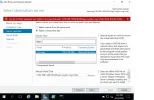
when i try to install windows feature from "core-nug" OR "gui-nug" on Offline VHDX(core-nug.vhdx OR gui-nug-) residing on Host i.e. H1 - 192.168.1.200, i get following Error---->
location of VHDXs ---->c:\VMs\core-nug\Virtual Hard Disks\hv-nug1.vhdx' --> on 192.168.200 - Host
------------------^-----------------
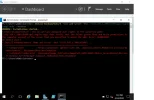
Install-WindowsFeature -Name web-server -Vhd '\\192.168.1.200\c$\VMs\core-nug\Virtual Hard Disks\hv-nug1.vhdx'
Install-WindowsFeature : You do not have adequate user rights to the specified path:
\\192.168.1.200\c$\VMs\core-nug\Virtual Hard Disks\hv-nug1.vhdx. Verify that the folder grants Read and
Write permissions to the computer account of the server that you specified to mount the VHD. Error:
0x80070005.
At line:1 char:1
+ Install-WindowsFeature -Name web-server -Vhd '\\192.168.1.200\c$\VMs\ ...
+ ~~~~~~~~~~~~~~~~~~~~~~~~~~~~~~~~~~~~~~~~~~~~~~~~~~~~~~~~~~~~~~~~~~~~~
+ CategoryInfo : PermissionDenied: (@{Vhd=\\192.168...Name=localhost} SObject) [Install-Wind
owsFeature], DeploymentProviderException
+ FullyQualifiedErrorId : DeploymentImage_InitializeImagePath_GetFileAttributes_AccessDenied,Microsoft
.Windows.ServerManager.Commands.AddWindowsFeatureCommand
-------------------^--------------
kindly respond ASAP. Thanks in advance.
i have win 10 hyper-v host --> (H1 - 192.168.1.200)
i have created to VMs, viz. 1} hv-nug1, 2}gui-nug, 3}core-nug --> "gui-nug" & "core-nug" are Clonned from "hv-nug1".
when i try to install windows feature from "core-nug" OR "gui-nug" on Offline VHDX(core-nug.vhdx OR gui-nug-) residing on Host i.e. H1 - 192.168.1.200, i get following Error---->
location of VHDXs ---->c:\VMs\core-nug\Virtual Hard Disks\hv-nug1.vhdx' --> on 192.168.200 - Host
------------------^-----------------
Install-WindowsFeature -Name web-server -Vhd '\\192.168.1.200\c$\VMs\core-nug\Virtual Hard Disks\hv-nug1.vhdx'
Install-WindowsFeature : You do not have adequate user rights to the specified path:
\\192.168.1.200\c$\VMs\core-nug\Virtual Hard Disks\hv-nug1.vhdx. Verify that the folder grants Read and
Write permissions to the computer account of the server that you specified to mount the VHD. Error:
0x80070005.
At line:1 char:1
+ Install-WindowsFeature -Name web-server -Vhd '\\192.168.1.200\c$\VMs\ ...
+ ~~~~~~~~~~~~~~~~~~~~~~~~~~~~~~~~~~~~~~~~~~~~~~~~~~~~~~~~~~~~~~~~~~~~~
+ CategoryInfo : PermissionDenied: (@{Vhd=\\192.168...Name=localhost}
SObject) [Install-WindowsFeature], DeploymentProviderException
+ FullyQualifiedErrorId : DeploymentImage_InitializeImagePath_GetFileAttributes_AccessDenied,Microsoft
.Windows.ServerManager.Commands.AddWindowsFeatureCommand
-------------------^--------------
kindly respond ASAP. Thanks in advance.