

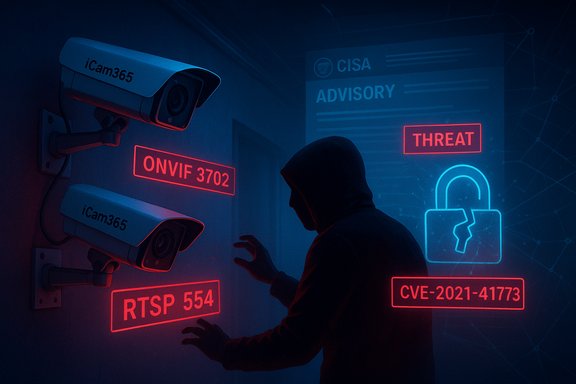
iCam365 cameras sold under model names P201 (ROBOT PT Camera) and QC021 (Night Vision Camera) have been publicly flagged in a CISA Industrial Control Systems advisory for unauthenticated access to ONVIF and RTSP services, a weakness that can expose live video streams and sensitive configuration data to unauthorised parties. The advisory lists affected firmware as versions 43.4.0.0 and prior, assigns CVE identifiers to the findings (CVE-2025-64770 for ONVIF and CVE-2025-62674 for RTSP) and reports CVSS v3.1 and v4 base scores in the mid-to-high sevens — reflecting a network‑accessible, low‑complexity attack path with significant confidentiality impact. The advisory and its operational guidance form the basis for this technical feature and the recommended response steps.
iCam365 is a vendor-supplied camera ecosystem managed via a mobile/cloud app and marketed globally; the vendor’s product pages and app entries confirm the brand, distribution channels and broad device family used in small business and commercial deployments. The vendor homepage and app listings show active distribution of iCam365 software across platforms, underscoring the potential scale of exposure. The CISA advisory frames the technical problem as Missing Authentication for a Critical Function (CWE‑306) — specifically, management or streaming services that should require credentials are accepting unauthenticated requests. In plain English: an attacker who can reach the affected camera over the network may be able to call ONVIF endpoints or open RTSP streams without supplying valid credentials, effectively bypassing the camera’s intended access controls. The advisory warns this can reveal live video, stored camera configuration, and possibly permit configuration changes that impair detection or availability.
This is not an isolated pattern. CISA and public vulnerability advisories for other camera ecosystems (Ubox, Survision, PTZOptics, etc. show repeated occurrences where insecure defaults, unauthenticated management endpoints, or poorly protected cloud/proxy credentials allow remote access to feeds or configuration. These camera advisories collectively show a recurring operational model: low-cost camera hardware + convenience-first provisioning + cloud relay/app reliance = systemic risk when authentication is absent or bypassable.
Operational authorities and security teams should:
(For ease of operational adoption, use the step-by-step remediation checklist above as the primary incident playbook and cross-check device firmware builds against the advisory’s listed version string before any automated bulk actions.
Source: CISA ICAM365 CCTV Camera Multiple Models | CISA
 Background / Overview
iCam365 is a vendor-supplied camera ecosystem managed via a mobile/cloud app and marketed globally; the vendor’s product pages and app entries confirm the brand, distribution channels and broad device family used in small business and commercial deployments. The vendor homepage and app listings show active distribution of iCam365 software across platforms, underscoring the potential scale of exposure. The CISA advisory frames the technical problem as Missing Authentication for a Critical Function (CWE‑306) — specifically, management or streaming services that should require credentials are accepting unauthenticated requests. In plain English: an attacker who can reach the affected camera over the network may be able to call ONVIF endpoints or open RTSP streams without supplying valid credentials, effectively bypassing the camera’s intended access controls. The advisory warns this can reveal live video, stored camera configuration, and possibly permit configuration changes that impair detection or availability.This is not an isolated pattern. CISA and public vulnerability advisories for other camera ecosystems (Ubox, Survision, PTZOptics, etc. show repeated occurrences where insecure defaults, unauthenticated management endpoints, or poorly protected cloud/proxy credentials allow remote access to feeds or configuration. These camera advisories collectively show a recurring operational model: low-cost camera hardware + convenience-first provisioning + cloud relay/app reliance = systemic risk when authentication is absent or bypassable.
What the advisory says, succinctly
- Affected models: ROBOT PT Camera P201 and Night Vision Camera QC021.
- Affected firmware: versions 43.4.0.0 and prior.
- Vulnerability classes:
- Unauthenticated access to ONVIF services — assigned CVE‑2025‑64770 (confidentiality of camera configuration and streams at risk).
- Unauthenticated access to RTSP services — assigned CVE‑2025‑62674 (live-stream exposure risk).
- Severity: Cited CVSS v3.1 and CVSS v4 vectors produce scores around 6.8 (v3.1) and 7.0 (v4) for each finding — categorised as high to important due to network attack vectors and high confidentiality impact.
- Operational guidance: CISA recommends network isolation, segmentation, removal of Internet exposure, VPN or hardened jump-host access for management, and overall defense‑in‑depth measures; it notes the vendor did not respond to coordination requests.
Why this matters: practical risk model
- Live video confidentiality — camera feeds can contain private, sensitive or business-critical information. Unauthorised viewing of feeds is an immediate privacy breach and can enable surveillance or stalking. The advisorial scoring emphasises confidentiality as the dominant impact.
- Operational integrity and availability — management endpoints often control PTZ, recording schedules, motion detection and event triggers. If unauthenticated configuration changes are possible, attackers can blind cameras, erase recordings or alter detection windows, producing operational blind spots at critical moments.
- Pivot and lateral movement — cameras typically sit at network edges and sometimes share VLANs with other IoT or OT devices. A compromised or abused camera can provide reconnaissance or a foothold for attackers to move laterally into NVRs, management servers (often Windows hosts running VMS/NVR software), or adjacent application systems.
- Scale and automation risk — low attack complexity and network exposure make mass scanning and automated exploitation feasible. Attackers can scan public IP ranges, identify ONVIF or RTSP endpoints, and attempt unauthenticated queries at scale. Where vendors supply convenient cloud relay services or default open ports are left exposed, the blast radius grows quickly.
Technical analysis: ONVIF and RTSP as attack surfaces
ONVIF services
- What ONVIF is: an industry standard for network camera discovery and remote control (PTZ, device management, eventing).
- Typical expectation: ONVIF endpoints should require authenticated SOAP calls (username/password) or token-based credentials. Proper deployments enforce secure channels (HTTPS/TLS) and require administrative credentials for configuration‑level methods.
- The weakness: If ONVIF methods expose device profile, credentials, or configuration without authenticating the caller, an attacker can enumerate device capabilities, read configuration (network, NVR credentials, event rules) and in some implementations call control methods (PTZ, setPreset) unauthenticated. This both exposes sensitive metadata and may permit operational tampering.
RTSP streams
- What RTSP is: Real-Time Streaming Protocol used to request media streams from the device. Streams are commonly protected via Basic or Digest authentication; some devices support tokenized or encrypted transport (SRTP).
- The weakness: If RTSP endpoints accept connections without credentials, or if manufacturer cloud relays accept connections based on easily obtained tokens or weakly protected pairing, an attacker can open live feeds remotely. Even if the management UI is locked, RTSP endpoints are a parallel channel that, when unauthenticated, defeats UI restrictions.
Common implementation failures observed in camera advisories
- Default/blank credentials enabled on factory images.
- First-boot provisioning not forcing a password change.
- ONVIF or RTSP stacks left accessible on LAN/WAN without network access controls.
- Cloud-brokered token secrets stored or exposed via provisioning endpoints, allowing replay or reuse.
- Application-layer “convenience” that exposes management interfaces to vendor mobile apps without strong mutual authentication.
Verification and sources — what could be independently confirmed
- The iCam365 brand and management app are publicly available and distributed through official app stores and the vendor website, confirming the vendor’s product presence and distribution footprint.
- The CISA advisory text (the primary document provided) details the specific affected models, firmware range and the two CVE assignments; that advisory is the authoritative source for the immediate triage guidance cited here.
- Independent CISA camera advisories and public vulnerability write-ups show the same technical pattern (unauthenticated ONVIF/RTSP exposure) across multiple vendors, reinforcing that this is a recurring, practical risk for camera ecosystems and not an isolated theoretical concern.
Immediate triage checklist (minutes — hours)
These are prioritized, actionable tasks for incident responders and IT/OT teams to apply now.- 1. Discover and inventory — locate every iCam365 device (P201, QC021 and any unknown variants) on your network. Map IP, MAC, firmware version and physical location. Use ARP/Nmap and ONVIF discovery tools.
- 2. Remove Internet exposure — block any inbound firewall rules or NAT port forwards that expose camera management ports (HTTP/HTTPS), ONVIF (commonly 8080/5000/3702) and RTSP (port 554) to the public Internet. Do this immediately.
- 3. Isolate — move cameras to a dedicated VLAN with restrictive outbound rules. Deny access from corporate workstations and servers except explicitly authorised management hosts.
- 4. Block cloud-relay bypasses — where vendor cloud services create persistent tunnels, review whether those services can be disabled or restricted; require vendor maintenance tunnels to originate from vendor IP ranges and pass through jump hosts.
- 5. Temporarily disable RTSP/ONVIF where feasible — if your environment can tolerate it, disable RTSP and ONVIF services on affected cameras until patches are available or the device is isolated.
- 6. Check for signs of compromise — look for unexpected client connections to RTSP endpoints, new admin accounts, or unexplained configuration changes in camera logs and NVR logs. Preserve logs and snapshots for forensics.
Short- and medium-term remediation (24 hours — weeks)
- Apply vendor firmware updates if and when they become available. Where vendors provide signed firmware, validate checksums and use a staged pilot update before mass rollout.
- For devices that cannot be patched, plan for compensating controls: permanent network isolation, replace devices for high‑risk sites, or restrict camera function to “view-only” behind an authorised proxy that authenticates and logs all access.
- Enforce unique admin credentials for each device and rotate them into a secrets manager. Disable default accounts and set strong passwords (passphrases, not predictable sequences).
- Harden remote access: require MFA, client certificates, and jump-host mediation for administrative sessions; do not rely solely on VPNs. Recognize VPN endpoints are only as safe as their connected clients.
Detection and logging recommendations
- Add IDS/IPS rules to detect unexpected ONVIF discovery/scans and unauthenticated RTSP session establishments. Watch for port 554/RTSP and ONVIF SOAP calls from external IPs.
- Centralise logs from cameras and NVRs to a hardened SIEM with alerting for configuration changes or new streams being opened. Log access attempts to administrative endpoints and correlate with network flows.
- Monitor for anomalous outbound connections from camera subnets to unfamiliar cloud endpoints; unexpected egress may indicate relay or data exfiltration.
For Windows administrators: why this matters for your estate
Many camera management suites, NVR software and video analytics platforms run on Windows servers and workstations. A successful camera compromise can be an initial foothold to:- Harvest credentials stored in management consoles or in backup configuration exports kept on Windows hosts.
- Trigger malicious firmware updates delivered via management servers, potentially pushing malicious payloads to Windows-connected systems.
- Use camera subnets to scan for Windows administrative shares or poorly segmented RDP endpoints.
Vulnerability disclosure and vendor coordination — what to watch
- The advisory notes iCam365 did not respond to coordination requests; this absence of vendor response is operationally meaningful because defenders may not receive vendor-supplied mitigation or patch timelines. In such cases, organisations must treat devices as unpatchable until proven otherwise and favour isolation or replacement for high-risk deployments.
- CVE publication timelines can lag. Where CVE IDs are assigned in an advisory but not yet indexed in MITRE/NVD, track both the advisory canonical page and the CVE registry to confirm public records and any subsequent scoring changes. At the time of drafting, a MITRE/NVD lookup did not show the two CVEs indexed, so verify before automating actions tied to CVE inventory systems.
Critical weaknesses in product design that produce recurring camera advisories
- Insecure default configuration — devices shipped with open services and no enforced first-boot password change.
- Fragmented authentication models — management UI may be locked but parallel streaming (RTSP) or protocol endpoints (ONVIF) remain unauthenticated.
- Cloud relay/token reliance without robust token lifecycle — pairing tokens or brokered connections, if recoverable, can grant access to multiple devices.
- Lack of vendor transparency / no coordinated disclosure — vendors that do not respond to coordination requests force defenders to rely on network controls rather than patches.
Step-by-step remediation plan for administrators
- Inventory cameras: export a device list (model, firmware, IP, serial).
- Block public access: remove port forwards, add perimeter deny rules for camera management ports.
- Isolate: place cameras on dedicated VLAN(s) with strict egress rules.
- Disable ONVIF/RTSP if not needed; otherwise restrict to a single hardened NVR host.
- Rotate any shared credentials; enforce unique, strong admin passwords per device.
- Stage firmware updates with a pilot validation device, test functionality (PTZ, NVR integration, recording) then roll out update.
- Implement monitoring and IDS rules for ONVIF/RTSP anomalies.
- If vendor patch unavailable, plan replacement for high-priority sites and negotiate SLA/patch commitments in procurement contracts for future purchases.
Notable strengths and limitations of the advisory approach
Strengths:- The advisory provides precise affected models and firmware ranges, enabling fast triage for operators who can inspect devices.
- Practical mitigations are standard but effective: isolate, block Internet exposure, require secure remote access, and rotate credentials. These are implementable immediately and reduce near-term risk.
- Vendor non‑response means no vendor patch plan; defenders face prolonged reliance on compensating network controls or replacement plans.
- CVE indexing lag in public registries complicates automated vulnerability management workflows that rely on NVD/MITRE feeds. Validation against the advisory and vendor sources is necessary.
- Operational cost and downtime for large estates: patching or replacement at scale is time-consuming, and enforcement of uniform hardening (first‑boot password policies, unique credentials) may be incomplete across sites and integrators.
Procurement and long-term defence: what organisations should demand
- Secure‑by‑default products: devices must mandate password change on first boot, disable unused services, and require mutual TLS or certificate-based management where possible.
- Transparent vulnerability disclosure: vendors should commit to a CNA disclosure process with timely patches and signed firmware releases.
- Firmware signing and verifiable update mechanism: ensure updates are cryptographically verifiable and distributed via controlled channels.
- Device lifecycle guarantees: procurement contracts should include patch SLA terms and end-of-life (EoL) notices with migration windows.
Practical indicators of compromise (IOCs) and hunting queries
- Unexpected inbound RTSP connections from external IPs to camera subnets.
- ONVIF discovery or SOAP requests originating from unknown hosts on the network.
- New or changed admin users on camera/NVR configuration exports.
- Persistent outbound connections from cameras to unusual cloud endpoints not documented by the vendor.
- Configuration or schedule changes outside of maintenance windows, or unexplained removal of motion detection and retention settings.
Final assessment and recommended next steps
The iCam365 advisory describes a classic and hazardous camera weakness: unauthenticated access to channels that should be protected. The practical exploitability is high in common deployment scenarios where devices are reachable across flat networks or poorly segmented remote management paths exist. Until vendor-supplied patches are available and verified, defenders must rely on network-level containment, strict segmentation, credential rotation, and monitoring to reduce exposure. Treat the affected models and firmware versions in the advisory as in-scope for immediate remediation and prioritise sites where cameras are Internet-exposed or integrated with critical operations (gates, access control, or revenue collection).Operational authorities and security teams should:
- Implement the immediate triage checklist now.
- Confirm CVE registration status in public registries and vendor portals daily. If the CVE entries appear in NVD/MITRE later, map them into vulnerability-management workflows.
- Where vendor coordination is absent, escalate to procurement and consider formal replacement plans for high-risk deployments rather than indefinite reliance on compensating controls.
(For ease of operational adoption, use the step-by-step remediation checklist above as the primary incident playbook and cross-check device firmware builds against the advisory’s listed version string before any automated bulk actions.
Source: CISA ICAM365 CCTV Camera Multiple Models | CISA
