IDEMIA ARM64 Minidriver Brings Certificate Auth to Windows 11 ARM

  • Thread Author
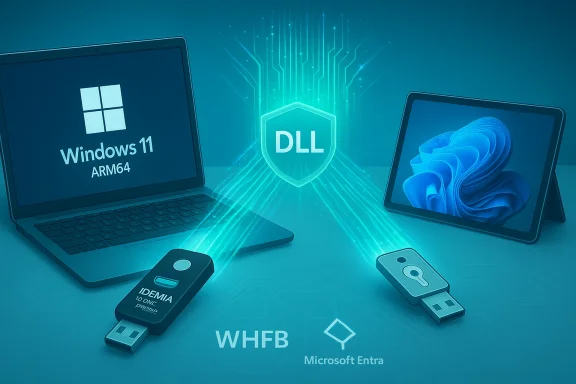
Windows 11 ARM64 devices connect through a glowing DLL security shield.
IDEMIA Public Security’s announcement that its Smart Credential Minidriver now offers full ARM64 support for the Microsoft Windows 11 ecosystem is a pragmatic and timely update for enterprises balancing high‑assurance certificate workflows with the rapid adoption of ARM‑based Windows devices. The company positions the release as a bridge that lets organizations use the same certificate‑based, PIV/CAC‑style credentials and ID‑One hardware tokens across Intel, AMD, and ARM64 endpoints while integrating with Microsoft identity constructs such as Windows Hello for Business and Microsoft Entra ID.

Background​

What IDEMIA announced and why it matters​

IDEMIA Public Security released a next‑generation Smart Credential Minidriver designed to operate natively on Windows 11 ARM64 devices in addition to traditional x86/x64 architectures. The vendor frames this capability as removing a practical interoperability gap that has impeded rollouts of battery‑efficient ARM laptops and tablets in environments that still require certificate‑based authentication and hardware tokens. IDEMIA saysrates with Windows Hello for Business and Microsoft Entra ID and supports its ID‑One PIV 243 smart card and ID‑One USB security key lines.
This is not a purely marketing move: the minidriver pattern is Microsoft’s recommended integration path for smart‑card vendors, and a properly implemented, signed ARM64 minidriver lets Windows’ Base Cryptographic Service Provider (Base CSP) or Key Storage Provider (KSP) interact with a credential through a stable, OS‑supported interface. That interface shields Windows and applications from card‑specific details and makes certificate provisioning, PIN handling, and signing operations consistent across devices. Microsoft documents this architecture and the minidriver API as the supported model for card vendors.

Overview: smart‑card minidrivers and the Windows security stack​

The minidriver role in simple terms​

A smart‑card minidriver is a DLL that exports a fixed set of functions defined by Microsoft’s minidriver specification. It translates card‑ or token‑specific file layouts and commands into a uniform interface consumed by the Base CSP/KSP and the Smart Card Resource Manager. This design reduces the amount of custom middleware Windows and applications need to understand a particular credential. Implemented correctly, a minidriver enables:
  • Certificate enumeration and selection by Windows and applications
  • PIN / PUK handling and policy enforcement
  • Cryptographic operations (sign/verify, key generation) routed to the hardware token
  • Compatibility with native Windows authentication flows, including smart‑card logon and certificate‑based web authentication.

Why minidrivers still matter in a world that likes passkeys​

Passkeys and FIDO2/WebAuthn offer modern, phishing‑resistant authentication that many organizations are adlated industries—federal, defense, some healthcare and financial sectors—often continue to require certificate‑based workflows (PIV/CAC), cryptographic signatures (S/MIME), and audited credential lifecycles. Because minidrivers are the standard way to expose those certificate capabilities to Windows, they remain an essential component for organizations that cannot or will not replace certificate‑centric infrastructure immediately. IDEMIA’s ARM64 minidriver preserves that option on new device classes without forcing an all‑or‑nothing migration to FIDO2.

Technical deep dive​

Why ARM64 support is nontrivial​

Windows on ARM64 has matured considerably, but a nontrivial amount of middleware in the security and PKI ecosystem has historically been compiled only for x86/x64. That binary‑compatibility gap can prevent Windows on ARM from loading vendor middleware or drivers, leading to degraded or absent smart‑card behavior on otherwise capable devices.
An ARM64 minidriver is not just a recompile; it must:
  • Export the exact API surface Windows expects from a minidriver.
  • Be compiled for the ARM64 instruction set and properly code‑signed for the ple with host drivers for smart‑card readers (CCID drivers), contactless stacks (NFC), and USB token firmware.
  • Integrate cleanly with the Windows Smart Card Resource Manager, caching semantics, and the Base CSP/KSP models.
When IDEMIA claims “full ARM64 support,” the practical meaning — and the part you must validate in testing — is that the vendor has produced, signed, and tested an ARM64 minidriver binary Windows on ARM can load and use to perform PKI operations in the same way x64 Windows does.

Windows Hello for Business and Microsoft Entra integration​

Windows Hello for Business (WHfB) is Microsoft’s platform for device‑bound, phishing‑resistant authentication. It supports certificate‑based authentication (CBA) and key‑trust models that can be integrated with conditional access in Microsoft Entra ID. For an ARM64 minidriver to deliver value in modern Entra workflows, it must expose certificates and sign operations so that WHfB, CloudAP, and Entra can use them for authentication flows such as CBA and derived PIV scenarios. IDEMIA’s announcement explicitly targets these integration points, which are critical for enterprises trying to unify their authentication posture across architectures.

Product positioning and compatibility claims​

What the release says about hardware tokens​

IDEMIA ties the new minidriver to its established hardware: notably the ID‑One PIV 243 smart card and the ID‑One USB security key. The PIV 243 has been positioned by IDEMIA as a government‑grade credential with FIPS‑family validations in the past; pairing hardware that already meets compliance expectations with broader OS support is the expected next step for federal and regulated buyers. The PR specifically names these tokens as compatible hardware.

Distribution and signing — critical operational details​

Microsoft recommends that minidrivers be distributed as properly signed packages and that vendors leverage trusted update channels where possible. Enterprises should confirm:
  • The exact minidriver vers
  • The code‑signing certificate used and its trust chain.
  • The distribution mechanism (MSI/MSIX/Intune package, Windows Update Catalog entry, or other).
  • The vendor’s patch and response SLAs for security fixeent does not substitute for these details; procurement teams and administrators must obtain and validate them prior to production rollout. Microsoft’s documentation underscores the importancnd distribution for cryptographic middleware.

Whapractical benefits​

  • Unified policy across device architectures: With an ARM64 minidriver, IT can apply the same certificate‑based authentication and conditional access rules whether the endpoint is Intel, AMD, or ARM. This reduces policy fragmentation and lowers the risk of drift between device classes.
  • Support for regulated workflows: Public sector and contractor environments that require PIV/CAC tokens retain their compliance path even as endpoint hardware shifts to ARM for energy and thermal advantages.
  • Greater device choice and battery life: Organizations can adopt ARM laptops and tablets for mobile crews and clinicians without sacrificing certificate‑based authentication requirements.
  • Reduced helpdesk friction: Native ARM64 support reduces surprises when tokens or readers are used with new ARM devices, eliminating many common support tickets caused by missing middleware.
These are meaningful operating improvements for IT teams, particularly in large inventories where replacing endpoint fleets is costly and slow.

Risks, limitations, and governance questions​

No single vendor update eliminates all risk. The most important deployment considerations are technical compatibility, update governance, and biometric/privacy handling.

1) Driver signing, provisioning, and lifecycle management​

Windows enforces signing policies more strictly on ARM64 devices in many enterprise configurations. Confirming the minidriver is properly signed for ARM64 and rts a defensible update channel is essential. Enterprises should require the vendor to deliver:
  • Signed installers and checksums.
  • Windows Update Catalog or documented enterprise deployment instructions (MSIX/Intune).
  • Security patch SLAs and a vulnerability disclosure process.

2) Compatibility with readers and firmware​

Minidrivers are only one piece of the puzzle. Real‑world deployments use a mix of readers (contact, contactless, NFC) and host drivers (CCID). Not all reader vendors publish ARM64 builds for their host drivers. IT must test the whole stack — reader firmware, host drivers, the minidriver, an the actual ARM64 hardware that will be used in production. Failure to do so can leave surprising blind spots (e.g., NFC contactless flows that work on x64 but not ARM due to missing reader drivers).

3) Biometric and privacy governance​

IDEMIA is a biometric specialist, and its broader product portfolio includes identity proofing and liveness detection. When biometric templates, attestations, or proofing services are part of a credential lifecycle, procurement must include strict controls:
  • Minimal data retention and encryption‑at‑rest controls.
  • Clear contractual terms for biometric template usage, retention, and deletion.
  • Breach notification clauses and independent audit rights.
Vendors who become long‑term stores of biometric templates create a concentration of risk that organizations must manage.

4) Vendor lock‑in and interoperability concerns​

A tightly integrated minidriver can improve the experience but also creates dependence. Procurement teams shouility testing evidence, documented APIs, and contractual portability clauses so that organizations can change suppliers without prohibitive operational costs. Consider hybrid strategiesskey fallback) as part of resilience planning.

5) Treat vendor marketing claims as aspirational until proven​

Vendor press releases often use aspirational language such as “seamless” or “future‑ready.” Inde a published compatibility matrix, test results, and case studies from real deployments — should precede widescale adoption. Administrators should ask IDEMIA for concrete configuration guides demonstrating Windows Hello for Business enrollment, derived PIV flows, and Entra conditional access working end‑

A practical deployment checklist (recommended)​

  1. Inventory: Catalog current smart‑card readers, token models (ID‑One PIV 243, ID‑One USB), and planned ARM6. Vendor artifacts: Request the minidriver version, build artifacts, code‑signing certificate chain, installer packages, and a detailed compatibility matrix cove and servicing channels.
  2. Lab test: Build a small Intune/AD‑joined test fleet with representative ARM64 devices and readers. Configure a non‑production Entra tenant and conditional access policieson. Exercise: smart‑card logon, CBA web SSO, S/MIME signing, WHfB enrollment, and derived PIV registration.
  3. Interop checks: ValidateCCID behavior, NFC/contactless stacks, PIN caching semantics, and Smart Card Resource Manager traces for anomalies.
  4. Security review: Confirm signing, patch distribution, and SLAs. Ask for pen test summaries o attestations for minidriver components.
  5. Privacy and procurement clauses: Demand biometric governance documentation where proofing or templates are used, and include breach notification, retention limits, and audit rights in contracts.
  6. Pilot rollout: Start with a small, high‑value pilot group (helpdesk and security teams), monitor auth success metrics, and iterate.
  7. Full rollout: Use enterprise packaging (MSIX/Intune/SCCM) with monitoring and rollback plans. Document all procedures and maintain a fallback plan (e.g., passkeys or alternative tokens) for emergency access.

Competitive context: where certificates fit alongside passkeys and FIDO2​

The minidriver strengthens certifr enterprises, but it does not eliminate the benefits of FIDO2 and passkeys. FIDO2 keys (YubiKey‑style devices) and platform passkeys offer arguably simpler, user‑friendly, phishing‑resistant authentication for many modern apps. For many organizations the best long‑term approach will be a hybrid strategy:
  • Preserve certificate pathways where compliance or signing is mandatory.
  • Adopt FIDO2/passkeys for user‑facing, cloud applications to reduce helpdesk overhead.
  • Use derived PIV and WHfB integrations where the organizational risk model supports a blended model.
IDEMIA’s minidriver keeps certificates viable on ARM devices; organizations should view that as a strengthening of choice, not a mandate to ignore modern passwordless alternatives.

What to ask IDEMIA before committing​

  • Provide a detailed compatibility matrix (device models, Windows build versions, reader models).
  • Share the minidriver version number, digital signing certificate, and installer packages with checksums.
  • Demonstrate an end‑to‑end enrollment and authentication flow (WHfB enrollment, derived PIV, and Entra conditional access) on a representative ARM64 device.
  • Publish patching and vulnerability disclosure SLAs for the minidriver component.
  • Supply third‑party testing or independent interoperability reports, preferably from a customer or an accredited lab.
  • If identity proofing or biometric attestation is involved, provide explicit biometric data handling controls, r audit reports.

Real‑world scenarios where this change matters most​

  • Federal agencies and contractors that must maintain PIV/CAC compliance while adopting energy‑efficient ’s federal posture and prior participation in Microsoft Entra Verified ID partnerships strengthen their position here.
  • Healthcare and financial institutions that rely on certificate‑based VPN and SSO and want longer battery life on point‑of‑care devices and field terminals.
  • Distributed field workforces that need portable USB tokens or smart cards for both physical and logical access and benefit from the same credential working on every device class.

Strategic analysis — strengths and limits​

IDEMIA’s decision to produce an ARM64 minidriver is strategically sound: it aligns engineering work with customers’ real operational needs and Microsoft’s minidriver model. The announcement builds on IDEMIA’s existing partnerships with Microsoft (including Entra Verified ID activities) and the company’s government‑grade credential pedigree, making it a credible vendor choice for regulated buyers.
However, the value of the announcement depends on rigorous, independent validation. The key questions for buyers are not whether IDEMIA can compile an ARM64 DLL — they can — but whether the minidriver eir unique environment with the specific readers, token firmware, Windows servicing channel, and Entra policy sets they run. Deployments that skip exhaustive interop testing risk user frustration and helpdesk load.

Final recommendations for IT leaders​

  • Treat IDEMIA’s ARM64 minidriver as a credible, production‑oriented step toward cross‑architecture parity, but require proof: a compatibility matrix, signed installers, deployment guides, and published test ciplined pilot that includes the most security‑sensitive scenarios: PIV/CAC logon, certificate renewal, S/MIME signing, Windows Hello for Business enrollment, and conditional access gating. Capture logs and Smart Card Resource Manager traces during testing.
  • Insist on contractual clarity for patching, code signing, update distribution, and biometric data handling when applicable. Include contingency options (passkeys, alternate token vendors) in your continuity plans.
  • Favor incremental, metrics‑driven rollouts: pilot, validate, tune conditional access, expand cautiously. Use the pilot to measure authentication success rates, helpdesk tickets, and any device‑specific failure modes.

Conclusion​

IDEMIA’s ARM64‑capable Smart Credential Minidriver is a practical, well‑timed engineering response to a concrete enterprise problem: how to preserve certificate‑based, high‑assurance authentication while modernizing endpoint hardware to ARM64. The technical approach — a Microsoft‑compliant minidriver compiled and signed for ARM64 — is the right one for ensuring native behavior on Windows 11 ARM devices and for supporting Windows Hello for Business and Microsoft Entra ID flows. But the announcement is the start of a validation process, not its end. Organizations should demand concrete artifacts, run thorough interoperability tests on actual device inventories, and govern biometric and update‑lifecycle risk through procurement and legal contracts. If IDEMIA’s minidriver meets these practical checks, enterprises gain a solid path to a consistent, compliant authentication posture across the full spectrum of modern Windows hardware.

Source: The Malaysian Reserve https://themalaysianreserve.com/202...t-for-the-microsoft-windows-11-ecosystem/amp/
 

Idemia Public Security’s updated Smart Credential Minidriver finally brings native ARM64 support to the Windows 11 authentication stack, promising a single, Microsoft‑aligned path for certificate‑based smart‑card and USB‑key logon across ARM64, Intel, and AMD devices — a move that, if validated in real deployments, removes a long‑standing obstacle to large‑scale ARM device rollouts in regulated enterprises.

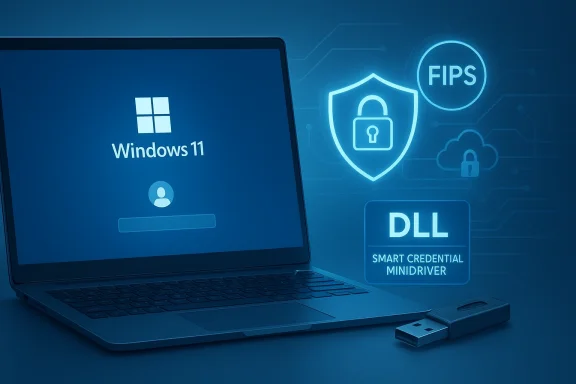
Windows 11 laptop with glowing security icons and a USB drive.Background​

The vendor announcement describes a next‑generation Smart Credential Minidriver compiled and signed for the ARM64 instruction set and packaged to integrate with the Windows 11 security model. Idemia Public Security frames the update as an interoperability bridge that lets organizations continue using certificate‑centric workflows — PIV/CAC, S/MIME, and enterprise certificate‑based web single sign‑on — while adopting battery‑efficient ARM64 laptops, tablets, and similar devices.
Idemia already positions its ID‑One family (notably the ID‑One PIV 243 smart card and ID‑One USB security keys) as government‑grade credentials with FIPS validations and placement on procurement lists, and the company says the minidriver is intended to expose those credentials consistently across modern Windows architectures. The ID‑One PIV 243’s FIPS and GSA credentials are documented in Idemia’s product materials and prior press coverage.
Why this matters now: enterprises are increasingly purchasing ARM64 Windows devices for their thermals and battery life, but historically middleware and credential drivers were built only for x86/x64. The result is inconsistent smart‑card behavior on ARM endpoints, broken enrollment flows, and extra helpdesk load. A properly implemented, signed ARM64 minidriver is the OS‑level mechanism that lets Windows’ Base Cryptographic Service Provider (Base CSP) or Key Storage Provider (KSP) interact with hardware tokens and smart cards through a single, supported API surface. Microsoft documents the minidriver model as the recommended integration pattern for exposing card capabilities to Windows.

What a smart‑card minidriver is — and why it still matters​

A smart‑card minidriver is a vendor‑specific DLL that implements a stable API so the Windows security stack (Smart Card Resource Manager, Base CSP/KSP, and applications) can perform certificate enumeration, PIN/PUK handling, and cryptographic operations (sign/verify, key generation) without vendor‑specific middleware in each del reduces complexity for IT, standardizes behavior across applications, and leverages Windows’ built‑in cryptographic lifecycle features.
Even as passkeys and FIDO2/WebAuthn adoption accelerates, many regulated environments — government, defense contracting, some healthcare and finance workflows — still require certificate‑based credentials for compliance, signature validity, audit trails, or physical/ logical access convergence. Minidrivers are the practical glue that keeps certificate pathways viable inside Windows ecosystems while allowing organizations to adopt modern, ARM‑based hardware.

The technical claim: “full ARM64 support” — what that actually means​

Idemia’s announcement claims full ARM64 support for its Smart Credential Minidriver. In practical engineering terms, that claim implies:
  • The minidriver DLL has been compiled for the ARM64 instruction set and signed with a certificate chain Windows trusts for code execution on ARM devices.
  • The binary implements the exact minidriver API surface Windows expects, integrates with the Smart Card Resource Manager, and supports the caching and transaction semantics the Base CSP/KSP relies on.
  • The vendor has validated end‑to‑end flows with the ID‑One hardware family (ID‑One PIV 243 smart cards, ID‑One USB keys) on representative ARM64 hardware and Windows 11
That work is nontrivial: minidrivers are low‑level components that must carefully manage memory, pin operations, and APDU sequences; they must also interoperate with a variety of host reader drivers (CCID), NFC/contactless stacks, and token firmware. On ARM64, some host drivers used historically on x86‑based devices may be missing or require separate ARM64 builds, and Windows enforces signing and packaging rules more strictly on some ARM systems.

Verification note​

Idemia’s PR and product pages establish intent and claim compatibility, and Microsoft’s documentation describes the minidriver model that makes this approach valid. However, vendor language such as “seamless” or “full” should be treated as an implementation claim until independent interoperability test results, a published compatibility matrix, and signed installer packages are available for enterprise validation. IT teams must insist on concrete artifacts and test evidence before wide deployment.

How this intersects with Windows Hello for Business and Microsoft Entra (technical integration)​

Idemia explicitly positions the updated minidriver to integrate with Windows Hello for Business (WHfB) and Microsoft Entra ID (formerly Azure AD) so certificate‑based flows and derived PIV scenarios can participate in conditional access and zero‑trust controls. Microsoft’s WHfB architecture supports certificate‑based authentication and device‑bound key models; for the minidriver to be useful in Entra flows it must ed perform signing operations in a way that WHfB, CloudAP, and Entra conditional access can consume.
This alignment matters in two common enterprise scenarios:
  • Certificate‑Based Authentication (CBA) for web SSO: Enterprises that deploy CBA to authenticate to internal apps or federated services can use smart cards or USB tokens if Windows can enumerate and use on‑card certificates uniformly across ARM and x64 devices. The minidriver enables that enumeration.
  • Windows Hello for Business deviderived credentials: WHfB’s device‑bound cryptographic flows can work alongside or derive from PIV/CAC credentials in hybrid trust models. A correctly implemented minidriver helps these certificate pathways integrate with Entra conditional access.

Operational impact for IT: benefits and pragmatic gains​

If the minidriver performsa supports it operationally, enterprises can expect several measurable benefits:
  • Unified authentication policy across architectures. Conditional access rules and certificate‑based policies no longer need architecture‑specific exceptions for ARM devices. This simplifies policy management and reduces drift between device classes.
  • Lowercredential incompatibility. Many support tickets today arise because tokens or readers lack ARM64 host drivers or middleware. Native minidriver support removes one major class of issues.
  • Preservation of compliance pathways. Federal and high‑assurance buyers who require PIV/CAC or FIPS‑validated tokens retain a supported deployment model as endpoints shift to ARM. Idemia’s ID‑One PIV 243 already has documented FIPS/GSA recognition that helps proy device choices.
  • Greater device choice and longer battery life options. Organizations can prioritize battery‑efd tablets for mobile workforces without forgoing certificate‑centric, high‑assurance authentication.

Risks, caveats, and what to validate before production rollout​

No single vendor update removes all operational or security risk. The key areas IT and procurement teams must verify aredistribution, and update SLAs.** Windows often enforces stricter signing policies on ARM64. Confirm the minidriver’s code‑signing certificate details, distribution mechanism (MSI/MSIX/Intune/Windows Update Catalog), checksum integrity, andonse SLAs for vulnerabilities.
  • Compatibility with readers and token firmware. Minidrivers interact with host readers and contactless stacks. Validate the entire chain — reader host drivers, CCID support, NFC contactless stacks, and token firmware — on the ARM64 hardware models you plan to deploy. Some reader vendors may not publish ARM64 builds for their host drivers.
  • Biometric and privacy governance (where applicable). Idemia is a biometric proofingn addition to a credential supplier. If biometric templates or attestations are involved in issuance, require clear contractual controls for retention, encryption, breach notification, and independent audits. Avoid designs that hand vendors permanent customplates unless explicitly necessary and contractually constrained.
  • Vendor lock‑in and portability. Deep OS integration makes switching vendors more operationally costly. Procure portability clay testing evidence, and documented APIs so you can change suppliers with minimal disruption. Keep fallback strategies (passkeys, alternate token providers) in continuity plans.
  • Treat marketing claims as aspirational until proven. Phrases like “seamless” are common in launches. Request a published compatibility matrix, reproducible test cases, third‑party interoperability reports, and case studies before trusting the claim in production.

Deployment checklist — practication​

  • Inventory existing hardware and tokens: list smart‑card readers (by model and firmware), token models (ID‑One PIV 243, ID‑One USB), and planned ARM64 endpoint models.
  • Request Idemia artifacts: compatibility matrix, exact minidriver version number, code‑signing certificate chain, signed installers with checksums, and marked Windows 11 build support.
  • Build a representative test lab: create a small Intune or AD‑joined test fleet with the ARM64 devices you plan to deploy, plus a variety of readers and tokens. Configure a non‑production Entra tenant and conditional access policies that mirror production.
  • Exercise critical flows and log res, certificate‑based web SSO, S/MIME signing, derived PIV registration, and Windows Hello for Business enrollment. Capture Smart Card Resource Manager traces and application logs for anomalies.
  • Validate update and patch processes: confirm the vendor’s vulnerability disclosure process, patch cadence, and whether Windows Update Catalog distribution is an option for enterprise management.
  • Run a controlled pilot: deploy to a small, high‑value user group (helpdesk, security team, field staff) and monitor authentication success rates, helpdesk tickets, and edge cases. Use findings to tune conditional access, recovery workflows, and packaging.
  • Contractual safeguards: demand biometric governance, retention and deletion guarantees, independent audits, and clear liability and incident response terms where proofing or biometric attestations are part of the offering.

Where this fits in a broader passwordless strategy​

Idemia’s minidriver shores up the certificate option; it does not mandate that every organization keep certificates forever. A pragmatic long‑term posture for many enterprises will be hybrid:
  • Preserve certificate‑based workflows where required by regulation, legal signing needs, or physical access convergence.
  • Adopt FIDO2/passkeys for modern cloudishing resistance and user simplicity are primary goals.
  • Use derived PIV and WHfB integrations to bridge the two worlds where appropriate, letting high‑assurance credentials interoperate with cloud passwordless flows.
This hybrid posture grants flexibility: keeing pathways intact while progressively lowering helpdesk load and improving user experience for everyday apps with passkeys and FIDO2 devices.

Strategic analysis — strengths, competition, and market contexthas a clear government‑grade pedigree: its ID‑One PIV 243 has FIPS validations and placement on procurement lists, which helps buyers in federal and regulated procurement contexts. ThatM64 minidriver a sensible, customer‑driven engineering investment.​

  • Microsoft‑aligned approach: implementing a minidriver is the recommendedo expose certificate functionality to Windows applications and services; doing this for ARM64 follows platform best practices.
  • Operational value: enterprises can pick ARM64 devices for their endpoint fleet without sacrificing compliance or having to run two separate authentication stacks.
Competition and limits
  • FIDO2 and passkey vendors (hardware keys and platform passkeys) still offer simpler user experiences and strong phishing resistance. Many organizations will prefer a hybrid strategy rather than relying solely on minidrivers for future passwordless transitions.
  • Operational complexity remains: a minidriver is only one element in a larger stack of readers, host drivers, firmware, PKI issuance, and OS servicing. The vendor that also controls proofing or biometric data introduces additional procurement and governance concerns.

Questions to ask Idemia (and what to require in procurement)​

  • Provide a published compatibility matrix listing supported Windows 11 build numbers, ARM64 device models tested, and supported reader models.
  • Share the minidriver version, the code‑signing certificate chain, signed installer packages (MSI/MSIX) and checksums, and a documented update path (Intune/Windows Update Catalog).
  • Demonstrate end‑to‑end enrollment and authentication flows (WHfB enrollment, derived PIV, Entra conditional access) on representative ARM64 devices in a recorded, verifiable test.
  • Publish patching and vulnerability disclosure SLAs and provide third‑party interoperability testing or independent lab reports where possible.
  • If biometric proofing or attestations are used in issuance, require explicit biometric data handling, retention, and breach notification controls, and demand independent audit reports.

Conclusion​

Idemia Public Security’s ARM64‑capable Smart Credential Minidriver iring‑driven answer to a concrete enterprise problem: preserving certificate‑based, high‑assurance authentication as organizations adopt ARM64 Windows devices. The launch aligns with Microsoft’s minidriver model and Idemia’s hardware credentials portfolio — including the ID‑One PIV 243 family that carries FIPS/GSA pedigree — and therefore deserves serious attention from IT and procurement teams managing regulated, certificate‑centric environments.
That said, the announcement is an initial step, not a turnkey fix. Organizations should require reproducible interoperability evidence, signed binaries and installer artifacts, published compatibility matrices, and contractual SLAs for patching and privacy before broad deployment. Rigorous lab validation and a controlled pilot should precede any mass rollout so the real operational behavior — especially across diverse readers, NFC/contactless scenarios, and the particular ARM64 hardware models in use — is understood and managed.
For enterprises balancing compliance and modern device choices, Idemia’s minidriver widens the range of viable endpoints: it preserves certificate pathways where they matter and frees IT to consider ARM64 devices without rebuilding authentication workflows from scratch. The practical payoff will follow only when the vendor’s claims are backed by verifiable artifacts, interoperability test results, and proven operational practices. Until then, treat the release as an important enabler — promising, but worthy of disciplined validation and contractual safeguards before you trust it with critical access and signing workflows.

Source: Biometric Update Upgraded Idemia PS minidriver unifies ID credentials across Windows 11 ecosystem | Biometric Update
 

Back
Top