

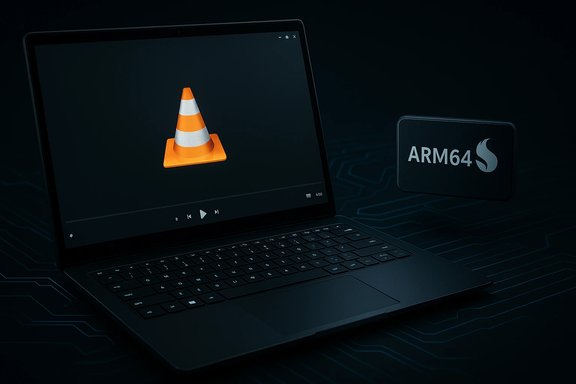
VLC’s long-awaited native Arm64 build for Windows has finally arrived, letting the ubiquitous media player run directly on Snapdragon-powered laptops and tablets without falling back to x86 emulation — and that change matters for performance, battery life, and day‑to‑day usability for Windows on Arm users.
VLC has been the Swiss‑army knife of media playback for years: free, open‑source, and able to handle an extraordinary range of codecs and containers. Until now, on many Windows on Arm devices — particularly those using Qualcomm Snapdragon X‑class SoCs — VLC was typically delivered as an x86/x64 binary and executed under Microsoft’s translation/emulation layer. That worked, but it introduced measurable overhead in CPU usage, startup time, and battery consumption for media playback.
The recent maintenance releases in the Vetinari (3.0) branch — specifically versions 3.0.22 and 3.0.23 — introduce an official Windows ARM64 build and a raft of bug fixes, codec updates, and quality‑of‑life improvements. The official release notes explicitly list Windows ARM64 support (minimum Windows 10 RS5, build 17763 / 1809) and a new Dark Mode option for Windows and Linux, among many other fixes.
However, platform maturity still depends on several complementary pieces:
The caveats are real: driver maturity, plugin availability, and OEM platform tuning will determine how large a benefit any individual user sees. For IT teams and enthusiasts, this is an excellent time to pilot the Arm64 build on representative devices, validate hardware decoding paths, and update deployment baselines to take advantage of the native binary. The VLC update is a strong, practical vote of confidence for Windows on Arm — but it’s one milestone on a longer road toward full ecosystem parity.
Source: BetaNews VLC adds native Arm support on Windows, improving playback on Snapdragon devices
 Background / Overview
VLC has been the Swiss‑army knife of media playback for years: free, open‑source, and able to handle an extraordinary range of codecs and containers. Until now, on many Windows on Arm devices — particularly those using Qualcomm Snapdragon X‑class SoCs — VLC was typically delivered as an x86/x64 binary and executed under Microsoft’s translation/emulation layer. That worked, but it introduced measurable overhead in CPU usage, startup time, and battery consumption for media playback.The recent maintenance releases in the Vetinari (3.0) branch — specifically versions 3.0.22 and 3.0.23 — introduce an official Windows ARM64 build and a raft of bug fixes, codec updates, and quality‑of‑life improvements. The official release notes explicitly list Windows ARM64 support (minimum Windows 10 RS5, build 17763 / 1809) and a new Dark Mode option for Windows and Linux, among many other fixes.
What changed in 3.0.22 / 3.0.23
Native Arm64 build for Windows
- VLC now ships a native ARM64 binary for Windows, removing the need for x86/x64 emulation on Arm‑based Windows PCs built around Snapdragon processors.
- The minimum supported Windows baseline for the Arm64 build is Windows 10 RS5 (build 17763 / 1809), though modern Windows 11 Arm machines also run the build.
- Lower CPU utilization during playback versus translated binaries.
- Improved battery life for long video sessions, because translation layers consume extra cycles.
- Faster launches and smoother UI responsiveness on playlists and when loading subtitles or container metadata.
UI polish: Dark Mode
VLC’s Qt interface gains a native Dark Mode toggle on Windows and Linux. This aligns VLC’s appearance with modern desktop themes and reduces glare during extended viewing. The feature is small but meaningful for people who prefer a coherent UI across apps, and community feedback shows some teething bugs (palette and button contrast in certain themes) that the team is already tracking.Substantial maintenance, codec updates and security fixes
The releases are maintenance‑heavy and include:- Updates to decoding libraries (dav1d, FFmpeg, libvpx, and more).
- Fixes to demuxers and subtitle rendering (WebVTT, libass improvements).
- Hardware decoding fixes covering formats such as ProRes, Opus, XVID MPEG‑4 and DVD captioning.
- Stability hardening driven by fuzzing reports (oss‑fuzz, rub.de) and several security fixes.
Verification: cross‑checking the claims
Multiple independent sources confirm the key claims:- VideoLAN’s official release notes list ARM64 support, Dark Mode, and the array of codec and demuxer fixes in 3.0.23, matching the summary above. This is the primary authoritative source for the changelog.
- Independent technology outlets and community mirrors (Windows Central, UpdateStar, Deskmodder) reported the Arm64 support and the Windows XP SP3 compatibility work, corroborating VideoLAN’s announcement and describing the practical implications for Windows on Arm devices. These reports align with VideoLAN’s changelog and community discussion threads.
- Community discussion (Reddit threads) confirms that users are seeing the new Dark Mode and are reporting minor UI issues; this provides immediate, user‑level confirmation of behavior in the wild. Those posts also illustrate that users should verify they’ve installed the correct architecture build (x86 vs x64 vs Arm64), which can explain mixed behavior when multiple VLC installs exist.
- Statements about battery life and system‑level gains should be validated on a device‑by‑device basis. Benchmark and battery claims tied to Snapdragon X series silicon are vendor‑supplied and depend heavily on OEM thermal design, driver maturity, and real‑world workloads. Treat those performance claims as directional until validated in independent, hands‑on reviews.
Technical analysis: why native Arm matters for media playback
Emulation overhead vs native execution
Emulation translates x86/x64 instructions to Arm64 at runtime. That translation adds CPU overhead and sometimes increases memory bandwidth use. For a media player, two areas are affected:- Startup and UI responsiveness: Emulation can add latency when loading large playlists or parsing complex container metadata.
- Continuous playback efficiency: Even if hardware decoding offloads most work to the GPU/VPU, the control path (demuxing, subtitle processing, UI updates) benefits from lower CPU utilization when native.
Hardware decoding and driver dependencies
VLC relies on platform APIs and drivers for hardware‑accelerated video decoding. On Windows this typically involves Media Foundation, D3D11/DXVA, and vendor‑supplied GPU drivers (Adreno on Snapdragon devices).- The new VLC release improves compatibility with hardware decoding across numerous codecs, but the real-world effectiveness depends on OEM driver maturity and the availability of decode profiles for the chipset.
- On some Arm devices, community projects and OEM driver updates have already enabled robust D3D11VA and Media Foundation paths; on others, missing or buggy drivers can limit hardware acceleration. The VLC release reduces software obstacles but cannot fix missing or immature driver support.
Minimum OS requirement (clarity)
VideoLAN lists Windows 10 RS5 (build 17763 / 1809) as the minimum baseline for Windows ARM64 support in 3.0.23. That means administrators deploying the Arm64 build should ensure device OS baselines meet that requirement. Modern Windows 11 Arm devices are, of course, compatible as well.Practical guidance: adoption and testing checklist
For individual users and IT teams planning to adopt the native Arm build, follow this practical sequence:- Verify the device is Arm64 (Snapdragon X series or other Windows Arm SoC). Check system > About to confirm “Processor” and “System type.”
- Confirm the OS baseline is at least Windows 10 RS5 (build 17763 / 1809) or a current Windows 11 Arm build. If not, plan an OS update before deploying the Arm64 installer.
- Download and install the ARM64 VLC installer (not x86/x64) from the official builds page or your managed software repository.
- Test a representative media set:
- 4K/HEVC and AV1 streams to exercise hardware decoder paths.
- Long playlists and multiple subtitle tracks (WebVTT, .srt, .ass) to validate demuxers and subtitle renderer stability.
- Images and slideshows that previously failed or showed rendering issues (JPEG with JFIF headers, PNG edge cases).
- Toggle Dark Mode and confirm UI behavior with your system theme (Dark Mode in Windows or a Qt fusion style if you see interface inconsistencies).
- For fleet deployments, pilot on a small ring of devices, collect crash and telemetry data, and stage a broader rollout only after verifying driver/codec behaviors in your managed configuration.
Strengths of the release
- Ecosystem signal: A widely used open‑source project shipping an Arm64 Windows build is an important vote of confidence for Windows on Arm. It reduces friction for other developers and validates that the architecture is worth supporting.
- Maintenance focus: The release fixes a large number of demuxer and parsing bugs (some security‑relevant) and updates key third‑party libraries (dav1d, FFmpeg, libvpx). That improves playback quality and reduces exposure to exploit vectors in untrusted media.
- Usability fixes: Small but meaningful fixes — like renaming/moving/deleting a file while it’s playing on Windows — directly improve daily workflows for power users.
Limitations and risks
- Driver and hardware variance: Native VLC cannot overcome poor or missing GPU/codec drivers. On some Arm hardware, hardware acceleration may remain spotty until OEMs deliver mature Adreno drivers for Windows. Users should validate hardware decode behavior on their specific model.
- Plugin and extension compatibility: Certain third‑party plugins or helper binaries that existed as x86/x64 may not be available in Arm64 form. Workflows relying on legacy add‑ons require testing.
- Security posture for legacy OS: The release lists fixes improving compatibility with Windows XP SP3. That’s useful for preserving functionality on legacy systems, but those systems remain insecure on networks; the compatibility note is about functionality, not a security endorsement. Running modern networked workloads on XP is still strongly discouraged.
- Vendor benchmark caveats: Broader claims about Snapdragon X series performance and battery life should be treated as vendor‑supplied until independent reviews confirm them. Users should rely on hands‑on reviews for concrete power and performance expectations.
Deep dive: what power and performance gains to realistically expect
The move to a native Arm64 binary typically yields these measurable improvements for media playback workflows:- Lower background CPU usage while playing software‑decoded streams or while the player is managing lots of subtitle rendering or complex containers.
- Reduced translation overhead, which can shave seconds off large playlist loads and lower transient CPU spikes during seeking or container probing.
- Better thermal headroom during prolonged playback, potentially preserving battery life under the same display brightness and audio levels — but the improvement magnitude depends on driver offload and SoC tuning.
What this means for Windows on Arm momentum
VLC joining the roster of native Arm apps is both symbolic and practical. Symbolically, it signals to developers and IT teams that Arm‑native Windows applications are now a mainstream expectation rather than an edge case. Practically, it improves the day‑to‑day experience for users of Snapdragon laptops and other Arm Windows hardware.However, platform maturity still depends on several complementary pieces:
- Consistent, timely GPU and multimedia driver updates from OEMs or silicon vendors.
- Native ports of other critical creative and productivity tools.
- Continued improvements in the OS translation stack for the legacy binaries that still lack native ports.
Quick FAQ (practical answers)
- Will the Arm64 VLC build play everything my old VLC did?
Most likely yes for common formats. The release updates many codec libraries and fixes numerous demuxer issues. However, if your workflow depends on niche plugins or kernel‑mode drivers, test first. - Do I need Windows 11 to use VLC Arm64?
No — the Arm64 build supports Windows 10 RS5 (build 17763 / 1809) and above, so Windows 10 Arm devices that meet that build baseline can run it. Still, Windows 11 Arm machines are fully supported and are recommended for the latest platform features. - Will this save battery life on my Snapdragon laptop?
It can reduce CPU overhead and improve efficiency, particularly for software‑heavy workloads. The exact battery improvement depends on hardware decoders, OEM drivers, and your typical workloads; validate with a short battery loop test on your specific device. - Is the Dark Mode feature finished?
It’s included and ships with the release, but user reports show minor palette and control contrast issues on certain theme/style combinations. If you see oddities, check that you installed the matching architecture build and try switching the Qt style (Fusion/Windows) as a workaround until fixes roll out.
Conclusion
VLC’s native Windows ARM64 build is a meaningful practical upgrade for anyone using Windows on Arm hardware. It reduces emulation overhead, tightens media playback behavior, and signals broader platform maturity when a cornerstone open‑source app invests in Arm support. The releases also bring long‑needed maintenance and security fixes across codecs and demuxers and add small but helpful user improvements such as Dark Mode and file management while playing.The caveats are real: driver maturity, plugin availability, and OEM platform tuning will determine how large a benefit any individual user sees. For IT teams and enthusiasts, this is an excellent time to pilot the Arm64 build on representative devices, validate hardware decoding paths, and update deployment baselines to take advantage of the native binary. The VLC update is a strong, practical vote of confidence for Windows on Arm — but it’s one milestone on a longer road toward full ecosystem parity.
Source: BetaNews VLC adds native Arm support on Windows, improving playback on Snapdragon devices
