

Microsoft appears ready to deepen Copilot's role inside Microsoft 365, moving from a sidebar helper to an in‑app assistant across Office apps — and the implications for productivity, security, and IT governance are substantial.
Microsoft's AI strategy has been evolving rapidly: what began as Copilot chat and side‑pane assistants has matured into a broader, tenant‑aware ecosystem that includes agents, persistent canvases, and admin control planes. Over the last year Microsoft has steadily introduced features that bring generative AI into Word, Excel, PowerPoint, Outlook, OneDrive, and Teams, and the company is now signaling a broader rollout of in‑app Copilot experiences for everyday Microsoft 365 users. These moves include new product SKUs for small and medium businesses, deeper Office integration (in‑app chat panes and action-focused agents), and OneDrive‑based AI agents that operate on grouped document contexts.
This article breaks down what’s known and what’s still uncertain, verifies key technical claims reported in recent coverage and vendor announcements, and explains what IT teams, administrators, and end users should plan for next.
For independent software vendors and third‑party developers, the opening of Copilot as a platform — with agents and connectors — creates opportunities to build specialized agents and automation workflows that can be distributed across tenants.
At the same time, this shift raises new operational questions for IT: governance, privacy, license management, and auditability must be addressed before broad enablement. The right approach is cautious and pragmatic: pilot, policy, educate, and monitor. Organizations that treat Copilot as a platform — not just a feature — will gain the most while managing the attendant risks.
If you manage Microsoft 365 today, this is a strategic inflection point: plan pilots now, review tenant controls, and align procurement to the new Copilot SKUs so your teams can benefit from the next wave of AI‑infused productivity while keeping compliance and security responsibilities firmly under control.
Source: Windows Report https://windowsreport.com/microsoft-may-soon-expand-copilot-capabilities-across-microsoft-365-apps/
 Background
Microsoft's AI strategy has been evolving rapidly: what began as Copilot chat and side‑pane assistants has matured into a broader, tenant‑aware ecosystem that includes agents, persistent canvases, and admin control planes. Over the last year Microsoft has steadily introduced features that bring generative AI into Word, Excel, PowerPoint, Outlook, OneDrive, and Teams, and the company is now signaling a broader rollout of in‑app Copilot experiences for everyday Microsoft 365 users. These moves include new product SKUs for small and medium businesses, deeper Office integration (in‑app chat panes and action-focused agents), and OneDrive‑based AI agents that operate on grouped document contexts.This article breaks down what’s known and what’s still uncertain, verifies key technical claims reported in recent coverage and vendor announcements, and explains what IT teams, administrators, and end users should plan for next.
What’s changing: the practical feature set
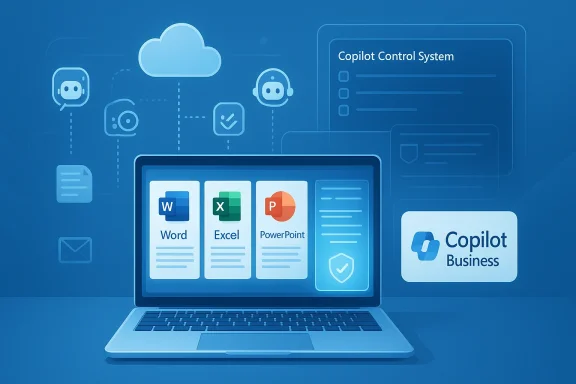
Microsoft is shifting Copilot from an external add‑in to a first‑class, in‑context assistant inside core Microsoft 365 apps. The expansion can be grouped into four practical areas:1) In‑app Copilot Chat panes across Office apps
- Copilot Chat will surface as an in‑app, right‑hand pane in Word, Excel, PowerPoint and Outlook.
- The pane is context‑aware, meaning it can read and reason about the currently open document, workbook, presentation, or email thread.
- This lowers friction: instead of switching to a separate Copilot web interface, users get AI assistance directly where they work.
2) Agent Mode and multi‑file agents
- Agent Mode enables multi‑step workflows and automation: generate documents, extract tables, create slide decks, and orchestrate multi‑file tasks without manual file juggling.
- OneDrive now supports
.agentconstructs (AI agents that bundle up to a set of files) so a single agent can maintain context across a project’s documents, notes, and slides. - Agents are designed to be updated and shared, enabling a persistent project view that evolves as files change.
3) Copilot Pages and export flows
- Copilot Pages provide a persistent canvas for drafting, planning and ideation; these pages can be converted into PowerPoint decks or exported into documents.
- This creates a smoother idea → presentable asset pipeline, keeping generated output inside Office formats for editing and governance.
4) SKU and pricing changes for SMBs
- Microsoft introduced a Microsoft 365 Copilot Business SKU targeted at organizations with fewer than 300 seats, priced at $21 per user per month.
- The SKU is intended to widen access to tenant‑aware Copilot features for small and mid‑sized businesses while retaining enterprise-grade governance for admins.
Why Microsoft is making this move
Microsoft’s strategy is driven by both competitive pressure and user behavior:- Competitors have integrated advanced AI into productivity suites, raising expectations that baseline subscriptions include intelligent assistance.
- Embedding Copilot inside apps reduces friction and increases habitual usage; when AI lives in the same window where users edit documents or mail, adoption grows faster.
- The business case is clear: AI that helps draft, summarize, and analyze inside Word, Excel, PowerPoint and Outlook scales productivity gains across teams.
- Introducing a lower‑cost Copilot Business SKU addresses price sensitivity preventing many SMBs from adopting tenant-aware AI.
Verified technical claims and timelines
Several technical claims have been confirmed through Microsoft product announcements and partner communications:- Microsoft publicly launched a Copilot Business SKU for SMBs with a published price of $21 per user/month (for up to 300 users) and bundled promotional offers for renewals and migration windows. This is an official SKU designed to pair with Microsoft 365 Business plans and expand access to Copilot features.
- OneDrive now supports AI agents that can group multiple documents into a single agent file; these agents preserve project context and can be updated or shared with collaborators. The feature is positioned as part of OneDrive’s evolution into a broader productivity hub.
- Microsoft has documented administrative controls and a Copilot Control System directed at IT teams: features include governance, content grounding, and management of which users and tenants can run agents or enable Copilot features.
- In‑app Copilot Chat panes and richer in‑app generation capabilities (including conversion of Pages to slides and better PDF/Copilot interactions) are being previewed and rolled out through staged channels; timing varies by tenant and Microsoft typically communicates tenant‑by‑tenant rollout windows through its message center.
What this means for end users
For everyday Microsoft 365 users the experience will feel more seamless and powerful:- You’ll be able to ask Copilot to summarize lengthy documents, generate slides from an outline, or produce Excel analyses without leaving the app.
- Image analysis and contextual comprehension are improving — Copilot can analyze images in documents and give insights or extract structured information.
- Mobile and view‑only scenarios are being supported (for example, Copilot in PowerPoint can operate in view‑only mode to provide summaries without requiring edit access).
- Export and “send to document/slide” flows reduce the friction of moving AI outputs into standard Office formats.
What this means for IT and administrators
The operational and governance implications are significant. Administrators need to prepare across several domains:Governance and compliance
- Copilot works with tenant data and the Microsoft Graph; that means generated outputs and agent behaviors can reference business content. IT teams must understand how data is ground‑checked, stored, and audited.
- Microsoft is shipping admin controls that let tenants limit who can use Copilot and agents, restrict Copilot’s behavior in B2B meetings, and control connectors to external accounts.
- Organizations subject to strict data residency or regulatory constraints should evaluate the available in‑country processing and tenant‑level guardrails being offered.
Security and data leakage risks
- The surface area for potential data leakage increases when an assistant can reason across mailboxes, SharePoint, OneDrive and third‑party connectors.
- Admins should review default settings, tenant restrictions, and the Copilot Control System to ensure agents do not expose or persist sensitive data unintentionally.
- Microsoft has been adding controls such as SharePoint Advanced Management and tenant‑level agent lifecycle visibility to mitigate oversharing, but these tools require active configuration.
Licensing and cost planning
- The new Copilot Business SKU expands licensing options but also creates budgeting choices: enterprises will need to decide where advanced Copilot seats are required and where baseline Copilot Chat is sufficient.
- Bundles and promotional pricing windows can materially change the cost of adoption in the near term; IT procurement teams should evaluate renewal timing and promotional windows to optimize cost.
Deployment and rollout planning
- Inventory your tenant’s data sensitivity and regulatory constraints.
- Identify pilot user groups and decide which teams get early Copilot seats.
- Define policies for agent creation, sharing, and lifecycle management.
- Update admin and security playbooks to include Copilot‑related audits and alerts.
Benefits: why organizations should pay attention
- Frictionless productivity: In‑app Copilot reduces context switching and helps users get things done faster.
- Smarter collaboration: Shared agents and Copilot Pages enable teams to keep a single, evolving project context.
- Wider access for SMBs: The Copilot Business SKU lowers the price barrier, enabling smaller organizations to adopt tenant‑aware AI.
- Powerful data‑grounded assistance: When configured correctly, Copilot can tap the Graph and SharePoint to provide insights directly grounded in organizational data — a major step beyond generic web‑trained assistants.
Risks and limitations to watch
While the benefits are clear, there are real risks and limitations:- Privacy and compliance: Agents that reason across employee mail or files could surface confidential information if policies aren't tuned. Organizations in regulated industries must proceed conservatively.
- Model provenance and hallucination: Generated outputs must be verified. Copilot can synthesize plausible but incorrect facts; human review remains necessary for critical documents.
- Admin complexity: The new admin tooling is powerful but adds operational complexity; smaller IT teams may find the configuration and monitoring overhead significant.
- License fragmentation: Multiple SKUs and feature tiers can complicate governance — distinguishing who has rights to create agents vs. who has access to advanced model features will require attention.
- Dependence on cloud connectivity: Many of these capabilities rely on cloud services, meaning offline or air‑gapped environments will not benefit without special arrangements.
Practical recommendations — a checklist for IT teams
- Establish a pilot: start with well‑scoped business units (marketing, internal comms, product teams) to validate benefits and surface governance questions.
- Policy first: configure tenant policies for Copilot usage, B2B meeting behavior, and external connectors before broad enablement.
- Train users: provide quick training on verifying AI outputs, data hygiene when creating agents, and when to escalate potential data leaks.
- Monitor and audit: enable logging and agent lifecycle reporting so you can track agent creation, sharing, and retention.
- Budget with foresight: align Copilot seat purchases with renewal cycles and promotional offers to optimize cost.
Deep dive: security and compliance controls worth knowing
- Copilot Control System: an administrative plane for managing who can run agents, what assets they can access, and how Copilot is grounded on enterprise data.
- SharePoint Advanced Management: included for Copilot customers to help detect and prevent oversharing of tenant content and to produce governance reports.
- Connector opt‑ins: connectors to third‑party accounts (e.g., Gmail, Google Drive) are opt‑in and can be restricted by policy, reducing accidental cross‑tenant exposures.
- Tenant‑level guardrails: Microsoft is continuing to add tenant restrictions that let admins selectively enable or disable features like Copilot on Cloud PCs, Edge surfaces, and within Office apps.
The competitive angle: why this matters beyond Microsoft
Microsoft’s push to embed Copilot deeply across Microsoft 365 is both defensive and offensive. Google has shown how AI integrated into Workspace can be bundled as baseline features, and customers increasingly expect AI to be part of core productivity experiences. By making Copilot more available (and more affordable for SMBs), Microsoft is aiming to keep user workflows inside Windows and Microsoft 365, where it can leverage the Graph and device integration as advantages competitors can't replicate as easily.For independent software vendors and third‑party developers, the opening of Copilot as a platform — with agents and connectors — creates opportunities to build specialized agents and automation workflows that can be distributed across tenants.
Areas where further verification is needed
Some rollout specifics reported in coverage — such as exact region‑by‑region GA dates, granular model selection options (OpenAI vs. Anthropic) in all product areas, and the precise behavioral differences between Copilot Chat baseline access and paid Copilot seats — remain rollout‑dependent and subject to change. Organizations should confirm availability and exact features in their tenant's admin message center and official Microsoft product release notes before planning major migrations or training programs.Conclusion
Microsoft’s expansion of Copilot across Microsoft 365 apps marks a defining moment for workplace AI: in‑app assistance, multi‑file agents, and a lower‑cost Copilot Business SKU together make tenant‑aware AI more accessible and more powerful. The benefits — faster drafting, integrated analytics, and smoother idea→presentation workflows — are real and immediate for many users.At the same time, this shift raises new operational questions for IT: governance, privacy, license management, and auditability must be addressed before broad enablement. The right approach is cautious and pragmatic: pilot, policy, educate, and monitor. Organizations that treat Copilot as a platform — not just a feature — will gain the most while managing the attendant risks.
If you manage Microsoft 365 today, this is a strategic inflection point: plan pilots now, review tenant controls, and align procurement to the new Copilot SKUs so your teams can benefit from the next wave of AI‑infused productivity while keeping compliance and security responsibilities firmly under control.
Source: Windows Report https://windowsreport.com/microsoft-may-soon-expand-copilot-capabilities-across-microsoft-365-apps/
