

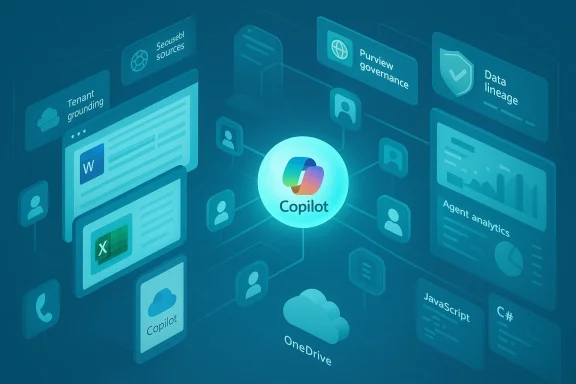
Microsoft's push to make Microsoft 365 Copilot measurably smarter and more actionable is moving from stagecraft to mass rollout, and the impact will be felt across how organizations create, manage, and govern work. Over the last several months Microsoft has layered new capabilities — agent publishing, OneDrive "agents" that bundle document sets, expanded Copilot Chat features inside Word/Excel/PowerPoint, deeper admin controls via Purview, and platform tooling such as a JavaScript SDK for Microsoft 365 agents — that collectively shift Copilot from a reactive assistant to a configurable, enterprise-aware automation layer inside Microsoft 365. The change is not incremental: it's a platform-level recalibration that amplifies productivity while raising fresh questions about governance, costs, and risk management.
Microsoft introduced Copilot as an assistive layer in its productivity apps, but the roadmap has consistently aimed higher: unify chat, contextual understanding, and automation into a single productivity fabric. Recent product updates accelerate that vision by surfacing agents — reusable, configurable AI personas that can be grounded in your organization's data and published into Microsoft 365 experiences — and by giving IT teams more telemetry and control. These moves are designed to drive adoption beyond power users and into day-to-day workflows, with a clear enterprise focus: security, manageability, and integration with compliance tooling.
What’s new is not a single feature but a set of coordinated capabilities:
The immediate priority for IT and business leaders should be conservative experimentation paired with strong governance: pilot valuable, bounded use cases; require explainability for agent outputs; and integrate Copilot controls into existing DLP, Purview, and audit frameworks. Over time, as organizational confidence and tool maturity grow, Copilot agents can move from pilot to production, delivering sustained productivity improvements while keeping risk in check.
Microsoft has clearly aimed for breadth — a platform that enables line-of-business innovation as much as developer-driven automation. That’s an ambitious and potentially transformative path. But the pace of change calls for equally disciplined operational planning. The next twelve months will tell whether organizations treat Copilot as a helpful feature or as a strategic platform. If governance, training, and measurement keep pace with capability, Copilot’s new power could reshape everyday work for the better; if not, the same power will create costly governance and compliance headaches that will be far harder to undo than to prevent.
Source: Neowin Microsoft 365 Copilot is becoming a lot more powerful soon
 Background
Microsoft introduced Copilot as an assistive layer in its productivity apps, but the roadmap has consistently aimed higher: unify chat, contextual understanding, and automation into a single productivity fabric. Recent product updates accelerate that vision by surfacing agents — reusable, configurable AI personas that can be grounded in your organization's data and published into Microsoft 365 experiences — and by giving IT teams more telemetry and control. These moves are designed to drive adoption beyond power users and into day-to-day workflows, with a clear enterprise focus: security, manageability, and integration with compliance tooling.What’s new is not a single feature but a set of coordinated capabilities:
- Agent publishing from Copilot Studio into Microsoft 365 Copilot Chat, enabling custom agents to act inside Office apps.
- OneDrive Agents, a file-bundling model that lets Copilot reason across a set of up to 20 documents.
- Word/Excel/PowerPoint Agents that generate full drafts, analyses, and slide decks from a single prompt.
- Expanded grounding options, including tenant grounding and scoped public web sources for agents.
- Platform tooling: Microsoft 365 Agents SDK support for JavaScript (in addition to C#), analytics for agent performance, and admin integrations with Microsoft Purview for governance.
- UX extensions, like Copilot voice chats referencing memory, mobile Copilot Pages, and cross-device reminder delivery.
What the new capabilities actually do
Agents: the building block for scalable automation
At the center of the update are agents — encapsulated AI behaviors that can be built in Copilot Studio, extended with the Microsoft 365 Agents SDK, and published to Microsoft 365 Copilot Chat. Agents can be designed to:- Ingest and reason over a set of files rather than a single document.
- Use tenant-specific connectors (SharePoint, OneDrive, Microsoft Graph) as trusted knowledge sources.
- Be constrained to specific, scoped public websites for external knowledge, reducing unwanted web-browsing behavior.
- Execute multi-step tasks, hand off between agents, and surface adaptive cards or quick replies inside chat.
OneDrive .agent bundles — a new unit of work
OneDrive Agents let users bundle up to 20 documents into a single .agent file stored on OneDrive. Instead of forcing Copilot to analyze documents one at a time, Copilot can consume the full bundle and operate with project-level context. Practical uses include:- Summarizing a dossier of contract drafts and related email threads.
- Extracting tasks, deadlines, and owners from meeting notes plus project plans.
- Preparing an executive briefing from a folder of research documents.
Word, Excel, and PowerPoint Agents — from blank page to near-finished work
The Word/Excel/PowerPoint Agents feature enables users to generate complete drafts — structured documents, analyses, and slide decks — from a single prompt. For Excel, Copilot increasingly writes Python code and inserts it into the grid to perform complex analytics, augmenting traditional formula-based workflows. For Word, summarization limits have been dramatically increased (allowing summaries of much larger documents), and coaching features now advise on structure, style, and clarity across many languages. PowerPoint supports view-only mode interactions so Copilot can summarize or explain presentations even when a user only has read access.Grounding, web scoping, and tenant-awareness
Two complementary grounding mechanisms are now central:- Tenant grounding (work grounding): Agents can use internal tenant data (SharePoint, OneDrive, internal sites) as the primary knowledge base, improving relevance and security for workplace queries.
- Scoped public web grounding: Makers can constrain agent access to specific public URLs. This is particularly helpful when an organization wants agents to enrich responses with public documentation from approved vendor sites without granting unfettered web access.
Admin and governance tooling: Purview integration, analytics, and Copilot Dashboard
Microsoft has integrated Purview into the Microsoft 365 admin center to give admins unified control over Copilot's adoption and data handling. Additionally, Copilot Dashboard and Chat Insights have been broadened so even tenants with a single Copilot license can access adoption telemetry, usage trends, and group-level analysis. Agent creators now have analytics to track agent performance, usage patterns, and feedback, which is critical for iterative improvement.Developer tooling: Microsoft 365 Agents SDK (JavaScript + C#)
Developers can now build agents using a Microsoft 365 Agents SDK for JavaScript (previously announced for C#), enabling broader developer participation in agent creation. The SDK supports orchestrating requests, generating responses anchored in enterprise knowledge, and integrating with Azure AI Foundry components for model selection and orchestration.UX improvements: mobile Pages, OOBE Copilot, reminders, and voice memory
End-user touches include Copilot Pages on mobile, Copilot in the Windows Out-Of-Box Experience (interactive help during initial setup), cross-device reminders delivered to phones, and voice chats that reference a user's stored personalization memory. These additions remove friction and embed Copilot into more touchpoints across the worker lifecycle.Why this is a big deal for organizations
1) Productivity multiplied through composability
Agents let organizations compose capabilities — combine document reasoning, external knowledge, and business logic — into repeatable units. That reduces the friction of reproducing "best effort" prompt engineering across teams and scales productivity improvements beyond single users.2) Closer alignment with enterprise IT controls
By integrating Copilot with Purview and tenant grounding, Microsoft addresses one of the major enterprise blockers: data governance. The combination of tenant grounding, scoped web sources, and admin telemetry makes it possible to roll out Copilot more confidently at scale.3) Faster developer-to-deployment path
The Microsoft 365 Agents SDK and Copilot Studio publishing path reduce the time from prototype to production. Developers can now use familiar languages like JavaScript to build and ship agents that live directly inside Office experiences.4) Better context + larger content handling
Expanded summarization limits and the ability to reason over entire document bundles mean Copilot can replace or heavily augment tasks that used to require manual synthesis, such as creating executive summaries or compiling regulatory responses.Real risks and blind spots
No platform change is without trade-offs. These are the key risks IT leaders must weigh.Data governance is necessary but not sufficient
Integrating Purview and tenant grounding is progress, but governance complexity grows with agent proliferation. Each agent becomes a policy object to manage: who can publish, what data it can access, what logs it must retain, and how to retire or update it. Without strong lifecycle controls, organizations risk a "shadow agent" problem where dozens of unmanaged agents operate across departments.Surface area for leakage increases with .agent sharing
OneDrive .agent bundles simplify collaboration but also create a new object that can be shared. If a bundle contains sensitive contract terms, IP, or PII, sharing a .agent without correct access controls could amplify leakage. Organizations must treat .agent files like any other sensitive artifact and apply the same DLP and rights management policies.Hallucinations and factual drift are still real
Scoped public web grounding and tenant grounding reduce hallucination risk, but do not eliminate it. Agents that mix internal and public sources, or that rely on poorly curated external sites, may still generate inaccurate or misleading output. Continuous monitoring and human-in-the-loop validation remain essential.Licensing and cost implications
Microsoft signaled pricing changes alongside capability expansion; increased capabilities typically bring higher expectations and, in some cases, new license tiers for premium features. Organizations must budget for not only direct licensing costs but also indirect costs: developer time to build agents, governance and training overhead, and the operational cost of monitoring and tuning models.Skill and change management burden
Using agents effectively requires new skills — prompt engineering, model orchestration, and observability. IT and knowledge workers will need training to avoid misuse and to design safe, effective agents. Without that investment, organizations may underutilize the platform or expose themselves to poor outputs.Practical guidance: rollout and governance checklist
To capture value while managing risk, organizations should adopt a phased approach. Below is a practical checklist for IT leaders, compliance officers, and product teams.- Establish a Copilot steering committee
- Include IT security, legal/compliance, business unit leads, and developer representation.
- Define success metrics (time saved, draft-to-final ratio, adoption rates).
- Inventory and classify use cases
- Prioritize high-value scenarios that require cross-document reasoning or frequent repetitive tasks.
- Identify sensitive data categories that must not be exposed to agents.
- Pilot with tightly scoped agents
- Start with agents grounded to internal tenant data or a small set of approved public sites.
- Limit access to a controlled set of testers and iterate based on feedback.
- Apply templates for agent design and review
- Create reusable templates for data access, privacy impact, and risk mitigation.
- Require peer review and security sign-off before publishing agents tenant-wide.
- Enforce lifecycle management
- Implement naming conventions, versioning, and deprecation policies for agents.
- Schedule periodic audits of agent behavior and data access.
- Configure Purview and DLP policies
- Map .agent files and agent access points to existing DLP policies.
- Ensure audit logs and retention policies capture agent actions for forensic purposes.
- Train end-users and creators
- Provide short, role-based training (e.g., "making safe agents", "using Copilot to draft documents").
- Offer templates and examples for common tasks to reduce ad-hoc misuse.
- Monitor and measure
- Use Copilot Dashboard and agent analytics to monitor usage, retention, and failure modes.
- Track false-positive/false-negative rates in agent outputs and tune accordingly.
- Budget for ongoing ops
- Account for developer time, license costs, and governance overhead in the operating model.
- Build a mechanism to prioritize agent improvements based on ROI.
- Plan for incident response
- Include agent-based incidents in your IR playbooks (data exposure, hallucination that affects decision-making).
- Test scenarios where an agent returns unsafe advice and train users to escalate.
Deployment scenarios that benefit most
Not every team needs an army of agents. The highest impact scenarios tend to share traits: repetitive cognitive tasks, cross-document synthesis, and predictable business rules.- Legal and compliance: compiling case summaries from filings, extracting obligations and deadlines from contract bundles.
- Product marketing: generating launch one-pagers from product specs, market research reports, and positioning documents.
- Finance and analytics: building repeatable Python-backed Excel analyses to detect anomalies or produce weekly reporting automation.
- HR and internal services: assembling policy briefings, summarizing employee survey results, or automating onboarding document synthesis.
- Project management: extracting and tracking action items and deadlines from combined project artifacts.
Technical considerations for developers
Developers building agents should be aware of these technical points:- Use tenant grounding where possible to reduce reliance on public web data.
- Design agents to be explainable: surface the documents and sources they used when producing an answer.
- Integrate telemetry early: capture prompts, agent responses, confidence metrics, user feedback, and execution traces.
- Use the SDK’s orchestration capabilities to implement fallback strategies (e.g., prefer tenant data, then scoped web, then human review).
- Plan for scaling: agents that rely on large document corpora should leverage semantic indexing and batching rather than repetitive, costly calls.
Pricing and commercial impact (what finance teams should consider)
Microsoft’s recent communications indicate pricing changes tied to Microsoft 365’s expanding AI capabilities. Finance teams must evaluate:- Direct licensing changes for Microsoft 365 Copilot seats and whether certain agent features or priority grounding are reserved for specific license tiers.
- Cost of increased usage: Copilot interactions, agent orchestration, and web grounding can generate incremental compute costs.
- Build vs. buy: many third-party vendors will surface specialized agents or integrations; evaluate whether to buy prebuilt functionality or build in-house.
- ROI measurement: quantify time saved in draft creation, approvals, and downstream productivity to compare against new license and operational costs.
The competitive and regulatory landscape
As Copilot grows more capable, other vendors and open-source tooling will respond with competing agent platforms and enterprise-grade tooling. For regulated industries, regulators and auditors will increasingly scrutinize AI-driven workflows, specifically:- How outputs are generated and grounded.
- Whether human oversight was present in critical decisions.
- Data lineage and audit trails showing which documents informed an output.
Strengths and opportunities
- Scalability: Agents create a repeatable unit that can be shared and improved, multiplying knowledge worker throughput.
- Enterprise alignment: Purview integration and tenant grounding make enterprise deployment realistic in high-compliance contexts.
- Developer adoption: JavaScript support lowers the barrier to entry for developers already working in web and productivity ecosystems.
- Context-rich assistance: Bundled document reasoning and expanded summarization let Copilot tackle complex synthesis tasks that were previously impractical.
- User experience: Cross-device reminders, voice memory, and Copilot in setup experiences expand channels and lower adoption friction.
Caveats and what to watch
- Rapid agent proliferation without governance will create operational and compliance headaches.
- Hidden costs emerge from developer time, monitoring, and the need to remediate hallucinations or inaccurate outputs.
- New artifacts (.agent files) require the same security hygiene as documents and executable code.
- Grounding controls are powerful but need disciplined configuration — scoped web grounding is effective only if authorized sites are curated.
- The legal and regulatory view of AI-generated content is evolving; maintain robust documentation and human sign-off for sensitive outputs.
Final assessment
Microsoft’s recent moves accelerate Copilot from an individual productivity booster into an enterprise automation substrate. The platform enhancements — agents, OneDrive bundles, grounding controls, SDKs, and admin telemetry — unlock real productivity gains and make Copilot credible for serious, document-heavy workflows. However, the technology amplifies both benefits and risks. The organizations that succeed will be those that treat Copilot like a first-class platform: invest in governance, operational controls, telemetry, and user training. Done right, Copilot can reduce repetitive work, speed decision-making, and surface insights that otherwise take hours of manual effort.The immediate priority for IT and business leaders should be conservative experimentation paired with strong governance: pilot valuable, bounded use cases; require explainability for agent outputs; and integrate Copilot controls into existing DLP, Purview, and audit frameworks. Over time, as organizational confidence and tool maturity grow, Copilot agents can move from pilot to production, delivering sustained productivity improvements while keeping risk in check.
Microsoft has clearly aimed for breadth — a platform that enables line-of-business innovation as much as developer-driven automation. That’s an ambitious and potentially transformative path. But the pace of change calls for equally disciplined operational planning. The next twelve months will tell whether organizations treat Copilot as a helpful feature or as a strategic platform. If governance, training, and measurement keep pace with capability, Copilot’s new power could reshape everyday work for the better; if not, the same power will create costly governance and compliance headaches that will be far harder to undo than to prevent.
Source: Neowin Microsoft 365 Copilot is becoming a lot more powerful soon
