

This morning’s inbox flood — five obvious spam messages slipping straight into the primary view of an Outlook user — is not an isolated annoyance. It’s a live demonstration of where Microsoft’s email stack still fails everyday people: spam and phishing still reach the inbox, user trust erodes, and Microsoft’s own AI tools that could help are not fully stitched into the anti‑spam pipeline. A recent Windows Central piece documented exactly this experience and showed that Copilot, when asked directly, can often recognize junk that Outlook failed to quarantine. That disconnect — between powerful AI helpers inside Outlook and the traditional spam engines that actually route messages — is the low‑hanging fruit Microsoft should fix now.
Outlook’s behavior is the result of multiple systems layered together: cloud filtering (Exchange Online Protection and Defender for Office 365), per‑tenant anti‑spam policy rules, the mailbox safelist/blocklist, client‑side junk filters (historically SmartScreen), and the Outlook client’s own display/processing logic. Microsoft’s documentation makes this clear: cloud anti‑spam policies and zero‑hour auto purge (ZAP) drive most of the verdicts that determine whether mail is delivered to the Inbox, moved to Junk, or quarantined. At the same time, Outlook clients still apply local safelist logic and historically ran a SmartScreen-based junk filter — a component Microsoft noted has been deprecated for definition updates and is no longer a reliable long‑term defense. This hybrid architecture creates predictable friction. Cloud detectors catch the obvious global spam waves and known bad senders, but local quirks — calendar invites with .ics files, subtle social‑engineering lures, or messages that borrow legitimate brand assets — can bypass filters or be processed differently by client code. Community troubleshooting threads and forum archives show repeated variations on the same theme: “spam got into the inbox,” “calendar invites were added despite quarantine,” and “legitimate messages were misclassified.” Those real user reports aren’t rare edge cases — they are common enough to appear in feedback hubs, forums, and tech news pieces.
Outlook’s spam problem isn’t a single bug; it’s an architectural mismatch between modern contextual AI and legacy filtering paths. Copilot already understands email context and user intent, and Defender already triages security incidents with AI. Stitching those capabilities together — with user privacy, explainability, and admin controls at the center — would be the obvious fix: faster detection, clearer reasons for classification, and a shorter path from user report to tenant/global quarantine.
Microsoft should treat this as more than a product polish. Spam and calendar‑invite scams are a daily productivity tax and a security vector. Copilot isn’t a vanity feature; used correctly, it can be a consumer‑facing security defender that finally makes Outlook’s inbox a safer place to work and live.
Source: Windows Central https://www.windowscentral.com/soft...whats-stopping-microsoft-from-combining-them/
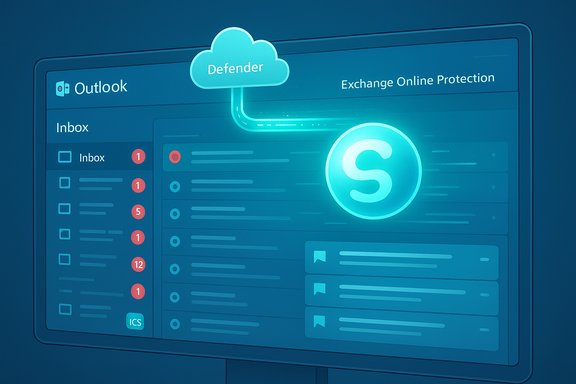 Background: how Outlook’s spam architecture really works
Outlook’s behavior is the result of multiple systems layered together: cloud filtering (Exchange Online Protection and Defender for Office 365), per‑tenant anti‑spam policy rules, the mailbox safelist/blocklist, client‑side junk filters (historically SmartScreen), and the Outlook client’s own display/processing logic. Microsoft’s documentation makes this clear: cloud anti‑spam policies and zero‑hour auto purge (ZAP) drive most of the verdicts that determine whether mail is delivered to the Inbox, moved to Junk, or quarantined. At the same time, Outlook clients still apply local safelist logic and historically ran a SmartScreen-based junk filter — a component Microsoft noted has been deprecated for definition updates and is no longer a reliable long‑term defense. This hybrid architecture creates predictable friction. Cloud detectors catch the obvious global spam waves and known bad senders, but local quirks — calendar invites with .ics files, subtle social‑engineering lures, or messages that borrow legitimate brand assets — can bypass filters or be processed differently by client code. Community troubleshooting threads and forum archives show repeated variations on the same theme: “spam got into the inbox,” “calendar invites were added despite quarantine,” and “legitimate messages were misclassified.” Those real user reports aren’t rare edge cases — they are common enough to appear in feedback hubs, forums, and tech news pieces.What Copilot already does — and what that means for spam detection
Copilot in Outlook is not an experiment tucked away in a lab. Microsoft advertises and documents several practical, user‑facing capabilities: summarizing long email threads, drafting replies from short prompts, coaching on tone and clarity, and even prioritizing inbox items. Those features are integrated into the Outlook UI in both classic and “new Outlook” clients and are explicitly permitted to inspect the content of emails (with user consent and tenant controls) to perform these tasks. In short: Copilot already reads and reasons about messages in ways that are directly relevant to spam classification. Separately, Microsoft has launched AI tools for security teams — Security Copilot and a Phishing Triage Agent inside Defender XDR — which use large language models to triage, score, and automate investigations on user‑reported mail. Those services demonstrate Microsoft’s capability and internal appetite for LLM‑powered threat analysis. They also show that AI is already part of Microsoft’s security tooling; the missing piece is applying those techniques to consumer/individual mailflow in a way that is fast, private, and actionable inside the Outlook experience. Windows Central’s on‑the‑record example is instructive: the author fed Copilot screenshots of both the inbox and the junk folder and Copilot correctly flagged obvious spam that Outlook had let through — and correctly identified legitimate messages in the junk folder that were misclassified. That demonstrates two things: the LLM can make reasonable spam/phish judgments from contextual cues; and the client can present Copilot insights to the user. What Microsoft hasn’t done — at scale and in production — is route those Copilot judgments into the mail flow verdict that decides where a message sits. That is the “obvious fix.”The obvious fix: integrate Copilot signals into the spam verdict pipeline
The problem is not a lack of models. The technology exists. The next step is engineering: combine Copilot’s contextual reasoning with the telemetric and reputation signals that EOP/Defender already use. A practical, staged plan would look like this:- Short term — client‑side Copilot classification (opt‑in beta)
- Run a compact, privacy‑aware spam classifier inside the Outlook client using the same contextual inputs Copilot already uses: sender, headers, body text, attachments, calendar context, and user history signals (contacts, previous interactions).
- Present a clear single‑click “Copilot: Why this is suspicious” UI for the user. The classifier can show red flags (fake branding, suspicious .ics invite, odd recipient addresses) and offer three actions: Move to Junk, Report Phish, or Keep.
- When a user selects “Report Phish,” escalate the message to Defender’s cloud triage (ZAP + Phishing Triage Agent). If multiple reports accumulate, the cloud engine can apply tenant‑ or global‑level quarantine. This closes the feedback loop between client and cloud quickly.
- Medium term — hybrid verdict fusion (client + cloud)
- Fuse the client Copilot score with Exchange Online Protection signals to produce a composite score. If the composite crosses a threshold, apply quarantine or Junk routing immediately. If the client sees something high‑risk (e.g., an .ics invite with suspicious payloads), it can temporarily block previewing or accepting the invite while the cloud re‑checks the message.
- Use the Security Copilot / Phishing Triage Agent architecture to automatically label and escalate suspicious batches discovered by Copilot across tenants, speeding ZAP decisions.
- Long term — continuous learning, privacy first
- Enable opt‑in telemetry for users who want better protection; aggregate low‑bandwidth metadata and model feedback in a privacy‑preserving way (differential privacy, on‑device learning, or federated updates) to improve detection without exposing personal mail content.
- Allow admins to opt Copilot‑assisted anti‑spam on or off for their tenant and provide controls for strictness, transparency, and re‑contest rules (i.e., “If Copilot moves a message to Junk, admin can review and restore”).
Features that would materially improve user outcomes
- Explainable flags: show 1–3 human‑readable reasons why Copilot flagged a message (“sender domain mismatch with DKIM,” “calendar invite .ics from untrusted domain,” “promises large financial reward with urgency”). Users should be able to see the rationale and reverse it if wrong.
- Safe preview sandboxing: prevent inline loading of remote images, auto‑accept of .ics invites, or auto‑launch of attachments unless Copilot deems it safe or the user explicitly accepts.
- Actionable suggestions: Copilot could suggest “Block sender + mark as phishing” or “Unsubscribe + move to folder,” and then remember similar messages for that user.
- Priority triage: integrate the existing “Prioritize my Inbox” Copilot feature to hide low‑priority mail clearly and separate likely scams from promotional noise. That feature already exists as a capability Microsoft has begun shipping.
- Fast cloud escalation: when many users report similar messages, cloud systems like ZAP should automatically quarantine and roll out tenant‑level protections in hours, not days. ZAP already exists as a mechanism to remove delivered mail once new intelligence arrives; Copilot reports can feed that stream.
Real‑world problem: calendar invites and .ics abuse
Calendar invites are a recurring Achilles’ heel. Attackers embed links and phishing payloads in .ics files or use invites to create urgency. Major platforms have already recognized this: Apple and Google have had to implement calendar spam mitigations, and security journalism has documented malicious .ics campaigns and calendar‑driven scams. Outlook can — and should — treat .ics files as higher‑risk by default, applying Copilot analysis and blocking auto‑accept behaviors unless the invite passes authentication checks or comes from a known contact. Community reports show the pain: even when a cloud filter quarantines a message, the local calendar engine sometimes parses and creates an event before quarantine completes. That architectural gap allows the nuisance and potential harm to persist. Copilot’s client‑side checks could stop that client‑side parsing step when the email carries suspicious artifacts. Reddit and admin threads discussing calendar invite spam repeatedly recommend tenant transport rules and stripping .ics attachments — measures that are reactive and administrative; Copilot could automate that protection with much finer precision.Risks and tradeoffs — why Microsoft might have hesitated
There are several non‑trivial reasons Microsoft has not thrown Copilot into the spam‑filtering engine wholesale yet. Any responsible plan must confront these challenges:- Privacy and trust: Copilot analyzes email content to draft replies and summarize threads. Extending that analysis to automated spam routing increases concerns about how message content is stored, shared, or used for model training. Microsoft must provide crystal‑clear privacy guarantees, opt‑ins, and a tenant admin opt‑out. This is the hardest human factor problem, not the technical one.
- False positives at scale: aggressive ML models can misclassify legitimate bulk mail (newsletters, event blasts) as spam, increasing support burdens and user anger. Explainability and easy contest workflows are essential to reduce friction.
- Adversarial adaptation: attackers will tailor messages to try and bypass Copilot’s reasoning — e.g., inserting innocuous personal data points or manipulating headers. The detection models must be adversarially hardened and updated rapidly.
- Latency and cost: running LLM‑grade reasoning for every inbound mail would add compute and possibly delay delivery. That’s why a staged approach (quick client score + cloud vetting for higher confidence) is necessary.
- Regulatory compliance: moving content‑based scoring into client/telemetry could have legal implications in some regions. Microsoft must build region‑aware deployments and maintain audit trails.
Practical rollout recommendations (how Microsoft should ship this)
- Launch an opt‑in consumer beta inside Outlook for Microsoft 365 subscribers that enables Copilot‑assisted spam protection with transparent controls and an event log showing Copilot’s rationale.
- Provide tenant admin controls for enterprises: strictness levels, telemetry opt‑ins, automatic escalation rules, and a daily digest of Copilot‑flagged messages for SOC review.
- Build lightweight on‑device models for quick heuristics and use cloud Copilot only for escalations; provide privacy assurances (no message persists beyond ephemeral analysis unless the user reports it).
- Integrate Copilot feedback into ZAP and the Phishing Triage Agent so that user reports trigger fast global/tenant protections when campaigns are confirmed.
- Ship UI affordances for explainability and correction: “Why was this moved?” with one‑click restore and “Report an incorrect decision” that feeds model retraining.
What users and admins can do today
While the technical fix is being designed, there are immediate, practical steps to reduce exposure:- Configure tenant anti‑spam policies so that high‑risk contested mails are quarantined, not merely moved to Junk.
- Use transport rules to restrict .ics/calendar invites from external senders or strip attachments on receivable channels where calendar spam is an issue.
- Educate users on Copilot’s current capabilities so they can use summarization and coaching to spot suspicious content faster — Copilot’s summarization makes it easier to detect inconsistency and fraud claims in long messages.
- Report suspicious mail to Defender and use the reporting button in Outlook; reported messages feed triage systems that can trigger ZAP.
Why Microsoft should do this now
- Spam and phishing are high‑impact problems that erode user trust and create business risk. News coverage and forum threads make it clear users are frustrated. Putting Copilot’s reasoning power to work against this problem would materially reduce harm for ordinary people and organizations.
- Microsoft already invests in AI for security (Security Copilot) and productivity AI (Copilot in Outlook). The engineering work is mostly integration and product design, not fundamental research. The marginal cost of connecting those systems is low compared with the user benefit.
- Competitors and third‑party security vendors are shipping AI security features. Microsoft can either innovate and lead or cede protection to vendors who will ship Copilot‑style protections anyway.
Caveat: what’s still unverifiable
It’s plausible — and publicly demonstrated by the Windows Central test — that Copilot can identify spam from screenshots and contextual cues. However, whether Microsoft already uses its flagship Copilot models in the backend spam‑filtering pipeline (or will do so imminently) is not publicly documented and cannot be confirmed from available public signals. Any claims that Microsoft “is intentionally withholding Copilot for spam detection” should be treated as speculative unless Microsoft issues an explicit roadmap. The technical proposals above are engineering recommendations, not disclosed company plans.Outlook’s spam problem isn’t a single bug; it’s an architectural mismatch between modern contextual AI and legacy filtering paths. Copilot already understands email context and user intent, and Defender already triages security incidents with AI. Stitching those capabilities together — with user privacy, explainability, and admin controls at the center — would be the obvious fix: faster detection, clearer reasons for classification, and a shorter path from user report to tenant/global quarantine.
Microsoft should treat this as more than a product polish. Spam and calendar‑invite scams are a daily productivity tax and a security vector. Copilot isn’t a vanity feature; used correctly, it can be a consumer‑facing security defender that finally makes Outlook’s inbox a safer place to work and live.
Source: Windows Central https://www.windowscentral.com/soft...whats-stopping-microsoft-from-combining-them/
