

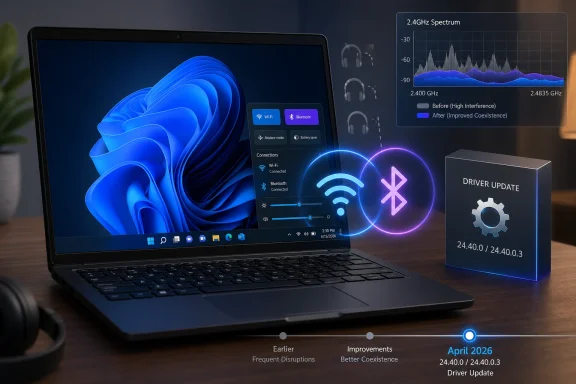
Intel released Windows 11 wireless driver package 24.40.0 and Bluetooth driver 24.40.0.3 in April 2026 to improve stability, connection performance, and coexistence between Wi-Fi and Bluetooth on supported Intel adapters for Windows 10 and 11 PCs, addressing stutter, disappearing Bluetooth devices, and 2.4GHz interference. The fix is small in file size but large in symbolism: Windows’ most ordinary wireless failures are still being repaired at the driver layer, one vendor package at a time. For users, this is welcome relief; for IT, it is another reminder that “Windows quality” is often only as good as the firmware, radio stack, OEM image, and update channel beneath it.
The most relatable Windows bug is not the blue screen. It is the moment your headphones vanish from Quick Settings while the meeting is already starting, or your mouse pauses because the laptop is busy pulling data over Wi-Fi. Intel’s April wireless update is aimed directly at that everyday category of failure: not catastrophic enough to dominate a keynote, but irritating enough to make a new PC feel unfinished.
The release notes are characteristically plain. Intel says the Wi-Fi package brings “better system stability and connect performance” and “better coexistence between Wi-Fi and Bluetooth.” That phrasing is not dramatic, but it maps neatly onto the reports users have traded for years: Bluetooth audio crackle under network load, reconnect loops, devices that appear paired but not really usable, and wireless accessories that behave differently depending on the router, room, dock, or update history.
This is the awkward truth behind the PCWorld item: Intel is not merely polishing a corner case. It is patching a class of problems that sits at the intersection of Windows 11, Intel wireless silicon, radio congestion, and OEM driver distribution. The bug feels like “Windows being Windows,” but the actual failure chain is more distributed than that.
That distinction matters because most users do not experience drivers as components. They experience the PC as a single promise. If Bluetooth disappears, Windows gets blamed. If Wi-Fi stalls when a headset is connected, the laptop brand gets blamed. If the OEM never ships the updated Intel package, nobody gets blamed in a useful way.
Modern wireless stacks rely on coexistence mechanisms to keep the radios from stepping on each other. The PC has to decide, constantly and quickly, how to share airtime between Wi-Fi traffic and Bluetooth traffic that may be carrying audio, input, or device control. A driver update that improves coexistence is not a cosmetic tune-up. It changes the way the system arbitrates contention in real time.
That is why headphone users notice these bugs first. Streaming audio is intolerant of little gaps. A web page can load 200 milliseconds later and nobody cares, but a Bluetooth headset that drops packets turns a song, call, or game into a glitch machine. Add a 2.4GHz Wi-Fi connection in the same room and the radio budget becomes a negotiation.
The industry’s long-term answer has been to move Wi-Fi clients to 5GHz and 6GHz wherever possible, and Intel’s newer Wi-Fi 6E and Wi-Fi 7 parts are built for that world. But the real world is not a standards slide. Plenty of homes still depend on 2.4GHz for range, IoT devices, older routers, or rooms where 5GHz coverage collapses. The compatibility layer is where users live.
Intel’s fix therefore lands in a messy transitional period. Wi-Fi 7 branding suggests a clean future of wider channels and higher throughput, while millions of Windows machines are still trying to keep Bluetooth earbuds alive next to a congested router. The future may be 6GHz, but the support ticket is still 2.4GHz.
That sounds straightforward until you remember how PC driver delivery actually works. Intel can publish a generic driver. Microsoft can later distribute a version through Windows Update. OEMs can validate, delay, customize, or ignore releases depending on the model, support lifecycle, and perceived risk. Enterprise IT can block, stage, supersede, or package them again.
Intel itself warns that the driver supplied by the computer manufacturer may have been changed or replaced, and that users should work with the manufacturer before installing Intel’s generic package to avoid losing customizations. That is sensible advice, but it is also the sentence that turns a home-user fix into an enterprise policy decision. The newest driver may solve the radio problem while creating uncertainty around vendor support.
There is another wrinkle: Intel’s newer packages have been shedding older hardware. Since earlier releases, some discontinued adapters have moved to separate driver tracks, and the 24.40.0 Wi-Fi package no longer includes the discontinued Wi-Fi 6 AX200. That does not mean the AX200 stopped working overnight. It means fleets with mixed Intel wireless generations cannot treat “update the Intel driver” as a single action.
This fragmentation is easy to dismiss until a support desk has to write instructions. One ThinkPad model gets the current package. Another needs an OEM bundle. A third has a discontinued adapter with a separate Intel download. A fourth is blocked by a compatibility hold or corporate update ring. The bug report may say “Bluetooth stutters,” but the remediation tree becomes a small archaeology project.
Microsoft’s driver pipeline exists for good reasons. Drivers can destabilize a machine more thoroughly than almost any application update, and the Windows ecosystem is too large for every vendor package to be sprayed instantly across every supported PC. Staging, telemetry, and OEM approval are not bureaucracy for its own sake. They are part of how Microsoft prevents a fix for one laptop from becoming a regression on another.
But the user experiencing broken Bluetooth does not care about the elegance of staged distribution. They care that Intel has a package and Windows Update does not yet offer it. That gap creates the familiar fork: wait for the blessed channel, install Intel’s tool, or hunt the OEM support page and hope the uploaded package is not six months behind.
For enthusiasts, the answer is usually obvious. Grab Intel’s Driver & Support Assistant or the direct installer, create a restore point if you are cautious, and move on. For managed fleets, the answer is less romantic. Driver updates need testing against docks, VPN clients, endpoint security tools, conferencing hardware, sleep states, and whatever cursed combination of peripherals defines the organization.
This is where Microsoft’s quality promise meets the economic reality of the PC market. Windows Update can centralize delivery, but it cannot erase the dependency chain. Intel owns the silicon and generic driver. OEMs own platform validation. Microsoft owns the OS integration and distribution channel. Users own the frustration.
The Intel wireless update is a perfect example of why that agenda is hard. Bluetooth reliability is not a single Microsoft feature team’s problem. It cuts across radio firmware, kernel drivers, power management, sleep and wake behavior, audio profiles, Teams calls, game controllers, OEM images, and Windows Update policy. A fix can arrive in an Intel package and still feel like a Windows fix because that is where the user encountered the failure.
This is also why Windows 11’s reputation has been battered by bugs that appear mundane. File Explorer performance, Start menu friction, printer discovery, USB weirdness, Bluetooth dropouts, and broken audio devices do not sound as serious as security vulnerabilities. But they are the texture of daily computing. If enough of them go wrong, the operating system feels unreliable even when the kernel is doing heroic work under the hood.
Microsoft’s challenge is not merely to ship fewer bad updates. It is to make the entire hardware-software supply chain feel less accidental. That means better driver telemetry, clearer rollback paths, faster promotion of proven fixes, and fewer situations where the user must choose between Intel’s generic package and an OEM’s stale but supported one.
There is progress here. Windows has become better at recovering from driver failures than it was in the bad old days, and driver distribution is far more disciplined than the era of random vendor utilities and unsigned chaos. Yet the emotional memory of Windows driver pain is long. Every disappearing Bluetooth toggle reopens the case.
Windows has also been modernizing Bluetooth audio with broader support for Bluetooth LE Audio, an important step toward better quality and lower power behavior. But audio improvements at the protocol layer do not automatically solve radio coexistence, adapter firmware, or driver stability. A great audio profile still needs a reliable connection underneath it.
This is why users often conflate separate Bluetooth problems. Poor headset microphone quality, mono audio during calls, random disconnects, missing Bluetooth controls, and pairing failures may have different causes. To the person wearing the headset, they are all “Bluetooth is broken.” That simplification is not technically fair, but it is experientially accurate.
Intel’s coexistence fix should be understood in that frame. It is not a universal cure for Windows Bluetooth. It will not make unsupported headsets gain LE Audio capabilities, it will not fix every OEM power-management bug, and it will not magically clean up a congested apartment building. It addresses a specific coordination problem between Wi-Fi and Bluetooth behavior on supported Intel adapters.
Still, specific fixes matter. Most reliability work is not glamorous. It is a pile of narrow corrections that gradually turns a system from “usually fine” into “boringly dependable.” Windows needs more of that, and it needs it in precisely the places marketing rarely celebrates.
That is why Intel’s generic download page carries the familiar caution about manufacturer-provided drivers. OEMs may add platform-specific customizations, and bypassing them can remove features or introduce unexpected behavior. On paper, this is responsible. In practice, it leaves users caught between the vendor with the freshest fix and the vendor with the official support blessing.
Premium devices tend to fare better because they have active support channels, newer images, and higher visibility. Budget systems and aging models often live on older packages unless Windows Update brings relief. That disparity turns wireless reliability into a class issue within the PC market: the more expensive machine may not be immune to bugs, but it is likelier to receive timely attention.
For businesses, OEM dependency is both burden and shield. A well-managed fleet usually standardizes on models with known driver packs, support contracts, and tested update cadences. The cost is slower adoption of hot fixes like Intel’s 24.40.0 release. The benefit is not waking up to a thousand laptops with a new regression.
For home users, the calculus is reversed. The risk of installing Intel’s package is usually limited to one machine. The reward may be immediate: fewer audio glitches, fewer disappearing devices, faster reconnects. This is why enthusiast advice often sounds reckless to enterprise admins and enterprise caution often sounds absurd to enthusiasts. Both sides are responding rationally to different blast radii.
The network adapter is not just a network adapter. It is also the Bluetooth radio, the audio reliability layer, the input-device lifeline, the sleep-and-wake participant, and sometimes the difference between a usable machine and a troubleshooting session. The more wireless the PC becomes, the more a driver bug feels like an operating-system failure.
Intel’s release also shows how much of Windows quality depends on components that Microsoft does not fully control. The company can improve Windows Update, tighten driver certification, and publish roadmaps. But it still needs Intel, Realtek, Qualcomm, MediaTek, Broadcom, laptop makers, peripheral vendors, and enterprise deployment teams to move in rhythm. That rhythm is better than it used to be, but it is not seamless.
This is where Apple’s vertically integrated model casts a long shadow. Windows wins on breadth, upgradeability, device choice, and enterprise flexibility. It loses when a user asks why their $1,500 laptop cannot keep headphones connected while downloading a file. The technically honest answer is complicated; the market answer is not.
The Windows ecosystem does not need to become closed to become better. But it does need less visible complexity. The ideal driver update is not the one enthusiasts know to install. It is the one that arrives through the right channel, at the right time, with the right targeting, before the user starts searching forums.
The most cautious path is to check the PC maker’s support page first, then Windows Update, including optional driver updates, and then Intel’s own update tool or direct package if the OEM path is stale. That order will feel conservative to power users, but it respects the reality that some manufacturers customize wireless packages. If you do install Intel’s generic release, note your current driver version first so rollback is not guesswork.
Administrators should resist the urge to generalize from a single successful test machine. Wireless regressions can be location-dependent because interference is location-dependent. A package that looks perfect at a desk beside a 6GHz router may behave differently in a conference room full of headsets, docks, phones, and old access points.
The more interesting test is not raw throughput. It is coexistence under load. Stream audio over Bluetooth, move files over Wi-Fi, join a video call, wake from sleep, roam between access points, and reconnect after airplane mode. That is where the user pain lives, and that is where this driver claims to help.
Source: PCWorld Intel's latest Windows 11 drivers fix Wi-Fi and Bluetooth issues
 Intel Fixes the Symptom Everyone Learned to Work Around
The most relatable Windows bug is not the blue screen. It is the moment your headphones vanish from Quick Settings while the meeting is already starting, or your mouse pauses because the laptop is busy pulling data over Wi-Fi. Intel’s April wireless update is aimed directly at that everyday category of failure: not catastrophic enough to dominate a keynote, but irritating enough to make a new PC feel unfinished.The release notes are characteristically plain. Intel says the Wi-Fi package brings “better system stability and connect performance” and “better coexistence between Wi-Fi and Bluetooth.” That phrasing is not dramatic, but it maps neatly onto the reports users have traded for years: Bluetooth audio crackle under network load, reconnect loops, devices that appear paired but not really usable, and wireless accessories that behave differently depending on the router, room, dock, or update history.
This is the awkward truth behind the PCWorld item: Intel is not merely polishing a corner case. It is patching a class of problems that sits at the intersection of Windows 11, Intel wireless silicon, radio congestion, and OEM driver distribution. The bug feels like “Windows being Windows,” but the actual failure chain is more distributed than that.
That distinction matters because most users do not experience drivers as components. They experience the PC as a single promise. If Bluetooth disappears, Windows gets blamed. If Wi-Fi stalls when a headset is connected, the laptop brand gets blamed. If the OEM never ships the updated Intel package, nobody gets blamed in a useful way.
The 2.4GHz Band Remains the Junk Drawer of Modern Computing
Bluetooth and 2.4GHz Wi-Fi have always been uncomfortable roommates. Both live in a crowded slice of spectrum also used by microwaves, game controllers, smart-home devices, wireless keyboards, older routers, and the occasional mystery gadget that should have been retired during the Obama administration. The miracle is not that interference happens; the miracle is that it does not happen more often.Modern wireless stacks rely on coexistence mechanisms to keep the radios from stepping on each other. The PC has to decide, constantly and quickly, how to share airtime between Wi-Fi traffic and Bluetooth traffic that may be carrying audio, input, or device control. A driver update that improves coexistence is not a cosmetic tune-up. It changes the way the system arbitrates contention in real time.
That is why headphone users notice these bugs first. Streaming audio is intolerant of little gaps. A web page can load 200 milliseconds later and nobody cares, but a Bluetooth headset that drops packets turns a song, call, or game into a glitch machine. Add a 2.4GHz Wi-Fi connection in the same room and the radio budget becomes a negotiation.
The industry’s long-term answer has been to move Wi-Fi clients to 5GHz and 6GHz wherever possible, and Intel’s newer Wi-Fi 6E and Wi-Fi 7 parts are built for that world. But the real world is not a standards slide. Plenty of homes still depend on 2.4GHz for range, IoT devices, older routers, or rooms where 5GHz coverage collapses. The compatibility layer is where users live.
Intel’s fix therefore lands in a messy transitional period. Wi-Fi 7 branding suggests a clean future of wider channels and higher throughput, while millions of Windows machines are still trying to keep Bluetooth earbuds alive next to a congested router. The future may be 6GHz, but the support ticket is still 2.4GHz.
The Driver Version Is the Easy Part
Intel’s current package names give administrators something concrete to chase. The Wi-Fi release is 24.40.0, while the Bluetooth package is 24.40.0.3. The supported list includes newer Wi-Fi 7 parts such as BE200, BE201, BE202, BE211, and BE213, along with familiar Wi-Fi 6E and Wi-Fi 6 adapters including AX210, AX211, AX411, AX201, AX203, and AX101, plus some Wireless-AC hardware.That sounds straightforward until you remember how PC driver delivery actually works. Intel can publish a generic driver. Microsoft can later distribute a version through Windows Update. OEMs can validate, delay, customize, or ignore releases depending on the model, support lifecycle, and perceived risk. Enterprise IT can block, stage, supersede, or package them again.
Intel itself warns that the driver supplied by the computer manufacturer may have been changed or replaced, and that users should work with the manufacturer before installing Intel’s generic package to avoid losing customizations. That is sensible advice, but it is also the sentence that turns a home-user fix into an enterprise policy decision. The newest driver may solve the radio problem while creating uncertainty around vendor support.
There is another wrinkle: Intel’s newer packages have been shedding older hardware. Since earlier releases, some discontinued adapters have moved to separate driver tracks, and the 24.40.0 Wi-Fi package no longer includes the discontinued Wi-Fi 6 AX200. That does not mean the AX200 stopped working overnight. It means fleets with mixed Intel wireless generations cannot treat “update the Intel driver” as a single action.
This fragmentation is easy to dismiss until a support desk has to write instructions. One ThinkPad model gets the current package. Another needs an OEM bundle. A third has a discontinued adapter with a separate Intel download. A fourth is blocked by a compatibility hold or corporate update ring. The bug report may say “Bluetooth stutters,” but the remediation tree becomes a small archaeology project.
Windows Update Is Convenient Until It Is Late
PCWorld notes that Microsoft is expected to make the drivers available through Windows Update eventually, with timing unclear. That single sentence captures a persistent Windows tension. Windows Update is the safest answer for most users, but it is rarely the fastest answer for users already suffering from a hardware-specific bug.Microsoft’s driver pipeline exists for good reasons. Drivers can destabilize a machine more thoroughly than almost any application update, and the Windows ecosystem is too large for every vendor package to be sprayed instantly across every supported PC. Staging, telemetry, and OEM approval are not bureaucracy for its own sake. They are part of how Microsoft prevents a fix for one laptop from becoming a regression on another.
But the user experiencing broken Bluetooth does not care about the elegance of staged distribution. They care that Intel has a package and Windows Update does not yet offer it. That gap creates the familiar fork: wait for the blessed channel, install Intel’s tool, or hunt the OEM support page and hope the uploaded package is not six months behind.
For enthusiasts, the answer is usually obvious. Grab Intel’s Driver & Support Assistant or the direct installer, create a restore point if you are cautious, and move on. For managed fleets, the answer is less romantic. Driver updates need testing against docks, VPN clients, endpoint security tools, conferencing hardware, sleep states, and whatever cursed combination of peripherals defines the organization.
This is where Microsoft’s quality promise meets the economic reality of the PC market. Windows Update can centralize delivery, but it cannot erase the dependency chain. Intel owns the silicon and generic driver. OEMs own platform validation. Microsoft owns the OS integration and distribution channel. Users own the frustration.
Microsoft’s 2026 Quality Pitch Now Has a Case Study
Microsoft has spent 2026 talking more openly about Windows 11 quality, with promises around performance, reliability, driver quality, Bluetooth accessories, USB stability, cameras, audio, and update predictability. That is the correct agenda. It is also an implicit admission that the Windows experience has been too fragile in the places users touch every day.The Intel wireless update is a perfect example of why that agenda is hard. Bluetooth reliability is not a single Microsoft feature team’s problem. It cuts across radio firmware, kernel drivers, power management, sleep and wake behavior, audio profiles, Teams calls, game controllers, OEM images, and Windows Update policy. A fix can arrive in an Intel package and still feel like a Windows fix because that is where the user encountered the failure.
This is also why Windows 11’s reputation has been battered by bugs that appear mundane. File Explorer performance, Start menu friction, printer discovery, USB weirdness, Bluetooth dropouts, and broken audio devices do not sound as serious as security vulnerabilities. But they are the texture of daily computing. If enough of them go wrong, the operating system feels unreliable even when the kernel is doing heroic work under the hood.
Microsoft’s challenge is not merely to ship fewer bad updates. It is to make the entire hardware-software supply chain feel less accidental. That means better driver telemetry, clearer rollback paths, faster promotion of proven fixes, and fewer situations where the user must choose between Intel’s generic package and an OEM’s stale but supported one.
There is progress here. Windows has become better at recovering from driver failures than it was in the bad old days, and driver distribution is far more disciplined than the era of random vendor utilities and unsigned chaos. Yet the emotional memory of Windows driver pain is long. Every disappearing Bluetooth toggle reopens the case.
The Bluetooth Stack Is Carrying More Than It Was Built to Carry
Wireless headphones turned Bluetooth from a convenience into a daily dependency. That shift changed the stakes for Windows. A decade ago, a flaky Bluetooth connection might have meant re-pairing a mouse. Today it can break a conference call, ruin game chat, or make a premium laptop feel worse than a phone.Windows has also been modernizing Bluetooth audio with broader support for Bluetooth LE Audio, an important step toward better quality and lower power behavior. But audio improvements at the protocol layer do not automatically solve radio coexistence, adapter firmware, or driver stability. A great audio profile still needs a reliable connection underneath it.
This is why users often conflate separate Bluetooth problems. Poor headset microphone quality, mono audio during calls, random disconnects, missing Bluetooth controls, and pairing failures may have different causes. To the person wearing the headset, they are all “Bluetooth is broken.” That simplification is not technically fair, but it is experientially accurate.
Intel’s coexistence fix should be understood in that frame. It is not a universal cure for Windows Bluetooth. It will not make unsupported headsets gain LE Audio capabilities, it will not fix every OEM power-management bug, and it will not magically clean up a congested apartment building. It addresses a specific coordination problem between Wi-Fi and Bluetooth behavior on supported Intel adapters.
Still, specific fixes matter. Most reliability work is not glamorous. It is a pile of narrow corrections that gradually turns a system from “usually fine” into “boringly dependable.” Windows needs more of that, and it needs it in precisely the places marketing rarely celebrates.
The OEM Problem Is Still the PC’s Original Sin
The PC ecosystem’s greatest strength is variety. It is also the reason a driver story never ends at the driver. Two laptops with the same Intel adapter can behave differently because of antenna design, BIOS settings, power profiles, thermal constraints, chassis materials, preinstalled utilities, and OEM validation choices.That is why Intel’s generic download page carries the familiar caution about manufacturer-provided drivers. OEMs may add platform-specific customizations, and bypassing them can remove features or introduce unexpected behavior. On paper, this is responsible. In practice, it leaves users caught between the vendor with the freshest fix and the vendor with the official support blessing.
Premium devices tend to fare better because they have active support channels, newer images, and higher visibility. Budget systems and aging models often live on older packages unless Windows Update brings relief. That disparity turns wireless reliability into a class issue within the PC market: the more expensive machine may not be immune to bugs, but it is likelier to receive timely attention.
For businesses, OEM dependency is both burden and shield. A well-managed fleet usually standardizes on models with known driver packs, support contracts, and tested update cadences. The cost is slower adoption of hot fixes like Intel’s 24.40.0 release. The benefit is not waking up to a thousand laptops with a new regression.
For home users, the calculus is reversed. The risk of installing Intel’s package is usually limited to one machine. The reward may be immediate: fewer audio glitches, fewer disappearing devices, faster reconnects. This is why enthusiast advice often sounds reckless to enterprise admins and enterprise caution often sounds absurd to enthusiasts. Both sides are responding rationally to different blast radii.
The Small Fix That Reveals the Larger Maintenance Burden
There is a temptation to treat this update as a simple service item: install the driver, enjoy fewer problems, move on. For many readers, that will be the correct practical response. But the larger story is that a modern Windows PC is now a continuously negotiated system, and the negotiation never really ends.The network adapter is not just a network adapter. It is also the Bluetooth radio, the audio reliability layer, the input-device lifeline, the sleep-and-wake participant, and sometimes the difference between a usable machine and a troubleshooting session. The more wireless the PC becomes, the more a driver bug feels like an operating-system failure.
Intel’s release also shows how much of Windows quality depends on components that Microsoft does not fully control. The company can improve Windows Update, tighten driver certification, and publish roadmaps. But it still needs Intel, Realtek, Qualcomm, MediaTek, Broadcom, laptop makers, peripheral vendors, and enterprise deployment teams to move in rhythm. That rhythm is better than it used to be, but it is not seamless.
This is where Apple’s vertically integrated model casts a long shadow. Windows wins on breadth, upgradeability, device choice, and enterprise flexibility. It loses when a user asks why their $1,500 laptop cannot keep headphones connected while downloading a file. The technically honest answer is complicated; the market answer is not.
The Windows ecosystem does not need to become closed to become better. But it does need less visible complexity. The ideal driver update is not the one enthusiasts know to install. It is the one that arrives through the right channel, at the right time, with the right targeting, before the user starts searching forums.
The April Driver Should Be Treated as Relief, Not Closure
For WindowsForum readers, the practical advice is simple but conditional. If you have a supported Intel wireless adapter and you are seeing Bluetooth audio stutter, disappearing Bluetooth devices, unstable Wi-Fi under Bluetooth load, or odd behavior around 2.4GHz networks, Intel’s April 2026 package deserves attention. If your system is stable, the urgency is lower, especially on OEM-managed laptops.The most cautious path is to check the PC maker’s support page first, then Windows Update, including optional driver updates, and then Intel’s own update tool or direct package if the OEM path is stale. That order will feel conservative to power users, but it respects the reality that some manufacturers customize wireless packages. If you do install Intel’s generic release, note your current driver version first so rollback is not guesswork.
Administrators should resist the urge to generalize from a single successful test machine. Wireless regressions can be location-dependent because interference is location-dependent. A package that looks perfect at a desk beside a 6GHz router may behave differently in a conference room full of headsets, docks, phones, and old access points.
The more interesting test is not raw throughput. It is coexistence under load. Stream audio over Bluetooth, move files over Wi-Fi, join a video call, wake from sleep, roam between access points, and reconnect after airplane mode. That is where the user pain lives, and that is where this driver claims to help.
The Radio Fix Windows Users Actually Needed
The concrete lesson from Intel’s April release is that boring driver maintenance remains one of the most important forms of Windows improvement. The fixes are not flashy, but they target exactly the kind of failures that make users distrust a PC.- Intel’s April 2026 Wi-Fi 24.40.0 and Bluetooth 24.40.0.3 packages target supported Intel wireless adapters on Windows 10 and Windows 11.
- The most important change is improved coexistence between Wi-Fi and Bluetooth, especially where Bluetooth devices and 2.4GHz Wi-Fi traffic interfere with each other.
- Users with Wi-Fi 7, Wi-Fi 6E, and many Wi-Fi 6 Intel adapters are the most likely audience, while some older discontinued adapters now sit on separate driver tracks.
- Windows Update may eventually deliver the drivers, but Intel’s own tools and support downloads can arrive earlier than OEM or Microsoft channels.
- Enterprise IT should validate the update against real wireless workloads, not just install success, because Bluetooth audio, roaming, sleep, and peripheral reconnects are where these bugs usually surface.
- The update is a fix for a specific Intel coexistence problem, not a universal cure for every Windows 11 Bluetooth, headset, or wireless reliability complaint.
Source: PCWorld Intel's latest Windows 11 drivers fix Wi-Fi and Bluetooth issues
