

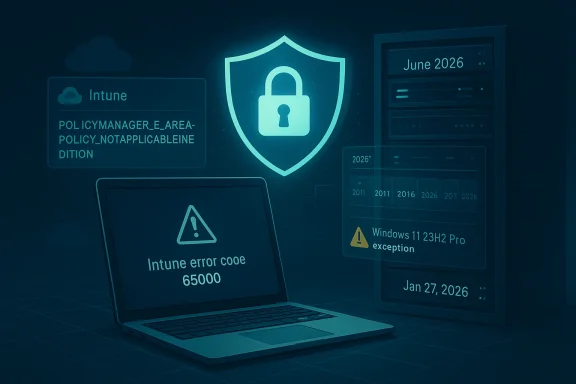
Secure Boot is now entering one of the most consequential maintenance cycles in the modern Windows era, and Microsoft’s latest support guidance makes that clear in unusually direct terms. The company says Secure Boot configuration settings delivered through Microsoft Intune MDM are currently blocked on Pro editions of Windows 10 and Windows 11, producing Intune error code 65000 and event log entries such as POLICYMANAGER_E_AREAPOLICY_NOTAPPLICABLEINEDITION. Microsoft also says the Intune licensing service was updated on January 27, 2026 to allow those deployments on Pro editions, though some Windows 11, version 23H2 devices may still need a future Windows update before the problem is fully gone.
At first glance, this may sound like a narrow Intune bug. In reality, it sits inside a much broader Secure Boot certificate rollover that has been building for months, with Microsoft warning that the 2011-era Secure Boot certificates used across Windows devices begin expiring in June 2026. The combination of certificate expiration, policy deployment behavior, licensing changes, and version-specific exceptions means this is not just a firmware story — it is a platform management story, a compliance story, and a rollout-risk story all at once.
Secure Boot is one of those technologies most users never think about until something goes wrong, but it sits at the center of Windows trust architecture. It helps ensure that code loaded before the operating system starts is signed by a trusted authority, which matters because the pre-boot layer is where attackers can hide the deepest and hardest-to-detect compromises. Microsoft’s current guidance frames the 2026 certificate shift as a planned replacement of older trust anchors, not a panic response to a single vulnerability.
The reason this matters now is simple: certificates age out, and aging trust material has to be replaced before devices lose the ability to accept new boot-chain security fixes. Microsoft has been publishing multiple support documents around the same theme, including the main Secure Boot certificate expiration guidance, FAQs, and deployment notes for Intune, Azure Virtual Desktop, Windows 365, and related management paths. That breadth is a clue that this is being treated as an ecosystem-wide operational transition rather than a one-off patch.
The support article at the center of this issue is especially important because it surfaces a deployment quirk that administrators can actually feel: on Pro editions, Intune-based Secure Boot configuration settings were blocked and could fail with error code 65000. Microsoft says the licensing service changed on January 27, 2026 to permit these settings, and monthly license renewal should eventually propagate the fix automatically. That is a telling detail because it shows the problem was not purely technical in the OS; it was also tied to entitlement and service-side policy checks.
The timing is also interesting from an enterprise management perspective. Microsoft’s broader Secure Boot support pages indicate that different delivery paths are being used depending on the device family: Windows Update for many consumer and managed devices, Intune for MDM-managed fleets, Remediations for cloud and virtual scenarios, and dedicated registry or event guidance for monitoring rollout progress. The update path is therefore intentionally layered, which is both a strength and a source of complexity.
What makes this rollout different from many Windows changes is that the target is foundational. If a consumer misses a feature update, they may lose a convenience feature. If a device misses a Secure Boot certificate update, it may gradually lose the ability to participate in future boot-level security maintenance. That makes this one of those rare cases where a background platform change can become a long-term security and support problem if it is not handled correctly.
Microsoft also says devices that had already received their Intune license before that date need to renew the license before the change fully applies. The company expects the monthly renewal cycle to resolve the issue by February 27, 2026 for most devices, but it adds an important caveat: Windows 11, version 23H2 can still show Intune error 65000 in some cases until a future Windows update arrives. That sort of version-specific exception is exactly the kind of detail IT teams should not gloss over.
The practical takeaway is that administrators need to separate three layers of validation:
This is why the company has been surfacing multiple reminders across support articles, feature notes, and update pages. Microsoft has explicitly framed the expiration as a preparation issue, especially for managed devices, non-diagnostic-data-sharing devices, recovery scenarios, and environments where IT controls the update pipeline. The message is not subtle: plan now, inventory now, and do not wait until the certificates are actually past their usable window.
The company’s documentation around events, registry keys, and monitoring telemetry suggests that Microsoft expects organizations to verify rollout status, not just trust that the update happened. In practice, that means certificate management is becoming a measurable compliance program, not just a silent OS background task.
That makes this a bridge problem between consumer and enterprise management. Small organizations frequently rely on Pro devices, but they still expect enterprise-style policy control. Microsoft’s licensing fix acknowledges that reality, even if the workaround path is more awkward than users would prefer.
The Intune failure on Pro editions therefore had outsized impact. Pro is widely used in business environments that do not fully live in the enterprise management world but still need structured deployment controls. If those devices cannot accept the Secure Boot setting, then an entire class of endpoints can end up in a gray zone: managed enough to be expected to comply, but blocked enough to fail silently or repeatedly.
That also means troubleshooting needs to distinguish between a provisioning issue and a real policy failure. If an admin sees 65000 and assumes the setting itself is broken, they may chase the wrong root cause. The better interpretation is that the control plane and the device’s current license state were out of sync.
The upside is that Microsoft has now explicitly documented the issue and the remediation path. The downside is that admins may have to revisit devices that have already been “managed” and still failed to receive the relevant setting. That second pass is annoying, but it is better than discovering the gap after certificate expiration creates a more serious boot-chain servicing problem.
That is a classic versioning problem. The service plane can be corrected, but if a device build carries its own edition or applicability logic, the device still needs a local OS update to fully align with Microsoft’s current support model. That creates a split-brain period where two things are simultaneously true: the platform is fixed enough for some endpoints, and still broken for others.
That is why administrators should resist the temptation to generalize from a single successful pilot. A clean rollout on one build does not guarantee the same result on another. Mixed-version fleets remain one of the hardest realities in Windows management.
That level of instrumentation is healthy, but it also raises the bar. Administrators can no longer rely on “Windows updated successfully” as an adequate sign that Secure Boot remediation completed. They need to verify whether the new certificate chain was actually installed and whether any boot-stage errors were surfaced in telemetry.
The registry values Microsoft cites appear to be designed as durable state markers, which is useful for enterprise dashboards and compliance scripts. If you are building reporting around the rollout, those keys should be more trustworthy than ad hoc log inspection because they encode the device’s interpreted status more directly.
For enterprises, the picture is materially different. Fleet diversity, air-gapped networks, staged rings, third-party management, and older device images all increase the odds that at least some devices will miss a prerequisite or hit a support edge case. The Intune Pro-edition issue is a perfect example: what looks like a simple feature should have been a checkbox, but instead it became a service entitlement and version compatibility puzzle.
Managed environments also have a stronger need for auditability. Microsoft’s emphasis on registry keys, event IDs, Intune remediations, and reporting dashboards reflects that reality. In a consumer world, “it updated” is often enough; in an enterprise, “prove it updated” is the real requirement.
That makes SMBs the likely winners and losers of this story simultaneously. They benefit from Microsoft’s policy correction, but they also have the least margin for error if a handful of endpoints remain stuck in error 65000 until a future Windows update lands.
The rollout also creates a useful opportunity for organizations to clean up endpoint governance. A Secure Boot certificate migration is the kind of event that forces teams to reconcile inventory, build levels, license state, and firmware readiness all at once. Done properly, that can strengthen the overall Windows management posture, not just solve a single issue.
Another concern is inconsistency across device cohorts. Microsoft’s own documentation implies that some devices will update automatically, some will need managed deployment, and some — including certain Windows 11 23H2 Pro systems — may still need additional Windows fixes. That kind of unevenness is hard to explain to stakeholders and even harder to monitor across a mixed fleet.
The larger Secure Boot expiration timeline means organizations should expect more documentation, more update notes, and more platform-specific guidance through the spring and into June. Microsoft’s strategy appears to be a layered rollout supported by telemetry and remediation tooling, which is sensible, but it also means the burden shifts to IT teams to validate every device class in their environment. This is the kind of problem that looks quiet right up until it becomes urgent.
Source: Microsoft Support Known issues and resolutions for Secure Boot certificates updates - Microsoft Support
At first glance, this may sound like a narrow Intune bug. In reality, it sits inside a much broader Secure Boot certificate rollover that has been building for months, with Microsoft warning that the 2011-era Secure Boot certificates used across Windows devices begin expiring in June 2026. The combination of certificate expiration, policy deployment behavior, licensing changes, and version-specific exceptions means this is not just a firmware story — it is a platform management story, a compliance story, and a rollout-risk story all at once.
 Background
Secure Boot is one of those technologies most users never think about until something goes wrong, but it sits at the center of Windows trust architecture. It helps ensure that code loaded before the operating system starts is signed by a trusted authority, which matters because the pre-boot layer is where attackers can hide the deepest and hardest-to-detect compromises. Microsoft’s current guidance frames the 2026 certificate shift as a planned replacement of older trust anchors, not a panic response to a single vulnerability.The reason this matters now is simple: certificates age out, and aging trust material has to be replaced before devices lose the ability to accept new boot-chain security fixes. Microsoft has been publishing multiple support documents around the same theme, including the main Secure Boot certificate expiration guidance, FAQs, and deployment notes for Intune, Azure Virtual Desktop, Windows 365, and related management paths. That breadth is a clue that this is being treated as an ecosystem-wide operational transition rather than a one-off patch.
The support article at the center of this issue is especially important because it surfaces a deployment quirk that administrators can actually feel: on Pro editions, Intune-based Secure Boot configuration settings were blocked and could fail with error code 65000. Microsoft says the licensing service changed on January 27, 2026 to permit these settings, and monthly license renewal should eventually propagate the fix automatically. That is a telling detail because it shows the problem was not purely technical in the OS; it was also tied to entitlement and service-side policy checks.
The timing is also interesting from an enterprise management perspective. Microsoft’s broader Secure Boot support pages indicate that different delivery paths are being used depending on the device family: Windows Update for many consumer and managed devices, Intune for MDM-managed fleets, Remediations for cloud and virtual scenarios, and dedicated registry or event guidance for monitoring rollout progress. The update path is therefore intentionally layered, which is both a strength and a source of complexity.
What makes this rollout different from many Windows changes is that the target is foundational. If a consumer misses a feature update, they may lose a convenience feature. If a device misses a Secure Boot certificate update, it may gradually lose the ability to participate in future boot-level security maintenance. That makes this one of those rare cases where a background platform change can become a long-term security and support problem if it is not handled correctly.
What Microsoft Actually Changed
The new support note says Microsoft updated the Intune licensing service on January 27, 2026 so Secure Boot configuration settings can be deployed to Windows 10 and Windows 11 Pro editions. Before that change, policy deployment could fail because the feature was treated as unavailable on that edition, which is why the event log could show the edition-related policy manager error. That means the fix is partly a service-side entitlement correction, not just a Windows-side code change.Microsoft also says devices that had already received their Intune license before that date need to renew the license before the change fully applies. The company expects the monthly renewal cycle to resolve the issue by February 27, 2026 for most devices, but it adds an important caveat: Windows 11, version 23H2 can still show Intune error 65000 in some cases until a future Windows update arrives. That sort of version-specific exception is exactly the kind of detail IT teams should not gloss over.
Why licensing matters here
This may seem odd to people who think of certificate management as a pure security setting. But modern cloud management platforms often gate functionality through licensing, feature flags, and edition awareness, so a policy can be technically valid yet operationally blocked if the service considers the target device outside the supported matrix. In other words, the policy was not merely misconfigured; it was rejected by the platform’s own applicability logic.The practical takeaway is that administrators need to separate three layers of validation:
- Does the device edition support the setting?
- Has Intune’s entitlement logic been refreshed for that device?
- Has the specific Windows version picked up the fix path?
The error condition in plain English
The event log string POLICYMANAGER_E_AREAPOLICY_NOTAPPLICABLEINEDITION is Microsoft’s way of saying the policy engine thinks the feature is not valid on that edition. That is why this issue was so confusing for administrators: the message sounded like a hard product limitation, even though Microsoft later changed the licensing service to allow the deployment on Pro. The correction therefore demonstrates how a service policy can masquerade as a platform limitation.- The blocked state affected Pro editions of Windows 10 and Windows 11.
- The symptom most admins saw was Intune error code 65000.
- Some logs exposed the edition-applicability error string.
- The service-side licensing update landed on January 27, 2026.
- Renewal can be forced manually using Microsoft’s documented commands.
The Secure Boot Certificate Timeline
Microsoft’s broader Secure Boot guidance says the certificates used by most devices begin expiring in June 2026, with coverage spanning a large mix of Windows versions, editions, and device categories. That date matters because expiration does not instantly brick devices, but it does create a deadline for keeping the boot trust chain current. Devices that miss the transition may still start, yet they can lose the ability to accept future Secure Boot-related updates.This is why the company has been surfacing multiple reminders across support articles, feature notes, and update pages. Microsoft has explicitly framed the expiration as a preparation issue, especially for managed devices, non-diagnostic-data-sharing devices, recovery scenarios, and environments where IT controls the update pipeline. The message is not subtle: plan now, inventory now, and do not wait until the certificates are actually past their usable window.
Why the June 2026 deadline is operationally important
The deeper risk is not the certificate date itself; it is the accumulation of devices that never receive the replacement chain because of firmware drift, policy blocks, stale images, or unsupported management paths. Microsoft’s separate guidance for Intune, Azure Virtual Desktop, and Windows 365 all exists because different device populations fail in different ways. That is a classic enterprise problem: the platform change is global, but the remediation path is fragmented.The company’s documentation around events, registry keys, and monitoring telemetry suggests that Microsoft expects organizations to verify rollout status, not just trust that the update happened. In practice, that means certificate management is becoming a measurable compliance program, not just a silent OS background task.
Consumer devices versus managed fleets
For consumers, the best case is straightforward: Windows Update or OEM-provided servicing delivers the new certificate family with minimal user involvement. For enterprise-managed systems, though, the challenge is larger because policy rings, image baselines, and MDM settings all have to line up. The Intune Pro-edition issue is important precisely because Pro is common in small business and prosumer deployments, where IT control exists but is often lighter than in enterprise IT.That makes this a bridge problem between consumer and enterprise management. Small organizations frequently rely on Pro devices, but they still expect enterprise-style policy control. Microsoft’s licensing fix acknowledges that reality, even if the workaround path is more awkward than users would prefer.
- Enterprise fleets need staged validation and reporting.
- Consumer devices mostly depend on automatic servicing.
- Hybrid SMB environments are the most likely to hit policy confusion.
- Older images are at higher risk of falling behind.
- Version-specific exceptions such as Windows 11 23H2 require special attention.
Why Intune Is Such a Big Deal Here
Microsoft Intune is not just a settings delivery mechanism in this story; it is one of the main ways Microsoft expects organizations to operationalize Secure Boot certificate updates at scale. Microsoft’s guidance for Intune-managed Windows devices describes support for deploying, managing, and monitoring Secure Boot certificate updates, and it points admins to registry keys and event IDs for status validation. That tells you Intune is effectively part of the remediation stack, not merely an optional extra.The Intune failure on Pro editions therefore had outsized impact. Pro is widely used in business environments that do not fully live in the enterprise management world but still need structured deployment controls. If those devices cannot accept the Secure Boot setting, then an entire class of endpoints can end up in a gray zone: managed enough to be expected to comply, but blocked enough to fail silently or repeatedly.
The hidden importance of license renewal
The advice to renew the license manually using ClipDLS.exe removesubscription followed by ClipRenew.exe is mundane on the surface, but it reveals the operational model underneath. Microsoft is relying on periodic entitlement refreshes to reconcile device state with service-side policy capability, which means a temporary mismatch can persist until the next renewal cycle. For administrators, that means the fix may be delayed even after the service-side change exists.That also means troubleshooting needs to distinguish between a provisioning issue and a real policy failure. If an admin sees 65000 and assumes the setting itself is broken, they may chase the wrong root cause. The better interpretation is that the control plane and the device’s current license state were out of sync.
What this means for small and mid-sized businesses
SMBs are likely to feel this more than they expect because Pro is often their default Windows SKU. They may have just enough management tooling to deploy policies, but not enough automation to absorb licensing edge cases without manual intervention. In that sense, this is less a headline defect and more a test of how mature a company’s endpoint management hygiene really is.The upside is that Microsoft has now explicitly documented the issue and the remediation path. The downside is that admins may have to revisit devices that have already been “managed” and still failed to receive the relevant setting. That second pass is annoying, but it is better than discovering the gap after certificate expiration creates a more serious boot-chain servicing problem.
- Intune is the primary managed deployment path for many organizations.
- License-state mismatch can block otherwise valid policy.
- SMBs using Windows Pro are especially exposed.
- Manual renewal may be needed before the monthly cycle catches up.
- 65000 should now be treated as a remediation clue, not just a generic failure code.
The Windows 11 23H2 Exception
Microsoft’s note contains an unusually specific caveat: Windows 11, version 23H2 on Pro may continue to show Intune error 65000 even after the licensing update, and Microsoft says a future Windows update will resolve that remaining issue. This matters because it breaks the comforting assumption that the January 27 service change instantly cured the fleet. In other words, the fix is real, but it is not universal.That is a classic versioning problem. The service plane can be corrected, but if a device build carries its own edition or applicability logic, the device still needs a local OS update to fully align with Microsoft’s current support model. That creates a split-brain period where two things are simultaneously true: the platform is fixed enough for some endpoints, and still broken for others.
Why version-specific issues persist
Windows servicing is a layered system, and not every correction lives in the same layer. Some changes land in cloud services, some in policy evaluation, some in the OS image, and some in update content that must be applied later. Microsoft’s decision to call out 23H2 separately suggests the defect touched a code path that the licensing change alone could not override.That is why administrators should resist the temptation to generalize from a single successful pilot. A clean rollout on one build does not guarantee the same result on another. Mixed-version fleets remain one of the hardest realities in Windows management.
The lesson for deployment planning
If your organization still runs 23H2 devices, you should treat them as a special validation cohort. The right move is not to freeze rollout, but to segment reporting so you can tell the difference between a licensing delay and a build-specific exception. The support page gives you the proof that the distinction matters.- Separate 23H2 Pro devices from other Windows 11 cohorts.
- Validate post-renewal policy application before declaring success.
- Expect at least one additional Windows update to be part of the final fix.
- Use event and registry monitoring to confirm state, not assumptions.
- Do not infer that all 65000 errors share the same root cause.
Monitoring and Diagnostics
Microsoft’s Secure Boot guidance is notable for how operational it is. Instead of simply telling admins that updates exist, the company points them to registry keys such as UEFICA2023Status and UEFICA2023Error, plus specific boot-related events, including event 1801 and event 1808. That is the language of a rollout program that expects to be measured, correlated, and audited.That level of instrumentation is healthy, but it also raises the bar. Administrators can no longer rely on “Windows updated successfully” as an adequate sign that Secure Boot remediation completed. They need to verify whether the new certificate chain was actually installed and whether any boot-stage errors were surfaced in telemetry.
What to watch in the logs
The support pages emphasize event data because this is a boot-chain issue, not just a UI issue. Event logs can reveal whether the device accepted the new material, whether it encountered a firmware or policy barrier, and whether the result is a benign update delay or a real incompatibility. That distinction is vital for deciding whether to retry, reimage, or escalate to OEM firmware support.The registry values Microsoft cites appear to be designed as durable state markers, which is useful for enterprise dashboards and compliance scripts. If you are building reporting around the rollout, those keys should be more trustworthy than ad hoc log inspection because they encode the device’s interpreted status more directly.
A practical verification sequence
For administrators trying to confirm whether Secure Boot certificate updates are actually in place, a disciplined sequence is better than ad hoc checks:- Confirm the device edition and Windows version.
- Verify that the Intune license state has refreshed.
- Check for the Secure Boot configuration policy.
- Review event logs for the relevant Secure Boot status events.
- Validate the registry status markers Microsoft documents.
- Logs are useful, but they are not enough by themselves.
- Registry status should be checked for a durable signal.
- Event 1801 and 1808 appear to be high-value indicators.
- Build and edition context must be part of every diagnosis.
- Manual remediation should follow a failed verification, not precede it.
Enterprise Versus Consumer Impact
For consumers, the Secure Boot certificate change is mostly invisible if Windows Update, OEM firmware, and the device’s current build are all healthy. That is the ideal path Microsoft appears to be pursuing: automatic delivery, minimal user friction, and a background renewal of the device trust chain. In the best case, users never see a prompt beyond normal updating behavior.For enterprises, the picture is materially different. Fleet diversity, air-gapped networks, staged rings, third-party management, and older device images all increase the odds that at least some devices will miss a prerequisite or hit a support edge case. The Intune Pro-edition issue is a perfect example: what looks like a simple feature should have been a checkbox, but instead it became a service entitlement and version compatibility puzzle.
Why enterprises should care more
Enterprises own their failure modes. If a consumer misses an update, Microsoft and OEM update channels may eventually catch them. If an enterprise misses the rollout, the organization inherits the risk, the remediation effort, and the support burden. That is especially true for Secure Boot, because the stakes include not only policy compliance but also the long-term ability to maintain boot trust.Managed environments also have a stronger need for auditability. Microsoft’s emphasis on registry keys, event IDs, Intune remediations, and reporting dashboards reflects that reality. In a consumer world, “it updated” is often enough; in an enterprise, “prove it updated” is the real requirement.
The SMB middle ground
Small and medium-sized businesses are the awkward middle. They often use Pro devices and Intune-like management, but they lack the deep bench of a large endpoint team. For them, the January 27 licensing change is welcome because it removes an avoidable edition barrier, yet the monthly license renewal caveat means they still need to confirm state rather than assume it.That makes SMBs the likely winners and losers of this story simultaneously. They benefit from Microsoft’s policy correction, but they also have the least margin for error if a handful of endpoints remain stuck in error 65000 until a future Windows update lands.
- Consumers benefit from automatic servicing.
- Enterprises need proof, staging, and compliance artifacts.
- SMBs have limited tolerance for hidden policy gaps.
- Pro editions are common in business and therefore important.
- Version-specific exceptions create extra work for mixed fleets.
Strengths and Opportunities
Microsoft’s handling of this issue has several strengths. The company has at least documented the problem, named the affected editions, explained the service-side correction, and given a manual renewal path. That clarity is valuable because administrators can now act on facts instead of guessing at a generic policy failure. The broader Secure Boot guidance also gives IT teams concrete telemetry and remediation hooks, which makes planning far more practical.The rollout also creates a useful opportunity for organizations to clean up endpoint governance. A Secure Boot certificate migration is the kind of event that forces teams to reconcile inventory, build levels, license state, and firmware readiness all at once. Done properly, that can strengthen the overall Windows management posture, not just solve a single issue.
- Microsoft has provided a clear remediation path.
- The issue is now well-scoped by edition and version.
- Intune reporting can become a stronger operational control.
- The rollout encourages better fleet inventory discipline.
- Organizations can use the moment to improve firmware update hygiene.
- The diagnostic keys and events give admins a path to measurable compliance.
- The change may prompt better coordination between security, desktop, and OEM teams.
Risks and Concerns
The biggest risk is that many organizations will underestimate how layered this issue is. A policy error that looks like a simple Intune failure may actually reflect licensing state, Windows build behavior, or a broader boot-chain update gap. If admins stop at the first symptom, they could miss the underlying readiness problem that the June 2026 expiration is designed to expose.Another concern is inconsistency across device cohorts. Microsoft’s own documentation implies that some devices will update automatically, some will need managed deployment, and some — including certain Windows 11 23H2 Pro systems — may still need additional Windows fixes. That kind of unevenness is hard to explain to stakeholders and even harder to monitor across a mixed fleet.
- Mixed-version fleets may behave differently even under the same policy.
- License renewal lag can delay remediation.
- 23H2 exceptions can create false confidence.
- Firmware staleness could block certificate acceptance on some devices.
- Air-gapped or lightly managed devices may miss the update path entirely.
- Administrators may confuse a service entitlement issue with an OS defect.
- The June 2026 deadline may compress troubleshooting if teams wait too long.
Looking Ahead
The next few months will likely determine whether this becomes a routine platform refresh or a messy compliance exercise. Microsoft has already signaled that some devices need monthly license renewal to catch up, while some Windows 11 23H2 systems still require a separate Windows update. That means the story is not over with the January service change; it is only entering the phase where administrators discover which edge cases survived the first pass.The larger Secure Boot expiration timeline means organizations should expect more documentation, more update notes, and more platform-specific guidance through the spring and into June. Microsoft’s strategy appears to be a layered rollout supported by telemetry and remediation tooling, which is sensible, but it also means the burden shifts to IT teams to validate every device class in their environment. This is the kind of problem that looks quiet right up until it becomes urgent.
What to watch
- Additional Windows updates addressing Windows 11 23H2 behavior.
- Monthly Intune license renewal results on Pro devices.
- Expansion of Secure Boot status reporting in Intune and Autopatch.
- New Microsoft guidance for edge cases and unsupported firmware.
- Any signs that OEM firmware updates are becoming mandatory in more scenarios.
- Evidence that the June 2026 deadline is driving fleet-wide compliance efforts.
Source: Microsoft Support Known issues and resolutions for Secure Boot certificates updates - Microsoft Support
