

If you’ve opened Task Manager and spotted lsass.exe running, it’s not a casual background program — it’s the Local Security Authority Subsystem Service, the core Windows component that enforces authentication and security policy, and yes, it’s supposed to be there — but attackers sometimes impersonate it, so knowing how to confirm authenticity and how to respond if something looks wrong is essential.
The process listed as lsass.exe (Local Security Authority Subsystem Service) is the Windows service responsible for enforcing security policy on the local system and, on domain controllers, across the domain. It handles the work of:
Why the path matters: attackers commonly place malicious copies of system-named binaries in writeable locations then try to run or trick the system into running them. Windows’ own System32 folder is protected by Windows File Protection, UAC, and other mechanisms that make it harder for unprivileged processes to replace critical system files.
As a result:
For enterprise defenders, prioritize patching identity servers and domain controllers, enforce least privilege, and tune detection for LSASS anomalies and token abuse. For home users, the path-and-signature checks plus a good antivirus scan resolve most issues. When guidance conflicts or when you encounter unusual signs, treat the claim as environment-dependent and seek verified advisories or professional support before making high-impact changes.
Source: Windows Report What Is lsass.exe in Windows and How To Tell If It Is Safe
 Background: what lsass.exe actually does
The process listed as lsass.exe (Local Security Authority Subsystem Service) is the Windows service responsible for enforcing security policy on the local system and, on domain controllers, across the domain. It handles the work of:- Authenticating logons (interactive, network, and service logons).
- Processing password changes and logoffs.
- Creating and issuing security tokens used by Windows to determine access to files, services, and other resources.
- Managing many of the cryptographic and identity artifacts used by Kerberos, NTLM, and related authentication flows.
Where the genuine lsass.exe belongs and why path matters
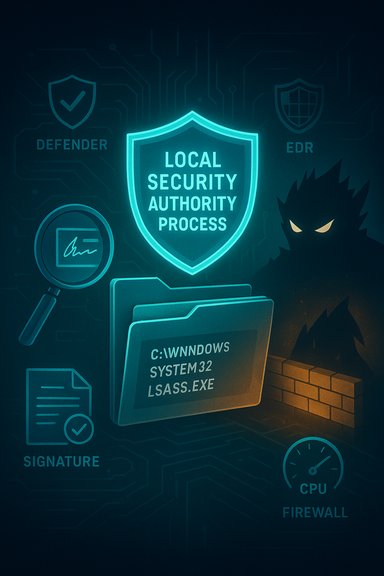
The legitimate Windows binary is always located in:- C:\Windows\System32\lsass.exe
Why the path matters: attackers commonly place malicious copies of system-named binaries in writeable locations then try to run or trick the system into running them. Windows’ own System32 folder is protected by Windows File Protection, UAC, and other mechanisms that make it harder for unprivileged processes to replace critical system files.
How to tell if lsass.exe is legitimate (step-by-step)
Here is a practical, ordered checklist to confirm authenticity and safety. These steps are safe for everyday users; advanced or destructive actions are only for IT teams or under forensic guidance.- Open Task Manager (Ctrl + Shift + Esc) and go to the Details tab.
- Find lsass.exe in the list, right‑click it and choose Open file location. Verify that the file is in C:\Windows\System32. If not, the file is suspicious.
- Right‑click the file in File Explorer, select Properties → Digital Signatures and confirm the signer is Microsoft Windows or Microsoft Corporation. Missing or invalid signatures are a red flag.
- In Task Manager, view the process description (right‑click → Properties → Details tab). The legitimate description reads Local Security Authority Process. Any strange or slightly altered wording deserves scrutiny.
- Check CPU and memory usage: LSASS normally runs with modest resource consumption on desktop systems. Extremely high CPU/memory usage can be a sign of credential dumping, debugging hooks, or malware. If usage is high, investigate further with antivirus/EDR tools.
- Run a full antivirus scan (Windows Security / Microsoft Defender or a known reputable tool). If your AV flags the process or its location, follow the AV guidance — but don’t delete files blindly until their legitimacy is confirmed.
- For enterprise admins: use EDR, Sysmon, or SIEM to check for suspicious LSASS interactions — process memory reads, CreateRemoteThread calls, attempts to open LSASS with PROCESS_VM_READ or other memory access flags. These behaviors are often used for credential extraction.
Why you shouldn’t terminate or delete lsass.exe
The LSASS service is essential. Terminating lsass.exe or removing its binary will generally cause Windows to fail authentication and, on most client OSes, trigger an automatic restart or a system crash to protect system integrity. On domain controllers, an LSASS failure can have far wider consequences for authentication across the domain.As a result:
- Do not attempt to kill the process as a troubleshooting step unless you are instructed by a qualified support engineer or performing controlled forensic analysis.
- Do not replace the binary with a downloaded file from an untrusted website — repair tools like SFC (System File Checker) and DISM are the proper route for restoring damaged system files.
Common signs that lsass.exe may be malicious or impersonated
Look out for one or more of the following indicators:- The binary is located anywhere other than C:\Windows\System32.
- The file is unsigned or the digital signature is not Microsoft’s.
- Unusual file properties or a description that doesn’t match “Local Security Authority Process.”
- Unexpected, persistent spikes in CPU, memory, or disk activity associated with lsass.exe.
- The system behaves oddly after user logins — repeated authentication prompts, instant logouts, or service failures.
- Antivirus or EDR flags the file or related activity.
What attackers do with a compromised LSASS
Attackers target LSASS because it holds the keys to identity in Windows environments. Typical attacker objectives include:- Dumping cleartext credentials or password hashes from LSASS memory using tools and techniques such as Mimikatz or other in-memory extractors.
- Token theft and impersonation to move laterally within a network without needing to reauthenticate.
- Creating forged tickets or tokens (e.g., Kerberos Golden Ticket attacks) to gain persistent, privileged access.
- Triggering LSASS faults or crashes to cause denial-of-service on critical identity infrastructure.
Hardening and protection strategies
Protecting LSASS is a mix of configuration hardening, monitoring, and endpoint controls. Key options include:- Enable LSASS protected process (Protected Process Light / PPL). Running LSASS as a protected process prevents many common memory-access techniques from straightforwardly dumping its memory. Some Windows builds and server roles support running LSASS as PPL via registry and policy settings. Guides and community hardening notes document this as a strong mitigation, though compatibility testing is required.
- Enable Windows Defender Credential Guard where supported. Credential Guard isolates secrets in a virtualized container, reducing the ability of local tools to access credentials. This is especially important on higher-risk endpoint classes (VDI hosts, admin machines).
- Use EDR and Sysmon to log and alert on suspicious patterns like memory reads from lsass.exe, suspicious SeImpersonatePrivilege use, and token duplication operations. Correlate these events with suspicious network activity.
- Patch identity servers and domain controllers promptly. LSASS-related vulnerabilities and their exploitability are regularly tracked by security teams; patching is the primary, reliable defense for identified CVEs. Public advisories stress priority patching for authentication endpoints.
- Apply principle of least privilege and reduce the number of local admin accounts. Limit who can log on interactively to sensitive hosts.
Practical remediation steps if you suspect compromise
If you suspect a malicious lsass.exe or LSASS-based credential theft, follow a methodical response:- Isolate the host from the network to prevent lateral movement and further credential harvesting.
- Preserve volatile evidence: capture a memory image and relevant EDR traces before rebooting if forensic data is needed. LSASS memory often contains the evidence you’ll need to prove credential theft.
- Scan with multiple AV/antimalware engines and let your EDR vendor perform deeper behavioral analysis.
- Collect Windows Event Logs (LsaSrv, Security, System) and check for abnormal LSASS restarts, failed authentication spikes, or service termination events.
- If the binary is not in System32 or lacks a Microsoft signature, do not execute or replace it manually. Use SFC and DISM to repair Windows system components if the legitimate file is damaged. Reinstalling or reimaging may be required for full assurance of integrity.
- Change passwords and revoke credentials for high-value accounts that may have been exposed. In enterprise settings, rotate Kerberos keys, reset service account passwords, and check for suspicious account modifications and new admin accounts.
- Engage forensic or incident-response professionals when necessary; LSASS incidents commonly require careful forensic work to ensure cleanup and recovery are complete.
Advanced admin checks and hunting tips
For defenders monitoring dozens or thousands of hosts, look for:- Unexpected LSASS crashes or rapid restarts across multiple hosts — these can indicate a targeted exploitation attempt against LSASS or a buggy component affecting authentication flows.
- Sudden spikes in CLDAP/LDAP or SPNEGO negotiation activity on domain controllers, correlated with LSASS termination or unusual token activity. Such cross‑signals are commonly recommended in hunting playbooks.
- EDR telemetry showing attempts to open LSASS with PROCESS_VM_READ or to inject code into processes that handle authentication. Alert on sequences involving privilege escalation APIs and JavaScript/Powershell spawns that precede LSASS memory access.
What the user-level, everyday Windows user should know
- If Task Manager shows lsass.exe and it resides in C:\Windows\System32 and is Microsoft-signed, it’s almost certainly the legitimate Windows security process. That is normal and expected.
- Don’t try to “fix” lsass.exe by deleting it or replacing it with a binary from the web — you’ll likely break Windows. Use built-in repair tools instead (SFC, DISM), or restore from backup or system restore points.
- If you’re worried: verify path and digital signature first, then run a full Windows Security scan and an independent scanner such as Malwarebytes for a second opinion. If AV or Windows Defender reports threats tied to lsass.exe, follow those remediation steps and consider professional help.
Strengths, risks, and where guidance sometimes falls short
Strengths in common guidance:- The basic checks — file path, digital signature, and process description — are simple, fast, and effective first-line tests to detect impostors. These checks stop the majority of casual impersonation attempts.
- Running LSASS as a protected process and enabling Credential Guard are real, defensible mitigations that substantially raise the bar for attackers attempting memory-based credential theft.
- Some guidance omits the operational complexity and compatibility tradeoffs of hardening LSASS. Enabling PPL or Credential Guard can break third‑party software or certain drivers that rely on interacting with LSASS. Always test changes in a staging ring before broad deployment.
- Advice to “run AV and delete suspicious files” without preserving evidence or performing memory captures can destroy forensic trails that investigators need to determine scope and root cause. Incident-response best practice is to preserve evidence first and isolate before remediation.
- Statements that a particular CVE has been widely exploited in the wild should be validated against official vendor advisories and telemetry — these details shift rapidly. For any LSASS vulnerability or CVE, refer to vendor advisories and patch notes for exact affected builds and recommended mitigations. When in doubt, prioritize patching identity-critical hosts.
Quick reference: “Is lsass.exe safe?” — a concise checklist
- Path is C:\Windows\System32? — Good.
- Signed by Microsoft? — Good.
- Description reads “Local Security Authority Process”? — Good.
- No abnormal CPU/memory/disk use and AV/EDR is clean? — Good.
- If any of the above checks fail — treat as suspicious and escalate.
Final words: vigilance, patching, and layered defenses
LSASS is central to Windows security. On most systems, the running lsass.exe in System32 is legitimate and necessary. At the same time, the process’s privileged role makes it an attractive target and a frequent subject of attacker tradecraft. The best defense is layered: confirm the file’s path and signature, run up-to-date endpoint protection, enable LSASS hardening features where feasible, and maintain strong telemetry so security teams can detect and respond quickly if LSASS is abused. When potential compromise is suspected, preserve evidence, isolate the host, and follow an incident-response plan rather than taking impulsive destructive actions.For enterprise defenders, prioritize patching identity servers and domain controllers, enforce least privilege, and tune detection for LSASS anomalies and token abuse. For home users, the path-and-signature checks plus a good antivirus scan resolve most issues. When guidance conflicts or when you encounter unusual signs, treat the claim as environment-dependent and seek verified advisories or professional support before making high-impact changes.
Source: Windows Report What Is lsass.exe in Windows and How To Tell If It Is Safe
