

Google’s January 2026 Pixel update, intended to bring security patches and GPU improvements, has instead left a growing number of Pixel owners with disabled Wi‑Fi, dead Bluetooth toggles, and even crippled cameras — a problem that appears concentrated on the Pixel 10 family but is not limited to it.
The January 2026 maintenance release for Google Pixel phones began rolling out in the last week of January, with user reports clustering around January 24–26, 2026. The update’s changelog aimed to address multiple issues — from Webex audio tones and battery anomalies to GPU performance — but forum activity shows that some devices experienced severe regressions after installation.
This article synthesizes dozens of user reports, forum threads, and early coverage by major tech outlets to provide a clear, verifiable picture of what’s happening, who’s affected, and what realistic options exist for owners while Google works on a fix. Wherever possible I cross‑checked claims across independent sources and lift key technical details directly from user‑reported logs and verified threads.
On Reddit, multiple threads from late January 2026 feature owners of Pixel 10 Pro XL and Pixel 10 describing identical failure modes, and some commenters report the same behavior on Pixel 8 Pro units. Those threads include specific device build IDs cited by users, for example one poster noting the update’s build as “16 (BP4A.251205.006.E1).” That build reference provides a concrete marker for investigators and power users trying to correlate problems with specific releases.
It’s also worth noting that some affected users received conflicting guidance from support: while Google’s community staff have opened cases, some individual owners report being advised to submit devices for repair — a puzzling response if the root cause is software rather than hardware. Those accounts reinforce the need for a formal acknowledgment and a specific remediation path from Google.
Caution: some community commentary has drawn parallels to long‑running hardware failures reported in earlier Pixel models. Those are distinct claims and currently unverified for the Pixel 10 series; at present there’s no credible public evidence that the January update is intentionally disabling hardware or that an underlying hardware fault explains failures across many different devices simultaneously. Treat that hardware‑failure hypothesis as speculative until Google confirms otherwise.
That absence of centralized communication is a problem in itself: when connectivity features stop working for a subset of users, clear guidance — whether “we’ve paused the rollout,” “don’t install this build,” or “we have a server‑side fix” — is the minimum consumers should expect.
At the same time, root cause confirmation is absent: Google has not published a technical postmortem, and the company’s official response remains limited to individual case handling through support channels. That lack of transparency is the single biggest risk factor for users — without an official fix or remediation pathway, many affected owners will face uncertain and disruptive outcomes.
For now, the pragmatic rule for Pixel owners is simple: do not install the January 2026 update on mission‑critical devices, and if you are affected, contact Google support and insist your incident be escalated. Power users who are comfortable with ADB and factory images can attempt a sideload as a temporary remedy, but this is an advanced operation and not a substitute for an official, tested patch.
Until Google publishes a clear fix, owners should follow the situation closely, preserve logs and case numbers for support interactions, and back up important data in case a reimage is required. If and when Google issues an update or an advisement, expect follow‑up coverage and step‑by‑step recovery guidance from community experts and major outlets.
In short: the January 2026 Pixel update has the potential to disable fundamental wireless features on a subset of devices. The safest immediate course for most users is precautionary — postpone the update, back up your phone, and wait for a verified fix from Google.
Source: TechRadar https://www.techradar.com/phones/go...the-latest-update-and-theres-no-fix-in-sight/
 Background
The January 2026 maintenance release for Google Pixel phones began rolling out in the last week of January, with user reports clustering around January 24–26, 2026. The update’s changelog aimed to address multiple issues — from Webex audio tones and battery anomalies to GPU performance — but forum activity shows that some devices experienced severe regressions after installation. This article synthesizes dozens of user reports, forum threads, and early coverage by major tech outlets to provide a clear, verifiable picture of what’s happening, who’s affected, and what realistic options exist for owners while Google works on a fix. Wherever possible I cross‑checked claims across independent sources and lift key technical details directly from user‑reported logs and verified threads.
Overview of reported symptoms
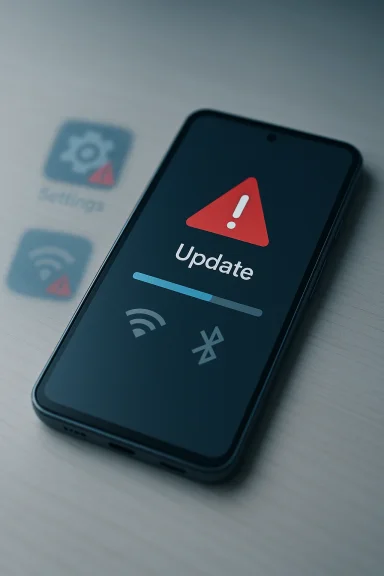
Across Reddit, Google’s Pixel community forums, and several tech news outlets, users are consistently reporting a core set of problems after installing the January 2026 update:- Wi‑Fi stops working: some devices cannot scan or list networks; the Wi‑Fi toggle may be greyed out or instantly revert to off.
- Bluetooth fails to turn on: attempting to enable Bluetooth toggles it off again or leaves it unresponsive.
- Camera and flashlight glitches: isolated reports indicate the camera app won’t start or blocks the flashlight, compounding the connectivity failures.
- Settings instability: users report that Settings pages like “Network & Internet” either hang or crash, and Settings search can return no results.
- Persistent failures after resets: standard recovery steps — reboot, safe mode, network resets, and in several cases full factory resets — reportedly fail to restore connectivity for affected units.
Which models are affected?
Initial reports show a concentration of incidents on the Pixel 10, Pixel 10 Pro, and Pixel 10 Pro XL models, though earlier and parallel complaints have surfaced for Pixel 8 and Pixel 9 series devices as well. Coverage by 9to5Google, TechRadar, and Gadgets360 corroborates that the issue is not strictly model‑specific but seems to cluster on the newest Pixel flagship family.On Reddit, multiple threads from late January 2026 feature owners of Pixel 10 Pro XL and Pixel 10 describing identical failure modes, and some commenters report the same behavior on Pixel 8 Pro units. Those threads include specific device build IDs cited by users, for example one poster noting the update’s build as “16 (BP4A.251205.006.E1).” That build reference provides a concrete marker for investigators and power users trying to correlate problems with specific releases.
Timeline and scale — how widespread is this?
Quantifying scale from forum posts is imprecise, but the pattern is clear: dozens of individual threads and multiple mainstream tech reports emerged within days of the rollout, indicating more than a handful of isolated incidents. Tech reporters and community moderators found the same clusters in Google’s official help forums and Reddit, and multiple news sites picked up the story within 48 hours of these community reports. That rapid cross‑platform appearance suggests a non‑trivial problem that has reached a meaningful number of devices, even if the absolute percentage of affected phones remains small relative to the total Pixel installed base.It’s also worth noting that some affected users received conflicting guidance from support: while Google’s community staff have opened cases, some individual owners report being advised to submit devices for repair — a puzzling response if the root cause is software rather than hardware. Those accounts reinforce the need for a formal acknowledgment and a specific remediation path from Google.
What troubleshooting has been tried (and what works)
Affected users have run the usual sequence of troubleshooting steps. The documented attempts and observed outcomes include:- Rebooting the device: often temporary or ineffective; some users report intermittent recovery after a restart, but the problem frequently returns.
- Safe Mode: attempted to rule out third‑party apps; generally no effect.
- Reset network settings: widely attempted but usually no fix.
- Factory reset: performed by multiple users, sometimes at Google’s suggestion; several report no change post‑reset, implying the issue survives a wipe on the device.
- Disabling Google Play Services: anecdotally reported as restoring wireless functions in a very small number of cases, but this effectively cripples app distribution and many essential Google services — an unacceptable trade‑off for most people.
- Sideloading the OTA image: a handful of users report success reinstalling the public update via sideload (ADB) or reverting to a prior image; this requires technical skill and a desktop.
Possible technical causes — what might be going on
At this stage there is no confirmed root cause publicly released by Google, so any technical diagnosis is provisional. However, the pattern of failures (Wi‑Fi and Bluetooth simultaneously, Settings pages misbehaving, camera issues) suggests one of several plausible scenarios:- A system framework regression or corrupted system service that mediates multiple hardware subsystems (networking stack, Bluetooth stack, camera HAL). When a core service crashes or is mismatched to lower firmware, dependent features can fail en masse. This is consistent with reports of Settings menus failing to load.
- A driver/firmware mismatch between the updated Android build and vendor wireless firmware for the Wi‑Fi/Bluetooth chipset. That kind of regression can render radios inoperable while leaving cellular data intact.
- An interaction with new Quick Share / AirDrop‑like functionality that touches peer‑to‑peer Wi‑Fi behavior. Recent reports tied a Quick Share extension update to Wi‑Fi disruption on Pixel 10 devices in an earlier incident; if an integration was changed in the January build it could explain a regression in how the radio is configured. Note that this theory is circumstantial and not confirmed.
Caution: some community commentary has drawn parallels to long‑running hardware failures reported in earlier Pixel models. Those are distinct claims and currently unverified for the Pixel 10 series; at present there’s no credible public evidence that the January update is intentionally disabling hardware or that an underlying hardware fault explains failures across many different devices simultaneously. Treat that hardware‑failure hypothesis as speculative until Google confirms otherwise.
What Google has said so far
As of the time of writing, Google has not issued a formal public advisory acknowledging a widespread bug tied to the January 2026 release. Instead, community staff and support channels appear to be handling cases individually, and affected users are being directed to contact official support or to open cases in the Google Help forums. Several outlets report that Google has been contacted for comment, but no public patch timeline or root‑cause disclosure is available.That absence of centralized communication is a problem in itself: when connectivity features stop working for a subset of users, clear guidance — whether “we’ve paused the rollout,” “don’t install this build,” or “we have a server‑side fix” — is the minimum consumers should expect.
Short‑term recommendations for owners
If you own a Pixel device, follow this pragmatic checklist to reduce your risk and prepare if you’re affected.- If you have not yet installed the January 2026 update: do not install it yet. Wait for confirmation from Google or evidence that the rollout is clean for your exact model. Multiple outlets and community reports recommend delaying installation.
- If you already installed the update and your phone is working normally: hold off on non‑essential reboots and avoid touching network or system settings until a known fix or clearer guidance is available. Back up critical data.
- If your phone is affected, try the basic sequence in this order, noting that many users report these steps often fail to resolve the issue:
- Reboot the device and try toggling airplane mode.
- Boot into Safe Mode to rule out third‑party app interference.
- Reset network settings from Settings → System → Reset options.
- If those fail, contact Google support immediately and open a case in the Google Pixel Help community so your incident is logged.
- For advanced users only: sideloading the OTA or reflashing a factory image has been reported to work for some people. This is a technical operation that requires a PC, USB debugging enabled (or Fastboot access), and careful adherence to Google’s instructions. Take a full backup first. Do not attempt this if you are unfamiliar with ADB/fastboot.
- Avoid disabling Google Play Services or uninstalling essential system services as a long‑term “fix.” That may temporarily restore radios for a subset of users but breaks multiple Google services and the Play Store, and it’s not a sustainable solution.
What this means for Google and the Android ecosystem
A software update that disables basic wireless connectivity for users strikes at one of the trust pillars of modern smartphone maintenance. Several implications flow from this incident:- User confidence and retention: For buyers who choose Pixel for stock Android polish and timely updates, instability of this scale will hurt confidence. Some affected users already say they’re considering switching ecosystems.
- Rollout practices: Google’s staged rollout and telemetry should ideally detect high‑severity regressions before broad distribution. If telemetry failed to catch this, it suggests either a gap in rollouts for specific regional or carrier configurations, or a class of corner cases not covered by test fleets.
- Support flow: Directing users to repair or hardware replacement in the face of a likely software regression undermines support credibility and risks unnecessary RMA logistics. Clear escalation protocols are needed when symptoms suggest software rather than hardware root causes.
- Third‑party integrations: The suspect involvement of Quick Share/peer‑to‑peer Wi‑Fi behavior in an earlier Pixel 10 incident highlights the risk of integrating novel peer networking features tightly with low‑level Wi‑Fi behavior. Those integrations need rigorous compatibility testing across vendor firmware variations.
How Google should respond (and what users should expect)
Best practices for Google at this juncture are clear and actionable:- Issue a transparent public advisory acknowledging reports, identifying affected builds and models, and offering an explicit rollback or patch timeline. Users deserve clear guidance on whether to defer the update.
- If telemetry shows a build‑specific regression, halt the rollout for remaining devices and push a corrected build quickly. Staged rollouts are meant to prevent widespread impact — if the stage wasn’t stopped, the process needs examination.
- Provide a supported, safe recovery path for affected users rather than ad‑hoc forum workarounds. That can include a straightforward reimage utility or an orchestrated OTA reissue, plus clear instructions for sideloading when necessary.
Longer‑term lessons for owners and administrators
This incident is a useful reminder of risk management around device updates, especially for users who depend on their phones for work or home automation:- Keep backups (local and cloud). That mitigates pain if you must factory reset or reimage a device.
- Consider delaying non‑critical updates for 48–72 hours on flagship devices used for business, to give time for initial reports to surface.
- Corporate IT and MDM administrators should monitor vendor advisories and postpone large‑scale updates until the build’s stability is validated.
- Maintain an alternate device or tethering plan if your phone is essential to your workflow, since Wi‑Fi/Bluetooth failures immediately degrade daily utility.
Final assessment and prognosis
The available evidence shows a pattern of failures tied temporally to the January 2026 Pixel update and concentrated among Pixel 10 series devices, with spillover into other Pixel models. Multiple independent outlets — including coverage from 9to5Google, TechRadar, SlashGear, and Android Central — and a cluster of corroborating user threads on Reddit and Google’s help forums make a persuasive case that this is a real regression affecting a meaningful cohort of phones.At the same time, root cause confirmation is absent: Google has not published a technical postmortem, and the company’s official response remains limited to individual case handling through support channels. That lack of transparency is the single biggest risk factor for users — without an official fix or remediation pathway, many affected owners will face uncertain and disruptive outcomes.
For now, the pragmatic rule for Pixel owners is simple: do not install the January 2026 update on mission‑critical devices, and if you are affected, contact Google support and insist your incident be escalated. Power users who are comfortable with ADB and factory images can attempt a sideload as a temporary remedy, but this is an advanced operation and not a substitute for an official, tested patch.
Until Google publishes a clear fix, owners should follow the situation closely, preserve logs and case numbers for support interactions, and back up important data in case a reimage is required. If and when Google issues an update or an advisement, expect follow‑up coverage and step‑by‑step recovery guidance from community experts and major outlets.
In short: the January 2026 Pixel update has the potential to disable fundamental wireless features on a subset of devices. The safest immediate course for most users is precautionary — postpone the update, back up your phone, and wait for a verified fix from Google.
Source: TechRadar https://www.techradar.com/phones/go...the-latest-update-and-theres-no-fix-in-sight/
