

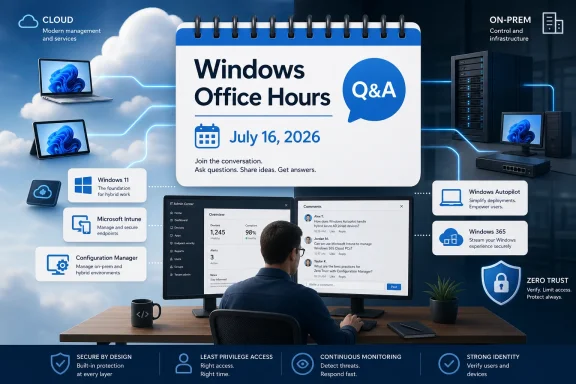
Microsoft’s Windows Office Hours on July 16, 2026 is a one-hour, chat-based Q&A for IT professionals who manage Windows endpoints. Microsoft says experts from Windows, Microsoft Intune, Configuration Manager, Windows 365, Windows Autopilot, security, and related teams will answer questions about Windows 11 adoption, application compatibility, update management, cloud-native administration, Zero Trust, Intune, Windows 365, and hybrid environments.
The practical details are simple: participate in the comments section below the event page. There is no video and no live meeting to join. It is a text-based Office Hours event where questions and answers appear in the thread. If you cannot attend or if this topic is not the one you need, Microsoft also says IT pros can follow the Windows Office Hours series for future dates.
The first visible question on the page, from Tech Community user shin0933, asks whether the process of adding a desktop shortcut through Group Policy can be mirrored in Intune as a CSP. That question should sound familiar to many admins: it is a narrow operational request, not a strategy debate. It is also exactly the kind of question that fits this event, because Microsoft is inviting practical questions about the overlap among Windows, Intune, Configuration Manager, Autopilot, security, and hybrid management.
Windows Office Hours is not a product launch, keynote, webinar, or video briefing. According to Microsoft’s event listing, the July 16 session is a one-hour Q&A for IT professionals, hosted in the comments section of the event page. Microsoft explicitly describes the format as chat-based, with no video or live meeting component.
That format matters because it tells admins how to prepare. This is not the event for passive viewing. It is the event for bringing a specific endpoint-management problem, writing it clearly, and watching for a response from the relevant Microsoft expert.
The topic areas Microsoft lists are broad, but they all point to the same day-to-day reality: Windows endpoint administration now sits across operating system migration, app readiness, update policy, security posture, device provisioning, cloud management, and legacy management tools. Microsoft’s named areas include Windows 11, application compatibility, update management, cloud-native administration, Zero Trust, Intune, Windows 365, and hybrid environments.
For IT teams, the value of the event will depend on the quality of the questions. A broad question such as “What should we do about Windows 11?” may receive a broad answer. A specific question about a blocked app, a conflicting management path, an update rollout problem, a provisioning failure, or a policy migration scenario has a better chance of producing something usable.
Admins should pay particular attention if they are dealing with any of the following:
That does not mean posting confidential architecture details or tenant information. It means giving Microsoft enough operational context to avoid a generic answer.
That is all the comment asks, and it should not be stretched beyond that. It does not prove a trend by itself, and it does not tell us the user’s environment, target devices, operating system version, or exact management state. But as a visible example of the kind of question appearing on the page, it is useful.
The question is small in the right way. A desktop shortcut is not a headline feature, but it is a common administrative outcome. Many organizations have years of operational habits built around Group Policy and Group Policy Preferences. When those organizations move more work into Intune, they often need to know whether an old result has a direct equivalent, a different supported method, or no clean equivalent at all.
That is why the question fits the event. Microsoft has invited questions about Intune, cloud-native administration, Windows management, and hybrid environments. A desktop shortcut request sits at the intersection of those topics because it asks how an old management habit should be handled in a newer management model.
The important point is not whether every Group Policy behavior has a one-to-one Intune replacement. The important point is that admins need a reliable way to ask: “What is the supported way to produce this result now?”
The value of a cross-product Q&A is that admins can ask questions that reflect how their environments actually work. A Windows 11 rollout question may involve Intune policy, Configuration Manager coexistence, Autopilot provisioning, update rings, and security exceptions. A Windows 365 question may involve user access, app delivery, compliance, and endpoint configuration. An update-management question may involve Windows servicing, reporting, security requirements, and pilot groups.
That is why this event should be treated less like a presentation and more like a short opportunity to test assumptions. If an organization is unsure which Microsoft product or management plane should own a workload, this is the kind of forum where that question belongs.
A Windows 11 migration can be blocked by app compatibility. App compatibility can be affected by security policy. Security policy may be delivered through Intune. Intune may coexist with Configuration Manager. Update management may affect compliance. Autopilot provisioning may expose sequencing problems. Windows 365 may change where the desktop runs, but it does not remove the need to manage access, configuration, and user experience.
That is the concise version of the modern Windows endpoint challenge: the device estate is a system, not a set of isolated products. The July 16 Office Hours event is useful because Microsoft is putting several of those product and discipline areas into the same chat-based Q&A.
A strong Office Hours question should include:
Instead of asking, “How should we do updates?” an admin could ask, “For Windows 11 devices managed with Intune, what factors should determine pilot ring design when the main concern is balancing update speed with app compatibility testing and executive-device risk?”
Instead of asking, “How do we use Autopilot?” an admin could ask, “When Autopilot provisioning succeeds but required apps or policies arrive too late for the first user session, what should admins check first: enrollment status, app assignment, policy targeting, network access, or sequencing?”
The more specific the question, the more likely the answer will help other readers too.
The best expectation is narrower: use the event to clarify direction, confirm whether a scenario belongs in one product area or another, ask about supported approaches, and learn from what other IT pros are asking.
The no-video format also means the thread may move quickly. Some answers may be brief. Some questions may need follow-up. Some questions may not be answered during the hour. But even with those limits, the format has one advantage over a live presentation: the questions and answers appear in writing.
That written record is useful for admins who need to share guidance internally. A response in the comments can be easier to quote in a team chat, planning note, or internal decision record than a verbal answer from a meeting.
That is a reasonable question. It is also a reminder that many migration issues are not about headline features. They are about small, repeated administrative outcomes: shortcuts, settings, scripts, printers, browser behavior, app defaults, device restrictions, local configuration, update timing, and user experience.
For admins, the useful way to frame these questions is not simply, “Where is the old knob?” A better framing is:
Microsoft’s July 16 event is a good place to ask those “what is the supported approach?” questions, especially when the answer may cross product boundaries.
That mixed state is not necessarily failure. For many organizations, it is normal. The risk is leaving the mixed state undocumented and unmanaged. If Group Policy, Intune, Configuration Manager, scripts, security baselines, and app installers can all affect the same endpoint, admins need to know which tool is authoritative for each outcome.
That is where a public Office Hours session can help. It gives admins a place to ask Microsoft how to think about the boundaries. It also gives Microsoft a live view of what customers are actually trying to do, which may be more revealing than a polished agenda.
The most useful outcome for readers may not be a single answer. It may be a clearer sense of where Microsoft expects a scenario to live. Should the admin think about it as a Windows policy question, an Intune configuration question, a Configuration Manager continuity question, an Autopilot provisioning question, a Windows 365 management question, or a security/compliance question? Knowing the right bucket can save hours of searching and trial-and-error testing.
During the event, admins should watch for repeated themes. If several people ask about the same kind of Intune migration issue, update-management problem, Windows 11 compatibility blocker, or hybrid-management ambiguity, that repetition is useful. It suggests the issue is not isolated to one environment.
After the event, teams should review the thread and separate three things: answers they can act on immediately, answers that require testing, and unanswered questions that may need a support case or future Office Hours follow-up.
This timeline is deliberately simple because the event format is simple. The work is not joining a meeting. The work is asking the right question.
Admins should treat the event as a short, public opportunity to ask practical questions about Windows 11 adoption, application compatibility, update management, cloud-native administration, Zero Trust, Intune, Windows 365, and hybrid environments. The most useful questions will be specific, operational, and tied to a real decision or blocker.
The visible first question about whether a Group Policy desktop-shortcut process can be mirrored in Intune as a CSP is a good example of the right level of detail. It does not try to solve endpoint strategy in the abstract. It asks whether a familiar administrative outcome has a supported path in the newer management model.
That is the kind of question Windows Office Hours is built for. Bring the scenario, name the tools involved, describe the desired result, and ask Microsoft where the supported path is. Then save the answer, compare it with what other admins are asking, and keep following the Windows Office Hours series for future sessions.
The practical details are simple: participate in the comments section below the event page. There is no video and no live meeting to join. It is a text-based Office Hours event where questions and answers appear in the thread. If you cannot attend or if this topic is not the one you need, Microsoft also says IT pros can follow the Windows Office Hours series for future dates.
The first visible question on the page, from Tech Community user shin0933, asks whether the process of adding a desktop shortcut through Group Policy can be mirrored in Intune as a CSP. That question should sound familiar to many admins: it is a narrow operational request, not a strategy debate. It is also exactly the kind of question that fits this event, because Microsoft is inviting practical questions about the overlap among Windows, Intune, Configuration Manager, Autopilot, security, and hybrid management.
 What the July 16 Windows Office Hours Event Is
Windows Office Hours is not a product launch, keynote, webinar, or video briefing. According to Microsoft’s event listing, the July 16 session is a one-hour Q&A for IT professionals, hosted in the comments section of the event page. Microsoft explicitly describes the format as chat-based, with no video or live meeting component.That format matters because it tells admins how to prepare. This is not the event for passive viewing. It is the event for bringing a specific endpoint-management problem, writing it clearly, and watching for a response from the relevant Microsoft expert.
The topic areas Microsoft lists are broad, but they all point to the same day-to-day reality: Windows endpoint administration now sits across operating system migration, app readiness, update policy, security posture, device provisioning, cloud management, and legacy management tools. Microsoft’s named areas include Windows 11, application compatibility, update management, cloud-native administration, Zero Trust, Intune, Windows 365, and hybrid environments.
For IT teams, the value of the event will depend on the quality of the questions. A broad question such as “What should we do about Windows 11?” may receive a broad answer. A specific question about a blocked app, a conflicting management path, an update rollout problem, a provisioning failure, or a policy migration scenario has a better chance of producing something usable.
Who Should Care
This Office Hours session is most relevant for administrators, endpoint engineers, desktop engineering teams, security operations teams, and IT managers responsible for Windows devices. It is also relevant for organizations that are trying to decide how much management work should remain in Configuration Manager, how much should move into Intune, and how Windows 11 adoption affects their existing management model.Admins should pay particular attention if they are dealing with any of the following:
- Windows 11 deployment planning or adoption blockers.
- Application compatibility questions tied to Windows 11.
- Windows update rollout design, timing, or reporting.
- Intune configuration questions.
- Hybrid management involving both Configuration Manager and Intune.
- Windows Autopilot provisioning questions.
- Windows 365 endpoint or Cloud PC management questions.
- Security and Zero Trust requirements that depend on device state.
- Legacy Group Policy behaviors that do not appear to map cleanly to modern management.
How to Participate
The participation model is direct:- Go to Microsoft’s July 16, 2026 Windows Office Hours event page.
- Use the comments section below the event to post your question.
- Expect a one-hour, chat-based Q&A, not a video call.
- Do not look for a Teams meeting, livestream, or webinar room; Microsoft says there is no video or live meeting component.
- Follow the Windows Office Hours series if you want future sessions and dates.
That does not mean posting confidential architecture details or tenant information. It means giving Microsoft enough operational context to avoid a generic answer.
Questions Admins Should Bring
The best use of this Office Hours event is to turn vague endpoint anxiety into concrete questions. Based on Microsoft’s listed topic areas, admins should consider bringing questions like these:- Windows 11 adoption: What is the recommended way to handle a migration blocker when the issue is a specific app, driver, device model, or business unit rather than general readiness?
- Application compatibility: How should IT teams separate app compatibility issues caused by Windows 11 from issues caused by security policy, browser configuration, drivers, or deployment sequencing?
- Update management: How should admins structure update rollout questions when they need to balance faster patching with pilot rings, business continuity, and exception handling?
- Intune configuration: If a setting or behavior existed in Group Policy, what is the right way to determine whether it has a supported Intune equivalent?
- CSP and policy migration: When is a CSP-based approach appropriate, and when should an admin use another Intune-supported method instead?
- Configuration Manager and Intune: Which workloads are reasonable candidates to move first in a hybrid or co-managed environment, and which should remain where they are until the organization is ready?
- Windows Autopilot: How should teams troubleshoot provisioning issues that appear only after enrollment, app deployment, or policy application begins?
- Windows 365: What should admins consider when managing Cloud PCs alongside physical Windows devices?
- Security and Zero Trust: How should endpoint teams align device compliance, update status, and configuration policy with security requirements without creating conflicting controls?
- Hybrid environments: How should admins avoid double-managing the same setting across Group Policy, Configuration Manager, Intune profiles, scripts, and security baselines?
The First Visible Question Shows the Kind of Detail That Belongs Here
The first visible question on the event page is from Tech Community user shin0933, who asks whether adding a desktop shortcut through Group Policy can be mirrored in Intune as a CSP.That is all the comment asks, and it should not be stretched beyond that. It does not prove a trend by itself, and it does not tell us the user’s environment, target devices, operating system version, or exact management state. But as a visible example of the kind of question appearing on the page, it is useful.
The question is small in the right way. A desktop shortcut is not a headline feature, but it is a common administrative outcome. Many organizations have years of operational habits built around Group Policy and Group Policy Preferences. When those organizations move more work into Intune, they often need to know whether an old result has a direct equivalent, a different supported method, or no clean equivalent at all.
That is why the question fits the event. Microsoft has invited questions about Intune, cloud-native administration, Windows management, and hybrid environments. A desktop shortcut request sits at the intersection of those topics because it asks how an old management habit should be handled in a newer management model.
The important point is not whether every Group Policy behavior has a one-to-one Intune replacement. The important point is that admins need a reliable way to ask: “What is the supported way to produce this result now?”
Why the Product Lineup Matters
Microsoft says experts representing Windows, Microsoft Intune, Configuration Manager, Windows 365, Windows Autopilot, security, and more will be available. That lineup is important because real endpoint problems rarely stay inside one product boundary.| Microsoft area represented | What admins are likely to bring | Why it belongs in the same Q&A |
|---|---|---|
| Windows | Windows 11 adoption, user experience, app and driver behavior | The operating system is where policy, apps, updates, and users meet. |
| Microsoft Intune | Configuration, compliance, policy migration, cloud management | Intune is central to many modern endpoint-management projects. |
| Configuration Manager | Existing deployment workflows, hybrid management, operational continuity | Many organizations still depend on established Configuration Manager processes. |
| Windows 365 | Cloud PC management, access, configuration, and user experience | Cloud PCs still require endpoint and security decisions. |
| Windows Autopilot | Provisioning, enrollment, setup experience, deployment sequencing | Provisioning problems often involve identity, apps, policy, and network readiness. |
| Security | Zero Trust, compliance, update urgency, baseline enforcement | Security requirements increasingly shape endpoint configuration and access decisions. |
That is why this event should be treated less like a presentation and more like a short opportunity to test assumptions. If an organization is unsure which Microsoft product or management plane should own a workload, this is the kind of forum where that question belongs.
Windows 11, Intune, Hybrid Management, and Security Are One Conversation
Microsoft’s topic list includes Windows 11 adoption, application compatibility, update management, cloud-native administration, Zero Trust, Intune, Windows 365, and hybrid environments. Admins do not need five different theories to understand why those topics are grouped together. They are grouped together because endpoint operations are now interdependent.A Windows 11 migration can be blocked by app compatibility. App compatibility can be affected by security policy. Security policy may be delivered through Intune. Intune may coexist with Configuration Manager. Update management may affect compliance. Autopilot provisioning may expose sequencing problems. Windows 365 may change where the desktop runs, but it does not remove the need to manage access, configuration, and user experience.
That is the concise version of the modern Windows endpoint challenge: the device estate is a system, not a set of isolated products. The July 16 Office Hours event is useful because Microsoft is putting several of those product and discipline areas into the same chat-based Q&A.
How to Ask a Better Question in the Comments
Because the event is text-based, admins have a chance to make their questions precise. That is a strength of the format. A written question can include details that would be hard to squeeze into a live spoken exchange.A strong Office Hours question should include:
- The product or products involved.
- The current management model.
- The intended outcome.
- The failure, uncertainty, or decision point.
- Any relevant constraint, such as hybrid management, app compatibility, security requirements, or rollout timing.
Instead of asking, “How should we do updates?” an admin could ask, “For Windows 11 devices managed with Intune, what factors should determine pilot ring design when the main concern is balancing update speed with app compatibility testing and executive-device risk?”
Instead of asking, “How do we use Autopilot?” an admin could ask, “When Autopilot provisioning succeeds but required apps or policies arrive too late for the first user session, what should admins check first: enrollment status, app assignment, policy targeting, network access, or sequencing?”
The more specific the question, the more likely the answer will help other readers too.
What Not to Expect
Admins should not expect this event to replace formal support. A one-hour public Q&A is not the right place for tenant-specific troubleshooting, private logs, urgent outages, or confidential architecture reviews. It is also not likely to produce a full migration plan for a complex enterprise environment.The best expectation is narrower: use the event to clarify direction, confirm whether a scenario belongs in one product area or another, ask about supported approaches, and learn from what other IT pros are asking.
The no-video format also means the thread may move quickly. Some answers may be brief. Some questions may need follow-up. Some questions may not be answered during the hour. But even with those limits, the format has one advantage over a live presentation: the questions and answers appear in writing.
That written record is useful for admins who need to share guidance internally. A response in the comments can be easier to quote in a team chat, planning note, or internal decision record than a verbal answer from a meeting.
The Group Policy-to-Intune Question Is the Right Kind of Friction
The visible desktop-shortcut question is worth returning to because it represents a common migration tension without requiring any unsupported technical leap. An admin knows how to create a result with Group Policy. The organization is moving toward Intune or at least evaluating modern management. The admin wants to know whether the same result can be achieved through a CSP.That is a reasonable question. It is also a reminder that many migration issues are not about headline features. They are about small, repeated administrative outcomes: shortcuts, settings, scripts, printers, browser behavior, app defaults, device restrictions, local configuration, update timing, and user experience.
For admins, the useful way to frame these questions is not simply, “Where is the old knob?” A better framing is:
- What is the desired state?
- Is there a built-in Intune policy for it?
- Is there a supported Windows management path for it?
- Does the scenario belong in configuration, app deployment, scripting, remediation, provisioning, or another operational process?
- How should the result be targeted, monitored, and rolled back?
Microsoft’s July 16 event is a good place to ask those “what is the supported approach?” questions, especially when the answer may cross product boundaries.
Why This Event Is Timely for Endpoint Teams
By 2026, many IT organizations are not debating whether Windows endpoint management is changing. They are managing the consequences of that change. They have some workloads in traditional tooling, some in cloud management, some tied to security policy, some affected by Windows 11 adoption, and some dependent on application compatibility that does not move at the same speed as the operating system.That mixed state is not necessarily failure. For many organizations, it is normal. The risk is leaving the mixed state undocumented and unmanaged. If Group Policy, Intune, Configuration Manager, scripts, security baselines, and app installers can all affect the same endpoint, admins need to know which tool is authoritative for each outcome.
That is where a public Office Hours session can help. It gives admins a place to ask Microsoft how to think about the boundaries. It also gives Microsoft a live view of what customers are actually trying to do, which may be more revealing than a polished agenda.
The most useful outcome for readers may not be a single answer. It may be a clearer sense of where Microsoft expects a scenario to live. Should the admin think about it as a Windows policy question, an Intune configuration question, a Configuration Manager continuity question, an Autopilot provisioning question, a Windows 365 management question, or a security/compliance question? Knowing the right bucket can save hours of searching and trial-and-error testing.
Admin Checklist for July 16
Before the event, admins should prepare the way they would for a short vendor escalation or architecture office-hours session.| Before the event | Why it helps |
|---|---|
| Pick one or two specific questions | A one-hour Q&A rewards focus. |
| Identify the products involved | Microsoft is bringing experts from several areas, so routing matters. |
| State the current management model | Hybrid, cloud-managed, co-managed, or legacy states affect the answer. |
| Describe the intended result | Experts need to know the outcome, not just the tool being used. |
| Mention the blocker | Say whether the issue is compatibility, targeting, reporting, sequencing, policy conflict, or uncertainty about support. |
| Avoid tenant-private details | The comments are public, so keep sensitive data out. |
| Save useful answers | The comment thread may become a reference for internal planning. |
| Follow the Windows Office Hours series | Microsoft says that is the way to track future dates. |
After the event, teams should review the thread and separate three things: answers they can act on immediately, answers that require testing, and unanswered questions that may need a support case or future Office Hours follow-up.
A Practical Timeline
| Date or stage | What admins should do |
|---|---|
| Before July 16, 2026 | Review the event topic areas and prepare specific questions. |
| July 16, 2026 | Post questions in the comments section during the one-hour chat-based Q&A. |
| During the session | Watch for answers from Microsoft experts and related questions from other admins. |
| After the session | Capture useful guidance, test anything environment-specific, and share relevant answers internally. |
| Future sessions | Follow the Windows Office Hours series for upcoming dates and related topics. |
The Bottom Line
The July 16, 2026 Windows Office Hours session is a one-hour, chat-based Microsoft Tech Community Q&A for IT professionals managing Windows endpoints. Questions belong in the comments section below the event page. There is no video and no live meeting. Microsoft says experts from Windows, Intune, Configuration Manager, Windows 365, Windows Autopilot, security, and related areas will participate.Admins should treat the event as a short, public opportunity to ask practical questions about Windows 11 adoption, application compatibility, update management, cloud-native administration, Zero Trust, Intune, Windows 365, and hybrid environments. The most useful questions will be specific, operational, and tied to a real decision or blocker.
The visible first question about whether a Group Policy desktop-shortcut process can be mirrored in Intune as a CSP is a good example of the right level of detail. It does not try to solve endpoint strategy in the abstract. It asks whether a familiar administrative outcome has a supported path in the newer management model.
That is the kind of question Windows Office Hours is built for. Bring the scenario, name the tools involved, describe the desired result, and ask Microsoft where the supported path is. Then save the answer, compare it with what other admins are asking, and keep following the Windows Office Hours series for future sessions.
References
- Primary source: Microsoft - Message Center
Published: 2026-07-09 10:00 PT
- Official source: learn.microsoft.com
Manage Windows 365 Cloud PCs with Configuration Manager | Microsoft Learn
Learn how to manage Cloud PCs with Configuration Manager.learn.microsoft.com - Official source: learn.microsoft.com.mcas.ms

Continue
learn.microsoft.com.mcas.ms
- Related coverage: archive.ph
- Official source: download.microsoft.com
- Official source: info.microsoft.com
- Related coverage: windowscentral.com
Windows 11’s huge July 14 update is loaded with new features — these are the 13 that matter most | Windows Central
Windows 11's July 2026 update is bigger than expected, bringing a new recovery feature, long-requested update controls, and many improvements.www.windowscentral.com