

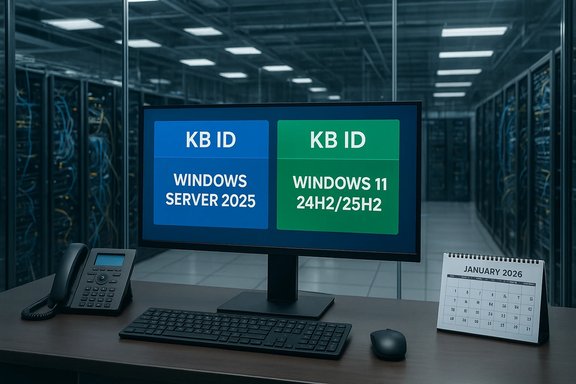
Microsoft will start issuing separate KB identifiers for updates to Windows 11 (versions 24H2 and 25H2) and Windows Server 2025 beginning with the January 2026 security update, a small-looking administrative change that carries outsized implications for enterprise patching, telemetry, and the long-term servicing model. Microsoft made the change public in the December release notes for Windows Server 2025 and reiterated it in Windows IT Pro communications: starting with the January Patch Tuesday, server and desktop servicing will be labelled with distinct KB IDs rather than sharing the same identifier as they have up to now.
Windows 11’s servicing model since the 24H2/25H2 cycle has leaned heavily on a shared servicing branch and enablement-package (eKB) model: most feature binaries are shipped through monthly cumulative updates and toggled on for a given version by a tiny eKB. The platform and kernel for Windows 11 (24H2/25H2) and Windows Server 2025 are effectively the same codebase; differences stem from installed feature sets, roles, and enabled components. Historically Microsoft used the same KB number across both client and server builds for matched servicing milestones, which simplified the mapping between a published fix and the binary payloads across product SKUs. In December 2025 Microsoft added a short announcement to the Server 2025 release notes explicitly stating that, beginning January 2026, Windows Server 2025 will receive its own KB identifiers separate from Windows 11 versions 24H2 and 25H2. This is framed as an administrative clarity improvement for IT teams. The company also flagged additional servicing notes—including a discrete Secure Boot certificate expiration advisory and other December servicing details—within the same documentation.
Longer term, if Microsoft uses separate KBs to publish server-optimized update packages, the benefits could be meaningful: smaller downloads for servers, fewer unnecessary desktop components landing in server stores, and simpler compliance evidence. That outcome would help with bandwidth, reduce attack surface risk from unnecessary components, and simplify imaging and golden-image maintenance. However, that outcome is not guaranteed; it remains an operational option Microsoft has now unlocked. Administrators should plan for both possibilities.
Source: heise online Microsoft: Updates for Windows 11 and Server 2025 to be separated
 Background
Windows 11’s servicing model since the 24H2/25H2 cycle has leaned heavily on a shared servicing branch and enablement-package (eKB) model: most feature binaries are shipped through monthly cumulative updates and toggled on for a given version by a tiny eKB. The platform and kernel for Windows 11 (24H2/25H2) and Windows Server 2025 are effectively the same codebase; differences stem from installed feature sets, roles, and enabled components. Historically Microsoft used the same KB number across both client and server builds for matched servicing milestones, which simplified the mapping between a published fix and the binary payloads across product SKUs. In December 2025 Microsoft added a short announcement to the Server 2025 release notes explicitly stating that, beginning January 2026, Windows Server 2025 will receive its own KB identifiers separate from Windows 11 versions 24H2 and 25H2. This is framed as an administrative clarity improvement for IT teams. The company also flagged additional servicing notes—including a discrete Secure Boot certificate expiration advisory and other December servicing details—within the same documentation. What’s actually changing — and what isn’t
- What changes: The public-facing KB identifier that accompanies monthly cumulative and non-security preview updates for Windows Server 2025 will be distinct from the KB identifier used for Windows 11 24H2/25H2 starting with January’s security update (Patch Tuesday, January 13, 2026). Administrators will see separate entries in update catalogs, release notes, and reporting artifacts.
- What does not necessarily change (yet): Microsoft explicitly states that installation and management processes remain the same; there is no immediate promise that the underlying packages will be split into smaller, server-only or client-only binaries. Up to now Microsoft has published different release-note text per product but delivered identical binary package payloads under the same KB. The change to KB assignments allows Microsoft to produce different packages in the future, but it does not guarantee that it will happen immediately.
- Why Microsoft can make this move now: Decoupling the KB identifier is a relatively low-friction administrative change that preserves existing distribution channels (Windows Update, WSUS, Catalog, Intune, SCCM/ConfigMgr) while enabling future differentiation of packages, metadata, and telemetry. It also helps reduce confusion in change management reporting and vulnerability tracking systems that rely on KB numbers to identify remediation artifacts.
The technical case for separate KBs
Why shared KBs made sense before
Using a single KB across client and server variants simplified Microsoft’s messaging and reduced the volume of discrete entries in the Update Catalog and Security Update Guide. Because 24H2/25H2 and Server 2025 share a common servicing branch, the same cumulative payload could be used across SKUs with conditional activation of components at install time. This practice meant fewer KBs to track but required administrators to rely on the release notes to understand product-specific implications.Why separate KBs can be valuable
Separating KBs lets Microsoft—and by extension, enterprise administrators—do several things more cleanly:- Produce product-specific metadata so WSUS, SCCM, and Intune catalogs show distinct entries for server vs. client patches.
- Potentially create different binaries or slimmer packages that exclude desktop-only components (for example, Copilot UI components, Store app updates, or consumer telemetry) when servicing server SKUs.
- Improve reporting and compliance by offering clear KB-to-platform mappings; auditing scripts, SIEM alerts, and compliance scans can reference a unique KB per product rather than parsing release-note content.
The Copilot example: illustrative, not definitive
In commentary accompanying the announcement, observers noted that separating KBs would allow Microsoft to avoid shipping large amounts of unneeded client-only code (for example, Copilot UI or other desktop components) to servers every month. That would reduce package size for server-targeted updates and lower the risk of a desktop-only component accidentally being applied in server contexts. This outcome is possible, but currently speculative; Microsoft has said the KB split allows for this differentiation, not that it is implementing it immediately. Treat this as a plausible road Microsoft may take rather than a committed change to every cumulative update’s payload.Enterprise impact: what admins should expect
Separating KB IDs is primarily relevant to enterprise and service-provider operations that rely on authoritative KB identifiers for automation, reporting, and vulnerability management. The change will have practical effects across several surfaces.WSUS, SCCM (ConfigMgr), and Update Catalog
- WSUS and SCCM catalogs will display separate entries for Windows Server 2025 and for Windows 11 (24H2/25H2). Administrators should expect distinct metadata rows and should verify their synchronization/approval rules after the January release. Existing automatic approval rules that match KB numbers may require adjustment.
- If Microsoft later supplies distinct binaries, update download sizes and distribution points may change; caching strategies, Deployment Packages in SCCM, and branch-cache planning should be revisited during testing. For now, administrators should confirm catalog entries before mass approvals.
Intune, Autopatch, and third‑party patch tools
- Microsoft Intune, Microsoft Autopatch, and third-party patch-management platforms frequently index updates by KB ID. A split KB means patch targeting rules may need to be reviewed to ensure they map to the intended device groups (server vs. client). Administrators should run pilot policies against test collections to validate detection and deployment behavior after the January update.
- Reporting dashboards and compliance checks that query for specific KBs must update detection rules to account for the new server-specific KBs to avoid false positives or missed patches.
Change management and automation
- Scripts that parse Windows Update history or query the Windows Update Agent for KB numbers should be scanned and updated where they assume a single KB per servicing milestone. Automated change windows relying on KB detection for rollback or remediation may require retesting.
- Enterprise vulnerability management tools (VM/EDR/SIEM) that cross-reference KBs to CVEs should be checked for mapping accuracy; some vendor integrations perform KB-to-CVE lookups automatically and will benefit from the clearer separation, but only if their internal catalogs are updated.
Reporting, auditing, and compliance
- Distinct KBs simplify audit trails. When compliance frameworks demand evidence that a specific server build has been patched, a server-specific KB is less ambiguous than a shared identifier that spans client platforms.
- Conversely, vendors or internal auditors who expect a single KB to represent patching across mixed machines may need to revise evidence-gathering procedures.
Operational checklist for IT teams (immediate actions)
- Review and archive the December 2025 release notes and the Windows Server 2025 announcement to confirm the KB-ID change and to capture the exact language Microsoft used.
- Validate detection and approval rules in WSUS and SCCM: search for any automation that uses KB numbers and plan changes to accommodate separate server KBs.
- Test Intune/Autopatch targeting in a pilot ring: ensure server groups receive the intended updates and that detection logic correctly identifies applied server KBs.
- Update vulnerability-scanning tools and SIEM content: ensure KB-to-CVE mapping remains correct and that alerts are not suppressed by the KB split.
- Re-run update-approval playbooks during the January Patch Tuesday cycle and verify package sizes and metadata; log any differences for downstream bandwidth and distribution planning.
Risks, friction points, and unknowns
Risk: fragmentation without simplification
If Microsoft only assigns separate KB identifiers but continues to publish identical binaries for server and client, administrators will gain catalog clarity at the cost of additional KB entries to track, with no bandwidth, installation time, or size improvements. That would create administrative fragmentation without delivering the promised operational benefits. The move enables differentiation; it does not mandate it. Administrators should watch the January and subsequent cumulative updates to see whether payloads diverge.Risk: tooling lag
Third-party patch-management vendors, reporting tools, and internal scripts often rely on static or cached KB-to-payload mappings. A split will force vendors to update their databases and may temporarily cause mismatches in detection and remediation workflows. Organizations that depend on third-party vulnerability dashboards should confirm vendor support timelines.Risk: misclassification in automations
Approval, scheduling, and rollback scripts commonly use KB numbers as atomic identifiers. A naive automation that applies or rolls back “KBxxxx” across a mixed fleet could behave incorrectly once KBs are split. Rigorous gating, pilot stages, and explicit platform checks are strongly recommended.Unknown: whether and when package payloads will be split
Microsoft’s announcement frames the change in terms of KB identifiers; it does not commit to immediate splitting of binaries. The operational benefits (reduced payloads for servers, avoidance of client-only code) are contingent on Microsoft electing to create server-targeted packages. Administrators must treat the payload split as potential future behavior and design short-term plans assuming nothing about payload differences until demonstrated in live updates. This is currently unverified and should be treated with caution.How this ties into Microsoft’s recent update naming and packaging moves
Last year Microsoft simplified Windows update titles to make them more readable and standardized; the change reduced long-winded strings and emphasized critical identifiers like the date, KB number, and build. That earlier change caused some friction with admins, prompting Microsoft to partially restore date and KB/build info to ensure enterprise teams could still parse updates programmatically. The KB split should be viewed as part of a larger pattern: Microsoft wants clearer, more machine-friendly update metadata while balancing a complex servicing architecture that serves both consumer and enterprise needs.What to watch for in January and beyond
- Confirm the exact date and the KB identifiers published on Patch Tuesday (January 13, 2026) and capture the catalog entries in WSUS and the Microsoft Update Catalog for both client and server SKUs. Compare binary sizes and package manifests to detect if payloads were actually separated.
- Watch downstream tooling vendors (patch-management, SIEM, endpoint security) for updated guidance and database releases that reflect the KB split. Test vendor updates in a pre-production ring rather than permitting immediate auto-deploy.
- Track Microsoft announcements and release notes across the next few months for any explicit statement that binary packages will be split by product or that certain client-only components will be excluded from server packages. Concrete changes will appear in the Update Catalog metadata or in the KB articles’ “Download the update” entries.
- Validate Secure Boot certificate updates: December’s notes included a warning that Secure Boot certificates used by many Windows devices are set to expire beginning in June 2026; administrators should verify whether Secure Boot CA updates are included in monthly servicing or need separate deployment via Intune or other management tools.
Practical recommendations and best practices
- Treat the January KB split as a metadata change first: update your change-control artifacts, runbooks, and detection scripts accordingly, then evaluate whether package payloads diverge before making wholesale process changes.
- Maintain a strict pilot ring approach for January Patch Tuesday: validate detection, installation, and rollback processes in the lab and in a representative production pilot. Confirm that third-party tools reflect the new KBs and that compliance reports remain accurate.
- Inventory automation that uses KB numbers: search repositories, PowerShell scripts, and CI/CD playbooks for hard-coded KB references and replace brittle logic with platform-aware detection (for example, query the OS version/build and then check for the presence of relevant KBs rather than expecting a single KB to apply to both server and client).
- Coordinate with service vendors: If you outsource patching or rely on managed services, confirm the vendor’s support plan for the KB split and their timelines for updating detection logic and reporting UI.
- Monitor Microsoft’s Update Catalog and the Security Update Guide the first week after Patch Tuesday to detect differences in download packages, sizes, and metadata that would indicate payload splitting.
Strategic implications: a small change that preserves options
The KB identifier split is a surgical, backward-compatible change that preserves existing distribution mechanics while opening the door to finer-grained servicing in the future. It does not, by itself, reorganize Microsoft’s servicing model, but it reduces the administrative friction of doing so. For organizations, the immediate task is practical: update automation, test detection rules, and verify that vendor tooling keeps pace.Longer term, if Microsoft uses separate KBs to publish server-optimized update packages, the benefits could be meaningful: smaller downloads for servers, fewer unnecessary desktop components landing in server stores, and simpler compliance evidence. That outcome would help with bandwidth, reduce attack surface risk from unnecessary components, and simplify imaging and golden-image maintenance. However, that outcome is not guaranteed; it remains an operational option Microsoft has now unlocked. Administrators should plan for both possibilities.
Conclusion
The shift to separate KB identifiers for Windows Server 2025 and Windows 11 24H2/25H2—effective with the January 2026 security update—represents a pragmatic step toward clearer, platform-specific servicing metadata. It is an administrative improvement that reduces ambiguity in catalogs, reporting, and compliance artifacts, and it creates a toolset Microsoft can use to deliver more tailored update packages in the future. For IT teams, the immediate work is straightforward: inventory and adjust KB-based automations, run pilot deployments on Patch Tuesday, and verify vendor tool compatibility. The longer-term payoff—smaller, server-only payloads and reduced distribution overhead—remains possible but conditional. Organizations that prepare their processes now will be ready to reap those benefits if and when Microsoft chooses to implement them.Source: heise online Microsoft: Updates for Windows 11 and Server 2025 to be separated
