

KB5037853 was a Windows 11 preview update released on May 29, 2024, not a newly confirmed May 2026 emergency affecting Windows 10 and Windows 11 globally, and the viral report tying it to today’s alleged worldwide reboot crisis does not match Microsoft’s public update history. That distinction matters because Windows update failures are real, recent, and sometimes severe — but this particular story appears to stitch together old patch notes, generic outage language, and unrelated enterprise incidents into a single alarmist narrative. The result is a familiar modern problem: a plausible Windows disaster story that travels faster than the evidence needed to verify it.
Microsoft’s update reputation has enough scar tissue that almost any report of a broken Patch Tuesday can sound believable. Windows users have seen BitLocker recovery prompts, failed shutdowns, authentication problems, boot errors, and server restart loops over the last few years. But credibility is not the same thing as confirmation, and in this case the central claim collapses under its own version numbers.
The report circulating under the headline “Microsoft Confirms Critical Windows Update Error Disrupting Global Systems” names KB5037853 as the update supposedly causing today’s shutdown loops, blue screens, and corporate paralysis. That is the first red flag. KB5037853 belongs to the Windows 11 22H2 and 23H2 preview update cycle from late May 2024, nearly two years before today.
It was not a Windows 10 update. It was not a May 2026 cumulative security release. It was not, based on Microsoft’s published release pattern, the kind of patch that would plausibly be rolling out to “millions” of Windows 10 and Windows 11 systems as a fresh emergency-triggering update on a Monday morning in May 2026.
That does not mean KB5037853 was flawless. It had documented problems, including taskbar-related instability that Microsoft mitigated through a rollback mechanism. But those known issues were attached to a 2024 preview update, not a newly confirmed global breakdown across Windows endpoints in 2026.
The claim also blurs update categories in a way that seasoned admins will notice immediately. Preview cumulative updates are optional, non-security releases intended to test the next month’s fixes and improvements before broader Patch Tuesday distribution. They can still break things, and many IT shops avoid them outside test rings for exactly that reason. But calling a 2024 preview update the “latest cumulative update” in May 2026 is not a small typo; it changes the entire story.
Those incidents are not imaginary. They are the messy reality of maintaining an operating system that must run across consumer laptops, corporate fleets, industrial PCs, domain controllers, virtual desktops, and hardware combinations nobody at Redmond can fully reproduce. Windows is less a single product than a global compatibility treaty, and every monthly update renegotiates its terms.
But the viral article appears to compress several separate stories into one dramatic incident. A shutdown bug on some Secure Launch-capable machines becomes a universal “Restart and Shut Down” loop. A Windows Server LSASS crash affecting specific domain controller configurations becomes “entire office networks” paralyzed. BitLocker recovery prompts become lockouts. Generic blue-screen language gets attached to motherboard firmware. The pieces are recognizable; the assembled picture is not.
That is how misinformation often works in enterprise tech. It does not need to invent every detail. It borrows enough real terminology to sound operationally literate, then removes the boring constraints — affected versions, preconditions, deployment channels, mitigation status — that make the difference between a known issue and a global outage.
One class of problem lives at the boundary between Windows security features and firmware expectations. Secure Boot, Secure Launch, VSM, TPM validation, and BitLocker policies are meant to harden systems against tampering. They also create brittle dependencies. When an update changes how Windows interprets boot integrity or platform state, a machine can behave correctly from a security perspective while still failing the user’s basic test: shut down, restart, and return to a usable desktop.
Another class lives in enterprise identity infrastructure. The April 2026 Windows Server domain controller reboot-loop issue, tied to LSASS crashes in particular Privileged Access Management environments, is a reminder that “some configurations” can still mean “critical infrastructure” if the affected systems sit in the authentication path. A client PC that fails to hibernate is irritating. A domain controller that repeatedly restarts can turn a normal business morning into a credentials outage.
Then there are update state problems, where one failed installation leaves the machine in a condition that makes the next update more dangerous. These are especially hard for admins because the underlying cause may be several months old. A device can appear healthy enough to remain in production, then fail when a later cumulative update assumes the earlier servicing state completed cleanly.
This is the real story: Windows servicing has become more resilient in some ways and more interdependent in others. Microsoft can roll back feature flags, ship out-of-band fixes, and document known issues faster than it could a decade ago. But the operating system now depends on layered security, cloud configuration, firmware contracts, update stack health, and enterprise policy in ways that make failures harder to explain and harder to isolate.
Consumer PCs may receive updates through Windows Update, subject to rollout controls and safeguard holds. Managed devices may receive them through Windows Server Update Services, Microsoft Intune, Windows Autopatch, Configuration Manager, third-party patch tools, or carefully staged rings. Some organizations patch immediately. Others delay. Many test in waves. Enterprises that deploy optional preview updates broadly are making a different risk calculation from those that wait for security releases.
That matters because the article describes a Monday morning login rush as though every affected business installed the same update at the same time. In mature environments, that should be rare. The entire point of rings is to prevent one defective update from crossing the whole fleet before telemetry, help desk tickets, and endpoint monitoring catch the blast.
Of course, not every organization has mature patch governance. Smaller businesses often depend on default Windows Update behavior. Some enterprises still patch too broadly because the pressure to remediate vulnerabilities is relentless. And when a security advisory is urgent, even disciplined teams compress their testing windows.
But “millions of users today” is a claim that requires evidence: Microsoft dashboard entries, confirmed KB numbers, reproducible symptoms, affected-build matrices, administrative guidance, and corroborating reports from multiple reliable outlets. The story in question offers the shape of evidence without the substance.
KIR is one of the better ideas in modern Windows servicing. It acknowledges that not every bug needs a full rollback, and not every customer can wait for the next cumulative update. For unmanaged consumer and small-business devices, the fix can arrive quietly once Microsoft identifies the regression and publishes the rollback configuration.
But KIR has boundaries. It typically applies to non-security fixes rather than the security payload itself. Enterprise environments may need Group Policy or administrative templates to deploy the rollback. Devices must be able to receive the policy. And KIR does not solve every class of failure, especially if a system cannot boot far enough to process the mitigation.
That nuance disappears in the viral account. It presents KIR as both proof of a catastrophic update and as an automatic rescue mechanism for home users. The reality is more prosaic: KIR is a mitigation channel, not a universal undo button. It can be excellent when the bug fits the mechanism. It is irrelevant when the machine is stuck before policy processing, when the failure is caused by firmware interaction outside the rolled-back code path, or when the issue is really a deployment-state problem.
For admins, the lesson is not “wait for KIR.” It is to design update rings so that KIR, safeguard holds, out-of-band releases, and manual remediation are options rather than desperate hopes.
A serious report about banking or insurance disruption would normally identify institutions, regulators, payment systems, cloud providers, service bulletins, or at least multiple named sources with operational roles. Instead, the story relies on broad claims and a single quoted systems architect. The quote itself is plausible enough — “the user becomes the beta tester” is a common criticism of modern software development — but plausibility is not the same as sourcing.
There is also a genre problem here. Many low-trust tech news sites localize global software stories by adding regional economic stakes without proving the local impact. The move is understandable; readers care more when the consequences are nearby. But when the underlying global incident is shaky, the localized impact becomes doubly suspect.
That does not mean African businesses are insulated from Windows update problems. Quite the opposite. Windows dominates many corporate desktop environments, and downtime in financial services, logistics, government, and healthcare can be severe. But serious coverage should distinguish between a documented Microsoft known issue and a claimed regional outage built on an incorrect KB number.
But downtime cost is not a universal constant. A trading platform outage, a hospital scheduling outage, a call-center desktop issue, and a single department’s delayed patch reboot all produce different losses. Even within one company, the financial impact depends on timing, redundancy, customer-facing exposure, regulatory obligations, and whether staff can shift to unaffected systems.
Using the figure in this story has a specific effect: it makes an unverified update bug feel economically inevitable. If thousands of systems are down, and each minute costs thousands of dollars, the conclusion writes itself. But the premise has not been established. There is no reliable count of affected systems, no identified enterprises, no confirmed Microsoft advisory for the claimed KB in the claimed timeframe, and no evidence that the alleged Nairobi outages were caused by Windows updates rather than normal service incidents.
The broader point still stands. Patch failures can be expensive, and underinvestment in endpoint resilience is a real business risk. But dramatic arithmetic cannot substitute for incident evidence.
Admins believed it enough to share because the underlying fear is rational. They have seen updates break printing, VPNs, BitLocker behavior, remote desktop, domain controllers, Wi-Fi, Start menus, and sign-ins. They have watched Microsoft’s documentation lag behind user reports, then catch up with careful phrasing days later. They have learned that “limited number of devices” can still mean “the exact subset that runs our business.”
The answer is not to stop patching. That is the oldest and worst reflex in Windows administration. A partially patched fleet is not safer because the last update sounded risky; it is often just vulnerable in a different way. The answer is to patch like failure is expected.
That means rings, telemetry, rollback planning, recovery-key escrow, firmware inventory, tested restore paths, and clear executive communication before the crisis. It means treating optional preview updates as production changes, not casual housekeeping. It means knowing which endpoints have Secure Launch, VSM, custom BitLocker PCR policies, unsupported drivers, or aging firmware before Microsoft’s release notes make those details urgent.
Most of all, it means refusing to let either panic or complacency drive the patch calendar. Windows updates are mandatory in spirit even when they are optional in UI. The discipline is not whether to update; it is how to absorb the occasional bad update without turning it into an organizational outage.
The company’s language also tends to be precise in ways that frustrate affected customers. “Some devices” may be technically accurate, but if those devices include your domain controllers, your help desk queue does not care that the bug is statistically narrow. “May fail” is appropriate engineering language, but it can sound evasive when users are staring at recovery screens.
This is not an easy balance. Microsoft cannot validate every anecdotal report instantly, and premature confirmation can create its own chaos. But modern Windows is too central to global operations for slow, fragmented messaging to be harmless. The company needs to keep narrowing the gap between first widespread reports and authoritative guidance that admins can act on.
That guidance should include not just symptoms and affected versions, but preconditions, detection logic, mitigation priority, and rollback caveats. Enterprise IT does not need dramatic prose. It needs to know whether to pause deployment, pull an update from a ring, push a Group Policy rollback, rotate to backup domain controllers, or tell users to leave machines powered on.
That instinct is understandable. If an update is genuinely bricking machines, every minute matters. An admin who waits for perfect confirmation may lose the window to stop deployment. But if every thinly sourced post triggers emergency pauses, organizations drift into a state of permanent patch anxiety.
The answer is not blind trust in Microsoft or blind trust in social media. It is a verification habit. Check the KB number against Microsoft’s release history. Confirm whether the named update applies to the named Windows versions. Look for a release health entry. Compare symptoms against known issues. Separate client from server, Windows 10 from Windows 11, preview updates from security releases, and consumer behavior from enterprise deployment.
That sounds basic because it is. But basic controls are what fail first during panic. The KB number is the fingerprint of a Windows update story. If the fingerprint does not match the body, the case is not solved.
Source: streamlinefeed.co.ke https://streamlinefeed.co.ke/news/m...ndows-update-error-disrupting-global-systems/
Microsoft’s update reputation has enough scar tissue that almost any report of a broken Patch Tuesday can sound believable. Windows users have seen BitLocker recovery prompts, failed shutdowns, authentication problems, boot errors, and server restart loops over the last few years. But credibility is not the same thing as confirmation, and in this case the central claim collapses under its own version numbers.
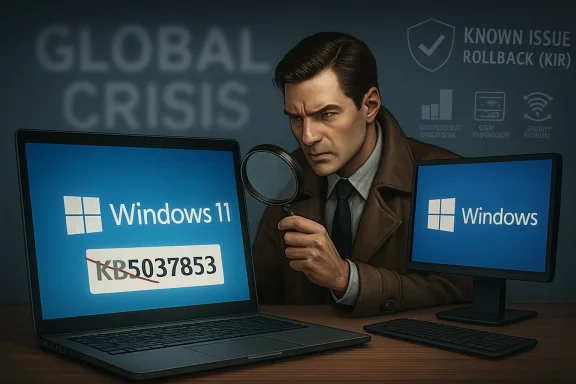 The Alleged Crisis Starts With the Wrong Patch
The report circulating under the headline “Microsoft Confirms Critical Windows Update Error Disrupting Global Systems” names KB5037853 as the update supposedly causing today’s shutdown loops, blue screens, and corporate paralysis. That is the first red flag. KB5037853 belongs to the Windows 11 22H2 and 23H2 preview update cycle from late May 2024, nearly two years before today.It was not a Windows 10 update. It was not a May 2026 cumulative security release. It was not, based on Microsoft’s published release pattern, the kind of patch that would plausibly be rolling out to “millions” of Windows 10 and Windows 11 systems as a fresh emergency-triggering update on a Monday morning in May 2026.
That does not mean KB5037853 was flawless. It had documented problems, including taskbar-related instability that Microsoft mitigated through a rollback mechanism. But those known issues were attached to a 2024 preview update, not a newly confirmed global breakdown across Windows endpoints in 2026.
The claim also blurs update categories in a way that seasoned admins will notice immediately. Preview cumulative updates are optional, non-security releases intended to test the next month’s fixes and improvements before broader Patch Tuesday distribution. They can still break things, and many IT shops avoid them outside test rings for exactly that reason. But calling a 2024 preview update the “latest cumulative update” in May 2026 is not a small typo; it changes the entire story.
A Believable Windows Failure Is Not the Same as a Verified One
The report’s power comes from plausibility. Windows has had enough recent update regressions that a shutdown loop or boot failure no longer sounds exotic. Microsoft has acknowledged issues in recent months involving shutdown failures on certain Secure Launch and Virtual Secure Mode systems, sign-in trouble after Windows 11 updates, BitLocker recovery prompts after specific configurations, and Windows Server domain controller reboot loops after April 2026 patches.Those incidents are not imaginary. They are the messy reality of maintaining an operating system that must run across consumer laptops, corporate fleets, industrial PCs, domain controllers, virtual desktops, and hardware combinations nobody at Redmond can fully reproduce. Windows is less a single product than a global compatibility treaty, and every monthly update renegotiates its terms.
But the viral article appears to compress several separate stories into one dramatic incident. A shutdown bug on some Secure Launch-capable machines becomes a universal “Restart and Shut Down” loop. A Windows Server LSASS crash affecting specific domain controller configurations becomes “entire office networks” paralyzed. BitLocker recovery prompts become lockouts. Generic blue-screen language gets attached to motherboard firmware. The pieces are recognizable; the assembled picture is not.
That is how misinformation often works in enterprise tech. It does not need to invent every detail. It borrows enough real terminology to sound operationally literate, then removes the boring constraints — affected versions, preconditions, deployment channels, mitigation status — that make the difference between a known issue and a global outage.
Microsoft’s Real Update Problems Are Narrower, Messier, and More Important
The irony is that Windows update reliability does not need exaggeration to deserve scrutiny. Microsoft’s servicing model has produced enough awkward failures to keep admins cautious. Recent release health entries and support advisories have shown a pattern that is less cinematic than “global systems disrupted,” but more consequential for the people who run Windows at scale.One class of problem lives at the boundary between Windows security features and firmware expectations. Secure Boot, Secure Launch, VSM, TPM validation, and BitLocker policies are meant to harden systems against tampering. They also create brittle dependencies. When an update changes how Windows interprets boot integrity or platform state, a machine can behave correctly from a security perspective while still failing the user’s basic test: shut down, restart, and return to a usable desktop.
Another class lives in enterprise identity infrastructure. The April 2026 Windows Server domain controller reboot-loop issue, tied to LSASS crashes in particular Privileged Access Management environments, is a reminder that “some configurations” can still mean “critical infrastructure” if the affected systems sit in the authentication path. A client PC that fails to hibernate is irritating. A domain controller that repeatedly restarts can turn a normal business morning into a credentials outage.
Then there are update state problems, where one failed installation leaves the machine in a condition that makes the next update more dangerous. These are especially hard for admins because the underlying cause may be several months old. A device can appear healthy enough to remain in production, then fail when a later cumulative update assumes the earlier servicing state completed cleanly.
This is the real story: Windows servicing has become more resilient in some ways and more interdependent in others. Microsoft can roll back feature flags, ship out-of-band fixes, and document known issues faster than it could a decade ago. But the operating system now depends on layered security, cloud configuration, firmware contracts, update stack health, and enterprise policy in ways that make failures harder to explain and harder to isolate.
The “Global Outage” Framing Hides the Deployment Reality
The viral report leans heavily on the idea of a simultaneous global disruption. That framing is emotionally effective, especially after the CrowdStrike outage in July 2024 showed the world what a bad update can do to Windows fleets. But Windows cumulative updates do not generally land everywhere in the same way at the same moment.Consumer PCs may receive updates through Windows Update, subject to rollout controls and safeguard holds. Managed devices may receive them through Windows Server Update Services, Microsoft Intune, Windows Autopatch, Configuration Manager, third-party patch tools, or carefully staged rings. Some organizations patch immediately. Others delay. Many test in waves. Enterprises that deploy optional preview updates broadly are making a different risk calculation from those that wait for security releases.
That matters because the article describes a Monday morning login rush as though every affected business installed the same update at the same time. In mature environments, that should be rare. The entire point of rings is to prevent one defective update from crossing the whole fleet before telemetry, help desk tickets, and endpoint monitoring catch the blast.
Of course, not every organization has mature patch governance. Smaller businesses often depend on default Windows Update behavior. Some enterprises still patch too broadly because the pressure to remediate vulnerabilities is relentless. And when a security advisory is urgent, even disciplined teams compress their testing windows.
But “millions of users today” is a claim that requires evidence: Microsoft dashboard entries, confirmed KB numbers, reproducible symptoms, affected-build matrices, administrative guidance, and corroborating reports from multiple reliable outlets. The story in question offers the shape of evidence without the substance.
Known Issue Rollback Is Powerful, but It Is Not Magic
The report says Microsoft is working on a Known Issue Rollback, or KIR, to undo the problematic code. This is another detail that sounds right because KIR is real. Microsoft uses it to disable specific non-security regressions through cloud-delivered policy without requiring users to uninstall an entire update.KIR is one of the better ideas in modern Windows servicing. It acknowledges that not every bug needs a full rollback, and not every customer can wait for the next cumulative update. For unmanaged consumer and small-business devices, the fix can arrive quietly once Microsoft identifies the regression and publishes the rollback configuration.
But KIR has boundaries. It typically applies to non-security fixes rather than the security payload itself. Enterprise environments may need Group Policy or administrative templates to deploy the rollback. Devices must be able to receive the policy. And KIR does not solve every class of failure, especially if a system cannot boot far enough to process the mitigation.
That nuance disappears in the viral account. It presents KIR as both proof of a catastrophic update and as an automatic rescue mechanism for home users. The reality is more prosaic: KIR is a mitigation channel, not a universal undo button. It can be excellent when the bug fits the mechanism. It is irrelevant when the machine is stuck before policy processing, when the failure is caused by firmware interaction outside the rolled-back code path, or when the issue is really a deployment-state problem.
For admins, the lesson is not “wait for KIR.” It is to design update rings so that KIR, safeguard holds, out-of-band releases, and manual remediation are options rather than desperate hopes.
The Nairobi Detail Reads Like Color, Not Corroboration
The article’s regional framing is striking. It claims banks and insurers in Nairobi’s financial district experienced intermittent service availability, and it connects the supposed Windows failure to East Africa’s tech sector. That detail gives the story local texture, but it does not make it verified.A serious report about banking or insurance disruption would normally identify institutions, regulators, payment systems, cloud providers, service bulletins, or at least multiple named sources with operational roles. Instead, the story relies on broad claims and a single quoted systems architect. The quote itself is plausible enough — “the user becomes the beta tester” is a common criticism of modern software development — but plausibility is not the same as sourcing.
There is also a genre problem here. Many low-trust tech news sites localize global software stories by adding regional economic stakes without proving the local impact. The move is understandable; readers care more when the consequences are nearby. But when the underlying global incident is shaky, the localized impact becomes doubly suspect.
That does not mean African businesses are insulated from Windows update problems. Quite the opposite. Windows dominates many corporate desktop environments, and downtime in financial services, logistics, government, and healthcare can be severe. But serious coverage should distinguish between a documented Microsoft known issue and a claimed regional outage built on an incorrect KB number.
The Cost-of-Downtime Statistic Does Too Much Work
The report invokes the familiar figure that large enterprises can lose $5,600 per minute of unplanned downtime. This number has floated through IT marketing decks for years, often detached from context. It is a useful rhetorical accelerant because it converts a technical fault into an executive-level crisis.But downtime cost is not a universal constant. A trading platform outage, a hospital scheduling outage, a call-center desktop issue, and a single department’s delayed patch reboot all produce different losses. Even within one company, the financial impact depends on timing, redundancy, customer-facing exposure, regulatory obligations, and whether staff can shift to unaffected systems.
Using the figure in this story has a specific effect: it makes an unverified update bug feel economically inevitable. If thousands of systems are down, and each minute costs thousands of dollars, the conclusion writes itself. But the premise has not been established. There is no reliable count of affected systems, no identified enterprises, no confirmed Microsoft advisory for the claimed KB in the claimed timeframe, and no evidence that the alleged Nairobi outages were caused by Windows updates rather than normal service incidents.
The broader point still stands. Patch failures can be expensive, and underinvestment in endpoint resilience is a real business risk. But dramatic arithmetic cannot substitute for incident evidence.
The Real Enterprise Lesson Is Boring, Which Is Why It Matters
If this story is exaggerated or wrong, it would be tempting to dismiss it as mere clickbait. That would be a mistake. Its success says something uncomfortable about the trust relationship between Microsoft and the people who administer Windows.Admins believed it enough to share because the underlying fear is rational. They have seen updates break printing, VPNs, BitLocker behavior, remote desktop, domain controllers, Wi-Fi, Start menus, and sign-ins. They have watched Microsoft’s documentation lag behind user reports, then catch up with careful phrasing days later. They have learned that “limited number of devices” can still mean “the exact subset that runs our business.”
The answer is not to stop patching. That is the oldest and worst reflex in Windows administration. A partially patched fleet is not safer because the last update sounded risky; it is often just vulnerable in a different way. The answer is to patch like failure is expected.
That means rings, telemetry, rollback planning, recovery-key escrow, firmware inventory, tested restore paths, and clear executive communication before the crisis. It means treating optional preview updates as production changes, not casual housekeeping. It means knowing which endpoints have Secure Launch, VSM, custom BitLocker PCR policies, unsupported drivers, or aging firmware before Microsoft’s release notes make those details urgent.
Most of all, it means refusing to let either panic or complacency drive the patch calendar. Windows updates are mandatory in spirit even when they are optional in UI. The discipline is not whether to update; it is how to absorb the occasional bad update without turning it into an organizational outage.
Microsoft’s Communications Still Leave Too Much Space for Rumor
Microsoft has improved its release health dashboard, known-issue documentation, and rollback machinery. Yet the company still has a communications problem. When users experience serious failures before a dashboard entry appears, the vacuum fills with forum threads, Reddit posts, vendor blogs, AI-generated news summaries, and SEO farms.The company’s language also tends to be precise in ways that frustrate affected customers. “Some devices” may be technically accurate, but if those devices include your domain controllers, your help desk queue does not care that the bug is statistically narrow. “May fail” is appropriate engineering language, but it can sound evasive when users are staring at recovery screens.
This is not an easy balance. Microsoft cannot validate every anecdotal report instantly, and premature confirmation can create its own chaos. But modern Windows is too central to global operations for slow, fragmented messaging to be harmless. The company needs to keep narrowing the gap between first widespread reports and authoritative guidance that admins can act on.
That guidance should include not just symptoms and affected versions, but preconditions, detection logic, mitigation priority, and rollback caveats. Enterprise IT does not need dramatic prose. It needs to know whether to pause deployment, pull an update from a ring, push a Group Policy rollback, rotate to backup domain controllers, or tell users to leave machines powered on.
Bad Patch Stories Now Move Like Security Advisories
The speed of the KB5037853 narrative also reflects a larger shift in how infrastructure news spreads. A Windows update scare is now treated almost like a zero-day advisory. People forward it because the downside of ignoring it feels larger than the downside of overreacting.That instinct is understandable. If an update is genuinely bricking machines, every minute matters. An admin who waits for perfect confirmation may lose the window to stop deployment. But if every thinly sourced post triggers emergency pauses, organizations drift into a state of permanent patch anxiety.
The answer is not blind trust in Microsoft or blind trust in social media. It is a verification habit. Check the KB number against Microsoft’s release history. Confirm whether the named update applies to the named Windows versions. Look for a release health entry. Compare symptoms against known issues. Separate client from server, Windows 10 from Windows 11, preview updates from security releases, and consumer behavior from enterprise deployment.
That sounds basic because it is. But basic controls are what fail first during panic. The KB number is the fingerprint of a Windows update story. If the fingerprint does not match the body, the case is not solved.
The Patch Panic Playbook Needs Fewer Rumors and More Readiness
The concrete lessons from this episode are less dramatic than the headline, but more useful. The alleged global KB5037853 crisis does not hold together as reported; the operational risk behind it is still real.- KB5037853 was a May 2024 Windows 11 preview update, so treating it as a newly confirmed May 2026 Windows 10 and Windows 11 global emergency is not supported by Microsoft’s update history.
- Microsoft has acknowledged several recent Windows servicing problems, but they involve specific updates, versions, and configurations rather than one universal cross-version collapse.
- Known Issue Rollback can mitigate some non-security regressions, but it is not a guaranteed fix for machines that cannot boot or environments that cannot receive the rollback policy automatically.
- Enterprises should verify update claims by matching KB numbers, affected builds, release dates, and Microsoft release-health entries before pausing or accelerating fleet-wide action.
- The right response to update risk is staged deployment and recovery readiness, not indefinite deferral of security patches.
- Viral Windows outage reports deserve skepticism when they combine old KB identifiers, unnamed corporate victims, generic downtime statistics, and sweeping claims without reproducible technical detail.
Source: streamlinefeed.co.ke https://streamlinefeed.co.ke/news/m...ndows-update-error-disrupting-global-systems/
