

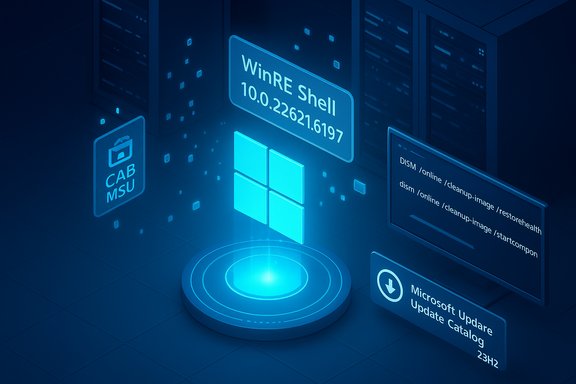
Microsoft published KB5069341 on November 11, 2025 — a Safe OS Dynamic Update for Windows 11, version 23H2 — that refreshes the Windows Recovery Environment (WinRE) payload and supporting pre‑boot binaries, installs as part of the monthly servicing flow or via the Microsoft Update Catalog, and sets the WinRE target version to 10.0.22621.6197 while replacing the prior Safe OS DU that Microsoft shipped earlier.
Microsoft uses “Dynamic Update” packages in two narrow but critical roles: (1) Setup Dynamic Updates — small surgical packages Setup fetches at the start of a feature update to avoid using stale install binaries; and (2) Safe OS (WinRE) Dynamic Updates — compact updates that change the Safe OS image (winre.wim) and a small set of pre‑boot drivers and orchestration binaries used for Reset, Automatic Repair, and cloud reinstall flows. These packages are deliberately focused, non‑removable once integrated into an image, and intended for image hygiene rather than general feature or driver fixes. The November 11, 2025 Safe OS update (KB5069341) applies to multiple editions of Windows 11, version 23H2 — Home, Pro, Enterprise, Education, SE and Enterprise Multi‑Session — and is distributed through Windows Update, the Microsoft Update Catalog (standalone package) and WSUS synchronization when Products and Classifications are configured correctly. The KB explicitly notes that the update cannot be removed after it’s applied to a Windows image and that it replaces the previous Safe OS DU (KB5067019).
Two wider operational themes make Safe OS DUs especially important now:
Source: Microsoft Support KB5069341: Safe OS Dynamic Update for Windows 11, version 23H2: November 11, 2025 - Microsoft Support
 Background
Microsoft uses “Dynamic Update” packages in two narrow but critical roles: (1) Setup Dynamic Updates — small surgical packages Setup fetches at the start of a feature update to avoid using stale install binaries; and (2) Safe OS (WinRE) Dynamic Updates — compact updates that change the Safe OS image (winre.wim) and a small set of pre‑boot drivers and orchestration binaries used for Reset, Automatic Repair, and cloud reinstall flows. These packages are deliberately focused, non‑removable once integrated into an image, and intended for image hygiene rather than general feature or driver fixes. The November 11, 2025 Safe OS update (KB5069341) applies to multiple editions of Windows 11, version 23H2 — Home, Pro, Enterprise, Education, SE and Enterprise Multi‑Session — and is distributed through Windows Update, the Microsoft Update Catalog (standalone package) and WSUS synchronization when Products and Classifications are configured correctly. The KB explicitly notes that the update cannot be removed after it’s applied to a Windows image and that it replaces the previous Safe OS DU (KB5067019). What KB5069341 does — technical summary
- The update “makes improvements to the Windows recovery environment (WinRE).” That short public summary masks a technical payload that typically includes:
- Updated WinRE binaries and UI/orchestration libraries.
- Pre‑boot kernel helpers and secure boot/TPM handlers used inside the Safe OS.
- Storage and USB controller drivers and small helper drivers that WinRE uses during media‑based installs and recovery sessions.
- After installation the expected WinRE version on devices should be 10.0.22621.6197. The KB includes Microsoft’s recommended verification steps and supplies a signed PowerShell helper (GetWinReVersion.ps1) and DISM commands for administrators who need to confirm the image version.
- Delivery & scope:
- The package is available via Windows Update (will be downloaded and installed automatically for applicable devices), Microsoft Update Catalog (for offline or manual injection), and WSUS (when synchronized). Administrators who maintain offline images or PXE media should use the Microsoft Update Catalog to download the CAB/MSU and inject it into their install.wim/winre.wim prior to deployment.
- Restart behavior and permanence:
- The KB states that no system restart is required to apply the update to an image when injected via DISM. Importantly, once a Safe OS update is applied to a WinRE image it is not removable from that image; rollback requires restoring a preserved golden image or recovery media.
Why this matters — practical impact on users and IT
WinRE is the “last line” of automated repair. If WinRE is stale relative to the running OS and recently applied cumulatives, several recovery flows can fail: Reset this PC, cloud reinstall, Automatic Repair, or even the expected BitLocker/TPM handling during a recovery session. Those failures can produce unexpected BitLocker prompts, broken cloud restores, or a confusing dev‑oriented prompt in WinPE that frustrates end users. Updating WinRE reduces those mismatches and improves reliability during upgrades and recoveries.Two wider operational themes make Safe OS DUs especially important now:
- Many organizations and consumers were migrating devices during late‑2025, and image hygiene minimized failures during that churn.
- Microsoft has been publishing frequent Safe OS DUs since mid‑2024/2025 to correct regressions and keep recovery tooling aligned with evolving cumulatives. The Safe OS DU model allows admins to keep frozen images current without rebuilding entire ISOs.
Verification: how to confirm a device or image has the KB applied
The KB supplies authoritative verification methods; incorporate these in any rollout checklist.- reagentc /info — This returns the WinRE image location (path to winre.wim) and whether WinRE is enabled.
- DISM /Get-ImageInfo /ImageFile:<path-to-winre.wim> /index:1 — Use this against the mounted winre.wim to see image metadata and version values.
- Use the Microsoft script GetWinReVersion.ps1 to mount WinRE and report the WinRE binary revision. The KB includes the exact script and sample output showing the expected WinRE version value.
Deployment options and recommended workflow
- For home users and small offices:
- Check Settings → Windows Update → Check for updates. If the device is eligible, the Safe OS update will be offered automatically or installed as part of the monthly servicing rollup. If you prefer manual control, download the matching package from the Microsoft Update Catalog and follow the KB’s “Add an update package to Windows RE” instructions to inject it.
- For IT administrators managing images or large fleets:
- Download the standalone package from the Microsoft Update Catalog and validate the SHA‑256/manifest file versions inside the CAB before injection. Use DISM to mount winre.wim and run DISM /Image:/Add-Package /PackagePath:<path-to-cab> to commit the change. No restart is required for the servicing host when you apply it to an image.
- Pilot on representative hardware (different OEMs, BitLocker on/off, USB‑C only devices) for 48–72 hours before broad rollout.
- Retain prior golden images or recovery USB media since Safe OS updates are not reversible on images. Testing is essential because once an image is changed, the only rollback is a restore from backup.
- For managed update infrastructure:
- Ensure WSUS products/classifications include Windows 11 and Updates so the package can sync. Use Intune/ConfigMgr for phased deployment and ringed rollouts. Prefer Known Issue Rollback (KIR) or staged mitigations when available to reduce risk if a regression appears in the field.
Testing checklist (pre‑deployment)
- Confirm WinRE is enabled and accessible (reagentc /info).
- Mount winre.wim and validate file versions match the package manifest in the Update Catalog.
- Exercise Reset this PC, Automatic Repair, and cloud reinstall flows in a controlled lab. Verify BitLocker handling and TPM interaction under each flow.
- Confirm USB keyboard and mouse input works in WinRE on USB‑C and USB‑A configurations; some reports in prior cycles showed input regressions that required updated drivers inside WinRE. If your test hardware is USB‑C only, validate with a vendor‑approved dongle or hub.
Common troubleshooting scenarios and mitigations
- WinRE version not updated after the cumulative/install: confirm the update reached the device (Windows Update history), and inspect WinREAgent events. If the device installed the monthly LCU but WinRE still reports the prior version, apply the Safe OS DU manually by downloading the Update Catalog package and injecting it into the on‑disk winre.wim. Back up the original winre.wim before modifying.
- USB input fails in WinRE after recent servicing: this has been a recurring symptom in previous cycles. Mitigations:
- Boot from external WinPE media (created from the latest Windows ISO) to perform repair operations.
- If you can boot into Windows, mount winre.wim and inject the Safe OS DU per Microsoft instructions, then re‑enable WinRE. Only perform this if comfortable with DISM and imaging tools.
- Unexpected BitLocker recovery prompts: when WinRE/drivers are mismatched, BitLocker can prompt for recovery keys. Confirm TPM/Secure Boot settings in firmware and test the full Reset/cloud reinstall flow in a pilot before activating on production images. Preserve BitLocker recovery keys centrally (AD/Azure AD/MBAM/Intune) before making mass image changes.
Risks, caveats, and what to watch for
- Non‑removability: once applied to a WinRE image the change is effectively permanent for that image. That increases the importance of a thorough test plan and preserving golden media for rollback.
- Device‑specific regressions: while Safe OS DUs are narrow, pre‑boot behavior depends heavily on firmware, OEM drivers in the recovery partition, and peripherals. Expect corner‑case regressions on vendor‑specific hardware and validate across your device estate. Community reporting in 2025 documented several incidents where recovery flows or USB input differed across OEM models — these are reminders to test per OEM.
- Timing vs. servicing lifecycle: KB5069341 ships at a moment when many consumer 23H2 devices are approaching or at end‑of‑servicing. Home and Pro consumer SKUs for 23H2 have a servicing cutoff on November 11, 2025; staying on an unsupported consumer branch increases exposure to unpatched vulnerabilities. For many organizations and individuals, migration to 24H2 or 25H2 is the longer‑term solution. Treat Safe OS injection as an image‑hygiene step, not a substitute for migrating to a supported release.
- Secure Boot certificate expiration: the KB highlights an important cross‑cutting operational item — Secure Boot certificates used by many Windows devices are set to start expiring in June 2026 and could affect the ability to boot securely if not updated. KB5069341 includes that advisory and recommends reviewing Microsoft’s guidance and planning certificate updates in advance. Administrators should add Secure Boot certificate remediation to migration plans.
Recommended step‑by‑step for administrators (concise)
- Inventory devices: identify devices still on 23H2 (Settings → System → About or management inventories). Prioritize devices with high recovery sensitivity (BitLocker enabled, USB‑C only hardware, remote locations).
- Download the KB5069341 package from the Microsoft Update Catalog and validate hashes.
- Create a test ring: pick 5–10 representative models (OEMs, storage types, firmware revisions).
- Backup golden images and existing winre.wim files off‑device.
- Inject the Safe OS package into your test winre.wim using DISM as documented by Microsoft, and run Reset/Automatic Repair/Cloud Reinstall tests.
- Monitor WinREAgent Event ID 4501 and run GetWinReVersion.ps1 to confirm WinRE = 10.0.22621.6197 on successful systems.
- If tests pass for 72 hours, expand the ring; if not, restore golden images and log issues with OEMs and Microsoft support channels.
Final analysis — strengths and residual risk
KB5069341 is a low‑surface, high‑value update: it targets a narrowly defined, high‑impact area (the Safe OS) and provides administrators with an offline packaging model that supports image hygiene without full rebuilds. The inclusion of an official verification script (GetWinReVersion.ps1), the explicit replacement note (replaces KB5067019), and Microsoft’s catalog distribution model are all positive design choices that support reliable deployments and auditing. However, the update also carries known tradeoffs:- The permanence of the change to the WinRE image increases the importance of conservative testing and backup.
- Device‑specific firmware and OEM recovery customizations mean that a one‑size‑fits‑all rollout risks field regressions — particularly around USB input and BitLocker interactions.
- Because the Safe OS DU is tied to the recovery environment, it is not a substitute for migrating consumer devices off an unsupported servicing baseline; administrators must still plan and execute migrations to 24H2/25H2 where appropriate.
Bottom line and immediate action items
- If you manage images or fleets still on Windows 11, version 23H2, plan to obtain KB5069341 from the Microsoft Update Catalog and validate the package before injection; expect the WinRE version after a successful install to be 10.0.22621.6197.
- Preserve previous winre.wim/golden images for rollback; test Reset and cloud reinstall flows on representative hardware before broad deployment.
- Include Secure Boot certificate remediation in your mid‑term plan, as the KB calls out certificate expirations beginning June 2026 that could affect secure boot behavior.
- For consumer devices on 23H2 Home/Pro, prioritize migration to 24H2/25H2 because November 11, 2025 marks a consumer servicing cutoff and leaves those devices vulnerable over time if left on an unsupported branch.
Source: Microsoft Support KB5069341: Safe OS Dynamic Update for Windows 11, version 23H2: November 11, 2025 - Microsoft Support
