

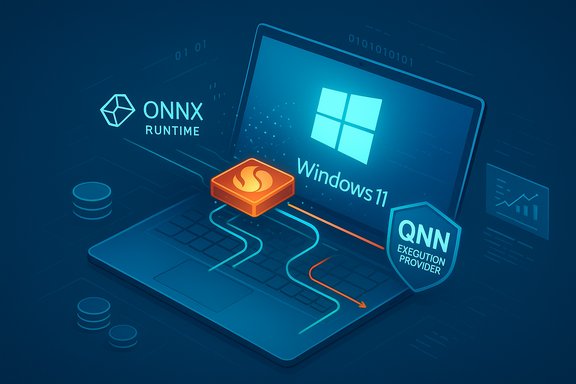
Microsoft has quietly pushed a focused component update—KB5072095—that refreshes the Qualcomm QNN Execution Provider for ONNX Runtime to version 1.8.21.0, bringing targeted improvements for hardware‑accelerated AI on Qualcomm Snapdragon platforms running Windows 11, version 24H2 and 25H2. This update is delivered automatically via Windows Update, requires the latest cumulative update for the target OS builds, and replaces an earlier packaging (KB5067994), signalling Microsoft’s continued cadence of shipping vendor‑specific ONNX Runtime execution providers as discrete components.
Background
ONNX Runtime execution providers (EPs) act as the bridge between generic ONNX models and vendor‑specific acceleration stacks. The Qualcomm QNN Execution Provider (QNN EP) converts ONNX operators and subgraphs into QNN graphs via Qualcomm’s AI Runtime SDK (previously referred to as the QNN SDK) and runs those graphs on the target acceleration backend (CPU, GPU, HTP/NPU, or Saver backends). That workflow is the technical foundation that lets Windows features and third‑party applications use on‑device NPUs for lower latency, improved power efficiency, and reduced cloud dependency. Qualcomm’s developer ecosystem—AI Hub and associated documentation—has also matured rapidly. Qualcomm has been exposing new devices, runtime updates, and profiling tooling through AI Hub release notes and job telemetry, and the vendor is actively moving the QNN toolchain forward (including rebranding and updates to the Qualcomm AI Runtime SDK/QAIRT). These parallel Qualcomm artifacts help explain the practical value and constraints of QNN EP updates that Microsoft distributes via KB packages.What KB5072095 actually delivers
The public Microsoft KB text for KB5072095 is intentionally concise. The advisory describes the package as “an update to the Qualcomm QNN Execution Provider AI component” and lists the supported OS targets (Windows 11, 24H2 and 25H2). It also states delivery and prerequisite guidance: the update is distributed through Windows Update and requires that the device already has the latest cumulative update for the applicable Windows 11 version installed. The package replaces a prior release, KB5067994, which indicates this is an iterative component bump rather than a new service or feature. Beyond Microsoft’s short summary, the technical surface of the QNN EP—how it compiles ONNX graphs, caches context binaries, and binds to Qualcomm backend DLLs—remains consistent with ONNX Runtime’s QNN documentation. That documentation describes provider options (backend_type, backend_path, htp performance modes), context binary caching to reduce first‑run compilation overhead, and discrete controls for profiling and precision modes (for example enabling fp16 on the HTP), all of which are the knobs developers use after a provider update. The practical effect of an EP version bump is therefore likely to be improved compatibility with newer Qualcomm SDK binaries, small performance or stability fixes, and changes to compilation/caching behavior that affect session creation time and operator mapping. Qualcomm’s AI Hub release notes and job records show the vendor regularly moves the QAIRT/QNN SDK and ONNX Runtime versions. Those upstream changes are typically the reason Microsoft and OEMs issue component updates: to align provider binaries distributed in Windows with the latest SDK expectations and device firmware. In short, this KB is a packaging and distribution step in a longer chain that includes Qualcomm’s SDKs and ONNX Runtime itself.Why this matters — who benefits
This is not a user‑facing Windows feature update. Instead, KB5072095 is meaningful for three groups:- Developers and ISVs deploying ONNX models who target Snapdragon‑based Windows devices and rely on local NPU acceleration for inference.
- OEMs and device teams that ship and maintain drivers, firmware, and system images for Snapdragon Windows laptops and convert cloud workflows to on‑device AI.
- IT administrators and advanced end users who manage fleets that leverage on‑device AI capabilities (for example, camera effects, real‑time inference tasks, or privacy‑sensitive local processing).
- Improved model compatibility and fewer operator fallbacks to CPU, which reduces latency and power usage.
- Potential reductions in session creation time through context binary generation and caching improvements.
- Bug fixes and stability improvements that reduce runtime crashes or device‑specific failures when running accelerated ONNX models.
Compatibility, prerequisites, and installation details
Microsoft’s advisory lists three operational details administrators must verify before expecting KB5072095 to show up on a device:- The device must be running Windows 11, version 24H2 or 25H2 (all editions targeted).
- The device must have the latest cumulative update for the corresponding Windows 11 version installed; the QNN EP component requires that servicing baseline.
- The update is distributed via Windows Update and will be downloaded and installed automatically unless policy settings (WSUS, SCCM/ConfigMgr, Intune maintenance windows) intervene. The KB replaces previous component packaging (KB5067994).
- Open Settings → Windows Update → Update history. You should see the Qualcomm QNN Execution Provider or a line referencing the Windows ML Runtime or the Qualcomm provider in the component list.
Developer guidance: validating models and runtime behavior
An EP bump can affect observable model behavior in subtle ways: operator mapping (which operators run on NPU versus CPU/GPU), numeric rounding in quantized models, first‑run compilation time, and cache file locations and format. The ONNX Runtime QNN docs explain the most important configuration options and behaviors to check after installing a provider update:- ep.context_enable and ep.context_cache options — control if and when the provider writes context binary artifacts to disk to avoid repeated compilation overhead. Validate that the cache is populated and reused across runs if expected.
- Provider option htp_performance_mode and precision toggles — these control NPU swing states (burst vs steady), and whether FP16 paths are used; these affect latency, throughput, and thermal behavior.
- Logging and profile artifacts — enable verbose EP logs and generate profiling output (CSV or optrace) to compare pre‑ and post‑update execution graphs and timing. Qualcomm’s AI Hub and Qualcomm SDK tooling produce complementary profiling outputs.
- Recreate a representative inference workload and capture baseline metrics: cold start time, hot start time, per‑inference latency, CPU/NPU utilization, and memory usage.
- Re-run the same workload after the update with identical inputs and environment variables. Compare operator placement logs to ensure subgraphs continue to run on the intended backend.
- Revalidate model accuracy for quantized models: small numeric shifts can alter downstream thresholds or masks in vision/language models.
- Reproduce long‑running jobs to detect thermal throttling or memory growth that might be triggered by new provider behavior.
Operational guidance for IT administrators
Component updates distributed via Windows Update are convenient, but they carry operational implications:- Pilot first: Stage KB5072095 to a small pilot ring (representative device models and OEM images) for 7–14 days and monitor reliability, camera/Studio Effects behavior, conferencing workflows, and WER/Crash telemetry. This staged approach is consistent with industry best practice for runtime EPs.
- Align drivers and firmware: Ensure Qualcomm platform drivers, GPU/graphics drivers, and any OEM camera ISP firmware are updated to vendor‑recommended versions. Driver/firmware mismatch is the most common source of post‑update regressions.
- Prepare rollback plans: Unlike standalone SDK packages, componentized updates delivered via Windows Update can be harder to revert cleanly. Maintain tested system images, restore points, or a documented recovery runbook.
- Collect telemetry and artifacts for escalation: Update history entry, Windows Event logs, Reliability Monitor entries, WER dumps, OEM driver versions, and representative input files (images, sample ONNX models) are critical when opening a support case with Microsoft, Qualcomm, or the OEM.
Risks, trade‑offs, and mitigations
Every runtime update introduces potential trade‑offs. The key risks to plan for with KB5072095 are:- Driver/firmware coupling risk: If the QNN EP requires a newer QAIRT SDK or firmware behavior that the device lacks, operator mismatches and runtime crashes can result. Mitigation: schedule driver/firmware upgrades in parallel or stage the EP only on devices with validated images.
- Performance regressions under unusual workloads: Aggregate throughput and sustained performance depend on thermal and power envelopes. For laptops with aggressive power limits, “burst” NPU modes may be capped quickly. Mitigation: run sustained throughput tests and compare power/thermal telemetry.
- Subtle numeric differences for quantized models: Updates in compilation or optimized operator kernels can slightly alter outputs for quantized models, affecting downstream heuristics. Mitigation: add model‑level acceptance tests to CI that run on representative hardware images.
- Opaque changelogs: Microsoft’s KB style here is short on details; it rarely lists driver versions or CVE mappings for component updates. Mitigation: open a Microsoft support case or review OEM update release notes when you need granular cause‑and‑effect data. Treat security claims as unverified until mapped to CVEs or advisory notes.
Real‑world context: Qualcomm’s ecosystem and ONNX Runtime alignment
Qualcomm’s AI Hub release notes and job results provide a practical lens into the on‑device runtime ecosystem. AI Hub shows device‑level performance for representative ONNX models, lists the ONNX Runtime and QAIRT versions used in profiling jobs, and documents when Qualcomm’s tooling is upgraded (for example, ONNX Runtime version bumps or QAIRT upgrades). These upstream changes are often the catalyst for Microsoft distributing EP updates: Microsoft needs to ensure the QNN EP binaries shipped on Windows are compatible with the latest vendor SDK and model compilation outputs. ONNX Runtime’s documentation on the QNN Execution Provider details how to configure provider options and how to generate and reuse QNN context binaries to avoid repeated compilation costs. These are the controls developers will use most after installing a provider update: tune htp performance modes, decide whether to dump and reuse context binaries, and enable EP profiling to compare performance and resource usage between provider versions.A practical checklist for teams preparing to deploy KB5072095
- Inventory: Identify devices with Qualcomm Snapdragon SoCs that are running Windows 11, 24H2 or 25H2 and catalog their BIOS/firmware, driver versions, and OEM image.
- Prerequisites: Confirm the latest cumulative update for the OS version is installed and that WSUS/ConfigMgr policies will allow the component to flow.
- Pilot: Deploy to a small variety of SKUs (thermally constrained laptops, performance‑oriented devices, and representative docking stations) and monitor for 7–14 days.
- Developer validation: Run model validation suites on pilot hardware, inspect provider assignment logs, and generate optrace/profiling artifacts. Compare accuracy and latency metrics to baselines.
- Telemetry capture: Enable verbose ONNX Runtime logging and collect Windows Event logs, WER dumps, and update history entries for any issues.
- Rollback plan: Prepare tested images and documented steps for rollback; make sure backups and restore points are in place.
What we don’t know (and what to ask vendors)
Microsoft’s concise KB entry does not enumerate the specific code fixes, performance deltas, or operator‑level changes. For teams that need exact diffs—CVE mappings, driver filenames, or binary checksums—these are the questions to raise with vendor support:- Does this EP version require a specific QAIRT (QNN SDK) minimum version or a minimum firmware/driver revision?
- Are there known changes to QNN context binary format or cache locations that require migration or cleanup?
- Are there documented operator‑level changes that could affect quantized models (for example, altered rounding rules or fused operator semantics)?
- Does Microsoft or Qualcomm provide a detailed changelog or release notes for the 1.8.21.0 EP binary distributed in KB5072095?
Bottom line and recommended next steps
KB5072095 is a targeted, vendor‑specific component update that refreshes the Qualcomm QNN Execution Provider on Windows 11, version 24H2 and 25H2. For most users the update will install silently and enable incremental improvements to on‑device AI execution. For IT teams, developers, and OEMs that depend on on‑device inference, the update is worth treating like any runtime or driver change: stage, validate, collect telemetry, and maintain rollback plans.Recommended immediate actions:
- Check whether pilot devices have already received the update by going to Settings → Windows Update → Update history.
- Align device drivers, OEM firmware, and the QAIRT/QNN SDK versions to vendor‑recommended levels before broad deployment.
- Re‑run model acceptance tests and CI device‑level tests to detect subtle numeric or operator mapping differences.
- If you need granular changelog details or CVE confirmation, open a support case with Microsoft or Qualcomm—do not rely solely on the short public KB text.
Conclusion
KB5072095 is a low‑noise but important update for the on‑device AI supply chain on Snapdragon Windows PCs. It does not change end‑user features directly, but it can change how ONNX models behave, how quickly they start, and how effectively they leverage Qualcomm NPUs. For developers and administrators who run or depend on local inference, treat this release like a runtime dependency update: validate, test, and align drivers and SDKs before scaling the rollout.
Source: Microsoft Support KB5072095: Qualcomm QNN Execution Provider update (1.8.21.0) - Microsoft Support
