

Microsoft’s recent component refresh for the Qualcomm QNN Execution Provider (version 1.8.30.0) is a targeted, low‑visibility change with outsized relevance for developers, OEMs and IT teams building or managing on‑device AI on Snapdragon‑powered Windows 11 PCs. The update continues Microsoft’s pattern of shipping vendor execution providers (EPs) as discrete Windows Update components, and while the KB text is intentionally brief, the technical implications — operator placement, first‑run compilation, cache formats and driver coupling — merit careful attention from anyone who depends on local NPU acceleration.
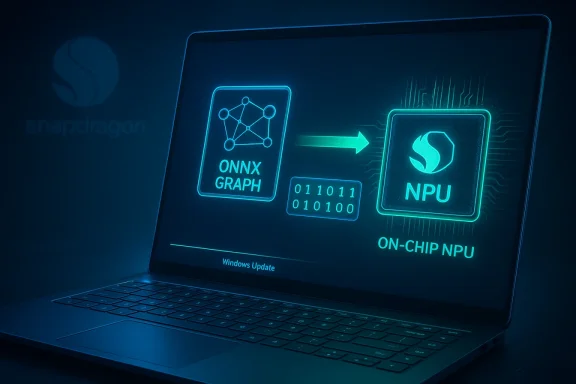
The Qualcomm QNN Execution Provider is an ONNX Runtime backend that converts ONNX graphs into QNN (Qualcomm AI Engine) graphs and delegates execution to Qualcomm’s accelerator backends (for example Hexagon HTP/HPU). The provider is the glue between ONNX models and Qualcomm’s on‑device runtime (historically called QNN SDK, now QAIRT/Qualcomm AI Runtime SDK) and exposes options for profiling, context caching and backend selection. This provider is already used on Android and Windows devices with Snapdragon SoCs; Microsoft bundles it as an OS component so multiple apps and system features can share a single validated runtime.
Microsoft’s KB entry for this class of update typically follows a predictable template: a short summary stating that the package “includes improvements,” a list of target OS builds (Windows 11 version 24H2 and 25H2 for this change), delivery , automatic), and a prerequisite (the latest cumulative update / LCU for the target branch). That same template applies to prior Qualcomm QNN EP packages and is consistent with Microsoft’s other EP KBs. Because the public KB wording is concise by design, teams should treat it as a packaging and distribution notice rather than a line‑by‑line changelog.
In practice, follow a simple risk‑managed approach:
Source: Microsoft Support KB5077526: Qualcomm QNN Execution Provider update (1.8.30.0) - Microsoft Support
 Background / Overview
The Qualcomm QNN Execution Provider is an ONNX Runtime backend that converts ONNX graphs into QNN (Qualcomm AI Engine) graphs and delegates execution to Qualcomm’s accelerator backends (for example Hexagon HTP/HPU). The provider is the glue between ONNX models and Qualcomm’s on‑device runtime (historically called QNN SDK, now QAIRT/Qualcomm AI Runtime SDK) and exposes options for profiling, context caching and backend selection. This provider is already used on Android and Windows devices with Snapdragon SoCs; Microsoft bundles it as an OS component so multiple apps and system features can share a single validated runtime. Microsoft’s KB entry for this class of update typically follows a predictable template: a short summary stating that the package “includes improvements,” a list of target OS builds (Windows 11 version 24H2 and 25H2 for this change), delivery , automatic), and a prerequisite (the latest cumulative update / LCU for the target branch). That same template applies to prior Qualcomm QNN EP packages and is consistent with Microsoft’s other EP KBs. Because the public KB wording is concise by design, teams should treat it as a packaging and distribution notice rather than a line‑by‑line changelog.
What the update actually says (summary of the KB)
- The Qualcomm QNN Execution Provider component has been refreshed to version 1.8.30.0.
- Target platforms: Windows 11, version 24H2 and Windows 11, version 25H2 (all editions covered by those branches).
- Delivery: Automatically via Windows Update (will appear in Settings → Windows Update → Update history after installation).
- Prerequisite: the device must have the Latest Cumulative Update (LCU) for the applicable Windows 11 branch installed before the component will apply.
- Microsoft’s KB text describes the package as containing “improvements” but does not publish operator‑level changes, microbenchmarks, driver version requirements, or a CVE mapping in the public KB entry.
Note on verification: we attempted to programmatically fetch the Microsoft Support KB page referenced in the user‑supplied material; the automated fetch returned an internal retrieval error. The KB pattern, version number and scope are nonetheless corroborated by Microsoft’s Windows ML supported execution provider release history and by earlier Microsoft KBs for Qualcomm EP updates. Treat the KB text you provided as the authoritative description while using the Windows Update UI and Microsoft Update Catalog entries to confirm package availability on your devices. ([]())
Why this matters — the technical and operational picture
The technical role of an Execution Provider
Execution Providers in ONNX Runtime perform several critical roles:- Parse and partition ONNX graphs, deciding which subgraphs can run on an accelerator vs CPU/GPU.
- Compile or prepare accelerator‑specific kernels or context binaries (QNN context) that represent prepared graphs for a given SoC.
- Cache compiled artifacts to disk to reduce timn subsequent runs.
- Expose provider options to influence precision, performance modes and profiling output.
Where Microsoft fits in the ecosystem
Microsoft packages vetted EP binaries into Windows components so the OS and multiple apps can rely on a consistent EP implementation. This model speeds distribution but centralizes risk: a single component update can affect many apps simultaneously. The practical trade‑off is faster fixes and feature parity versus the need for careful validation by OEMs and enterprises.Qualcomm tooling and the QNN context model
Qualcomm’s AI Hub and QAIRT toolchain produce context binaries or DLC artifacts that are often specific to an SoC and QAIRT version. AI Hub release notes make clear that QNN context binaries and model libraries remain closely tied to the QAIRT version used to create them; upgrading QAIRT or QNN provider binaries can therefore change runtime compatibility or performance characteristics. If your deployable artifacts include QNN context binaries or DLCs, you must validate them with the EP version shipped on your target devices.What you should expect to see (user‑visible and invisible effects)
- For moate is invisible. It will download and install automatically and will not change visible UI features by itself.
- For image processing and Copilot+ features that rely on on‑device inference (camera effects, background removal, super‑resolution), you may notice subtle improvements in stability, a few microseconds change in latency, or minute differences in edge cases of visual output.
- For developers and ISVs: expect potential changes to operator placement (some ops might move from CPU fallback to NPU, or vice versa), first‑run compilation time variance, and possible numeric deltas in quantized models that can alter downstream thresholds (masks, segmentation edges).
- For IT administrators: this is a component update delivered by Windows Update and gated by the LCU prereq — plan sequencing accordingly. Component updates can be stateful (caches, compiled blobs), so a rollback is not always a simple “uninstall” operation.
Strengths and potential benefits
- Faster iteration cycle: Microsoft can deliver vendor runtime fixes without waiting for full OS feature updates, so compatibility and performance tweaks reach devices more quickly.
- Shared validated runtime: A single OS‑level EP reduces duplication across apps and increases the chance that applications will use a tested provider implementation.
- Potential for improved local AI: If the 1.8.30.0 bump includes kernel-level improvements or new HTP optimizations, you could see lower latency, lower CPU load, and reduced battery usage fororkloads.
Risks, coupling, and what can go wrong
- Driver/Firmware/SDK mismatch: EP updates often assume a minimum driver or QAIRT version. If the device firmware or Qualcomm drivers installed do not match those expectations, models may fail to run on the NPU or may crash. This is the most frequent cause of post‑update regressions.
- Subtle numeric differences: Quantized models (INT8, W4A8, FP16) can exhibit slight numeric deltas after provider or compilation changes — enough to change mask boundaries or inferred thresholds. Add model‑level acceptance tests for deterministic workflows.
- Stateful caches and compiled artifacts: The QNN EP writes context binaries and compiled blobs to disk. An update that changes cache format or the provider’s context generator may require cache invalidation or migration steps to avoid stale/invalid artifacts.
- Rollback complexity: Component undows Update are convenient but can be harder to revert cleanly than standalone SDK installers. Enterprises should have image‑based rollback plans and staged rings.
Practical rollout guidance — step‑by‑step checklist
Below is a concise checklist tailored to the three most affected audiences: individual users, developers/ISVs, and IT administrators.For individual users
- Ensure Windows Update shows the latest cumulative update (LCU) for your Windows 11 branch. The EP component will not install until the LCU is present.
- Let Windows Update install the component automatically and reboot when prompted.
- If you notice app crashes (Photos, Studio Effects), check Settings → Windows Update → Update history for the EP entry and collect Event Viewer/WER logs before ages.
For developers and ISVs
- Reproduce representative inference workloads on a test device (image transforms, segmentation, small LLM samples).
- Capture baseline metrics before the update: cold start time, hot start time, per‑inference latency, CPU/NPU utilization, and memory use.
- After the update, re‑run the same tests and compare:
- Operator placement logs (confirm which nodes are assigned to QNN).
- Session creation and first‑run compilation times (ep.context cache behavior).
- Numeric thresholds on model outputs for quantized models.
- Enable EP profiling and generate optrace/CSV output to compare operator timing and scheduling.
- If you embed ONNX Runvider options (backend_path, htp_performance_mode, ep.context_enable) to maintain deterministic behavior across environments.
For IT administrators and fleet managers
- Inventory eligible devices: identify which endpoints have Snapdragon SoCs and are expected to receive the QNN EP component.
- Confirm LCUs and that your update pipeline (WSUS, SCCM, Intune) will permit the component to flow.
- Create a pilot ring (7–14 days minimum) that includes thermally constrained laptops and high‑performance models.
- Align OEM drivers and firmware versions before the EP deployment. Driver mismatch is the most common fault path.
- Prepare a rollback/runbook: maintain validated system images and restore procedures rather than rely solely on an “uninstall” path.
- Collect telemetry: ONNX Runtime logs, Update history, Reliability Monitor, Event Viewer, WER dumps and representative input files for triage.
How to validate and what to capture if things break
When investigating regressions, capture the following to accelerate vendor triage:- Exact Update history entry text for the installed component (the KB number and displayed name).
- Windows Event logs (Application and System) timestamps that coincide with the problem.
- WER crash dumps (if an application crashes).
- ONNX Runtime provider logs (enable verbose logging for QNN EP).
- Any Qs and their timestamps (to see whether caches were regenerated).
- Device driver versions (Hexagon/Adreno/graphics), firmware/BIOS and the QAIRT/QNN SDK version used to generate any context binaries.
Developer deep dive: options you need to know
- ep.context_enable / ep.context_cache: control whether the provider dumps or reuses QNN context binaries to reduce session creation cost. Use these to generate context binaries ahead of time for reproducible startup behavior.
- backend_path: explicit path to backenHtp.dll). Useful when multiple QAIRT runtimes exist on a device or when debugging.
- htp_performance_mode: performance modes (burst vs steady) for Hexagon HTP that influence latency, throughput and thermal characteristics.
- profiling_level and profiling_file_path: generate readable profiling CSV and (with newer QAIRT) a _qnn.log file parsabqnn‑profile‑viewer for deep timing analysis.
Security and privacy considerations
- The component KBs in this family are described as quality/compatibility updates rather than security advisories; Microsoft’s public KBs usually do not include CVE mappings for such EP updates. If you require CVE mappings or explicit security justification, request a vendor security advisory or open a support ticket with Microsoft.
- Local execution of models (on‑device NPU) typically reduces round‑trip telemetry of raw user prompts to cloud endpoints, but application and OS telemetry behavior is governed by the product’s privacy policy. Review the product privacy documentation for features that call into on‑device models.
Final assessment — measured optimism and a clear operational imperative
The 1.8.30.0 refresh for Qualcomm’s QNN Execution Provider represents an incremental but meaningful step in keeping Windows’ on‑device AI stack in sync with vendor SDKs and device firmware. The engineering pattern here — fast, componentized EP updates distributed through Windows Update — is beneficial for getting fixes and micro‑optimizations to users quickly. At the same time, it transfers an operational burden to developers, OEMs and IT teams: treat EPs as first‑class dependencies, automate device‑level validation in CI and maintain rollback/runbooks to contain potential regressions.In practice, follow a simple risk‑managed approach:
- Pilot first (small, diverse device ring).
- Align drivers/firmware (QAIRT/Hexagon/Adreno/ISP).
- Capture deterministic acceptance tests for visual/LLM outputs.
- Collect telemetry and keep artifacts ready for vendor escalation.
Conclusion
KB5077526’s bump of the Qualcomm QNN Execution Provider to 1.8.30.0 is a focused, vendor‑level runtime update that continues Microsoft’s strategy of componentizing on‑device AI runtimes. For most users the change will be invisible; for developers, OEMs and IT administrators it’s an operational event: verify prerequisites, pilot the update, re‑run acceptance tests, and be prepared to capture logs and caches for troubleshooting. Because the public KB intentionally omits granular engineering details, teams demanding forensic change logs should request vendor release notes or open a support case. The net effect of these componentized updates — when managed correctly — is positive: faster delivery of compatibility and performance improvements for on‑device AI while keeping control in the hands of those who manage the hardware and software stack.Source: Microsoft Support KB5077526: Qualcomm QNN Execution Provider update (1.8.30.0) - Microsoft Support
