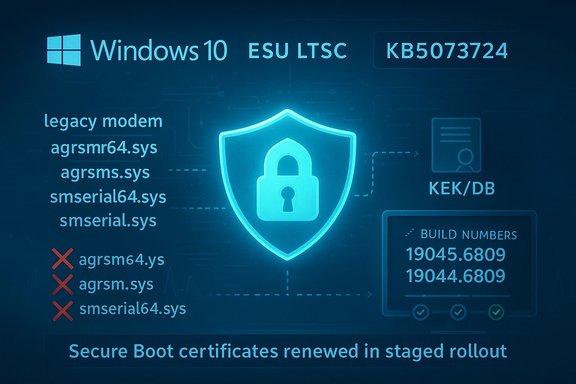
KB5073724 Windows 10 ESU Rollup: Secure Boot Prep and Legacy Driver Removals

  • Thread Author
Microsoft released a targeted security rollup for Windows 10 on January 13, 2026 — KB5073724 — and is asking eligible systems to take it seriously: the update prepares devices for an imminent Secure Boot certificate renewal, removes four legacy in‑box modem drivers that carry high‑risk baggage, and ships a handful of security and reliability fixes for ESU and LTSC customers. This is a maintenance release, not a feature update, but its operational impact can be meaningful: devices must be enrolled in the Extended Security Updates (ESU) program or be LTSC/Enterprise editions to receive it, and systems that depend on the removed modem drivers or have unusual firmware constraints should plan and test before broad deployment.

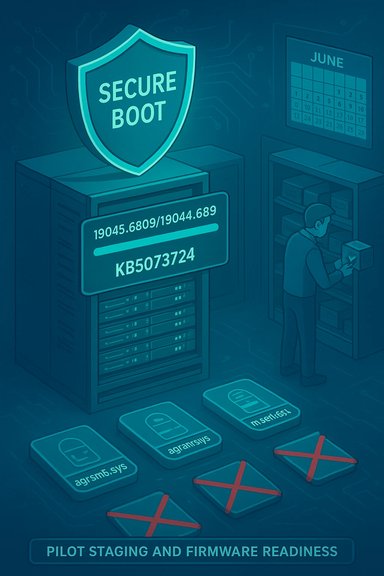
Secure Boot shield over a server signals pilot firmware staging.Background​

Windows 10 reached mainstream end of support in late 2025, and Microsoft moved to a targeted security‑only servicing model for eligible devices through the Extended Security Updates (ESU) program and Long‑Term Servicing Channel (LTSC) branches. ESU lets organizations and qualifying devices receive critical and important security updates beyond the standard lifecycle, but enrollment is required for home and many business machines to keep receiving those patches. Microsoft’s ESU documentation explains the eligibility and enrollment mechanics and clarifies that ESU covers security updates only — not new features. KB5073724 is the January 13, 2026 cumulative update for Windows 10 and advances target builds to 19045.6809 (22H2) and 19044.6809 (21H2 / Enterprise LTSC 2021). The package was published as the first Windows 10 ESU rollup of 2026 and is explicitly described as a security and quality update rather than a functional upgrade.

What KB5073724 actually changes​

KB5073724 bundles a small set of high‑impact changes alongside routine security fixes. The most important items to understand are:
  • Secure Boot certificate rollout hooks — Windows quality updates now include device‑targeting metadata and a telemetry‑gated mechanism to safely deliver replacement Secure Boot certificates to devices that are proven to accept them without failure. This prepares for certificates that begin expiring in mid‑2026.
  • Removal of four legacy modem drivers — Microsoft removed agrsm64.sys (x64), agrsm.sys (x86), smserl64.sys (x64), and smserial.sys (x86) from the in‑box Windows image. Any hardware that relied strictly on these in‑box drivers will stop working unless a vendor‑supplied, signed replacement is available. Microsoft’s release notes list these files explicitly.
  • WinSqlite3.dll update and other quality fixes — The package updates Windows‑shipped SQLite components to reduce false positives reported by some security scanners and includes the usual catalog of security patches carried by the January Patch Tuesday cycle.
Each of these items is small in code size, but the operational consequences — firmware changes, driver removal, and BitLocker/boot recovery interactions — can be substantial for certain environments. Community analysis and IT guidance reinforce that KB5073724 should be treated as both a security imperative and an operations project.

Why Secure Boot certificate renewal matters now​

Secure Boot relies on firmware‑level certificate chains (KEK/DB) to validate pre‑boot components. Microsoft’s documentation and the KB note that the Secure Boot certificates issued earlier in the product lifecycle begin expiring in June 2026, which could affect a device’s ability to verify or accept new pre‑boot binaries or updates if the firmware lacks the updated CA entries. KB5073724 preps Windows to accept and coordinate delivery of the replacement certificates to eligible devices, using telemetry to limit risk. Key operational realities:
  • Many OEM firmware implementations accept OS‑driven KEK/DB writes, but not all do. Where firmware does not accept these changes automatically, a vendor BIOS/UEFI update will be required. IT teams must confirm OEM guidance for each model.
  • The rollout is telemetry‑gated and phased. Microsoft is not forcing one‑time, universal certificate writes; instead, it pushes certificates to devices that have demonstrated reliable update behavior to reduce the chance of mass boot failures. That gating reduces risk but does not remove the need for pre‑deployment planning.
  • Because pre‑boot trust intersects with BitLocker and custom pre‑boot environments, testing recovery flows and ensuring BitLocker recovery keys are accessible is essential before wide installation.

The legacy modem driver removals — what they mean in practice​

Microsoft removed four historical modem/serial drivers from the Windows image:
  • agrsm64.sys (x64)
  • agrsm.sys (x86)
  • smserl64.sys (x64)
  • smserial.sys (x86)
These files are linked to soft‑modem and serial modem families (Agere/LSI and Motorola SM56 lineage). They have a long history of vulnerabilities and are run in kernel mode; removal is an attack‑surface reduction measure. However, removing drivers from the in‑box image differs from simply blocking or deprecating them — the binaries are no longer part of the stock image, and recovery to previous behavior may require OEM drivers or hardware replacement. Practical impact scenarios:
  • Vertical systems (medical devices, POS terminals, industrial controllers, fax systems) that still use analog modems or modems exposed via serial interfaces could lose connectivity. These environments often rely on long service lifecycles and may not have modern replacements readily available.
  • For home users, legacy modem hardware is uncommon, so the majority of consumer systems will see no functional loss. For fleets and specialty environments, inventorying endpoints and searching for the driver filenames beforehand is mandatory.
  • Removing vulnerable drivers is a defensive step: many of these drivers were tied to elevation‑of‑privilege and arbitrary memory access vulnerabilities that are attractive to attackers. Microsoft’s reasoning is to avoid shipping signed, unsupported kernel code that attackers can abuse. That security benefit is real — but it comes at the cost of disrupting older hardware.

Who must install KB5073724 and how to get it​

Eligibility and distribution:
  • KB5073724 is targeted at Windows 10 versions 22H2 and 21H2 devices that are enrolled in the ESU program or that are on Enterprise LTSC 2021 servicing. Regular, out‑of‑support Windows 10 consumer devices that have not enrolled in ESU will not receive this update via Windows Update.
  • ESU enrollment for consumers and organizations is covered in Microsoft’s ESU guidance; enrollment mechanics and pricing differ for business and consumer scenarios. For many consumer devices Microsoft provided a free ESU pathway contingent on Microsoft account sign‑in and OneDrive sync options, but paid ESU options remain for organizations. Confirm eligibility using the official ESU documentation.
How to install:
  • Confirm prerequisites: check your Windows build with winver and ensure you are on a covered SKU (22H2/21H2 or LTSC) and that you are ESU‑enrolled where necessary.
  • Install any required Servicing Stack Update (SSU) first — Microsoft often bundles the SSU with the LCU, but if one is required it must precede a reliable installation.
  • Use Settings → Update & Security → Windows Update to check for and apply the update, or download the stand‑alone package from the Microsoft Update Catalog if you manage offline or controlled installs.
  • After installation confirm the OS build number updated to 19045.6809 or 19044.6809, and review Update History for a successful install.
For administrators managing fleets, treat this as an operations project: inventory, pilot, firmware coordination, staged rollout, and monitoring. Do not push KB5073724 blindly — confirm firmware readiness and vendor drivers for any legacy hardware before broad deployment.

Known issues and community reports (what to watch for)​

Microsoft’s KB entry for KB5073724 listed no known issues at publication time, but the “no known issues” status is provisional; real‑world telemetry sometimes reveals incompatibilities after broad rollout. Administrators should watch Microsoft’s Release Health and Security Update Guide for any post‑deployment known issues. Community and independent reporting has already flagged a few practical headaches:
  • Multiple‑monitor / explorer.exe failures tied to third‑party shell/launcher utilities: Some users reported that after applying KB5073724, systems with multiple monitors failed to load Explorer until an offending customization (for example an older StartIsBack version) was upgraded or removed. In at least one community‑reported case the fix was to update the third‑party utility to a compatible version. These are environment‑specific interactions and highlight why a pilot ring is important.
  • Broader update fragility in the January 2026 window: Microsoft had to ship rapid follow‑ups for some Windows 11 updates in mid‑January 2026 that impacted shutdown and remote login behavior; telemetry from those incidents reminded IT teams that even small cumulative updates can interact unexpectedly with OEM firmware and third‑party software. While those particular Windows 11 issues were different packages, they reinforce the need for cautious staging and rapid rollback procedures.
Because of these and similar reports, the practical advice is simple: pilot on hardware that reflects your fleet diversity (including multi‑monitor setups, anti‑cheat and custom pre‑boot environments, and devices with BitLocker), and verify recovery flows.

Risk vs. benefit — a balanced analysis​

Strengths and benefits
  • Reduced kernel attack surface. Removing unmaintained, vulnerable kernel drivers eliminates an entire class of local privilege escalation and BYOVD (bring‑your‑own‑vulnerable‑driver) attack vectors. From a platform‑hardening standpoint, this is a defensible, long‑term benefit.
  • Proactive Secure Boot certificate management. Preparing devices to accept updated firmware certificates ahead of a mid‑2026 expiration window reduces the risk of a large‑scale trust break affecting boot and update behaviors. Microsoft’s telemetry‑gated approach lowers the chance of wide disruption.
  • Cleaner security signals. Updating bundled components such as WinSqlite3.dll reduces false positives that clutter security monitoring and can obscure real threats, improving detection fidelity for defenders.
Risks and operational downsides
  • Compatibility loss for legacy hardware. Devices that rely on the removed modem drivers will lose functionality and may require OEM driver installs or hardware refreshes. For specialized industries dependent on legacy modems, this can be a real operational cost.
  • Firmware diversity and recovery friction. Because pre‑boot trust touches firmware and BitLocker, misalignment between firmware capability and OS behavior can surface as recovery prompts or, in rare cases, boot failures. Testing and recovery preparedness are mandatory for critical endpoints.
  • Edge cases with third‑party software. Custom shell extensions, third‑party boot utilities, or anti‑cheat systems may surface compatibility problems; community reports show these interactions are real if rare. Keep an eye on vendor advisories and update third‑party software where necessary.
Overall judgment
For externally‑exposed, internet‑facing systems and high‑value endpoints, the security benefits of installing KB5073724 outweigh the known operational risks — provided the install is done thoughtfully. For highly constrained environments that still depend on legacy hardware or run air‑gapped firmware, remediate or isolate affected machines and coordinate with OEMs before applying the update broadly.

Practical rollout checklist (for admins and power users)​

Prioritize and prepare before installing KB5073724:
  • Inventory: identify ESU eligibility, BIOS/UEFI versions, device models, and whether any endpoints contain the removed driver filenames.
  • Backup BitLocker recovery keys: ensure recoverability for any BitLocker‑encrypted device before the update.
  • Update SSU and test install on a small pilot ring that matches your hardware diversity.
  • Confirm OEM firmware readiness for Secure Boot certificate enrollment; schedule BIOS/UEFI updates where required.
  • Validate application behavior and multi‑monitor configurations; update third‑party shell utilities and anti‑cheat/launcher software.
  • Monitor update telemetry and Event Viewer for Secure Boot enrollment events and enrollment error registry values.

Final takeaways and guidance​

KB5073724 is small in size but strategically important. It’s a focused, security‑first rollup that does three things: remove fragile legacy drivers, prepare devices for a coordinated Secure Boot certificate renewal in June 2026, and tidy up a packaged component that caused false positives. For most modern consumer PCs the update will be uneventful and is a net security gain; for organizations and anyone still running legacy modem hardware or specialized firmware configurations the update must be treated as an operational change requiring inventory, pilot testing, firmware coordination, and clear rollback or remediation plans. Microsoft’s public KB notes the package and the Secure Boot timeline; independent reporting and community diagnostics corroborate the content and amplify the operational guidance. The pragmatic path forward is to plan and patch: enroll eligible devices (or confirm ESU status), stage the update in pilot rings, validate BitLocker and recovery workflows, and track OEM firmware advisories for your device models. Doing so preserves the security benefits while minimizing the risk of unwanted operational surprises. Appendix (quick reference)
  • Update: KB5073724 — January 13, 2026 — Advances to builds 19045.6809 and 19044.6809.
  • Removed drivers: agrsm64.sys, agrsm.sys, smserl64.sys, smserial.sys.
  • Key deadline to plan around: Secure Boot certificate expirations beginning June 2026.
Install strategically, test openly, and treat KB5073724 as both a security fix and an operational checkpoint for Windows 10 systems that remain in service.

Source: Inbox.lv Windows 10 Users Urged to Update Immediately
 

Microsoft has released KB5073724 — the first Windows 10 security rollup of 2026 — and ESU‑enrolled and LTSC systems should treat it as urgent: it renews pre‑boot trust material (Secure Boot certificates), removes several legacy in‑box modem drivers, and ships a targeted quality/security bundle that prepares older Windows 10 installations for a coordinated certificate update this summer.

A Windows 10 security infographic showing a blue shield, padlock, and boot-file rollout.Background / Overview​

Windows 10 has entered a security‑only maintenance phase for most editions, and Microsoft now delivers fixes for eligible systems via the Extended Security Updates (ESU) program and Long‑Term Servicing Channel (LTSC) servicing. KB5073724 was published on January 13, 2026 and advances Windows 10 builds to 19045.6809 (22H2) and 19044.6809 (21H2 / Enterprise LTSC 2021). It is explicitly targeted at systems receiving ESU or covered by LTSC servicing. The update is notable not because it adds consumer features, but because it bundles several operationally significant changes: a phased mechanism to deliver renewed Secure Boot certificates, the removal of a small set of legacy modem drivers from the in‑box image, and an update to a Windows‑packaged WinSqlite3.dll that was triggering false positive detections in some security products. These changes are small in download size but large in consequence for specific device populations.

What KB5073724 actually contains​

Removal of legacy modem drivers​

The update removes the following in‑box modem drivers:
  • agrsm64.sys (x64)
  • agrsm.sys (x86)
  • smserl64.sys (x64)
  • smserial.sys (x86)
Microsoft’s release notes explicitly warn that modem hardware dependent on these specific drivers will not function after installing the update. That means legacy analog modem boards, some USB modem dongles, and any specialized serial‑to‑modem adapters that depend on these drivers could stop working without vendor‑supplied signed replacements. This removal is consistent with Microsoft’s long‑running effort to shrink the kernel attack surface by removing rarely used legacy components. For the overwhelming majority of modern users this will have no impact; for organizations that still run specialized hardware (point‑of‑sale lines, fax infrastructures, industrial control equipment) it is an operational hazard that must be assessed now.

Secure Boot certificate delivery and renewal​

KB5073724 embeds device targeting metadata and staged deployment logic that identifies eligible devices for automatic delivery of the new Secure Boot certificates. Microsoft has warned that many of the Secure Boot certificates in use (the older CA‑2011 chain) are due to expire starting in June 2026; to avoid a mass loss of secure‑boot validation, Microsoft is proactively delivering replacement certificates to firmware stores on qualified devices via Windows updates — but only after devices demonstrate successful update telemetry signals to ensure a safe, phased rollout. In plain terms: this update begins a coordinated, cautious process that will push the new CA 2023 certificates into the UEFI KEK/DB only to devices that meet Microsoft’s safety checks. That avoids forcing certificates onto devices whose firmware cannot accept them, but it also introduces a dependency on OEM firmware behavior and the availability of vendor firmware updates where necessary.

WinSqlite3.dll and other quality fixes​

The package updates WinSqlite3.dll — a Windows‑supplied SQLite variant — to resolve erroneous vulnerability detections by third‑party security products. Microsoft’s notes clarify that application‑bundled sqlite3.dll files are separate and unaffected; if those continue to be flagged users should consult the application vendor. KB5073724 also contains the usual mix of security fixes and quality improvements for ESU‑eligible builds.

Who can (and cannot) get KB5073724​

  • Applies to: Windows 10 version 22H2, version 21H2, and Windows 10 Enterprise LTSC 2021 on systems enrolled in the ESU program or covered by LTSC servicing.
  • How it’s delivered: For eligible devices, the update can be delivered automatically via Windows Update; administrators may also obtain packages from the Microsoft Update Catalog or deploy through WSUS/ConfigMgr. The package is combined with a servicing stack update (SSU) that must be present for reliable installation; Microsoft lists explicit SSU prerequisites in the KB.
  • Non‑ESU, consumer Windows 10 devices that are not covered by LTSC will not be offered this update through the normal Windows Update channel. Those devices must either enroll in ESU (where available and eligible) or migrate to a supported OS to continue receiving security updates.

Why Microsoft is acting now — the Secure Boot deadline​

The driver removal would be headline‑worthy on its own for legacy‑hardware users, but the more urgent operational driver behind KB5073724 is the impending Secure Boot certificate expiration. Microsoft has documented that many devices still rely on CA certificates issued in 2011 that are scheduled to expire starting in June 2026; without certificate replacement some devices could lose the ability to boot securely, with knock‑on impacts for anti‑tamper mechanisms and software that relies on Secure Boot for kernel integrity checks. This isn’t merely theoretical: the Secure Boot chain iecurity root. If certificates expire and are not replaced or accepted by the firmware’s KEK/DB, pre‑boot code verification can fail, potentially causing boot failures or breaking the trust assumptions that anti‑cheat, DRM, and some enterprise protection features depend upon. Microsoft’s approach — staged, telemetry‑backed certificate delivery — is designed to reduce the risk of a disruptive, indiscriminate push while still protecting systems before the expiry window.

Risks, tradeoffs, and operational considerations​

No security action is without tradeoffs. KB5073724 is small, but its consequences are concentrated:
  • Removal of modem drivers may break legacy hardware that remains in production in niche environments (fax lines, point‑of‑sale modems, industrial modem links). Recovering that functionality may require OEM driver updates, signed driver packages, or hardware replacement — not a simple rollback, because the drivers are removed from the Windows image.
  • Secure Boot certificate enrollment depends on firmware behavior. Devices that cannot accept new KEK/DB entries will lag in the certificate rollout and may need vendor intervention. OEM firmware variability is the single biggest operational unknown; broad testing across representative OEM/firmware combinations is essential for enterprises.
  • SSU/LCU sequencing matters. KB5073724 is distributed as a combined Servicing Stack Update + Latest Cumulative Update in some packaging scenarios; installing the correct SSU first reduces installation failures. Microsoft lists prerequisite SSUs for several deployment paths.
  • Microsoft currently lists no known issues in the KB article, but that status is a snapshot; post‑deployment telemetry frequently surfaces regressions that can affect enterprise rollouts. Treat “no known issues” as provisional and plan a monitoring window after deployment.
  • For organizations that still rely on telephone networks, analog modems, or specialized serial hardware, driver removal represents a real support cost. Map dependencies now; assume vendor intervention may be required.

Recommended, practical rollout plan​

The following checklist is a concise, operationally tested sequence for both single machines and fleets.
  • Inventory and classify
  • Identify devices that are ESU‑enrolled or LTSC and confirm OS build (winver).
  • Create a list of devices that use legacy modems, fax devices, or serial‑attached telephony hardware.
  • Back up and prepare recovery
  • Confirm backups and ensure BitLocker recovery keys are accessible (do not rely on recovery key access only after an install).
  • Verify that an image or a rollback plan exists for any device that must be recovered quickly.
  • Update servicing stack (SSU)
  • Install any prerequisite SSUs the KB calls out before deploying KB5073724. The KB includes explicit guidance for several installation scenarios.
  • Pilot in a representative ring
  • Choose test devices across OEMs, firmware revisions, and hardware generations.
  • Validate boot behavior, BitLocker unlock, Secure Boot state, and any modem/fax workflows.
  • Coordinate OEM firmware updates
  • For models that cannot accept KEK/DB certificate changes, coordinate with OEMs for firmware updates or documented guidance. Don’t presume all older systems will accept the new certificates.
  • Staged deployment and monitoring
  • Use phased rings and monitor update success telemetry and Windows Event logs for certificate enrollment errors.
  • Maintain a communication plan with helpdesk staff to handle unexpected device behavior.
  • Remediation and exceptions
  • For unrecoverable legacy hardware, plan hardware replacement or secured network isolation if replacement is delayed.
This is an operations project for managed fleets — for single ESU‑enrolled machines used at home, the process is much simpler: ensure you have a recent backup, confirm the latest SSU is installed, make sure BitLocker keys are at hand, then apply the update via Windows Update or the Microsoft Update Catalog and watch the system during the next reboot.

Known issues, verifiability, and claims to treat cautiously​

  • Microsoft’s KB currently reports no known issues for KB5073724, but that status can change as real‑world telemetry arrives; treat the “no known issues” claim as provisional, not definitive. Plan monitoring and be prepared to pause rollouts if necessary.
  • Several outlets have described the modem driver removal as affecting “almost no users,” but exact impact percentages are unverifiable without telemetry from Microsoft or OEMs. Statements like “99.99% unaffected” should be treated as estimates unless corroborated by authoritative telemetry; plan on the assumption that at least some legacy devices will be impacted and inventory accordingly.
  • Reporting that ESU enrollment can be obtained via rewards or unusual channels appeared in some summaries and rewrites; availability, pricing, and enrollment options vary by region and over time. Confirm ESU eligibility and enrollment methods with Microsoft’s official channels rather than third‑party summaries before making procurement decisions.

The gamer and consumer angle: will this affect games and anti‑cheat?​

Secure Boot is relied upon by several anti‑cheat systems and other pre‑boot security checks. Because the new certificates touch pre‑OS trust anchors, there was immediate concern in the gaming community that certificate changes could cause anti‑cheat failures or boot issues on some hardware. Microsoft has indicated that the rollout is phased and telemetry‑driven specifically to avoid mass disruptions; most gamers should see no interruption, but gamers on older rigs or on machines with vendor firmware that cannot accept the new certificates should watch for firmware updates from OEMs. Tooling available in Windows and from Steam can be used to check Secure Boot status before deploy.

What to watch in the next 30–90 days​

  • OEM advisories and BIOS/UEFI updates for model‑level guidanollment readiness. Firmware vendors may need to release updates for select models to accept the new KEK/DB entries.
  • Microsoft Release Health and the Security Update Guide for any post‑deployment known issues or CVE mappings tied to KB5073724. Treat Microsoft’s Release Health as the canonical operational status page.
  • Out‑of‑band updates: Microsoft sometimes follows up with targeted hotfixes or out‑of‑band patches to address issues surfaced after a rollout (for example, an out‑of‑band January 17 update fixed a Remote Desktop sign‑in issue in a relantain a short window of extra vigilance after deployment.
  • Security vendor guidance: security products that flagged WinSqlite3.dll as vulnerable should update definitions; if issues persist, consult the security vendor’s advisory.

Final assessment — strengths and risks​

KB5073724 shows a measured, defensive posture from Microsoft: rather than wait for certificate expirations to cause mass disruption, Microsoft is proactively shepherding certificate renewal onto devices in a phased manner and simultaneously removing rarely used kernel code that represents maintenance overhead and attack surface. The strengths of this approach are clear:
  • Proactive certificate management reduces the risk of unexpected Secure Boot failures after certificate expiry.
  • Kernel hardening by removing legacy drivers lowers long‑term maintenance and security burden.
  • Telemetry‑driven rollout helps prevent mass breakage by only pushing certificates to devices that demonstrate successful update signals.
Those benefits come with operational friction and risks:
  • Legacy hardware breakage for niche devices that still depend on removed modem drivers. Prepare for vendor remediation or hardware refreshes.
  • Firmware dependency creates heterogeneity: some machines may require OEM intervention to accept certificate updates. Inventory and test across representative firmware families.
  • Post‑deployment surprises remain possible; “no known issues” is not a guarantee. Monitor closely and be ready to pause rollouts if problems appear.

Practical takeaway​

For individual users on ESU or LTSC machines: treat KB5073724 as a high‑priority security update. Confirm you have the latest SSU, ensure backups and BitLocker keys are accessible, then install the update and observe the first reboot for any unexpected behavior. For administrators: treat KB5073724 as an operations project — inventory legacy dependencies, pilot on a broad range of OEMs/firmware, update SSUs first, stage the rollout, and coordinate with OEMs where devices cannot accept certificate changes. Do not push blindly; plan, test, and monitor. KB5073724 is not a dramatic consumer feature release. It is an operational pivot: a small patch with outsized systemic importance because of certificate expiry timelines and the removal of obsolete kernel components. For systems that remain on Windows 10 under ESU/LTSC, the correct response is timely, measured action — install after prerequisites are met, but do so with a tested, staged plan.
Conclusion
KB5073724 is a compact but consequential update: it renews the platform’s pre‑boot trust anchors in a staged way, removes legacy modem drivers that pose maintenance and security costs, and corrects a packaged component that triggered false positives. For ESU‑enrolled Windows 10 systems and LTSC deployments the guidance is clear — prioritize the update, follow the SSU prerequisites, pilot across hardware variants, and coordinate with OEMs where firmware limitations exist. Doing so will close an important security gap ahead of June 2026 and reduce long‑term exposure, while avoiding the avoidable disruption that comes from untested mass rollouts.
Source: Inbox.lv Windows 10 Users Urged to Update Immediately
 

Back
Top