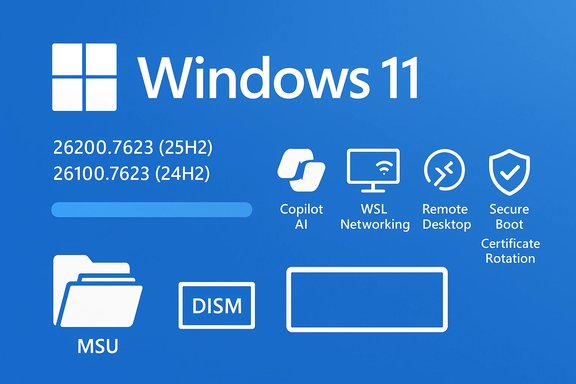
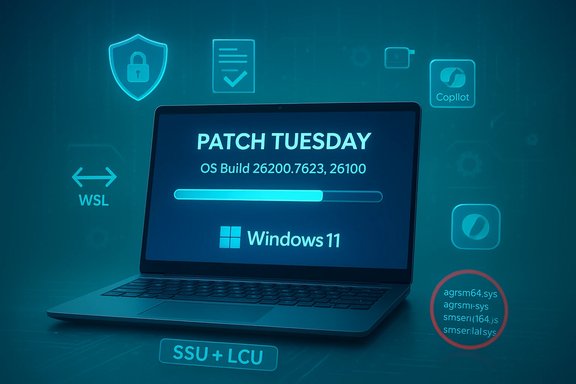
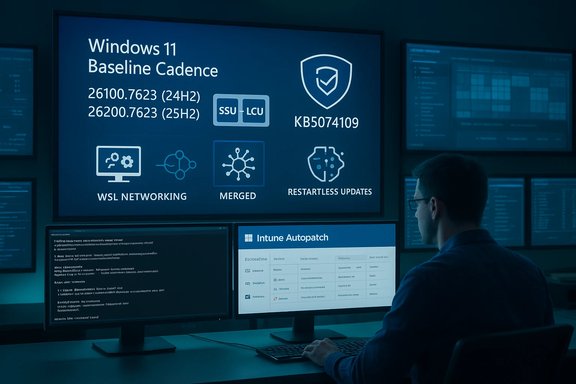
Microsoft released the January 13, 2026 security baseline today — published as KB5074109 — and enterprise administrators should treat this as both a mandatory security checkpoint and a practical reminder about the new Hotpatch servicing cadence for Windows 11 Enterprise (24H2 and 25H2). The baseline advances Windows 11 builds to 26100.7623 (24H2) and 26200.7623 (25H2), bundles the latest Servicing Stack Update (SSU) with the Latest Cumulative Update (LCU), and includes AI component updates and targeted fixes for networking and compatibility scenarios; at the same time, Microsoft’s Hotpatch release notes and Intune guidance confirm that Hotpatch months and baseline months follow a quarterly rhythm that affects restart behavior and eligibility.
Source: Microsoft Support January 13, 2026—Baseline - Microsoft Support
 Background
What Microsoft means by “Baseline” and why January matters
Microsoft’s Baseline releases are the quarterly checkpoints that consolidate security fixes, servicing-stack updates, and selected quality improvements. Baselines require a restart and form the prerequisite for the subsequent Hotpatch months — the no‑restart security-only updates Microsoft delivers during the two months that follow each baseline. The Hotpatch model reduces the annual count of forced reboots from twelve to four by design: baseline months (January, April, July, October) remain restart-required, while the next two months are Hotpatch months (no restart for eligible devices). This cadence and its calendar are documented in Microsoft’s Hotpatch release notes and Windows release-health pages.Why this particular baseline (KB5074109) is operationally important
KB5074109 is the January 13, 2026 monthly cumulative for Windows 11 24H2 and 25H2. In addition to security fixes, the package carries updates to specific on‑device AI components (applicable to Copilot+/Copilot‑enabled devices), driver removals for legacy modem stacks, and reliability fixes for networking scenarios (notably WSL mirrored networking and some AVD RemoteApp conditions). Microsoft publishes combined SSU+LCU packages for baselines so that offline servicing and image updates are reliable — but that packaging also changes rollback and uninstall behavior, as SSUs are effectively permanent once installed. The community and vendor reporting that accompanied this month’s release confirm these points.What’s in KB5074109 (January 13, 2026 baseline)
Key technical highlights
- OS build updates: Windows 11 25H2 devices report Build 26200.7623 after the update; Windows 11 24H2 devices report Build 26100.7623. These build numbers are Microsoft’s official reporting values for the baseline release.
- Combined SSU+LCU packaging: Microsoft bundles the Servicing Stack Update (SSU) to ensure the servicing pipeline can apply the LCU reliably; this is the recommended install model for offline image servicing.
- AI component updates: the baseline contains refreshed on‑device AI model binaries and runtime components (these install only on Copilot+/Copilot‑eligible devices). Administrators should expect larger offline MSU bundle sizes when AI components are included.
- Notable fixes and behavior changes: driver removals for obsolete modem drivers and fixes for WSL mirrored networking and some Azure Virtual Desktop RemoteApp errors. Administrators managing specialized hardware or virtual desktop services should review the device inventory for affected drivers and test the networking fixes in a representative lab.
What’s explicitly not in every baseline
Baselines do not universally flip on new features for all devices. Microsoft uses server‑side gating and controlled feature rollouts (CFR) to enable certain Copilot-era UI or AI features on qualified devices over time. As such, installing the baseline does not guarantee that every Copilot‑style UI element will appear; eligibility is influenced by device hardware, SKU, and Microsoft gating.Installation and servicing guidance — verified steps
Two supported offline install models (and why they matter)
Microsoft documents two practical approaches to applying combined baseline packages when you’re not using Windows Update:- Method A — Install all MSU files together (recommended for image servicing): place every MSU file for the baseline in a single folder and run DISM or the Windows Update Standalone Installer. DISM will discover, sequence, and apply prerequisites in the correct order automatically. This model reduces human sequencing error and is the recommended approach for mounted images and offline servicing.
- Method B — Install each MSU file individually, in the precise order Microsoft lists: acceptable for manual host servicing, but error‑prone if you miss a checkpoint MSU or SSU dependency. Microsoft lists the canonical MSU filenames and the required sequencing on the KB page; follow them exactly if you choose this path.
Quick CLI commands you should keep in your runbook
- Mount an offline image and add the package:
- DISM /Image:C:\Mount\ /Add-Package /PackagePath:C:\Packages\Windows11.0-KB5074109-x64.msu
- Apply to a running system (recommended: use DISM with all MSUs in one folder):
- DISM /Online /Add-Package /PackagePath:C:\Packages\Windows11.0-KB5074109-x64.msu
- To enumerate installed packages and verify the LCU name:
- DISM /Online /Get-Packages | findstr /i 5074109
Hotpatch: cadence, eligibility, and management (verified)
The calendar and the rule-of-thumb
Hotpatch uses a simple quarterly rhythm: the first month of each quarter is a Baseline (restart required), and the following two months are Hotpatch months (security‑only, no restart for eligible devices). For 2025 and continuing into 2026, Microsoft explicitly lists which months are baseline and which are hotpatch in their Hotpatch release notes and Windows release health pages. Administrators should plan feature upgrades and image servicing to align with baseline months to preserve Hotpatch eligibility.Who is eligible and what administrators must configure
- Licensing and SKU: Hotpatch is targeted at Windows 11 Enterprise (and equivalent commercial SKUs). Consumer editions remain on the standard LCU cycle.
- Management tooling: Microsoft requires Windows Autopatch or Microsoft Intune (with a Windows quality update policy configured for Hotpatch) to orchestrate Hotpatch distribution. The quality‑update policy includes an explicit Hotpatch option and produces Hotpatch telemetry and reporting.
- Baseline alignment and platform prerequisites: Devices must be on the latest baseline release and meet OS configuration prerequisites (for example, virtualization‑based security (VBS) in certain scenarios and other platform protections where specified). Devices that fail prerequisites automatically receive the standard Latest Cumulative Update (LCU), which requires a restart.
Practical impact on restart behavior
When Hotpatch is properly enabled and devices meet eligibility, they will receive no‑restart security updates for the two months following each baseline. If a device upgrades to a new feature release during a Hotpatch month, it may temporarily revert to the standard update track (requiring restarts) until the next baseline — a nuance that can cause unexpected restarts if not accounted for in change windows.Risks, limitations, and real‑world caveats
SSU permanence and rollback complexity
Because Microsoft bundles the SSU with the LCU in baseline packages, the SSU component cannot be uninstalled once applied. That reduces uninstall flexibility and means rollbacks usually require full image redeploy or restoring a preserved golden image. For organizations that rely on quick rollback playbooks, this necessitates explicit process changes (maintain unmodified golden images and test restore procedures).Application/driver compatibility
Hotpatch and no‑restart flows are intentionally narrow in scope, but even small in‑memory fixes can interact poorly with out‑of‑date kernel‑mode drivers, security agents, or third‑party endpoint software. The safe path is to pilot updates against the most realistic device images you run in production and to coordinate with critical software vendors for signed driver and agent compatibility validation.Telemetry blind spots and visibility
Hotpatch installs silently and reports success without requiring a restart, which can create an expectation gap if administrators rely on visible reboot cues to confirm patching. Integrate Hotpatch telemetry into your monitoring dashboards and use Intune/Autopatch reporting to confirm actual installation success across pilot and production rings.Recent servicing incidents — a cautionary example
Microsoft and community reporting documented a servicing misdistribution tied to WSUS and Hotpatch enrollment in late 2025 that caused a small number of Hotpatch‑enrolled servers to lose Hotpatch eligibility after installing an incorrect out‑of‑band package. Microsoft published corrective guidance and a remediation path that required installing the January 2026 baseline to re‑establish Hotpatch enrollment for affected systems. Independent community telemetry described the affected population as a “very limited number,” but the exact count remains unverified publicly, so treat the “very limited” phrasing with caution and assume you must verify enrollment state across your estate. Administrators who manage WSUS servers should follow Microsoft’s KB guidance and validate WSUS/Hotpatch status proactively.Practical operational checklist (what to do this week)
- Inventory and classify:
- Identify all Windows 11 devices and tag those running Enterprise 24H2/25H2 and those enrolled in Intune/Autopatch.
- Identify WSUS servers, WSUS roles, and whether any server hosts are reachable from untrusted networks.
- Pilot the baseline:
- Create a pilot ring (20–50 devices) that mirrors production profiles.
- Apply KB5074109 to the pilot group using Windows Update (online) or DISM (offline image).
- Validate critical LOB apps, drivers, and device telemetry for 72 hours.
- Prepare image servicing:
- For offline images, place all MSU files for KB5074109 into one folder and use DISM to let the service sequence prerequisites automatically. Preserve an unmodified golden image before injecting the combined SSU+LCU.
- Update change calendars:
- Schedule feature upgrades and large rollouts during baseline months where possible so Hotpatch eligibility is maintained. If upgrades must occur during Hotpatch months, plan for temporary LCU behavior and reboots.
- Monitor and validate:
- Integrate Intune/Autopatch Hotpatch reporting into your existing dashboards.
- Collect DISM, CBS, and Windows Update logs from pilot devices for at least one servicing cycle.
Critical analysis — strengths and remaining gaps
Strengths
- Reduced downtime: Hotpatch meaningfully reduces the number of forced restarts for eligible enterprise devices, improving availability for critical workloads. Microsoft’s Hotpatch documentation and Autopatch integration make this an operationally tangible benefit.
- Smaller, targeted packages: Hotpatch payloads are intentionally narrow, allowing for faster distribution and lower bandwidth use in day‑to‑day security operations.
- Clear servicing rhythm: The baseline/hotpatch cadence is explicit and predictable, allowing admins to plan upgrades and maintenance windows more effectively.
Remaining risks and tradeoffs
- Eligibility complexity: The Hotpatch model’s prerequisites (license SKUs, baseline alignment, Intune/Autopatch enrollment, and platform protections) mean many endpoints remain ineligible — and the default update behavior for those devices remains the restart‑required LCU. This creates a two‑track operational model that increases planning overhead.
- Rollback constraints: Bundled SSUs remove uninstall flexibility, increasing the importance of golden image preservation and validated rollback procedures.
- Operational surprises: Upgrading a device to a new Windows version in a Hotpatch month can force it back into the restart‑required path until the next baseline. This nuance has produced confusion in some organizations and must be managed by change windows and communication.
Final recommendations for IT teams
- Treat KB5074109 as a required baseline update and stage it through standard pilot → ringed deployment processes.
- Use DISM with all MSUs in one folder for offline image servicing to avoid sequencing errors; retain an untouched golden image for emergency rollback.
- Validate Hotpatch eligibility across your estate now — confirm licensing, Intune/Autopatch enrollment, baseline build, and platform prerequisites (VBS, etc.. If you require restart‑free updates for mission‑critical endpoints, ensure they meet those gate checks.
- Update operational runbooks to reflect SSU permanence: document the golden image restore path, DISM commands to verify package presence, and logging collection points for post‑install troubleshooting.
- Monitor vendor advisories for third‑party agents and drivers — coordinate compatibility testing with those vendors before mass deployment.
Conclusion
The January 13, 2026 baseline (KB5074109) is both a standard security checkpoint and an operational milestone: a consolidated SSU+LCU package that brings Windows 11 24H2 and 25H2 fleets up to their expected reporting builds, while the Hotpatch servicing model continues to reshape how enterprises think about restarts and update windows. Organizations that invest modest effort now — inventorying devices, confirming Hotpatch eligibility, piloting on realistic images, and preserving golden images — will capture the availability benefits Hotpatch promises while avoiding common operational pitfalls. Administrators should treat Microsoft’s baseline KB and Hotpatch guidance as the authoritative operational playbook, verify their own estate against those prerequisites, and plan maintenance windows with the new cadence fully in mind.Source: Microsoft Support January 13, 2026—Baseline - Microsoft Support