

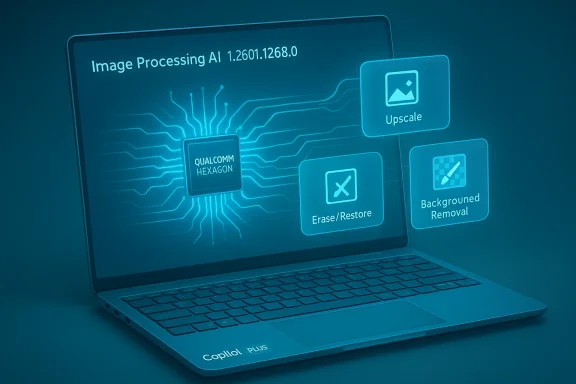
Microsoft has quietly pushed a targeted update—listed as KB5077530—to the Image Processing AI component for Qualcomm‑powered Windows 11 machines, delivering component version 1.2601.1268.0 and described simply as “improvements” for image scaling and foreground/background extraction on Copilot+ hardware. rview
The Image Processing AI component is one of several small, vendor‑specific AI packages Microsoft now ships independent of the main cumulative update cycle. These components power on‑device image features in Windows 11 — from the Photos app’s super‑resolution and erase/restore capabilities to camera‑stack segmentation used by Windows Studio Effects and virtual background features. Microsoft’s component model means vendors (Qualcomm, Intel, AMD) receive separate, architecture‑tuned packages so the OS can iterate model and runtime changes more frequently than with traditional LCUs.
This particular KB (KB5077530) targets Qualcomm‑powered systems running Windows 11, version 24H2 and version 25H2, and the public guidance reiterates the now‑familiar prerequisites: a device must have the latest cumulative update (LCU) for the applicable Windows 11 branch installed, and the update is delivered automatically through Windows Update. After installation, the Image Processing package appedows Update → Update history as a versioned entry.
Actionable recommendations:
In short: install the LCU, pilot KB5077530 on representative hardware, align drivers, and validate image pipelines. The component model gives Microsoft and silicon partners the flexibility to improve on‑device AI fast — but it also increases the operational responsibility for teams that require predictable, deterministic image processing outcomes.
Source: Microsoft Support KB5077530: Image Processing AI component update (1.2601.1268.0) for Qualcomm-powered systems - Microsoft Support
The Image Processing AI component is one of several small, vendor‑specific AI packages Microsoft now ships independent of the main cumulative update cycle. These components power on‑device image features in Windows 11 — from the Photos app’s super‑resolution and erase/restore capabilities to camera‑stack segmentation used by Windows Studio Effects and virtual background features. Microsoft’s component model means vendors (Qualcomm, Intel, AMD) receive separate, architecture‑tuned packages so the OS can iterate model and runtime changes more frequently than with traditional LCUs.
This particular KB (KB5077530) targets Qualcomm‑powered systems running Windows 11, version 24H2 and version 25H2, and the public guidance reiterates the now‑familiar prerequisites: a device must have the latest cumulative update (LCU) for the applicable Windows 11 branch installed, and the update is delivered automatically through Windows Update. After installation, the Image Processing package appedows Update → Update history as a versioned entry.
 What Microsoft actually says (and what the KB does not say)
What the KB states
- The update contains “improvements to the Image Processing AI component.”
- It app4H2 and 25H2) on Qualcomm processors.
- The update installs automatically via Windows Update and will show up in Update history once applied.
What the KB deliberately omits
- No line‑by‑line changelog of model or operator changes.
- No measured performance numbers (latency, TOPS utilization) or fixed‑issue list.
- No CVE/security mapping or binary checksums.
This omission is intentional and mirrors Microsoft’s recent pattern for AI composumer‑facing notes that leave engineering specifics to internal telemetry, partner release notes, or follow‑up advisories.
Why this matters: the technical surface and user impact
On‑device AI, Execution Providers, and NPUs
Windows’ on‑device AI stack uses a managed runtime (ONNX Runtime or equivalent) that delegates model subgraphs to vendor Execution Providers (EPs). Those EPs compile and cache accelerator‑specific artifacts on first use; changes in models or providers can therefore alter:- Operator placement (which operators run on NPU vs. CPU/GPU)
- First‑run compilation time and cache behavior
- Numeric outcomes for quantized models (tiny changes in thresholds or fused operators)
User‑facing features likely affected
- Photos app: Super‑resolution upscaling, erase/restore, restyle filters.
- File Explorer AI actions: Remove background, Blur background, Erase objects.
- Camera / Conferencing: Foreground/ background segmentation for Studio Effects and third‑party apps that rely on the OS image pipeline.
Because these flows depend on model masks and texture synthesis, the update could bring incremental quality improvements (reduced haloing, crisper masks) — or, in rare cases, small artifacts that were not present previously.
Strengths: what this update model delivers
- Faster, targeted iteration: Componentization lets Microsoft and silicon partners ship fixes and model tweaks faster than waiting for monthly LCUs. That means visible quality improvements can land more frequently for image editing and camera effects.
- Hardware‑tuned models: Separate Qualcomm builds allow better utilization of that vendor’s Hexagon NPU and driver stack, potentially improving latency and power use for image transforms on qualifying devices.
- Privacy and responsiveness: On‑device protory cloud round trips for many image edits, preserving privacy while reducing perceived latency.
- Centralized delivery: Automatic deployment through Windows Update simplifies getting the latest model/runtime to end users without manual downloads.
Risks and trade‑offs: why administrators must be cautious
- Opaque cKB’s lack of an engineering changelog means root cause analysis for regressions is harder; teams must rely on telemetry and vendor support. Treat claims of “improvements” without specifics as provisional until validated in a lab. ismatches: Component updates assume compatible OEM drivers and NPU firmware. Installing the Image Processing package while running older driver stacks can yield instability, crashes, or degraded performance.
- Numeric and determinism differences: For workflowidentical image outputs (e.g., automated QA pipelines that compare expected masks pixel‑for‑pixel), small model or EP changes can break deterministic assumptions. Revalidation is required.
- Hidden rollout/feature gating: Not all qualifying devices will see identical behavior; Microsoft may gate features server‑side or regionally, producing inconsistent exposure across a fleet.
Practical verification and troubleshooting checklist
If you manage qualifying Qualcomm Copilot+ devices, follow this checklist to verify KB5077530 and reduce risk:- Confirm device eligibility: verify the machine is a Copilot+ PC and Qualcomm‑powered (check device specs and OEM documentation).
- Update Windows: install the latest cumulative update for Windows 11 24H2 or 25H2 — the KB will not appear without the LCU prerequisite.
- Verify installation: Settings → Windowsry — look for Image Processing version 1.2601.1268.0 (KB5077530) or the vendor‑specific entry.
- Align drivers and firmware: update Qualcomm GPU/NPU drivers and OEM firmwaree device maker before broad deployment.
- Run acceptance tests: reproduce common image/camera workflows (super‑resolution, erase/restore, background blur) and log anyONNX/EP logs where available.
- Collect logs on regressions: Event Viewer, WER dumps, ONNX runtime verbose logs, and any reproducible input images. These accelerate triage with OEMs or Microsoft.
Recommended deployment strategy for IT teams
- Start with a small pilot ring (7–14 days) that covers diverse OEM images, form factors, and camera setups.
- Use an acceptance suite that includes both subjective visual checks and objective metrics (latency, NPU utilization, and mask IoU scores if applicable).
- Ensure rollback plans: test system restore points or have a clean image ready if a component update causes unacceptable regressions.
- Cok vendors for recommended driver versions and known issues for the component version you are deploying. Where possible, validate the vendor’s recommended driver/firmware matrix.
Developer guidance: validating models and runtime behavior
Developers and ISVs who target Copilot+ hardware should treat component updates like runtime or library version bumps:- Reproduce inference workloads and capture baseline metrics: cold/hot start times, per‑inference latency, CPU/NPU utilization, memory usage.
- Compare operator placement logs pre‑ and post‑update to ensure critical subgraphs still run on intended Execution Providers.
- Enable and analyze EP profiling outputs to locate re artifact generation or cache reuse.
- Rebuild and retest any pipelines that assume deterministic quantized outputs; document expected numeric tolerances.
Cross‑checks and independent corroboration
To verify the KB’s posture and the general behaviour of Image Processing component updates, I cross‑checked Microsoft’s AI component release registry and independent reporting:- Microsoft’s centralized Release information for AI components lists Image Processing as a discrete component and shows the vendor‑split KB model, confirming that Microsoft publishes small, versioned packages for on‑device models rather than embedding these updates in LCUs alone. This corroborates the delivery mechanism and vendor targeting described in the KB.
- Technical commentary from community and industry observand provider updates matter — they compile ONNX graphs for vendor NPUs, cache context binaries, and can alter operator mapping and numeric behavior. This independent view clarifies the operational risks and testing needs for IT teams and developers.
Quick FAQ (short answers)
- Will this update change my Photos edits? Possibly — most users will see small, incremental quality improvements; in edge cases you might notice slight differences in masks or fill results.
- Can I download the update manually? The KB emphasizes automatic delivery via Windows Update; the Microsoft Update Catalog often hosts MSU packages for component KBs, but thest an offline link. If you need an offline installer for lab validation, check the Microsoft Update Catalog or open a support case with Microsoft. Note: the KB text may not explicitly state MSU availability.
- Is this a securi KB does not reference CVEs; treat this as a model/runtime quality update, not primarily a security patch. If you require CVE mapping, escalate to Microsoft or Qualcomm for confirmation.
Final assessment and practical recommendations
KB5077530 (Image Processing AI component version 1.2601.1268.0 for Qualcomm systems) is a routine but meaningful incremental update in Microsoft’s ongoing effort to refine on‑device image AI. For most end users the change will be quiet and beneficial, improving the subtle visual qualities of Photos edits and camera segmentation. For IT administrators, developers, and ISVs, this update raises operational considerations: driver alignment, acceptance testing, and telemetry capture are necessary to avoid unwanted regressions in production fleets.Actionable recommendations:
- Pilot first: stage the update on a ative Qualcomm Copilot+ devices.
- Update drivers first: ensure OEM/Qualcomm drivers and firmware match vendor guidance before applying the component broadly.
- Validate image flows: run both subjective visual checks and objecticcuracy and inference latency.
- Prepare logs and rollback plans: collect Event Viewer, ONNX/EP logs, and prepare tested rollback images.
In short: install the LCU, pilot KB5077530 on representative hardware, align drivers, and validate image pipelines. The component model gives Microsoft and silicon partners the flexibility to improve on‑device AI fast — but it also increases the operational responsibility for teams that require predictable, deterministic image processing outcomes.
Source: Microsoft Support KB5077530: Image Processing AI component update (1.2601.1268.0) for Qualcomm-powered systems - Microsoft Support
