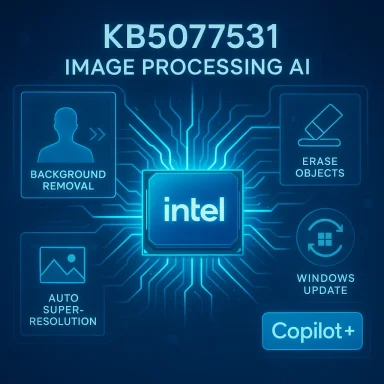
Microsoft has quietly pushed a focused Image Processing AI component update for Copilot+ AMD systems — KB5077532 — that ships Image Processing version 1.2601.1268.0 and, according to Microsoft, “includes improvements” to on-device image scaling and foreground/background extraction for Windows 11, version 24H2 and 25H2. The patch is targeted: it applies only to Copilot+ PCs with the required NPU capability, requires the latest cumulative update (LCU) for the OS branch, and will be delivered automatically through Windows Update; after installation it is recorded in Settings → Windows Update → Update history. m])
The Image Processing AI component is one of several modular AI components Microsoft now updates independently of monthly cumulative security servicing. These components run locally on Copilot+ PCs and are used by built-in Windows features (Photos, File Explorer AI actions, Windows Studio Effects) and by third-party apps that call into the OS-managed AI stack. Image-processing models are responsible for everything from upscaling (Auto Super Resolution) to in-image edits and foreground/background segmentation used for virtual backgrounds and blur effects. The KB’s short public note follows the pattern Microsoft has used for prior component releases: identify the version and target platform, confirm automatic delivery, and require the LCU prerequisiteoncise description of scope rather than an engineering-level changelog.
Why separate KBs? Microsoft packages and distributes AI components per silicon family because model artifacts and vendor runtime code are tuned to each NPU/GPU architecture. That means AMD, Intel, and Qualcomm/Arm devices commonly receive their own KB numbers even when the high-level feature set is the same. The separate packaging allows Microsoft and silicon partners to ship optimized quantis, and execution-provider tweaks that better map operators to vendor NPUs. Expect per-silicon KBs to be the norm for the foreseeable future as on-device AI matures.
Key technical terms to keep in mind:
Conclusion
KB5077532 (Image Processing 1.2601.1268.0) represents another incremental step in Microsoft’s on-device AI strategy: targeted, per-silicon updates that refine image scaling and foreground/background extraction on Copilot+ AMD systems. For most users the update will be invisible and beneficial; for IT administrators and imaging-heavy workflows it demands a careful pilot: confirm prerequisites, align drivers and firmware, run reproducible tests, and be ready with logs and rollback plans if visual regressions or performance anomalies appear. Microsoft’s modular approach acc but raises the bar for operational validation — the payoff is lower-latency, privacy-friendlier AI features, provided you manage the deployment responsibly.
Source: Microsoft Support KB5077532: Image Processing AI component update (1.2601.1268.0) for AMD-powered systems - Microsoft Support
 Background / Overview
The Image Processing AI component is one of several modular AI components Microsoft now updates independently of monthly cumulative security servicing. These components run locally on Copilot+ PCs and are used by built-in Windows features (Photos, File Explorer AI actions, Windows Studio Effects) and by third-party apps that call into the OS-managed AI stack. Image-processing models are responsible for everything from upscaling (Auto Super Resolution) to in-image edits and foreground/background segmentation used for virtual backgrounds and blur effects. The KB’s short public note follows the pattern Microsoft has used for prior component releases: identify the version and target platform, confirm automatic delivery, and require the LCU prerequisiteoncise description of scope rather than an engineering-level changelog. Why separate KBs? Microsoft packages and distributes AI components per silicon family because model artifacts and vendor runtime code are tuned to each NPU/GPU architecture. That means AMD, Intel, and Qualcomm/Arm devices commonly receive their own KB numbers even when the high-level feature set is the same. The separate packaging allows Microsoft and silicon partners to ship optimized quantis, and execution-provider tweaks that better map operators to vendor NPUs. Expect per-silicon KBs to be the norm for the foreseeable future as on-device AI matures.
What KB5077532 actually delivers (and what it doerifiable facts from the KB
- Target: Copilot+ PCs running Windows 11, version 24H2 or 25H2 onlyvements to the Image Processing AI component used for scaling and foreground/background extraction.
- Version: **Image Processing 1.2601. in the KB text the update message references.
- Distribution: Automatically downloaded and installed through Windows Update when thility and prerequisite conditions.
- Prerequisite: The device must have the latest LCU for Windows 11, 24H2 or 25H2 installed; otherwise the compo
- Verification: After installation, the update is visible under Settings → Windows Update → Update history with an entry naming the component and KB.
What Microsoft’s public note does not show
- There is no line-by-line changelog, no model parameter disclosure, and no detailed benchmark or latency numbers in the KB. Microsoft’s component KBs typically summarize scope and prerequisites rather than providing low-level engineering notes. For developers or admins who need granular detail (operator-level diffs, quantization changes, memory usage), that information isthe public KB. Treat claims of “improvements” as functional statements that need empirical validation on representative hardware.
Why this matters: surfaces affected and practical benefits
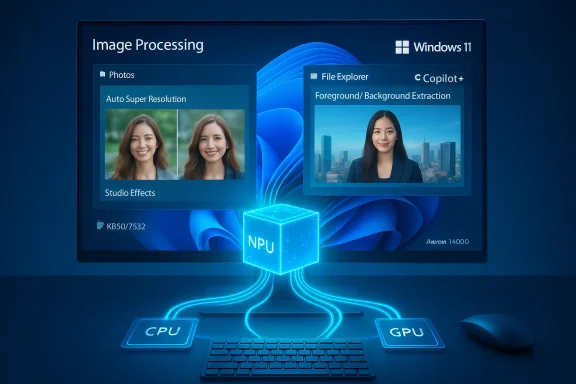
The Image Processing component underpins a range of OS-level and app-visible features:- Photos app: upscaling (Auto Super Resolution), content-aware fills, retouching and restyle features that add creative transforms.
- File Explorer AI actions: context menu edits like Remove background, Erase objects, and Blur background that Surface/File Explorer can delegate to on-device models.
- Windows Studio Effects and conferencing stacks: foreground/background segmentation used by Teams, Camera effects, and third-party apps that hook into the same OS-managed runtime.
- Accessibility: automatically generated image descriptions and improved alt text that rely on image understanding.
The technical mechanics: ONNX, Execution Providers, and first-run compilation
Windows’ on-device AI stack typically uses a managed runtime (ONNX Runtime or equivalent) that delegates model subgraphs to vendor Execution Providers (EPs). When a model runs for the first time it can be compiled or transformed by the EP into hardware-specific kernels and cached for subsequent runs. That compilation/caching step and the operator mapping decisions are pivotal because component updates — even minor model tweaks or a new EP — can change which operators are offlo a GPU/CPU, produce different numerical results due to altered quantization, and change first-run latency or cache sizes. This is why an “Image Processing” update can ripple into performance, numerical output, or visual quality differences across apps that rely on the same model.Key technical terms to keep in mind:
- NPU (Neural Processing Unit): dedicated hardware for efficient on-device ML inference.
- Execution Provider (EP): vendor-specific component that maps ONNX operators to hardware-accelerated implementations.
- ONNX Runtime: the managed runtime that orchestrates model execution and EP delegation.
- First-run compilation: the initial process that generates accelerator-specific binaries and caching artifacts.
Risks, regressions, and the real-world trade-offs
Microsoft’s componentized delivery model accelerates fixes, but it also shifts testing and compatibility responsibility outward. The most common and impactful risks include:- Driver and firmware mismatch: Component updates expect compatibleirmware. If OEM or vendor drivers are out of sync with the new component, you can see crashes, install failures, or degraded behavior. Community experiences and Microsoft documentation repeatedly call out driver alignment as the leading cause of regressions.
- Visual regressions or numerical deltas: Changes in model weighoperator fusion can cause subtle differences in segmentation masks, edge artifacts, or color synthesis. For production workflows (e.g., automated imaging pipelines), these deltas can break acceptance tests that expect bit-irst-run performance variability: Updated models or EPs may change the time it takes to compile accelerator artifacts on first inference, which can make the first user experience slower until cachOpaque changelogs:** Microsoft’s KBs intentionally omit low-level details, which complicates root-cause analysis when something goes wrong. Admins must rely on telemetry and empirical testing.
Recommendations — what IT admins and power users should do now
Microsoft’s documentation and community experience form the basis for a conservative rollout plan. Below is a prioritized pilot plan you can use in enterprise or power-user contexts.Quick verification steps (before you let the component install broadly)
- CoCopilot+ certified* and that it runs Windows 11, version 24H2 or 25H2.
- Confirm the latest LCU for your branch is installed (Settings → Windows Update). If the LCU is miill not apply.
- Update OEM-recommended drivers: chipset, GPU (Adrenalin for AMD), camera ISP, and any NPU runtimes recommended by the device OEM. Driver alignment reduces the ri### Pilot deployment (recommended)
- Select a small pilot ring (5–15 machines) that represents the range of OEMs, form factors, and camera/GPU configurations in your environment.
- Validate functional flows:
- Photos: upscaling, erase/restore, restyle comparisons on a reproducible image set.
- Conferencing: background removal and Studio Effects with both integrated and external webcams.
- Automated pipelines: run CI regression tests that expect deterministic outputs if those pipelinor crashes, Windows Event logs, WER entries, and ONNX runtime provider fallback events. Collect WindowsUpdate.log, CBS logs, and WER dumps if problems ometry windows open for at least 7–14 days and watch for edge-case regressions (images that previously worked but now produce artifacts).
Troubleshooting and rollback
- If problems appear, collect logs first: Get‑WindowsUpdateLog,BS.log, Event Viewer, and any WER dumps. Coordinate with OEM support and Microsoft if the device is under support.
- For removable component entries, check Settings → Windows Update → Update history to uninstall the specific component (when Microsoft exposes that uninstall option); in severe cases, image-level recovery or restore points may be required. Be ang stack elements may not fully uninstall gracefully — plan rollback strategies accordingly.
Deployment checklist (copyable)
- Confirm Copilot+ device list and annotate by vendor, NPU model, and driver versions.
- Ensure latest Windows 11 LCU for 24H2/25H2 is installed on candidate devices.
- Refresh OEM GPU/NPU drivers and camera/ISP drivers to the vendor recommended release.
- Create a low-friction pilot: 7–14 devices covering typical form factors and workloads.
- Execute reproducible image and conferencing tests pre- and post-update; log outputs and save test artifacts.
- Monitor for crashes and performance anomalies for at least two business cycles (48–72 hours minimum).
- If acceptable, widen the ring in stageect logs and escalate to OEM/Microsoft support per service agreements.
How to confirm KB5077532 installed on your PC
After the device is updated and rebooted, go to:- Settings → Windows Update → Update history and look for an entry like:
- “Image Processing version 1.2601.1268.0 for AMD-powered systems (KB5077532)”
If you see the entry, the component applied successfully. If it’s not present, verify the LCU prWindows Update logs for install-time error codes.
Privacy, licensing and cloud fallbacks
Not all AI actions will run locally even with Copilot+ hardware. Microsoft uses a hybrid model: some actions are processed entirely on-device, while others (particularly heavier multimodal tasks or cloud-assisted summarization) may fall back to cloud services depending on licensing (Copilot/Microsoft 365 entitlements), feature gating, and resource constraints. Microsoft’s messaging emphasizes privacy for on-device inference (local-only processing where possible), but enterprise policies and licensing can change which features are cloud-backed. Administrators should treat feature availability as conditional on device capability, drivers, and tenant-level licensing. Independent reporting and Microsoft’s release history show this hybrid model in practice.Final analysis — strengths, trade-offs, and a pragmatic verdict
KB5077532 continues Microsoft’s ongoing approach of componentized, per-silicon AI updates that let them iterate models and runtime optimizations faster than the traditional OS release schedule. That approach has clear benefits:- Strengths
- Faster quality improvements and targeted optimizations for AMD NPUs.
- Lower-latency and privacy-preserving image processing on eligible Copilot+ hardware.
- Improved user experience for Photos, File Explorer AI actions, and conferencing effects where models run locally.
- Trade-offs / Risks
- Lack of detailed public changelogs makes root-cause analysis harder when regressions appear.
- Driver/firmware mismatches are the most common source of problems; admins must align stacks before broad rollouts.
- Numerical and visual deltas can affect automated imaging pipelines that require bit-stable behavior.
What we could not verify from the public KB (and a caution)
Microsoft’s public KB language is intentionally succinct: it does not disclose internal model sizes, parameter counts, quantization strategies, or exact performance deltas. Claims such as specific TOPS thresholds for Copilot+ devices are widely discussed and useful as operational guidelines, but should be validated against OEM certification documents for exact hardware gating. If you require engineering-level detail (for example, to determine why a particular segmentation mask changed for a given image), be prepared to collect logs and to open support cases with Microsoftblic KB alone will not provide those diagnostics. Treat any precise performance claim absent from the KB as unverified until corroborated by OEM or Microsoft engineering notes.Conclusion
KB5077532 (Image Processing 1.2601.1268.0) represents another incremental step in Microsoft’s on-device AI strategy: targeted, per-silicon updates that refine image scaling and foreground/background extraction on Copilot+ AMD systems. For most users the update will be invisible and beneficial; for IT administrators and imaging-heavy workflows it demands a careful pilot: confirm prerequisites, align drivers and firmware, run reproducible tests, and be ready with logs and rollback plans if visual regressions or performance anomalies appear. Microsoft’s modular approach acc but raises the bar for operational validation — the payoff is lower-latency, privacy-friendlier AI features, provided you manage the deployment responsibly.
Source: Microsoft Support KB5077532: Image Processing AI component update (1.2601.1268.0) for AMD-powered systems - Microsoft Support