

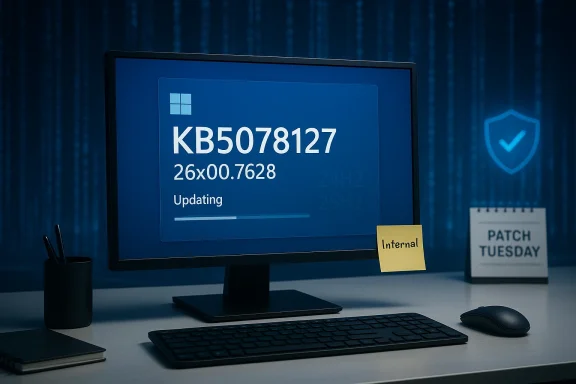
Microsoft-watchers have spotted a new, internally listed Windows updateate labeled KB5078127 (build reported as 26×00.7628) — but Microsoft has not published any official support documentation yet, and the only public signal so far comes from a Windows analyst’s discovery relayed by Windows Report.
Microsoft delivers Windows 11 fixes and feature updates in multiple forms — monthly security rollups, optional preview releases, and occasional out-of-band (OOB) updates when urgent regressions appear. Over the past weeks Microsoft’s servicing pipeline has been particularly active: patch Tuesday releases, emergency OOB releases, and several preview updates for both Windows 11 24H2 and 25H2. That context is essential to understand why the appearance of an internal listing such as KB5078127 draws immediate attention from IT pros and power users. The KB5078127 sighting was reported by Windows Report, which cites a post by the well-known Windows analyst PhantomOfEarth on X (formerly Twitter). According to the report, the entry appears tied to both Windows 11 24H2 and 25H2 release bands and uses the build series in the 26×00 family. At the time of writing, no Microsoft support page, update catalog entry, or release notes for KB5078127 are available — the listing appears to be internal or pre‑release.
The January 13, 2026 cumulative update (KB5074109) demonstrates the stakes. Microsoft’s own support notes and community reports show KB5074109 included important security fixes but also introduced regressions in remote desktop and authentication flows for Azure Virtual Desktop and Windows 365 clients; Microsoft documented mitigation steps and followed up with targeted fixes and guidance. This recent history increases sensitivity to any new KB entries — users and IT teams want to know whether the next release will correct remaining problems or introduce new regressions. Community and forum archives also show intense discussion, testing, and in some cases emergency rollbacks tied to January updates. Administrators who track update behavior closely have been sharing mitigation steps, Known Issue Rollback (KIR) configurations, and operational workarounds in the days following major releases. These community signals are part of why an internally listed update number is noteworthy long before Microsoft publishes formal release notes.
What can be reliably said:
A responsible approach to these early sightings:
Conclusion
The appearance of KB5078127 in internal listings is the kind of early signal that matters to Windows watchers and IT professionals — but it is precisely that: an early signal. Given recent servicing turbulence and the visible impact of January’s update wave, a cautious, methodical posture is the best path forward. Monitor Microsoft’s official update channels for confirmation, prioritize pilot testing, and ensure rollback and recovery procedures are ready before broad deployment. The Windows servicing pipeline is moving fast right now; well‑prepared teams will be the ones to navigate it without interruption.
Source: Windows Report https://windowsreport.com/kb5078127-spotted-as-microsoft-prepares-another-windows-11-update/
 Background / Overview
Microsoft delivers Windows 11 fixes and feature updates in multiple forms — monthly security rollups, optional preview releases, and occasional out-of-band (OOB) updates when urgent regressions appear. Over the past weeks Microsoft’s servicing pipeline has been particularly active: patch Tuesday releases, emergency OOB releases, and several preview updates for both Windows 11 24H2 and 25H2. That context is essential to understand why the appearance of an internal listing such as KB5078127 draws immediate attention from IT pros and power users. The KB5078127 sighting was reported by Windows Report, which cites a post by the well-known Windows analyst PhantomOfEarth on X (formerly Twitter). According to the report, the entry appears tied to both Windows 11 24H2 and 25H2 release bands and uses the build series in the 26×00 family. At the time of writing, no Microsoft support page, update catalog entry, or release notes for KB5078127 are available — the listing appears to be internal or pre‑release. What was reported (quick summary)
- What surfaced: An internal listing or label for KB5078127, build number shown as 26×00.7628, was noticed and shared publicly via a Windows analyst’s post and then covered by Windows Report.
- Scope indicated: The label appears to target Windows 11 24H2 and 25H2 channels (the widely deployed servicing branches).
- Official status: Microsoft has not published a KB article, release notes, or Microsoft Update Catalog package for KB5078127 at this time; this remains an unverified pre‑release sighting.
Why this matters: recent update turbulence and the role of OOB fixes
Windows servicing is a balancing act between security imperatives and quality control. When Microsoft discovers a high‑impact regression — one that affects productivity, remote access, boot, or core services — it may ship an out‑of‑band update or a targeted preview to fix the regression quickly. Those OOB patches are effective, but they also raise pressure: rushed fixes sometimes cause follow‑on issues and heighten scrutiny by users and sysadmins.The January 13, 2026 cumulative update (KB5074109) demonstrates the stakes. Microsoft’s own support notes and community reports show KB5074109 included important security fixes but also introduced regressions in remote desktop and authentication flows for Azure Virtual Desktop and Windows 365 clients; Microsoft documented mitigation steps and followed up with targeted fixes and guidance. This recent history increases sensitivity to any new KB entries — users and IT teams want to know whether the next release will correct remaining problems or introduce new regressions. Community and forum archives also show intense discussion, testing, and in some cases emergency rollbacks tied to January updates. Administrators who track update behavior closely have been sharing mitigation steps, Known Issue Rollback (KIR) configurations, and operational workarounds in the days following major releases. These community signals are part of why an internally listed update number is noteworthy long before Microsoft publishes formal release notes.
Technical takeaway: what KB5078127 might be — and what we cannot confirm
At this stage the only public trace is a third‑party sighting of an internal label. Without a Microsoft KB article or an update package, any specifics about the contents — security fixes, quality improvements, driver updates, or behavioral changes — would be conjecture.What can be reliably said:
- It is plausible that KB5078127 is an out‑of‑band or quality update targeting lingering regressions in the 24H2/25H2 servicing streams, because Microsoft has recently used OOB updates to address high‑impact issues.
- It is not reliable to assume this KB contains security fixes, new features, or a full cumulative LCU; only Microsoft’s published KB page or the Microsoft Update Catalog entry can confirm the update type and contents.
- Build number pattern (26×00.7628) suggests it’s part of the same OS build family as recent January releases (which helps analysts map which code branch will receive changes), but the exact semantics of the placeholder “×” and the final build digits are set by Microsoft and must be confirmed when Microsoft publishes the entry.
The signal and the noise: how to read leak/spotter reports
When an analyst like PhantomOfEarth posts discovery notes about a hidden build or internal KB label, that discovery is valuable but incomplete. Analysts routinely find hidden strings, catalog entries, or catalog metadata in preview images and telemetry dashboards; those artifacts are often real, but the final public package can change dramatically between internal listing and customer release.A responsible approach to these early sightings:
- Consider the report an early warning rather than a release announcement.
- Wait for Microsoft to publish a KB article or an Update Catalog package before acting on details.
- Cross‑reference multiple independent outlets or the original analyst feed when possible. PhantomOfEarth is a known and frequently cited insider observer, and mainstream outlets often treat his finds as credible leads — but they still require Microsoft confirmation.
What normal Windows users should do now (practical guidance)
If you are an everyday Windows 11 user or manage a small fleet, follow these practical, cautious steps until Microsoft publishes official KB details:- Do not chase the internal listing. Avoid installing or searching for packages by KB number unless Microsoft releases them officially via Windows Update or the Microsoft Update Catalog.
- Pause non‑critical upgrades on production machines while Microsoft and the community assess the post‑January update state, especially if your environment experienced regressions from the January cumulative (KB5074109). Use a staged rollout for multi‑device environments.
- Back up and snapshot: Prior to installing any preview or OOB fix, create a system image or restore point and verify recovery media is current. If you’re an enterprise operator, reinforce imaging and rollback playbooks.
- Monitor official channels: Check Microsoft’s Windows Release Health, Update History pages, and the Microsoft Update Catalog for KB5078127 or any related OOB release. Do not rely solely on secondary sites for the final technical details.
- Use pilot rings: Deploy new updates first to a small pilot group or test lab, observe for issues for several days, then widen the rollout if stable. This is standard best practice and particularly important in the current immediate post‑Patch‑Tuesday climate.
What IT teams and admins should prepare for
- Known Issue Rollback (KIR) readiness: Microsoft has used KIR and Group Policy-based mitigation for January regressions; be ready to apply KIR packages if Microsoft recommends them for KB5078127 or a related rollup.
- Emergency OOB handling: Ensure your patching processes can accept out‑of‑band packages quickly and that approval gates are able to move faster for urgent security or stability fixes.
- Telemetry and logging: Increase monitoring after applying any new update — watch for errors in Event Viewer related to Remote Desktop, WinRE/WinPE, HTTP.sys, driver load failures, and device input regressions. Community reports during recent updates highlighted these areas specifically.
- Driver vendor coordination: If your fleet depends on specific GPU, network, or audio drivers, coordinate with OEM vendors for certified driver bundles to be used in tandem with Microsoft updates.
About the Cloudflare block text the user saw
The message the user pasted (the Cloudflare block page) is a standard site‑level protection response: when a website enables Cloudflare security rules, certain traffic patterns (automated requests, suspicious payloads, or certain words/requests flagged by the site’s firewall) trigger a block page. The Cloudflare message is unrelated to whether KB5078127 exists; it simply means the Windows Report page was temporarily protected from your connection. Typical remedies include trying again from a different network, clearing cookies, or contacting the site owner with the Cloudflare Ray ID the block page shows. That block itself is not evidence for or against the update — it’s a web‑access control artifact.Risk analysis: strengths and threats associated with early KB sightings
Strengths (why early sightings are useful)
- Early warning: Spotter reports can alert admins and hobbyists to pending changes so they can prepare test beds and backups.
- Community triage acceleration: Public sightings let community testers pre‑stage hardware and software to detect regressions faster, enabling quicker community-led guidance.
Risks and downsides
- Incomplete or misleading information: An internal listing may change before public release; relying on it for deployment planning can cause unnecessary churn.
- False confidence or alarm: If users assume the listing contains specific fixes or security content, they may misprioritize patching or rollback decisions.
- Distraction from official guidance: Following only third‑party posts can delay applying Microsoft’s official mitigations and KIR guidance when those are published.
Confirmed examples of recent update fallout (context)
To ground the discussion in recent events: Microsoft’s January 13, 2026 cumulative update (KB5074109) shows how impactful a single rollup can be:- Microsoft published a support article for KB5074109 which lists both the security improvements and the regressions that required mitigation (notably AVD/Windows App authentication and power/shutdown behavior for devices with Secure Launch enabled). Administrators were instructed to implement Known Issue Rollback or apply a follow‑up OOB fix where appropriate.
- Independent outlets and community forums recommended pausing or uninstalling KB5074109 in specific scenarios until Microsoft released mitigations; practical uninstall and pause instructions were widely circulated by technical press.
- Community archives show extensive discussion of symptoms and recovery techniques, reinforcing why any newly sighted KB garners immediate attention.
How to track KB5078127 responsibly (step‑by‑step)
- Bookmark Microsoft’s Windows Release Health dashboard and the Windows 11 update history pages. These are the authoritative sources for confirmed KB articles.
- Check the Microsoft Update Catalog for KB5078127 (if and when Microsoft publishes it). Do not download packages from untrusted third‑party repositories.
- Follow official Microsoft Support announcements and product health advisories (they will include URLs to KIR packages or OOB fixes if needed).
- Use controlled pilot deployments (VMs, test hardware) to validate the update before deploying broadly.
- Watch trusted community hubs (Microsoft Tech Community, ElevenForum, Windows Insider feeds) for early reports of any regressions or required mitigations — but treat these as supplemental, not definitive, until Microsoft confirms.
Final assessment and recommendations
- The sighting of KB5078127 is a credible lead rather than a confirmed release: it was reported by Windows Report based on a discovery by a known Windows analyst, but Microsoft has not published any official documentation or update package. Treat the sighting as a heads‑up — not a directive to act.
- The broader context — a turbulent January update cycle and subsequent OOB fixes — justifies caution: administrators should keep update approval gates, KIR readiness, and testing routines active. The January cumulative (KB5074109) and Microsoft’s follow‑up actions demonstrate the speed and complexity of modern Windows servicing.
- Do not rely on the KB number alone to make deployment decisions. Wait for Microsoft to publish the KB article and the Microsoft Update Catalog package, and validate the update in a controlled environment before broad deployment. If you cannot reach the original Windows Report story because of a Cloudflare block, use Microsoft’s official channels and major technical outlets to confirm details once they appear.
Conclusion
The appearance of KB5078127 in internal listings is the kind of early signal that matters to Windows watchers and IT professionals — but it is precisely that: an early signal. Given recent servicing turbulence and the visible impact of January’s update wave, a cautious, methodical posture is the best path forward. Monitor Microsoft’s official update channels for confirmation, prioritize pilot testing, and ensure rollback and recovery procedures are ready before broad deployment. The Windows servicing pipeline is moving fast right now; well‑prepared teams will be the ones to navigate it without interruption.
Source: Windows Report https://windowsreport.com/kb5078127-spotted-as-microsoft-prepares-another-windows-11-update/
