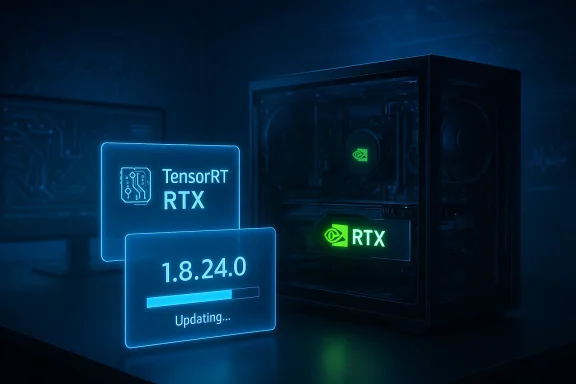
Microsoft has quietly pushed KB5079257 — a Windows Update component that installs NVIDIA TensorRT‑RTX Execution Provider (EP) version 1.8.24.0 — to eligible Windows 11 devices, advancing Microsoft’s modular on‑device AI strategy by updating the runtime layer that delivers GPU‑accelerated inference on consumer RTX PCs. (support.microsoft.com)
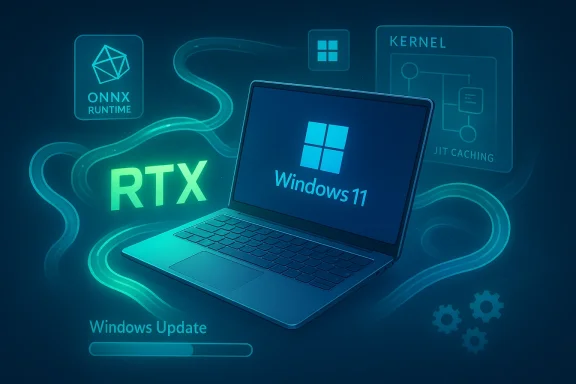
Windows 11 has been moving AI acceleration out of monolithic drivers and applications and into a modular runtime model: a managed inference runtime (ONNX Runtime/Windows ML) dispatches subgraphs to specialized vendor Execution Providers that ship independently from the OS feature set. Microsoft distributes many of those EPs as small, versioned components through Windows Update so they can be updated more frequently than the main OS. KB5079257 is one such component update targeted at consumer RTX systems.
This particular update replaces the previously released KB5077528 package and targets Windows 11, version 24H2 and 25H2. The KB is intentionally terse: Microsoft’s official note lists the version (1.8.24.0), the delivery mechanism (Windows Update — automatic), the prerequisite (latest cumulative update for 24H2/25H2), and the fact that the update “includes improvements to the execution provider component.” There is no line‑by‑line changelog in the public KB. (support.microsoft.com)
Key characteristics of the TensorRT‑RTX EP include:
Community reporting and early rollout notes show Microsoft has been delivering these EP updates iteratively for months; forum threads track version rollouts and practical impacts on Copilot+ RTX devices. Those community threads are useful for real‑world symptoms and pilot testing feedback.
For IT organizations, this means shifting some responsibilities:
If you run RTX hardware, verify your OS and driver baselines, pilot the update on a small set of machines, and collect the startup and steady‑state inference metrics that matter to your workloads. That will let you capture the performance benefits of the TensorRT‑RTX EP while avoiding the common pitfalls of version and driver mismatches. Microsoft’s KB lists the package and requirements, and NVIDIA/ONNX Runtime documentation explain the technical mechanisms behind the speedups and caching behavior — together they form the practical guidance you’ll need to adopt the update safely. (support.microsoft.com)
Source: Microsoft Support KB5079257: Nvidia TensorRT-RTX Execution Provider update (1.8.24.0) - Microsoft Support
 Background / Overview
Windows 11 has been moving AI acceleration out of monolithic drivers and applications and into a modular runtime model: a managed inference runtime (ONNX Runtime/Windows ML) dispatches subgraphs to specialized vendor Execution Providers that ship independently from the OS feature set. Microsoft distributes many of those EPs as small, versioned components through Windows Update so they can be updated more frequently than the main OS. KB5079257 is one such component update targeted at consumer RTX systems.This particular update replaces the previously released KB5077528 package and targets Windows 11, version 24H2 and 25H2. The KB is intentionally terse: Microsoft’s official note lists the version (1.8.24.0), the delivery mechanism (Windows Update — automatic), the prerequisite (latest cumulative update for 24H2/25H2), and the fact that the update “includes improvements to the execution provider component.” There is no line‑by‑line changelog in the public KB. (support.microsoft.com)
What is the NVIDIA TensorRT‑RTX Execution Provider?
How it fits into Windows ML and ONNX Runtime
The NVIDIA TensorRT‑RTX Execution Provider is a vendor‑specific plugin that allows ONNX Runtime and Windows ML to offload supported neural network operations to NVIDIA RTX GPUs using NVIDIA’s TensorRT for RTX runtime. Unlike the legacy, datacenter‑focused TensorRT EP, the TensorRT‑RTX EP is designed for consumer RTX GPUs (GeForce/RTX family) and for interactive, low‑latency local AI workloads — the kinds of tasks Copilot+, image editing, LLM inference, and other on‑device AI features rely on.Key characteristics of the TensorRT‑RTX EP include:
- Small package footprint (designed for end‑user systems).
- Just‑in‑time (JIT) engine compilation that builds RTX‑optimized kernels on the target GPU in seconds.
- Runtime caching so compiled engines persist and subsequent session startup is much faster.
- Optimizations for consumer RTX architectures (Ampere and later) rather than datacenter SKUs.
Why KB5079257 matters (for users and IT teams)
For end users and enthusiasts
If you own an RTX‑class GPU and run Windows 11 (24H2 or 25H2), this update can change which EP your apps use behind the scenes. Apps that rely on Windows ML or ONNX Runtime and that allow vendor EP selection may start to get improved GPU acceleration without any action from the user because Windows Update can install the EP component automatically. That means faster, lower‑latency local AI experiences in apps that are integrated with the Windows ML stack, such as image editing, generative media tools, and some Copilot+ features. (support.microsoft.com)For developers
Developers who ship ONNX models or integrate Windows ML should be aware that the device runtime environment is now dynamic. The EP version can change independently of the app or the OS, which affects:- runtime behavior (JIT compile time and caching),
- supported data types (FP16/BF16/FP8/FP4/INT8 in later EPs),
- performance characteristics and fallback behaviors, and
- potential binary compatibility with custom TensorRT plugins or model optimizations.
For IT administrators
KB5079257 is delivered automatically through Windows Update but requires the latest cumulative update for Windows 11 24H2 or 25H2 to be installed on the target device. Administrators need to account for this in patch sequencing and deployment plans: the EP will not apply where OS servicing is out of date, and the device will show the installed EP package in Settings > Windows Update > Update history once applied. The KB replaces KB5077528 so update sequencing may be relevant for change logs and compliance audits. (support.microsoft.com)Community reporting and early rollout notes show Microsoft has been delivering these EP updates iteratively for months; forum threads track version rollouts and practical impacts on Copilot+ RTX devices. Those community threads are useful for real‑world symptoms and pilot testing feedback.
What the vendors say — performance and features (verified)
Microsoft’s KB is functional and short on detail, so to assess the real technical impact we cross‑checked NVIDIA and ONNX Runtime documentation and public technical posts.- NVIDIA’s TensorRT for RTX technical blog and documentation describe the runtime’s approach: a two‑stage AOT+JIT compilation model that produces a hardware‑specific engine quickly on target RTX GPUs, enabling per‑GPU optimizations and kernel replacement that can raise throughput substantially after initial runs. The blog claims large performance gains versus baseline DirectML in some workloads and promotes multiprecision support (FP32/FP16/BF16/FP8/FP4/INT8).
- ONNX Runtime’s TensorRT Execution Provider docs and the TensorRT‑RTX EP guides describe configuration options (device_id, stream, caching controls) and the interaction between the EP and the overall runtime. ONNX Runtime notes that using a TensorRT family EP often yields better instantaneous and sustained performance than generic GPU acceleration paths and documents the compatibility matrix with CUDA/TensorRT versions. These details line up with NVIDIA’s claims about JIT compilation, caching, and per‑GPU optimization.
Compatibility, driver and runtime prerequisites — what to check before you deploy
Both Microsoft and NVIDIA/ONNX Runtime documentation prescribe specific compatibility constraints. These are essential because mismatches (driver versions, CUDA support, or GPU generation) are the main causes of functional failures.- Microsoft’s KB requires the latest cumulative update for Windows 11, version 24H2 or 25H2. The component model enforces OS servicing preconditions before installing the EP. (support.microsoft.com)
- ONNX Runtime and NVIDIA documentation indicate that the TensorRT/TensorRT‑RTX EPs depend on compatible CUDA and driver stacks. The ONNX Runtime TensorRT page lists supported TensorRT and CUDA combinations across ONNX Runtime releases; TensorRT‑RTX documentation and NVIDIA’s developer pages specify the GPU architectures supported (Ampere and later for the RTX‑focused EPs) and minimum driver/CUDA recommendations for Windows builds. Validate driver builds and CUDA versions before accepting automated rollout.
- Microsoft’s Foundry Local and Windows ML documentation show the EPs can be downloaded dynamically and note minimum recommended driver versions for particular EPs on Windows. If your environment uses packaged images or strict driver baselines (for example in enterprise imaging or VDI), confirm those baselines support the EP before broad deployment.
- Confirm Windows 11 version and install the latest cumulative update for 24H2/25H2. (support.microsoft.com)
- Verify NVIDIA driver version and CUDA runtime compatibility against the TensorRT‑RTX support matrix.
- Pilot the EP on representative hardware and inspect app behavior and event logs for ONNX/Windows ML warnings.
Real‑world impact: what to expect after the update
- Faster inference on supported RTX GPUs for workloads that are eligible for EP offload, particularly generation and image models, where Tensor Cores and optimized kernels are used. Vendors have reported double‑digit to multi‑times speedups in targeted workloads versus older, generic GPU paths like DirectML. Expect the biggest improvements for models that map well to TensorRT optimizations and for GPUs that support advanced numerP4 on newer architectures).
- Reduced time‑to‑first‑use after the JIT cache warms: JIT compilation adds a small one‑time penalty, but a runtime cache reduces subsequent session startup times considerably. That makes the EP especially effective for interactive use where the same models are invoked repeatedly.
- Potential changes in memory and CPU/GPU utilization during the JIT and engine building phases. Some systems may see higher transient GPU memory usage during compile phases, so test memory pressure for memory‑constrained laptops.
Troubleshooting and rollback guidance
- If an application fails to use the EP or shows degraded performance, check ONNX Runtime provider listings to see which EPs are available and active. ONNX Runtime exposes APIs to list and register providers; logs often indicate whether a provider loaded successfully or fell back to CPU/DirectML.
- Confirm Windows Update history (Settings > Windows Update > Update history) to see whether KB5079257 or the prior replacement package applied successfully. Microsoft lists the installed EP update name in the Update history after installation. (support.microsoft.com)
- Verify NVIDIA driver compatibility; many runtime and EP issues stem from a driver mismatch or an outdated CUDA runtime. Update to an NVIDIA driver recommended by the TensorRT‑RTX support matrix if necessary.
- For managed enterprise environments, use Windows Update for Business, WSUS, or your patch management tool to stage and test the EP rollout. If rollback is necessary, allow Windows Update policies to defer or pause the update while you troubleshoot; in extreme cases you may need to restore a system image for a clean state. (Best practice: pilot first.) (support.microsoft.com)
Security, privacy and licensing considerations
- The KB itself is a functional update and not a security patch, but any component that interfaces with GPU firmware and kernel drivers must be treated as a potential attack surface. Keep drivers up to date and follow vendor security advisories. NVIDIA and ONNX Runtime documentation include security and license references for their libraries and plugins.
- Licensing: EPs often ship under vendor SDK EULAs. When Windows ML dynamically downloads an EP to a device, the underlying NVIDIA SDK license applies; administrators and developers should ensure licensing terms are acceptable for their use case (development, internal, or commercial distribution). Microsoft’s and NVIDIA’s documentation both point to vendor license terms for EPs.
- Telemetry and local AI: Because these EPs accelerate on‑device AI, make sure any local models, prompts, or user data processed by those models align with your privacy policy. The update itself does not change model behavior, but faster local inference may increase the frequency or scale of on‑device processing. Administrators should map where models run and what data they touch. (support.microsoft.com)
Practical recommendations — how to prepare and test KB5079257 in your environment
- For individual users and enthusiasts:
- Make sure Windows 11 is up to date (install the latest cumulative update for 24H2/25H2).
- Update NVIDIA drivers to the versions recommended by TensorRT‑RTX docs.
- Check Settings > Windows Update > Update history to confirm the EP install. (support.microsoft.com)
- For developers:
- Reproduce your app’s inference pipeline with ONNX Runtime and explicitly enumerate providers to confirm which EP is active.
- Test model startup and steady‑state throughput across representative RTX hardware and document runtime caches and JIT times.
- Add a capability probe in diagnostics to report EP version and whether a cached engine was used so support teams can triage issues rapidly.
- For IT administrators:
- Stage KB5079257 in a pilot ring (representative hardware including gen‑varied RTX GPUs).
- Verify cumulative OS servicing is current on pilot devices so the EP will install. (support.microsoft.com)
- Confirm driver baseline compatibility and update driver packages centrally as needed.
- Monitor event logs and application telemetry for provider load errors or abnormal resource usage during initial JIT builds.
Risks, unknowns and where to be cautious
- Lack of a public changelog. Microsoft’s KB notes that the update “includes improvements” but does not publish fine‑grained change history in the support article. That lack of transparency makes it harder to anticipate behavioral changes; conservative operators should pilot and collect metrics before broad rollout. (support.microsoft.com)
- Driver/runtime mismatches. The EP depends on a compatible NVIDIA driver/CUDA/TensorRT stack; mismatches are the common source of failures or subtle regressions. Rigid driver baselines in locked enterprise images can block the EP or cause unexpected fallbacks.
- JIT compile overhead and resource spikes. The initial JIT and engine creation phases can increase GPU memory and CPU activity briefly; on shared or thermally constrained devices this could affect user experience during the model’s first run. Plan pilot tests that include real‑world workloads to measure this.
- Third‑party plugin compatibility. Models that rely on custom TensorRT plugins or vendor‑specific optimizations may require validation against the new EP version; plugin ABI changes or different runtime behaviors can cause failures. Developers that rely on custom plugins should test with the exact EP build applied by the KB.
- Vendor EULA and redistribution. Dynamic download of vendor EPs implies acceptance of vendor SDK license terms on each device; enterprises that redistribute SDKs or embed EPs in images should check licensing terms carefully.
The bigger picture: modular on‑device AI and operator responsibility
KB5079257 is a small but meaningful example of a broader platform strategy: Windows increasingly treats hardware‑specific AI runtimes as modular, updatable components. That approach lets vendors iterate faster and deliver hardware‑targeted optimizations to end users without requiring full OS servicing releases. The trade‑off is that the runtime environment for AI apps becomes more dynamic, requiring better telemetry, staged testing, and closer coordination between ISVs, driver teams, and IT operations.For IT organizations, this means shifting some responsibilities:
- inventory GPU and driver baselines,
- include EPs in testing matrices,
- add EP version reporting to device health telemetry, and
- ensure change control and pilot rings include on‑device AI runtime components in addition to drivers and the OS.
Conclusion
KB5079257 itself is not a dramatic change — Microsoft describes it as “improvements to the execution provider component” — but it embodies the steady evolution of Windows into a modular on‑device AI platform. For RTX PC owners, it promises faster, more efficient local AI inference delivered transparently via Windows Update. For developers and IT administrators, it raises concrete responsibilities: validate driver compatibility, pilot EP versions, and instrument apps to detect provider changes.If you run RTX hardware, verify your OS and driver baselines, pilot the update on a small set of machines, and collect the startup and steady‑state inference metrics that matter to your workloads. That will let you capture the performance benefits of the TensorRT‑RTX EP while avoiding the common pitfalls of version and driver mismatches. Microsoft’s KB lists the package and requirements, and NVIDIA/ONNX Runtime documentation explain the technical mechanisms behind the speedups and caching behavior — together they form the practical guidance you’ll need to adopt the update safely. (support.microsoft.com)
Source: Microsoft Support KB5079257: Nvidia TensorRT-RTX Execution Provider update (1.8.24.0) - Microsoft Support