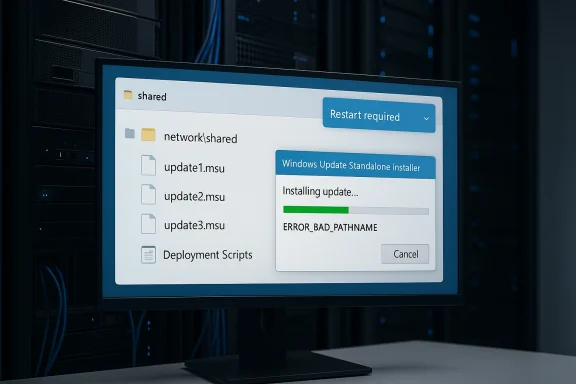
Windows 11’s latest servicing cycle has quietly closed one of the more frustrating update-installation bugs to hit enterprise admins in recent memory. Microsoft now says the long-running WUSA network-share failure is fixed in KB5079391, the March 26, 2026 preview update for Windows 11 versions 24H2 and 25H2, after a year in which
The significance of this bug is easy to miss if you only think about Windows updates as a consumer event. In practice, WUSA — the Windows Update Standalone Installer — is a managed-environment tool, one that administrators use when they need deterministic, scriptable deployment of Microsoft Update Standalone (
That distinction matters because it reveals a very specific class of regression. This was not a generic “Windows Update is broken” story. It was a path-resolution bug, one that depended on the shape of the directory and the way WUSA interpreted it. In other words, the defect was narrow, but narrow bugs can still produce outsized operational pain when they sit inside enterprise workflows that are designed to be automated, repeatable, and boring. A boring update mechanism breaking in a non-obvious way is often worse than a loud failure, because it wastes analyst time and can delay patch windows without immediately looking like a platform issue.
Microsoft traces the problem back to updates released on May 28, 2025, beginning with KB5058499. That timeline gives the issue an unusually long tail, and it helps explain why the fix is receiving attention now: the bug survived long enough to become part of the background noise of Windows 11 servicing. Microsoft had already mitigated the issue for many home and non-managed business systems via Known Issue Rollback beginning in September 2025, while managed environments could also rely on a dedicated Group Policy workaround. The March 2026 preview finally provides the permanent remedy for devices that are up to date.
The broader lesson is that Microsoft’s servicing stack has become more capable and more complicated at the same time. Windows 11’s cumulative-update model now bundles security, quality, optional preview changes, and servicing-stack refinements into a single monthly drumbeat. That makes the platform more efficient for Microsoft to maintain, but it also increases the chance that a subtle interaction in one layer will surface only under a very specific deployment pattern. This bug is a case study in why enterprise patching still demands controlled staging, file-path discipline, and a healthy suspicion of anything that behaves differently on a network share than it does locally.
The practical upshot is that Microsoft is not telling admins to redesign their deployment process. Instead, it is restoring the behavior they expected all along: a shared folder can contain multiple
That sort of misdirection is why patching incidents become more expensive than the defect itself. You are not only paying for the fix; you are paying for the diagnostic time spent proving the failure is in the installer and not in the filesystem, the share, or the script. For managed Windows environments, that diagnostic waste can be more disruptive than a simple hard failure, because it burns calendar time in the narrow windows when organizations are willing to take updates.
The inconsistency is what makes this issue enterprise-grade pain. An admin validating a single file on a workstation might conclude everything is fine, while a deployment engineer pushing a larger package batch from a share gets a failure in production. That asymmetry is a common theme in Windows servicing bugs: the problem is not the patch itself, but the path from distribution to execution.
That local-copy workaround is the sort of thing admins can implement quickly, but it also adds friction to a process that is supposed to be scalable. Every extra transfer step increases the chance of script drift, storage duplication, and human error. In a multi-site environment, that can mean the difference between a clean maintenance cycle and a patch night that consumes all available staff attention.
This is also why the issue is worth covering beyond the narrow audience it affected. Enterprise-only bugs often preview broader platform weaknesses. If WUSA can be tripped up by a mundane share layout, that suggests the servicing stack still carries edge cases that can matter in automation-heavy environments, especially where administrators assume Microsoft’s packaging tools will be tolerant of common deployment patterns.
That timeline highlights a familiar Windows reality: not every fix is immediate, and not every defect can be patched in one clean motion. Sometimes Microsoft uses rollback to contain the damage for one population while leaving managed environments to a policy-based workaround until a full code fix is ready. That layered response is pragmatic, but it also underscores how complicated the Windows update ecosystem has become.
That approach also reveals Microsoft’s current servicing philosophy: keep the platform moving, suppress the worst regressions quickly, and then land a permanent correction in a later package. It is efficient, but it depends on administrators staying informed and on users not hitting the same bug before the rollout catches up. In a busy enterprise, that can still feel like a game of patching catch-up.
For readers tracking deployment readiness, the practical date is the one that matters operationally: devices on the March 24-and-later line should not need a workaround, while those on older builds still should avoid the failing share scenario or install from local storage. This is precisely the kind of date confusion that can trip up admins who are trying to decide whether to wait, test, or deploy.
This bug therefore had a direct impact on the rhythm of IT operations. If a patch rollout failed in a predictable maintenance window, that could force administrators to repackage the update flow, revisit deployment scripts, or temporarily stage files locally before installation. That is not catastrophic, but it is the kind of friction that slows the whole security pipeline and increases the chance that some devices remain unpatched longer than intended.
A more sophisticated response would have been to update any internal documentation or automation that assumed network-share installation was always safe. That kind of policy hygiene matters because bugs like this have a habit of recurring in adjacent forms. If one installer path is sensitive to folder contents, it is worth reviewing other deployment steps that depend on directory enumeration or remote package selection.
It also reinforces a broader truth about Windows 11: the more Microsoft folds modern servicing into a single platform, the more the hidden enterprise pieces matter. Home users may never know what WUSA is, but their workplace patch compliance, security posture, and uptime can still depend on it behaving correctly in the background.
This year’s Windows 11 release cadence has made that tension very visible. The current servicing model is designed to ship security fixes regularly, absorb feature improvements, and keep the platform current across 24H2 and 25H2 with a shared update base. That is good for consistency, but it also means a bug in one servicing component can echo through multiple branches at once.
For administrators, this is why testing on representative deployment topologies matters. A patch can look clean in a lab and still fail in the wild if the lab does not mirror the exact folder structure, share layout, or install automation used in production. That is not a Microsoft-specific problem, but Windows’ complexity makes the lesson especially sharp.
In the enterprise context, previews can be useful early-warning systems. They show not just what Microsoft plans to change, but also which problems the company considers stable enough to ship a fix for before the next mainstream Patch Tuesday. In this case, the preview became the delivery vehicle for a bug that had outlived multiple monthly cycles.
There is also a trust angle here. Microsoft’s willingness to mark the issue resolved and name the fix in KB5079391 is a sign of mature servicing transparency. At the same time, the fact that the bug survived for so long is a reminder that Windows remains a giant machine with plenty of edge cases left to shake out. That is not a scandal; it is the price of scale.
The larger lesson is more cultural than technical. Windows updates are not just “install and forget” events; they are part of a sophisticated servicing system that can behave differently depending on context. Understanding that context is increasingly valuable for anyone who manages Windows professionally, even if they are not the one writing Group Policy or packaging updates day to day.
There is also a strategic angle worth watching. As Microsoft keeps modernizing Windows 11’s servicing model across 24H2 and 25H2, the company is effectively betting that cumulative delivery, preview channels, and rollback tooling can absorb the complexity. So far, that approach is working better than a purely old-school model would, but it only works if the platform’s quieter plumbing gets the same level of care as its headline features. That is the real test of reliability.
Source: Notebookcheck Windows 11 KB5079391 fixes year-long WUSA network installation bug
.msu installs could fail with ERROR_BAD_PATHNAME when launched from a shared folder containing multiple update packages. The repair matters less to home users than to IT teams, but it is still a revealing snapshot of how fragile modern Windows servicing can become when identity, network state, and package handling collide. The company’s own release health notes also make clear that the behavior was formally marked resolved on March 26, with the fix delivered by updates released March 24 and later.
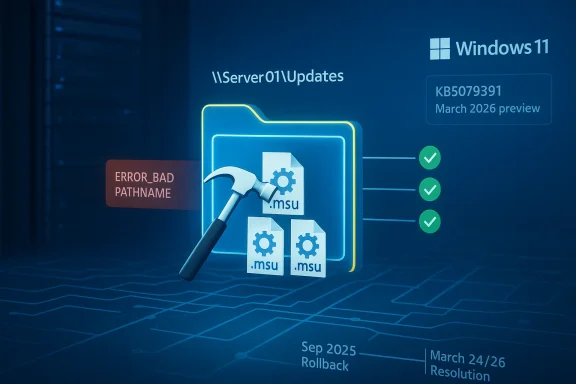 Overview
The significance of this bug is easy to miss if you only think about Windows updates as a consumer event. In practice, WUSA — the Windows Update Standalone Installer — is a managed-environment tool, one that administrators use when they need deterministic, scriptable deployment of Microsoft Update Standalone (.msu) packages. That means the failure lived in the plumbing of enterprise patching, not in the flashy surface area most users see in Settings. Microsoft says the issue could appear when admins double-clicked an .msu from a network share containing multiple .msu files, or when WUSA was invoked directly against that share, but not when the file was copied locally or when only a single .msu was present.That distinction matters because it reveals a very specific class of regression. This was not a generic “Windows Update is broken” story. It was a path-resolution bug, one that depended on the shape of the directory and the way WUSA interpreted it. In other words, the defect was narrow, but narrow bugs can still produce outsized operational pain when they sit inside enterprise workflows that are designed to be automated, repeatable, and boring. A boring update mechanism breaking in a non-obvious way is often worse than a loud failure, because it wastes analyst time and can delay patch windows without immediately looking like a platform issue.
Microsoft traces the problem back to updates released on May 28, 2025, beginning with KB5058499. That timeline gives the issue an unusually long tail, and it helps explain why the fix is receiving attention now: the bug survived long enough to become part of the background noise of Windows 11 servicing. Microsoft had already mitigated the issue for many home and non-managed business systems via Known Issue Rollback beginning in September 2025, while managed environments could also rely on a dedicated Group Policy workaround. The March 2026 preview finally provides the permanent remedy for devices that are up to date.
The broader lesson is that Microsoft’s servicing stack has become more capable and more complicated at the same time. Windows 11’s cumulative-update model now bundles security, quality, optional preview changes, and servicing-stack refinements into a single monthly drumbeat. That makes the platform more efficient for Microsoft to maintain, but it also increases the chance that a subtle interaction in one layer will surface only under a very specific deployment pattern. This bug is a case study in why enterprise patching still demands controlled staging, file-path discipline, and a healthy suspicion of anything that behaves differently on a network share than it does locally.
What Microsoft Fixed
The core fix in KB5079391 is straightforward in principle, even if the underlying bug was tedious in practice: Microsoft has corrected the WUSA handling that caused network-share installs to choke when more than one.msu file lived in the shared folder. The affected scenario produced ERROR_BAD_PATHNAME, which is a particularly annoying failure mode because it sounds like a basic file-system problem even when the update package itself is valid. That makes diagnosis harder, especially for administrators who initially assume the issue is permissions, UNC path syntax, or a bad file name.Why the path matters
A network share is not just a storage location; it is a test of how well an installer can reason about remote file enumeration, package selection, and path canonicalization. In the affected case, the failure showed up only under specific share contents, which strongly suggests WUSA was tripping over assumptions about directory structure rather than the update payload itself. That kind of bug is especially frustrating because it disguises itself as environmental noise, even when the root cause is deterministic.The practical upshot is that Microsoft is not telling admins to redesign their deployment process. Instead, it is restoring the behavior they expected all along: a shared folder can contain multiple
.msu files and still work normally. That matters in the real world, where administrators often stage a batch of updates on a network location, then hand off install work to scripts, endpoint tools, or maintenance runbooks. The repaired behavior means those workflows no longer need the awkward “one package per share” workaround that many teams would never naturally infer.The hidden cost of a bad error code
ERROR_BAD_PATHNAME is a small string with large consequences. When an installer throws a path-related error, the first instinct is to inspect filenames, drive mappings, and access control lists. That can send a support team down the wrong rabbit hole for hours, especially if the same package works fine once copied to local disk. The very fact that the issue evaporated when the .msu was local is what makes the bug so revealing: the update content was not the problem, the context was.That sort of misdirection is why patching incidents become more expensive than the defect itself. You are not only paying for the fix; you are paying for the diagnostic time spent proving the failure is in the installer and not in the filesystem, the share, or the script. For managed Windows environments, that diagnostic waste can be more disruptive than a simple hard failure, because it burns calendar time in the narrow windows when organizations are willing to take updates.
How the Bug Behaved in the Wild
Microsoft’s description of the bug makes one thing clear: this was not an all-purpose network problem. The failure appeared specifically when a.msu was launched from a share that contained multiple packages, and it did not occur when the same file was stored locally. That sharply limits the blast radius, but it also makes the problem more deceptive, because the same package could appear healthy in one deployment model and broken in another.The inconsistency is what makes this issue enterprise-grade pain. An admin validating a single file on a workstation might conclude everything is fine, while a deployment engineer pushing a larger package batch from a share gets a failure in production. That asymmetry is a common theme in Windows servicing bugs: the problem is not the patch itself, but the path from distribution to execution.
Local installs versus network installs
Microsoft says the issue did not appear when only one.msu file was present in the shared folder or when the update was copied to local storage first. That tells us the error was tied to how WUSA enumerated or selected candidate files from remote storage, not to a bad checksum or corrupt payload. In operational terms, the workaround was simple — copy locally — but the need for a workaround at all exposed how brittle the installer path could be.That local-copy workaround is the sort of thing admins can implement quickly, but it also adds friction to a process that is supposed to be scalable. Every extra transfer step increases the chance of script drift, storage duplication, and human error. In a multi-site environment, that can mean the difference between a clean maintenance cycle and a patch night that consumes all available staff attention.
Why the bug was mainly enterprise-facing
Microsoft explicitly frames WUSA as a tool generally used in managed environments. That is an important clue about why the issue never became a mass consumer crisis, despite living in the Windows servicing stack for nearly a year. Most home users install updates through Windows Update itself, while enterprise teams are more likely to work with.msu packages directly or through orchestration layers that eventually rely on that same installer path.This is also why the issue is worth covering beyond the narrow audience it affected. Enterprise-only bugs often preview broader platform weaknesses. If WUSA can be tripped up by a mundane share layout, that suggests the servicing stack still carries edge cases that can matter in automation-heavy environments, especially where administrators assume Microsoft’s packaging tools will be tolerant of common deployment patterns.
The Timeline Tells the Story
The bug’s history is just as interesting as the fix. Microsoft says the problematic behavior emerged after updates released on May 28, 2025, and that mitigation through Known Issue Rollback began in September 2025 for most home and non-managed business devices. That means the issue lived through multiple servicing cycles before reaching its formal resolution in the March 2026 preview.That timeline highlights a familiar Windows reality: not every fix is immediate, and not every defect can be patched in one clean motion. Sometimes Microsoft uses rollback to contain the damage for one population while leaving managed environments to a policy-based workaround until a full code fix is ready. That layered response is pragmatic, but it also underscores how complicated the Windows update ecosystem has become.
Known Issue Rollback as a pressure valve
Known Issue Rollback has become one of Microsoft’s most useful tools for reducing the blast radius of a bad regression. In this case, the KIR route helped ordinary consumer and lightly managed systems avoid the worst of the pain, while IT administrators could apply a dedicated Group Policy mitigation in environments where policy control was available. The fact that both methods were needed tells you this was not an easy one-size-fits-all fix.That approach also reveals Microsoft’s current servicing philosophy: keep the platform moving, suppress the worst regressions quickly, and then land a permanent correction in a later package. It is efficient, but it depends on administrators staying informed and on users not hitting the same bug before the rollout catches up. In a busy enterprise, that can still feel like a game of patching catch-up.
Why March 24 and March 26 both matter
Microsoft’s documentation uses two dates that are easy to blur together. The company says the bug is fixed by updates released on March 24, 2026, and later, while the release health entry says the issue was formally marked resolved on March 26, 2026, with KB5079391 named as the preview update carrying the correction. That is not a contradiction; it is a reminder that servicing changes often arrive in one build and are documented in another.For readers tracking deployment readiness, the practical date is the one that matters operationally: devices on the March 24-and-later line should not need a workaround, while those on older builds still should avoid the failing share scenario or install from local storage. This is precisely the kind of date confusion that can trip up admins who are trying to decide whether to wait, test, or deploy.
Why This Matters to IT Admins
On the surface, a broken.msu install from a network share sounds niche. In practice, it lands in a place that matters a great deal: the intersection of patch compliance, change control, and endpoint automation. Enterprises use those share-based workflows because they need to manage many devices efficiently, often without touching each machine one by one.This bug therefore had a direct impact on the rhythm of IT operations. If a patch rollout failed in a predictable maintenance window, that could force administrators to repackage the update flow, revisit deployment scripts, or temporarily stage files locally before installation. That is not catastrophic, but it is the kind of friction that slows the whole security pipeline and increases the chance that some devices remain unpatched longer than intended.
What admins likely had to do
The immediate workaround Microsoft recommends is not glamorous, but it is effective. Copy the.msu packages to local storage before installation, or rely on the March 24/26-era builds that no longer trigger the problem. For teams using older builds, this is a classic case of trading convenience for reliability, which is often the right decision when the deployment window is tight.A more sophisticated response would have been to update any internal documentation or automation that assumed network-share installation was always safe. That kind of policy hygiene matters because bugs like this have a habit of recurring in adjacent forms. If one installer path is sensitive to folder contents, it is worth reviewing other deployment steps that depend on directory enumeration or remote package selection.
Enterprise versus consumer impact
The enterprise angle is where the story gets interesting. Consumer systems mostly avoided the issue because they rarely use WUSA directly, but managed environments depend on these tools and therefore felt the regression more acutely. That split is a good reminder that “small bug” and “small impact” are not the same thing.It also reinforces a broader truth about Windows 11: the more Microsoft folds modern servicing into a single platform, the more the hidden enterprise pieces matter. Home users may never know what WUSA is, but their workplace patch compliance, security posture, and uptime can still depend on it behaving correctly in the background.
The Broader Windows Servicing Pattern
KB5079391 is not just a bug fix; it is another example of how Microsoft now manages Windows through a dense layer of cumulative releases, previews, rollbacks, and out-of-band corrective steps. That model allows the company to move quickly, but it also means the platform’s reliability depends on a lot of moving parts remaining aligned. When they do not, the resulting failures are often subtle enough to evade initial testing.This year’s Windows 11 release cadence has made that tension very visible. The current servicing model is designed to ship security fixes regularly, absorb feature improvements, and keep the platform current across 24H2 and 25H2 with a shared update base. That is good for consistency, but it also means a bug in one servicing component can echo through multiple branches at once.
Why cumulative servicing is both a strength and a risk
The strength of cumulative servicing is obvious: one package can deliver security, quality, and compatibility work in a predictable way. The risk is just as obvious once something goes wrong: a regression can ride along with a necessary update and remain hidden until a particular deployment pattern exposes it. Microsoft’s handling of the WUSA issue shows both sides of that equation.For administrators, this is why testing on representative deployment topologies matters. A patch can look clean in a lab and still fail in the wild if the lab does not mirror the exact folder structure, share layout, or install automation used in production. That is not a Microsoft-specific problem, but Windows’ complexity makes the lesson especially sharp.
The role of previews
Preview updates are often treated as optional, but they increasingly function as the bridge between detection and permanent repair. KB5079391 fits that model: it is a preview package that also contains the correction for a long-standing servicing bug, which means it serves both as a quality improvement release and as a practical fix vehicle. That dual role is one reason preview branches matter more than many users realize.In the enterprise context, previews can be useful early-warning systems. They show not just what Microsoft plans to change, but also which problems the company considers stable enough to ship a fix for before the next mainstream Patch Tuesday. In this case, the preview became the delivery vehicle for a bug that had outlived multiple monthly cycles.
What This Means for Windows 11 Users
Most home users will never touch WUSA directly, and that is exactly why this story can seem minor at first glance. But Windows 11’s update ecosystem is built on layers that users do not always see, and those layers shape everything from enterprise compliance to how quickly security patches can be deployed across a fleet. A bug in the installer layer can therefore affect the whole lifecycle of Windows maintenance, even if it never reaches the average personal laptop.There is also a trust angle here. Microsoft’s willingness to mark the issue resolved and name the fix in KB5079391 is a sign of mature servicing transparency. At the same time, the fact that the bug survived for so long is a reminder that Windows remains a giant machine with plenty of edge cases left to shake out. That is not a scandal; it is the price of scale.
What ordinary users should take away
If you are a normal Windows 11 user, the actionable takeaway is simple: the bug is mostly an enterprise concern, and the fix is already in the March 24/26 update line. If your machine is already on a newer build, you should not need to do anything special. If you are maintaining a machine that still relies on offline package installation, copying the.msu locally remains the safest path.The larger lesson is more cultural than technical. Windows updates are not just “install and forget” events; they are part of a sophisticated servicing system that can behave differently depending on context. Understanding that context is increasingly valuable for anyone who manages Windows professionally, even if they are not the one writing Group Policy or packaging updates day to day.
Strengths and Opportunities
The most encouraging part of this story is that Microsoft has now closed a bug that was annoying precisely because it hid in a common administrative workflow. The fix improves confidence in Windows servicing, and it also shows that Microsoft can still land targeted corrections for narrow but important update paths. That kind of responsiveness matters, even when the bug itself is not flashy.- The fix is specific and practical, targeting the exact WUSA-to-network-share failure mode.
- Enterprise patching becomes more predictable once admins can trust multi-file shares again.
- Known Issue Rollback already limited damage before the permanent correction arrived.
- The workaround was simple, making it easier for IT teams to stay operational.
- Microsoft’s documentation is unusually clear, which helps reduce diagnostic guesswork.
- The repair strengthens the servicing stack by removing a weird path-specific regression.
- The preview channel proves useful as a delivery vehicle for non-security corrections.
Risks and Concerns
Even with the fix in place, this incident highlights how much complexity still sits under Windows servicing. A bug that only appears under one share layout can survive for months because it is easy to miss in testing, and that should concern anyone responsible for fleet reliability. The deeper worry is not the individual defect, but the class of defects it represents.- Path-sensitive regressions are hard to test exhaustively across real enterprise topologies.
- Misleading installer errors waste support time by sending admins toward the wrong root cause.
- Share-based deployment habits remain vulnerable if teams do not standardize their update staging process.
- The need for workarounds can delay patching, especially in large environments with tight change windows.
- Reliance on layered remediation adds complexity to Windows servicing operations.
- Older build baselines may linger, leaving some systems exposed to avoidable install friction.
- The bug reinforces skepticism about whether every cumulative update behaves the same under automation.
Looking Ahead
The immediate question is not whether Microsoft fixed the bug — it says it has — but how many adjacent servicing edge cases still remain in the Windows 11 pipeline. The company’s monthly cadence is not going away, and neither is the demand for scripted, network-based deployment in enterprise environments. That means the next round of attention will likely focus on whether Microsoft can keep trimming these obscure but costly failures before they become operational headaches.There is also a strategic angle worth watching. As Microsoft keeps modernizing Windows 11’s servicing model across 24H2 and 25H2, the company is effectively betting that cumulative delivery, preview channels, and rollback tooling can absorb the complexity. So far, that approach is working better than a purely old-school model would, but it only works if the platform’s quieter plumbing gets the same level of care as its headline features. That is the real test of reliability.
- Watch for any post-preview servicing note that references WUSA or
.msuinstall behavior again. - Track whether KB5079391 becomes the baseline fix in enterprise guidance and tooling.
- Monitor whether Microsoft expands documentation for share-based install best practices.
- Pay attention to Known Issue Rollback usage in future servicing regressions.
Source: Notebookcheck Windows 11 KB5079391 fixes year-long WUSA network installation bug
Last edited: