

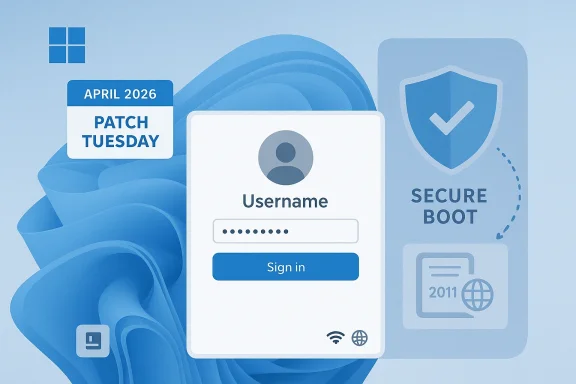
Windows 11’s April 2026 Patch Tuesday update, KB5082052, arrives as one of those monthly releases that looks routine on the surface but carries outsized importance for reliability, security, and the platform’s next major trust transition. Microsoft says the cumulative update for Windows 11 version 23H2 landed on April 14, 2026 as OS Build 22631.6936, bundling security fixes with the non-security changes from last month’s optional preview. Just as notable, the update addresses a Microsoft account sign-in bug that could wrongly report “no internet” during app login, even when connectivity was healthy. Microsoft’s release notes also place this update in the middle of a broader Secure Boot certificate renewal effort that will matter far beyond April’s patch window.
Windows Update has always been more than a vehicle for bug fixes. For modern Windows, it is the delivery mechanism for security hardening, platform maintenance, and the quiet plumbing that keeps boot trust, identity sign-in, and enterprise policy enforcement working as expected. The April 2026 cumulative update for Windows 11 version 23H2 fits that pattern: it is nominally a monthly security patch, but its significance comes from the way it intersects with Microsoft account authentication, device trust, and the march toward new Secure Boot certificates.
This matters because Windows 11 version 23H2 remains one of the major supported branches for consumers and businesses that have not yet moved to newer Windows 11 feature releases. Microsoft’s update page confirms that KB5082052 applies to all editions of 23H2 and includes the latest security improvements, along with non-security updates from the prior month’s optional release. That is the standard servicing model, but in practice it means a Patch Tuesday package can inherit meaningful fixes that users already tested in preview form.
The most visible user-facing fix in the update addresses a sign-in problem that affected Microsoft account authentication in apps such as Teams. Microsoft says some users installing the Windows update released on or after March 10, 2026 could encounter a “no internet” error during sign-in, even when the device had a working connection. That kind of bug is especially disruptive because it blurs the line between actual network failure and identity-service failure, leaving users chasing the wrong problem and administrators looking at healthy connectivity while the app refuses to proceed.
The update also lands in the shadow of a larger security change Microsoft has been warning about for months: the expiration of the original Secure Boot certificates used by most Windows devices. Microsoft explains that the old 2011-era certificates begin expiring in June 2026, and devices that have not received the updated 2023 certificates will still boot and receive regular Windows updates, but they will lose the ability to get new early-boot protections. In plain English, Windows will continue running, but the protection envelope around the earliest stage of startup will become progressively weaker if certificate updates are ignored.
The headline fix for end users is the Microsoft account sign-in bug. Microsoft’s release notes for related April 2026 Windows updates describe the issue clearly: after installing the March 2026 update or later, some users could see a “no Internet” message during sign-in to apps using a Microsoft account, blocking access to Microsoft services and applications like Teams. The April cumulative update resolves that behavior, which should reduce false network troubleshooting and restore account authentication reliability.
Microsoft also packaged broader security work into the release. The company says the cumulative update includes the latest security fixes and improvements, as well as the non-security enhancements from last month’s preview build. That is typical for Patch Tuesday, but the timing is especially important this month because the secure boot trust chain is entering a renewal phase that administrators should not treat as background noise.
The issue Microsoft fixed was particularly frustrating because it impersonated a network outage. A user could have full connectivity, but the sign-in flow still returned a “no internet” message and stopped access to services such as Teams. That kind of false negative is dangerous from a support perspective because it steers troubleshooting toward routers, DNS, VPNs, and captive portals instead of the actual underlying authentication problem.
The practical concern is not that devices stop booting overnight. Microsoft is explicit that most devices will continue to start and operate normally even if they do not immediately receive the new certificates. The risk is more subtle and, over time, more consequential: devices that miss the renewal will lose the ability to receive new protections for the early boot process, including updates to Windows Boot Manager, Secure Boot databases, revocation lists, and mitigations for newly discovered boot-level vulnerabilities.
The company says it will manage the update process for a significant portion of Windows devices automatically. That is reassuring for mainstream consumers, but it also reveals the split between consumer convenience and enterprise responsibility. Organizations with tightly managed imaging, firmware policies, or delayed update rings must actively confirm that their fleets are ready for the new certificate set, because the risks are not evenly distributed across all device classes.
Still, the features themselves deserve attention because they show where Windows is headed. Microsoft’s preview documentation for neighboring 2026 Windows 11 builds says Narrator can provide richer image descriptions and work with Copilot, while Smart App Control can now be turned on or off without a clean install. Those are not mere convenience tweaks; they reflect a platform trying to make accessibility and application control more adaptive and less punitive.
Smart App Control matters for a different reason. It is one of Microsoft’s clearest consumer-facing defenses against potentially harmful software, and making it easier to toggle without reinstalling the OS reduces the all-or-nothing feel that used to surround the feature. That flexibility should encourage more users to try it, but it also raises the stakes for Microsoft to ensure the control remains understandable, predictable, and not overly disruptive.
That is the real servicing value here: reducing ambiguity. When the operating system gives cleaner status signals, support teams can spend less time distinguishing actual faults from cosmetic or historical quirks. A command-line tool that reports a misleading error is a support tax; removing it returns time to both users and administrators.
The same logic applies to app control and update delivery. Microsoft’s documentation for adjacent releases mentions Application Control for Business policy tagging improvements and Windows Update deployment fixes. Even if those specific details do not define KB5082052 itself, they indicate where Microsoft is spending effort: making the management stack more precise, more reliable, and less likely to produce false alarms.
The most immediate deployment concern is whether the Microsoft account sign-in fix affects managed collaboration apps or device access workflows in mixed identity environments. In many workplaces, users sign in to multiple Microsoft-backed services on the same device, and a client-side bug can ripple into profile sync, Teams authentication, and access to cloud resources. The fix should reduce that noise, but enterprises still need to verify it in their own environments because identity stacks differ widely.
A sensible rollout strategy is to treat April’s cumulative update as part of a readiness baseline. That means confirming the update installs cleanly, checking that sign-in flows remain stable, and verifying that devices continue to receive normal Windows security updates while certificate planning proceeds. In other words, this is not just about patching a bug; it is about proving that the update pipeline itself is healthy.
That said, consumers should not ignore the update simply because the headline bug does not affect them personally. Security patches are increasingly intertwined with platform-level protections that users never manually configure, and missing a Patch Tuesday release can leave a device outside the latest security baseline. The long-term advantage of staying current is not just fewer bugs; it is better exposure to future protection mechanisms as Microsoft rolls them out.
There is one caveat worth calling out. Microsoft notes that some enterprise systems using specific BitLocker policies may prompt for a recovery key after the update under certain configurations. That is not described as a widespread consumer issue, but it is the sort of edge case that reinforces why important updates should be installed during a window where recovery support is available.
The other thing to watch is how Microsoft continues blending servicing with feature delivery. Windows 11’s recent preview and cumulative updates show more AI-adjacent accessibility work, more flexible app control, and improved reliability plumbing. That trend suggests future monthly releases will continue to blur the line between maintenance and innovation, which is useful for users but demands more disciplined testing from administrators.
Source: thewincentral.com Windows 11 KB5082052 (April 2026). Download Link - WinCentral
 Background
Windows Update has always been more than a vehicle for bug fixes. For modern Windows, it is the delivery mechanism for security hardening, platform maintenance, and the quiet plumbing that keeps boot trust, identity sign-in, and enterprise policy enforcement working as expected. The April 2026 cumulative update for Windows 11 version 23H2 fits that pattern: it is nominally a monthly security patch, but its significance comes from the way it intersects with Microsoft account authentication, device trust, and the march toward new Secure Boot certificates.This matters because Windows 11 version 23H2 remains one of the major supported branches for consumers and businesses that have not yet moved to newer Windows 11 feature releases. Microsoft’s update page confirms that KB5082052 applies to all editions of 23H2 and includes the latest security improvements, along with non-security updates from the prior month’s optional release. That is the standard servicing model, but in practice it means a Patch Tuesday package can inherit meaningful fixes that users already tested in preview form.
The most visible user-facing fix in the update addresses a sign-in problem that affected Microsoft account authentication in apps such as Teams. Microsoft says some users installing the Windows update released on or after March 10, 2026 could encounter a “no internet” error during sign-in, even when the device had a working connection. That kind of bug is especially disruptive because it blurs the line between actual network failure and identity-service failure, leaving users chasing the wrong problem and administrators looking at healthy connectivity while the app refuses to proceed.
The update also lands in the shadow of a larger security change Microsoft has been warning about for months: the expiration of the original Secure Boot certificates used by most Windows devices. Microsoft explains that the old 2011-era certificates begin expiring in June 2026, and devices that have not received the updated 2023 certificates will still boot and receive regular Windows updates, but they will lose the ability to get new early-boot protections. In plain English, Windows will continue running, but the protection envelope around the earliest stage of startup will become progressively weaker if certificate updates are ignored.
Why this Patch Tuesday feels different
The monthly cadence of Windows servicing often hides the strategic purpose of a release. Here, KB5082052 is not just fixing a one-off defect. It is part of a broader effort to keep the platform trustworthy as Microsoft layers modern identity, cloud services, and boot-chain hardening on top of a system that still has to work for millions of legacy workflows. That dual mandate explains why the update is both mundane and consequential at the same time.What KB5082052 Actually Changes
Microsoft’s public note for the April 14, 2026 cumulative update is brief, but the release family around it reveals the practical shape of the patch. The update is cumulative, meaning it includes prior fixes and quality improvements, and Microsoft describes it as bringing in the non-security changes from the previous month’s optional preview release. That is important because preview-to-cumulative handoff is now how many Windows improvements graduate into the mainstream channel.The headline fix for end users is the Microsoft account sign-in bug. Microsoft’s release notes for related April 2026 Windows updates describe the issue clearly: after installing the March 2026 update or later, some users could see a “no Internet” message during sign-in to apps using a Microsoft account, blocking access to Microsoft services and applications like Teams. The April cumulative update resolves that behavior, which should reduce false network troubleshooting and restore account authentication reliability.
The sign-in bug in context
This is not a cosmetic glitch. Authentication failures can trigger retries, device trust checks, conditional access friction, and support tickets that look identical to genuine connectivity outages. When an app says there is no internet despite an active connection, the user is forced into a diagnostic dead end that wastes time and undermines confidence in the platform. Fixing it is therefore both a quality improvement and a productivity patch.Microsoft also packaged broader security work into the release. The company says the cumulative update includes the latest security fixes and improvements, as well as the non-security enhancements from last month’s preview build. That is typical for Patch Tuesday, but the timing is especially important this month because the secure boot trust chain is entering a renewal phase that administrators should not treat as background noise.
- The patch is mandatory in the usual Patch Tuesday sense for supported devices.
- It is cumulative, so it contains older fixes as well as April’s changes.
- It addresses a user-visible Microsoft account sign-in error.
- It aligns Windows 11 23H2 with the latest security baseline.
- It arrives ahead of the wider Secure Boot certificate expiration window.
A note on the public narrative
Some third-party coverage describes KB5082052 as a showcase for new features such as more flexible Smart App Control and upgraded Narrator image descriptions. Those elements do show up in Microsoft’s preview and servicing documentation for neighboring Windows 11 builds, but the specific KB5082052 for Windows 11 23H2 is officially presented as a security cumulative update rather than a broad feature drop. That distinction matters, because it changes what users should expect on patch day and what enterprises should schedule into validation.The Microsoft Account Sign-In Fix Matters More Than It Sounds
At first glance, a sign-in bug may seem like a single-issue repair in a long list of monthly patches. In reality, identity failures are among the most disruptive problems a Windows user can experience because so much of the modern desktop now depends on cloud-backed accounts, token refresh, and app-level authentication. When that process breaks, the user does not merely lose access to one service; they can be locked out of a web of interconnected Microsoft experiences.The issue Microsoft fixed was particularly frustrating because it impersonated a network outage. A user could have full connectivity, but the sign-in flow still returned a “no internet” message and stopped access to services such as Teams. That kind of false negative is dangerous from a support perspective because it steers troubleshooting toward routers, DNS, VPNs, and captive portals instead of the actual underlying authentication problem.
Consumer impact
For home users, the fix should reduce friction across Microsoft account login paths, including app authentication, sync behaviors, and Microsoft services that rely on a valid identity token. It also lowers the odds of confusing failures that look like service outages but are really client-side bugs. In practical terms, the update is worth installing quickly even for users who do not think of themselves as dependent on enterprise-grade identity workflows.Enterprise impact
For businesses, the implications are broader. Help desks often see sign-in failures first, before security teams or platform engineers do, and a bug like this can cause a cascade of tickets across collaboration tools and identity-dependent apps. In a managed environment, that means more incident noise, more wasted triage time, and more uncertainty about whether the problem sits in Azure AD, conditional access, networking, or the endpoint itself.- Teams and similar apps are often the first to surface identity issues.
- False “no internet” errors send users down the wrong troubleshooting path.
- Authentication bugs can masquerade as network failures.
- Enterprises face ticket inflation and support confusion.
- The fix reduces risk in hybrid and cloud-first environments.
Why it is strategically important
Identity reliability is now a core Windows value proposition. The platform is no longer just an operating system; it is the launch point for cloud services, device compliance, and secure collaboration. A patch that restores reliable Microsoft account sign-in therefore protects both user experience and the credibility of Windows as the front door to Microsoft 365.Security Patching and the Secure Boot Transition
If April’s update had only fixed the sign-in bug, it would still matter. But the bigger story is that Microsoft is simultaneously preparing Windows devices for a Secure Boot certificate renewal that has been looming since last year’s guidance. Microsoft states that the original certificates, in use since the Windows 8 and Windows Server 2012 era, begin expiring in June 2026 and fully expire by October 2026 depending on the certificate type.The practical concern is not that devices stop booting overnight. Microsoft is explicit that most devices will continue to start and operate normally even if they do not immediately receive the new certificates. The risk is more subtle and, over time, more consequential: devices that miss the renewal will lose the ability to receive new protections for the early boot process, including updates to Windows Boot Manager, Secure Boot databases, revocation lists, and mitigations for newly discovered boot-level vulnerabilities.
Why Secure Boot certificate renewal matters
Secure Boot is one of those foundational technologies that users rarely think about until something goes wrong. It sits below the desktop, below the login screen, and even below most firmware interaction users ever see. That makes it easy to ignore, but it is also the reason a compromised boot chain cannot quietly persist in the background without detection. If Microsoft lets those certificates age out without replacement, the trust chain weakens in places attackers value most.The company says it will manage the update process for a significant portion of Windows devices automatically. That is reassuring for mainstream consumers, but it also reveals the split between consumer convenience and enterprise responsibility. Organizations with tightly managed imaging, firmware policies, or delayed update rings must actively confirm that their fleets are ready for the new certificate set, because the risks are not evenly distributed across all device classes.
- The old Microsoft Secure Boot certificates date back to 2011.
- New certificates are based on the 2023 trust set.
- Devices can keep booting even if the renewal is missed.
- Missing the renewal weakens early-boot security over time.
- Enterprises may need to coordinate with firmware and policy management teams.
Business versus home-user readiness
Home users will mostly receive the transition passively through Windows Update and OEM firmware channels. Enterprises, by contrast, may need to verify certificate rollout behaviors, BIOS/UEFI update pathways, and any BitLocker dependencies before the June-to-October window tightens. That is especially true for fleets that delay reboots, restrict firmware updates, or use image-based deployment workflows.Smart App Control, Narrator, and the Feature Creep Question
The third-party description of KB5082052 highlights features such as Narrator with AI-assisted image descriptions and more flexible Smart App Control toggles. Those are real themes in Microsoft’s recent Windows 11 servicing story, but they belong to the broader Windows 11 innovation cadence rather than being the core reason 23H2 users should install April’s cumulative update. The distinction is useful because it separates the marketing layer from the servicing layer.Still, the features themselves deserve attention because they show where Windows is headed. Microsoft’s preview documentation for neighboring 2026 Windows 11 builds says Narrator can provide richer image descriptions and work with Copilot, while Smart App Control can now be turned on or off without a clean install. Those are not mere convenience tweaks; they reflect a platform trying to make accessibility and application control more adaptive and less punitive.
Why these features matter even if they are not the headline
Narrator improvements matter because accessibility is increasingly tied to AI-assisted content understanding. For users who depend on screen readers, better image descriptions can reduce friction and make previously opaque UI elements more usable. For Microsoft, this is part of a larger push to make AI feel like a built-in system capability rather than a separate app.Smart App Control matters for a different reason. It is one of Microsoft’s clearest consumer-facing defenses against potentially harmful software, and making it easier to toggle without reinstalling the OS reduces the all-or-nothing feel that used to surround the feature. That flexibility should encourage more users to try it, but it also raises the stakes for Microsoft to ensure the control remains understandable, predictable, and not overly disruptive.
- Accessibility improvements strengthen Windows’ inclusive design story.
- Smart App Control becomes less of a one-way decision.
- AI-assisted descriptions may improve everyday usability.
- Feature rollout shows Microsoft’s continuous innovation strategy.
- Enterprises will still want to test behavior before broad deployment.
The caution for administrators
The risk with mixed-purpose servicing updates is that administrators assume every improvement is immediately relevant to their build. In reality, feature availability can vary by device, market, and servicing branch. That means IT teams should read the update as a security patch first and a feature source second, especially when business continuity depends on stable, documented behavior.Reliability Fixes: Small Changes, Real Operational Value
One of the most underappreciated parts of Windows quality updates is how often they clean up noise that administrators have learned to live with. Microsoft’s recent 2026 preview and cumulative update notes describe fixes such as removing an extraneous sfc /scannow error message, improving Windows Hello fingerprint reliability, and refining system behavior around update installation. Those kinds of changes do not generate headlines, but they remove friction from the daily work of keeping PCs healthy.That is the real servicing value here: reducing ambiguity. When the operating system gives cleaner status signals, support teams can spend less time distinguishing actual faults from cosmetic or historical quirks. A command-line tool that reports a misleading error is a support tax; removing it returns time to both users and administrators.
Why reliability work matters to enterprises
In enterprise environments, small improvements can pay off disproportionately because they touch many endpoints at once. A fix to Windows Hello fingerprint reliability, for example, may reduce login frustration across a fleet without requiring a new policy or hardware replacement. Likewise, cleaning up System File Checker output helps technicians interpret results faster during incident response.The same logic applies to app control and update delivery. Microsoft’s documentation for adjacent releases mentions Application Control for Business policy tagging improvements and Windows Update deployment fixes. Even if those specific details do not define KB5082052 itself, they indicate where Microsoft is spending effort: making the management stack more precise, more reliable, and less likely to produce false alarms.
- Better diagnostics mean faster support resolution.
- Cleaner system tools reduce false escalation.
- Biometric reliability improves daily sign-in consistency.
- Update delivery fixes reduce patching friction.
- Small platform corrections compound across large fleets.
The hidden cost of “just a quality update”
Quality updates are often dismissed because they do not always add visible features. But in Windows, the difference between a stable and unstable environment often lies in exactly this kind of housekeeping. The cumulative effect of small fixes is a reduction in the number of mysteries users have to solve, and that is a very real productivity gain.Enterprise Deployment: What IT Teams Should Care About
For home users, the guidance is simple: let Windows Update do its job and reboot when prompted. For IT departments, KB5082052 sits inside a larger matrix of patch sequencing, ring management, firmware readiness, and security posture validation. That makes the April release a checkpoint rather than a finish line.The most immediate deployment concern is whether the Microsoft account sign-in fix affects managed collaboration apps or device access workflows in mixed identity environments. In many workplaces, users sign in to multiple Microsoft-backed services on the same device, and a client-side bug can ripple into profile sync, Teams authentication, and access to cloud resources. The fix should reduce that noise, but enterprises still need to verify it in their own environments because identity stacks differ widely.
Patch sequencing and validation
The second concern is broader: the June 2026 Secure Boot certificate transition is close enough that IT teams should already be validating endpoints. Microsoft’s guidance says some devices can manage the transition automatically, but organizations with custom imaging or firmware lockdowns should not assume that all systems are equally prepared. The right approach is to test, observe, and confirm certificate status before the expiration window becomes operationally urgent.A sensible rollout strategy is to treat April’s cumulative update as part of a readiness baseline. That means confirming the update installs cleanly, checking that sign-in flows remain stable, and verifying that devices continue to receive normal Windows security updates while certificate planning proceeds. In other words, this is not just about patching a bug; it is about proving that the update pipeline itself is healthy.
- Validate sign-in paths in Teams and other Microsoft 365 apps.
- Check whether Secure Boot certificate remediation is already underway.
- Review BitLocker policies for recovery-key sensitivity.
- Confirm firmware update channels are functional.
- Test reboot timing across patch rings and maintenance windows.
Why this month is a planning milestone
The key enterprise lesson is that monthly patching and long-horizon platform readiness are converging. A one-line bug fix today can coexist with a six-month certificate deadline, and both deserve attention. IT teams that treat KB5082052 as merely another security rollup may miss the opportunity to use it as a checkpoint for the next phase of Windows trust renewal.Consumer Impact: What Regular Users Should Expect
For everyday Windows 11 users, the April 2026 cumulative update should mostly feel invisible after installation, which is precisely what good servicing is supposed to do. The main tangible benefit is that Microsoft account sign-ins should behave more reliably, especially in apps that previously complained about the internet when the real problem was elsewhere.That said, consumers should not ignore the update simply because the headline bug does not affect them personally. Security patches are increasingly intertwined with platform-level protections that users never manually configure, and missing a Patch Tuesday release can leave a device outside the latest security baseline. The long-term advantage of staying current is not just fewer bugs; it is better exposure to future protection mechanisms as Microsoft rolls them out.
Practical expectations after installation
Most users should expect the usual Windows Update cycle: download, install, restart, and resume work. If a device has been carrying a lingering sign-in problem, the update may finally clear it. If it has not, the more likely outcome is that nothing visible changes, which in servicing terms is a sign that the machine is simply becoming more secure and more consistent.There is one caveat worth calling out. Microsoft notes that some enterprise systems using specific BitLocker policies may prompt for a recovery key after the update under certain configurations. That is not described as a widespread consumer issue, but it is the sort of edge case that reinforces why important updates should be installed during a window where recovery support is available.
- Home users should install the update promptly.
- Teams and Microsoft app logins may be more stable afterward.
- Most systems should restart normally after patching.
- BitLocker recovery prompts are mainly an enterprise edge case.
- Staying current helps future-proof Secure Boot protection.
What not to overread
It is easy to assume every monthly Windows update hides a major feature drop. In this case, the larger story is actually more structural than flashy: Microsoft is using the normal servicing channel to keep Windows 11 23H2 secure, fix a frustrating sign-in bug, and prepare the ecosystem for a Secure Boot certificate refresh that will matter more as June 2026 approaches. That is less dramatic than a headline feature release, but far more important to the long-term health of the platform.Strengths and Opportunities
KB5082052 is a good example of why monthly cumulative updates remain central to Windows quality. The patch fixes a user-facing authentication problem, reinforces security, and arrives at a moment when the platform needs disciplined maintenance rather than spectacle. For Microsoft, that creates an opportunity to show that Windows 11 23H2 can still be both stable and forward-looking.- Fixes a high-friction sign-in bug that affected Microsoft services.
- Reinforces the monthly security baseline for Windows 11 23H2.
- Supports readiness for Secure Boot certificate renewal.
- Reduces support load caused by false “no internet” errors.
- Helps preserve trust in cloud-linked Windows experiences.
- Signals continuity between preview fixes and Patch Tuesday delivery.
- Keeps the servicing model predictable for enterprises and consumers alike.
Risks and Concerns
The biggest concern is not that KB5082052 is unsafe, but that its significance may be underestimated. Users may see it as a routine patch and postpone installation, while enterprises may focus on the sign-in fix and miss the broader certificate transition that is now only a few months away. That kind of complacency is exactly how maintenance windows become emergency windows.- Delayed installation can leave devices outside the latest security patch set.
- Enterprises may overlook the Secure Boot renewal timeline.
- BitLocker-sensitive fleets could encounter recovery-key prompts in edge cases.
- Identity bugs may be misdiagnosed as network issues if systems are not updated.
- Firmware and certificate management may be more complex than patch notes suggest.
- Users may assume the update is mostly cosmetic and delay rebooting.
- Some feature descriptions in third-party coverage may not apply directly to this specific build.
Looking Ahead
The next few months will tell us whether Microsoft’s Secure Boot transition is mostly invisible, as the company hopes, or whether enterprise lag and firmware inconsistency turn it into a broader support story. The company’s guidance suggests the process is designed to be phased and mostly automatic, but the closer we get to the June 2026 certificate expirations, the more important it becomes to verify device readiness rather than assume it.The other thing to watch is how Microsoft continues blending servicing with feature delivery. Windows 11’s recent preview and cumulative updates show more AI-adjacent accessibility work, more flexible app control, and improved reliability plumbing. That trend suggests future monthly releases will continue to blur the line between maintenance and innovation, which is useful for users but demands more disciplined testing from administrators.
- Follow whether Secure Boot certificate updates reach devices automatically.
- Watch for enterprise reports of BitLocker recovery prompts.
- Monitor whether Microsoft expands or refines Narrator AI features.
- Track further Smart App Control usability changes.
- Compare April’s fix behavior against any future sign-in or identity regressions.
Source: thewincentral.com Windows 11 KB5082052 (April 2026). Download Link - WinCentral
Last edited:
