

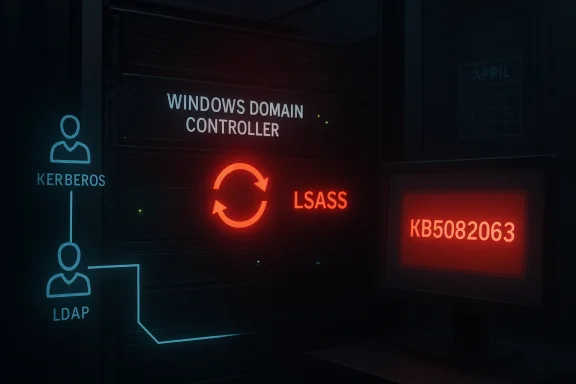
Microsoft’s April 2026 Patch Tuesday is turning into an uncomfortable reminder that Windows servicing can fail in more than one way at once. While Microsoft is already dealing with a Microsoft account sign-in regression in Windows 11, fresh reporting and forum analysis now point to a separate, far more severe issue on the server side: some Windows domain controllers are entering reboot loops after KB5082063, with LSASS crashing during startup on affected systems. The problem appears to span Windows Server 2016 through Windows Server 2025, and the combination of breadth, timing, and identity-layer impact makes it especially alarming for administrators.
April Patch Tuesday is rarely quiet, but this year’s cycle is shaping up as a case study in how a single servicing window can hit consumer identity, enterprise authentication, and domain infrastructure at the same time. The Windows Forum coverage of the month’s patch activity shows Microsoft dealing with multiple regression classes, from sign-in failures tied to KB5079473 to domain controller instability associated with KB5082063. That is not just bad luck; it is a reminder that the more deeply Windows integrates identity, networking, and cloud services, the more likely it is that one update can expose several failure modes at once.
The current domain controller issue is especially serious because it appears to involve LSASS, the Local Security Authority Subsystem Service. LSASS sits at the center of Windows authentication, handling credential validation, security policies, and related logon behavior. When LSASS crashes on a domain controller, the consequences are immediate and systemic: the machine cannot remain a stable authentication authority, and a reboot loop can turn a critical infrastructure node into a liability almost instantly.
This is also happening against a backdrop of growing administrator fatigue. Windows updates have increasingly been accompanied by public acknowledgements of regressions, hotfixes, and follow-up known-issue notes. That pattern does not mean Windows is uniquely broken, but it does mean trust in Patch Tuesday is now fragile enough that each new issue lands harder than it did a few years ago. In practical terms, admins no longer ask only whether a patch is secure; they also ask whether it will destabilize core services.
The domain controller reboot-loop bug is different from a consumer app crash because it strikes at the control plane of a Windows environment. A home-user glitch is painful; a DC crash can disrupt logons, group policy processing, directory lookups, and dependent services across an entire organization. That makes the issue not just a patching story, but a resilience story.
What makes this kind of bug so dangerous is that it is often hard to diagnose from the outside. The server may appear to boot normally for a moment, then restart, then repeat the process before administrators can inspect logs or reach a usable console. In that sense, the issue is not just a crash bug; it is a state persistence problem that weaponizes reboot behavior against availability.
The practical implication is brutal: if the affected controller is one of only a few available, the organization may lose redundancy, authentication tolerance, or both. Even where alternative controllers exist, the cluster of failures can create latency, replication pressure, and uncertainty around whether other nodes are truly safe. That makes the issue a fleet-level event, not just a single-server defect.
That is why reboot loops on a DC are so nerve-racking. The server is not simply “down”; it is interrupting the trust fabric that other systems use to validate who is allowed to do what. A broken workstation is an IT ticket. A broken domain controller is an architecture event.
Even small organizations can feel the pain quickly if one or two controllers are enough to carry the whole domain. Larger enterprises may have more redundancy, but they also have more complex authentication dependencies and more systems that assume domain services are healthy. In both cases, instability at the DC layer can ripple outward with surprising speed.
That also means the fault may not be reproducible on a generic server build, even if the update package is identical. In practical terms, the bug may be tied to how the update interacts with real-world DC workloads rather than with a lab install. That distinction matters because administrators tend to validate patches on “similar enough” systems that can still miss a role-specific edge case.
This is one reason reboot loops are dreaded in enterprise IT. They often indicate that the OS itself is caught in a failing startup path, and every additional restart simply reproduces the problem. If LSASS is the component tripping the loop, then the server is failing very close to the heart of security initialization, which makes the situation more severe than a generic post-patch crash.
That creates a difficult planning problem for organizations with mixed estates. They may have expected the newest release to be the riskiest, only to discover that older servers are just as exposed because they share the same dependency stack. This is one reason change control must remain conservative even on “stable” long-term service branches.
That matters because an authentication bug is rarely isolated to a single datacenter. If different sites rely on different controller generations, the same patch can create uneven behavior across the company. From the user’s perspective, that becomes even more confusing: one office may look healthy while another is trapped in a restart loop.
In the domain controller case, the stakes are higher because the issue touches infrastructure rather than just a desktop experience. Public acknowledgement, if and when it comes, will need to be paired with a remediation path that minimizes downtime and avoids forcing organizations into risky rollback decisions. The ideal outcome is not just a fix; it is a fix that can be trusted in production.
This is also why patch regressions are so persistent in public conversation. The monthly update is not just one change; it is a bundle of changes, any of which can expose a latent dependency. When the affected component is LSASS or account identity, even a small mistake can produce a disproportionately large failure.
For systems already patched, the practical emphasis shifts to containment and recovery planning. That may mean confirming how many controllers are affected, whether replication partners are stable, and whether there is enough redundancy to tolerate one or more nodes being offline. Administrators should also distinguish between a DC that is merely rebooting and a DC that is also affecting directory health elsewhere.
The consumer-side Microsoft account bug offers a useful contrast. There, Microsoft already suggested a simple reboot-while-online mitigation. But on domain controllers, there is no reassuringly simple workaround in the material at hand. That difference underscores how much more serious the server issue is.
The broader lesson is larger than one bad patch. Windows is increasingly a stack of interdependent identity, connectivity, and cloud services, and that architecture amplifies both convenience and fragility. When it works, the experience feels seamless; when it fails, the failure looks like everything is broken at once. That is why security updates for Windows Server now have to be judged not only by what they patch, but by whether they preserve the trust fabric that enterprises cannot afford to lose.
Source: Tom's Hardware Microsoft's April patch puts Windows domain controllers into reboot loops — third known issue from KB5082063 is affecting Windows Server 2016 through 2025
Source: Petri IT Knowledgebase Microsoft Confirms LSASS Crash Bug Causing Reboot Loops on Windows Server
 Background
April Patch Tuesday is rarely quiet, but this year’s cycle is shaping up as a case study in how a single servicing window can hit consumer identity, enterprise authentication, and domain infrastructure at the same time. The Windows Forum coverage of the month’s patch activity shows Microsoft dealing with multiple regression classes, from sign-in failures tied to KB5079473 to domain controller instability associated with KB5082063. That is not just bad luck; it is a reminder that the more deeply Windows integrates identity, networking, and cloud services, the more likely it is that one update can expose several failure modes at once.The current domain controller issue is especially serious because it appears to involve LSASS, the Local Security Authority Subsystem Service. LSASS sits at the center of Windows authentication, handling credential validation, security policies, and related logon behavior. When LSASS crashes on a domain controller, the consequences are immediate and systemic: the machine cannot remain a stable authentication authority, and a reboot loop can turn a critical infrastructure node into a liability almost instantly.
This is also happening against a backdrop of growing administrator fatigue. Windows updates have increasingly been accompanied by public acknowledgements of regressions, hotfixes, and follow-up known-issue notes. That pattern does not mean Windows is uniquely broken, but it does mean trust in Patch Tuesday is now fragile enough that each new issue lands harder than it did a few years ago. In practical terms, admins no longer ask only whether a patch is secure; they also ask whether it will destabilize core services.
The domain controller reboot-loop bug is different from a consumer app crash because it strikes at the control plane of a Windows environment. A home-user glitch is painful; a DC crash can disrupt logons, group policy processing, directory lookups, and dependent services across an entire organization. That makes the issue not just a patching story, but a resilience story.
What Microsoft Appears to Be Facing
The reported behavior is stark: after installing KB5082063, some Windows Server systems acting as domain controllers can repeatedly reboot because LSASS crashes during startup. The result is not a random application failure or a one-off hang, but a boot-time fault that can lock the server into a self-reinforcing recovery cycle. Windows Forum’s recent coverage flags the issue as affecting a specific subset of domain controller configurations, which suggests the bug is conditional rather than universal.LSASS at the center
LSASS is one of those Windows components that mostly stays invisible until something goes wrong. It is responsible for core security and authentication functions, so when it fails, the failure is never localized for long. In a domain controller context, an LSASS crash is especially disruptive because the machine is not merely a server; it is part of the identity backbone for the entire domain.What makes this kind of bug so dangerous is that it is often hard to diagnose from the outside. The server may appear to boot normally for a moment, then restart, then repeat the process before administrators can inspect logs or reach a usable console. In that sense, the issue is not just a crash bug; it is a state persistence problem that weaponizes reboot behavior against availability.
Why reboot loops are worse than ordinary crashes
A crashing service can sometimes be recovered with a restart of the service itself. A reboot loop, by contrast, implies that the fault happens so early and so reliably that the operating system never reaches a stable administrative state. For a domain controller, that means incident response becomes harder precisely when the infrastructure is most needed.The practical implication is brutal: if the affected controller is one of only a few available, the organization may lose redundancy, authentication tolerance, or both. Even where alternative controllers exist, the cluster of failures can create latency, replication pressure, and uncertainty around whether other nodes are truly safe. That makes the issue a fleet-level event, not just a single-server defect.
The patch cycle context
KB5082063 is part of the April 14, 2026 security update wave, and it is already associated with more than one problem report. Windows Forum’s recent activity log also shows discussion of installation failures on Windows Server 2025 tied to the same package, which reinforces the impression that this month’s cumulative update is unusually turbulent. When one patch is linked to both installation failures and reboot-loop behavior, the operational risk is no longer theoretical.- The issue is tied to KB5082063.
- The affected role is Windows domain controller.
- The crash point is LSASS startup.
- The visible symptom is a reboot loop.
- The reported scope spans Windows Server 2016 through Windows Server 2025.
Why Domain Controllers Matter More Than Almost Anything Else
A domain controller is not just another server in the rack. It is a trust anchor for authentication, authorization, and policy enforcement. If a controller is unstable, the whole directory fabric can begin to feel unreliable even if other infrastructure remains technically online.The operational blast radius
In a modern Windows environment, the domain controller’s work reaches far beyond logon screens. It influences Kerberos, LDAP, Group Policy, and other services that applications and users depend on every day. If LSASS is crashing on boot, those downstream dependencies can fail in ways that are hard to distinguish from broader network trouble.That is why reboot loops on a DC are so nerve-racking. The server is not simply “down”; it is interrupting the trust fabric that other systems use to validate who is allowed to do what. A broken workstation is an IT ticket. A broken domain controller is an architecture event.
Enterprise versus consumer stakes
The consumer-side Windows sign-in bug tied to KB5079473 is annoying because it disrupts apps such as Teams Free, OneDrive, Edge, Word, Excel, and Microsoft 365 Copilot. But the domain controller issue is on another level entirely, because it threatens centralized identity services rather than a single user’s Microsoft account path. That makes the enterprise impact qualitatively different, not just quantitatively larger.Even small organizations can feel the pain quickly if one or two controllers are enough to carry the whole domain. Larger enterprises may have more redundancy, but they also have more complex authentication dependencies and more systems that assume domain services are healthy. In both cases, instability at the DC layer can ripple outward with surprising speed.
Why administrators are especially sensitive now
This patch arrives at a moment when many admins are already cautious about April servicing. Windows Forum’s analysis of the month’s update wave points to a pattern: Microsoft is shipping the security fixes it needs to ship, but the post-release reliability tax is becoming more visible. That means admins are more likely to hesitate, stage carefully, or hold back on rollout when a known issue touches authentication infrastructure.- A DC outage can affect many services at once.
- LSASS failures can break core identity functions.
- Reboot loops reduce diagnostic access.
- Organizations with limited redundancy face higher exposure.
- The issue is especially painful because it hits boot time, not just runtime.
The Likely Technical Shape of the Bug
Microsoft has not yet publicly explained the exact root cause in the forum material at hand, so caution is warranted. Still, the combination of LSASS crashes, boot-time triggering, and role-specific impact suggests a bug that lives in the intersection of authentication configuration and startup state. That is often where cumulative updates expose latent assumptions in security code.Role-specific behavior hints at configuration dependency
The most important clue is that the issue does not appear to hit every Windows Server installation equally. The reports describe a domain controller-specific failure, which means the trigger may depend on directory services role installation, security policy, or some condition present only on certain authentication nodes. Conditional bugs like this are especially frustrating because they can hide in plain sight during testing but explode in production.That also means the fault may not be reproducible on a generic server build, even if the update package is identical. In practical terms, the bug may be tied to how the update interacts with real-world DC workloads rather than with a lab install. That distinction matters because administrators tend to validate patches on “similar enough” systems that can still miss a role-specific edge case.
Boot-time failures are a different class of problem
A boot-time failure is more severe than a service crash after login because it leaves fewer intervention points. Once a server starts failing before it becomes stable, administrators lose the usual leverage of remote tools, local service restarts, or even interactive troubleshooting. The result is a classic availability trap in which the machine cannot remain up long enough to be fixed cleanly.This is one reason reboot loops are dreaded in enterprise IT. They often indicate that the OS itself is caught in a failing startup path, and every additional restart simply reproduces the problem. If LSASS is the component tripping the loop, then the server is failing very close to the heart of security initialization, which makes the situation more severe than a generic post-patch crash.
Why root cause matters for rollback decisions
Without a public fix path, rollback becomes a live question. But rolling back a security update in a domain controller environment is never trivial, because administrators must balance crash risk against exposure to the vulnerabilities that patch was intended to close. That is the fundamental patch-management dilemma: a broken update can be just as dangerous as the flaw it fixes, but removing the update can reopen security holes.- The bug appears role-dependent.
- The failure point is early startup.
- The affected component is identity-critical.
- The condition may be configuration-specific.
- The update-versus-rollback tradeoff is non-trivial.
A note of caution
It is tempting to overstate certainty before Microsoft publishes the final known-issue language or remediation guidance. That would be premature. The safest interpretation for now is that the evidence points strongly toward an LSASS-related startup regression on some domain controllers, but the exact trigger remains reportedly under investigation.What This Means for Windows Server 2016 through 2025
The breadth of the reported impact is a major part of the story. When a bug crosses multiple generations of Windows Server, it suggests a shared code path, not a one-off regression on the newest release. That is what makes this issue particularly uncomfortable for administrators who assumed older branches would be insulated from newer servicing problems.Legacy platforms are not automatically safer
Windows Server 2016 may feel far removed from Windows Server 2025, but cumulative servicing can still tie those releases together through common authentication or security components. In other words, a modern patch can revive an old assumption buried in a shared subsystem. The age of the OS branch does not guarantee immunity if the underlying code path is still shared.That creates a difficult planning problem for organizations with mixed estates. They may have expected the newest release to be the riskiest, only to discover that older servers are just as exposed because they share the same dependency stack. This is one reason change control must remain conservative even on “stable” long-term service branches.
Mixed estates make patch triage harder
Many enterprises do not run a single server generation. They run a blend of older domain controllers, newly deployed replacement nodes, and transitional systems that remain in place for compatibility reasons. When a patch issue spans several branches, the workload for IT multiplies because every segment of the estate may need validation, not just the latest build.That matters because an authentication bug is rarely isolated to a single datacenter. If different sites rely on different controller generations, the same patch can create uneven behavior across the company. From the user’s perspective, that becomes even more confusing: one office may look healthy while another is trapped in a restart loop.
The confidence problem
Cross-version issues also erode confidence in the servicing model itself. Administrators generally accept that every patch carries some risk, but they want that risk to stay bounded and predictable. A problem that can hit multiple versions at once feels less like an edge case and more like a systemic miss in validation coverage.- Older branches are not necessarily safer.
- Shared components can amplify a single regression.
- Mixed estates increase testing complexity.
- Cross-version bugs widen trust erosion.
- Authentication issues are harder to isolate than app-level problems.
How Microsoft’s Patch Strategy Looks From Here
Microsoft’s challenge is no longer just to fix bugs quickly. It also has to prove that its servicing process can absorb regressions without shaking administrator confidence each month. When a patch cycle includes one consumer sign-in problem and one server-side reboot-loop problem, the narrative shifts from “routine maintenance” to “operational risk management.”Transparency helps, but only to a point
One positive sign is that Microsoft has been willing to document some of these issues publicly, especially the consumer account sign-in regression and its workaround. That transparency matters because it gives administrators and users a concrete response instead of forcing them to guess. But transparency is only the first step; the real test is whether the company can ship a clean corrective update quickly enough to limit damage.In the domain controller case, the stakes are higher because the issue touches infrastructure rather than just a desktop experience. Public acknowledgement, if and when it comes, will need to be paired with a remediation path that minimizes downtime and avoids forcing organizations into risky rollback decisions. The ideal outcome is not just a fix; it is a fix that can be trusted in production.
Servicing stack complexity is the hidden story
Modern Windows updates do more than patch a single component. They often bring together security fixes, servicing stack improvements, and quality changes from prior preview releases. That means the surface area for unintended side effects is broader than many users realize, especially on servers where identity services, startup behavior, and security policies intersect.This is also why patch regressions are so persistent in public conversation. The monthly update is not just one change; it is a bundle of changes, any of which can expose a latent dependency. When the affected component is LSASS or account identity, even a small mistake can produce a disproportionately large failure.
Competitive optics are not flattering
Every Windows servicing problem also has a reputational dimension. Microsoft competes on reliability as much as on features, particularly in the enterprise, where the value of Windows is tied to its role as the default operating environment for business identity and productivity. When patches destabilize that environment, rivals get an easy rhetorical win even if their own platforms have update issues of their own.- Transparency improves response time.
- Fix speed determines long-term damage.
- Servicing complexity increases regression risk.
- Identity bugs hit harder than cosmetic defects.
- Reliability is part of Microsoft’s product promise.
How Administrators Should Read the Situation
The immediate lesson is not panic, but triage. A report of reboot loops on domain controllers should be treated as a high-priority incident because the service involved is foundational, not optional. Even if the issue affects only a subset of installations, the consequence of being in that subset is severe enough to justify urgent validation.Staging and rollout discipline matter more than ever
Organizations that have not yet broadly deployed KB5082063 should treat staged rollout as a requirement, not a luxury. The presence of a known domain controller issue means production deployment should pause until impact is clearer or Microsoft publishes corrective guidance. In mature environments, that is simply good hygiene.For systems already patched, the practical emphasis shifts to containment and recovery planning. That may mean confirming how many controllers are affected, whether replication partners are stable, and whether there is enough redundancy to tolerate one or more nodes being offline. Administrators should also distinguish between a DC that is merely rebooting and a DC that is also affecting directory health elsewhere.
Incident response should be identity-aware
This is not a generic OS outage. It is an authentication-layer problem, and that means the response should focus on identity continuity first. If the domain controller population is thin or geographically distributed, admins should evaluate whether nearby nodes can absorb the load, whether authentication traffic is rerouting cleanly, and whether users are starting to see downstream logon delays.The consumer-side Microsoft account bug offers a useful contrast. There, Microsoft already suggested a simple reboot-while-online mitigation. But on domain controllers, there is no reassuringly simple workaround in the material at hand. That difference underscores how much more serious the server issue is.
Short-term action priorities
- Identify which domain controllers received KB5082063.
- Check whether any controller is stuck in a reboot loop.
- Confirm whether LSASS failures appear in boot or event logs.
- Verify remaining authentication redundancy.
- Delay broad rollout if the affected pattern is present.
- Track Microsoft’s release-health updates for remediation guidance.
Strengths and Opportunities
Microsoft’s public acknowledgment culture around update issues is at least helping administrators navigate uncertainty, and the visibility of this month’s problems gives defenders a chance to respond before the situation spreads further. The bigger opportunity now is for Microsoft to restore trust by tightening validation around the identity stack, which would help both consumer and enterprise customers. The current mess is real, but it also highlights where servicing discipline can improve.- Public issue tracking gives admins a starting point instead of forcing blind troubleshooting.
- The scope is at least somewhat narrowed by role and configuration, which can help isolate impact.
- Microsoft can still ship a targeted remediation rather than a broad rollback.
- The incident may prompt better test coverage for LSASS and startup paths.
- Administrators now have a strong reason to improve staged deployment discipline.
- The situation could improve Microsoft’s known-issue communication if handled cleanly.
- Mixed estates may gain from a renewed focus on redundancy planning and controller diversity.
Risks and Concerns
The biggest risk is that a patch intended to secure Windows could instead degrade confidence in the very systems that hold enterprise identity together. A domain controller reboot loop is not a cosmetic defect; it is an availability problem with systemic consequences, and the lack of an obvious workaround makes it more dangerous than a typical update annoyance. If Microsoft’s follow-up is slow, administrators may delay critical updates more broadly, which creates a secondary security risk.- Authentication outages can spread quickly through dependent services.
- Boot-loop behavior makes remediation harder and slower.
- The issue may create patch hesitancy across future servicing cycles.
- Mixed server estates may suffer uneven failures that are hard to compare.
- Incomplete root-cause details can lead to misdiagnosis and wasted troubleshooting.
- The month’s broader update turbulence can amplify trust erosion.
- Organizations with thin redundancy may face real authentication downtime.
Looking Ahead
The next few days should tell us whether Microsoft can turn this into a short-lived servicing stumble or whether KB5082063 becomes another example of update-induced infrastructure pain that lingers long enough to shape administrator behavior. The most important signal will be whether Microsoft posts a clear known-issue entry, a workaround, or a revised update path for affected domain controllers. Until then, prudence is the right posture.The broader lesson is larger than one bad patch. Windows is increasingly a stack of interdependent identity, connectivity, and cloud services, and that architecture amplifies both convenience and fragility. When it works, the experience feels seamless; when it fails, the failure looks like everything is broken at once. That is why security updates for Windows Server now have to be judged not only by what they patch, but by whether they preserve the trust fabric that enterprises cannot afford to lose.
- Watch for a Microsoft release-health update on KB5082063.
- Monitor whether the issue is narrowed to specific DC roles or configurations.
- Check for evidence of a remediation or out-of-band fix.
- Verify whether additional Windows Server branches are confirmed.
- Reassess patch rollout timing in mixed or thinly redundant environments.
Source: Tom's Hardware Microsoft's April patch puts Windows domain controllers into reboot loops — third known issue from KB5082063 is affecting Windows Server 2016 through 2025
Source: Petri IT Knowledgebase Microsoft Confirms LSASS Crash Bug Causing Reboot Loops on Windows Server
