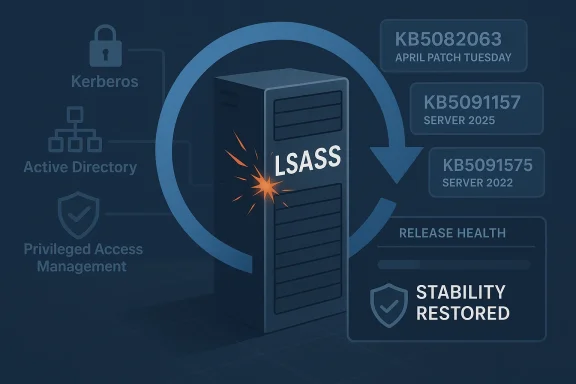
Microsoft has moved quickly to contain a nasty April 2026 Windows Server servicing problem, issuing out-of-band fixes that address both repeated restart failures and update-installation errors tied to the month’s Patch Tuesday release. The immediate relief is real for administrators running Windows Server 2025 and related server editions, especially in environments where domain controllers, Privileged Access Management (PAM), and LSASS stability are mission-critical. But the episode is also a reminder that security updates are never just security updates; in modern Windows servicing, they are often high-risk platform changes that can ripple through identity infrastructure, recovery workflows, and patch management pipelines.
The problem began with Microsoft’s April 14, 2026 security updates, which were intended to deliver routine monthly protections and quality improvements. In practice, those updates created a cluster of failures in server environments, including a reboot loop scenario on some domain controllers and installation failures on a small number of Windows Server 2025 devices. Microsoft’s own follow-up notes identify the bad update path as KB5082063 for Windows Server 2025 and KB5082142 for Windows Server 2022 Azure Edition hotpatch environments.
What made this especially disruptive was the target surface: domain controllers are not ordinary endpoints. They are the backbone of authentication, group policy, and directory services for the entire enterprise, so a restart loop there is not a local annoyance but a potential outage event. Microsoft says the affected machines were those with multi-domain forests using PAM, and that in some cases LSASS stopped responding, which in turn led to repeated restarts and prevented authentication and directory services from functioning.
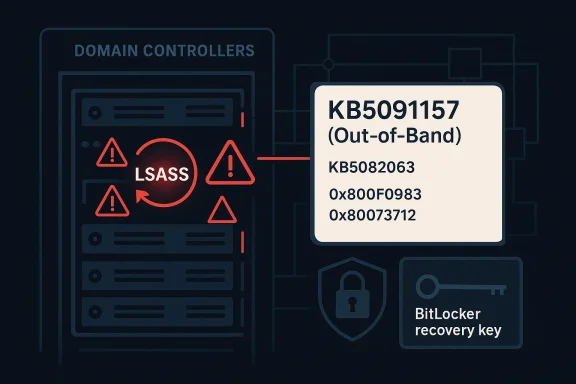
At the same time, Microsoft acknowledged a separate installation bug on some Windows Server 2025 systems. Affected devices could fail to install the April 14 security update and surface errors such as 0x800F0983 or 0x80073712, messages that typically point to missing components or servicing inconsistencies. That matters because it turns a patching event into a deployment reliability problem, forcing administrators to decide whether to roll forward, wait, or retry in the middle of a maintenance window.
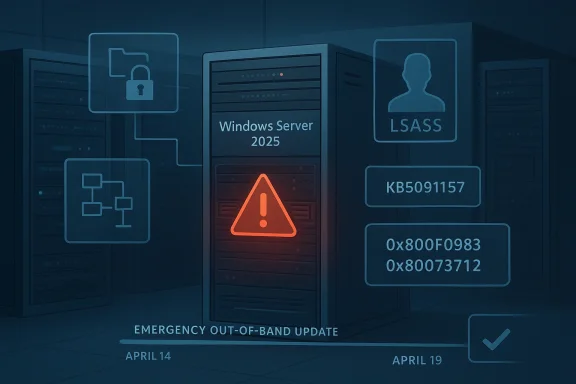
Microsoft’s answer was an out-of-band update released on April 19, 2026, identified as KB5091157 for Windows Server 2025. The company also issued matching emergency fixes for other supported server branches, including hotpatch releases for Windows Server 2022 Azure Edition and additional server updates across the product line. In other words, this was not a one-off hotfix but a coordinated servicing response to a platform-level regression.
Just as important, Microsoft also fixed the update-installation failure affecting a small number of Windows Server 2025 devices. The company says those systems may have failed to install the April 14 security update and may have displayed either 0x800F0983 or 0x80073712. That fix is especially useful in enterprise environments where update compliance tracking and deployment automation can be derailed by a relatively small population of stubborn machines.
Microsoft points to multi-domain forests that use Privileged Access Management. That detail is important because PAM-enabled environments tend to be among the most security-conscious and operationally complex deployments in the enterprise. In other words, the failure did not strike the simplest setups first; it struck the kind of infrastructure where security controls are most mature and where recovery is most tedious.
The error codes Microsoft named—0x800F0983 and 0x80073712—are familiar to Windows admins because they usually indicate servicing corruption, missing packages, or update component mismatches. Even when the cause is ultimately Microsoft’s own package chain, those codes still force administrators to troubleshoot locally, often with deployment logs, repair actions, or staged retries. That makes the problem expensive in labor even when it affects only a “small number” of systems.
Microsoft also positioned the update as out-of-band, which is the company’s way of saying this should not wait for the normal monthly cycle. OOB updates are often used when the downside of delay exceeds the normal risk of deploying an unplanned package. In plain English: the problem was serious enough that the cure needed to arrive immediately, even if it disrupted standard patch cadence.
For IT departments, the issue is broader than a single reboot bug. It affects maintenance windows, rollback planning, and confidence in the April cumulative update chain. If a patch can break directory services, it immediately changes how teams think about staggered deployment, pilot rings, and emergency rollback procedures.
The April 2026 bug is especially revealing because it involved both a known issue and an installation failure in the same release window. That combination suggests not just a logic error in one subsystem but a broader servicing fragility: one part of the patch could destabilize boot behavior while another part could block installation entirely. That is a bad look for any monthly update train.
The company also appears to be leaning into structured issue disclosure, where the support article itself becomes the canonical source of truth. That matters because large organizations often need a single document to reference in change tickets, CAB meetings, and post-incident reviews. In that sense, Microsoft’s support pages are not just documentation; they are part of the operational response.
Longer term, this episode will likely push more organizations toward stricter pilot rings, tighter change windows, and closer attention to Microsoft’s release-health notes before broad deployment. That is not ideal from a productivity standpoint, but it is the rational response to a platform where one cumulative update can break a directory service. The lesson is not to stop patching; it is to patch more deliberately, with better visibility and stronger rollback planning.
Source: Neowin Windows PCs should no longer repeatedly restart or fail to install update with KB5091157
 Background
The problem began with Microsoft’s April 14, 2026 security updates, which were intended to deliver routine monthly protections and quality improvements. In practice, those updates created a cluster of failures in server environments, including a reboot loop scenario on some domain controllers and installation failures on a small number of Windows Server 2025 devices. Microsoft’s own follow-up notes identify the bad update path as KB5082063 for Windows Server 2025 and KB5082142 for Windows Server 2022 Azure Edition hotpatch environments.What made this especially disruptive was the target surface: domain controllers are not ordinary endpoints. They are the backbone of authentication, group policy, and directory services for the entire enterprise, so a restart loop there is not a local annoyance but a potential outage event. Microsoft says the affected machines were those with multi-domain forests using PAM, and that in some cases LSASS stopped responding, which in turn led to repeated restarts and prevented authentication and directory services from functioning.
At the same time, Microsoft acknowledged a separate installation bug on some Windows Server 2025 systems. Affected devices could fail to install the April 14 security update and surface errors such as 0x800F0983 or 0x80073712, messages that typically point to missing components or servicing inconsistencies. That matters because it turns a patching event into a deployment reliability problem, forcing administrators to decide whether to roll forward, wait, or retry in the middle of a maintenance window.
Microsoft’s answer was an out-of-band update released on April 19, 2026, identified as KB5091157 for Windows Server 2025. The company also issued matching emergency fixes for other supported server branches, including hotpatch releases for Windows Server 2022 Azure Edition and additional server updates across the product line. In other words, this was not a one-off hotfix but a coordinated servicing response to a platform-level regression.
Why this kind of failure is so dangerous
The immediate issue is obvious: repeated restarts can take a server out of service. The deeper issue is that identity infrastructure has a way of amplifying small update defects into large operational incidents. If a domain controller cannot boot cleanly, it can break login, policy refresh, and application authentication across an entire organization.- A broken domain controller can cascade into login failures.
- A patching defect can become a business continuity event.
- A failed installation can leave systems stranded between states.
- A restart loop on a directory server is far more serious than on a workstation.
- A fix that requires rebooting servers can itself be operationally sensitive.
What Microsoft Fixed
Microsoft’s KB5091157 support entry says the out-of-band update contains quality improvements from KB5082063 and specifically resolves the domain-controller startup issue. The language is direct: after installing the April 14 security update and restarting, affected domain controllers might encounter startup issues, with LSASS potentially becoming unresponsive and causing repeated reboots. The new update is meant to stop that chain reaction.Just as important, Microsoft also fixed the update-installation failure affecting a small number of Windows Server 2025 devices. The company says those systems may have failed to install the April 14 security update and may have displayed either 0x800F0983 or 0x80073712. That fix is especially useful in enterprise environments where update compliance tracking and deployment automation can be derailed by a relatively small population of stubborn machines.
The server editions affected
The KB5091157 page is explicit that it applies to Windows Server 2025, all editions. Microsoft also bundled related emergency servicing for other server branches in the same weekend response, including hotpatch releases for Windows Server 2022 Azure Edition and separate out-of-band updates for older server versions. That broad response suggests Microsoft saw the April regression as a servicing-family issue rather than a narrow configuration quirk.What was not fixed yet
Microsoft still lists a BitLocker recovery issue as a known problem on KB5091157. That means the new update is not a total reset of April’s servicing story; it is a targeted correction for the restart and installation regressions, not a blanket cleanup of every side effect introduced by the monthly patch wave. For administrators, that distinction matters because it determines whether the system is merely better or actually safe to roll out broadly.- Restart loop issue: fixed.
- Installation failure issue: fixed.
- BitLocker recovery issue: still known.
- WSUS error-details limitation: still noted as a known issue in the servicing line.
- The update remains non-security and out-of-band.
Why Domain Controllers Are the Canary in the Coal Mine
The most alarming part of the incident is not the reboot loop itself; it is the fact that the bug touched domain controllers. Those machines are often treated as hardened, controlled, and relatively static, so a patch regression there signals a problem deep in the operating-system security and identity stack. If the directory service cannot start, the business often cannot function in any normal sense.Microsoft points to multi-domain forests that use Privileged Access Management. That detail is important because PAM-enabled environments tend to be among the most security-conscious and operationally complex deployments in the enterprise. In other words, the failure did not strike the simplest setups first; it struck the kind of infrastructure where security controls are most mature and where recovery is most tedious.
LSASS as the failure point
LSASS, or Local Security Authority Subsystem Service, sits at the center of Windows authentication and security policy enforcement. When LSASS hangs or fails, the system can lose its ability to authenticate users and services, and Windows may trigger protective recovery behavior. That is why a bug involving LSASS on a domain controller has outsized impact: it can turn a boot attempt into an endless recovery cycle.PAM raises the stakes
PAM introduces stricter handling of privileged credentials and access pathways. That is usually the right tradeoff from a security perspective, but it also means more moving parts inside the authentication stack. When Microsoft says a multi-domain forest using PAM might experience startup issues, it is effectively admitting that the intersection of identity hardening and monthly servicing produced a regression that normal test coverage may not have fully exposed.- Identity services are the enterprise’s control plane.
- PAM environments are more complex than standard domains.
- LSASS issues can resemble total infrastructure failure.
- Reboot loops are especially damaging on headless servers.
- Recovery often requires hands-on intervention.
The Installation Bug Matters Almost as Much
The second defect is less dramatic but potentially more widespread. A subset of Windows Server 2025 devices could not install the April 14 update, leaving administrators with a failed patch job and a machine that is neither updated nor obviously healthy. That sort of issue creates messy operational choices because it can look like a transient problem even when the device is actually stuck in a servicing dead end.The error codes Microsoft named—0x800F0983 and 0x80073712—are familiar to Windows admins because they usually indicate servicing corruption, missing packages, or update component mismatches. Even when the cause is ultimately Microsoft’s own package chain, those codes still force administrators to troubleshoot locally, often with deployment logs, repair actions, or staged retries. That makes the problem expensive in labor even when it affects only a “small number” of systems.
Why a “small number” still hurts
At hyperscale, “small” is relative. A failure rate that looks trivial on paper can still represent dozens or hundreds of servers in a large fleet, and the operational effort scales faster than the raw percentage. A one-percent patch failure rate is not a one-percent problem when each exception requires manual triage, change-management review, and possibly a maintenance outage.Why admins dread split-brain patch states
When one group of servers takes the update and another group fails it, the environment becomes uneven. That makes change validation harder, compliance reporting noisier, and incident response more complicated because administrators cannot assume a single build state across the fleet. The result is often a temporary freeze while teams wait for a corrected package.- Failed installs complicate compliance tracking.
- Error 0x80073712 usually signals missing or damaged update content.
- Error 0x800F0983 can suggest servicing stack inconsistency.
- Retry loops waste bandwidth and operator time.
- Mixed build states increase support complexity.
How Microsoft Responded Operationally
The speed of the response is notable. Microsoft released the fix on April 19, 2026, just days after the April 14 Patch Tuesday release that introduced the defects. That is fast by enterprise patching standards, especially for a bug that affects core server roles and can destabilize domain controllers.Microsoft also positioned the update as out-of-band, which is the company’s way of saying this should not wait for the normal monthly cycle. OOB updates are often used when the downside of delay exceeds the normal risk of deploying an unplanned package. In plain English: the problem was serious enough that the cure needed to arrive immediately, even if it disrupted standard patch cadence.
The servicing model behind the fix
KB5091157 is described as a non-security cumulative update, which is an important distinction. Microsoft is not shipping fresh security content here; it is shipping the behavioral correction needed to make the April security update stable. That approach is common in Windows servicing, but it also means administrators must treat the OOB package as part of the patch stack, not a replacement for it.Hotpatch complicates the story
For some server editions, Microsoft also issued hotpatch versions of the fix. Hotpatch can reduce or eliminate reboots in certain scenarios, but only for systems enrolled and eligible for that servicing model. That creates a two-track world in which some organizations can absorb fixes with minimal interruption while others must schedule a reboot and accept the operational cost.- OOB means the issue could not wait for Patch Tuesday.
- Non-security does not mean nonessential.
- Hotpatch can reduce downtime in eligible environments.
- Emergency servicing often reveals gaps in test coverage.
- Fast fixes are good, but they also confirm the severity of the original defect.
Enterprise Impact Versus Consumer Impact
This is fundamentally an enterprise story, not a consumer PC story. Microsoft’s own language is about domain controllers, PAM, LSASS, and server install failures, all of which point to managed infrastructure rather than individual home computers. Consumers rarely operate domain controllers, and Microsoft’s previous servicing notes on related update issues have often emphasized that consumer devices are less likely to be affected.For IT departments, the issue is broader than a single reboot bug. It affects maintenance windows, rollback planning, and confidence in the April cumulative update chain. If a patch can break directory services, it immediately changes how teams think about staggered deployment, pilot rings, and emergency rollback procedures.
Consumer PCs still matter, but indirectly
Consumer Windows systems are not the direct target of this bug, but consumer trust in Windows updates is always shaped by enterprise-visible failures. When the public sees reboot loops and recovery screens in the news, it reinforces an old fear that Windows Update can be unpredictable. That sentiment matters because it affects adoption behavior, even for people who are not actually running server infrastructure.IT departments face the real workload
For enterprises, the practical fallout includes alert noise, incident tickets, and emergency change approvals. Administrators now have to determine which devices already installed KB5082063, which need KB5091157, and which are already safe because they sit on a different branch or hotpatch channel. The administrative burden is often as costly as the technical defect.- Enterprise environments need rebuild confidence after a bad patch.
- Home users are mostly shielded from this specific defect.
- Update rings become more important after a regression.
- Communication between security and infrastructure teams becomes critical.
- Identity services deserve special patch scrutiny.
The Broader Pattern in Windows Servicing
This incident is not happening in a vacuum. Microsoft’s recent servicing history has included a steady stream of OOB responses, hotpatch variations, and fix-forward releases that reflect the increasing complexity of the Windows platform. The more deeply Windows integrates security, identity, and cloud-managed servicing, the more likely a change in one layer is to surface unexpectedly in another.The April 2026 bug is especially revealing because it involved both a known issue and an installation failure in the same release window. That combination suggests not just a logic error in one subsystem but a broader servicing fragility: one part of the patch could destabilize boot behavior while another part could block installation entirely. That is a bad look for any monthly update train.
Why out-of-band updates are becoming normal
Microsoft uses OOB releases when the normal cadence is too slow for the risk. Over the last year, the company has repeatedly published emergency updates for server branches when serious regressions or security issues were found after Patch Tuesday. That trend does not necessarily mean quality is worsening, but it does mean servicing is now a live operational discipline, not a once-a-month event.What this says about test coverage
Complex identity environments are hard to reproduce in a lab, especially when the problematic combination involves multi-domain forests, PAM, and post-restart behavior. That does not excuse the bug, but it does help explain why some defects only become obvious after they hit broad production diversity. The lesson for administrators is to assume that even well-tested monthly updates can contain nasty edge-case regressions.- Windows servicing is increasingly continuous.
- Emergency updates are now part of normal operations.
- Identity stacks remain difficult to validate comprehensively.
- Release health dashboards matter more than ever.
- “Minor” update notes can hide major platform risk.
Microsoft’s Known-Issue Messaging Strategy
Microsoft’s support pages are doing an unusual amount of work here. The KB5091157 article not only lists the fix but also documents the known BitLocker recovery issue, the serviced components, and the installation channels. That level of detail helps administrators make deployment decisions without waiting for third-party reporting to interpret the event.The company also appears to be leaning into structured issue disclosure, where the support article itself becomes the canonical source of truth. That matters because large organizations often need a single document to reference in change tickets, CAB meetings, and post-incident reviews. In that sense, Microsoft’s support pages are not just documentation; they are part of the operational response.
Why the wording matters
The phrasing “might experience” and “a small number of devices” signals statistical limitation, but it does not reduce the urgency. Administrators know that a rare failure can still become a major outage if it hits the wrong role at the wrong time. The wording is cautious, but the business impact can still be severe.Why official docs beat rumor
Because the issue surfaced on a weekend and involved server platforms, rumor churn was almost guaranteed. Official support pages cut through that noise by naming the affected builds, the symptoms, and the fixed behavior. In a patch emergency, precision beats commentary.- Support articles become incident-response assets.
- Issue labels help administrators triage faster.
- Severity language is careful but still meaningful.
- A good KB page shortens decision time.
- Official documentation is more actionable than social chatter.
Strengths and Opportunities
The good news is that Microsoft identified the regression quickly, moved it out of band, and narrowed the fix to the affected server branch. That reduces the window in which administrators have to choose between patching and stability. It also gives enterprises a clean path forward: apply the corrected package and move on, rather than inventing a workaround for a core identity failure.- Fast remediation limited the exposure window.
- Targeted fixes reduced the chance of unnecessary churn.
- Clear symptom descriptions help admins recognize the issue.
- Cumulative packaging simplifies downstream servicing.
- Hotpatch variants offer a lower-downtime path where available.
- Official KB guidance gives change managers something concrete to cite.
- Broad server coverage suggests Microsoft took the regression seriously.
Risks and Concerns
The broader concern is confidence. Every time a monthly update triggers boot instability or install failures, administrators become more conservative about patch rollout, which can leave systems exposed longer than intended. There is also a real chance that the BitLocker issue, still listed as known, will keep some organizations from moving immediately even after the restart loop is fixed.- Patch distrust can slow adoption of future updates.
- Identity outages are disproportionately expensive.
- BitLocker recovery prompts may complicate rollout timing.
- Mixed build states increase support overhead.
- Weekend OOB releases can strain staffing and monitoring.
- Servicing complexity may hide more edge cases.
- Reboot requirements still impose operational cost even after the fix.
Looking Ahead
The immediate question is whether KB5091157 fully restores confidence in the April servicing line or merely contains the most visible damage. Administrators will watch the coming days for any sign that the repeat-restart issue has been fully neutralized in production forests and that the update-installation failure no longer appears on affected Server 2025 machines. They will also want to know how Microsoft closes out the BitLocker known issue, because one unresolved recovery-path problem can keep patch deployment conservative.Longer term, this episode will likely push more organizations toward stricter pilot rings, tighter change windows, and closer attention to Microsoft’s release-health notes before broad deployment. That is not ideal from a productivity standpoint, but it is the rational response to a platform where one cumulative update can break a directory service. The lesson is not to stop patching; it is to patch more deliberately, with better visibility and stronger rollback planning.
- Watch for follow-up guidance on the BitLocker known issue.
- Monitor whether KB5091157 remains stable in production forests.
- Check if Microsoft expands the fix pattern to other server branches.
- Track whether new OOB releases appear in the next Patch Tuesday cycle.
- Review update rings and pilot groups before the next cumulative release.
Source: Neowin Windows PCs should no longer repeatedly restart or fail to install update with KB5091157