Microsoft has moved quickly to contain a nasty April 2026 Windows Server servicing problem, issuing out-of-band fixes that address both repeated restart failures and update-installation errors tied to the month’s Patch Tuesday release. The immediate relief is real for administrators running Windows Server 2025 and related server editions, especially in environments where domain controllers, Privileged Access Management (PAM), and LSASS stability are mission-critical. But the episode is also a reminder that security updates are never just security updates; in modern Windows servicing, they are often high-risk platform changes that can ripple through identity infrastructure, recovery workflows, and patch management pipelines.

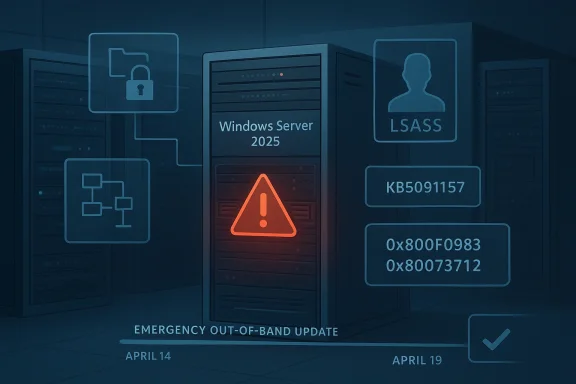
Emergency out-of-band update warning for Windows Server 2025, with LSASS and error codes on a server rack.Background​

The problem began with Microsoft’s April 14, 2026 security updates, which were intended to deliver routine monthly protections and quality improvements. In practice, those updates created a cluster of failures in server environments, including a reboot loop scenario on some domain controllers and installation failures on a small number of Windows Server 2025 devices. Microsoft’s own follow-up notes identify the bad update path as KB5082063 for Windows Server 2025 and KB5082142 for Windows Server 2022 Azure Edition hotpatch environments.
What made this especially disruptive was the target surface: domain controllers are not ordinary endpoints. They are the backbone of authentication, group policy, and directory services for the entire enterprise, so a restart loop there is not a local annoyance but a potential outage event. Microsoft says the affected machines were those with multi-domain forests using PAM, and that in some cases LSASS stopped responding, which in turn led to repeated restarts and prevented authentication and directory services from functioning.
At the same time, Microsoft acknowledged a separate installation bug on some Windows Server 2025 systems. Affected devices could fail to install the April 14 security update and surface errors such as 0x800F0983 or 0x80073712, messages that typically point to missing components or servicing inconsistencies. That matters because it turns a patching event into a deployment reliability problem, forcing administrators to decide whether to roll forward, wait, or retry in the middle of a maintenance window.
Microsoft’s answer was an out-of-band update released on April 19, 2026, identified as KB5091157 for Windows Server 2025. The company also issued matching emergency fixes for other supported server branches, including hotpatch releases for Windows Server 2022 Azure Edition and additional server updates across the product line. In other words, this was not a one-off hotfix but a coordinated servicing response to a platform-level regression.

Why this kind of failure is so dangerous​

The immediate issue is obvious: repeated restarts can take a server out of service. The deeper issue is that identity infrastructure has a way of amplifying small update defects into large operational incidents. If a domain controller cannot boot cleanly, it can break login, policy refresh, and application authentication across an entire organization.
  • A broken domain controller can cascade into login failures.
  • A patching defect can become a business continuity event.
  • A failed installation can leave systems stranded between states.
  • A restart loop on a directory server is far more serious than on a workstation.
  • A fix that requires rebooting servers can itself be operationally sensitive.

What Microsoft Fixed​

Microsoft’s KB5091157 support entry says the out-of-band update contains quality improvements from KB5082063 and specifically resolves the domain-controller startup issue. The language is direct: after installing the April 14 security update and restarting, affected domain controllers might encounter startup issues, with LSASS potentially becoming unresponsive and causing repeated reboots. The new update is meant to stop that chain reaction.
Just as important, Microsoft also fixed the update-installation failure affecting a small number of Windows Server 2025 devices. The company says those systems may have failed to install the April 14 security update and may have displayed either 0x800F0983 or 0x80073712. That fix is especially useful in enterprise environments where update compliance tracking and deployment automation can be derailed by a relatively small population of stubborn machines.

The server editions affected​

The KB5091157 page is explicit that it applies to Windows Server 2025, all editions. Microsoft also bundled related emergency servicing for other server branches in the same weekend response, including hotpatch releases for Windows Server 2022 Azure Edition and separate out-of-band updates for older server versions. That broad response suggests Microsoft saw the April regression as a servicing-family issue rather than a narrow configuration quirk.

What was not fixed yet​

Microsoft still lists a BitLocker recovery issue as a known problem on KB5091157. That means the new update is not a total reset of April’s servicing story; it is a targeted correction for the restart and installation regressions, not a blanket cleanup of every side effect introduced by the monthly patch wave. For administrators, that distinction matters because it determines whether the system is merely better or actually safe to roll out broadly.
  • Restart loop issue: fixed.
  • Installation failure issue: fixed.
  • BitLocker recovery issue: still known.
  • WSUS error-details limitation: still noted as a known issue in the servicing line.
  • The update remains non-security and out-of-band.

Why Domain Controllers Are the Canary in the Coal Mine​

The most alarming part of the incident is not the reboot loop itself; it is the fact that the bug touched domain controllers. Those machines are often treated as hardened, controlled, and relatively static, so a patch regression there signals a problem deep in the operating-system security and identity stack. If the directory service cannot start, the business often cannot function in any normal sense.
Microsoft points to multi-domain forests that use Privileged Access Management. That detail is important because PAM-enabled environments tend to be among the most security-conscious and operationally complex deployments in the enterprise. In other words, the failure did not strike the simplest setups first; it struck the kind of infrastructure where security controls are most mature and where recovery is most tedious.

LSASS as the failure point​

LSASS, or Local Security Authority Subsystem Service, sits at the center of Windows authentication and security policy enforcement. When LSASS hangs or fails, the system can lose its ability to authenticate users and services, and Windows may trigger protective recovery behavior. That is why a bug involving LSASS on a domain controller has outsized impact: it can turn a boot attempt into an endless recovery cycle.

PAM raises the stakes​

PAM introduces stricter handling of privileged credentials and access pathways. That is usually the right tradeoff from a security perspective, but it also means more moving parts inside the authentication stack. When Microsoft says a multi-domain forest using PAM might experience startup issues, it is effectively admitting that the intersection of identity hardening and monthly servicing produced a regression that normal test coverage may not have fully exposed.
  • Identity services are the enterprise’s control plane.
  • PAM environments are more complex than standard domains.
  • LSASS issues can resemble total infrastructure failure.
  • Reboot loops are especially damaging on headless servers.
  • Recovery often requires hands-on intervention.

The Installation Bug Matters Almost as Much​

The second defect is less dramatic but potentially more widespread. A subset of Windows Server 2025 devices could not install the April 14 update, leaving administrators with a failed patch job and a machine that is neither updated nor obviously healthy. That sort of issue creates messy operational choices because it can look like a transient problem even when the device is actually stuck in a servicing dead end.
The error codes Microsoft named—0x800F0983 and 0x80073712—are familiar to Windows admins because they usually indicate servicing corruption, missing packages, or update component mismatches. Even when the cause is ultimately Microsoft’s own package chain, those codes still force administrators to troubleshoot locally, often with deployment logs, repair actions, or staged retries. That makes the problem expensive in labor even when it affects only a “small number” of systems.

Why a “small number” still hurts​

At hyperscale, “small” is relative. A failure rate that looks trivial on paper can still represent dozens or hundreds of servers in a large fleet, and the operational effort scales faster than the raw percentage. A one-percent patch failure rate is not a one-percent problem when each exception requires manual triage, change-management review, and possibly a maintenance outage.

Why admins dread split-brain patch states​

When one group of servers takes the update and another group fails it, the environment becomes uneven. That makes change validation harder, compliance reporting noisier, and incident response more complicated because administrators cannot assume a single build state across the fleet. The result is often a temporary freeze while teams wait for a corrected package.
  • Failed installs complicate compliance tracking.
  • Error 0x80073712 usually signals missing or damaged update content.
  • Error 0x800F0983 can suggest servicing stack inconsistency.
  • Retry loops waste bandwidth and operator time.
  • Mixed build states increase support complexity.

How Microsoft Responded Operationally​

The speed of the response is notable. Microsoft released the fix on April 19, 2026, just days after the April 14 Patch Tuesday release that introduced the defects. That is fast by enterprise patching standards, especially for a bug that affects core server roles and can destabilize domain controllers.
Microsoft also positioned the update as out-of-band, which is the company’s way of saying this should not wait for the normal monthly cycle. OOB updates are often used when the downside of delay exceeds the normal risk of deploying an unplanned package. In plain English: the problem was serious enough that the cure needed to arrive immediately, even if it disrupted standard patch cadence.

The servicing model behind the fix​

KB5091157 is described as a non-security cumulative update, which is an important distinction. Microsoft is not shipping fresh security content here; it is shipping the behavioral correction needed to make the April security update stable. That approach is common in Windows servicing, but it also means administrators must treat the OOB package as part of the patch stack, not a replacement for it.

Hotpatch complicates the story​

For some server editions, Microsoft also issued hotpatch versions of the fix. Hotpatch can reduce or eliminate reboots in certain scenarios, but only for systems enrolled and eligible for that servicing model. That creates a two-track world in which some organizations can absorb fixes with minimal interruption while others must schedule a reboot and accept the operational cost.
  • OOB means the issue could not wait for Patch Tuesday.
  • Non-security does not mean nonessential.
  • Hotpatch can reduce downtime in eligible environments.
  • Emergency servicing often reveals gaps in test coverage.
  • Fast fixes are good, but they also confirm the severity of the original defect.

Enterprise Impact Versus Consumer Impact​

This is fundamentally an enterprise story, not a consumer PC story. Microsoft’s own language is about domain controllers, PAM, LSASS, and server install failures, all of which point to managed infrastructure rather than individual home computers. Consumers rarely operate domain controllers, and Microsoft’s previous servicing notes on related update issues have often emphasized that consumer devices are less likely to be affected.
For IT departments, the issue is broader than a single reboot bug. It affects maintenance windows, rollback planning, and confidence in the April cumulative update chain. If a patch can break directory services, it immediately changes how teams think about staggered deployment, pilot rings, and emergency rollback procedures.

Consumer PCs still matter, but indirectly​

Consumer Windows systems are not the direct target of this bug, but consumer trust in Windows updates is always shaped by enterprise-visible failures. When the public sees reboot loops and recovery screens in the news, it reinforces an old fear that Windows Update can be unpredictable. That sentiment matters because it affects adoption behavior, even for people who are not actually running server infrastructure.

IT departments face the real workload​

For enterprises, the practical fallout includes alert noise, incident tickets, and emergency change approvals. Administrators now have to determine which devices already installed KB5082063, which need KB5091157, and which are already safe because they sit on a different branch or hotpatch channel. The administrative burden is often as costly as the technical defect.
  • Enterprise environments need rebuild confidence after a bad patch.
  • Home users are mostly shielded from this specific defect.
  • Update rings become more important after a regression.
  • Communication between security and infrastructure teams becomes critical.
  • Identity services deserve special patch scrutiny.

The Broader Pattern in Windows Servicing​

This incident is not happening in a vacuum. Microsoft’s recent servicing history has included a steady stream of OOB responses, hotpatch variations, and fix-forward releases that reflect the increasing complexity of the Windows platform. The more deeply Windows integrates security, identity, and cloud-managed servicing, the more likely a change in one layer is to surface unexpectedly in another.
The April 2026 bug is especially revealing because it involved both a known issue and an installation failure in the same release window. That combination suggests not just a logic error in one subsystem but a broader servicing fragility: one part of the patch could destabilize boot behavior while another part could block installation entirely. That is a bad look for any monthly update train.

Why out-of-band updates are becoming normal​

Microsoft uses OOB releases when the normal cadence is too slow for the risk. Over the last year, the company has repeatedly published emergency updates for server branches when serious regressions or security issues were found after Patch Tuesday. That trend does not necessarily mean quality is worsening, but it does mean servicing is now a live operational discipline, not a once-a-month event.

What this says about test coverage​

Complex identity environments are hard to reproduce in a lab, especially when the problematic combination involves multi-domain forests, PAM, and post-restart behavior. That does not excuse the bug, but it does help explain why some defects only become obvious after they hit broad production diversity. The lesson for administrators is to assume that even well-tested monthly updates can contain nasty edge-case regressions.
  • Windows servicing is increasingly continuous.
  • Emergency updates are now part of normal operations.
  • Identity stacks remain difficult to validate comprehensively.
  • Release health dashboards matter more than ever.
  • “Minor” update notes can hide major platform risk.

Microsoft’s Known-Issue Messaging Strategy​

Microsoft’s support pages are doing an unusual amount of work here. The KB5091157 article not only lists the fix but also documents the known BitLocker recovery issue, the serviced components, and the installation channels. That level of detail helps administrators make deployment decisions without waiting for third-party reporting to interpret the event.
The company also appears to be leaning into structured issue disclosure, where the support article itself becomes the canonical source of truth. That matters because large organizations often need a single document to reference in change tickets, CAB meetings, and post-incident reviews. In that sense, Microsoft’s support pages are not just documentation; they are part of the operational response.

Why the wording matters​

The phrasing “might experience” and “a small number of devices” signals statistical limitation, but it does not reduce the urgency. Administrators know that a rare failure can still become a major outage if it hits the wrong role at the wrong time. The wording is cautious, but the business impact can still be severe.

Why official docs beat rumor​

Because the issue surfaced on a weekend and involved server platforms, rumor churn was almost guaranteed. Official support pages cut through that noise by naming the affected builds, the symptoms, and the fixed behavior. In a patch emergency, precision beats commentary.
  • Support articles become incident-response assets.
  • Issue labels help administrators triage faster.
  • Severity language is careful but still meaningful.
  • A good KB page shortens decision time.
  • Official documentation is more actionable than social chatter.

Strengths and Opportunities​

The good news is that Microsoft identified the regression quickly, moved it out of band, and narrowed the fix to the affected server branch. That reduces the window in which administrators have to choose between patching and stability. It also gives enterprises a clean path forward: apply the corrected package and move on, rather than inventing a workaround for a core identity failure.
  • Fast remediation limited the exposure window.
  • Targeted fixes reduced the chance of unnecessary churn.
  • Clear symptom descriptions help admins recognize the issue.
  • Cumulative packaging simplifies downstream servicing.
  • Hotpatch variants offer a lower-downtime path where available.
  • Official KB guidance gives change managers something concrete to cite.
  • Broad server coverage suggests Microsoft took the regression seriously.

Risks and Concerns​

The broader concern is confidence. Every time a monthly update triggers boot instability or install failures, administrators become more conservative about patch rollout, which can leave systems exposed longer than intended. There is also a real chance that the BitLocker issue, still listed as known, will keep some organizations from moving immediately even after the restart loop is fixed.
  • Patch distrust can slow adoption of future updates.
  • Identity outages are disproportionately expensive.
  • BitLocker recovery prompts may complicate rollout timing.
  • Mixed build states increase support overhead.
  • Weekend OOB releases can strain staffing and monitoring.
  • Servicing complexity may hide more edge cases.
  • Reboot requirements still impose operational cost even after the fix.

Looking Ahead​

The immediate question is whether KB5091157 fully restores confidence in the April servicing line or merely contains the most visible damage. Administrators will watch the coming days for any sign that the repeat-restart issue has been fully neutralized in production forests and that the update-installation failure no longer appears on affected Server 2025 machines. They will also want to know how Microsoft closes out the BitLocker known issue, because one unresolved recovery-path problem can keep patch deployment conservative.
Longer term, this episode will likely push more organizations toward stricter pilot rings, tighter change windows, and closer attention to Microsoft’s release-health notes before broad deployment. That is not ideal from a productivity standpoint, but it is the rational response to a platform where one cumulative update can break a directory service. The lesson is not to stop patching; it is to patch more deliberately, with better visibility and stronger rollback planning.
  • Watch for follow-up guidance on the BitLocker known issue.
  • Monitor whether KB5091157 remains stable in production forests.
  • Check if Microsoft expands the fix pattern to other server branches.
  • Track whether new OOB releases appear in the next Patch Tuesday cycle.
  • Review update rings and pilot groups before the next cumulative release.
Microsoft has done what it needed to do in the short term: it acknowledged the defect, shipped a correction, and gave administrators a path out of a potentially serious reboot loop and installation failure. The deeper story is more uncomfortable, though, because it reinforces how fragile the modern Windows servicing stack can be when monthly security updates intersect with identity infrastructure. The fix is welcome, but the real test will be whether enterprises regain enough trust to keep moving quickly on future patches without fearing that the cure might become the next outage.

Source: Neowin Windows PCs should no longer repeatedly restart or fail to install update with KB5091157
 

Microsoft’s emergency response to KB5082063 is a reminder that Windows Server patching in 2026 is now as much about operational risk management as it is about security hardening. What began as a routine April Patch Tuesday release quickly turned into a serious domain infrastructure issue, with reports of LSASS crashes, repeated restarts, and domain controller reboot loops in environments using Privileged Access Management. Microsoft has now moved to contain the fallout with out-of-band fixes KB5091157 for Windows Server 2025 and KB5091575 for Windows Server 2022, both aimed at restoring stability while preserving the security gains of the original update. The episode also fits an increasingly familiar pattern: Microsoft is shipping emergency corrections faster, but the complexity of modern Windows servicing is making each failure more consequential. Microsoft’s own support and release-health materials show that this was not an isolated hiccup but part of a broader cluster of post-release problems tied to the April security cycle.

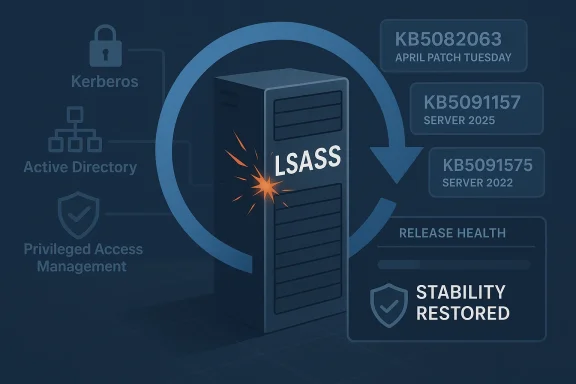
Illustration of a server cylinder marked with LSASS and patch IDs, indicating Windows security stability restored.Background​

The core of the problem is straightforward, even if the operational consequences were not. KB5082063, released on April 14, 2026, is a cumulative security update for Windows Server 2025 that Microsoft said included the latest security fixes and improvements. That release also landed amid a broader monthly patch cycle in which Microsoft was trying to close a large number of vulnerabilities, including publicly emphasized zero-days. In other words, administrators were being asked to accept some risk in the name of staying protected, which is exactly why a server-breaking regression is so difficult for Microsoft to manage once it appears.
The new failure mode centered on Local Security Authority Subsystem Service, better known as LSASS, the Windows component that handles authentication and enforces security policy. Microsoft’s release-health documentation and community reports indicate that on affected domain controllers, LSASS could stop responding during startup, which then triggered repeated restarts. In practical terms, that means the server reboots, hits the same fault, and reboots again before it can become useful as a domain controller. That is not just a server crash; it is an identity outage.
The detail that matters most is the environment: the issue was tied to non-Global Catalog domain controllers in forests that use PAM. That makes the problem narrower than a full fleet-wide Windows bug, but narrower is not the same thing as small when the target is authentication infrastructure. If a DC cannot start cleanly, users may not log in, services may not obtain tickets, and downstream systems can quickly start failing for reasons that look unrelated at first glance. The Microsoft Q&A threads are blunt on this point: administrators were told to contact Microsoft Support for business to obtain the mitigation.
This is also not the first time Microsoft has had to publish a rapid follow-up for a server-side authentication issue. Microsoft’s own support pages for earlier Windows Server releases show a recurring pattern of LSASS instability on domain controllers, and the current episode arrives after several other recent Windows servicing incidents that required a correction outside the normal monthly rhythm. That history matters because it changes how IT teams read Patch Tuesday: no longer as a tidy monthly event, but as a potentially multi-stage deployment cycle with hidden traps.

Why domain controllers are different​

A workstation that loops after an update is annoying. A domain controller that loops can become a business continuity incident. DCs sit at the center of Kerberos, directory lookups, group policy, and privileged access workflows, so any startup fault can cascade across the forest. That is why Microsoft’s own guidance and release-health materials tend to treat DC regressions with more urgency than ordinary client bugs.
The practical distinction is simple:
  • A workstation issue affects one user or one device.
  • A domain controller issue can affect an entire domain.
  • An LSASS crash during boot can stop authentication before the server is even reachable.
  • PAM-enabled environments are especially sensitive because privileged workflows depend on the same directory plumbing.
  • Recovery often requires hands-on intervention, not a casual reboot cycle.

What Microsoft Says Changed​

Microsoft’s emergency follow-up came in the form of out-of-band updates, a servicing path the company uses when waiting for the next Patch Tuesday would be too disruptive. For Windows Server 2025, the fix is KB5091157, and for Windows Server 2022, the corresponding hotpatch/out-of-band correction is KB5091575. Microsoft says both are available through Windows Update, the Microsoft Update Catalog, and WSUS, which is important because it gives enterprise admins multiple ways to pick up the fix without waiting for the next scheduled cumulative release.
The support note for the hotpatch release is especially revealing because it describes the exact symptom chain: after installing the April 14 security update and restarting, domain controllers with multi-domain forests using PAM might experience startup issues, LSASS may stop responding, and repeated restarts can prevent authentication and directory services from functioning. That language makes clear that Microsoft is not treating this as an ambiguous compatibility gripe; it is acknowledging a structured failure path in a supported configuration.
The OS build numbers also matter. Microsoft lists KB5091157 as build 26100.32698 for Server 2025 and KB5091575 as build 20348.5024 for Server 2022. Those build markers are the practical anchor for administrators managing mixed estates, because they determine which machines have the fix and which remain exposed. In large environments, the build number is often more useful than the marketing label.

Why an out-of-band patch instead of a rollback?​

Microsoft did not simply retract KB5082063, and that decision is telling. The April update patched a large set of vulnerabilities, and Microsoft’s support page indicates it was part of a broader security-release wave rather than a narrow optional fix. Pulling it outright would have created its own security exposure, especially because Microsoft and its support ecosystem were already drawing attention to actively exploited threats in the same cycle. The company appears to have judged that a surgical correction was safer than undoing the whole security rollout.
That tradeoff is increasingly common in Windows servicing. Microsoft has to balance two risks at once: leaving a serious vulnerability unpatched, or shipping a patch that destabilizes core infrastructure. The fact that it chose an out-of-band fix rather than a full rollback suggests the underlying security posture of KB5082063 remained important enough that Microsoft wanted administrators to stay on a patched track.

The LSASS Failure Mode​

LSASS is one of those Windows components that most users never think about until something goes wrong. It manages local security authority functions, credential validation, and policy enforcement, which means it is tightly bound to the boot process on servers that act as identity providers. When LSASS crashes early in startup, the machine may never progress to a stable state, which is why the symptoms here were so severe.
Microsoft’s April guidance indicates that the affected servers were non-Global Catalog DCs in multi-domain forests using PAM. That suggests the failure path is likely connected to specific directory-role interactions rather than a universal kernel bug. It also means the bug can be highly environment-dependent, which is one of the hardest classes of Windows problems to debug because the same update can appear healthy in one forest and fatal in another.

What administrators actually saw​

The visible symptoms were ugly and operationally noisy. Some DCs would restart repeatedly, some would fail during new DC provisioning, and some would fall over when they started processing authentication requests early in the boot sequence. That creates a dangerous mix of predictability and randomness: the server may appear fine until a restart, then suddenly become unusable.
The real-world consequences were not subtle:
  • Users could not authenticate.
  • Services depending on AD could stall.
  • New DC setup could fail mid-process.
  • Troubleshooting time increased because the machine was trapped in a loop.
  • Recovery often required manual intervention or temporary rollback.

Scope Across Windows Server Versions​

One of the more important aspects of the story is that the affected platform range was broad. The reboot-loop issue was reported across Windows Server 2025, Windows Server 2022, Windows Server 2019, Windows Server 2016, and Windows Server version 23H2. Even if the precise trigger conditions varied by edition, that broad footprint underlines how deeply this bug touched the server line.
That said, the immediate fixes Microsoft announced were version-specific. KB5091157 addresses Windows Server 2025, while KB5091575 is for Windows Server 2022. The fact that Microsoft published dedicated packages rather than a single universal remediation reflects the realities of Windows servicing: different branches, different baselines, different cumulative-package dependencies. In enterprise patch management, one size fits all is usually a fiction.

Enterprise versus consumer impact​

Microsoft says the issue does not affect personal devices and unmanaged consumer PCs, which is an important distinction because it contains the public-facing blast radius. But that does not make the bug less serious. In modern Windows estates, the most fragile and most valuable systems are often the ones running the domain, not the ones sitting on a desk. A consumer bug is inconvenient; a DC bug is existential for operations.
The impact split looks like this:
  • Consumers: little to no direct effect from this issue.
  • Managed servers: potential startup failure after patching.
  • Directory services: risk of broad authentication outages.
  • IT teams: increased recovery and validation workload.
  • Security teams: pressure to keep the security update in place if possible.

Why KB5082063 Was So Hard to Ignore​

This story would be easier if KB5082063 were just a problematic update with modest security value. It was not. Microsoft’s April 14 release addressed a large number of vulnerabilities, including two that were publicly described as actively exploited zero-days. That is the central tension: the same update that caused the reboot-loop problem also materially improved security posture. In a world where defenders are already racing exploit timelines, a full rollback is rarely an attractive option.
This is why Microsoft did not simply tell everyone to uninstall the patch and wait. If an update blocks authentication on critical servers, there is obvious operational pain. But if that same update also closes actively exploited holes, leaving it off the fleet can expose organizations to a different, and potentially more dangerous, class of incident. Administrators are often forced into a grim choice between availability now and security now.

The patch-management tradeoff​

The episode exposes the downside of modern cumulative servicing. Microsoft bundles fixes aggressively because bundling reduces fragmentation, but the downside is that one flawed change can drag a large amount of business risk into the same release. That makes testing more important, but it also makes testing harder, because real-world server topologies are messy and not easy to reproduce in a lab.
A concise way to think about it is this:
  • Microsoft ships a broad security update.
  • A niche but high-impact server role breaks.
  • Administrators must decide whether to keep the patch, remove it, or apply the out-of-band fix.
  • The resolution path depends on business tolerance for downtime and exposure.
  • The original monthly cycle is no longer the whole story.

A Familiar April Problem for Microsoft​

The most uncomfortable part of the story is its pattern. The April 2026 issue is not the first time a spring update has damaged a Windows Server identity workload, and Microsoft’s release history shows a series of prior DC problems that needed separate remediation. Microsoft’s own support pages and release-health material point to a broader history of LSASS-related or authentication-related regressions on server builds. That makes this look less like a one-off accident and more like a recurring pressure point in the servicing pipeline.
That does not mean Microsoft is ignoring the issue. In fact, the quick publication of an emergency fix is evidence of responsiveness. But repeated incidents do affect perception. Every time a domain-controller update needs special handling, administrators become a little less willing to trust the baseline release and a little more dependent on release-health notes, hotfix guidance, and community verification.

The March-to-April-to-April cadence​

Microsoft’s recent update history shows a rough rhythm that has become easy for admins to recognize:
  • A Patch Tuesday update ships.
  • A niche server-side issue appears shortly afterward.
  • Microsoft posts release-health guidance.
  • An out-of-band package or targeted correction follows.
  • The next month’s patch cycle inherits the confidence problem.
That rhythm matters because it raises the cost of every future patch. When administrators expect the possibility of breakage, they test longer, roll out slower, and watch more closely for field reports. In the short term, that is prudent. In the long term, it is a sign that servicing has become continuously provisional rather than reliably routine.

Enterprise Response and Operational Lessons​

For IT teams, the immediate takeaway is not panic but sequencing. Microsoft’s support pages make clear that the affected platforms are server builds used in identity infrastructure, not consumer desktops, so the response needs to be aimed at production directory services rather than general endpoint cleanup. That means patch rings, staged rollout, recovery planning, and validation of every DC role in every forest.
The out-of-band fixes also illustrate a growing reality of Windows administration: servicing is becoming a release-engineering exercise. Administrators are no longer just applying updates; they are evaluating build branches, role sensitivity, dependency paths, and recovery options. Microsoft’s willingness to publish emergency updates is helpful, but it also assumes a level of operational maturity that smaller shops may not always have.

Practical lessons from the incident​

Several lessons stand out from the April 2026 event:
  • Test server updates against real identity roles, not just generic VM images.
  • Track DCs separately from the rest of the server fleet.
  • Monitor release-health pages as part of patch governance.
  • Preserve a recovery path before deploying security cumulative updates.
  • Treat PAM-enabled forests as higher-risk for regression testing.
  • Keep rollback and remediation steps documented and rehearsed.
A key nuance here is that mitigation is not the same as resolution. Microsoft’s own guidance on the issue points admins to support-led mitigation, which means some organizations may still need to work through temporary controls even after the fix exists. That is typical of serious infrastructure regressions: the official answer arrives in stages, not all at once.

Broader Implications for Microsoft Servicing​

There is a bigger story behind KB5082063 than a single bad update. Microsoft is trying to run Windows more like a modern cloud service, with faster corrections, narrower emergency packages, and more explicit release-health communication. That is a rational response to a more dangerous threat environment, but it also means the platform now behaves like a live service with all the operational baggage that implies.
That shift has benefits. It lets Microsoft respond faster to severe regressions and ship targeted fixes without waiting for the next monthly cycle. But it also creates a new expectation: that every serious issue will be followed by a second release, a support note, or a mitigation thread. The cadence is more agile, but it is also more fragile because customers now have to track more moving parts.

Why this matters competitively​

From a market perspective, reliability is part of Microsoft’s platform promise. Enterprise buyers do not just purchase Windows Server for features; they buy into trust, identity, and operational predictability. Every patching incident chips away at that trust, even when Microsoft ultimately fixes the problem quickly. Rivals in cloud and identity infrastructure benefit whenever Microsoft appears to be struggling with the basics of update stability.
At the same time, the scale of Microsoft’s installed base makes perfection unrealistic. The more code paths, server roles, and hybrid configurations the company supports, the more likely an obscure combination will fail in the wild. The practical question is not whether bugs occur, but how quickly Microsoft identifies them, communicates them, and ships a repair. On that score, this incident is mixed but not catastrophic.

Strengths and Opportunities​

Microsoft deserves credit for moving quickly once the reboot-loop problem was confirmed. The emergency fix was published as an out-of-band response, and the company made it available through the usual enterprise channels, which gives administrators flexibility in how they deploy it. That kind of responsiveness is essential when the affected systems are authentication servers and not ordinary endpoints.
  • The fix arrived as an out-of-band correction rather than waiting for the next monthly cycle.
  • Microsoft provided multiple deployment paths, including Windows Update and WSUS.
  • The issue was documented clearly enough for admins to identify the affected role.
  • Separate builds for Server 2025 and Server 2022 reduce ambiguity.
  • Microsoft preserved the security value of KB5082063 instead of simply discarding it.
  • Release-health guidance helps support teams triage faster.
  • The response shows Microsoft can still react quickly when infrastructure is at risk.

Risks and Concerns​

The biggest concern is that this is becoming a pattern rather than an anomaly. When critical server updates repeatedly affect domain controllers, administrators begin to expect the unexpected, and that expectation has a cost. It slows deployments, complicates compliance, and increases the burden on teams that are already short on time.
  • Repeated DC regressions can erode trust in Patch Tuesday.
  • Narrow fixes can still be painful if they hit identity infrastructure.
  • Multi-domain PAM environments are operationally fragile.
  • Emergency patches increase the number of moving parts in a fleet.
  • Smaller IT teams may miss mitigation guidance or deploy out of order.
  • The need for targeted hotfixes can complicate version control.
  • A security fix that destabilizes identity services creates a hard tradeoff.
There is also the issue of signal fatigue. If every month brings a fresh wave of regression reports, admins may become numb to warning notes and delay action until damage has already spread. That is exactly the opposite of what Microsoft wants, and it is why the company’s release-health communication now matters almost as much as the code itself.

Looking Ahead​

The next few weeks will tell us whether this remains a narrowly scoped server issue or becomes another case study in fragile identity servicing. If KB5091157 and KB5091575 hold up across mixed environments, the story will settle into the familiar pattern of a bad update followed by a targeted repair. If more edge cases emerge, Microsoft may need to extend the guidance further or publish additional corrections for adjacent Server branches.
Administrators should watch for three things in particular: whether Microsoft broadens the fix into later cumulative releases, whether additional mitigation notes appear for older Server versions, and whether release-health language changes from “known issue” to “resolved issue.” Those signals will determine whether this becomes a short-lived incident or a longer servicing headache. For now, the best assumption is that Microsoft has contained the immediate reboot-loop problem, but not the broader confidence issue around April 2026 server patching.
  • Confirm whether your DCs are on the affected builds.
  • Prioritize PAM-enabled forests for validation.
  • Deploy the out-of-band update through a controlled ring.
  • Monitor directory service health after every reboot.
  • Keep a rollback plan available until the fix proves stable.
  • Review Microsoft release-health notes before the next monthly rollout.
  • Separate workstation patch policy from DC patch policy.
The larger lesson is that Windows Server is now being maintained in a world where security urgency and operational stability are in constant tension. Microsoft’s emergency fix for KB5082063 shows the company can still respond quickly, but it also shows how much pain one flawed cumulative update can cause when it lands on the identity layer. For enterprise customers, that means the smartest posture is not blind trust or blanket avoidance, but disciplined, role-aware servicing with a very close eye on the machines that keep the domain alive.

Source: Notebookcheck Microsoft fixes KB5082063 Windows Server domain controller reboot loops
 

Microsoft has moved quickly to contain a serious April 2026 servicing regression affecting Windows Server, releasing out-of-band fixes after the month’s Patch Tuesday updates triggered reboot loops on some domain controllers and blocked authentication services. The emergency response matters because the breakage hit the core of Active Directory availability: when LSASS fails, domain controllers can become unstable, and in some environments the entire domain can appear unavailable. Microsoft’s own support pages now confirm that KB5091157 for Windows Server 2025 addresses both the domain controller restart problem and a separate installation failure in KB5082063, while the matching out-of-band packages for other supported server versions focus on the reboot-loop issue alone.

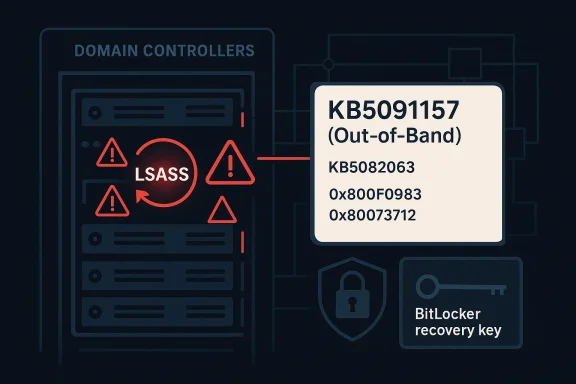
Diagram shows domain controllers with LSASS warning icons and an out-of-band KB5091157 patch note.Overview​

The immediate trigger was the April 14, 2026 security wave, which introduced a set of cumulative updates across Windows Server releases. For Windows Server 2025, the update was KB5082063, and Microsoft later documented that some domain controllers using Privileged Access Management (PAM) could hit startup issues after reboot, with LSASS potentially stopping responsiveness and causing repeated restarts. Microsoft also acknowledged that a subset of Windows Server 2025 devices could fail to install that same update entirely, with error codes such as 0x800F0983 and 0x80073712 appearing in affected environments.
That combination made this more than a routine patching hiccup. Domain controllers are not ordinary servers; they are the authentication backbone for enterprises, so a reboot loop can quickly escalate into a directory outage, broken logons, failed service tickets, and support chaos. Microsoft’s out-of-band response on April 19 shows how quickly a servicing bug can become a business continuity issue when it affects core identity infrastructure.
The company’s answer was broad but not identical across releases. KB5091157 covers Windows Server 2025; KB5091571 covers Windows Server, version 23H2; KB5091575 covers Windows Server 2022; KB5091573 covers Windows Server 2019; KB5091572 covers Windows Server 2016; and hotpatch equivalents were published for Windows Server 2025 Datacenter Azure Edition and Windows Server 2022 Datacenter Azure Edition. Microsoft’s release notes make clear that the Windows Server 2025 package is the only one that also resolves the failed-install path tied to KB5082063.
This is also part of a familiar pattern. Microsoft has had to issue emergency follow-up updates before when cumulative patches caused authentication, recovery, or boot problems, and the company has increasingly relied on out-of-band servicing when the normal monthly rhythm is not safe enough. That pattern tells admins something important: the patch itself may be the risk, especially on infrastructure that has little tolerance for downtime.

What Microsoft Fixed​

Microsoft’s support documentation for Windows Server 2025 says the out-of-band update KB5091157 is a non-security cumulative update that incorporates the quality fixes from KB5082063 while addressing the two known April issues. In practical terms, that means it does not just patch over a symptom; it is the replacement path for organizations that either already installed the April update or were blocked by the installation failure.

The two Windows Server 2025 fixes​

The first fix is the domain controller restart issue. Microsoft says that after installing the April 14 update and restarting, domain controllers in multi-domain forests using PAM could experience startup problems, with LSASS possibly stopping responding and triggering repeated restarts. That is the kind of failure that turns a security patch into a full-blown identity incident.
The second fix is the installation failure affecting some Windows Server 2025 systems. Microsoft says some machines may fail to install KB5082063 and surface errors including 0x800F0983 and 0x80073712. The out-of-band KB5091157 package resolves that installation problem as well, which makes it the preferred remediation for Windows Server 2025 administrators rather than a simple workaround.
A key operational detail is that Microsoft explicitly notes devices with prior updates will only download and install the new changes in the OOB package. That matters for bandwidth, maintenance windows, and change control, because it means the emergency fix is designed to slot into the existing servicing chain rather than force a complete redraw of the patch state.

Why this is different from a normal cumulative update​

The phrase out-of-band is not just labeling. It signals that Microsoft is stepping outside the usual Patch Tuesday cadence because the original update created enough damage that waiting until the next monthly cycle would be too risky. For domain controllers, that distinction is crucial: identity services do not get to “wait a week” when authentication is down.
For enterprise administrators, this also changes trust calculus. If an update released to improve security causes service outages, teams tend to become more conservative about deployment sequencing, especially on DCs and other tier-0 systems. That caution is rational, but it also increases the pressure on Microsoft to ship clearer known-issue guidance and faster rollback paths.

How the Reboot Loop Happened​

The common thread in Microsoft’s documentation is LSASS, the Local Security Authority Subsystem Service, which is central to authentication and security policy handling on Windows. When LSASS hangs or crashes on a domain controller, authentication can fail, startup can destabilize, and the server may repeatedly reboot in an attempt to recover.

LSASS and domain controller stability​

On a member server, an LSASS fault is serious. On a domain controller, it can be catastrophic. The reason is simple: the DC is not merely running a service; it is often the service layer through which the broader identity fabric operates, including logons, group policy processing, Kerberos-related workflows, and directory lookups.
Microsoft’s wording is particularly important because it ties the failure to multi-domain forests using PAM. That suggests the bug was not a universal defect across every installation, but a more specific interaction between security hardening, directory topology, and post-update startup behavior. In other words, the blast radius may be narrower than “all domain controllers,” but the impact inside the affected cohort is severe.
There is also a timing nuance. Microsoft notes the issue can show up when setting up new domain controllers if the server starts processing authentication requests before boot is fully complete. That detail implies a race condition or initialization sequencing problem, which is exactly the kind of thing that can remain invisible during lab testing but surface in production under load. (techzine.eu)

Why startup timing matters​

Startup timing bugs are particularly dangerous in authentication systems because they can be self-amplifying. If a boot-time service is not ready and requests arrive too early, the system may enter a failure path that repeats on every restart, making the server look “possessed” when the underlying cause is simply a bad interaction during initialization.
That is also why reboot loops are harder to handle than a static crash. A one-time fault can often be diagnosed from logs and left in a broken but reachable state; a reboot loop keeps interrupting forensic access and can force administrators into recovery modes, console sessions, or rollback procedures just to stabilize the machine long enough to collect evidence. That operational pain is the real story here.

BitLocker Adds a Second Layer of Trouble​

The LSASS reboot loop is not the only issue Microsoft had to warn about. The company also said some Windows Server 2025 systems could boot into BitLocker recovery mode after installing the April 2026 update, requiring the recovery key before normal startup could continue. That kind of prompt is not just an inconvenience; on locked-down infrastructure it can become an access-control emergency.

What BitLocker recovery means for administrators​

BitLocker recovery generally means the platform has detected an integrity state it does not trust, often after a Secure Boot or boot-chain change. When it appears unexpectedly on a server, administrators may find themselves needing manual intervention, physical or remote console access, and a valid recovery key before the machine can return to service.
For Windows Server 2025 specifically, Microsoft’s support notes say the April update addresses an issue where the device might enter BitLocker Recovery after the Secure Boot updates. That means the company is not only reacting to a boot-screen symptom, but also acknowledging a broader interaction among update content, firmware trust, and startup security checks.
The bigger takeaway is that these issues often cluster. A single patch can touch cryptographic trust, startup sequencing, and identity services all at once, and any one of those layers can fail. When multiple layers fail together, the resulting incident looks random even though it is usually an interaction bug in the servicing stack or boot chain.

Enterprise impact versus consumer-style pain​

This is one of those situations where server problems feel far worse than client problems because the operational dependencies are different. A desktop prompted for a BitLocker key is annoying; a domain controller in recovery or reboot loops can stall an entire business unit, especially if it is a primary DC, a site-local DC, or part of a stretched authentication architecture.
The enterprise burden is compounded by process. Server changes are often staged, approved, logged, and maintenance-windowed, so a bad update does not just create downtime; it also consumes operational confidence. That loss of confidence lingers and can slow later patch adoption, which is a security risk in itself.

The Update Matrix​

Microsoft’s follow-up patches were not limited to one SKU. The company published emergency packages for a broad set of supported server releases, signaling that the underlying reboot issue was not exclusive to the latest platform. This matters for organizations with mixed estates, where older domain controllers often remain in service longer than anyone would prefer.

Supported versions covered by the OOB wave​

The list is straightforward but operationally significant:
  • Windows Server 2025: KB5091157.
  • Windows Server, version 23H2: KB5091571.
  • Windows Server 2022: KB5091575.
  • Windows Server 2019: KB5091573.
  • Windows Server 2016: KB5091572.
  • Windows Server 2025 Datacenter Azure Edition Hotpatch: KB5091470.
  • Windows Server 2022 Datacenter Azure Edition Hotpatch: KB5091576.
That breadth suggests Microsoft viewed the domain controller restart issue as a platform-level regression rather than a one-off edge case. It also implies the company wanted to normalize remediation quickly across the supported server family, rather than leave administrators guessing about which builds were vulnerable.

Why Windows Server 2025 got special treatment​

Windows Server 2025 stands out because its OOB package fixes both the reboot issue and the KB5082063 installation failure. That dual-purpose nature makes it the most important download in the group, because it addresses both failed deployment and failed post-install behavior.
This is also consistent with Microsoft’s support language around Azure Edition hotpatches. The company notes that eligible hotpatch systems affected by the KB5082063 install problem can receive the OOB protection, but the fix requires a reboot and hotpatching does not resume until the next baseline cycle. That is a reminder that even advanced patching models are still anchored to conventional servicing realities.

What Administrators Should Do​

The practical response depends on where the update is in your workflow. If KB5082063 has already been installed on a Windows Server 2025 domain controller and the machine is unstable, Microsoft’s release notes and support guidance point to KB5091157 as the corrective package. If the update has not yet been deployed to DCs in a sensitive PAM-enabled environment, caution is the more sensible default.

Immediate actions to prioritize​

Administrators should focus on containment, sequencing, and validation rather than broad rollout. The safest path is to identify domain controllers and authentication-critical servers first, then confirm their current KB state and whether they are in any PAM-dependent multi-domain forest.
A practical checklist would look like this:
  • Inventory affected servers and confirm build numbers before making changes.
  • Check domain controller role and PAM usage in the affected forest.
  • Prioritize KB5091157 or the matching OOB package over waiting for the next monthly cycle.
  • Validate BitLocker recovery-key access before rebooting Windows Server 2025 systems.
  • Stage restarts carefully on primary and backup DCs to preserve authentication availability.
The short version is that this is not a patch you casually push through a generic software update ring. It deserves the same care you would give a schema change or an identity-architecture modification. That is not exaggeration; it is operational reality.

The Windows Server 2019, 2022, and 2016 angle​

For older server releases, Microsoft’s OOB updates focus on the restart issue alone. That makes sense if the installation failure was confined to Windows Server 2025, but it also means mixed estates need separate verification steps rather than a one-size-fits-all assumption.
Enterprises with lingering Server 2016 or Server 2019 domain controllers should pay particular attention here. Older controllers are often retained for application compatibility, but that also means they can become the weak link during a servicing emergency if patch sequencing is not tightly managed.

Competitive and Market Implications​

Microsoft’s handling of this incident has wider significance than a single bad update. It underscores how much modern enterprise competition depends on service reliability, not just features. When the core identity platform stumbles, customers notice, and those experiences can influence future cloud and platform decisions just as much as a new feature launch can.

Why rivals will care​

For competitors in infrastructure, identity, and cloud-managed services, incidents like this are a reminder that patch quality is a product feature. Organizations choosing between on-premises, hybrid, and cloud-native identity strategies weigh operational risk heavily, and any high-profile reboot-loop event becomes evidence in those debates.
It also helps explain why hotpatch, staged rollout, and release-health transparency have become strategic assets. The vendors that can update quickly without breaking authentication are the ones most likely to win trust from cautious enterprise buyers. Microsoft’s own need to ship multiple OOB packages illustrates how expensive trust can be to regain after a failed patch cycle.

The servicing model under pressure​

There is another market implication hidden in the details: the more complex the security stack becomes, the easier it is for one patch to expose dependency chains that no test lab fully simulates. That means the value of preview rings, telemetry, and rollback tooling keeps rising, while the tolerance for “surprise” regressions keeps shrinking. The enterprise market is effectively voting for safer servicing.

Strengths and Opportunities​

Microsoft’s response was not perfect, but it was fast, broad, and reasonably transparent by the standards of emergency servicing. The company acknowledged the issue, published fixes for multiple supported branches, and differentiated the Windows Server 2025 package from the others so administrators would know which build addressed which problem. That is the kind of response that can limit long-term damage if it is followed by cleaner patch validation.
  • Rapid acknowledgment of a serious DC regression.
  • Broad coverage across supported Server versions.
  • Clear differentiation between the Windows Server 2025 fix and the other OOB packages.
  • Reduced uncertainty for administrators with explicit issue descriptions.
  • Better servicing discipline if Microsoft uses this to tighten regression testing. That is the opportunity.
  • Hotpatch continuity for Azure Edition customers once the baseline cycle catches up.
  • Improved admin playbooks around BitLocker recovery and DC patching.

Risks and Concerns​

The biggest concern is not just that a patch failed, but that it failed in a highly sensitive part of the Windows Server stack. Domain controllers, authentication, and boot integrity are all low-tolerance systems, so even a small regression can create outsized disruption. The second concern is confidence erosion: once admins are burned by a patch that breaks LSASS or triggers BitLocker recovery, they become more reluctant to deploy subsequent updates quickly.
  • Authentication outages can cascade beyond the server itself.
  • Reboot loops complicate troubleshooting and rollback.
  • BitLocker recovery prompts create manual intervention overhead.
  • Patch hesitation can leave systems exposed longer than intended. This is the security tradeoff.
  • Mixed-version estates increase the chance of incomplete remediation.
  • PAM-specific complexity means the bug may be misunderstood outside carefully matched lab conditions.
  • Reputation risk grows when emergency updates become a recurring pattern.

Looking Ahead​

The next few days will tell us whether the out-of-band packages fully stabilize the April 2026 server wave or whether a second-order issue emerges from the emergency fix itself. Microsoft’s release-health pages now sit at the center of the admin workflow, and that is likely to remain true as patch complexity rises and the company leans harder on rapid response. If the OOB packages restore confidence, this will be remembered as a bad week that was contained. If not, it becomes another example of how fragile identity infrastructure can be when servicing goes wrong.
The broader lesson is that enterprises should treat domain-controller patching as a specialized discipline, not a routine checkbox. That means smaller rings, stricter validation, explicit BitLocker readiness, and a real rollback plan before the first reboot occurs. The safer organization is the one that assumes Patch Tuesday can fail.
  • Confirm whether KB5091157 or the matching OOB package is installed on every domain controller.
  • Verify recovery-key handling for all Windows Server 2025 systems before maintenance.
  • Check for PAM dependencies in multi-domain forests.
  • Watch Microsoft’s update history pages for follow-on servicing notes.
  • Delay broad rollout until one or two representative DCs have proven stable.
The April 2026 Windows Server incident is a reminder that the most important patches are often the ones that arrive after the patch of record has already failed. Microsoft has done the right thing by shipping emergency replacements, but the real test is whether these fixes restore both uptime and confidence. In server administration, confidence is part of the platform, and this month’s events have shown just how quickly it can evaporate when the identity layer starts rebooting itself.

Source: Techzine Global Emergency Update for Windows Server Following Reboot Issues
 

Back
Top