

Microsoft has quietly published a new Windows Update component that refreshes the Nvidia TensorRT-RTX Execution Provider on eligible Windows 11 24H2 and 25H2 systems. The update, KB5083460, brings the component to version 2.2603.1.0 and is positioned as an automatic install through Windows Update, not a manual driver download. For RTX PC owners, that matters because Microsoft is continuing to fold the consumer AI runtime stack deeper into the operating system rather than leaving it entirely to standalone NVIDIA software packages. (support.microsoft.com)
The headline here is less about a flashy consumer-facing feature and more about the way Microsoft is evolving Windows into an AI delivery platform. TensorRT-RTX is the execution provider that helps Windows ML route inference workloads to the GPU on consumer RTX hardware, and Microsoft explicitly says it is the preferred execution provider for that role on RTX PCs. In plain terms, this means the company is nudging everyday users and OEMs toward a more integrated path for local AI acceleration, with fewer manual steps and fewer compatibility surprises. (support.microsoft.com)
That positioning is important because Microsoft is drawing a line between the older datacenter-focused TensorRT Execution Provider and the newer RTX-oriented one. The old path was built for a very different deployment model, while the RTX variant is described by Microsoft as more straightforward to use and more performant than CUDA EP on consumer systems. That combination suggests an effort to make Windows’ on-device AI stack easier for developers to target and easier for ordinary users to receive through servicing. (support.microsoft.com)
The update also underscores how Microsoft is now treating AI runtime improvements as part of normal Windows maintenance. The package is set to download and install automatically, and Microsoft says you must already have the latest cumulative update for Windows 11 version 24H2 or 25H2 before it will apply. That prerequisite is a clue: this is not a standalone novelty, but a tightly versioned servicing component that depends on the current OS baseline. (support.microsoft.com)
For enterprise observers, that matters almost as much as it does for enthusiasts. Any component delivered through Windows Update inherits the promise—and the risk—of broad distribution. It means Microsoft can improve the AI stack at scale, but it also means administrators need to understand that AI runtimes are now part of the operating system’s moving parts, not just something developers ship inside an app bundle. (support.microsoft.com)
The public language on Microsoft’s support pages is revealing. Rather than presenting TensorRT-RTX as a niche developer toolkit, Microsoft frames it as the preferred execution provider for GPU acceleration on consumer hardware. That phrasing signals a strategic shift: Windows is increasingly expected to carry opinionated defaults for AI workloads, much like it has for browser, media, and security subsystems in the past. (support.microsoft.com)
A useful comparison is the earlier KB5077528, which Microsoft documented as an NVIDIA TensorRT-RTX Execution Provider update at version 1.8.22.0 for the same Windows 11 24H2 and 25H2 family. KB5083460 explicitly replaces that earlier package, which shows Microsoft is iterating the component through servicing rather than waiting for major product releases. In other words, the AI runtime is now on the same kind of update cadence Windows users already know from drivers, security fixes, and feature rollups. (support.microsoft.com)
That cadence also reflects how quickly the AI software stack is changing. NVIDIA’s TensorRT for RTX developer materials show active development and version progression, including updates tied to modern CUDA and Windows support. The servicing model lets Microsoft and NVIDIA push incremental improvements into the runtime layer without asking users to manually hunt down separate packages or reconfigure application dependencies.
There is also a broader operating-system lesson here. Windows 11 has increasingly become a vehicle for device-specific intelligence, from AI features to graphics and hardware acceleration behavior. TensorRT-RTX is one of the clearest examples yet of Microsoft treating GPU inference as a first-class OS concern rather than a specialized add-on. That makes the update more consequential than its modest changelog would suggest. (support.microsoft.com)
The replacement behavior is equally important. Because KB5083460 supersedes KB5068004, Microsoft is effectively signaling that the earlier provider update has been folded into the newer servicing path. That matters for troubleshooting: if users or admins see KB5068004 on older documentation or update histories, the new package is now the one to watch moving forward. (support.microsoft.com)
For consumers, the practical effect is simple: if your RTX PC is eligible and up to date, the improvement arrives in the background. For developers, the implication is more nuanced, because a revised runtime can change performance characteristics, resolved issues, or fallback behavior without the app code changing at all. That makes release-note discipline and testing more important than ever. (support.microsoft.com)
The fact that Microsoft is not advertising a consumer feature list also says something. This is an infrastructure update masquerading as a minor support entry, which is common for platform plumbing but easy to overlook. The update may not be headline-grabbing, yet it sits in the path of AI workloads that increasingly define how premium Windows PCs differentiate themselves. (support.microsoft.com)
The consumer versus datacenter distinction is critical. Datacenter TensorRT is optimized for a very different environment: controlled deployment, larger-scale model serving, and enterprise operators who can tolerate more complexity. RTX PCs, by contrast, need something that works on millions of mixed-consumer configurations without forcing users into developer-style setup. TensorRT-RTX is Microsoft’s answer to that reality. (support.microsoft.com)
By contrast, datacenter software often assumes a curated environment with known drivers and fixed workloads. Translating that mindset to consumer PCs usually creates friction, and Microsoft appears to know that. The RTX provider’s existence suggests the company wants the benefits of TensorRT-style acceleration without the operational overhead that made the legacy path less attractive for average Windows users. (support.microsoft.com)
For OEMs, this is a welcome simplification. A preinstalled or automatically updated provider reduces the number of moving parts they must document for AI-enabled features, especially on Copilot+ and RTX-class machines. For app makers, it could make Windows ML deployment more predictable as long as they target the supported runtime path. (support.microsoft.com)
This approach lowers friction. Users do not need to visit NVIDIA’s site, compare package versions, or manually install a developer-focused runtime to unlock supported AI acceleration paths. The update also lands in a place administrators already monitor, namely Update history in Settings, making it easier to verify deployment. (support.microsoft.com)
That coupling may actually be necessary. Local AI workloads depend on a chain of components—OS, GPU driver, framework, model runtime, and application integration. A fragmented update model would leave too many users with mismatched pieces, so Microsoft’s approach is pragmatic even if it reduces the illusion that AI features are “just apps.” (support.microsoft.com)
It also hints at Microsoft’s broader platform ambition. The company is using Windows Update not only to fix bugs, but to curate the runtime environment for AI-first hardware. That is a subtle but important signal to both developers and competitors: Windows is increasingly the place where local AI capability is assembled, not merely launched. (support.microsoft.com)
That dependency also makes KB5083460 a reminder that Windows’ AI story is now split across multiple update channels. The cumulative update establishes the platform baseline, while the provider update layers on the AI-specific runtime. For admins, that means change control needs to consider both. For consumers, it means Windows Update is doing more than it did even a year ago. (support.microsoft.com)
For enterprises, the story is more complicated. Even if the package is consumer-oriented, it still enters the estate through the same mechanism that brings in security and quality updates, so IT teams must understand its interaction with hardware baselines and image management. That is especially true where AI apps are being piloted on newer RTX laptops and desktops. (support.microsoft.com)
There is also a communications challenge. End users may not understand why an AI-related update appears in Windows Update or how it differs from a graphics driver package. Enterprises should anticipate that confusion and document the difference between the display driver, the GPU runtime, and the execution provider. Those are not interchangeable pieces. (support.microsoft.com)
That creates pressure on rivals. AMD and Intel can offer strong hardware, but platform stickiness matters just as much as raw silicon. If Microsoft keeps improving a Windows ML path that is optimized around RTX hardware and delivered by Windows Update, developers may continue to prioritize that path first, even if alternate backends remain technically available. (support.microsoft.com)
This also encourages a more opinionated software ecosystem on Windows. If the preferred path for RTX PCs is well documented and auto-updated, developers have less reason to maintain messy fallback strategies. That could be good for performance and reliability, but it may also reduce flexibility for users with unusual hardware or strict deployment requirements. (support.microsoft.com)
The most likely competitive outcome is incremental rather than dramatic. Microsoft is not banning other providers, but it is making one route easier, more visible, and more maintainable. In platform terms, that is often how winners are chosen: not by exclusivity, but by convenience and consistency. (support.microsoft.com)
Because the package is delivered through Windows Update, it should not require special installation steps. Still, users who are actively troubleshooting AI workloads should verify the OS cumulative update first, since Microsoft makes that a prerequisite. Without the correct base build, the provider update may never appear in the first place. (support.microsoft.com)
We should also watch whether Microsoft expands similar servicing patterns to other providers or hardware classes. If Windows Update becomes the main delivery mechanism for AI runtimes across more devices, the line between a “Windows update” and an “AI platform update” will continue to blur. That has implications for patch management, support, and software development.
Finally, the competitive signal is worth monitoring. If NVIDIA keeps receiving preferential runtime integration on RTX PCs, rivals will need stronger platform stories, not just stronger silicon. In the Windows ecosystem, the control point is often the runtime layer, and that is exactly where Microsoft appears to be investing.
Source: Microsoft Support KB5083460: Nvidia TensorRT-RTX Execution Provider update (version 2.2603.1.0) - Microsoft Support
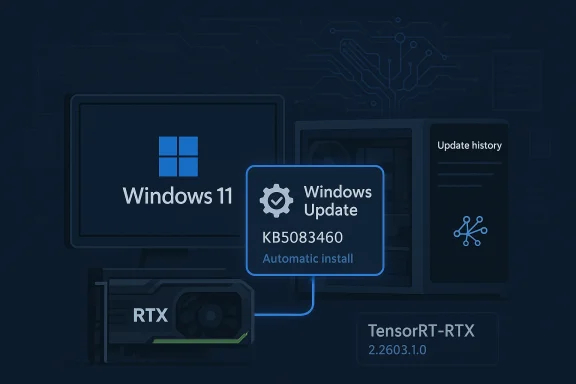 Overview
The headline here is less about a flashy consumer-facing feature and more about the way Microsoft is evolving Windows into an AI delivery platform. TensorRT-RTX is the execution provider that helps Windows ML route inference workloads to the GPU on consumer RTX hardware, and Microsoft explicitly says it is the preferred execution provider for that role on RTX PCs. In plain terms, this means the company is nudging everyday users and OEMs toward a more integrated path for local AI acceleration, with fewer manual steps and fewer compatibility surprises. (support.microsoft.com)That positioning is important because Microsoft is drawing a line between the older datacenter-focused TensorRT Execution Provider and the newer RTX-oriented one. The old path was built for a very different deployment model, while the RTX variant is described by Microsoft as more straightforward to use and more performant than CUDA EP on consumer systems. That combination suggests an effort to make Windows’ on-device AI stack easier for developers to target and easier for ordinary users to receive through servicing. (support.microsoft.com)
The update also underscores how Microsoft is now treating AI runtime improvements as part of normal Windows maintenance. The package is set to download and install automatically, and Microsoft says you must already have the latest cumulative update for Windows 11 version 24H2 or 25H2 before it will apply. That prerequisite is a clue: this is not a standalone novelty, but a tightly versioned servicing component that depends on the current OS baseline. (support.microsoft.com)
For enterprise observers, that matters almost as much as it does for enthusiasts. Any component delivered through Windows Update inherits the promise—and the risk—of broad distribution. It means Microsoft can improve the AI stack at scale, but it also means administrators need to understand that AI runtimes are now part of the operating system’s moving parts, not just something developers ship inside an app bundle. (support.microsoft.com)
Background
Microsoft and NVIDIA have been moving closer around local AI inference on Windows for some time, and TensorRT-RTX is a direct result of that trend. NVIDIA introduced TensorRT for RTX as a Windows inference solution aimed at RTX GPUs, and described it as part of the Windows ML stack during the Microsoft Build cycle. That collaboration is the context behind these servicing updates: Microsoft is not merely patching a library, it is building a default lane for consumer AI workloads on RTX PCs.The public language on Microsoft’s support pages is revealing. Rather than presenting TensorRT-RTX as a niche developer toolkit, Microsoft frames it as the preferred execution provider for GPU acceleration on consumer hardware. That phrasing signals a strategic shift: Windows is increasingly expected to carry opinionated defaults for AI workloads, much like it has for browser, media, and security subsystems in the past. (support.microsoft.com)
A useful comparison is the earlier KB5077528, which Microsoft documented as an NVIDIA TensorRT-RTX Execution Provider update at version 1.8.22.0 for the same Windows 11 24H2 and 25H2 family. KB5083460 explicitly replaces that earlier package, which shows Microsoft is iterating the component through servicing rather than waiting for major product releases. In other words, the AI runtime is now on the same kind of update cadence Windows users already know from drivers, security fixes, and feature rollups. (support.microsoft.com)
That cadence also reflects how quickly the AI software stack is changing. NVIDIA’s TensorRT for RTX developer materials show active development and version progression, including updates tied to modern CUDA and Windows support. The servicing model lets Microsoft and NVIDIA push incremental improvements into the runtime layer without asking users to manually hunt down separate packages or reconfigure application dependencies.
There is also a broader operating-system lesson here. Windows 11 has increasingly become a vehicle for device-specific intelligence, from AI features to graphics and hardware acceleration behavior. TensorRT-RTX is one of the clearest examples yet of Microsoft treating GPU inference as a first-class OS concern rather than a specialized add-on. That makes the update more consequential than its modest changelog would suggest. (support.microsoft.com)
What KB5083460 Actually Changes
Microsoft’s support note is brief, but the operational details are still meaningful. KB5083460 updates the Nvidia TensorRT-RTX Execution Provider to version 2.2603.1.0, and it says the package contains improvements for Windows 11 24H2 and 25H2. The company does not publish a long feature list on the page, which usually means the update is focused on stability, compatibility, and runtime refinement rather than a visible UI change. (support.microsoft.com)The replacement behavior is equally important. Because KB5083460 supersedes KB5068004, Microsoft is effectively signaling that the earlier provider update has been folded into the newer servicing path. That matters for troubleshooting: if users or admins see KB5068004 on older documentation or update histories, the new package is now the one to watch moving forward. (support.microsoft.com)
Why the version bump matters
Version numbers on AI runtimes are not just bookkeeping. They often imply compatibility work around model execution, graph optimization, backend behavior, or packaging changes that are invisible to end users but critical to apps built on Windows ML. In this case, the jump from the earlier 1.8.x line to 2.2603.1.0 suggests Microsoft and NVIDIA are continuing to mature the provider as a shipped platform component. That kind of quiet progress is exactly what you want from an execution layer. (support.microsoft.com)For consumers, the practical effect is simple: if your RTX PC is eligible and up to date, the improvement arrives in the background. For developers, the implication is more nuanced, because a revised runtime can change performance characteristics, resolved issues, or fallback behavior without the app code changing at all. That makes release-note discipline and testing more important than ever. (support.microsoft.com)
The fact that Microsoft is not advertising a consumer feature list also says something. This is an infrastructure update masquerading as a minor support entry, which is common for platform plumbing but easy to overlook. The update may not be headline-grabbing, yet it sits in the path of AI workloads that increasingly define how premium Windows PCs differentiate themselves. (support.microsoft.com)
Why TensorRT-RTX Matters for RTX PCs
The key reason this update matters is that TensorRT-RTX is not just another driver layer. Microsoft says it is the preferred execution provider for GPU acceleration on consumer RTX hardware, and that it is more approachable than the datacenter-focused TensorRT provider while outperforming CUDA EP in this consumer AI context. That puts it squarely in the path of the local AI features that PC vendors are trying to sell this year. (support.microsoft.com)The consumer versus datacenter distinction is critical. Datacenter TensorRT is optimized for a very different environment: controlled deployment, larger-scale model serving, and enterprise operators who can tolerate more complexity. RTX PCs, by contrast, need something that works on millions of mixed-consumer configurations without forcing users into developer-style setup. TensorRT-RTX is Microsoft’s answer to that reality. (support.microsoft.com)
Consumer hardware versus datacenter assumptions
A consumer PC has to balance gaming, productivity, power management, and now on-device AI. That makes a runtime provider useful only if it installs cleanly, cooperates with Windows Update, and remains stable across a broad hardware matrix. Microsoft’s insistence on automatic delivery through Windows Update is therefore not a minor convenience; it is part of the reliability strategy. (support.microsoft.com)By contrast, datacenter software often assumes a curated environment with known drivers and fixed workloads. Translating that mindset to consumer PCs usually creates friction, and Microsoft appears to know that. The RTX provider’s existence suggests the company wants the benefits of TensorRT-style acceleration without the operational overhead that made the legacy path less attractive for average Windows users. (support.microsoft.com)
For OEMs, this is a welcome simplification. A preinstalled or automatically updated provider reduces the number of moving parts they must document for AI-enabled features, especially on Copilot+ and RTX-class machines. For app makers, it could make Windows ML deployment more predictable as long as they target the supported runtime path. (support.microsoft.com)
Windows Update Becomes an AI Delivery Channel
One of the most interesting parts of KB5083460 is not the provider itself, but the delivery mechanism. Microsoft says the update will be downloaded and installed automatically from Windows Update, which turns the OS servicing stack into an AI runtime distribution system. That is a major shift in how people should think about Windows maintenance. (support.microsoft.com)This approach lowers friction. Users do not need to visit NVIDIA’s site, compare package versions, or manually install a developer-focused runtime to unlock supported AI acceleration paths. The update also lands in a place administrators already monitor, namely Update history in Settings, making it easier to verify deployment. (support.microsoft.com)
What automatic servicing changes
Automatic servicing means Microsoft can push compatibility improvements at the same speed as other platform fixes. It also means there is a tighter coupling between Windows quality updates and AI performance, which is both powerful and slightly unsettling for users who prefer a more static system. When AI runtimes live inside Windows servicing, every Patch Tuesday has the potential to affect local inference. (support.microsoft.com)That coupling may actually be necessary. Local AI workloads depend on a chain of components—OS, GPU driver, framework, model runtime, and application integration. A fragmented update model would leave too many users with mismatched pieces, so Microsoft’s approach is pragmatic even if it reduces the illusion that AI features are “just apps.” (support.microsoft.com)
It also hints at Microsoft’s broader platform ambition. The company is using Windows Update not only to fix bugs, but to curate the runtime environment for AI-first hardware. That is a subtle but important signal to both developers and competitors: Windows is increasingly the place where local AI capability is assembled, not merely launched. (support.microsoft.com)
Prerequisites and Deployment Implications
Microsoft’s support page says the update requires the latest cumulative update for Windows 11 24H2 or Windows 11 25H2. That prerequisite is standard for component servicing, but it has practical implications for anyone managing fleets of RTX PCs. If the base OS is behind, the AI runtime update will simply not show up as expected. (support.microsoft.com)That dependency also makes KB5083460 a reminder that Windows’ AI story is now split across multiple update channels. The cumulative update establishes the platform baseline, while the provider update layers on the AI-specific runtime. For admins, that means change control needs to consider both. For consumers, it means Windows Update is doing more than it did even a year ago. (support.microsoft.com)
Enterprise and consumer handling
For consumers, the update is mostly invisible unless they are troubleshooting or tracking AI performance. The installer runs automatically, and the presence check is straightforward in Settings > Windows Update > Update history. That simplicity is exactly what consumer servicing should look like when the update pertains to a runtime layer. (support.microsoft.com)For enterprises, the story is more complicated. Even if the package is consumer-oriented, it still enters the estate through the same mechanism that brings in security and quality updates, so IT teams must understand its interaction with hardware baselines and image management. That is especially true where AI apps are being piloted on newer RTX laptops and desktops. (support.microsoft.com)
There is also a communications challenge. End users may not understand why an AI-related update appears in Windows Update or how it differs from a graphics driver package. Enterprises should anticipate that confusion and document the difference between the display driver, the GPU runtime, and the execution provider. Those are not interchangeable pieces. (support.microsoft.com)
Competitive Implications for NVIDIA, AMD, and App Developers
KB5083460 reinforces NVIDIA’s lead position in consumer AI acceleration on Windows, but it also benefits Microsoft’s platform strategy more broadly. By making the RTX execution provider the preferred route for Windows ML on RTX hardware, Microsoft is effectively endorsing a stack in which NVIDIA’s consumer GPUs become the default acceleration choice for a growing class of local AI applications. (support.microsoft.com)That creates pressure on rivals. AMD and Intel can offer strong hardware, but platform stickiness matters just as much as raw silicon. If Microsoft keeps improving a Windows ML path that is optimized around RTX hardware and delivered by Windows Update, developers may continue to prioritize that path first, even if alternate backends remain technically available. (support.microsoft.com)
What developers should notice
Developers building Windows AI apps should pay attention to the fact that Microsoft is iterating the execution provider underneath them. A change like KB5083460 can alter performance, compatibility, or optimization behavior without a corresponding app release. That means app testing should now include the whole provider chain, not just the application binary and model file. (support.microsoft.com)This also encourages a more opinionated software ecosystem on Windows. If the preferred path for RTX PCs is well documented and auto-updated, developers have less reason to maintain messy fallback strategies. That could be good for performance and reliability, but it may also reduce flexibility for users with unusual hardware or strict deployment requirements. (support.microsoft.com)
The most likely competitive outcome is incremental rather than dramatic. Microsoft is not banning other providers, but it is making one route easier, more visible, and more maintainable. In platform terms, that is often how winners are chosen: not by exclusivity, but by convenience and consistency. (support.microsoft.com)
How to Verify the Update on a PC
Microsoft’s guidance on checking for the update is straightforward, and that simplicity matters because runtime components are easy to miss. The company says to open Settings > Windows Update > Update history and look for Windows ML Runtime Nvidia TensorRT-RTX Execution Provider Update (KB5077528) or, after the newer rollout takes hold, the updated KB5083460 entry. That is the clearest way for users to confirm the component is present. (support.microsoft.com)Because the package is delivered through Windows Update, it should not require special installation steps. Still, users who are actively troubleshooting AI workloads should verify the OS cumulative update first, since Microsoft makes that a prerequisite. Without the correct base build, the provider update may never appear in the first place. (support.microsoft.com)
Practical verification checklist
A simple, sequential approach makes the most sense here:- Confirm the PC is running Windows 11 24H2 or 25H2.
- Install the latest cumulative update for that release.
- Open Windows Update and let the system check for updates.
- Review Update history for the TensorRT-RTX runtime entry.
- If needed, compare the installed version against the current Microsoft support note. (support.microsoft.com)
Strengths and Opportunities
The biggest strength of KB5083460 is that it keeps the consumer RTX AI stack moving inside the Windows servicing model instead of scattering it across separate download portals. That creates a more coherent experience for users and a more manageable target for developers. It also gives Microsoft a clean way to ship improvements quietly and widely.- Automatic installation reduces user friction.
- Windows Update delivery improves consistency across devices.
- Preferred provider status gives developers a clear default path.
- Replacement of KB5068004 simplifies servicing lineage.
- Versioned runtime updates can improve AI performance without app changes.
- Consumer-focused TensorRT-RTX is easier to deploy than legacy datacenter tooling.
- Update history visibility helps admins confirm deployment quickly.
Risks and Concerns
The same things that make KB5083460 attractive also introduce new operational risks. When AI runtimes are bundled into OS servicing, users lose some control over exactly when inference behavior changes, and administrators must monitor more than just security patch levels. The update is small on paper, but its placement in the stack makes it potentially consequential.- Hidden behavior changes may affect app performance unexpectedly.
- OS baseline dependency can block deployment on lagging systems.
- Driver/runtime confusion may complicate support cases.
- Vendor lock-in pressure could narrow developer targeting choices.
- Automatic rollout may worry users who prefer stable AI stacks.
- Incomplete documentation leaves too much to inference about the underlying fixes.
- Mixed hardware estates could see uneven results across RTX and non-RTX devices.
What to Watch Next
The next questions are less about this single package and more about where Microsoft is taking the AI runtime model. If KB5083460 is one more step in a rolling provider strategy, then future Windows 11 updates may keep refining the local inference stack in smaller, more frequent increments. That would fit Microsoft’s current habit of treating AI as part of core platform maintenance rather than a separate product line.We should also watch whether Microsoft expands similar servicing patterns to other providers or hardware classes. If Windows Update becomes the main delivery mechanism for AI runtimes across more devices, the line between a “Windows update” and an “AI platform update” will continue to blur. That has implications for patch management, support, and software development.
Finally, the competitive signal is worth monitoring. If NVIDIA keeps receiving preferential runtime integration on RTX PCs, rivals will need stronger platform stories, not just stronger silicon. In the Windows ecosystem, the control point is often the runtime layer, and that is exactly where Microsoft appears to be investing.
- Future KB releases may bring more frequent TensorRT-RTX refinements.
- Windows ML adoption could rise if deployment stays frictionless.
- Developer testing practices may need to include runtime update validation.
- Enterprise documentation will need to separate drivers from execution providers.
- Competing GPU vendors may push harder for equally smooth Windows integration.
Source: Microsoft Support KB5083460: Nvidia TensorRT-RTX Execution Provider update (version 2.2603.1.0) - Microsoft Support
