

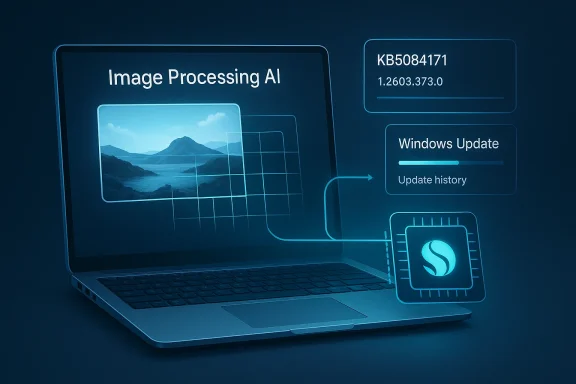
Microsoft has started rolling out a new Image Processing AI component update for Copilot+ PCs with Qualcomm processors, and the company is positioning it as a quiet but important maintenance release rather than a flashy feature drop. The update is identified as KB5084171 and delivers version 1.2603.373.0 for Windows 11 version 24H2 and Windows 11 version 25H2. Microsoft says it installs automatically through Windows Update, requires the latest cumulative update for the relevant Windows 11 release, and replaces the earlier KB5079250 package. (support.microsoft.com)
Windows on ARM has moved from being an experiment to being a serious platform strategy, and Copilot+ PCs are now the clearest expression of that shift. Microsoft is no longer treating the NPU as a novelty; it is shipping AI component updates alongside regular Windows servicing, which means the AI stack is becoming part of the normal patch rhythm. That matters because it signals a broader change in how Windows evolves: machine learning features are being updated like core platform components, not just app add-ons. (support.microsoft.com)
The new KB5084171 release is part of Microsoft’s broader AI updates catalog for supported Windows AI-capable devices. Microsoft’s own history page shows separate update tracks by processor family and component, including Qualcomm-targeted AI packages, and it recommends keeping the latest AI updates installed on AI-capable Windows devices. In other words, this is not an isolated one-off patch; it is part of a structured servicing pipeline for on-device AI.
For Qualcomm-powered Copilot+ systems, this release focuses on Image Processing, a component Microsoft describes as handling image scaling information as well as foreground and background extraction. That may sound modest, but these are exactly the sorts of functions that underpin modern Windows experiences such as content-aware editing, screenshot intelligence, camera enhancements, and other local AI-assisted workflows. Small component updates often have outsized effects when they sit underneath multiple user-facing features. (support.microsoft.com)
Microsoft also makes the deployment path intentionally frictionless. The update is delivered through Windows Update, installs automatically, and appears in Settings > Windows Update > Update history after completion. That is a telling detail: Microsoft wants AI component servicing to feel as routine as security patching, even though the actual stack being updated is far more specialized. (support.microsoft.com)
The other notable detail is the replacement information. KB5084171 supersedes KB5079250, which means Microsoft is actively iterating on this image-processing layer rather than letting the previous build stand. That is consistent with the rapid update cadence now visible across AI component servicing, where Qualcomm, Intel, AMD, and Nvidia-specific packages all move on their own tracks. (support.microsoft.com)
The component’s stated responsibilities are image scaling information and foreground/background extraction, which place it squarely in the category of vision-processing primitives. Those primitives matter because many Windows AI experiences are layered on top of them, including effects that need object separation, compositing, or smart resizing. When Microsoft improves these foundations, the payoff may appear indirectly across several apps and features rather than in one obvious UI change. (support.microsoft.com)
Because Microsoft ties this update to Windows 11 24H2 and 25H2, the company is also reinforcing the idea that AI servicing follows OS release lines. That makes deployment easier for Microsoft, but it also means IT teams must think about AI packages as part of the same lifecycle they already manage for cumulative updates. In practice, this blurs the boundary between “Windows update” and “AI feature update.” (support.microsoft.com)
A subtle but important implication is that Microsoft is now shipping componentized AI. That suggests future changes could be targeted much more narrowly—perhaps only to Qualcomm systems, perhaps only to image workflows, perhaps only to specific capabilities. The upside is precision; the downside is complexity, because the matrix of versions and hardware eligibility keeps growing. (support.microsoft.com)
Qualcomm’s advantage is not simply “ARM performance.” It is that Microsoft can optimize a set of AI components around a known hardware target with a dedicated NPU architecture, then distribute those improvements directly through Windows servicing. That makes the platform more coherent for developers and OEMs, because the AI layer can be tuned with less ambiguity than on a purely CPU-bound system. Standardization is an underrated competitive advantage. (support.microsoft.com)
There is also a commercial angle. By delivering improvements specifically for Qualcomm-powered systems, Microsoft can keep the narrative focused on battery life, always-on AI, and NPU acceleration—the same themes that make Copilot+ devices compelling at retail. These updates help substantiate the platform story beyond marketing slides and show that the AI feature set is being actively maintained. (support.microsoft.com)
The flip side is fragmentation. The more Microsoft splits AI servicing by chip vendor, the more difficult it becomes for customers to understand what they have, what they need, and whether they are fully current. For enthusiasts this is manageable; for enterprise imaging teams, it adds another layer to validation and inventory. (support.microsoft.com)
Microsoft’s requirement that users have the latest cumulative update for the relevant Windows 11 version installed is equally important. It means AI component updates are not totally independent; they sit on top of the normal servicing baseline. That reduces the chance of incompatibility, but it also means users who fall behind on cumulative updates may miss AI improvements until they catch up. (support.microsoft.com)
For IT departments, though, the model is more nuanced. Any device management process that tracks feature updates, cumulative patches, and driver readiness will now also need to consider AI component versions. That is especially true for organizations that pilot Copilot+ PCs, because AI behavior may change independently of the OS build number people usually watch. Version sprawl is becoming the new management tax. (support.microsoft.com)
There is also a reporting issue. If an organization simply checks OS build compliance, it may still miss whether the Image Processing AI component is at the latest build. Microsoft’s insistence on Update history is a clue that component-level visibility is now necessary. That may sound minor, but it is exactly the kind of operational detail that determines whether a fleet is truly current. (support.microsoft.com)
The broader update catalog shows that Microsoft is doing this across multiple vendors and multiple AI functions, including image-related components and language-model-related components. Even without digging into every line item, the structure shows that Microsoft wants AI servicing to be modular and repeatable. That is a sound engineering approach, but it also increases the number of moving parts that need coordination.
This also suggests a future where Microsoft can improve image processing, speech processing, text generation, or other NPU-backed tasks without waiting for a full feature update. That can accelerate innovation, but it can also create unevenness across the installed base, since different devices may receive different component builds at different times. The platform becomes more agile and more complex at the same time.
For power users, this is a welcome sign that Microsoft is actively tuning the AI experience. For administrators, it is a reminder that Windows management is shifting from a single OS version mindset to a layered model involving the OS, cumulative updates, drivers, and AI components. That is manageable, but only if the tooling keeps pace. (support.microsoft.com)
The main enterprise challenge is visibility. IT teams are used to measuring patch compliance through OS build numbers and security baselines, but AI components now create a second layer of versioning. If a company wants consistent behavior across a device fleet, it may need to inventory not only Windows 11 24H2 or 25H2, but also the relevant AI component revision on each machine. (support.microsoft.com)
At the same time, enterprises may benefit from the fact that Microsoft is keeping AI updates in the same servicing channel as ordinary Windows updates. That means deployment can flow through familiar policy tools and maintenance windows, rather than requiring a separate distribution channel. Familiar plumbing lowers adoption resistance. (support.microsoft.com)
The broader implication is that AI-capable endpoints will increasingly be managed as a distinct class. Just as organizations once differentiated between SSD and HDD performance tiers or TPM-enabled and non-TPM devices, they will now need to think about NPU-driven capabilities as a baseline requirement for some workloads. KB5084171 is another step toward that reality. (support.microsoft.com)
The most important consumer takeaway is that AI features on Copilot+ PCs are becoming living systems. They are not frozen at launch, and they will keep changing as Microsoft updates the underlying components. That is good news for anyone who wants Windows AI to mature quickly, but it also means behavior may evolve over time in ways users do not always anticipate. (support.microsoft.com)
The upside is better performance and more efficient use of the hardware they already paid for. The downside is that troubleshooting becomes a little harder, since image-processing behavior may depend on the chip vendor, the OS branch, and the latest cumulative update. Convenience and complexity now arrive together. (support.microsoft.com)
For buyers considering a Copilot+ PC, updates like KB5084171 reinforce the argument that the platform is not static. Microsoft is actively maintaining the AI stack, which suggests ongoing investment rather than a one-time launch push. That can strengthen confidence, especially for users who want their next laptop to age gracefully instead of stalling after the first year. (support.microsoft.com)
Another watchpoint is how quickly these changes show up in actual Copilot+ workflows. If users begin noticing smoother image manipulation, better background extraction, or improved responsiveness in local AI tasks, Microsoft will have a strong proof point for the value of its update model. If not, the company may need to do more to explain why these invisible releases matter.
Source: Microsoft Support KB5084171: Image Processing AI component update (version 1.2603.373.0) for Qualcomm-powered systems - Microsoft Support
 Background
Windows on ARM has moved from being an experiment to being a serious platform strategy, and Copilot+ PCs are now the clearest expression of that shift. Microsoft is no longer treating the NPU as a novelty; it is shipping AI component updates alongside regular Windows servicing, which means the AI stack is becoming part of the normal patch rhythm. That matters because it signals a broader change in how Windows evolves: machine learning features are being updated like core platform components, not just app add-ons. (support.microsoft.com)The new KB5084171 release is part of Microsoft’s broader AI updates catalog for supported Windows AI-capable devices. Microsoft’s own history page shows separate update tracks by processor family and component, including Qualcomm-targeted AI packages, and it recommends keeping the latest AI updates installed on AI-capable Windows devices. In other words, this is not an isolated one-off patch; it is part of a structured servicing pipeline for on-device AI.
For Qualcomm-powered Copilot+ systems, this release focuses on Image Processing, a component Microsoft describes as handling image scaling information as well as foreground and background extraction. That may sound modest, but these are exactly the sorts of functions that underpin modern Windows experiences such as content-aware editing, screenshot intelligence, camera enhancements, and other local AI-assisted workflows. Small component updates often have outsized effects when they sit underneath multiple user-facing features. (support.microsoft.com)
Microsoft also makes the deployment path intentionally frictionless. The update is delivered through Windows Update, installs automatically, and appears in Settings > Windows Update > Update history after completion. That is a telling detail: Microsoft wants AI component servicing to feel as routine as security patching, even though the actual stack being updated is far more specialized. (support.microsoft.com)
The other notable detail is the replacement information. KB5084171 supersedes KB5079250, which means Microsoft is actively iterating on this image-processing layer rather than letting the previous build stand. That is consistent with the rapid update cadence now visible across AI component servicing, where Qualcomm, Intel, AMD, and Nvidia-specific packages all move on their own tracks. (support.microsoft.com)
What KB5084171 Actually Changes
At the highest level, KB5084171 is described as an improvement update for the Image Processing AI component. Microsoft does not publish a long feature list in the KB article, which is itself informative: this is a platform-maintenance release, not a user-visible feature launch. The company is essentially telling administrators and enthusiasts that the underlying AI plumbing has been refined, but not explaining the exact algorithms or behavioral differences. (support.microsoft.com)The component’s stated responsibilities are image scaling information and foreground/background extraction, which place it squarely in the category of vision-processing primitives. Those primitives matter because many Windows AI experiences are layered on top of them, including effects that need object separation, compositing, or smart resizing. When Microsoft improves these foundations, the payoff may appear indirectly across several apps and features rather than in one obvious UI change. (support.microsoft.com)
Why this matters technically
Image processing on an NPU-driven PC is not just about faster filters. It is about shifting work away from the CPU and GPU for tasks that can run efficiently on dedicated silicon, potentially lowering power use and improving responsiveness. That is especially valuable on thin-and-light laptops, where every watt matters and background processing can affect battery life. Efficiency, not just speed, is the real prize here. (support.microsoft.com)Because Microsoft ties this update to Windows 11 24H2 and 25H2, the company is also reinforcing the idea that AI servicing follows OS release lines. That makes deployment easier for Microsoft, but it also means IT teams must think about AI packages as part of the same lifecycle they already manage for cumulative updates. In practice, this blurs the boundary between “Windows update” and “AI feature update.” (support.microsoft.com)
A subtle but important implication is that Microsoft is now shipping componentized AI. That suggests future changes could be targeted much more narrowly—perhaps only to Qualcomm systems, perhaps only to image workflows, perhaps only to specific capabilities. The upside is precision; the downside is complexity, because the matrix of versions and hardware eligibility keeps growing. (support.microsoft.com)
Qualcomm and the Copilot+ PC Strategy
This release matters most for Qualcomm-powered Copilot+ PCs, because Microsoft explicitly says the article applies to Copilot+ PCs only and lists a Qualcomm-specific update line in the update history. That reinforces Qualcomm’s role as a flagship partner in Microsoft’s local AI push. The result is a tighter alignment between Windows AI features and Snapdragon-based NPU hardware than we have seen in previous Windows generations. (support.microsoft.com)Qualcomm’s advantage is not simply “ARM performance.” It is that Microsoft can optimize a set of AI components around a known hardware target with a dedicated NPU architecture, then distribute those improvements directly through Windows servicing. That makes the platform more coherent for developers and OEMs, because the AI layer can be tuned with less ambiguity than on a purely CPU-bound system. Standardization is an underrated competitive advantage. (support.microsoft.com)
Why Qualcomm gets its own line item
Microsoft’s history of AI updates page separates release data by processor family, which suggests these are not generic binaries but purpose-built packages. That is especially notable in the Qualcomm column, where AI component versions are listed alongside KB numbers and release dates. This granular servicing model helps explain why Copilot+ PCs are being marketed as a distinct class rather than just “faster Windows laptops.”There is also a commercial angle. By delivering improvements specifically for Qualcomm-powered systems, Microsoft can keep the narrative focused on battery life, always-on AI, and NPU acceleration—the same themes that make Copilot+ devices compelling at retail. These updates help substantiate the platform story beyond marketing slides and show that the AI feature set is being actively maintained. (support.microsoft.com)
The flip side is fragmentation. The more Microsoft splits AI servicing by chip vendor, the more difficult it becomes for customers to understand what they have, what they need, and whether they are fully current. For enthusiasts this is manageable; for enterprise imaging teams, it adds another layer to validation and inventory. (support.microsoft.com)
- Qualcomm systems get a dedicated AI component path.
- The update reinforces the Copilot+ PC hardware story.
- Microsoft is shipping AI as a serviced platform layer.
- Fragmentation increases as component-specific releases multiply.
- The NPU becomes a first-class part of Windows servicing.
Windows 11 24H2 and 25H2 Servicing
KB5084171 is explicitly tied to Windows 11 version 24H2 and Windows 11 version 25H2, which tells us Microsoft is already building continuity between annual platform branches and their AI payloads. That matters because AI functionality increasingly depends on the OS version, not just on whether the user has the right app installed. As a result, Windows release management becomes more consequential for AI readiness than it used to be. (support.microsoft.com)Microsoft’s requirement that users have the latest cumulative update for the relevant Windows 11 version installed is equally important. It means AI component updates are not totally independent; they sit on top of the normal servicing baseline. That reduces the chance of incompatibility, but it also means users who fall behind on cumulative updates may miss AI improvements until they catch up. (support.microsoft.com)
The servicing model in practice
For home users, this should remain mostly invisible. Windows Update handles delivery automatically, and the presence check is as simple as opening Update history in Settings. In that sense, Microsoft is designing AI maintenance to resemble ordinary quality updates, which lowers the barrier to adoption. (support.microsoft.com)For IT departments, though, the model is more nuanced. Any device management process that tracks feature updates, cumulative patches, and driver readiness will now also need to consider AI component versions. That is especially true for organizations that pilot Copilot+ PCs, because AI behavior may change independently of the OS build number people usually watch. Version sprawl is becoming the new management tax. (support.microsoft.com)
There is also a reporting issue. If an organization simply checks OS build compliance, it may still miss whether the Image Processing AI component is at the latest build. Microsoft’s insistence on Update history is a clue that component-level visibility is now necessary. That may sound minor, but it is exactly the kind of operational detail that determines whether a fleet is truly current. (support.microsoft.com)
- Requires the latest cumulative update first.
- Installs automatically through Windows Update.
- Appears in Update history after installation.
- Adds a new compliance checkpoint beyond OS build checks.
- Makes AI servicing part of routine Windows maintenance.
How It Fits Into Microsoft’s AI Update Pipeline
KB5084171 makes more sense when viewed alongside Microsoft’s broader History of AI updates page and its Release information for AI components documentation. Microsoft is clearly building an indexed catalog of component updates, each mapped to a version, chip family, and KB article. That is a strong sign that AI is becoming a managed subsystem rather than an experimental feature tier.The broader update catalog shows that Microsoft is doing this across multiple vendors and multiple AI functions, including image-related components and language-model-related components. Even without digging into every line item, the structure shows that Microsoft wants AI servicing to be modular and repeatable. That is a sound engineering approach, but it also increases the number of moving parts that need coordination.
The bigger architectural trend
The strategic shift is that AI is no longer just a cloud service connected to Windows. It is increasingly a local runtime layer with its own patches, release notes, and compatibility rules. In other words, Windows is absorbing AI as part of the operating system’s internal maintenance model. That is a profound platform change, even if the individual KB articles read like routine servicing notes. (support.microsoft.com)This also suggests a future where Microsoft can improve image processing, speech processing, text generation, or other NPU-backed tasks without waiting for a full feature update. That can accelerate innovation, but it can also create unevenness across the installed base, since different devices may receive different component builds at different times. The platform becomes more agile and more complex at the same time.
For power users, this is a welcome sign that Microsoft is actively tuning the AI experience. For administrators, it is a reminder that Windows management is shifting from a single OS version mindset to a layered model involving the OS, cumulative updates, drivers, and AI components. That is manageable, but only if the tooling keeps pace. (support.microsoft.com)
- AI is being treated as a modular OS subsystem.
- Microsoft is cataloging updates by component and vendor.
- Release velocity is becoming a feature in itself.
- More agility also means more servicing complexity.
- AI readiness now depends on more than the base OS.
Enterprise Impact
Enterprises will likely see this update as low drama but high relevance. Because KB5084171 installs automatically and is tied to Copilot+ PCs, it mainly affects organizations that have already started evaluating or deploying Qualcomm-based Windows AI devices. For those fleets, image-processing behavior is not a cosmetic concern; it may influence productivity apps, conferencing workflows, and local editing features. (support.microsoft.com)The main enterprise challenge is visibility. IT teams are used to measuring patch compliance through OS build numbers and security baselines, but AI components now create a second layer of versioning. If a company wants consistent behavior across a device fleet, it may need to inventory not only Windows 11 24H2 or 25H2, but also the relevant AI component revision on each machine. (support.microsoft.com)
Operational considerations for IT
There is also the matter of change control. Even if Microsoft frames the release as an improvement update, organizations with strict validation rules may still need to test its effects on imaging tools, remote collaboration suites, and any application that uses background separation or scaling assistance. That is especially true where user experience is tied to AI-assisted workflows that can be visually obvious but technically hard to quantify. (support.microsoft.com)At the same time, enterprises may benefit from the fact that Microsoft is keeping AI updates in the same servicing channel as ordinary Windows updates. That means deployment can flow through familiar policy tools and maintenance windows, rather than requiring a separate distribution channel. Familiar plumbing lowers adoption resistance. (support.microsoft.com)
The broader implication is that AI-capable endpoints will increasingly be managed as a distinct class. Just as organizations once differentiated between SSD and HDD performance tiers or TPM-enabled and non-TPM devices, they will now need to think about NPU-driven capabilities as a baseline requirement for some workloads. KB5084171 is another step toward that reality. (support.microsoft.com)
- Adds another compliance item to fleet management.
- Makes AI behavior part of validation and testing.
- Fits existing Windows Update governance.
- Benefits organizations already standardizing on Copilot+ PCs.
- Highlights the growing importance of NPU-capable endpoints.
Consumer Impact
For consumers, KB5084171 is likely to be mostly invisible, which is often the hallmark of good infrastructure work. The update downloads and installs automatically, and most users will only notice it if they check update history or if an AI-assisted feature behaves a little more smoothly afterward. That kind of quiet improvement is easy to overlook, but it is exactly how platform quality usually compounds. (support.microsoft.com)The most important consumer takeaway is that AI features on Copilot+ PCs are becoming living systems. They are not frozen at launch, and they will keep changing as Microsoft updates the underlying components. That is good news for anyone who wants Windows AI to mature quickly, but it also means behavior may evolve over time in ways users do not always anticipate. (support.microsoft.com)
What users should expect
Consumers should also expect that not every Copilot+ PC will receive the exact same AI package, because Microsoft’s update history already splits by processor family. That can be confusing if users compare notes online and assume every AI feature should look identical on every machine. In reality, the Windows AI stack is increasingly shaped by hardware-specific optimization.The upside is better performance and more efficient use of the hardware they already paid for. The downside is that troubleshooting becomes a little harder, since image-processing behavior may depend on the chip vendor, the OS branch, and the latest cumulative update. Convenience and complexity now arrive together. (support.microsoft.com)
For buyers considering a Copilot+ PC, updates like KB5084171 reinforce the argument that the platform is not static. Microsoft is actively maintaining the AI stack, which suggests ongoing investment rather than a one-time launch push. That can strengthen confidence, especially for users who want their next laptop to age gracefully instead of stalling after the first year. (support.microsoft.com)
- Installs automatically with no manual intervention.
- May improve AI-assisted image workflows quietly in the background.
- Reinforces the value of owning an NPU-equipped PC.
- Makes AI behavior more dynamic over time.
- Can be hard to notice unless you track Update history.
Strengths and Opportunities
Microsoft’s approach here has several obvious strengths. By servicing image-processing AI through Windows Update, the company keeps the experience simple for consumers while maintaining a disciplined release model for hardware partners and IT teams. It also gives Microsoft a way to improve the local AI stack without tying every change to a major Windows feature release.- Automatic delivery reduces friction for end users.
- Component-level servicing allows faster iteration.
- Qualcomm-specific optimization supports better hardware tuning.
- Update history visibility improves transparency.
- Replacement of older packages suggests active maintenance.
- Windows Update integration fits existing admin workflows.
- Copilot+ alignment strengthens Microsoft’s AI platform story.
Risks and Concerns
The main concern is complexity. Once AI behavior depends on OS branch, cumulative update level, hardware vendor, and component version, users and administrators have more variables to track, and support teams have more possibilities to rule out. That is manageable, but it is not trivial, especially in enterprise environments where consistency matters.- Version fragmentation may confuse users and admins.
- Hardware-specific packages can complicate troubleshooting.
- Behavior changes may be subtle and hard to validate.
- Dependence on cumulative updates can delay AI improvements.
- Opaque release notes make it hard to know what changed.
- Copilot+ exclusivity limits the update’s reach.
- Potential compatibility issues may emerge in edge cases.
Looking Ahead
The next thing to watch is whether Microsoft continues to split AI servicing into ever more specialized component tracks. If that happens, KB5084171 may look less like an isolated maintenance release and more like a template for how Windows AI will be managed going forward. That would mark a decisive shift from feature-centric Windows updates to subsystem-centric AI servicing.Another watchpoint is how quickly these changes show up in actual Copilot+ workflows. If users begin noticing smoother image manipulation, better background extraction, or improved responsiveness in local AI tasks, Microsoft will have a strong proof point for the value of its update model. If not, the company may need to do more to explain why these invisible releases matter.
Signals to monitor
- Future KB articles for Image Processing updates.
- Whether similar releases appear for other chip vendors.
- Changes in Microsoft’s AI updates history page.
- Any visible improvements in background extraction or scaling.
- Whether enterprise deployment tools expose AI component status more clearly.
Source: Microsoft Support KB5084171: Image Processing AI component update (version 1.2603.373.0) for Qualcomm-powered systems - Microsoft Support
