Microsoft has quietly pushed a new Image Processing AI component update for AMD-powered Copilot+ PCs, and the pattern is familiar: a small version bump, a narrow hardware scope, and a delivery method that happens mostly in the background through Windows Update. The package, KB5084173, advances the component to version 1.2603.373.0 and applies to Windows 11 version 24H2 and Windows 11 version 25H2. As with recent AI component refreshes, Microsoft says the update installs automatically and requires the latest cumulative update already present on the device.
What makes KB5084173 notable is not a dramatic feature announcement, but the continuing shape of Microsoft’s Copilot+ strategy. The company is shipping AI-related improvements as discrete component updates rather than bundling everything into a single monolithic Windows release. That approach lets Microsoft tune specific workloads such as image scaling, segmentation, and background extraction without waiting for a major OS milestone.
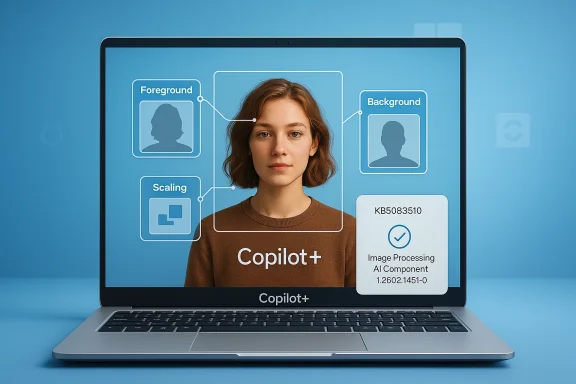
The update is clearly aimed at Copilot+ PCs only, and specifically at devices using AMD-powered hardware. Microsoft’s support language describes the Image Processing AI component as a set of functions used to process images for scaling information and for extracting foreground and background elements. In practical terms, that places it in the pipeline behind modern Windows features that rely on local AI acceleration, not in the visible surface area most users interact with every day.
This also fits the broader cadence Microsoft has established over the last several months. The company has repeatedly published AI component updates across Image Processing, Image Transform, and Phi Silica, with separate packages for AMD and Intel systems. The result is a fast-moving patch rhythm that resembles firmware servicing as much as traditional Windows feature distribution.
For enterprise IT teams, that distinction matters. A device may appear fully current on the surface while still receiving background AI component updates that affect camera experiences, Windows Studio-style effects, and other NPU-driven features. For consumers, the change is less visible but still important because these packages can influence the quality, stability, and responsiveness of local AI tools without requiring manual intervention.
The version number, 1.2603.373.0, is part of the new rhythm Microsoft is using to identify AI subcomponents. Earlier AMD releases such as KB5079252 and KB5077532 used nearby version families, suggesting a steady stream of incremental improvements rather than one large functional jump. In other words, this is maintenance plus tuning, not a brand-new user-facing capability.
It also reveals how tightly Microsoft is segmenting the Copilot+ ecosystem. AMD, Intel, and other hardware stacks can receive slightly different AI packages even when the visible Windows experience looks similar. That kind of split servicing can be beneficial for optimization, but it also increases the complexity of validation across fleets. That is the trade-off hiding inside the convenience.
KB5084173 appears to sit in the same family as those recurring refreshes. The current AMD-specific Image Processing line has already gone through earlier releases such as KB5072640 and KB5079252, and the new update continues the march forward with another version increment. That suggests Microsoft is iterating on the underlying models, tuning parameters, or runtime behavior rather than adding a big marquee feature every cycle.
The practical result is that AI features on Copilot+ PCs may improve even when users do not notice a traditional "feature update." The background systems that support image processing, edge extraction, and other on-device AI tasks can evolve silently. That is good for polish, but it also makes change management harder because the visible UI is no longer the only place where meaningful platform change occurs.
This split makes sense on Copilot+ PCs because the NPU is central to the promise of local AI. A manufacturer’s silicon, drivers, and firmware all influence how efficiently an AI model runs on-device. By separating the packages, Microsoft can adapt to those differences without forcing one hardware class to carry the exact same binaries or behavior as another.
There is, however, a downside. If Microsoft is maintaining different AI packages across AMD and Intel, the testing matrix multiplies quickly. A bug might show up only on one vendor’s stack, or an improvement might land unevenly. That creates a subtle but real risk that the Copilot+ experience becomes more variable than the marketing implies.
The importance of this layer is that it influences quality without always being seen. If the component improves, users may notice better edge detection, cleaner cutouts, more reliable image-based effects, or smoother behavior in applications that rely on Windows AI services. If it regresses, the issue might show up as poor background separation, blurry scaling behavior, or inconsistent processing speed.
It also means that the quality bar is high even for these minor updates. If the background extraction model becomes better, it can improve video conferencing polish, creative workflows, and accessibility-oriented image features. If it fails, the user does not see a helpful pop-up explaining the AI component was at fault; they just see a feature that feels less reliable. That opacity is both elegant and dangerous.
For users who want to verify installation, Microsoft directs them to Update history in Settings. After installation, the entry should appear there under the relevant AI component listing. That is a reminder that these updates are not just theoretical; they are visible in the standard Windows update UI if you know where to look.
Enterprises should pay particular attention to this dependency chain. If an organization uses deferred update rings or staged rollout policies, the AI component may be delayed even when the hardware is otherwise eligible. That can make troubleshooting more complicated than a simple “update available” question suggests.
That matters most in organizations that are evaluating Copilot+ hardware for knowledge work, media workflows, or hybrid collaboration. If image-processing behavior improves quietly over time, the fleet may become more capable without a planned reimage or feature rollout. That sounds convenient, but it also means support teams need to understand that “same model, same OS build” does not always mean “same AI behavior.”
There is also a supportability question. If an image-based feature misbehaves on a subset of AMD systems, the root cause may live in this background component rather than the app or the OS shell. That makes documentation, imaging standards, and helpdesk playbooks more important than they used to be.
The best consumer updates are often the ones that make the system feel less fragile. Better image processing can improve the quality of effects in photo workflows, camera applications, and anything that relies on local segmentation. Most users will never see the component name, but they may benefit from better default results.
There is a trade-off, though. Invisible improvements are hard to market and even harder to explain when they fail. If a consumer sees no visible change after installation, that does not necessarily mean nothing happened; it may simply mean the update improved quality behind the scenes. That is a subtle but important difference in how modern Windows servicing works.
In competitive terms, this pressure is aimed at both PC ecosystem rivals and cloud-first AI workflows. If Microsoft can show that on-device image processing becomes better over time through silent servicing, it strengthens the case for buying Copilot+ hardware over generic PCs. It also reinforces the notion that AI features are increasingly tied to first-party Windows support rather than external add-ons.
The challenge is that rivals can respond in different ways. Some will emphasize broader compatibility, others faster cloud innovation, and others simpler device management. Microsoft’s component update strategy gives it agility, but it also raises the bar for how well the company coordinates across OS, silicon, driver, and AI service layers.
That specialization is technically sensible. Image Processing, Image Transform, and Phi Silica each solve different problems, and separating them allows Microsoft to refine each model independently. It also enables more targeted servicing when one piece needs more aggressive iteration than the others.
For users, the net effect is likely positive if Microsoft keeps the servicing disciplined. Separate AI parts can improve performance and reduce unnecessary bloat. For IT teams, though, the challenge is to make sure those parts do not become a blind spot in inventory, compliance, or troubleshooting.
For AMD-powered devices, the key question is whether these updates remain invisible in the best possible way: quick, reliable, and beneficial without needing user intervention. The strongest outcome would be a series of subtle improvements that raise quality over time while keeping install friction low. The worst outcome would be a growing tangle of component versions that only specialists can interpret. Windows is clearly heading toward the former; execution will decide whether it gets there cleanly.
Source: Microsoft Support KB5084173: Image Processing AI component update (version 1.2603.373.0) for AMD-powered systems - Microsoft Support
 Overview
What makes KB5084173 notable is not a dramatic feature announcement, but the continuing shape of Microsoft’s Copilot+ strategy. The company is shipping AI-related improvements as discrete component updates rather than bundling everything into a single monolithic Windows release. That approach lets Microsoft tune specific workloads such as image scaling, segmentation, and background extraction without waiting for a major OS milestone.The update is clearly aimed at Copilot+ PCs only, and specifically at devices using AMD-powered hardware. Microsoft’s support language describes the Image Processing AI component as a set of functions used to process images for scaling information and for extracting foreground and background elements. In practical terms, that places it in the pipeline behind modern Windows features that rely on local AI acceleration, not in the visible surface area most users interact with every day.
This also fits the broader cadence Microsoft has established over the last several months. The company has repeatedly published AI component updates across Image Processing, Image Transform, and Phi Silica, with separate packages for AMD and Intel systems. The result is a fast-moving patch rhythm that resembles firmware servicing as much as traditional Windows feature distribution.
For enterprise IT teams, that distinction matters. A device may appear fully current on the surface while still receiving background AI component updates that affect camera experiences, Windows Studio-style effects, and other NPU-driven features. For consumers, the change is less visible but still important because these packages can influence the quality, stability, and responsiveness of local AI tools without requiring manual intervention.
What KB5084173 Actually Is
KB5084173 is a component-level update, not a headline OS upgrade. Microsoft says the package includes improvements to the Image Processing AI component on Windows 11 24H2 and 25H2, and that it downloads and installs automatically through Windows Update. The support page also tells users to confirm installation through Settings > Windows Update > Update history, which is a useful clue that Microsoft treats this as part of the normal servicing flow rather than a separate optional add-on.The version number, 1.2603.373.0, is part of the new rhythm Microsoft is using to identify AI subcomponents. Earlier AMD releases such as KB5079252 and KB5077532 used nearby version families, suggesting a steady stream of incremental improvements rather than one large functional jump. In other words, this is maintenance plus tuning, not a brand-new user-facing capability.
Why the naming matters
The naming convention tells you a lot about Microsoft’s direction. When updates are labeled by component, platform, and processor family, the company is signaling that AI capabilities are now being serviced much like graphics drivers or device firmware. That is a substantial shift from the old Windows model, where most users thought about updates as either security patches or occasional feature drops.It also reveals how tightly Microsoft is segmenting the Copilot+ ecosystem. AMD, Intel, and other hardware stacks can receive slightly different AI packages even when the visible Windows experience looks similar. That kind of split servicing can be beneficial for optimization, but it also increases the complexity of validation across fleets. That is the trade-off hiding inside the convenience.
- KB5084173 targets AMD-powered Copilot+ PCs.
- It advances the Image Processing component to 1.2603.373.0.
- It is delivered automatically through Windows Update.
- It requires the latest cumulative update for 24H2 or 25H2.
How It Fits Into Microsoft’s AI Update Cadence
Microsoft’s AI update history shows a fast cadence of releases in early 2026, with multiple packages published for supported Copilot+ devices. The company’s own History of AI updates page lists recent entries across Image Processing, Image Transform, and Phi Silica, reinforcing that these are not one-off experiments but an ongoing servicing track.KB5084173 appears to sit in the same family as those recurring refreshes. The current AMD-specific Image Processing line has already gone through earlier releases such as KB5072640 and KB5079252, and the new update continues the march forward with another version increment. That suggests Microsoft is iterating on the underlying models, tuning parameters, or runtime behavior rather than adding a big marquee feature every cycle.
A service model, not a feature event
This model matters because it changes how Windows evolves. Instead of waiting for annual releases to improve AI pipelines, Microsoft can push targeted updates as soon as the relevant bits are ready. That can improve quality and reduce the lag between a discovered issue and a shipped fix, but it also means the platform is becoming more dynamic and less predictable in the old-fashioned sense. For admins, that is both an advantage and a headache.The practical result is that AI features on Copilot+ PCs may improve even when users do not notice a traditional "feature update." The background systems that support image processing, edge extraction, and other on-device AI tasks can evolve silently. That is good for polish, but it also makes change management harder because the visible UI is no longer the only place where meaningful platform change occurs.
- Microsoft is treating AI components as separately serviced assets.
- The update rhythm is becoming monthly or near-monthly in style.
- Background AI behavior may change without obvious UI changes.
- Validation now has to cover more than just OS build numbers.
Why AMD Copilot+ PCs Get Their Own Package
The fact that KB5084173 is specific to AMD-powered systems is not a cosmetic distinction. Microsoft has been publishing separate AI component packages for AMD and Intel devices, even where the component family and version family look very similar. That implies either different optimizations, different dependency chains, or distinct deployment pipelines tuned to each hardware platform.This split makes sense on Copilot+ PCs because the NPU is central to the promise of local AI. A manufacturer’s silicon, drivers, and firmware all influence how efficiently an AI model runs on-device. By separating the packages, Microsoft can adapt to those differences without forcing one hardware class to carry the exact same binaries or behavior as another.
Hardware specialization is the whole point
Copilot+ was never just about branding. It is about making Windows sensitive to the capabilities of the underlying hardware, especially the NPU. Once that becomes the operating model, processor-family-specific servicing is almost inevitable. That is not fragmentation for its own sake; it is the price of optimization.There is, however, a downside. If Microsoft is maintaining different AI packages across AMD and Intel, the testing matrix multiplies quickly. A bug might show up only on one vendor’s stack, or an improvement might land unevenly. That creates a subtle but real risk that the Copilot+ experience becomes more variable than the marketing implies.
- AMD systems get a dedicated package.
- Similar but separate packages exist for Intel systems.
- The split likely reflects hardware- and driver-level differences.
- The approach improves targeting but raises validation complexity.
What Image Processing AI Does in Windows
Microsoft says the Image Processing AI component handles tasks used to process images for scaling information and for extracting foreground and background from images. That may sound like plumbing, but it directly supports modern features that depend on accurate local segmentation and efficient image interpretation. In many cases, these are the invisible tasks that make advanced camera or editing features feel instantaneous.The importance of this layer is that it influences quality without always being seen. If the component improves, users may notice better edge detection, cleaner cutouts, more reliable image-based effects, or smoother behavior in applications that rely on Windows AI services. If it regresses, the issue might show up as poor background separation, blurry scaling behavior, or inconsistent processing speed.
Small component, big downstream effect
This is one of the most consequential aspects of Microsoft’s AI strategy. A small package can affect a broad range of user experiences because so many Windows features now depend on shared AI primitives. That means a change with a modest-looking changelog can still ripple across the system in ways that ordinary users only notice indirectly.It also means that the quality bar is high even for these minor updates. If the background extraction model becomes better, it can improve video conferencing polish, creative workflows, and accessibility-oriented image features. If it fails, the user does not see a helpful pop-up explaining the AI component was at fault; they just see a feature that feels less reliable. That opacity is both elegant and dangerous.
- It supports image scaling workflows.
- It helps with foreground/background separation.
- It likely feeds multiple Windows AI experiences.
- It can improve perceived quality without changing the UI.
Installation, Prerequisites, and Device Visibility
Microsoft says KB5084173 is delivered automatically via Windows Update, which is consistent with the company’s broader servicing model for Copilot+ AI components. The prerequisite is simple but important: devices must already have the latest cumulative update for Windows 11 24H2 or 25H2 installed. That dependency ensures the AI component lands on a compatible servicing baseline.For users who want to verify installation, Microsoft directs them to Update history in Settings. After installation, the entry should appear there under the relevant AI component listing. That is a reminder that these updates are not just theoretical; they are visible in the standard Windows update UI if you know where to look.
What users should check first
The most common issue will probably not be failure of the AI component itself, but a missing cumulative update. Because KB5084173 depends on the latest Windows servicing baseline, a device that is behind on security or quality updates may not receive it immediately. That is standard Microsoft behavior, but it can still confuse users who expect every update to appear in lockstep.Enterprises should pay particular attention to this dependency chain. If an organization uses deferred update rings or staged rollout policies, the AI component may be delayed even when the hardware is otherwise eligible. That can make troubleshooting more complicated than a simple “update available” question suggests.
- Confirm the device is a Copilot+ PC.
- Verify it is AMD-powered.
- Install the latest cumulative update for 24H2 or 25H2.
- Check Settings > Windows Update > Update history.
- Look for the Image Processing version 1.2603.373.0 entry.
Enterprise Impact: Silent But Significant
For enterprise IT, KB5084173 is the kind of update that can be easy to ignore and hard to dismiss. On paper it is just a component refresh, but in practice it can affect how AI-assisted features behave across a fleet of Copilot+ laptops. Because the delivery is automatic, it also reduces administrator control unless Windows Update policies are carefully managed.That matters most in organizations that are evaluating Copilot+ hardware for knowledge work, media workflows, or hybrid collaboration. If image-processing behavior improves quietly over time, the fleet may become more capable without a planned reimage or feature rollout. That sounds convenient, but it also means support teams need to understand that “same model, same OS build” does not always mean “same AI behavior.”
What admins should watch
A good enterprise posture now includes more than build compliance. Teams should be tracking AI component versions, vendor-specific package availability, and the state of prerequisite cumulative updates. This is especially true for managed devices where consistency matters more than novelty. The more local AI enters Windows, the more detailed the patch inventory has to become.There is also a supportability question. If an image-based feature misbehaves on a subset of AMD systems, the root cause may live in this background component rather than the app or the OS shell. That makes documentation, imaging standards, and helpdesk playbooks more important than they used to be.
- Track AI component versions separately from OS builds.
- Verify prerequisite cumulative updates before rollout.
- Expect vendor-specific differences between AMD and Intel fleets.
- Update support scripts to include Update history checks.
- Treat image-quality regressions as possible servicing issues.
Consumer Impact: Mostly Invisible, Potentially Useful
For consumers, KB5084173 is likely to arrive as a quiet background improvement rather than an obvious feature announcement. That is not a bad thing. If the update improves image interpretation and foreground separation, users may simply experience better results in the apps and Windows features they already use.The best consumer updates are often the ones that make the system feel less fragile. Better image processing can improve the quality of effects in photo workflows, camera applications, and anything that relies on local segmentation. Most users will never see the component name, but they may benefit from better default results.
Why users may not notice it directly
Microsoft is clearly trying to make AI feel native to Windows rather than bolted on. That means the improvements are spread across a service layer instead of being packaged as a visible app update. The experience is designed to disappear into the platform.There is a trade-off, though. Invisible improvements are hard to market and even harder to explain when they fail. If a consumer sees no visible change after installation, that does not necessarily mean nothing happened; it may simply mean the update improved quality behind the scenes. That is a subtle but important difference in how modern Windows servicing works.
- Better background image processing may improve day-to-day use.
- Users may never see a dedicated UI for the change.
- Reliability gains can matter more than new buttons or menus.
- Troubleshooting may require checking hidden component versions.
Competitive Context: Microsoft’s Quiet Push Against Rivals
Microsoft’s approach here is part of a wider race to make local AI an operating-system feature rather than a standalone app. By shipping componentized AI updates for Copilot+ PCs, the company is trying to demonstrate that Windows can evolve in lockstep with silicon capabilities. That is a strategic move as much as a technical one.In competitive terms, this pressure is aimed at both PC ecosystem rivals and cloud-first AI workflows. If Microsoft can show that on-device image processing becomes better over time through silent servicing, it strengthens the case for buying Copilot+ hardware over generic PCs. It also reinforces the notion that AI features are increasingly tied to first-party Windows support rather than external add-ons.
The platform bet
The deeper bet is that users will value dependable local performance over flashy, cloud-dependent demos. Image processing is a good example because it is sensitive to latency, privacy expectations, and consistency. Microsoft’s update model tries to make those benefits incremental and always-on. That is a strong platform story if the execution stays clean.The challenge is that rivals can respond in different ways. Some will emphasize broader compatibility, others faster cloud innovation, and others simpler device management. Microsoft’s component update strategy gives it agility, but it also raises the bar for how well the company coordinates across OS, silicon, driver, and AI service layers.
- Microsoft is betting on local AI as a platform differentiator.
- Silent servicing helps normalize Copilot+ value.
- Hardware-specific updates can showcase NPU advantages.
- Competitive pressure now spans OS, silicon, and AI workflows.
Relationship to Other AI Components
KB5084173 should not be viewed in isolation. Microsoft’s AI update cadence includes parallel packages for Phi Silica, the company’s local language model for Copilot+ PCs, and Image Transform, another AI component family. Together, these updates suggest an ecosystem approach where multiple specialized models handle different tasks instead of one all-purpose AI layer.That specialization is technically sensible. Image Processing, Image Transform, and Phi Silica each solve different problems, and separating them allows Microsoft to refine each model independently. It also enables more targeted servicing when one piece needs more aggressive iteration than the others.
Specialized models, specialized maintenance
The downside of specialization is operational sprawl. More components mean more version tracking, more update pages, more compatibility considerations, and more room for confusion when a device gets one package but not another. That complexity is manageable, but it is no longer trivial.For users, the net effect is likely positive if Microsoft keeps the servicing disciplined. Separate AI parts can improve performance and reduce unnecessary bloat. For IT teams, though, the challenge is to make sure those parts do not become a blind spot in inventory, compliance, or troubleshooting.
- Microsoft is splitting AI into task-specific components.
- Image Processing is one branch of a broader AI servicing tree.
- Phi Silica handles local language tasks.
- Image Transform handles a different image workflow category.
Strengths and Opportunities
KB5084173 reinforces a sensible direction for Windows on modern hardware: targeted AI refinement delivered without user friction. That is a strong combination because it improves system capability while keeping the installation model simple. It also gives Microsoft a way to iterate quickly on Copilot+ features without waiting for major OS refreshes.- Automatic delivery keeps the user experience simple.
- Vendor-specific servicing can improve hardware optimization.
- Component-level updates allow faster iteration.
- Background improvements can raise feature quality quietly.
- Copilot+ differentiation becomes more tangible over time.
- Update history visibility helps verification when needed.
- NPU-centered design gives Microsoft a clearer AI platform story.
Risks and Concerns
The biggest concern is not the size of the update; it is the growing complexity behind it. As Microsoft moves more AI behavior into background components, support teams and power users have to understand a far more granular servicing model than traditional Windows patching. That complexity can create confusion when behavior changes, even if the OS build number stays the same.- Version sprawl may make troubleshooting harder.
- Different AMD and Intel packages can lead to uneven behavior.
- Prerequisite dependency failures may delay installs.
- Silent changes can be hard to validate in enterprise fleets.
- Regression risk increases as more background components ship.
- User confusion may rise when visible features change without obvious updates.
- Documentation gaps could make support issues harder to isolate.
Looking Ahead
The next few months will tell us whether Microsoft’s componentized AI servicing model is becoming a durable part of Windows or simply an early Copilot+ phase. If the company keeps shipping routine improvements across image processing, image transformation, and local language models, then the Windows platform will increasingly behave like a living AI stack rather than a static operating system with a few new features bolted on. That is a meaningful shift, and one that will matter most to users who buy into the Copilot+ hardware promise.For AMD-powered devices, the key question is whether these updates remain invisible in the best possible way: quick, reliable, and beneficial without needing user intervention. The strongest outcome would be a series of subtle improvements that raise quality over time while keeping install friction low. The worst outcome would be a growing tangle of component versions that only specialists can interpret. Windows is clearly heading toward the former; execution will decide whether it gets there cleanly.
- Watch for additional AMD-specific AI component releases.
- Check whether Microsoft expands the same model to more Copilot+ features.
- Monitor enterprise feedback on hidden servicing complexity.
- Compare Image Processing updates with Phi Silica and Image Transform cadence.
- Pay attention to whether future releases arrive with clearer performance notes or remain terse.
Source: Microsoft Support KB5084173: Image Processing AI component update (version 1.2603.373.0) for AMD-powered systems - Microsoft Support
Last edited: