KB5084174 Image Transform AI Update for Copilot+ PCs: Version 1.2603.373.0

  • Thread Author
Microsoft has quietly pushed out a new Image Transform AI component update for Copilot+ PCs, and while the changelog is brief, the implications are broader than the single version number suggests. The update, KB5084174, brings Image Transform to version 1.2603.373.0 and is explicitly aimed at Windows 11, version 24H2 and version 25H2 devices, with installation handled automatically through Windows Update. For users and IT admins tracking Microsoft’s AI stack, this is another sign that Windows is moving toward a model where AI capabilities are maintained like core platform components rather than stand-alone app features.

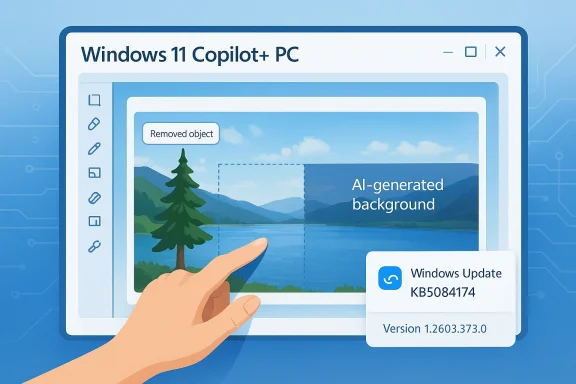
Illustration of a hand using Windows 11 Copilot+ PC editing AI background, with Windows update KB5084174 notice.Background​

Microsoft’s Copilot+ PC strategy has steadily shifted AI features from being novelty add-ons to becoming part of the operating system’s managed component set. The company now treats several on-device AI systems as updateable building blocks, including Image Transform, Image Processing, and Phi Silica, each with its own servicing cadence and version history. Microsoft’s own support documentation describes the Image Transform AI component as the technology used to erase a foreground object and fill the space with a generated background, placing it squarely in the category of visual generative editing tools.
That matters because it marks a shift from the old Windows model, where image editing lived in applications like Paint or Photos and platform servicing mostly concerned security patches, driver updates, and shell enhancements. With Copilot+ PCs, Microsoft has created an additional servicing layer for AI features that sit between the OS and the app. In practical terms, that means the system can improve the model or its runtime behavior without requiring a major app rebuild or a feature update cycle.
The Image Transform family also fits into a wider Copilot+ feature set that includes Photos experiences such as Relight and creative functions in Paint, which rely on the device’s NPU and localized AI resources. Microsoft emphasizes that these experiences are exclusive to Copilot+ PCs, reinforcing that the AI stack is not just software-gated but hardware-gated as well. That hardware dependence is a defining trait of this generation of Windows AI features, and it is why Microsoft repeatedly distinguishes Copilot+ PCs from generic Windows 11 systems.
Historically, Microsoft has been building the AI update cadence in stages. The company already published a broader History of AI updates page showing prior releases for 24H2 and 25H2, including February 2026 Image Transform and related component revisions. KB5084174 appears to be a continuation of that pattern rather than a one-off release. In other words, this is not a dramatic new feature announcement; it is part of the operationalization of AI on Windows.

What KB5084174 Actually Is​

At its core, KB5084174 is a support-package style update for the Image Transform AI component. Microsoft’s description is intentionally terse: the update “includes improvements” to the component, and it is distributed automatically through Windows Update. The key version identifier is 1.2603.373.0, which lets administrators and support teams confirm whether the component has landed on a machine.
The update applies to Copilot+ PCs only, which means that the feature is not broadly available across all Windows 11 installations. Microsoft also states that the device must already have the latest cumulative update for Windows 11 24H2 or 25H2, which is consistent with the way these AI components are layered on top of the main OS release. This is a subtle but important detail: the AI update does not stand alone. It depends on the underlying Windows servicing state.

Why the version number matters​

Version numbers in Microsoft’s AI component updates are more than housekeeping. They give support teams a clean way to separate the AI model/component revision from the broader OS build number and from the app version of Photos, Paint, or other dependent software. That separation is useful because bugs can now be isolated to the AI layer, not just the UI layer or the OS kernel.
For consumers, the change is mostly invisible unless the update improves results quality, speed, or reliability. For enterprises, however, the version number creates a measurable compliance target. IT can verify that the device is on the expected AI package without confusing that state with the latest feature update or monthly security rollup. That distinction is increasingly central to Windows management in an AI-first era.
Key points:
  • KB5084174 is an AI component update, not a full Windows feature update.
  • It targets Copilot+ PCs only.
  • It applies to Windows 11 24H2 and 25H2.
  • It installs automatically via Windows Update.
  • It requires the latest cumulative update already present on the device.

How Microsoft expects users to verify it​

Microsoft says users can confirm installation by checking Settings > Windows Update > Update history. After installation, the entry should appear there with the relevant component name and version, which is the same general approach used across the AI component family. That is a fairly straightforward consumer verification path, but it also doubles as a troubleshooting method for help desks.

The Role of Image Transform in Copilot+ Windows​

Image Transform is best understood as Microsoft’s on-device generative editing layer for object removal and scene reconstruction. The support language explicitly describes it as a component that can erase a foreground object and fill in the space with a generated background, which is functionally similar to content-aware fill with modern AI underpinnings. The point is not just pretty image editing; it is a showcase for how Microsoft wants local AI to behave on Windows.
This places the feature in direct conversation with broader creative tools in the Windows ecosystem. In Paint, for example, Microsoft highlights Generative Fill and object manipulation on Copilot+ PCs, while Photos offers AI-enhanced adjustments such as Relight. Together, these features suggest that Microsoft is building an end-to-end creative surface where the OS, not just a single app, participates in image transformation workflows.

The user experience angle​

For consumers, the value proposition is simple: remove unwanted objects faster, with fewer artifacts, and without relying on cloud upload for every edit. That promise is especially compelling on a Copilot+ PC because the NPU is intended to handle these tasks locally and efficiently. The more the model improves, the less users notice the mechanics underneath.
For creators, though, the quality bar is much higher. An object-removal tool is only useful if generated fill stays coherent across textures, shadows, edges, and complex scenes. So when Microsoft says “improvements” without specifying them, the implication is usually one of several things: better inpainting quality, fewer visible seams, reduced latency, or improved stability. We should be cautious about claiming any one of those definitively, but they are the standard categories of improvement for this kind of model update.
Potential user-facing gains:
  • Cleaner object removal in photos.
  • Better background synthesis.
  • Faster processing on compatible NPUs.
  • Fewer failures on complex edges and textures.
  • More consistent behavior across supported apps.

Why This Matters for Windows 11 24H2 and 25H2​

The fact that Microsoft lists both Windows 11, version 24H2 and version 25H2 is important because it shows continuity across the current and next mainstream Windows release tracks. Microsoft’s update history pages now routinely span multiple versions, and the company has made clear that 25H2 includes features delivered through continuous innovation in 24H2. That means the same AI component model can persist across feature boundaries rather than being rebuilt for every new branch.
This also reflects how Microsoft is reducing the difference between “current” and “next” Windows in functional terms. If the AI component is serviceable on both 24H2 and 25H2, then the real unit of change becomes the component itself, not the annual feature version. That is a more modular operating system, and modularity is a big deal for both Microsoft and enterprise customers.

The servicing model behind the scenes​

Windows AI components now appear to be updated in a rhythm that resembles driver or app servicing more than traditional OS feature rollouts. Microsoft’s own support materials show AI component versions released on specific dates, tracked separately from the monthly cumulative update cadence. That gives the company a way to improve AI experiences incrementally, which is exactly what modern machine-learning products demand.
At the same time, Microsoft’s dependence on the latest cumulative update as a prerequisite keeps the stack controlled. In effect, the AI layer is allowed to move quickly, but only when the underlying platform is in a known-good state. That is an understandable compromise, and it likely reflects the need to avoid incompatibilities across hardware, drivers, and model runtimes.

Automatic Delivery Through Windows Update​

One of the most telling parts of the KB5084174 support page is that the update will be downloaded and installed automatically from Windows Update. That means Microsoft is treating this like a managed system component, not an optional creative add-on users need to discover in the Store. The update is also framed as something you simply verify after the fact in Update history.
That approach has a few advantages. It lowers friction for consumers, ensures a higher baseline across the install base, and reduces support fragmentation caused by mismatched AI component versions. It also reflects a broader Windows strategy: if AI is going to be central to the platform, it must be patched and improved with the same discipline as security and reliability updates.

What this means for support and IT​

For managed devices, automatic delivery is helpful but not effortless. IT still needs to know which devices are actually eligible, whether the latest cumulative update is in place, and whether the Copilot+ hardware is properly recognized. If a user reports that Image Transform is missing or degraded, the troubleshooting path now crosses OS servicing, device capability, and component version validation.
The upside is that Microsoft has made the verification method simple. Administrators can instruct users to check Update history, which should list the component if the device has received it. That is not glamorous, but it is operationally useful, and it keeps the support story aligned with the rest of Windows Update servicing.
Things admins should watch:
  • Device eligibility for Copilot+ features.
  • Whether the latest cumulative update is installed.
  • Whether Update history shows the AI component version.
  • Whether dependent apps are current.
  • Whether the device has the expected NPU and driver support.

Consumer Impact: Small Update, Visible Expectations​

For most consumers, KB5084174 will not feel dramatic on day one. There is no splashy new UI, no headline feature title, and no separate app to launch. Instead, the value lies in making the existing AI editing workflow better, more reliable, and more useful when users actually need it. That is the kind of update people notice only when it fails or when a before-and-after comparison is obvious.
The key consumer promise is consistency. If Microsoft can keep improving Image Transform while keeping the process invisible, then Copilot+ PCs start to feel more like continuously improving appliances and less like static hardware. That is a subtle but powerful shift in how users perceive a Windows PC, especially in the AI marketing environment.

Where users may actually see the difference​

The most likely improvements are in quality rather than novelty. Users may see cleaner object removal, more believable background reconstruction, or fewer awkward artifacts around fine details such as hair, branches, or patterned surfaces. They may also see better responsiveness if the model is running more efficiently on the NPU. Those are inference-based expectations, but they fit the normal pattern of component-level AI updates.
There is also a psychological effect to these updates. When AI tools become more dependable, users are more likely to trust them for practical work rather than casual experimentation. That matters because trust is what converts a demo feature into a habitual feature, and habitual features are what justify platform investment.
Consumer takeaways:
  • Updates are likely to be subtle but meaningful.
  • Improved reliability matters as much as visual quality.
  • The feature remains tied to Copilot+ hardware.
  • Users may not notice the update unless they use image editing regularly.
  • Better component servicing should reduce friction over time.

Enterprise Impact: Governance, Compliance, and Deployment​

Enterprises will care less about Image Transform as a creative feature and more about how it fits into patch governance. Because the update installs automatically and depends on a current cumulative update, IT now has to account for AI component drift alongside normal security and feature servicing. That adds another layer of configuration awareness, especially in environments that are trying to standardize on Copilot+ devices.
The upside for enterprise is that Microsoft’s servicing approach is increasingly formalized. AI updates are named, versioned, documented, and checkable in Update history. That makes them easier to audit than ad hoc app-side model changes, and it gives administrators a paper trail for troubleshooting and lifecycle planning.

Policy and fleet management implications​

IT departments should expect more component-level AI servicing as Copilot+ adoption grows. That raises questions about update rings, staged rollouts, and compatibility testing, especially where creative tools intersect with regulated workflows or locked-down endpoints. It also means that help desks may need playbooks for AI-specific failures rather than treating every issue as a generic Windows problem.
For some organizations, the biggest issue is not whether Image Transform works, but whether it should be enabled broadly at all. AI-assisted editing can raise policy questions in environments concerned with content authenticity, data handling, or acceptable use. That is especially true if end users are generating edited images for external communications without oversight.
Enterprise concerns:
  • Component versions must be tracked separately from OS builds.
  • Deployment rings may need AI-specific validation.
  • Support teams need feature-aware troubleshooting.
  • Usage policy may matter as much as technical readiness.
  • Hardware eligibility limits fleet-wide consistency.

Competitive Implications in the AI PC Market​

KB5084174 is not just about one feature; it is part of Microsoft’s broader strategy to make Windows on Copilot+ hardware feel meaningfully differentiated from ordinary PCs. That has competitive implications for OEMs, app makers, and rival AI platforms. If Microsoft can keep improving these local AI components transparently, it strengthens the argument that Windows PCs can offer integrated AI functionality without leaning entirely on cloud services.
This puts pressure on competitors to match the balance of hardware integration, local processing, and seamless servicing. Generic AI features are easy to market, but hard to sustain if they feel bolted on. Microsoft’s component-first model gives it a chance to make AI feel native to the platform, which is exactly what rivals need to worry about.

The ecosystem angle​

For OEMs, the update cadence reinforces the value of shipping Copilot+ capable machines with validated NPUs and current firmware. For software developers, it suggests a future in which Windows AI primitives become dependable platform services, not just optional APIs. That could lower development friction over time, but it also increases Microsoft’s influence over how AI experiences are exposed to users.
The broader market takeaway is that Microsoft is normalizing the idea that AI capabilities should evolve continuously after purchase. That is a powerful message in a PC market that has struggled to find compelling refresh cycles. If the hardware can keep getting smarter through component updates, then the sales pitch becomes more about sustained improvement than first-day specifications.

Strengths and Opportunities​

Microsoft’s latest Image Transform update may look modest, but it highlights several strengths in the company’s current Windows AI strategy. The biggest opportunity is not just image editing quality; it is proving that AI features can be maintained as durable, manageable platform components. That makes the Copilot+ promise feel more operationally credible and less like a marketing slogan.
  • Automatic servicing reduces friction for consumers.
  • Clear versioning helps support teams and IT admins.
  • Copilot+ hardware integration improves the likelihood of local, responsive processing.
  • Component-level updates can refine AI quality without waiting for a full OS overhaul.
  • Windows Update delivery aligns AI maintenance with established enterprise processes.
  • Update history visibility makes verification straightforward.
  • Cross-version support across 24H2 and 25H2 shows platform continuity.

Risks and Concerns​

The same model that makes AI easier to manage can also make it harder to explain. If users experience changes in output quality or behavior without a clear feature note, support teams may struggle to distinguish expected improvement from regressions. There is also the ongoing concern that AI features tied to specific hardware generations could fragment the Windows experience.
  • Opaque improvements make regressions harder to diagnose.
  • Hardware gating excludes most Windows 11 PCs.
  • Dependency on latest cumulative updates can create rollout delays.
  • AI outputs may vary in quality across edge cases and content types.
  • Enterprise policy concerns may limit adoption in some environments.
  • User expectations may outpace reality if Microsoft’s messaging outruns performance.
  • Version drift between OS, apps, and AI components can complicate troubleshooting.

Looking Ahead​

Microsoft’s support pages make one thing clear: Image Transform is part of a longer-term AI servicing architecture, not a standalone experiment. As the company continues to publish AI component histories and update notes, we should expect more of these low-drama, high-impact releases. The pattern suggests a future where Windows AI is continuously tuned in the background while users simply notice better results.
The more interesting question is how Microsoft will balance transparency with simplicity. Too little detail, and users cannot tell what changed; too much detail, and the update story becomes too technical for mainstream audiences. The ideal balance is probably what we are seeing here: enough metadata to verify the change, enough automation to keep the experience seamless, and enough quiet iteration to make AI feel like a normal part of Windows.
What to watch next:
  • Whether Microsoft publishes follow-up AI component revisions in the same cadence.
  • Whether Image Transform gains measurable quality improvements in Photos or Paint.
  • Whether 25H2 continues to inherit the same AI servicing model as 24H2.
  • Whether enterprises begin treating AI component versions as compliance items.
  • Whether Microsoft expands component-level servicing to more creative or productivity features.
In the end, KB5084174 is less about a single image-editing feature than about the direction of Windows itself. Microsoft is turning AI into something that is patched, versioned, and maintained like the rest of the platform, and that is the real story beneath the release note. If the company can keep improving quality without adding complexity, Copilot+ PCs may start to feel less like special editions of Windows machines and more like the template for where Windows is headed next.

Source: Microsoft Support KB5084174: Image Transform AI component update (version 1.2603.373.0) - Microsoft Support
 

Microsoft has quietly shipped a focused Image Transform AI component update for Copilot+ PCs running Windows 11 version 24H2 and 25H2, and the package is now listed as KB5079253 with component version 1.2602.1451.0. The update is automatic through Windows Update, requires the latest cumulative update already installed, and replaces the earlier KB5077533 release. Microsoft describes Image Transform as the AI component used to erase foreground objects and fill the empty space with a generated background, which makes this a small but meaningful part of the company’s broader on-device AI push. (support.microsoft.com)

A digital visualization related to the article topic.Background​

Microsoft’s AI story in Windows has become increasingly modular. Instead of shipping one giant “AI update,” the company now breaks features into narrow components that can be serviced independently, and Image Transform is one of the clearest examples of that strategy. On Copilot+ hardware, the company wants to keep high-value AI features close to the device, where latency is lower and the experience feels more immediate. That matters because image editing is one of the most visible consumer-facing demonstrations of on-device AI, and it gives Microsoft an easy way to show practical value rather than abstract machine-learning messaging. (support.microsoft.com)
The update is also a reminder that Copilot+ PCs are not just “Windows PCs with extra branding”. They are being serviced as a distinct class of device with their own AI component cadence, prerequisites, and update history. Microsoft’s support page explicitly says the release applies to Copilot+ PCs only, which reinforces the idea that the company is continuing to tier Windows experiences by silicon capability. That split is no longer theoretical; it is becoming part of the operating system’s maintenance model. (support.microsoft.com)
This is part of a broader pattern seen across Microsoft’s recent support documentation. The company has been publishing separate AI component updates for different functions and, in some cases, different processor families. Recent support releases for image-processing and Phi Silica components show that Microsoft is willing to maintain a fine-grained AI stack rather than bundling everything into the base OS image. That approach may look fragmented, but it gives Microsoft more control over rollout, compatibility, and feature readiness.
For users, the practical effect is subtle but important. Image Transform is not the headline feature that gets marketing slides, yet it supports everyday workflows that feel magical when they work well: removing an object, filling a gap, and making the final image look intentional. Microsoft’s wording suggests this release is an improvement package rather than a feature launch, which usually means refinement in quality, stability, or model behavior rather than a dramatic new user interface. That is exactly the kind of change that tends to matter most after the first wave of AI excitement has faded. (support.microsoft.com)

What Microsoft Says KB5079253 Does​

Microsoft’s support text is brief, but it is unusually specific about the purpose of the component. The company says the Image Transform AI component can be used to erase a foreground and object and fill in the space with a generated background. That wording tells us this is not just a generic image pipeline update; it is tied to a particular class of generative editing behaviors that depend on object recognition, segmentation, and background synthesis. (support.microsoft.com)
The support page also states that this is an improvement to Image Transform for Windows 11 version 24H2 and 25H2. Microsoft does not spell out the underlying model changes, which is typical for these component releases. The absence of detail is itself telling: the company is treating this as a serviceable AI primitive rather than a standalone consumer feature with a public changelog. That means users should expect better outcomes, not necessarily visible new controls. (support.microsoft.com)

Why the wording matters​

The phrase erase a foreground and object is more revealing than it may appear. It suggests Microsoft is positioning the feature around object-aware editing, not just freeform generative fill. That matters because the hard part of image editing is often identifying the object boundary cleanly enough that the replacement background looks natural. If the model improves, the result should be fewer edge artifacts, fewer mismatched textures, and fewer awkward transitions around the removed object. (support.microsoft.com)
  • The component is clearly aimed at object removal and fill tasks.
  • The update appears to be incremental, not a brand-new feature drop.
  • Microsoft is keeping the language at the component level, which suggests ongoing refinement.
  • The update is delivered through the standard Windows servicing channel rather than a separate app installer. (support.microsoft.com)
The broader implication is that Microsoft is normalizing AI as part of Windows servicing. In other words, image editing, local language assistance, and other Copilot+ experiences are now being updated in the same way traditional platform components are maintained. That makes AI feel less like a novelty layer and more like part of the operating system’s core lifecycle. (support.microsoft.com)

How the Update Is Delivered​

KB5079253 is set to install automatically from Windows Update, which keeps the user experience simple and aligned with Microsoft’s broader servicing philosophy for Copilot+ devices. Users do not need to hunt for a standalone download or manually stage the package. In practical terms, that means the update is intended to arrive quietly in the background as long as the device already has the latest cumulative update installed. (support.microsoft.com)
That prerequisite matters. Microsoft says devices must already be on the latest cumulative update for Windows 11 version 24H2 or 25H2 before KB5079253 can apply. This is a common pattern in modern Windows servicing: the AI component is layered on top of a known-good baseline, which reduces the risk of version mismatch. It also means that patch currency is no longer just about security; it is now a gate for feature enablement. (support.microsoft.com)

Update history and verification​

Microsoft gives a simple verification path: open Settings > Windows Update > Update history and look for 2026-02 Image Transform version 1.2602.1451.0 (KB5079253). That is helpful because AI component updates are not always obvious in daily use. If the device is compatible and the update has landed, Microsoft expects it to appear in the history list even if the user never notices any installation prompt. (support.microsoft.com)
There is also an operational message here for IT admins and enthusiasts alike: Windows Update is now the control plane for AI capability. The same servicing stack that delivers security fixes and driver updates is also delivering AI model improvements. That may simplify life for some users, but it also means the device’s feature profile can change without the kind of fanfare traditionally associated with a major app update. (support.microsoft.com)
  • Automatic delivery reduces friction for consumers.
  • The prerequisite cumulative update keeps the package tied to a modern baseline.
  • Update history is the authoritative place to confirm installation.
  • The component model makes AI rollouts more manageable, but also less visible. (support.microsoft.com)

Why Copilot+ PCs Are the Center of Gravity​

Copilot+ PCs are the hardware tier Microsoft has chosen for its most ambitious on-device AI experiences, and Image Transform fits that strategy neatly. The company is clearly signaling that the best local AI editing tools should run on systems with the right neural acceleration and platform support rather than being forced onto every Windows 11 machine. That improves performance, but it also sharpens the distinction between modern AI PCs and standard systems. (support.microsoft.com)
This approach has competitive implications. Microsoft is trying to create a reason for buyers to care about the hardware underneath Windows, not just the version number on the box. If image removal, fill, and local AI assistance feel meaningfully better on Copilot+ devices, then the PC becomes a more differentiated product again. That is especially important in a market where many consumers have struggled to see obvious reasons to upgrade quickly. (support.microsoft.com)

Consumer impact versus enterprise impact​

For consumers, the appeal is straightforward: quicker, smoother, more private image editing on-device, with less dependence on cloud round-trips. For enterprises, the equation is more complicated. IT leaders have to think about reproducibility, supportability, and user expectations, especially when some machines in a fleet can access features that others cannot. That can create subtle friction in environments where employees assume a uniform Windows experience across all laptops. (support.microsoft.com)
The enterprise story is also about governance. If Microsoft’s AI features keep arriving as discrete components, administrators may eventually need to track them the way they track browser versions or productivity add-ins. That is a reasonable tradeoff for faster innovation, but it also pushes Windows closer to the software-management model long used for cloud apps: more frequent changes, more feature variance, and more dependence on the servicing pipeline. (support.microsoft.com)
  • Consumers get a polished, low-friction experience.
  • Enterprises get more control, but also more variability to manage.
  • AI capability becomes a hardware differentiator, not just a software checkbox.
  • Copilot+ branding gains practical value when feature quality improves. (support.microsoft.com)

The Significance of Incremental AI Updates​

The most important thing about KB5079253 is not that it is dramatic; it is that it is boring in the best possible way. Microsoft is making AI feel like a normal maintenance category, which is exactly how a platform transition becomes durable. If the company can improve AI image editing quietly and frequently, users will begin to expect steady gains rather than one-time showcase moments. (support.microsoft.com)
That model is strategically smart. AI features age quickly when they remain frozen after launch, especially in a market where expectations rise almost as fast as model quality. By shipping smaller component updates, Microsoft can fix edge cases, improve model behavior, and respond to feedback without waiting for a larger Windows release cycle. That should help the company keep pace with rivals that are pushing fast-moving AI experiences across mobile and desktop ecosystems. (support.microsoft.com)

What this means for feature maturity​

A component update also suggests Microsoft is still in the calibration phase. In mature software categories, you do not usually see such granular packaging unless the vendor expects to tune the system continuously. That can be a sign of confidence, because it means the feature has a stable enough shape to support narrow refinements rather than constant redesign. It can also be a sign that the company is still sorting out model quality across different hardware profiles. (support.microsoft.com)
This is where small updates matter more than flashy announcements. A better edge cut, a more believable background reconstruction, or fewer failed removals can have a disproportionate effect on user trust. If people stop fighting the tool and start relying on it, Image Transform becomes part of the workflow instead of a demo they try once and forget. (support.microsoft.com)
  • Incremental updates are how AI features become dependable.
  • Quiet refinement often matters more than new branding.
  • Better image segmentation can improve user trust quickly.
  • Frequent servicing keeps the feature from stagnating. (support.microsoft.com)

How This Fits Microsoft’s Windows 11 AI Strategy​

Microsoft has been steadily weaving AI deeper into Windows 11, and this release fits that strategy almost perfectly. The company’s support and product pages increasingly describe AI not as a single app, but as a collection of capabilities distributed across Paint, Photos, settings discovery, Copilot, and device-specific components. The result is a Windows platform that feels increasingly AI-native rather than merely AI-enabled.
That approach gives Microsoft several advantages. It lets the company tailor features to hardware, control rollout risk, and keep the marketing story focused on practical benefits. But it also makes Windows more complex to reason about because users may no longer know whether a feature comes from the OS, an app update, or a separate AI component package. Complexity is the tax that comes with modular innovation. (support.microsoft.com)

The rise of the component stack​

The component stack is now the real product. Instead of shipping only a monolithic Windows release and waiting months for meaningful progress, Microsoft is fragmenting capabilities into smaller updateable units. That makes the platform more agile, but it also turns the operating system into a live service in the most literal sense: features evolve at different speeds, on different hardware, through different update channels. (support.microsoft.com)
For power users, that means attention to detail matters more than ever. Knowing which component is installed, what prerequisites it requires, and where to verify it will become increasingly important as AI features become more specialized. In the near term, most people will simply benefit from better defaults. Over time, though, there is a real chance that Windows enthusiasts will begin tracking AI component versions the same way they once tracked driver revisions and cumulative builds. (support.microsoft.com)
  • Windows 11 is becoming a platform of separately serviced AI parts.
  • Features now depend on both OS baseline and hardware tier.
  • Users may need to pay closer attention to component versioning.
  • Microsoft gains flexibility, but the ecosystem becomes less uniform. (support.microsoft.com)

Competitive Implications​

Microsoft is not alone in pushing AI photo editing, but it has a unique advantage: it controls the operating system, the device branding, and the update infrastructure. That means Image Transform can be presented as a native Windows experience rather than an app feature. For competitors, that creates a high bar because they have to match not just capability, but platform-level convenience and distribution. (support.microsoft.com)
The company is also making a quiet argument about trust. Local AI processing is easier to sell when the use case is personal, fast, and visually obvious. A user removing an object from a photo and seeing the background filled in on the same machine can understand the value immediately, without needing a long explanation about model architecture or cloud inference. That kind of concrete utility is powerful in consumer software. (support.microsoft.com)

What rivals have to answer​

Rivals in the PC and software space now have to answer a tougher question: how do you make AI feel native, not bolted on? Many companies can demo generative image editing. Fewer can tie it directly into the operating system, keep it updated automatically, and align it with premium hardware designed for AI workloads. Microsoft’s strategy is to make the platform itself the differentiator. (support.microsoft.com)
That does not guarantee success. Users still care about quality, reliability, and consistency, and generative editing tools are unforgiving when they make visible mistakes. But if Microsoft keeps improving Image Transform and related components in small increments, it can build a reputation for dependable AI features rather than one-off novelty. That could matter more than any single launch event. (support.microsoft.com)
  • Platform integration is Microsoft’s key advantage.
  • Native distribution reduces friction for users.
  • AI quality, not just AI availability, will decide loyalty.
  • Hardware differentiation becomes more valuable when the software is good. (support.microsoft.com)

Practical Implications for Users and IT Admins​

For everyday users, the main takeaway is simple: if you own a compatible Copilot+ PC, you may already have the update or will receive it automatically. There is no special action required unless you want to confirm installation through Update history. That is a good example of Microsoft trying to make the AI era feel invisible, with the software quietly getting better in the background. (support.microsoft.com)
For IT admins, the bigger question is visibility. Even though this is a consumer-friendly component update, it still sits inside the Windows servicing pipeline, which means patch governance and version awareness matter. If a help desk begins seeing differences in photo-editing results across otherwise similar devices, the cause may be hardware tiering, component state, or both. (support.microsoft.com)

How to think about deployment​

The right mental model is not “new app feature” but “platform capability refresh.” That distinction matters because platform capabilities have prerequisites, compatibility rules, and version dependencies. If organizations treat AI components casually, they may end up with inconsistent user experiences that are difficult to diagnose. If they treat them as part of normal Windows lifecycle management, they can avoid a lot of support noise. (support.microsoft.com)
The same logic applies to power users and enthusiasts. If you are testing Copilot+ features, image-editing behavior is one more signal that the AI stack is evolving under the hood. It is worth checking update history after major cumulative releases, not because every AI component matters to every person, but because the cumulative effect of these releases will shape the quality of the whole experience. (support.microsoft.com)
  • Verify the update in Windows Update history if you want confirmation.
  • Expect better image-editing behavior rather than new menus.
  • Remember that hardware tiering can influence feature performance.
  • Treat AI components as part of routine Windows maintenance. (support.microsoft.com)

Strengths and Opportunities​

Microsoft’s release strategy here has several strengths. It is low-friction, hardware-aware, and aligned with how modern Windows servicing already works. More importantly, it lets the company improve a visible AI feature without forcing users into a separate product flow or a major OS upgrade cycle.
There is also a broader opportunity here for Microsoft to make AI less polarizing. When AI shows up as a quiet quality improvement rather than a disruptive new interface, users are less likely to resist it. That is a much better adoption pattern than forcing people to adapt to a feature they did not ask for. (support.microsoft.com)

Risks and Concerns​

The same modular strategy that gives Microsoft flexibility also creates complexity. If users do not understand which devices support which AI features, or why performance differs between seemingly similar PCs, frustration can build quickly. That is especially true when AI capabilities become part of the purchase pitch.
There is also a reputational risk. If Microsoft sells Copilot+ as a premium AI experience, then even small flaws in image generation, object removal, or background synthesis become visible evidence against the broader pitch. That makes incremental improvement essential, not optional. The stakes are high precisely because the feature feels small. (support.microsoft.com)

Looking Ahead​

The next question is whether Microsoft continues to deepen the AI component model across Windows 11. If KB5079253 is a sign of anything, it is that the company is comfortable servicing AI functionality as a living part of the platform. That suggests more narrow releases, more hardware-specific tuning, and more distinction between standard Windows and Copilot+ experiences. (support.microsoft.com)
It will also be worth watching how much visible benefit users actually notice. The best version of this story is the simplest one: the update lands, object removal looks better, and nobody has to think about it again. If that happens consistently across Microsoft’s AI stack, Windows 11’s premium AI tier will begin to feel less like a marketing label and more like a genuine product class. (support.microsoft.com)
  • Watch for follow-up AI component updates with adjacent version numbers.
  • Monitor whether Microsoft expands similar servicing patterns to other Copilot+ features.
  • Look for more explicit comparisons between Windows 11 AI experiences and app-based rivals.
  • Track whether image-editing quality improvements become visible in Microsoft’s own demos.
  • Pay attention to whether enterprise admins get better documentation for component-level governance. (support.microsoft.com)
In the end, KB5079253 is less about one image tool than about the direction of Windows itself. Microsoft is building an operating system where AI features are not bolted on after the fact but maintained like core services, updated quietly, and shaped by the hardware underneath them. That is a meaningful shift, and if Microsoft executes it well, the result may be a more capable Windows that feels less dramatic day to day precisely because it is becoming more useful.

Source: Microsoft Support KB5083512: Image Transform AI component update (version 1.2602.1451.0) - Microsoft Support
 

Microsoft has released KB5084172, a new Image Processing AI component update for Intel-powered Copilot+ PCs, and the packaging tells us a lot about where Windows AI is headed. This is not a flashy consumer-facing feature drop; it is a quiet servicing update for the local AI pipeline that helps Windows process images, scale visual content, and separate foreground from background. The update applies only to Windows 11 version 24H2 and 25H2, installs automatically through Windows Update, and requires the latest cumulative update already in place. Microsoft’s support documentation also shows a clear monthly cadence for these AI component releases, suggesting the company is treating Copilot+ capabilities like a first-class platform layer rather than an occasional add-on.

Futuristic laptop UI showing “scaling information” and “Update history” with calendar icons.Overview​

Microsoft’s KB5084172 arrives as part of a broader pattern in the Windows 11 Copilot+ era: instead of shipping AI improvements only as app updates or cloud features, the company is pushing them into distinct local components that can be serviced independently. In this case, the Image Processing AI component is the target, and Microsoft says it includes several components used to process images for scaling information and extracting foreground and background from images. That makes it a foundational piece for AI-assisted photo workflows, creative tooling, and on-device visual features.
The support page is explicit that this article applies to Copilot+ PCs only, which is important because it reinforces the hardware boundary around Microsoft’s local AI strategy. Intel-powered Copilot+ systems have been receiving their own update track alongside Qualcomm and AMD devices, with separate KB entries and versioning. That split is not merely administrative; it reflects the reality that these AI components are tuned to device classes that differ in NPU architecture, drivers, and performance envelopes.
Microsoft also repeats a familiar prerequisite: you must already have the latest cumulative update for Windows 11 version 24H2 or 25H2 installed. In practice, that means this AI component does not stand alone. It is part of a layered servicing model in which the operating system baseline, cumulative security fixes, and AI component updates all need to line up. For enterprise administrators, that means another item to track in compliance and validation workflows.
The update is delivered automatically through Windows Update, and Microsoft instructs users to confirm installation by checking Settings > Windows Update > Update history. After installation, users should see the update listed under the AI component naming convention. That is a small detail, but it matters because AI servicing on Windows is now becoming visible to users in the same way driver updates and quality updates have long been visible.

What KB5084172 Actually Is​

At a practical level, KB5084172 is a servicing release for the Image Processing AI component version 1.2603.373.0 on Intel-powered Copilot+ PCs. Microsoft’s support note frames it as an update that improves the image processing component for Windows 11 version 24H2 and 25H2. The wording is brief, but the technical implication is broader: this is likely an incremental enhancement to an on-device model or model-adjacent service that supports Windows AI features.

The role of the component​

Microsoft describes the component as one that helps process images for scaling information and extracting foreground and background. That phrasing suggests the component may assist with image understanding tasks used in UI effects, editing workflows, or AI-assisted image handling. It does not sound like a consumer app feature in itself; rather, it looks like infrastructure that other features depend on.
The fact that Microsoft is issuing these updates separately indicates a modular servicing philosophy. Instead of waiting for a new Windows release to improve local AI, the company can refine specific AI capabilities in a controlled way. That is a meaningful shift because it makes AI feel more like a living system component than a one-time launch feature.

Why this matters​

For users, the update may be invisible unless they check their update history. Yet invisible updates can still be important, because they can affect the quality, responsiveness, or reliability of AI-assisted experiences. In a modern Windows stack, small component updates often carry outsized operational value.
For Microsoft, this approach also creates a cleaner story around Copilot+ PCs. The company can say that the AI experience is not frozen at launch; it evolves through platform servicing. That is an important message in a market where buyers increasingly expect AI hardware to improve over time rather than age quickly.
  • Version: 1.2603.373.0
  • Platform: Intel-powered Copilot+ PCs
  • OS scope: Windows 11 24H2 and 25H2
  • Delivery: Windows Update
  • Visibility: Update history in Settings

How It Fits Into Microsoft’s AI Servicing Cadence​

KB5084172 is easier to understand when viewed beside earlier releases. In recent months Microsoft has issued a steady stream of AI component updates, including prior Image Processing releases and companion updates for other AI blocks such as Phi Silica. The pattern is obvious: Microsoft is treating AI components as a monthly or near-monthly maintenance stream, not a one-off feature dump.

Monthly component updates are becoming normal​

That cadence resembles the way Windows has long handled security and quality updates, but with a new purpose. Instead of only fixing bugs, Microsoft is now updating AI capabilities in componentized form. This is significant because it lowers the barrier to rapid iteration while also keeping changes contained to a narrower functional layer.
The versioning scheme reinforces that point. Earlier Intel-powered Image Processing releases moved from 1.2511.1196.0 to 1.2601.1268.0, and now to 1.2603.373.0. That is a relatively rapid progression, and it implies active tuning rather than static deployment. The architecture is clearly designed for frequent refinement.

Comparing KB5084172 with prior updates​

Earlier Microsoft support pages described the same Image Processing component in nearly identical language, while changing version numbers and KB identifiers. That continuity suggests the product story is stable, but the underlying model or service is being improved incrementally. In other words, the release notes are sparse because the work is probably happening deeper in the stack.
This has a competitive angle too. Microsoft is trying to make Copilot+ a platform brand, not just a hardware label. If AI capabilities improve regularly through servicing, then the platform starts to resemble a managed ecosystem rather than a fixed device class.
  • Frequent AI servicing builds user expectations around continual improvement.
  • Separate KBs make feature ownership and diagnostics cleaner for support teams.
  • Version churn indicates active model and pipeline refinement.
  • The same update language across releases suggests component stability.

Intel Copilot+ PCs and the Hardware Divide​

The Intel-specific nature of KB5084172 is more than a naming convention. It shows how Microsoft’s Copilot+ ecosystem is being segmented by silicon vendor, and that segmentation is likely to remain part of Windows AI for the foreseeable future. Intel-powered Copilot+ machines now have their own track for this Image Processing component, just as Qualcomm and AMD devices have distinct KB entries for similar AI updates.

Why vendor-specific servicing exists​

The most obvious reason is hardware differentiation. Different NPUs, drivers, and firmware stacks can require distinct tuning. Intel-powered Copilot+ PCs may need a build of the component that behaves differently from the Qualcomm or AMD versions, even if the feature name is the same.
Another reason is supportability. When an issue appears on one vendor’s hardware, Microsoft can separate the blast radius and investigate without assuming parity across the whole Copilot+ category. That is good engineering hygiene, even if it creates a more fragmented user experience on paper.

What this means for buyers​

For consumers, vendor-specific AI servicing is a reminder that “Copilot+” is not a uniform promise. The label defines a class of device, but the lived experience can still vary depending on processor vendor. That may not matter to most users today, but it could become increasingly important as AI workloads expand beyond simple on-device inference.
For enterprises, the split adds a procurement and support consideration. IT teams may need to validate AI behavior separately across Intel, AMD, and Qualcomm fleets, especially if they are testing image-related workflows or AI-enhanced productivity features. That increases the importance of standardized hardware selections and repeatable baselines.
  • Intel, AMD, and Qualcomm Copilot+ paths are being serviced separately.
  • Similar features may still differ under the hood by platform.
  • Enterprises may need vendor-specific validation.
  • Consumer expectations may outpace actual platform consistency.

What the Image Processing Component Likely Supports​

Microsoft’s wording is careful, but it points toward a broader set of visual AI capabilities. Image processing in a Copilot+ context can touch editing, background separation, smart scaling, and potentially parts of the Windows shell or app experience that rely on local image understanding. That makes KB5084172 a behind-the-scenes update with potentially broad downstream effects.

Scaling and separation are foundational​

The reference to scaling information suggests the component may help systems understand image dimensions, resize behavior, or the best way to render visual assets. The foreground/background wording is even more revealing, because it aligns with segmentation tasks used in photo editing, compositing, and AI-assisted cutout effects.
These are not niche capabilities anymore. They are increasingly baseline expectations in creative apps, collaboration tools, and consumer photo workflows. A better image segmentation model can improve quality in subtle ways that users may notice only when the result looks more natural than before.

The quiet role of local AI​

Local AI matters because it reduces dependency on cloud latency and can improve privacy and responsiveness. For image tasks, the local approach can be especially attractive, since users often expect quick visual feedback and may not want to upload personal images unnecessarily.
Microsoft’s choice to keep these updates close to the OS also signals confidence in on-device NPUs. This is where Copilot+ begins to look less like a marketing term and more like a platform contract.
  • Better segmentation can improve editing and compositing.
  • Improved scaling logic can affect rendering fidelity.
  • Local processing reduces latency and can aid privacy.
  • AI components embedded in Windows can support multiple apps and features.

Enterprise Impact: Stability, Validation, and Servicing​

Enterprises should look at KB5084172 through the lens of change management rather than novelty. Even though the update is small and automatic, AI component updates can alter user-facing behavior in ways that matter to support desks, imaging workflows, and endpoint testing. The fact that Microsoft requires the latest cumulative update first means the update sits inside the broader Windows servicing chain, not outside it.

Why IT teams should care​

Any component that touches image processing can affect a range of software, from Windows-native experiences to third-party tools that hook into the same system services. If the image pipeline changes, even subtly, administrators may see differences in performance, rendering behavior, or feature availability.
That means validation should not stop at “update installed successfully.” Enterprises should test whether any business apps that rely on image handling behave as expected after the release. That is especially true in creative, communications, and document-processing environments.

Operational considerations​

The automatic delivery model also creates a governance challenge. AI components arrive through Windows Update, so IT teams may need to rely on standard update rings and monitoring to control rollout. There is no special enterprise-only path implied by Microsoft’s support note; the update is simply part of the normal servicing surface.
This is good for consistency, but it can be frustrating for administrators who want more granular control over feature-level AI changes. The more AI becomes embedded in Windows, the more difficult it becomes to separate “security patching” from “behavioral change.”
  • Test business apps that rely on image handling.
  • Monitor update rings for AI component deployment.
  • Confirm cumulative update prerequisites before rollout.
  • Treat AI updates as behavioral changes, not just patches.

Consumer Impact: Mostly Invisible, Occasionally Important​

For most consumers, KB5084172 will be one of those updates that silently arrives and disappears into the background. That is not a bad thing. In fact, for platform maintenance, invisibility is often a sign that the servicing model is working as intended.

What users may notice​

The average user may never see a direct pop-up announcing what changed. Instead, the benefits may surface as smoother Windows AI behavior, better cutout quality in a photo tool, or more consistent image-related effects in a Copilot+ experience. If the update works as designed, users will simply experience the system as a little more capable.
There is also value in the update history entry itself. It gives technically curious users a way to confirm that their system has the latest AI component. That helps demystify the increasingly complex mix of Windows servicing layers.

Why this matters for trust​

Consumers buying AI PCs are being asked to trust that the experience will keep improving. Monthly component updates help support that promise, but only if the improvements are real and the changes remain stable. Otherwise, the same mechanism that enables progress can also create uncertainty.
Microsoft’s challenge is to make AI updates feel beneficial without making them feel risky. That balance is especially delicate when the changes are subtle and difficult for average users to verify.
  • Most users will never interact with the update directly.
  • Benefits may appear as better image-quality outcomes.
  • Update history gives users a visibility point.
  • Quiet servicing only works if stability remains high.

Competitive Implications for Windows AI​

KB5084172 is not just about image processing. It is part of Microsoft’s effort to make Windows AI a serious competitive differentiator against other PC ecosystems. By updating AI components directly within Windows, Microsoft is tightening the bond between hardware capability and operating system value.

Microsoft’s platform strategy​

This is a smart play. If AI features improve through the OS, then Windows becomes the delivery vehicle for ongoing innovation rather than a static container. That is especially important in the AI PC market, where buyers are still deciding whether local inference is a meaningful reason to upgrade.
The strategy also gives Microsoft a way to keep the Copilot+ message fresh without requiring dramatic product launches. Frequent servicing creates a sense of momentum. Momentum, in platform markets, is often as valuable as raw feature count.

Pressure on rivals and OEMs​

Rivals cannot easily match this approach without similar control over both the OS and the update pipeline. OEMs may offer their own utilities, but those are often narrower in scope and less deeply integrated than an OS-level AI component. Microsoft’s advantage lies in distribution and standardization.
The downside, however, is that Microsoft now owns more of the user experience. If image processing improves, Microsoft gets the credit. If it breaks, Microsoft gets the blame. That is the price of platform control.
  • OS-level AI updates are harder for rivals to imitate.
  • Frequent servicing builds narrative momentum.
  • Microsoft benefits from platform-level ownership.
  • Any regression will be attributed to Windows, not just an app.

The Update History Pattern Matters​

One of the most telling aspects of KB5084172 is not the component itself but the way Microsoft documents it. The support page instructs users to check Update history and look for the versioned AI component entry, which shows that Microsoft expects these updates to be tracked, audited, and potentially referenced in troubleshooting.

Why versioned history is useful​

Versioned AI updates give support teams a concrete marker when diagnosing issues. Instead of asking whether “AI features” are enabled in the abstract, they can verify whether a specific component build is installed. That is a meaningful improvement in observability.
This also hints at a future where Windows AI behavior becomes more modular and more measurable. If multiple AI components are being updated independently, then update history becomes a kind of AI bill of materials for the endpoint. That is useful for enterprise governance and for power users who want to know what changed.

A more transparent Windows​

The transparency is not perfect, but it is better than the old model of hidden platform changes. When Microsoft exposes these AI component KBs, it gives users at least one place to see what has been serviced. That can help reduce the sense that AI is an opaque, cloud-only layer with no local accountability.
The tradeoff is complexity. The more components Windows exposes, the more users may need to understand the difference between OS updates, AI component updates, driver updates, and feature rollouts.
  • Install the latest cumulative Windows update first.
  • Allow Windows Update to deliver KB5084172 automatically.
  • Open Settings and check Update history.
  • Confirm the versioned Image Processing entry appears.
  • Use that record for troubleshooting if needed.

Strengths and Opportunities​

KB5084172 reinforces several strengths in Microsoft’s current Windows AI strategy. The update is small, but the model behind it is ambitious: continuous AI servicing, hardware-specific optimization, and OS-level distribution. If Microsoft continues to refine these components without adding friction, it can make Copilot+ PCs feel meaningfully more capable over time.
  • Automatic delivery reduces user effort and support overhead.
  • Versioned AI servicing improves traceability and troubleshooting.
  • Intel-specific tuning can improve performance on the target hardware.
  • Local image processing supports responsive and privacy-conscious workflows.
  • OS-level integration gives Microsoft a stronger platform story.
  • Regular updates help Copilot+ feel like a living product category.
  • Update history visibility gives power users and IT teams a clear audit trail.

Risks and Concerns​

The same model that makes KB5084172 appealing also introduces risk. As AI components become more deeply embedded in Windows, they become harder to separate from the operating system’s core behavior. That raises questions about stability, support complexity, and whether users truly understand what is changing on their devices.
  • Behavioral changes may be subtle and difficult to validate quickly.
  • Vendor-specific divergence could fragment the Copilot+ experience.
  • Automatic deployment limits granular user control.
  • AI updates may complicate troubleshooting when app behavior changes.
  • Prerequisite dependency on cumulative updates adds another servicing step.
  • Opaque model changes can make it hard to assess real improvement.
  • User expectations may outpace measurable gains from incremental releases.

Looking Ahead​

The likely next step is more of the same, and that is not a criticism. Microsoft appears committed to a steady drumbeat of AI component updates across Intel, AMD, and Qualcomm Copilot+ PCs, with Image Processing, Phi Silica, and other components all moving on their own cadence. That suggests the company sees AI on Windows as an operational discipline, not a single launch event.
The bigger question is whether users will feel the benefit of this quiet engineering. If the improvements remain mostly invisible, Microsoft may need to communicate more clearly about what these updates enable. But if the updates steadily improve image quality, responsiveness, and feature reliability, then the company will have built something valuable: a platform that gets better in the background without demanding constant attention.
  • Expect more AI component KB releases in the same servicing pattern.
  • Watch for similar updates to other local AI blocks beyond image processing.
  • Monitor whether Intel, AMD, and Qualcomm tracks stay functionally aligned.
  • See whether Microsoft becomes more descriptive about what each component improves.
  • Track how enterprise admins adapt their validation processes.
KB5084172 may not make headlines on its own, but it is a strong signal of where Windows is headed: toward a world where AI capabilities are updated as routinely as security fixes, where Copilot+ hardware is serviced as a platform, and where the most important changes are the ones users barely notice. If Microsoft can keep that cadence stable, it will strengthen the case that Windows AI is not a gimmick, but a durable part of the PC experience.

Source: Microsoft Support KB5084172: Image Processing AI component update (version 1.2603.373.0) for Intel-powered systems - Microsoft Support
 

Back
Top