

Microsoft’s March 2026 Windows 11 servicing cycle has turned into a cautionary tale about how tightly modern PCs depend on cloud identity, and how quickly a broken login path can feel like a platform outage. The issue centered on Microsoft account sign-ins failing inside core apps even when users were clearly online, a failure mode that was confusing enough to send many people troubleshooting the wrong layer first. Microsoft has now pushed an emergency remedy in KB5085516, and the fix is being discussed as a textbook example of why Patch Tuesday can still surprise even seasoned Windows users.
Windows 11 has spent the last several years drifting closer to a cloud-first operating model, and that shift has made account authentication more central than ever. What used to be a simple desktop sign-in now touches OneDrive, Teams Free, Word, Excel, Edge, Microsoft 365 Copilot, and the broader Microsoft ecosystem. That interdependence is convenient when everything works, but it also means a single bug in the identity layer can ripple across the entire productivity stack.
The March 10, 2026 cumulative update for Windows 11, KB5079473, landed in the middle of Microsoft’s normal Patch Tuesday cadence. On paper, that makes it ordinary; in practice, it is anything but. The update applied to Windows 11 24H2 and 25H2, and Microsoft later documented that it introduced a sign-in issue affecting Microsoft account authentication in several high-traffic apps.
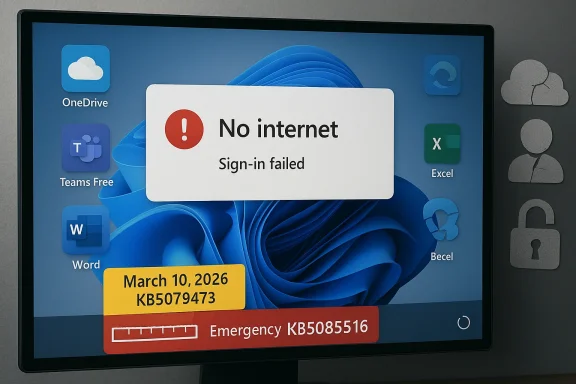
What made the bug unusually frustrating was the symptom itself. Users were told they needed the internet even when their connection was already working, which pushed them toward the wrong diagnosis. A broken Wi‑Fi adapter, a flaky router, or a DNS issue were all plausible guesses, but the real failure sat deeper in the Windows connectivity and authentication state machine. That mismatch between the message and the actual problem is what elevated the issue from a nuisance to a trust problem.
Microsoft also drew a sharp line between consumer and enterprise identity. The bug affected Microsoft account sign-ins, while organizations using Microsoft Entra ID were not impacted in the same way. That distinction matters because it limits the blast radius for managed corporate fleets, while leaving home users, freelancers, and small businesses exposed to the failure mode that matters most in everyday desktop computing.
The broader backdrop is a familiar one for long-time Windows watchers: monthly servicing is essential, but every month now carries the risk of unintended side effects. Microsoft has increasingly treated Windows Release Health as the authoritative record for serious issues, which is good for transparency, but also a sign of how operationally complex Windows has become. The more identity, cloud access, and app licensing are fused into the operating system, the more one bad update can feel like a systems failure rather than a simple software bug.
That matters because the visible apps are only the surface layer. The affected list included Teams Free, OneDrive, Edge, Word, Excel, and Microsoft 365 Copilot, which makes the bug feel bigger than it technically is. When the same sign-in path is shared across so many products, a fault at the identity layer quickly resembles a broad service outage rather than a narrow regression.
Microsoft’s workaround reflected the same weirdness: restart the device while it remains connected to the internet. That is a very old-school instruction for a very modern failure, and it suggests the bug was tied to how Windows handled state after update installation. The company also said the issue could recur if users rebooted without an active connection, which implies a fragile post-update state transition rather than a clean, deterministic defect.
Key takeaways from the failure mode:
That escalation tells its own story. The problem was not necessarily obvious on day one, or it may have taken broader deployment to expose the specific network-state trigger. Either way, the issue was serious enough for Microsoft to move from standard monthly servicing into damage-control mode. That is exactly the kind of transition Windows users have seen more often in recent years.
That scale is exactly why small regressions become strategic headaches. In a world where Windows is entwined with cloud identity, browser sync, storage, collaboration, and AI features, one update can touch everything users do in a day. The account bug hit that exact pressure point, which is why it drew so much attention so quickly.
The update trail also highlights a reality Microsoft cannot avoid: consumers increasingly expect each monthly patch to be invisible, while the company knows each patch may carry changes in authentication, networking, and app integration. That tension is hard to manage, and it is why trust in Windows Update remains so fragile. A patch that breaks sign-in is more damaging than a patch that only breaks a feature button.
Because the patch is optional and delivered through Windows Update, it reflects a familiar Microsoft balancing act. On the one hand, the company wants to get the fix into the hands of people who need it. On the other, optional servicing means not every affected device will receive it immediately or automatically, which can prolong the pain for users who do not manually check for updates.
The practical problem is that optional remediation often depends on user awareness. Many people will never read release-health notes, and they will not immediately associate a false “no internet” prompt with a Windows servicing issue. That creates a lag between the technical fix and the real-world recovery.
Important implications of the fix:
This is where Microsoft’s push toward an account-centric Windows experience cuts both ways. A single sign-in once unlocks a lot of convenience, but it also creates a single point of failure when the identity stack is broken. The more Microsoft encourages cloud-first usage, the more visible these regressions become.
It also created support overhead at home. Users who saw the “offline” message were likely to blame their network, the router, or their ISP before they ever considered Windows Update. That means more wasted time, more unnecessary troubleshooting, and more frustration directed at the wrong layer of the stack.
Consumer pain points included:
Still, “not affected” does not mean “irrelevant.” IT departments still had to understand the bug, because hybrid environments often contain a mix of consumer Microsoft accounts and enterprise identity setups. Any organization that permits personal sign-ins, shared devices, or mixed-use endpoints could still feel operational friction even if core corporate logins remained healthy.
For administrators, the lesson is less about this specific bug than about patch governance. A cumulative update that touches connectivity state can still create helpdesk noise even if it does not fully break managed enterprise sign-in. The safer assumption is that identity-related regressions can spread in unexpected ways, even when the initial symptoms look consumer-only.
Enterprise-facing implications:
That has competitive implications too. Microsoft wants Windows 11 to feel like a secure, continuously improving operating system, especially as AI features and cloud services become more visible. But every embarrassing servicing regression gives rivals an opening to argue that the platform is becoming too complex for its own good. Reliability remains a feature, even when marketing prefers to talk about innovation.
That trust problem is especially acute because Microsoft has spent years moving users toward account-bound experiences. If the platform encourages cloud dependency, then recovery behavior has to be excellent. When it is not, the system starts to feel brittle in exactly the places users notice first.
Microsoft’s update strategy therefore has a difficult mandate:
The episode also creates an opportunity for Microsoft to improve both servicing and communication. Clearer symptom descriptions, better rollback guidance, and more explicit repair instructions would go a long way toward reducing support load the next time a similar state bug appears. Transparency is one of the few tools that can blunt trust damage after a patch failure.
A second concern is user awareness. Optional fixes only help if affected users know they exist, and many will not follow Microsoft’s release health notes closely. That means the real-world impact of the bug can outlast the technical fix, especially among people who are already frustrated and unlikely to search for KB numbers.
What to watch next is not just the update itself, but the operational aftermath. Microsoft may refine its explanation of the connectivity-state trigger, and users will quickly learn whether the restart workaround remains reliable across different hardware and network conditions. The company’s handling of that follow-up will matter almost as much as the fix.
Source: indonesiakini Microsoft Login Glitch Fixed: Major Update Deployed - indonesiakini
 Background
Windows 11 has spent the last several years drifting closer to a cloud-first operating model, and that shift has made account authentication more central than ever. What used to be a simple desktop sign-in now touches OneDrive, Teams Free, Word, Excel, Edge, Microsoft 365 Copilot, and the broader Microsoft ecosystem. That interdependence is convenient when everything works, but it also means a single bug in the identity layer can ripple across the entire productivity stack.The March 10, 2026 cumulative update for Windows 11, KB5079473, landed in the middle of Microsoft’s normal Patch Tuesday cadence. On paper, that makes it ordinary; in practice, it is anything but. The update applied to Windows 11 24H2 and 25H2, and Microsoft later documented that it introduced a sign-in issue affecting Microsoft account authentication in several high-traffic apps.
What made the bug unusually frustrating was the symptom itself. Users were told they needed the internet even when their connection was already working, which pushed them toward the wrong diagnosis. A broken Wi‑Fi adapter, a flaky router, or a DNS issue were all plausible guesses, but the real failure sat deeper in the Windows connectivity and authentication state machine. That mismatch between the message and the actual problem is what elevated the issue from a nuisance to a trust problem.
Microsoft also drew a sharp line between consumer and enterprise identity. The bug affected Microsoft account sign-ins, while organizations using Microsoft Entra ID were not impacted in the same way. That distinction matters because it limits the blast radius for managed corporate fleets, while leaving home users, freelancers, and small businesses exposed to the failure mode that matters most in everyday desktop computing.
The broader backdrop is a familiar one for long-time Windows watchers: monthly servicing is essential, but every month now carries the risk of unintended side effects. Microsoft has increasingly treated Windows Release Health as the authoritative record for serious issues, which is good for transparency, but also a sign of how operationally complex Windows has become. The more identity, cloud access, and app licensing are fused into the operating system, the more one bad update can feel like a systems failure rather than a simple software bug.
What Actually Broke
At the center of the incident is a deceptively simple failure: some Windows 11 users could not sign in to Microsoft account-backed apps after installing the March 10 update. Microsoft’s own documentation described the issue as a state problem tied to network connectivity, not a general internet outage. In other words, the PC could be online and still be trapped in a local condition that caused the OS to believe authentication should fail.That matters because the visible apps are only the surface layer. The affected list included Teams Free, OneDrive, Edge, Word, Excel, and Microsoft 365 Copilot, which makes the bug feel bigger than it technically is. When the same sign-in path is shared across so many products, a fault at the identity layer quickly resembles a broad service outage rather than a narrow regression.
The misleading “no internet” symptom
The most irritating part of the bug was its wording. Instead of a clear authentication error, users were told the device was offline or needed the internet, even though connectivity was intact. That kind of false diagnosis slows down both consumers and IT staff because it sends attention to the network stack, not the account stack.Microsoft’s workaround reflected the same weirdness: restart the device while it remains connected to the internet. That is a very old-school instruction for a very modern failure, and it suggests the bug was tied to how Windows handled state after update installation. The company also said the issue could recur if users rebooted without an active connection, which implies a fragile post-update state transition rather than a clean, deterministic defect.
Key takeaways from the failure mode:
- The bug was not a general broadband outage.
- The error message pointed users in the wrong direction.
- The issue depended on a specific connectivity state.
- A restart could temporarily restore proper behavior.
- Offline reboots could reintroduce the problem.
The Update Trail
The chronology matters because it shows how quickly a routine patch can become an emergency patch. Microsoft shipped KB5079473 on March 10, 2026 as part of the normal cumulative update cycle for Windows 11 24H2 and 25H2. Later, the company updated its release-health notes to acknowledge the sign-in bug and describe the workaround.That escalation tells its own story. The problem was not necessarily obvious on day one, or it may have taken broader deployment to expose the specific network-state trigger. Either way, the issue was serious enough for Microsoft to move from standard monthly servicing into damage-control mode. That is exactly the kind of transition Windows users have seen more often in recent years.
Why Patch Tuesday still matters
Patch Tuesday is not just about security. It is also the moment when a platform update becomes a mass-deployment event, and any mistake can scale very quickly. Microsoft’s March 2026 release was already significant because it bundled security fixes and non-security improvements into the mainstream Windows 11 branch.That scale is exactly why small regressions become strategic headaches. In a world where Windows is entwined with cloud identity, browser sync, storage, collaboration, and AI features, one update can touch everything users do in a day. The account bug hit that exact pressure point, which is why it drew so much attention so quickly.
The update trail also highlights a reality Microsoft cannot avoid: consumers increasingly expect each monthly patch to be invisible, while the company knows each patch may carry changes in authentication, networking, and app integration. That tension is hard to manage, and it is why trust in Windows Update remains so fragile. A patch that breaks sign-in is more damaging than a patch that only breaks a feature button.
KB5085516 and the Fix
Microsoft’s response was KB5085516, an out-of-band update intended to repair the Microsoft account sign-in issue caused by the earlier cumulative release. The fix is being described as the company’s direct remedy for the March regression, and it arrives in a way that underscores how quickly Microsoft had to move once the problem was confirmed.Because the patch is optional and delivered through Windows Update, it reflects a familiar Microsoft balancing act. On the one hand, the company wants to get the fix into the hands of people who need it. On the other, optional servicing means not every affected device will receive it immediately or automatically, which can prolong the pain for users who do not manually check for updates.
What users are expected to do
For affected users, the path is straightforward but not always convenient. Install the corrective update through Windows Update, and if necessary, use the temporary restart workaround while connected to the internet. That is functional, but it also assumes users know the issue is Windows-related in the first place.The practical problem is that optional remediation often depends on user awareness. Many people will never read release-health notes, and they will not immediately associate a false “no internet” prompt with a Windows servicing issue. That creates a lag between the technical fix and the real-world recovery.
Important implications of the fix:
- It shows Microsoft treated the bug as urgent.
- It confirms the problem was broad enough to merit out-of-band servicing.
- It does not eliminate the need for user action on some systems.
- It reinforces the importance of release-health monitoring.
- It reveals how dependent modern Windows is on patch sequencing.
Consumer Impact
For consumers, the bug was especially disruptive because consumer Windows is now built around continuous authentication. Personal OneDrive storage, browser synchronization, Office document access, Teams Free, and Copilot all lean on the Microsoft account layer in one way or another. When that layer misbehaves, the user experience becomes fragmented almost immediately.This is where Microsoft’s push toward an account-centric Windows experience cuts both ways. A single sign-in once unlocks a lot of convenience, but it also creates a single point of failure when the identity stack is broken. The more Microsoft encourages cloud-first usage, the more visible these regressions become.
Everyday workflows that stalled
The practical effect was not abstract. People could not open files synced through OneDrive, could not reliably use Teams Free, and could run into authentication issues inside Office apps that are now tightly tied to cloud accounts. That kind of disruption is especially painful because it hits ordinary, high-frequency tasks rather than obscure admin workflows.It also created support overhead at home. Users who saw the “offline” message were likely to blame their network, the router, or their ISP before they ever considered Windows Update. That means more wasted time, more unnecessary troubleshooting, and more frustration directed at the wrong layer of the stack.
Consumer pain points included:
- OneDrive sign-in failures.
- Teams Free access interruptions.
- Office authentication problems.
- Misleading offline prompts.
- Confusion over whether the network or Windows was at fault.
Enterprise Impact
Enterprises were largely shielded from the most visible damage because Microsoft said the issue did not affect Entra ID authentication in the same way. That separation matters enormously in managed environments where work accounts, policy, and device state are controlled more tightly than on consumer PCs.Still, “not affected” does not mean “irrelevant.” IT departments still had to understand the bug, because hybrid environments often contain a mix of consumer Microsoft accounts and enterprise identity setups. Any organization that permits personal sign-ins, shared devices, or mixed-use endpoints could still feel operational friction even if core corporate logins remained healthy.
Why Entra ID separation matters
The Entra ID distinction also reveals how Microsoft has bifurcated its identity strategy. Consumer accounts power personal productivity, while enterprise identity sits behind more robust management and policy controls. That division helps contain blast radius, but it also creates a subtle two-tier Windows experience where the risk profile changes depending on which account type a user happens to employ.For administrators, the lesson is less about this specific bug than about patch governance. A cumulative update that touches connectivity state can still create helpdesk noise even if it does not fully break managed enterprise sign-in. The safer assumption is that identity-related regressions can spread in unexpected ways, even when the initial symptoms look consumer-only.
Enterprise-facing implications:
- Entra ID users were not the primary target of the bug.
- Mixed identity environments still need attention.
- Helpdesk load can rise even without a full outage.
- Authentication regressions can distort user reports.
- Patch validation should include account-state scenarios.
Why This Matters for Microsoft’s Update Strategy
The deeper story here is not simply that Microsoft shipped a buggy patch. It is that the company continues to manage a platform where monthly servicing, cloud identity, and application authentication are now inseparable. That makes every cumulative update a potential interaction problem, not just a security delivery vehicle.That has competitive implications too. Microsoft wants Windows 11 to feel like a secure, continuously improving operating system, especially as AI features and cloud services become more visible. But every embarrassing servicing regression gives rivals an opening to argue that the platform is becoming too complex for its own good. Reliability remains a feature, even when marketing prefers to talk about innovation.
The trust problem
Windows Update is supposed to be boring. Users are willing to accept monthly maintenance because they expect the tradeoff to be security and stability in exchange for a little inconvenience. When a patch instead breaks sign-in, the trust equation changes immediately.That trust problem is especially acute because Microsoft has spent years moving users toward account-bound experiences. If the platform encourages cloud dependency, then recovery behavior has to be excellent. When it is not, the system starts to feel brittle in exactly the places users notice first.
Microsoft’s update strategy therefore has a difficult mandate:
- Ship security fixes quickly.
- Avoid regressions in identity and connectivity.
- Preserve clear diagnostics for users.
- Restore confidence after defects are found.
- Keep optional remediation visible enough to matter.
Strengths and Opportunities
Despite the disruption, Microsoft’s response also showed some strengths. The company documented the problem in release health notes, distinguished consumer and enterprise impact, and moved to an out-of-band correction rather than letting the issue linger. That is not perfect, but it is better than silence or delay.The episode also creates an opportunity for Microsoft to improve both servicing and communication. Clearer symptom descriptions, better rollback guidance, and more explicit repair instructions would go a long way toward reducing support load the next time a similar state bug appears. Transparency is one of the few tools that can blunt trust damage after a patch failure.
- Microsoft documented the issue instead of leaving users to guess.
- The company separated consumer from enterprise impact.
- An out-of-band fix was issued quickly.
- The bug created a clear case for better diagnostics.
- Windows Release Health now acts as a usable source of operational truth.
- The incident may push Microsoft toward clearer remediation steps.
- It reinforces the value of staged servicing and monitoring.
Risks and Concerns
The biggest concern is that the root problem looked simple to users but may represent a deeper issue in Windows state management. If a machine can be online and still think it is offline after an update, then the platform’s recovery logic needs stronger safeguards. That is not just an annoyance; it is a reliability issue with user-facing consequences.A second concern is user awareness. Optional fixes only help if affected users know they exist, and many will not follow Microsoft’s release health notes closely. That means the real-world impact of the bug can outlast the technical fix, especially among people who are already frustrated and unlikely to search for KB numbers.
- Misleading error text delayed diagnosis.
- Optional patch delivery may slow recovery.
- Offline reboot behavior can re-trigger the issue.
- Consumer users bear the heaviest burden.
- Mixed identity environments can create confusion.
- Confidence in monthly servicing can be weakened.
- Similar bugs could recur if state handling is not hardened.
Looking Ahead
The next few weeks will show whether KB5085516 becomes a one-off repair or part of a larger pattern in Windows servicing. If the patch lands cleanly and the underlying bug does not recur, Microsoft will likely contain the damage to a short-lived support issue. If the symptom returns, or if related identity bugs surface elsewhere, the episode could become another example of how fragile cloud-era Windows still is.What to watch next is not just the update itself, but the operational aftermath. Microsoft may refine its explanation of the connectivity-state trigger, and users will quickly learn whether the restart workaround remains reliable across different hardware and network conditions. The company’s handling of that follow-up will matter almost as much as the fix.
- Whether KB5085516 deploys widely through Windows Update.
- Whether Microsoft clarifies the root cause more fully.
- Whether the workaround remains stable after reboot cycles.
- Whether other Microsoft apps are later added to the affected list.
- Whether similar state-related bugs appear in future cumulative updates.
Source: indonesiakini Microsoft Login Glitch Fixed: Major Update Deployed - indonesiakini
Last edited:
